O6ZC51Client Receiver
Humax Co., Ltd.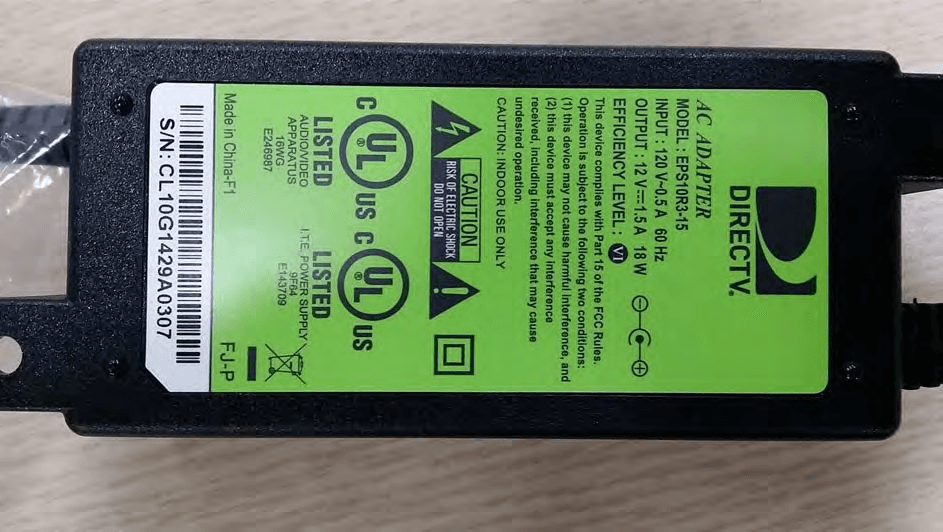
Click to zoom
Application Details
- Equipment Class
- DTS - Digital Transmission System
- Date of Grant
- Aug 04, 2014
- Application Purpose
- Original Equipment
- Date of Application
- Aug 04, 2014
- Equipment Note
- Client Receiver
- Frequency Range
- 2425.00000000 - 2475.00000000
- Company
- Humax Co., Ltd.
- Country
- South Korea
Documents & Files
Document Text
Text extracted from the exhibit documents filed with the FCC. Open a document above to read the original.
Users Manual
http://www.emc2000.co.kr FCC TEST REPORT Report No.: EMC-FCC-R0176 EMC compliance Ltd. 65, Sinwon-ro, Yeongtong-gu, Suwon-si, Gyeonggi-do, 443-390, Korea 82-31-336-9919 (Main) 82-505-299-8311 (Fax) This test report shall not be reproduced, except in full, Without the written approval. User Manual USER GUIDE DIRECTV GENIE ™ & EARLIER HD DVR RECEIVERS P.O. Box 1079 El Segundo, CA 90245 When you see the ENERGY STAR label on your set-top box, it means that your set-top box is ENERGY STAR qualified, giving you the benefit of saving energy and helping our environment. However, ENERGY STAR labeled HD DVR set-top boxes qualify for ENERGY STAR only when configured with the DIRECTV ® Whole-Home DVR service. All other ENERGY STAR labeled set-top boxes, when used in conjunction with a DIRECTV subscription, meet ENERGY STAR criteria without requiring the consumer to take any additional steps. 3 Welcome! Now that you’re plugged in, it’s time to start enjoying access to over 285 (including over 190 full-time HD channels) channels of live and On Demand TV programming, satellite music and a huge selection of box office hits from DIRECTV CINEMA ® . We’ll take you step by step through everything, from pushing the POWER button to searching for your favorite programs. This User Guide applies to the DIRECTV ® HD DVR and the Genie ™ HD DVR and Mini Clients. Because this User Guide was designed to accommodate several models, your Receiver, its user interface, and certain features may vary from what is shown here. Online Manuals and Other Resources To view the most up-to-date manuals for DIRECTV Receivers and other equipment, please visit www.directv.com/manuals or go to www.directv.com and search for keyword “manuals”. You can also visit www.directv.com to manage your account, and find information about DIRECTV service, programming packages, special promotions, and much more. Getting Connected If a professional installed your DIRECTV ™ HD DVR and any Clients, you are ready to start watching TV. If your equipment was not professionally installed, or you just added a surround sound system or other equipment, please see Appendix 1, “Setup and Activation”. IMPORTANT: • Advanced Receiver service fee is required with all HD DVRs to view the HD channels included in your programming package in HD, and for DVR functionality. • DIRECTV hardware, programming and Advanced Receiver service available separately. For information and pricing, please visit directv.com. WELCOME TO THE DIRECTV FAMILY! 4 DIRECTV HD DVR RECEIVER USER GUIDE TABLE OF CONTENTS Welcome to the DIRECTV Family! ............................................3 Safety & Care ...........................................................................6 Product Information ................................................................8 CHAPTER 1: USING YOUR REMOTE CONTROL Your Remote Control .............................................................10 The Progress Bar ..................................................................17 Live Buffer .............................................................................18 CHAPTER 2 - CHANNELS & PROGRAM INFO Program Guide ......................................................................20 Channel Banner & TV Options ...............................................26 Menu ......................................................................................30 CHAPTER 3: SEARCH & BROWSE Movies, On Demand and Pay Per View ..................................34 Sports ....................................................................................40 TV Shows and Genie ™ Recommends ......................................41 Search Features ....................................................................43 CHAPTER 4: RECORDINGS Recording a Single Show .......................................................48 Recording a Series ................................................................50 Watching and Deleting Your Recorded Shows .......................52 Playlist ...................................................................................53 Manage Recordings ...............................................................57 Recording from Your Computer, Phone or Tablet .................61 CHAPTER 5 - EXTRAS & SPECIAL FEATURES Extras ....................................................................................64 Special Features ....................................................................70 DIRECTV ® Whole-Home DVR Service ....................................74 Genie ™ HD DVR & Mini ...........................................................79 DIRECTV ™ Mobile Apps ..........................................................80 CHAPTER 6 - SETTINGS & HELP Settings .................................................................................84 Parental Controls ..................................................................93 Favorite Channels .................................................................98 5 Help .......................................................................................99 CHAPTER 7 - GENIE ™ HD DVR Genie ™ HD DVR ....................................................................102 DIRECTV Genie Mini Back Panel Example ...........................107 CHAPTER 8 - TROUBLESHOOTING & FAQS Troubleshooting Tips ...........................................................110 Frequently Asked Questions ................................................113 CHAPTER 9: WARRANTY AND OTHER INFO Limited 90-Day Warranty ....................................................130 DIRECTV PROTECTION PLAN ..............................................133 FCC Customer Information .................................................134 TERMS AND CONDITIONS FOR USE OF SOFTWARE (“TERMS”) ...........................................................................137 APPENDICES Appendix 1: Setup and Activation ........................................148 Appendix 2: Connectio…
Text truncated - open the document above for the full version.
Users Manual
8989 REMOTE CONTROL Select Remote Control to display the Remote Control setup screen. Then select from the Program Remote, IR/RF Setup, Receiver Mode and Advanced Setups options. For DIRECTV Universal Remotes only: When the MODE switch on your Remote is in the left-most position, it controls your DIRECTV Receiver. However, you can also program the AV1, AV2 and TV positions to control other equipment such as your TV, DVD, VCR or Stereo. Program Your Remote Follow the step-by-step instructions to set your Remote to control your TV or other A/V equipment, such as a DVD player or surround sound system. For best results, it is helpful to know the model number and brand of your equipment. To clear current AV1, AV2 and TV settings, select Program Remote and then Reset Remote. IR/RF Setup Certain remote control models feature Radio Frequency (RF) capability. DIRECTV’s new Genie Remote (black & white design) is both Infra Red (IR) and RF capable, but you must select the mode you want. Otherwise, you will need to refer to the model number printed on the top left corner of your DIRECTV Remote Control to confirm its Remote type. A letter “R” at the end of the model number (which may be followed by other letters) indicates that the remote supports RF. If no letters follow the number, the SETTINGS CHAPTER 6 - SETTINGS & HELP 90 DIRECTV HD DVR RECEIVER USER GUIDE remote works in IR mode only. Please refer back to Chapter 1, “Using Your Remote Control” for detailed information. NOTE: While the newer Genie (HR34, HR44 and above) HD DVRs are RF-capable, previous model DIRECTV Receivers may also be RF-capable. To change your remote method of transmission from IR signals to RF, select Settings, then Remote Control and then IR/RF Setup. While IR transmission requires a clear line of sight to the front of the Receiver, RF transmission lets you put your Receiver inside a cabinet or behind solid doors and still be able to command it from up to 200 feet away. Receiver Mode Select Receiver Mode if you want to use one remote to command a second DIRECTV ® Receiver. Advanced Setups Use this option to set up your remote to control 3 or more Receivers in one room. SATELLITE This option is used by installers when your system is initially set up; you should not have to use it. However, you can use this screen to view your Receiver’s satellite signal strength\or to repeat the satellite setup procedure. SETTINGS 9191 The Antenna Setup option can be used to display channels received via your off-air antenna in the Guide. You must have an off-air (terrestrial) antenna connected to your HD DVR Receiver. Not all HD DVR’s have a built-in off-air tuner. WHOLE-HOME If you’re using DIRECTV ® Whole-Home DVR Service, you can use the Whole-Home settings to set or change your Playlist Sharing preferences, or to create or change the names of each Receiver or Client location. To learn more, read “DIRECTV ® Whole-Home DVR Service” in Chapter 5 or “Genie HD DVR” in Chapter 7, respectively. POWER SAVING Some DIRECTV Receivers are Energy Star certified, meaning they include features that reduce power consumption. The Power Saving option automatically puts these Receivers into Standby mode when there is no activity on your Remote for 4 hours. When the feature is ON, a message will display to warn you before the Receiver goes into Standby mode. SETTINGS CHAPTER 6 - SETTINGS & HELP 92 DIRECTV HD DVR RECEIVER USER GUIDE RESET The Reset screen lets you Restart the Receiver, reset to factory defaults, or reset everything. Restart Receiver is the same function as pressing the red reset button behind the access card door on the front of the Receiver. This option does not affect your settings and scheduled recordings. Reset Defaults erases all of your personal preference items, such as Parental Controls, Favorites, language and scheduled recordings. It restores the Receiver configuration to factory settings. Reset Everything completely erases everything from system memory, except for satellite dish settings, and starts up like a new Receiver. WARNING: All your recordings will be erased from the hard drive! NOTE: If Parental Controls are locked, you must enter your password to reset the Receiver. SETTINGS 9393 PARENTAL CONTROLS To review or update your Parental Controls settings, press MENU, select Settings & Help, then Parental Controls. You can also access Parental Controls by pressing INFO, then selecting Parental, then Parental Controls. Parental Controls enable restrictions to be placed on programming as well as certain actions, and requires a passcode to change the restrictions. Whether you want to block access to mature content, limit spending amounts, or restrict the number of TV viewing hours, you have total control for the whole household. The system default is “unlocked” for all categories. CHAPTER 6 - SETTINGS & HELP 94 DIRECTV HD DVR RECEIVER USER GUIDE LOCK NOW After setting the restrictions you want (see below for options), choose Lock Now from the left menu. You’ll be asked to create a passcode. This passcode will be your entry to unlocking and adjusting the limits in the future. UNLOCK NOW When Parental Controls are locked, a message appears if you try to tune to a restricted program, explaining why the program is blocked. To temporarily unlock a particular program, select Unlock Now and enter your passcode. Multiple entries aimed at guessing the passcode are thwarted by a time delay; each invalid passcode entered lengthens the delay for subsequent entry by one second. For more unlock options, press MENU, select Settings & Help then select Parental Controls. Various options for removing restrictions temporarily or permanently will appear. Select one and enter your passcode. You can also unlock Parental Controls by pressing INFO while watching TV. Select Parental then Unlock All and enter your passcode. NOTE: If you have Parental Controls set and temporarily unlocked, turning the Receiver off will turn Parental Controls back on. PARE…
Text truncated - open the document above for the full version.
Cover Letter(s)
HUMAX Co., Ltd. HUMAX Village, 11-4, Sunae-dong, Bundang-gu, Seongnam-si, Gyeonggi-do, 463-825, KOREA Tel. +82-31-776-6400 / Fax. +82-31-776-6149 Date: August 4 , 2014 To: S IEMIC, INC. 775 Montague Expressway, Milpitas, CA 95035 USA Dear Sir/Madam, Re: Project and Product Certification Representative Authorization Letter We, HUMAX Co., Ltd., hereby authorize SIEMIC, INC. to act as a Certification Body for certifying for the following project : - Product: Client Receiver - Model name: C51-500 - FCC ID: O6ZC51 We affirm that between SIEMIC and HUMAX Co., Ltd., any difference in understanding, including test plan, measurement methods, applicable standards and relevant procedures and processes have been resolved prior to commencement of testing activities. I, the undersigned, hereby certify that we are not subject to a denial of federal benefits, that includes FCC benefits, pursuant to Section 5301 of the Anti-Drug Abuse Act of 1988, 21 U.S.C. 853(a). This authorization is valid until further written notice from the applicant. Sincerely Yours, ______________________________________ Inseok Seo /Senior Manager /HUMAX Co., Ltd.
Cover Letter(s)
HUMAX Co., Ltd. HUMAX Village, 11-4, Sunae-dong, Bundang-gu, Seongnam-si, Gyeonggi-do, 463-825, KOREA Tel. +82-31-776-6400 / Fax. +82-31-776-6149 FCC Confidentiality Request Letter Date: August 4 , 2014 Federal Communications Commission Authorization and Evaluation Division 7435 Oakland Mills Road Columbia MD 21046 Subject: Permanent Confidentiality Request for FCC ID: O6ZC51 We hereby request confidential treatment of information accompanying this application as outlined below: • Block diagram • Schematics • Operation Description The above materials contain trade secrets and proprietary information not customarily released to the public. The public disclosure of these materials may be harmful to the applicant and provide unjustified benefits to its competitors. The applicant understands that pursuant to Section 0.457 & 0.459 of the Rules, disclosure of this application and all accompanying documentation will not be made before the date of the Grant for this application. Sincerely Yours, ______________________________________ Inseok Seo /Senior Manager /HUMAX Co., Ltd.
External Photos
http://www.emc2000.co.kr FCC TEST REPORT Report No.: EMC-FCC-R0176 EMC compliance Lt d. 65, Sinwon-ro, Yeongtong-gu, Suwon-si, Gyeonggi-do, 44 3- 390, Kor ea 82-31 -336-9919 (Main) 82-505-299-8311 (Fax) This test report shall not be reproduced, except in full, Without the written approval. External photos of EUT - Front - Rear http://www.emc2000.co.kr FCC TEST REPORT Report No.: EMC-FCC-R0176 EMC compliance Lt d. 65, Sinwon-ro, Yeongtong-gu, Suwon-si, Gyeonggi-do, 44 3- 390, Kor ea 82-31 -336-9919 (Main) 82-505-299-8311 (Fax) This test report shall not be reproduced, except in full, Without the written approval. - To p - Bottom http://www.emc2000.co.kr FCC TEST REPORT Report No.: EMC-FCC-R0176 EMC compliance Lt d. 65, Sinwon-ro, Yeongtong-gu, Suwon-si, Gyeonggi-do, 44 3- 390, Kor ea 82-31 -336-9919 (Main) 82-505-299-8311 (Fax) This test report shall not be reproduced, except in full, Without the written approval. - Left - Right http://www.emc2000.co.kr FCC TEST REPORT Report No.: EMC-FCC-R0176 EMC compliance Lt d. 65, Sinwon-ro, Yeongtong-gu, Suwon-si, Gyeonggi-do, 44 3- 390, Kor ea 82-31 -336-9919 (Main) 82-505-299-8311 (Fax) This test report shall not be reproduced, except in full, Without the written approval. - Adaptor #1 - Adaptor #1 http://www.emc2000.co.kr FCC TEST REPORT Report No.: EMC-FCC-R0176 EMC compliance Lt d. 65, Sinwon-ro, Yeongtong-gu, Suwon-si, Gyeonggi-do, 44 3- 390, Kor ea 82-31 -336-9919 (Main) 82-505-299-8311 (Fax) This test report shall not be reproduced, except in full, Without the written approval. - Adaptor #2 - Adaptor #2 http://www.emc2000.co.kr FCC TEST REPORT Report No.: EMC-FCC-R0176 EMC compliance Lt d. 65, Sinwon-ro, Yeongtong-gu, Suwon-si, Gyeonggi-do, 44 3- 390, Kor ea 82-31 -336-9919 (Main) 82-505-299-8311 (Fax) This test report shall not be reproduced, except in full, Without the written approval. - Adaptor #3 - Adaptor #3 http://www.emc2000.co.kr FCC TEST REPORT Report No.: EMC-FCC-R0176 EMC compliance Lt d. 65, Sinwon-ro, Yeongtong-gu, Suwon-si, Gyeonggi-do, 44 3- 390, Kor ea 82-31 -336-9919 (Main) 82-505-299-8311 (Fax) This test report shall not be reproduced, except in full, Without the written approval. - Adaptor #4 - Adaptor #4 http://www.emc2000.co.kr FCC TEST REPORT Report No.: EMC-FCC-R0176 EMC compliance Lt d. 65, Sinwon-ro, Yeongtong-gu, Suwon-si, Gyeonggi-do, 44 3- 390, Kor ea 82-31 -336-9919 (Main) 82-505-299-8311 (Fax) This test report shall not be reproduced, except in full, Without the written approval. - ReMote Control Front - ReMote Control Rear http://www.emc2000.co.kr FCC TEST REPORT Report No.: EMC-FCC-R0176 EMC compliance Lt d. 65, Sinwon-ro, Yeongtong-gu, Suwon-si, Gyeonggi-do, 44 3- 390, Kor ea 82-31 -336-9919 (Main) 82-505-299-8311 (Fax) This test report shall not be reproduced, except in full, Without the written approval. - ReMote Control Top - ReMote Control Bottom http://www.emc2000.co.kr FCC TEST REPORT Report No.: EMC-FCC-R0176 EMC compliance Lt d. 65, Sinwon-ro, Yeongtong-gu, Suwon-si, Gyeonggi-do, 44 3- 390, Kor ea 82-31 -336-9919 (Main) 82-505-299-8311 (Fax) This test report shall not be reproduced, except in full, Without the written approval. - ReMote Control Left - ReMote Control Right
ID Label/Location Info
http://www.emc2000.co.kr FCC TEST REPORT Report No.: EMC-FCC-R0176 EMC compliance Ltd. 65, Sinwon-ro, Yeongtong-gu, Suwon-si, Gyeonggi-do, 443-390, Korea 82-31-336-9919 (Main) 82-505-299-8311 (Fax) This test report shall not be reproduced, except in full, Without the written approval. FCC ID Label info
Internal Photos
http://www.emc2000.co.kr FCC TEST REPORT Report No.: EMC-FCC-R0176 EMC compliance Lt d. 65, Sinwon-ro, Yeongtong-gu, Suwon-si, Gyeonggi-do, 44 3- 390, Kor ea 82-31-336-9919 (Main) 82-505-299-8311 (Fax) This test report shall not be reproduced except in full, Without the written approval. Internal photos of EUT - Inside of Product http://www.emc2000.co.kr FCC TEST REPORT Report No.: EMC-FCC-R0176 EMC compliance Lt d. 65, Sinwon-ro, Yeongtong-gu, Suwon-si, Gyeonggi-do, 44 3- 390, Kor ea 82-31-336-9919 (Main) 82-505-299-8311 (Fax) This test report shall not be reproduced except in full, Without the written approval. - Main board Top - Main board Bottom http://www.emc2000.co.kr FCC TEST REPORT Report No.: EMC-FCC-R0176 EMC compliance Lt d. 65, Sinwon-ro, Yeongtong-gu, Suwon-si, Gyeonggi-do, 44 3- 390, Kor ea 82-31-336-9919 (Main) 82-505-299-8311 (Fax) This test report shall not be reproduced except in full, Without the written approval. - Main board Port - Module & Antenna Location http://www.emc2000.co.kr FCC TEST REPORT Report No.: EMC-FCC-R0176 EMC compliance Lt d. 65, Sinwon-ro, Yeongtong-gu, Suwon-si, Gyeonggi-do, 44 3- 390, Kor ea 82-31-336-9919 (Main) 82-505-299-8311 (Fax) This test report shall not be reproduced except in full, Without the written approval. - Remote Control Inside - Remote Control Main Board To p http://www.emc2000.co.kr FCC TEST REPORT Report No.: EMC-FCC-R0176 EMC compliance Lt d. 65, Sinwon-ro, Yeongtong-gu, Suwon-si, Gyeonggi-do, 44 3- 390, Kor ea 82-31-336-9919 (Main) 82-505-299-8311 (Fax) This test report shall not be reproduced except in full, Without the written approval. - Remote Control Main Board Bottom
RF Exposure Info
http://www.emc2000.co.kr EMC compliance Ltd. Page: 1 of 2 65, Sinwon-ro, Yeongtong-gu, Suwon- si, Gyeonggi-do, 443-390, Korea 82-31-336-9919 (Main) 82-505-299-8311 (Fax) This test report shall not be reproduced except in full, Without the written approval. * RF Exposure 1. Regulation According to §15.247(i), systems operating under the provisions of this section shall be operated in a manner that ensures that the public is not exposed to radio frequency energy levels in excess of the Commission's guidelines. See § 1.1307(b)(1) of this Chapter. Limits for Maximum Permissive Exposure: RF exposure is calculated. Frequency Range Electric Field Strength [V/m] Magnetic Field Strength [A/m] Power Density [㎽/㎠] Av e r ag ing Time [minute] Limits for General Population / Uncontrolled Exposure 0.3 ~ 1.34 614 1.63 *(100) 30 1.34 ~ 30 824/f 2.19/f *(180/f 2 ) 30 30 ~ 300 27.5 0.073 0.2 30 300 ~ 1 500 / / f/1 500 30 1 500 ~ 15 000 / / 1.0 30 f=frequency in ㎒, *= plane-wave equivalent power density MPE (Maximum Permissive Exposure) Prediction Predication of MPE limit at a given distance: Equation from page 18 of OET Bulletin 65, Edition 97-01 SPGRRPGS4 4 2 S = power density [㎽ /㎠] P = Power input to antenna [㎽] G = Power gain of the antenna in the direction of interest relative to an isotropic radiator R = distance to the center of radiation of the antenna [㎝] EUT: Maximum peak output power = 2.28 [㎽] (3.57 ㏈m) Antenna gain = 2.04 (3.1 ㏈i) 100 ㎽, at 20 cm from an antenna 6 [㏈i] S = PG/4πR² = 100 × 3.98 / (4 × π × 400) = 0.079 18 [㎽/㎠] < 1.0 [㎽/㎠] 2.28 ㎽, at 20 cm from an antenna 3.1 [㏈i] S = PG/4πR² = 0.000 92 [㎽/㎠] < 1.0 [㎽/㎠] 2. RF Exposure Compliance Issue The information should be included in the user’s manual: This appliance and its antenna must not be co-located or operation in conjunction with any other antenna or transmitter. A minimum separation distance of 20 cm must be maintained between the antenna and the person for this appliance to satisfy the RF exposure requirements. http://www.emc2000.co.kr EMC compliance Ltd. Page: 2 of 2 65, Sinwon-ro, Yeongtong-gu, Suwon- si, Gyeonggi-do, 443-390, Korea 82-31-336-9919 (Main) 82-505-299-8311 (Fax) This test report shall not be reproduced except in full, Without the written approval. 3. Calculation Result of RF Exposure * ANT 1 Channel Frequency Ant Gain power power Power Density at 20 ㎝ [㎒] [㏈m] [㎽] [㎽/㎠] Lowest 2 425 2.04 3.56 2.27 0.000 92 Middle 2 450 2.04 3.57 2.28 0.000 92 Highest 2 475 2.04 3.26 2.12 0.000 86 * ANT 2 Channel Frequency Ant Gain power power Power Density at 20 ㎝ [㎒] [㏈m] [㎽] [㎽/㎠] Lowest 2 425 1.26 2.63 1.83 0.000 46 Middle 2 450 1.26 2.71 1.87 0.000 47 Highest 2 475 1.26 2.32 1.71 0.000 43
Test Report
http://www.emc2000.co.kr FCC TEST REPORT Report No.: EMC-FCC-R0176 EMC compliance Ltd. Page: 2 of 43 65, Sinwon-ro, Yeongtong-gu, Suwon- si, Gyeonggi-do, 443-390, Korea 82-31-336-9919 (Main) 82-505-299-8311 (Fax) This test report shall not be reproduced except in full, Without the written approval. [ Contents ] 1. Client information ............................................................................................................................................. 3 2. Laboratory information .................................................................................................................................... 4 3. Description of E.U.T. ......................................................................................................................................... 5 3.1 Basic description ........................................................................................................................................... 5 3.2 General description ....................................................................................................................................... 5 3.3 Test frequency ............................................................................................................................................... 6 3.4 Test Voltage ................................................................................................................................................... 6 4. Summary of test results ..................................................................................................................................... 7 4.1 Standards & results ....................................................................................................................................... 7 4.2 Uncertainty ................................................................................................................................................... 7 5. Test results .......................................................................................................................................................... 8 5.1 Antenna Requirement ................................................................................................................................... 8 5.2 Maximum Peak Output Power ...................................................................................................................... 9 5.3 Peak Power Spectral Density ...................................................................................................................... 13 5.4 6 dB Bandwidth(DTS Channel Bandwidth) ............................................................................................... 17 5.5 Spurious Emission, Band Edge, and Restricted bands ................................................................................ 23 5.6 Conducted Emission ................................................................................................................................... 40 6. Test equipment used for test ........................................................................................................................... 43 http://www.emc2000.co.kr FCC TEST REPORT Report No.: EMC-FCC-R0176 EMC compliance Ltd. Page: 3 of 43 65, Sinwon-ro, Yeongtong-gu, Suwon- si, Gyeonggi-do, 443-390, Korea 82-31-336-9919 (Main) 82-505-299-8311 (Fax) This test report shall not be reproduced except in full, Without the written approval. 1. Client information Applicant: HUMAX Co., Ltd. Address: HUMAX Village, 11-4, Sunae-dong, Bundang-gu, Seongnam-si, Gyeonggi-do, 463-825, KOREA Telephone number: +82-31-776-6400 Facsimile number: +82-31-776-6149 Contact person: Inseok Seo / [email protected] Manufacturer: Kinpo Electronics (China) Co.,Ltd. Address: SHA TOU VILLAGE, CHANG AN TOWN, DONG GUAN CITY, GUAN DONG PROVINCE, CHINA http://www.emc2000.co.kr FCC TEST REPORT Report No.: EMC-FCC-R0176 EMC compliance Ltd. Page: 4 of 43 65, Sinwon-ro, Yeongtong-gu, Suwon- si, Gyeonggi-do, 443-390, Korea 82-31-336-9919 (Main) 82-505-299-8311 (Fax) This test report shall not be reproduced except in full, Without the written approval. 2. Laboratory information Address EMC compliance Ltd. 65, Sinwon-ro, Yeongtong-gu, Suwon- si, Gyeonggi-do, 443-390, Korea Telephone Number: 82-31-336-9919 Facsimile Number: 82-505-299-8311 Certificate KOLAS No.: 231 FCC Site Registration No.: 687132 VCCI Site Registration No.: R-3327, G-198, C-3706, T-1849 IC Site Registration No.:8035A-2 SITE MAP EMC Compliance Ltd. Suwon city http://www.emc2000.co.kr FCC TEST REPORT Report No.: EMC-FCC-R0176 EMC compliance Ltd. Page: 5 of 43 65, Sinwon-ro, Yeongtong-gu, Suwon- si, Gyeonggi-do, 443-390, Korea 82-31-336-9919 (Main) 82-505-299-8311 (Fax) This test report shall not be reproduced except in full, Without the written approval. 3. Description of E.U.T. 3.1 Basic description Applicant: HUMAX Co., Ltd. Address of Applicant lage, 11-4, Sunae-dong, Bundang-gu, Seongnam-si, Gyeonggi-do, 463-825, KOREA Manufacturer Kinpo Electronics (China) Co.,Ltd. Address of Manufacturer SHA TOU VILLAGE, CHANG AN TOWN, DONG GUAN CITY, GUAN DONG PROVINCE, CHINA Type of equipment Client Receiver Basic Model C51-500 Serial number Proto Type 3.2 General description Frequency Range 2 425 ㎒ ~ 2 475 ㎒ Communication 802.15.4 (RF4CE) Type of Modulation O-QPSK(DSSS) Number of Channels 3 ch Type of Antenna PCB antenna Antenna Gain 3.1 ㏈i (ANT 1) / 1.0 ㏈i (ANT 2) Transmit Power 3.57 ㏈m Power supply DC 12 V http://www.emc2000.co.kr FCC TEST REPORT Report No.: EMC-FCC-R0176 EMC compliance Ltd. Page: 6 of 43 65, Sinwon-ro, Yeongtong-gu, Suwon- si, Gyeonggi-do, 443-390, Korea 82-31-336-9919 (Main) 82-505-299-8311 (Fax) This test report shall not be reproduced except in full, Without the written approval. 3.3 Test frequency For all teset items, the low, middle and high channels of the modes were tested with above worst case data rate. CH Frequency Low frequency 15 2 425 ㎒ Middle …
Text truncated - open the document above for the full version.
Test Setup Photos
http://www.emc2000.co.kr FCC TEST REPORT Report No.: EMC-FCC-R0176 EMC compliance Ltd. 65, Sinwon-ro, Yeongtong-gu, Suwon-si, Gyeonggi-do, 443-390, Korea 82-31-336-9919 (Main) 82-505-299-8311 (Fax) This test report shall not be reproduced, except in full, Without the written approval. Test setup photos - 9 ㎑ ~ 30 ㎒ - 30 ㎒ ~ 1 ㎓ http://www.emc2000.co.kr FCC TEST REPORT Report No.: EMC-FCC-R0176 EMC compliance Ltd. 65, Sinwon-ro, Yeongtong-gu, Suwon-si, Gyeonggi-do, 443-390, Korea 82-31-336-9919 (Main) 82-505-299-8311 (Fax) This test report shall not be reproduced, except in full, Without the written approval. Test setup photos - 1 ㎓ Over http://www.emc2000.co.kr FCC TEST REPORT Report No.: EMC-FCC-R0176 EMC compliance Ltd. 65, Sinwon-ro, Yeongtong-gu, Suwon-si, Gyeonggi-do, 443-390, Korea 82-31-336-9919 (Main) 82-505-299-8311 (Fax) This test report shall not be reproduced, except in full, Without the written approval. Test setup photos (AC Line) - Front - Rear
Contact Information
Applicant
Sunghum Yeon(DQA Manager)
Test Firm
EMC Compliance Ltdchangmin kim
Technical Specifications
| # | Rule Parts | Frequency Range | Power Output |
|---|---|---|---|
| 1 | 15C | 2.42 GHz - 2.48 GHz | 2.28 mW |
Other Applications from Humax Co., Ltd.
O6ZHR54R1-500
Jan 11, 2024Digital Satellite Receiver
Equipment Class
NII - Unlicensed National Information Infrastructure TX
O6ZP21KW
Dec 05, 2022Wireless Streaming Device
Equipment Class
NII - Unlicensed National Information Infrastructure TX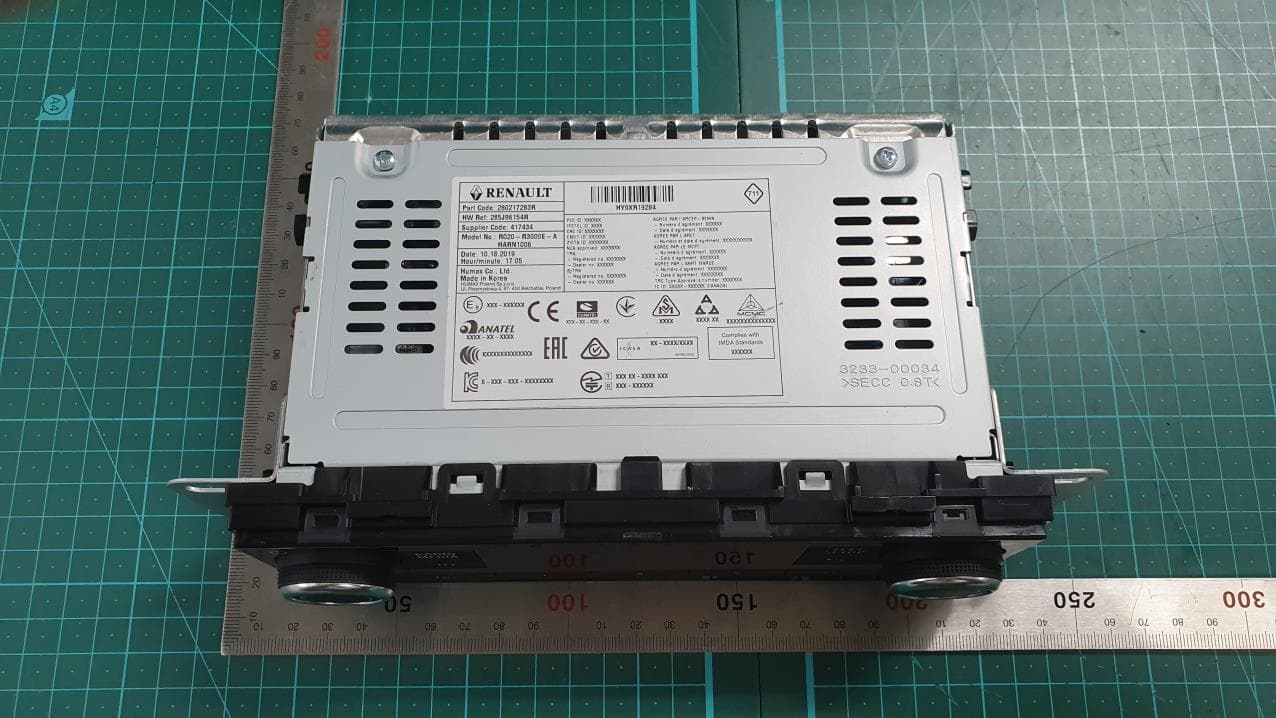
O6Z-HARN1006
Jan 21, 2020CAR AUDIO
Equipment Class
DSS - Part 15 Spread Spectrum Transmitter
O6ZC61-500
Dec 22, 2015Client Receiver
Equipment Class
DTS - Digital Transmission System
O6ZH44
May 21, 2015Direc TV Satellite Receiver
Equipment Class
DTS - Digital Transmission System