O9GGMRS380GMRS Transceiver
Trisquare Communications Inc.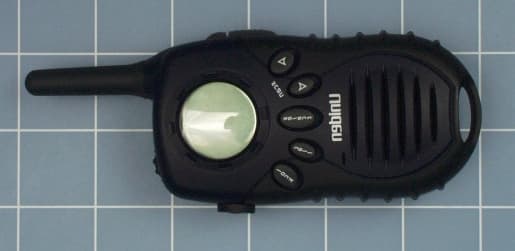
Click to zoom
Application Details
- Equipment Class
- TNF - Licensed Non-Broadcast Transmitter Held to Face
- Date of Grant
- Apr 11, 2002
- Application Purpose
- Original Equipment
- Date of Application
- Jan 22, 2002
- Equipment Note
- GMRS Transceiver
- Frequency Range
- 462.55000000 - 462.72500000
- Country
- United States
Documents & Files
Document Text
Text extracted from the exhibit documents filed with the FCC. Open a document above to read the original.
Users Manual
INSTALL THE BATTERIES Your GMRS380 radio uses 4 AAA alkaline batteriesor the optional NiMH battery pack (not included). Ifalkaline batteries are used, we recommend usinghigh quality alkaline batteries.To install the 4 AAA alkaline batteries: 1) Make sure your radio is OFF.2) Remove the battery compartment door by pressing the tab at the bottom of the compartment door allowing the door to beremoved. 3) Install 4 AAA alkaline batteries (not included) into the battery compartment. Be certain to follow the+ and - symbols in the compartment. Installingthe batteries incorrectly will prevent the unit fromoperating. 4) Replace the battery compartment door. This unit has a battery level meter on the display to indicate the status of the batteries. When the batteries in the unit are low, the battery meter icon will flash and the unit will emit a low battery tone. Replace the alkaline batteries immediately or ifyou are using the NiMH battery pack, you mustrecharge the batteries in order to continue using the radio.Warning! To avoid the risk of personal injury or property damage from fire or electrical shock, onlyuse the Uniden accessories specifically designatedfor this product. Congratulations on your purchase of the UnidenGMRS380 (General Mobile Radio Service) radio.This product is a lightweight, palm-sized radio. Use itat sporting events to stay in contact with family andfriends, hiking, skiing, outdoors, or in a neighborhoodwatch for vital communication. This compact, state-of-the-art device is equipped with many features. OPTIONAL ACCESSORIES Your package contains the GMRS380 radio, this reference guide, and a product registration card.You may operate the unit using 4 AAA alkalinebatteries or the rechargeable NiMH battery pack (not included). The following optional accessoriesmay be purchased from your participating Unidendealer or call 1-800-554-3988 or visit us on the webat www.uniden.com. Use only Uniden accessories. • Earset Mic w/ PTT - #HS2468• Vox Headset Mic - #HSV2469• NiMH Battery Pack - #BP38• Recharging Cradle - #RC5248 Adjusting the Sound (Key Beeps)Your radio emits a beep each time one of the buttonsor keys are pressed. To turn this sound OFF, pressselect while turning on the radio. Repeat this step to turn the sound ON.Navigating through the MenuTo access the advanced features of the GMRS380,your radio has a Menu function. 1) To enter the Menu, press the select key.2) Additional presses of the select key will advance you through the menu until exiting to "normal"operating mode. 3) Other methods of exiting the menu function are:a. Press and hold the select key again. b. Press PTT . (Push To Talk) c. Wait 10 seconds until the unit automatically returns to "normal" mode. THANK YOU FOR PURCHASING A UNIDEN PRODUCT BATTERY LEVEL AND LOW BATTERY ALERT Talking on Your RadioTo talk to others using the radio: 1) Press and hold the PTT button and speak in a clear, normal voice about 2-3 inches away from the microphone. While you aretransmitting, the TT XX icon will appear on the display. To avoid cutting off the first part ofyour transmission, pause slightly after pressing the PTT button before you start talking. 2) When you are finished speaking, release the PTT button. You can now receive incoming calls. While receiving, the RR XX icon will appear on the display. *Range may vary depending on environmental and/or topographical conditions. Voice Operated TransmissionYour GMRS380 radio is equipped with a userselectable Voice Operated Transmitter (VOX) thatcan be used for automatic voice transmissions.The VOX feature is designed to be used with aheadset with a microphone, but not a remote PTT switch. Transmission is initiated by speakinginto the remote microphone instead of pushing thePTT button.To select the VOX level: 1) Enter the Menu. Advance through the Menu,until the VV OO XX icon appears on the display. The current level ( 00 - 33 ) will Channel Scan FeatureYour GMRS380 radio has a channel Scan feature that allows you to easily Scan all 15channels. When an active channel is detected,the unit will pause on that channel until thechannel is clear. Then after a 4 second delay,the unit will continue scanning. Pressing PTT while the Scan is paused on a channel willallow you to transmit on that channel.To turn ON channel scanning:Press and hold either the s or t key until the SS CC AA NN icon is displayed. The channel number on the display will rapidly cyclethrough the channels.To turn OFF channel scanning:Press and release either the s or t key. • 8 GMRS / 7 FRS Channels• 38 CTCSS Codes• Up to 5 Mile Range*• Internal VOX Circuitry• 5 Selectable Call Tone Alerts• Backlit LCD Display• Optional Headset Accessories• Headset Jack• Battery Recharge Circuit• Optional NiMH Battery Pack and Charger • Battery Level Meter• Channel Monitor• Channel Scan• Keypad Lock• VOX Circuitry GMRS380 Turning the Radio On and Adjusting the Volume 1) Rotate the on/off/volume control counter clockwise to turn the unit ON and increase the speaker volume. 2) Rotate the on/off/volume control clockwise to decrease the speaker volume and turn the unit OFF. USING THE RADIO In order to get the most out of your new radio, readthis reference guide completely before attempting tooperate the unit. Choosing a CTCSS CodeEach of the channels 1-15 may have any one ofthe codes 0 - 38 selected. Code "0" indicates no CTCSS code selected and your radio can receivea signal regardless of the code settings of thetransmitting radio. 1) Enter the Menu. The CTCSS code on the LCD display will flash. 2) Press the s or t key to increase or decrease the code number displayed. 3) Exit the Menu to return to "normal" mode. Choosing a ChannelYour radio has 15 channels and 38 CTCSS codesyou can use to talk to others. In order to speak tosomeone, each of you must be set to the samechannel and CTCSS code.To choose a channel:With the radio in normal operating mode press thes or t key to increase or decrease the channel number displayed. Keypad LockTo Lo…
Text truncated - open the document above for the full version.
Users Manual
INSTALL THE BATTERIES Your GMRS380 radio uses 4 AAA alkaline batteriesor the optional NiMH battery pack (not included). Ifalkaline batteries are used, we recommend usinghigh quality alkaline batteries.To install the 4 AAA alkaline batteries: 1) Make sure your radio is OFF.2) Remove the battery compartment door by pressing the tab at the bottom of the compartment door allowing the door to beremoved. 3) Install 4 AAA alkaline batteries (not included) into the battery compartment. Be certain to follow the+ and - symbols in the compartment. Installingthe batteries incorrectly will prevent the unit fromoperating. 4) Replace the battery compartment door. This unit has a battery level meter on the display to indicate the status of the batteries. When the batteries in the unit are low, the battery meter icon will flash and the unit will emit a low battery tone. Replace the alkaline batteries immediately or ifyou are using the NiMH battery pack, you mustrecharge the batteries in order to continue using the radio.Warning! To avoid the risk of personal injury or property damage from fire or electrical shock, onlyuse the Uniden accessories specifically designatedfor this product. Congratulations on your purchase of the UnidenGMRS380 (General Mobile Radio Service) radio.This product is a lightweight, palm-sized radio. Use itat sporting events to stay in contact with family andfriends, hiking, skiing, outdoors, or in a neighborhoodwatch for vital communication. This compact, state-of-the-art device is equipped with many features. OPTIONAL ACCESSORIES Your package contains the GMRS380 radio, this reference guide, and a product registration card.You may operate the unit using 4 AAA alkalinebatteries or the rechargeable NiMH battery pack (not included). The following optional accessoriesmay be purchased from your participating Unidendealer or call 1-800-554-3988 or visit us on the webat www.uniden.com. Use only Uniden accessories. • Earset Mic w/ PTT - #HS2468• Vox Headset Mic - #HSV2469• NiMH Battery Pack - #BP38• Recharging Cradle - #RC5248 Adjusting the Sound (Key Beeps)Your radio emits a beep each time one of the buttonsor keys are pressed. To turn this sound OFF, pressselect while turning on the radio. Repeat this step to turn the sound ON.Navigating through the MenuTo access the advanced features of the GMRS380,your radio has a Menu function. 1) To enter the Menu, press the select key.2) Additional presses of the select key will advance you through the menu until exiting to "normal"operating mode. 3) Other methods of exiting the menu function are:a. Press and hold the select key again. b. Press PTT . (Push To Talk) c. Wait 10 seconds until the unit automatically returns to "normal" mode. THANK YOU FOR PURCHASING A UNIDEN PRODUCT BATTERY LEVEL AND LOW BATTERY ALERT Talking on Your RadioTo talk to others using the radio: 1) Press and hold the PTT button and speak in a clear, normal voice about 2-3 inches away from the microphone. While you aretransmitting, the TT XX icon will appear on the display. To avoid cutting off the first part ofyour transmission, pause slightly after pressing the PTT button before you start talking. 2) When you are finished speaking, release the PTT button. You can now receive incoming calls. While receiving, the RR XX icon will appear on the display. *Range may vary depending on environmental and/or topographical conditions. Voice Operated TransmissionYour GMRS380 radio is equipped with a userselectable Voice Operated Transmitter (VOX) thatcan be used for automatic voice transmissions.The VOX feature is designed to be used with aheadset with a microphone, but not a remote PTT switch. Transmission is initiated by speakinginto the remote microphone instead of pushing thePTT button.To select the VOX level: 1) Enter the Menu. Advance through the Menu,until the VV OO XX icon appears on the display. The current level ( 00 - 33 ) will Channel Scan FeatureYour GMRS380 radio has a channel Scan feature that allows you to easily Scan all 15channels. When an active channel is detected,the unit will pause on that channel until thechannel is clear. Then after a 4 second delay,the unit will continue scanning. Pressing PTT while the Scan is paused on a channel willallow you to transmit on that channel.To turn ON channel scanning:Press and hold either the s or t key until the SS CC AA NN icon is displayed. The channel number on the display will rapidly cyclethrough the channels.To turn OFF channel scanning:Press and release either the s or t key. • 8 GMRS / 7 FRS Channels• 38 CTCSS Codes• Up to 5 Mile Range*• Internal VOX Circuitry• 5 Selectable Call Tone Alerts• Backlit LCD Display• Optional Headset Accessories• Headset Jack• Battery Recharge Circuit• Optional NiMH Battery Pack and Charger • Battery Level Meter• Channel Monitor• Channel Scan• Keypad Lock• VOX Circuitry GMRS380 Turning the Radio On and Adjusting the Volume 1) Rotate the on/off/volume control counter clockwise to turn the unit ON and increase the speaker volume. 2) Rotate the on/off/volume control clockwise to decrease the speaker volume and turn the unit OFF. USING THE RADIO In order to get the most out of your new radio, readthis reference guide completely before attempting tooperate the unit. Choosing a CTCSS CodeEach of the channels 1-15 may have any one ofthe codes 0 - 38 selected. Code "0" indicates no CTCSS code selected and your radio can receivea signal regardless of the code settings of thetransmitting radio. 1) Enter the Menu. The CTCSS code on the LCD display will flash. 2) Press the s or t key to increase or decrease the code number displayed. 3) Exit the Menu to return to "normal" mode. Choosing a ChannelYour radio has 15 channels and 38 CTCSS codesyou can use to talk to others. In order to speak tosomeone, each of you must be set to the samechannel and CTCSS code.To choose a channel:With the radio in normal operating mode press thes or t key to increase or decrease the channel number displayed. Keypad LockTo Lo…
Text truncated - open the document above for the full version.
External Photos
Front View Back View Right Side View Left Side View Top View
Internal Photos
Batter y Co mpartme nt Circuit Board, Top View Circuit Board, Bottom View
Parts List/Tune Up Info
TRANSMITTER TUNE-UP AND ALIGNMENT GMRS380 FCC ID: O9GGMRS380 1. Frequency Setting A. Connect a frequency counter or communications service monitor capable of at least five watt RF. B. Press the PTT switch. C. Adjust CT300 trimmer capacitor such that the output frequency is equal to the channel frequency with a maximum error of +/- 300 Hz. CT400 is located to the left of the PTT button below the crystal unit. 2. Deviation Adjustment A. Connect an audio generator to the microphone test terminals. The audio frequency should be set at 1KHz with a level of 80mv. B. Connect an FM deviation meter or communications service monitor to the antenna connector. Set the monitor to read peak deviation. C. Press the PTT switch. D. Adjust RV230 for +/- 4.8 KHz deviation. RV230 is located to the left of the VCO shield can.
RF Exposure Info
CELLTECH RESEARCH INC. Test Report S/N: 032102-226O9G 1955 Moss Court, KelownaTest Date(s): March 21, 2002 B.C. Canada V1Y 9L3FCC SAR Evaluation _____________________________________________________________________________________________________________ © 2002 Celltech Research Inc. CERTIFICATE OF COMPLIANCE SAR EVALUATION Celltech Research Inc. declares under its sole responsibility that this device was found to be in compliance with the Specific Absorption Rate (SAR) RF exposure requirements specified in FCC OET Bulletin 65, Supplement C (Edition 01-01), and RSS-102 Issue 1 of Industry Canada, and was tested in accordance with the appropriate measurement standards, guidelines, and recommended practices specified in American National Standards Institute C95.1-1992. I attest to the accuracy of data. All measurements were performed by me or were made under my supervision and are correct to the best of my knowledge and belief. I assume full responsibility for the completeness of these measurements and vouch for the qualifications of all persons taking them. This test report shall not be reproduced partially, or in full, without the prior written approval of Celltech Research Inc. The results and statements contained in this report pertain only to the device(s) evaluated. Shawn McMillen General Manager Celltech Research Inc. Test Lab: CELLTECH RESEARCH INC. Testing and Engineering Lab 1955 Moss Court Kelowna, B.C. Canada V1Y 9L3 Phone: 250 - 860-3130 Fax: 250 - 860-3110 e-mail: [email protected] web site: www.celltechlabs.com Applicant Information: TRISQUARE COMMUNICATIONS INC. 1420 NW Vivion Rd., Suite 113 Kansas City, MO 64118 FCC ID:O9GGMRS480 Model(s):GMRS380 EUT Type:Portable GMRS PTT Radio Transceiver Modulation:FM (UHF) Tx Frequency Range:462.5500 - 462.7250 MHz Power Level Tested:1.7 Watts (ERP) No. of Channels:15 Battery Type(s):1. Alkaline (x4) 2. Nickel-Metal Hydride CELLTECH RESEARCH INC. Test Report S/N: 032102-226O9G 1955 Moss Court, KelownaTest Date(s): March 21, 2002 B.C. Canada V1Y 9L3FCC SAR Evaluation _____________________________________________________________________________________________________________ © 2002 Celltech Research Inc. TABLE OF CONTENTS 1.0INTRODUCTION.................................................................. 1 2.0DESCRIPTION OF EUT.......................................................... 1 3.0SAR MEASUREMENT SYSTEM ............................................. 2 4.0MEASUREMENT SUMMARY..................................................3-4 5.0DETAILS OF SAR EVALUATION............................................ 5 6.0EVALUATION PROCEDURES................................................. 6 7.0SYSTEM VALIDATION.......................................................... 7 8.0TISSUE PARAMETERS......................................................... 7 9.0SIMULATED EQUIVALENT TISSUES...................................... 8 10.0SAR LIMITS........................................................................ 8 11.0SYSTEM SPECIFICATIONS.................................................... 9 12.0PROBE SPECIFICATION....................................................... 10 13.0LARGE PLANAR PHANTOM.................................................... 10 14.0SAM PHANTOM...................................................................... 10 15.0DEVICE HOLDER................................................................. 10 16.0TEST EQUIPMENT LIST........................................................ 11 17.0MEASUREMENT UNCERTAINTIES........................................ 12 18.0REFERENCES...................................................................... 13 APPENDIX A - SAR MEASUREMENT DATA......................................... 14 APPENDIX B - TIME SWEEP DATA..................................................... 15 APPENDIX C - DIPOLE VALIDATION................................................. 16 APPENDIX D - DIPOLE CALIBRATION............................................... 17 APPENDIX E - PROBE CALIBRATION................................................ 18 APPENDIX F - MEASURED LIQUID DIELECTRIC PARAMETERS........... 19 APPENDIX G - SAM PHANTOM CERTIFICATE OF CONFORMITY......... 20 APPENDIX H - SAR TEST SETUP PHOTOGRAPHS................................ 21 CELLTECH RESEARCH INC. Test Report S/N: 032102-226O9G 1955 Moss Court, KelownaTest Date(s): March 21, 2002 B.C. Canada V1Y 9L3FCC SAR Evaluation _____________________________________________________________________________________________________________ © 2002 Celltech Research Inc. Trisquare Communications Inc. FCC ID: O9GGMRS3801 Portable UHF GMRS PTT Radio Transceiver (Model: GMRS380) 1.0 INTRODUCTION This measurement report shows compliance of the TRISQUARE COMMUNICATIONS INC. Model: GMRS380 Portable GMRS UHF PTT Radio Transceiver FCC ID: O9GGMRS380 complies with the regulations and procedures specified in FCC Rule Part 2.1093, ET Docket 96-326 for mobile and portable devices. The test procedures, as described in American National Standards Institute C95.1-1992 (See Reference [1]), and FCC OET Bulletin 65, Supplement C, Edition 01-01 (See Reference [2]) were employed. A description of the product, operating configuration, detailed summary of the test results, methodology and procedures used in the evaluation, equipment used, and the various provisions of the rules are included within this test report. 2.0 DESCRIPTION of Equipment Under Test (EUT) Rule Part(s) FCC 2.1093 ET Docket 96-326 Modulation FM (UHF) EUT Type Portable GMRS PTT Radio Transceiver Tx Frequency Range (MHz) 462.5500 - 462.7250 Model No.(s) GMRS380 Power Level Tested 1.7 Watts (ERP) Serial No. Pre-production Battery Type(s) 1.5V AAA Alkaline (x4) 4.8V (700mAh) NiMH Left Side of EUT Right Side of EUT Back of EUT with Belt-Clip Front of EUT EUT with Speaker-Microphone NiMH Battery CELLTECH RESEARCH INC. Test Report S/N: 032102-226O9G 1955 Moss Court, KelownaTest Date(s): March 21, 2002 B.C. Canada V1Y 9L3FCC SAR Evaluation…
Text truncated - open the document above for the full version.
RF Exposure Info
Trisquare Communications Inc. FCC ID: O9GGMRS380 SAM Phantom; Flat Section; Position: (270°,270°) Probe: ET3DV6 - SN1387; ConvF(7.70,7.70,7.70); Crest factor: 1.0 450 MHz Muscle: σ = 0.92 mho/m ε r = 58.3 ρ = 1.00 g/cm 3 Cube 5x5x7: Dx = 8.0, Dy = 8.0, Dz = 5.0 Cube 5x5x7; SAR (1g): 1.20 mW/g, SAR (10g): 0.807 mW/g 5x5x7 SAR Scan at Hot Spot locataion Body-Worn SAR with 0.7 cm Belt-Clip Separation GMRS Radio Transceiver Model: GMRS380 Alkaline Batteries (x4) Continuous Wave Mode Mid Channel [462.650 MHz] Power Level: 1.7 Watts (ERP) Date Tested: March 21, 2002 SAR Tot [mW/g] 1.34E-1 4.02E-1 6.69E-1 9.37E-1 1.20E+0 1.47E+0 1.74E+0 Celltech Research Inc. Celltech Research Inc.
RF Exposure Info
Trisquare Comm. Inc. FCC ID: O9GGMRS380 SAM Phantom; Planar Section; Position: Probe: ET3DV6 - SN1387; ConvF(7.70,7.70,7.70); Crest factor: 1.0 450 MHz Muscle: σ = 0.92 mho/m ε r = 58.3 ρ = 1.00 g/cm 3 Time sweep Characterization of RF Output Power with respect to SAR Using External Power Celltech Research Inc.Celltech Research Inc. 1.01.11.21.31.41.5 0 100 200 300 400 500 600 700 800 900 1000 1100 1200 SAR tot [mW/g] [s] Trisquare Comm. Inc. FCC ID: O9GGMRS380 SAM Phantom; Planar Section; Position: Probe: ET3DV6 - SN1387; ConvF(7.70,7.70,7.70); Crest factor: 1.0 450 MHz Muscle: σ = 0.92 mho/m ε r = 58.3 ρ = 1.00 g/cm 3 Time sweep Characterization of RF Output Power with respect to SAR Loaded with Alkaline Batteries Celltech Research Inc.Celltech Research Inc. 0.91.01.11.21.31.41.5 0 100 200 300 400 500 600 700 800 900 1000 1100 1200 SAR tot [mW/g] [s] Trisquare Comm. Inc. FCC ID: O9GGMRS380 SAM Phantom; Planar Section; Position: Probe: ET3DV6 - SN1387; ConvF(7.70,7.70,7.70); Crest factor: 1.0 450 MHz Muscle: σ = 0.92 mho/m ε r = 58.3 ρ = 1.00 g/cm 3 Time sweep Characterization of RF Output Power with respect to SAR Loaded with NiMH Batteries Celltech Research Inc.Celltech Research Inc. 1.11.21.31.41.5 0 100 200 300 400 500 600 700 800 900 1000 1100 1200 SAR tot [mW/g] [s]
RF Exposure Info
Dosimetric E-Field Probe ET3DV6 SN:1387 Conversion Factor (+ standard deviation) 150 MHz ConvF 9.2 + 8% 300 MHz ConvF 8.0 + 8% 450 MHz ConvF 7.3 + 8% 150 MHz ConvF 8.8 + 8% 450 MHz ConvF 7.7 + 8% Page 2 of 2 February 25, 2002 ε r = 52.3 σ = 0.76 mho/m (head tissue) ε r = 45.3 σ = 0.87 mho/m (head tissue) ε r = 43.5 σ = 0.87 mho/m (head tissue) ε r = 61.9 σ = 0.80 mho/m (body tissue) ε r = 56.7 σ = 0.94 mho/m (body tissue)
Schematics
GMRS380_SCH_XA1.sch-1 - Tue Jan 15 18:53:26 2002
Test Report
ENGINEERING STATEMENT For Certification of TRISQUARE COMMUNICATIONS Model No. GMRS380 FCC ID: O9GGMRS380 I am an Electronics Engineer, a principal in the firm of Hyak Laboratories, Inc., Springfield, Virginia. My education and experience are a matter of record with the Federal Communications Commission. Hyak Laboratories, Inc. has been authorized by Trisquare Communications to make certification measurements on the GMRS380 transceiver. These tests were made by me or under my supervision in our Springfield laboratory. Test data and documentation required by the FCC for certification are included in this report. The data verifies that the above mentioned transceiver meets FCC requirements and certification is requested. _________________________ Rowland S. Johnson Dated: January 15, 2002 A. INTRODUCTION The following data are submitted in connection with this request for type acceptance of the GMRS380 transceiver in accordance with Part 2, Subpart J of the FCC Rules. The GMRS380 is a hand-held, battery operated, UHF, frequency modulated, nominal 2 W transceiver intended for voice communications applications in the 462.5500 - 462.7250 MHz band under Part 95 in the GMRS service. B. GENERAL INFORMATION REQUIRED FOR TYPE ACCEPTANCE (Paragraph 2.983 of the Rules) 1. Name of applicant: Trisquare Communications 2. Identification of equipment: FCC ID: O9GGMRS380 a. The equipment identification label is submitted as a separate exhibit. b. Photographs of the equipment are submitted as separate exhibits. 3. Quantity production is planned. 4. Technical description: a. 16k0F3E emission b. Frequency range: 462.5500-462.7250 MHz. c. Operating power of transmitter is fixed at the factory at 2 watts conducted. d. Maximum power permitted under FCC Part 95 (interstitial) is 5 watts ERP. The GMRS380 fully complied with that power limitation. d. The dc voltage and dc currents at final amplifier: Collector voltage: 5.9 Vdc Collector current: 0.93 A f. Function of each active semiconductor device: See Appendix 1. g. Complete circuit diagram is submitted as a separate exhibit. h. A draft instruction book is submitted as a separate exhibit. i. The transmitter tune-up procedure is submitted as a separate exhibit. 2 B. GENERAL INFORMATION (continuted) j. A description of circuits for stabilizing frequency is included in Appendix 2. k. A description of circuits and devices employed for suppression of spurious radiation and for limiting modulation is included in Appendix 2. l. Not applicable. 5. Data for 2.985 through 2.997 follow this section. C. RF POWER OUTPUT (Paragraph 2.985(a) of the Rules) 1. Conducted: (No antenna connector, antenna is integral.) 2. ERP(d) by substitution, 1.7 W. D. MODULATION CHARACTERISTICS 1. A curve showing frequency response of the transmitter is shown in Figure 1. Reference level was audio signal output from a Boonton 8220 modulation meter with one kHz deviation. Audio output was measured with an Audio Precision System One TRMS voltmeter and tracking generator. 2. Modulation limiting curves are shown in Figure 2, using a Boonton 8220 modulation meter. Signal level was established with an Audio Precision System One. The curves show compliance with paragraphs 2.987(b) and 95.633(b). 3. Figure 3 is a graph of the post-limiter low pass filter which meets the requirements of paragraph 95.633(b) in providing a roll-off of 60Logf/3 dB where f is audio frequency in kHz. Measurements were made following EIA RS-152B with an Audio Precision System One on the Boonton 8220 modulation meter audio output. 4. Occupied_Bandwidth (Paragraphs 2.989(c), 90.209(b)(4), and 95.629(a) of the Rules) Figure 4 is a plot of the sideband envelope of the transmitter output taken with a Tektronix 494P spectrum analyzer. Modulation corresponded to conditions of 2.989(c)(1) and consisted of 2500 Hz. 3 D. MODULATION CHARACTERISTICS (continued) tone at an input level 16 dB greater than that necessary to produce 50% modulation at 2369 Hz, the frequency of maximum response. Measured modulation under these conditions was 3.2 kHz. The plot is within the limits imposed by Paragraph 90.211(h) for frequency modulation. The horizontal scale (frequency) is 10 kHz per division and the vertical scale (amplitude) is a logarithmic presentation equal to 10 dB per division. 5. Emission Designator Calculation: (2D + 2F) 2x5.0 + 2x3.0 = 16k0F3E 4 FIGURE 1 MODULATION FREQUENCY RESPONSE MODULATION FREQUENCY RESPONSE FCC ID: O9GGMRS380 FIGURE 1 5 FIGURE 2 AUDIO LIMITER CHARACTERISTICS AUDIO LIMITER CHARACTERISTICS FCC ID: O9GGMRS380 FIGURE 2 6 FIGURE 3 AUDIO LOW PASS FILTER RESPONSE AUDIO LOW PASS FILTER RESPONSE FCC ID: O9GGMRS380 FIGURE 3 7 FIGURE 4 OCCUPIED BANDWIDTH ATTENUATION IN dB BELOW MEAN OUTPUT POWER Required On any frequency more than 50% up to and including 100% of the 25 authorized bandwidth, 20 kHz (10-20 kHz) On any frequency more than 100%, up to and including 250% of the 35 authorized bandwidth (20-50 kHz) On any frequency removed from the assigned frequency by more 43+10LogP = 45 than 250% of the authorized (P = 1.7W) bandwidth (over 50 kHz) OCCUPIED BANDWIDTH FCC ID: O9GGMRS380 FIGURE 4 8 E. SPURIOUS EMISSIONS AT THE ANTENNA TERMINALS (Paragraph 2.991 of the Rules) Not applicable, no antenna connector. F. MEASUREMENTS OF SPURIOUS RADIATION Measurement of radiated spurious emissions from the GMRS380 were made by substitution with a Tektronix 494P spectrum analyzer using Singer DM-105A calibrated test antennae for the measurements to l GHz, Polarad CA-L, CA-S, CA-M and/or EMCO 3115. The transmitter and dummy load were located in an open field 3 meters from the test antenna. Supply voltage was a power supply with a terminal voltage under load of 6 Vdc. The transmitter and test antennae were arranged to maximize pickup. Both vertical and horizontal test antenna polarization were employed. TABLE 1 TRANSMITTER CABINET RADIATED SPURIOUS 462.5625 MHz, 6.0 Vdc, 1.7 watts ERP (dipole) dB Below Frequency Carrier ___MHz___ Reference …
Text truncated - open the document above for the full version.
Contact Information
Applicant
Philip Staley(Product Development Manager)
Technical Contact
Hyak Laboratories, Inc.Rowland S Johnson
[email protected](703) 451-1188
7011 Calamo St., Suite 107 · Springfield, Virginia · United States
Non-Technical Contact
Hyak Laboratories, Inc.Georgia Hall
[email protected](703) 451-1188
Test Firm
Carl T. Jones CorporationCarl Jones
Technical Specifications
| # | Rule Parts | Frequency Range | Power Output | Emission | Tolerance |
|---|---|---|---|---|---|
| 1 | 95A | 462.55 MHz - 462.725 MHz | 1.7 W | 16k0F3E | 0.0005000000 % |
Other Applications from Trisquare Communications Inc.
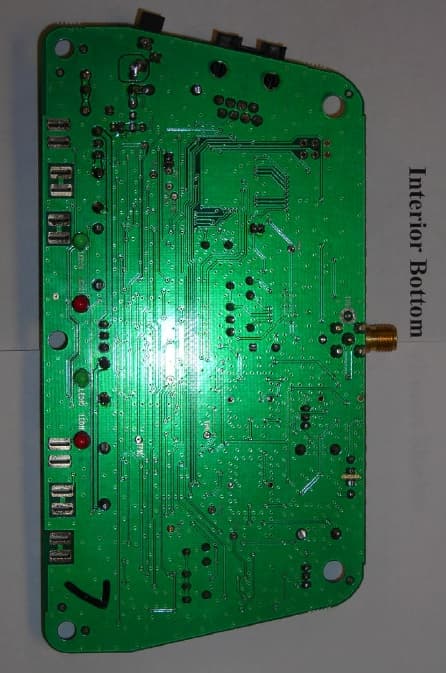
O9GWBASE
Oct 28, 2007WIRELESS MICROPHONE SYSTEM-BASE
Equipment Class
DXX - Part 15 Low Power Communication Device Transmitter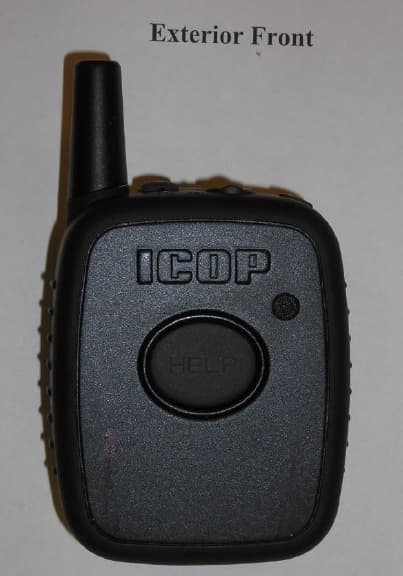
O9GWMIC
Oct 28, 2007MIC TRANSCEIVER
Equipment Class
DXX - Part 15 Low Power Communication Device Transmitter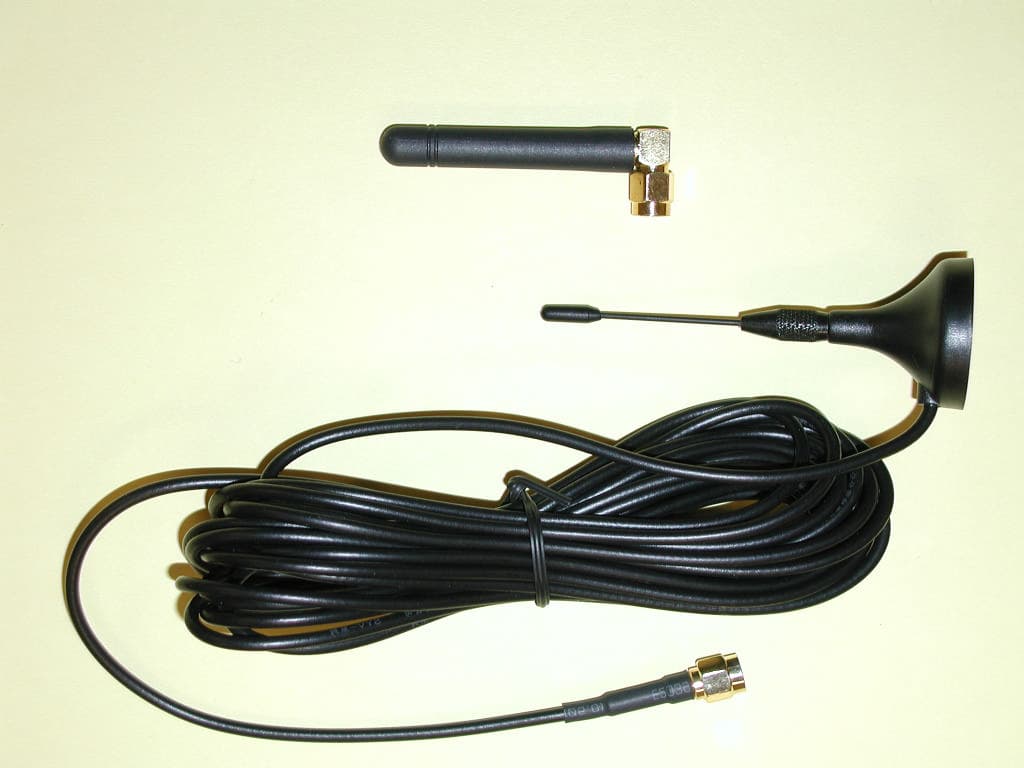
O9GDVMICT
Feb 05, 2006LOW POWER CAR TRANSCEIVER
Equipment Class
DXX - Part 15 Low Power Communication Device Transmitter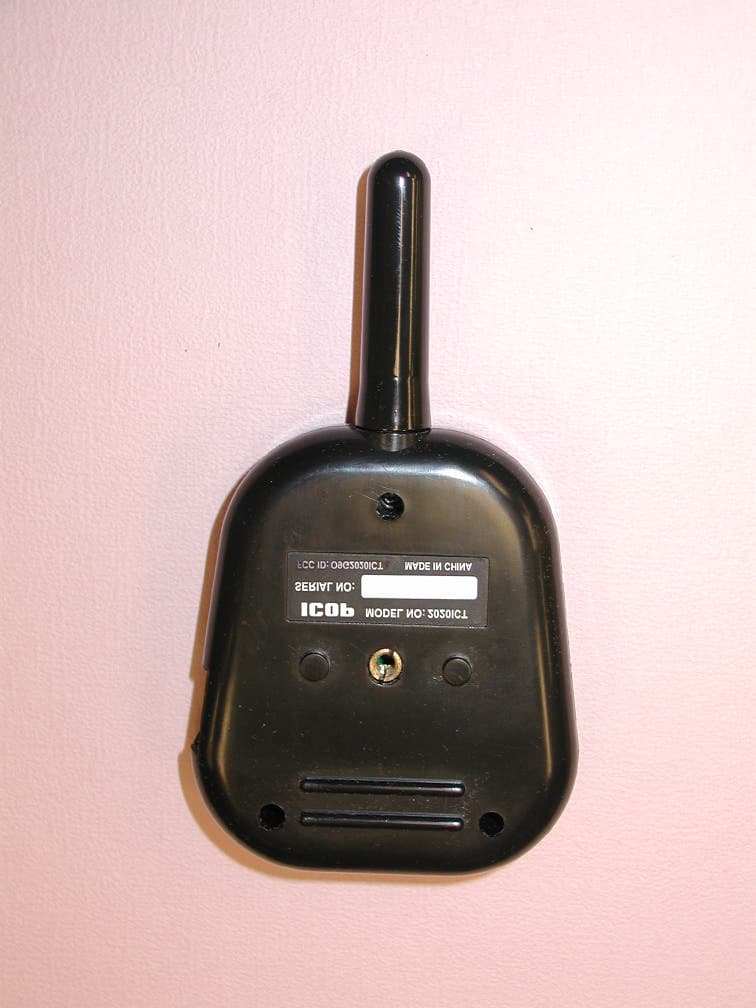
O9G2020ICT
May 02, 2005In Car Transceiver
Equipment Class
DXX - Part 15 Low Power Communication Device Transmitter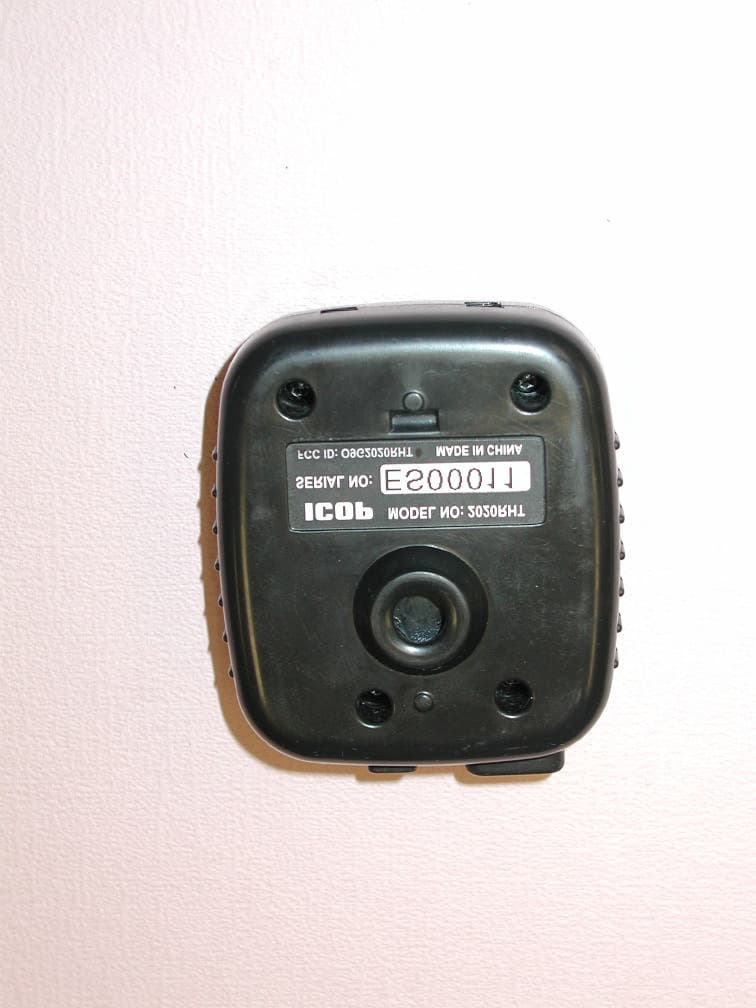
O9G2020RHT
May 01, 2005Remote Transceiver
Equipment Class
DXX - Part 15 Low Power Communication Device Transmitter