O9GGMRS480GMRS Transceiver
Trisquare Communications Inc.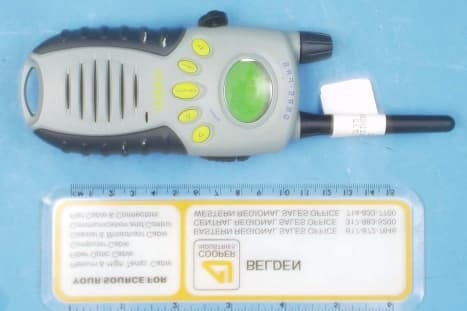
Click to zoom
Application Details
- Equipment Class
- TNF - Licensed Non-Broadcast Transmitter Held to Face
- Date of Grant
- Jul 05, 2001
- Application Purpose
- Original Equipment
- Date of Application
- May 15, 2001
- Equipment Note
- GMRS Transceiver
- Frequency Range
- 462.55000000 - 462.72500000
- Country
- United States
Documents & Files
Document Text
Text extracted from the exhibit documents filed with the FCC. Open a document above to read the original.
Users Manual
GMRS480 – User Instruction Guide – Content Draft TriSquare Communications Version 0 (4/18/01) Page 1 FCC LICENSING INFORMATIONThe GMRS480 radio operates on the General Mobile Radio Service(GMRS) frequencies which require a Federal Communication Commissionlicense to operate.For licensing information and applications forms, visit the FCC online atwww.fcc.gov/wtb/uls or call the FCC Hotline at: 1-800-418-FORM. If youhave any questions regarding the license application you can contact theFCC direct at 1-888-CALL-FCC.BUTTONS AND CONTROLS1) On/Off/Volume Control 2) PTT Butto n 3) Mo nitor Button 4) Up Ke y 5) Down Ke y 6) Select Key 7) Call Ke y 8) WX Ke y (Ke ypad lock seco ndary functio n) 9) Accessory jack LCD DISPLAY1) Channel Indicator 2) CTCSS Code Indicator 3) SCAN Indicator 4) CALL Indicator 5) SAVED (Memory Location) 6) Vibrate Indicator 7) Weather Radio Indicator 8) Temperature Indicator 9) Batter y Level Me ter 10) Tx/Rx Indicator INTRODUCTIONCongratulations on your purchase of the Uniden GMRS480 General MobileRadio Service radio. [add marketing description of product – note that the Channels 1-7 share the same channels as FRS] . This state-of-the-art device is equipped with the following features: o 15 GMRS Channels o 38 CTCSS Codes o Up to 5 mile range* o 7 NOAA Weather Radio Channels o Water Resistant o LCD Display with Holographic Effect o 5 Selectable Call Tone Alerts o 10 Memory Locations GMRS480 – User Instruction Guide – Content Draft TriSquare Communications Version 0 (4/18/01) Page 2 o Vibrate Alert for incoming calls o Channel Scan o Cha nnel Mo ni tor o Keypad Loc k o Batter y Level Me ter o Ambient Temperature Display o NiMH Battery Pack Included o AC Charger Included o Earset Mic w/PTT Included o Optional Headset Accessories * Range may vary depending on environmental and/or topographicalconditions.OPTIONAL ACCESSORIESYour package contains the GMRS480 radio, NiMH Battery Pack, AC WallCharger, this reference guide, and a product registration card. You can alsooperate the unit using 4 AA Alkaline batteries (not included). Thefollowing optional accessories may be purchased from your Uniden dealeror call 1-800-554-3988 or visit us on the web at www.uniden.com o Earset Mic w/ PTT – #HS2468 o Vox Headset Mic – #HSV2469 o NiMH Battery Pack w/ AC Charger and DC Car Charger –#BPCC240 INSTALL THE BATTERYYour GMRS480 radio uses the NiMH Battery Pack or 4 AA Alkalinebatteries. If Alkaline batteries are used, we recommend using DuracellUl tr a .To install the NiMH Battery Pack:1) Make sure your radio is OFF. 2) Remove the battery compartment door by firmly moving the clip awayfrom the door allowing the door to be removed. 3) Place the pack in the compartment, paying close attention to the roundalignment key. If the pack is installed incorrectly, the unit will notoperate and the compartment door will not close properly. 4) Replace the battery compartment and secure the clip back in place. 5) The battery pack must be charged before using for the first time. Insertthe charger adapter into the accessory jack and allow 12-14 hourscharging time to fully charge the battery pack. NOTE: Always makesure your battery pack is fully discharged before recharging to prolongthe life of the battery pack. To install Alkaline batteries:1) Make sure your radio is OFF. 2) Remove the battery compartment door by firmly moving the clip awayfrom the door allowing the door to be removed 3) Install 4 AA Alkaline batteries (not included) into the batterycompartment. Be certain to follow the + and – symbols in thecompartment. Installing the batteries incorrectly will prevent the unitfrom operating. 4) Replace the battery compartment and secure the clip back in place. BATTERY LEVEL AND LO W BATTERY ALERT The unit has a battery level meter on the display to indicate the status of the batteries. When the batteries in the unit arelow, the battery meter will “flash” and the unit will emit a “low battery”tone indication. Replace the Alkaline batteries immediately or if you areusing the optional NiMH battery pack, you must recharge the batteries inorder to conti nue using yo ur radio. GMRS480 – User Instruction Guide – Content Draft TriSquare Communications Version 0 (4/18/01) Page 3 USING THE RADIOIn order to get the most out of your new radio, read this reference guidecompletely before attempting to operate the unit.Your unit has (2) modes of operation. 1) GMRS Radio Mode 2) Weather Radio Mode Refer to the Weather Radio Mode section for detailed operation.Turning the Radio On and Adjusting Volume1) Rotate the on/off/volume control clockwise to turn the unit ON and increase the speaker volume 2) Rotate the on/off/volume control counterclockwise to decrease the speaker volume and turn the unit OFF. Adjusting the Sound (Key Beeps)Your radio emits a beep each time one of the buttons is pressed. To turn thekey beeps OFF, press the select button w hile turning on the radio. Repeat this step to turn the key beeps ON.Navigating through the MenuTo access advanced features, your radio has a Menu function.1) To enter the Menu, press and hold the select button for 1 second. 2) Additional presses of the select button will advance through the menu until exiting to “normal” operating mode. 3) Other methods of exiting the menu function are:a. Press and hold the select button for 1 second again. b. Press PTT. c. Wait 10 seconds until the unit automatically returns to “normal”mode. SELECT CTCSS CALL VIBRATE EXIT 0-38 1-5 ON/OFF TEMP C/F ME MORY ON/OFF OFF ON LOCATION 1-10 0 USER PROGRAMMING MENU CHANNEL 0-15 CTCSS 0-38 1-15 MEMORY PROGRAMMIN G SECTI ON Deletes Locati on SELECT If MEMORY is “ON” Choosing a Channel Your radio has 15 channels and 38 CTCSS codes you can use to talk toothers. In order to speak to someone, each of you must be set to the samechannel and CTCSS code.To choose a channel:Press the Up or Down button to increment or decrement the channel number displayed . Choosing a CTCSS Code Each of the GMRS channels 1-15 may…
Text truncated - open the document above for the full version.
Users Manual
GMRS480 – User Instruction Guide – Content Draft TriSquare Communications Version 0 (4/18/01) Page 1 FCC LICENSING INFORMATIONThe GMRS480 radio operates on the General Mobile Radio Service(GMRS) frequencies which require a Federal Communication Commissionlicense to operate.For licensing information and applications forms, visit the FCC online atwww.fcc.gov/wtb/uls or call the FCC Hotline at: 1-800-418-FORM. If youhave any questions regarding the license application you can contact theFCC direct at 1-888-CALL-FCC.BUTTONS AND CONTROLS1) On/Off/Volume Control 2) PTT Butto n 3) Mo nitor Button 4) Up Ke y 5) Down Ke y 6) Select Key 7) Call Ke y 8) WX Ke y (Ke ypad lock seco ndary functio n) 9) Accessory jack LCD DISPLAY1) Channel Indicator 2) CTCSS Code Indicator 3) SCAN Indicator 4) CALL Indicator 5) SAVED (Memory Location) 6) Vibrate Indicator 7) Weather Radio Indicator 8) Temperature Indicator 9) Batter y Level Me ter 10) Tx/Rx Indicator INTRODUCTIONCongratulations on your purchase of the Uniden GMRS480 General MobileRadio Service radio. [add marketing description of product – note that the Channels 1-7 share the same channels as FRS] . This state-of-the-art device is equipped with the following features: o 15 GMRS Channels o 38 CTCSS Codes o Up to 5 mile range* o 7 NOAA Weather Radio Channels o Water Resistant o LCD Display with Holographic Effect o 5 Selectable Call Tone Alerts o 10 Memory Locations GMRS480 – User Instruction Guide – Content Draft TriSquare Communications Version 0 (4/18/01) Page 2 o Vibrate Alert for incoming calls o Channel Scan o Cha nnel Mo ni tor o Keypad Loc k o Batter y Level Me ter o Ambient Temperature Display o NiMH Battery Pack Included o AC Charger Included o Earset Mic w/PTT Included o Optional Headset Accessories * Range may vary depending on environmental and/or topographicalconditions.OPTIONAL ACCESSORIESYour package contains the GMRS480 radio, NiMH Battery Pack, AC WallCharger, this reference guide, and a product registration card. You can alsooperate the unit using 4 AA Alkaline batteries (not included). Thefollowing optional accessories may be purchased from your Uniden dealeror call 1-800-554-3988 or visit us on the web at www.uniden.com o Earset Mic w/ PTT – #HS2468 o Vox Headset Mic – #HSV2469 o NiMH Battery Pack w/ AC Charger and DC Car Charger –#BPCC240 INSTALL THE BATTERYYour GMRS480 radio uses the NiMH Battery Pack or 4 AA Alkalinebatteries. If Alkaline batteries are used, we recommend using DuracellUl tr a .To install the NiMH Battery Pack:1) Make sure your radio is OFF. 2) Remove the battery compartment door by firmly moving the clip awayfrom the door allowing the door to be removed. 3) Place the pack in the compartment, paying close attention to the roundalignment key. If the pack is installed incorrectly, the unit will notoperate and the compartment door will not close properly. 4) Replace the battery compartment and secure the clip back in place. 5) The battery pack must be charged before using for the first time. Insertthe charger adapter into the accessory jack and allow 12-14 hourscharging time to fully charge the battery pack. NOTE: Always makesure your battery pack is fully discharged before recharging to prolongthe life of the battery pack. To install Alkaline batteries:1) Make sure your radio is OFF. 2) Remove the battery compartment door by firmly moving the clip awayfrom the door allowing the door to be removed 3) Install 4 AA Alkaline batteries (not included) into the batterycompartment. Be certain to follow the + and – symbols in thecompartment. Installing the batteries incorrectly will prevent the unitfrom operating. 4) Replace the battery compartment and secure the clip back in place. BATTERY LEVEL AND LO W BATTERY ALERT The unit has a battery level meter on the display to indicate the status of the batteries. When the batteries in the unit arelow, the battery meter will “flash” and the unit will emit a “low battery”tone indication. Replace the Alkaline batteries immediately or if you areusing the optional NiMH battery pack, you must recharge the batteries inorder to conti nue using yo ur radio. GMRS480 – User Instruction Guide – Content Draft TriSquare Communications Version 0 (4/18/01) Page 3 USING THE RADIOIn order to get the most out of your new radio, read this reference guidecompletely before attempting to operate the unit.Your unit has (2) modes of operation. 1) GMRS Radio Mode 2) Weather Radio Mode Refer to the Weather Radio Mode section for detailed operation.Turning the Radio On and Adjusting Volume1) Rotate the on/off/volume control clockwise to turn the unit ON and increase the speaker volume 2) Rotate the on/off/volume control counterclockwise to decrease the speaker volume and turn the unit OFF. Adjusting the Sound (Key Beeps)Your radio emits a beep each time one of the buttons is pressed. To turn thekey beeps OFF, press the select button w hile turning on the radio. Repeat this step to turn the key beeps ON.Navigating through the MenuTo access advanced features, your radio has a Menu function.1) To enter the Menu, press and hold the select button for 1 second. 2) Additional presses of the select button will advance through the menu until exiting to “normal” operating mode. 3) Other methods of exiting the menu function are:a. Press and hold the select button for 1 second again. b. Press PTT. c. Wait 10 seconds until the unit automatically returns to “normal”mode. SELECT CTCSS CALL VIBRATE EXIT 0-38 1-5 ON/OFF TEMP C/F ME MORY ON/OFF OFF ON LOCATION 1-10 0 USER PROGRAMMING MENU CHANNEL 0-15 CTCSS 0-38 1-15 MEMORY PROGRAMMIN G SECTI ON Deletes Locati on SELECT If MEMORY is “ON” Choosing a Channel Your radio has 15 channels and 38 CTCSS codes you can use to talk toothers. In order to speak to someone, each of you must be set to the samechannel and CTCSS code.To choose a channel:Press the Up or Down button to increment or decrement the channel number displayed . Choosing a CTCSS Code Each of the GMRS channels 1-15 may…
Text truncated - open the document above for the full version.
Users Manual
GMRS480 – User Instruction Guide – Content Draft TriSquare Communications Version 0 (4/18/01) Page 1 FCC LICENSING INFORMATIONThe GMRS480 radio operates on the General Mobile Radio Service(GMRS) frequencies which require a Federal Communication Commissionlicense to operate.For licensing information and applications forms, visit the FCC online atwww.fcc.gov/wtb/uls or call the FCC Hotline at: 1-800-418-FORM. If youhave any questions regarding the license application you can contact theFCC direct at 1-888-CALL-FCC.BUTTONS AND CONTROLS1) On/Off/Volume Control 2) PTT Butto n 3) Mo nitor Button 4) Up Ke y 5) Down Ke y 6) Select Key 7) Call Ke y 8) WX Ke y (Ke ypad lock seco ndary functio n) 9) Accessory jack LCD DISPLAY1) Channel Indicator 2) CTCSS Code Indicator 3) SCAN Indicator 4) CALL Indicator 5) SAVED (Memory Location) 6) Vibrate Indicator 7) Weather Radio Indicator 8) Temperature Indicator 9) Batter y Level Me ter 10) Tx/Rx Indicator INTRODUCTIONCongratulations on your purchase of the Uniden GMRS480 General MobileRadio Service radio. [add marketing description of product – note that the Channels 1-7 share the same channels as FRS] . This state-of-the-art device is equipped with the following features: o 15 GMRS Channels o 38 CTCSS Codes o Up to 5 mile range* o 7 NOAA Weather Radio Channels o Water Resistant o LCD Display with Holographic Effect o 5 Selectable Call Tone Alerts o 10 Memory Locations GMRS480 – User Instruction Guide – Content Draft TriSquare Communications Version 0 (4/18/01) Page 2 o Vibrate Alert for incoming calls o Channel Scan o Cha nnel Mo ni tor o Keypad Loc k o Batter y Level Me ter o Ambient Temperature Display o NiMH Battery Pack Included o AC Charger Included o Earset Mic w/PTT Included o Optional Headset Accessories * Range may vary depending on environmental and/or topographicalconditions.OPTIONAL ACCESSORIESYour package contains the GMRS480 radio, NiMH Battery Pack, AC WallCharger, this reference guide, and a product registration card. You can alsooperate the unit using 4 AA Alkaline batteries (not included). Thefollowing optional accessories may be purchased from your Uniden dealeror call 1-800-554-3988 or visit us on the web at www.uniden.com o Earset Mic w/ PTT – #HS2468 o Vox Headset Mic – #HSV2469 o NiMH Battery Pack w/ AC Charger and DC Car Charger –#BPCC240 INSTALL THE BATTERYYour GMRS480 radio uses the NiMH Battery Pack or 4 AA Alkalinebatteries. If Alkaline batteries are used, we recommend using DuracellUl tr a .To install the NiMH Battery Pack:1) Make sure your radio is OFF. 2) Remove the battery compartment door by firmly moving the clip awayfrom the door allowing the door to be removed. 3) Place the pack in the compartment, paying close attention to the roundalignment key. If the pack is installed incorrectly, the unit will notoperate and the compartment door will not close properly. 4) Replace the battery compartment and secure the clip back in place. 5) The battery pack must be charged before using for the first time. Insertthe charger adapter into the accessory jack and allow 12-14 hourscharging time to fully charge the battery pack. NOTE: Always makesure your battery pack is fully discharged before recharging to prolongthe life of the battery pack. To install Alkaline batteries:1) Make sure your radio is OFF. 2) Remove the battery compartment door by firmly moving the clip awayfrom the door allowing the door to be removed 3) Install 4 AA Alkaline batteries (not included) into the batterycompartment. Be certain to follow the + and – symbols in thecompartment. Installing the batteries incorrectly will prevent the unitfrom operating. 4) Replace the battery compartment and secure the clip back in place. BATTERY LEVEL AND LO W BATTERY ALERT The unit has a battery level meter on the display to indicate the status of the batteries. When the batteries in the unit arelow, the battery meter will “flash” and the unit will emit a “low battery”tone indication. Replace the Alkaline batteries immediately or if you areusing the optional NiMH battery pack, you must recharge the batteries inorder to conti nue using yo ur radio. GMRS480 – User Instruction Guide – Content Draft TriSquare Communications Version 0 (4/18/01) Page 3 USING THE RADIOIn order to get the most out of your new radio, read this reference guidecompletely before attempting to operate the unit.Your unit has (2) modes of operation. 1) GMRS Radio Mode 2) Weather Radio Mode Refer to the Weather Radio Mode section for detailed operation.Turning the Radio On and Adjusting Volume1) Rotate the on/off/volume control clockwise to turn the unit ON and increase the speaker volume 2) Rotate the on/off/volume control counterclockwise to decrease the speaker volume and turn the unit OFF. Adjusting the Sound (Key Beeps)Your radio emits a beep each time one of the buttons is pressed. To turn thekey beeps OFF, press the select button w hile turning on the radio. Repeat this step to turn the key beeps ON.Navigating through the MenuTo access advanced features, your radio has a Menu function.1) To enter the Menu, press and hold the select button for 1 second. 2) Additional presses of the select button will advance through the menu until exiting to “normal” operating mode. 3) Other methods of exiting the menu function are:a. Press and hold the select button for 1 second again. b. Press PTT. c. Wait 10 seconds until the unit automatically returns to “normal”mode. SELECT CTCSS CALL VIBRATE EXIT 0-38 1-5 ON/OFF TEMP C/F ME MORY ON/OFF OFF ON LOCATION 1-10 0 USER PROGRAMMING MENU CHANNEL 0-15 CTCSS 0-38 1-15 MEMORY PROGRAMMIN G SECTI ON Deletes Locati on SELECT If MEMORY is “ON” Choosing a Channel Your radio has 15 channels and 38 CTCSS codes you can use to talk toothers. In order to speak to someone, each of you must be set to the samechannel and CTCSS code.To choose a channel:Press the Up or Down button to increment or decrement the channel number displayed . Choosing a CTCSS Code Each of the GMRS channels 1-15 may…
Text truncated - open the document above for the full version.
Cover Letter(s)
Mr. Joe Dichoso Re: FCC ID: O9GGMRS480; EA101015 Trisquare Communications Inc. Correspondence Reference # 19716 Per referenced inquiry: 1. Requested power for grant is 2 watts (conducted). We note that similar GMRS grants (Motorola, Ericcson, etc.,) show conducted power. 2. Antenna gain relative to an ideal dipole is 0.968. (2 watts into an imperfect dipole produces the same field intensity as 1.2 watts into a perfect dipole.) 3. SAR report for NiMH battery pack has been uploaded via add attachments. 4. Revised user manual wording has been uploaded via add attachments. 5. Celltech’s statement regarding 30.95 dBm vs. 33 dBm has been forwarded. 30.95 dBm is conducted power with alkaline batteries; 33 dBm is conducted power with NiMH batteries (or external 6.0 V power supply used for lab tests).
External Photos
Front View Back View Left Side View Right Side View Top View Batter y Co mpartme nt
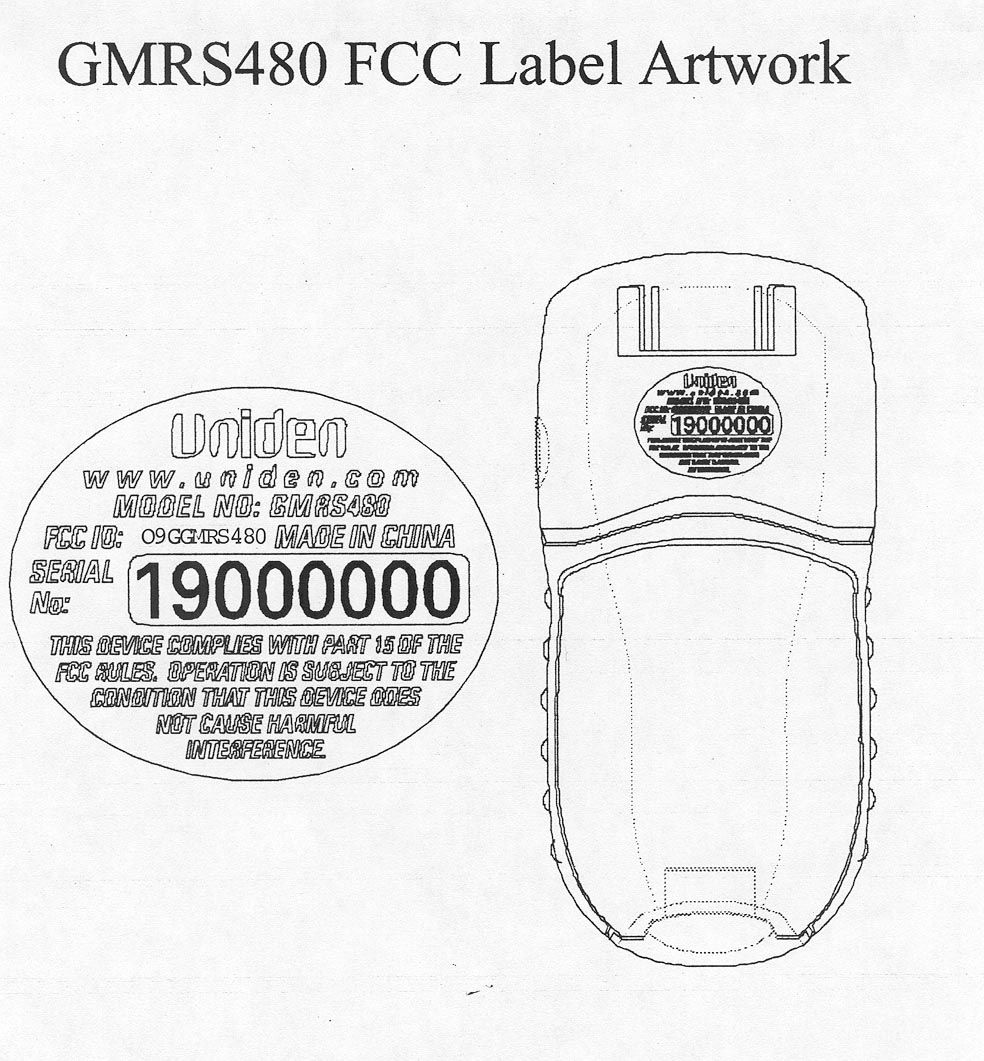
ID Label/Location Info
GMRS480 FCC Label Artwork
Internal Photos
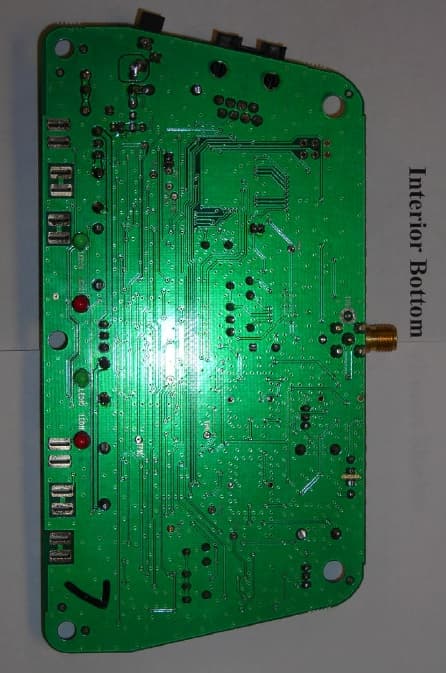
Front Cover Interior Back Cover Interior RF Board RF Board RF Board
Operational Description
TRANSMITTER TUNE-UP AND ALIGNMENT GM RS480 FCC ID: O9GGMRS480 1. Frequency Setting A. Connect a frequency counter or communications service monitor capable of at least one watt RF. B. Press the PTT switch. C. Adjust CT300 trimmer capacitor such that the output frequency is equal to the channel frequency with a maximum error of +/- 300 Hz. CT300 is located below the VCO shield can to the right of the crystal unit. 2. Deviation Adjustment A. Connect an audio generator to the microphone test terminals. The audio frequency should be set at 1KHz with a level of 8mv. B. Connect an FM deviation meter or communications service monitor to the antenna connector. Set the monitor to read peak deviation. C. Press the PTT switch. D. Adjust RV230 for +/- 1.5 KHz deviation. RV230 is located to the lower left of the VCO shield can.
RF Exposure Info
CELLTECH RESEARCH INC. Test Report S/N: 052301-113O9G 1955 Moss Court, Kelowna Date(s) of Tests: May 31, 2001 B.C. Canada V1Y 9L3 IC RSS-102 Issue 1 _________________________________________________________________________________________________________ © 2001 Celltech Research Inc. CERTIFICATE OF COMPLIANCE SAR EVALUATION This wireless portable device has been shown to be compliant for localized Specific Absorption Rate (SAR) for uncontrolled environment / general exposure limits specified in ANSI/IEEE Std. C95.1-1992 and has been tested in accordance with the measurement procedures specified in ANSI/IEEE Std. C95.3-1999. I attest to the accuracy of data. All measurements were performed by me or were made under my supervision and are correct to the best of my knowledge and belief. I assume full responsibility for the completeness of these measurements and vouch for the qualifications of all persons taking them. Celltech Research Inc. certifies that no party to this application has been denied FCC benefits pursuant to Section 5301 of the Anti-Drug Abuse Act of 1988, 21 U.S.C. 853(a). Shawn McMillen General Manager Celltech Research Inc. Test Lab: CELLTECH RESEARCH INC. Testing and Engineering Lab 1955 Moss Court Kelowna, B.C. Canada V1Y 9L3 Phone: 250 - 860-3130 Fax: 250 - 860-3110 Toll Free: 1-877-545-6287 e-mail: [email protected] web site: www.celltechlabs.com Applicant Information: TRISQUARE COMMUNICATIONS INC. 1420 NW Vivion Rd., Suite 113 Kansas City, MO 64118 Contact: Mr. Barry Vonada FCC ID: O9GGMRS480 Model(s): Uniden GMRS 480 DUT Type: Portable GMRS PTT Radio Transceiver IC Classification: Low Power License-Exempt Radio Communication Device Modulation: FM Tx Frequency Range: 462.5500 - 462.7250 MHz Max. Power Tested: 30.95 dBm (Conducted) No. of Channels: 15 IC Rule Part(s): RSS-102 Issue 1 CELLTECH RESEARCH INC. Test Report S/N: 052301-113O9G 1955 Moss Court, Kelowna Date(s) of Tests: May 31, 2001 B.C. Canada V1Y 9L3 IC RSS-102 Issue 1 _________________________________________________________________________________________________________ © 2001 Celltech Research Inc. TABLE OF CONTENTS 1.0 INTRODUCTION.................................................................. 1 2.0 DESCRIPTION OF DUT.......................................................... 1 3.0 SAR MEASUREMENT SYSTEM ............................................. 2 4.0 MEASUREMENT SUMMARY.................................................. 3-4 5.0 DETAILS OF SAR EVALUATION............................................ 5 6.0 EVALUATION PROCEDURES................................................. 5 7.0 SAR LIMITS........................................................................ 6 8.0 SYSTEM VALIDATION.......................................................... 6 9.0 SIMULATED EQUIVALENT TISSUES...................................... 7 10.0 TISSUE PARAMETERS......................................................... 7 11.0 SYSTEM SPECIFICATIONS.................................................... 8 12.0 TEST EQUIPMENT LIST........................................................ 9 13.0 MEASUREMENT UNCERTAINTIES........................................ 10 14.0 REFERENCES...................................................................... 11 APPENDIX A - SAR MEASUREMENT DATA........................................ 12 APPENDIX B - DIPOLE VALIDATION................................................ 13 APPENDIX C - PROBE CALIBRATION............................................... 14 APPENDIX D - SAR TEST SETUP PHOTOGRAPHS............................... 15 CELLTECH RESEARCH INC. Test Report S/N: 052301-113O9G 1955 Moss Court, Kelowna Date(s) of Tests: May 31, 2001 B.C. Canada V1Y 9L3 IC RSS-102 Issue 1 _________________________________________________________________________________________________________ © 2001 Celltech Research Inc. TRISQUARE COMMUNICATIONS Model: UNIDEN GMRS 480 1 Portable GMRS PTT Radio Transceiver (462.5500-462.7250MHz) 1.0 INTRODUCTION This measurement report shows compliance of the TRISQUARE COMMUNICATIONS INC. Model: Uniden GMRS 480 Portable GMRS PTT Radio Transceiver with the regulations and procedures specified in RSS-102 Issue 1 of Industry Canada for mobile and portable devices. The test procedures, as described in American National Standards Institute C95.1-1992 (1), FCC OET Bulletin 65-1997 were employed. A description of the product and operating configuration, detailed summary of the test results, methodology and procedures used in the evaluation, equipment used, and the various provisions of the rules are included within this test report. 2.0 DESCRIPTION of Device Under Test (DUT) Modulation FM Rule Part(s) IC RSS-102 Issue 1 No. of Channels 15 DUT Type Portable GMRS PTT Radio Transceiver Tx Frequency Range (MHz) 462.5500 - 462.7250 FCC ID O9GGMRS480 Max. Output Power Tested 30.95 dBm (Conducted) Model No.(s) Uniden GMRS 480 Antenna Type Whip Serial No. Pre-production Power Supply 1.5V AA Alkaline Battery (x4) Front of DUT Left Side of DUT Right Side of DUT Back of DUT CELLTECH RESEARCH INC. Test Report S/N: 052301-113O9G 1955 Moss Court, Kelowna Date(s) of Tests: May 31, 2001 B.C. Canada V1Y 9L3 IC RSS-102 Issue 1 _________________________________________________________________________________________________________ © 2001 Celltech Research Inc. TRISQUARE COMMUNICATIONS Model: UNIDEN GMRS 480 2 Portable GMRS PTT Radio Transceiver (462.5500-462.7250MHz) 3.0 SAR MEASUREMENT SYSTEM Celltech Research SAR measurement facility utilizes the Dosimetric Assessment System (DASY™) manufactured by Schmid & Partner Engineering AG (SPEAG™) of Zurich, Switzerland. The DASY system is comprised of the robot controller, computer, near-field probe, probe alignment sensor, and the generic twin phantom containing brain or muscle equivalent material. The robot is a six-axis industrial robot performing precise movements to position the probe to the location (points) of maximum electromagnetic field (EMF). A cell c…
Text truncated - open the document above for the full version.
RF Exposure Info
CELLTECH RESEARCH INC. Test Report S/N: 062801-130O9G 1955 Moss Court, Kelowna Date(s) of Tests: June 28, 2001 B.C. Canada V1Y 9L3 IC RSS-102 Issue 1 _________________________________________________________________________________________________________ © 2001 Celltech Research Inc. CERTIFICATE OF COMPLIANCE SAR EVALUATION This wireless portable device has been shown to be compliant for localized Specific Absorption Rate (SAR) for uncontrolled environment / general exposure limits specified in ANSI/IEEE Std. C95.1-1992 and has been tested in accordance with the measurement procedures specified in ANSI/IEEE Std. C95.3-1999. I attest to the accuracy of data. All measurements were performed by me or were made under my supervision and are correct to the best of my knowledge and belief. I assume full responsibility for the completeness of these measurements and vouch for the qualifications of all persons taking them. Celltech Research Inc. certifies that no party to this application has been denied FCC benefits pursuant to Section 5301 of the Anti-Drug Abuse Act of 1988, 21 U.S.C. 853(a). Shawn McMillen General Manager Celltech Research Inc. Test Lab: CELLTECH RESEARCH INC. Testing and Engineering Lab 1955 Moss Court Kelowna, B.C. Canada V1Y 9L3 Phone: 250 - 860-3130 Fax: 250 - 860-3110 Toll Free: 1-877-545-6287 e-mail: [email protected] web site: www.celltechlabs.com Applicant Information: TRISQUARE COMMUNICATIONS INC. 1420 NW Vivion Rd., Suite 113 Kansas City, MO 64118 Contact: Mr. Barry Vonada FCC ID: O9GGMRS480 Model(s): Uniden GMRS 480 DUT Type: Portable GMRS PTT Radio Transceiver (with optional 6V Nominal NiMH Battery Pack) IC Classification: Low Power License-Exempt Radio Communication Device Modulation: FM Tx Frequency Range: 462.5500 - 462.7250 MHz Max. Power Tested: 33.0 dBm (Conducted) @ 6.2V loaded No. of Channels: 15 IC Rule Part(s): RSS-102 Issue 1 CELLTECH RESEARCH INC. Test Report S/N: 062801-130O9G 1955 Moss Court, Kelowna Date(s) of Tests: June 28, 2001 B.C. Canada V1Y 9L3 IC RSS-102 Issue 1 _________________________________________________________________________________________________________ © 2001 Celltech Research Inc. TABLE OF CONTENTS 1.0 INTRODUCTION.................................................................. 1 2.0 DESCRIPTION OF DUT.......................................................... 1 3.0 SAR MEASUREMENT SYSTEM ............................................. 2 4.0 MEASUREMENT SUMMARY.................................................. 3-4 5.0 DETAILS OF SAR EVALUATION............................................ 5 6.0 EVALUATION PROCEDURES................................................. 5 7.0 SAR LIMITS........................................................................ 6 8.0 SYSTEM VALIDATION.......................................................... 6 9.0 SIMULATED EQUIVALENT TISSUES...................................... 7 10.0 TISSUE PARAMETERS......................................................... 7 11.0 SYSTEM SPECIFICATIONS.................................................... 8 12.0 TEST EQUIPMENT LIST........................................................ 9 13.0 MEASUREMENT UNCERTAINTIES........................................ 10 14.0 REFERENCES...................................................................... 11 APPENDIX A - SAR MEASUREMENT DATA........................................ 12 APPENDIX B - DIPOLE VALIDATION................................................ 13 APPENDIX C - PROBE CALIBRATION............................................... 14 APPENDIX D - SAR TEST SETUP PHOTOGRAPHS............................... 15 CELLTECH RESEARCH INC. Test Report S/N: 062801-130O9G 1955 Moss Court, Kelowna Date(s) of Tests: June 28, 2001 B.C. Canada V1Y 9L3 IC RSS-102 Issue 1 _________________________________________________________________________________________________________ © 2001 Celltech Research Inc. TRISQUARE COMMUNICATIONS Model: UNIDEN GMRS 480 1 Portable GMRS PTT Radio Transceiver (462.5500-462.7250MHz) 1.0 INTRODUCTION This measurement report shows that the TRISQUARE COMMUNICATIONS INC. Model: Uniden GMRS 480 Portable GMRS PTT Radio Transceiver with 6V Nominal…
Text truncated - open the document above for the full version.
Contact Information
Applicant
Philip Staley(Product Development Manager)
Technical Contact
Hyak Laboratories, Inc.Rowland S Johnson
[email protected](703) 451-1188
7011 Calamo St., Suite 107 · Springfieldq, Virginia · United States
Non-Technical Contact
Hyak Laboratories, Inc.Georgia Hall
[email protected](703) 451-1188
Test Firm
Hyak Laboratories, Inc.Rowland Johnson
703-451-1188
Technical Specifications
| # | Rule Parts | Frequency Range | Power Output | Emission | Tolerance |
|---|---|---|---|---|---|
| 1 | 95A | 462.55 MHz - 462.725 MHz | 2 W | 16K0F3E | 0.0005000000 % |
Other Applications from Trisquare Communications Inc.
O9GWBASE
Oct 28, 2007WIRELESS MICROPHONE SYSTEM-BASE
Equipment Class
DXX - Part 15 Low Power Communication Device Transmitter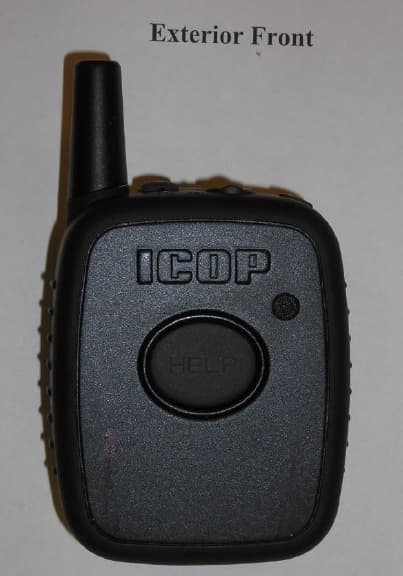
O9GWMIC
Oct 28, 2007MIC TRANSCEIVER
Equipment Class
DXX - Part 15 Low Power Communication Device Transmitter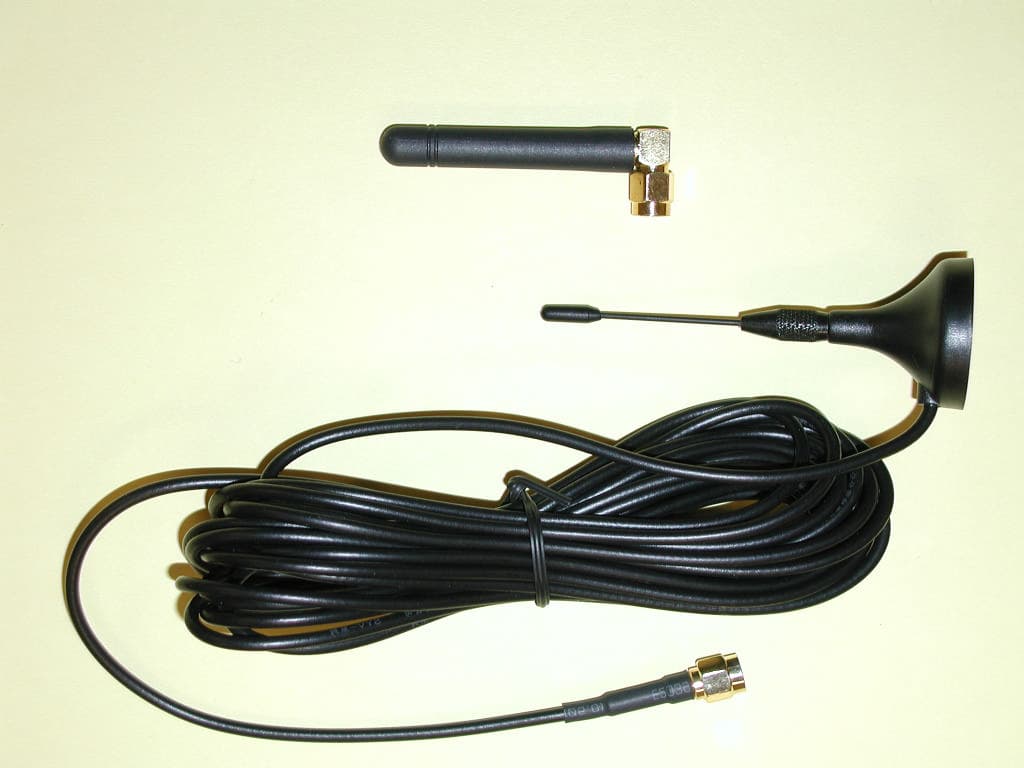
O9GDVMICT
Feb 05, 2006LOW POWER CAR TRANSCEIVER
Equipment Class
DXX - Part 15 Low Power Communication Device Transmitter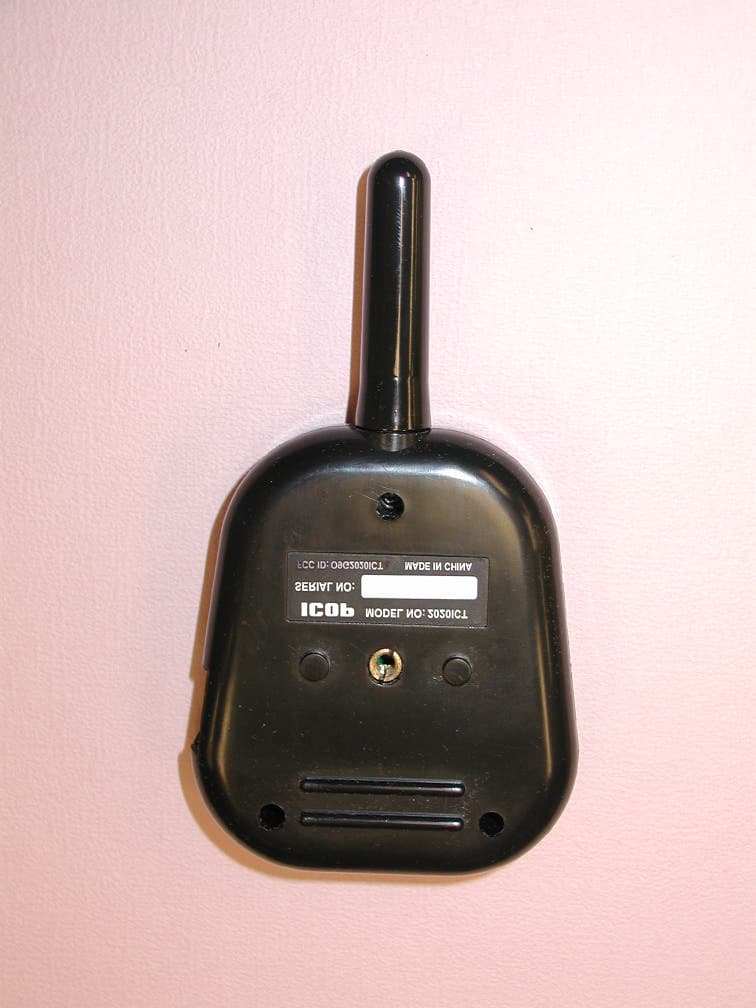
O9G2020ICT
May 02, 2005In Car Transceiver
Equipment Class
DXX - Part 15 Low Power Communication Device Transmitter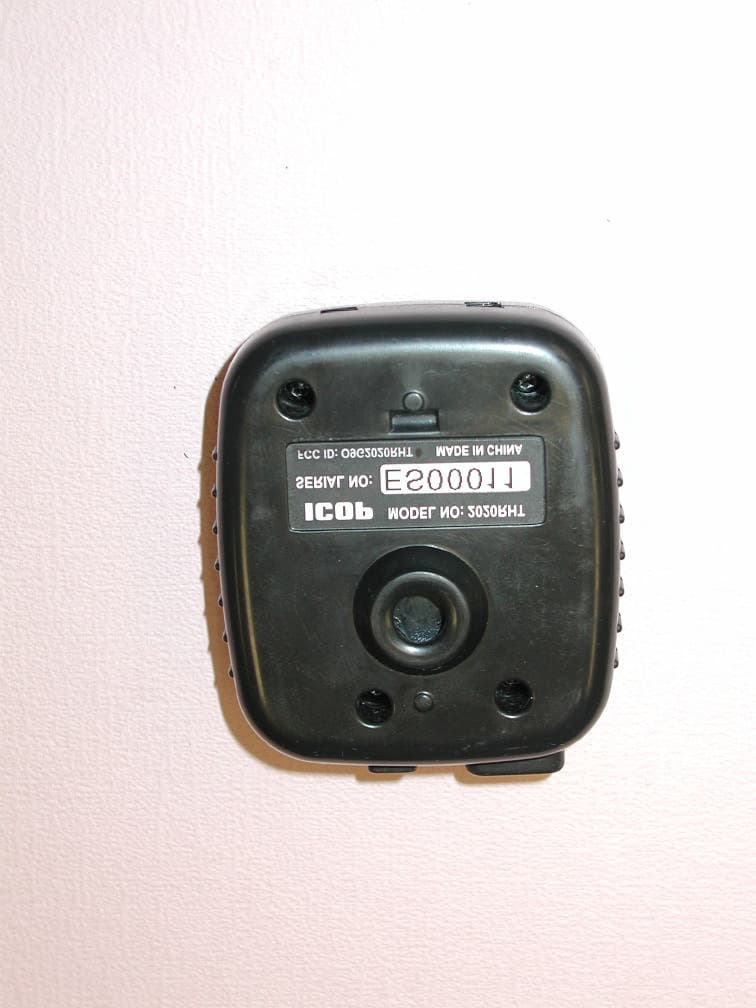
O9G2020RHT
May 01, 2005Remote Transceiver
Equipment Class
DXX - Part 15 Low Power Communication Device Transmitter