ODL-901BTWireless Speaker Pod
Cyber Acoustics (HK) Ltd.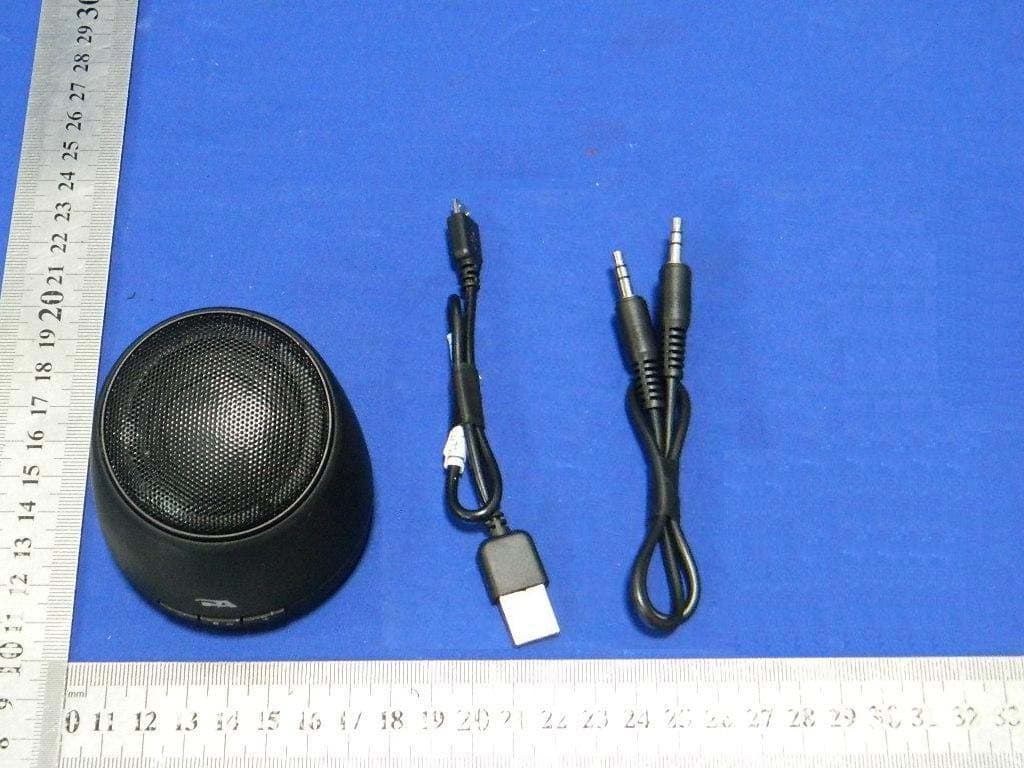
Click to zoom
Application Details
- Equipment Class
- DSS - Part 15 Spread Spectrum Transmitter
- Date of Grant
- Jul 27, 2013
- Application Purpose
- Original Equipment
- Date of Application
- Jul 27, 2013
- Equipment Note
- Wireless Speaker Pod
- Frequency Range
- 2402.00000000 - 2480.00000000
- Company
- Cyber Acoustics (HK) Ltd.
- Country
- Hong Kong
Documents & Files
Document Text
Text extracted from the exhibit documents filed with the FCC. Open a document above to read the original.
Users Manual
CA-901BT CM WIRELESS SPEAKER POD Your CA-901BT speaker contains Bluetooth® technology, allowing you to wirelessly play music from nearly any Bluetooth enabled device. Now you can enter the room, select music to play on most smartphones, tablets, or laptops, and control your listening enjoyment from the comfort of your lap. From your device, you can easily control and change music tracks, playlists, adjust volume up or down, or even listen to podcasts, or many other audio applications available on your device. Congratulations Wireless speaker pod Cables Owner’s Guide with connection diagram Box contents • Read Instructions Carefully – All safety and operating instructions should be read before this device is operated. • Heat – Keep speakers out of extreme heat and away from sources producing extreme heat, such as, space heaters, radiators, stoves and other devices emitting heat. • Water and Moisture – Keep speakers out of the rain and humid conditions to avoid electric shock. Keep speakers away from water, such as, sinks, bathtubs, swimming pools, washing machines, tubs of water, etc. in order to avoid electric shock. Keep water from dripping on the device, do notput objects containing water, such as vases on top of the device, and do not put the device near standing water. • Cleaning – Use a dry cloth for cleaning. Do not wipe any part of the system with cleaning solvents, such as, furniture wax, bleach, benzene, or ammonia. Speaker connection Caution Please read the step by step instructions along with the diagrams provided. Charging • Turn off the sample. • Plug in the included USB charging cable for charging (mini-USB plug to speaker and standard USB plug to USB power source). • LED will be red while the speaker is charging. (LED will be purple while the speaker is powered on and charging) USB cable for charging :03 12345 CA-901BT Connected Headset Not Connected AUX 3.5mm (not included) Pairing with the speakers the first time Before you start, please fully charge up the CA-901BT speaker. Ensure the Bluetooth capability of your source device is turned on and ready to discover new items. If needed, see your device’s instructions to add or setup a Bluetooth device. When you first turn on the CA-901BT speaker system, the Bluetooth functionality is not engaged. Below steps are the guidelines for you to connect with CA-901BT speaker. To wirelessly connect with the Bluetooth function of your speakers: 1. Make sure the speaker is fully charged up. Switch on the device by pressing & holding the Power / Bluetooth button for 3 seconds, or until you hear an audible melody. The device is now switched on with blue LED light up. 2. Press the Power / Bluetooth button for once to trigger “Bluetooth pairing” mode. You are hear another audible melody and LED will now blink in red and blue alternatively. 3. With your audio source (smartphone, tablet, iPod, etc.), find the Bluetooth device list and look for “CA-901BT.” Select it to pair/connect with the speakers. 4. When the device connects, you will hear a short audible beep, the LED will stop blinking and will turn to a solid “on” state. 5. Now you can go to your music applications; start play and enjoy your music. Turning off your source device will automatically disconnect your speakers. If you plan on not using your speakers again for an hour or more, we recommend you turn off your CA-901BT speakers to save battery until you are ready to listen again. Pairing with the speakers after the first time Once you’ve successfully paired your speakers, your device will automatically connect with it on successive returns to the room in which they are situated. You will be able to immediately go the audio application of your choice, select your audio tracks, and begin enjoying almost at once. Power off the speakers by pressing and holding the Power / Bluetooth button for approximately 3 seconds. It will also disconnect from your source device automatically. Turn your speakers back on by pressing and holding the same button for 3 seconds (while your device is still Bluetooth enabled), will allow your device to reconnect within a couple of seconds. Disconnecting and pairing with a new device Ensure the speaker is fully charged up. Switch on the device by pressing & holding the Power / Bluetooth button for 3 seconds, or until you hear an audible melody. The device is now switched on with blue LED lit up. Repeat step 2 – 5 as with the pairing with the speakers the first time. Playing Audio via AUX in jack* 1. Make sure the speaker is fully charged. 2. Power on the device by pressing and holding the Power / Bluetooth button for about 3 seconds. 3. Plug in a 3.5mm AUX cable into AUX jack. 4. Connect another end of the AUX cable with your secondary audio source. 5. Music will play from the speaker system when you start the playback on the secondary audio source * AUX input is prioritized (overrides Bluetooth audio source) whenever a 3.5mm cable is plugged in. Additional support Make sure the speaker is charged up. Speaker Does Not Produce Sound. Trouble shooting Symptom Speaker System Will Not Power On. solution Verify the speaker is getting power. Check above steps. Verify that all cables and devices are plugged into the correct jacks. Adjust the sound source’s master volume control by balancing the volume until it’s centered. Sound Is Distorted. Can’t connect for the first time 1. Turn off the speaker completely by pressing and holding the Power / Bluetooth button for about 3 seconds and LED turns off. 2. Check your Bluetooth source device and be sure you have found the section that allows you to see nearby Bluetooth products. If you see the CA-901BT on the list, but cannot connect, you may need to try and synch again. To start fresh, with your Bluetooth device, select “Forget this device,” to remove the CA-901BT from the list. You may need to turn off the Bluetooth function on your device to fully clear your list. 3. Turn the speakers back on by pressing and holdi…
Text truncated - open the document above for the full version.
Cover Letter(s)
SCS-F18: Project and Product Certification Representative Authorization Letter Page 1 of 2 Rev 3.0 775 Montague Expressway Milpitas, CA 95035 Tel: 408-526-1188 Fax: 408-526-1088 Email: [email protected] Project and Product Certification Representative Authorization Letter Revision History Reason for Amendment (current / obsolete) From To Approved Date Initial Release (obsolete) 1.0 1.0 Nov-14-2006 Revised wording (obsolete) 1.0 2.0 Sept–25-2007 Updated company template (current) 2.0 3.0 Jan-31-2012 SCS-F18: Project and Product Certification Representative Authorization Letter Page 2 of 2 Rev 3.0 Cyber Acoustics (HK) Ltd. 2013-7-15 To: SIEMIC, INC. 775 Montague Expressway, Milpitas, CA 95035 USA Dear Sir/Madam, Re: Project and Product Certification Representative Authorization Letter We, Cyber Acoustics (HK) Ltd. hereby authorize SIEMIC, INC. to act as a Certification Body for certifying for the following project(s): FCC ID: ODL-901BT (Wireless Speaker Pod Model No.: CA-901BT) We affirm that between SIEMIC and Cyber Acoustics (HK) Ltd., any difference in understanding, including test plan, measurement methods, applicable standards and relevant procedures and processes have been resolved prior to commencement of testing activities. Sincerely, Leo Lo/ Product Executive E-mail: [email protected] Phone: 25177629 Fax: 25474404 Address: 11 Floor, The Broadway, 54-62 Lockhart Road, Wanchai, HongKong
Cover Letter(s)
Confidentiality Request Letter Cyber Acoustics (HK) Ltd. 2013-7-15 To: Federal Communications Commission Office of Engineering and Technology Equipment Authorization Division 7345 Oakland Mills Road Columbia, Maryland 21046 Subject: Permanent Confidentiality Request for FCC ID: ODL-901BT We hereby request confidential treatment of information accompanying this application as outlined below: - Block diagram - Operation description - Schematic The above materials contain trade secrets and proprietary information not customarily released to the public. The public disclosure of these materials may be harmful to the applicant and provide unjustified benefits to its competitors. The applicant understands that pursuant to Section 0.457 & 0.459 of the Rules, disclosure of this application and all accompanying documentation will not be made before the date of the Grant for this application. Sincerely, Leo Lo/ Product Executive E-mail: [email protected] Phone: 25177629 Fax: 25474404 Address: 11 Floor, The Broadway, 54-62 Lockhart Road, Wanchai, HongKong
ID Label/Location Info
1:1 2mm 27 mm 15 mm 27X15MM 亮银龙 黑底 PMS 877 C银字 CA-901BTCA-901BT 20130715 贴纸 位 置 要 求贴于机体底部 光面处理 用酒精测试不掉色 CA A0 张劲松 平行对齐孔右边 Wireless Speaker Pod Model No.: CA-901BT FCC ID: ODL-901BT Input:5V 500mA Made in China
Internal Photos
Bluetooth module Antenna
RF Exposure Info
FCC ID: ODL-901BT Portable device According to §15.247(e)(i) and §1.1307(b)(1), systems operating under the provisions of this section shall be operated in a manner that ensures that the public is not exposed to radio frequency energy level in excess of the Commission’s guidelines. According to KDB447498 D01 General RF Exposure Guidance V05 The 1-g and 10-g SAR test exclusion thresholds for 100 MHz to 6 GHz at test separation distances ≤ 50 mm are determined by: [(max. power of channel, including tune-up tolerance, mW)/(min. test separation distance, mm)] * [√f(GHz)] ≤ 3.0 for 1-g SAR and ≤ 7.5 for 10-g extremity SAR, where f(GHz) is the RF channel transmit frequency in GHz; Power and distance are rounded to the nearest mW and mm before calculation; The result is rounded to one decimal place for comparison; The test exclusions are applicable only when the minimum test separation distance is ≤ 50 mm and for transmission frequencies between 100 MHz and 6 GHz. We used a distance 50m to calculated Maximum measured transmitter power: Transmit Frequency (GHz) Mode Max Conducted Power (dBm) Result calculation 1-g SAR 2.441 Bluetooth 1.11 0.04 3.0 Conclusion: For the max result : 0.04≤ 3.0 for 1-g SAR extremity SAR, No SAR is required.
Test Report
TRF No:FCC 15.247/A Page 1 of 51 Report No: ES130703019E Shenzhen EMTEK Co.,Ltd. Building 69, Majialong Industry Zone, Nanshan District, Shenzhen,Guangdong,China www.emtek.com.cn Tel: +86-755-2695 4280 Fax: +86-755-2695 4282 Access to the World ELECTROMAGNETIC EMISSIONS COMPLIANCE REPORT INTENTIONAL RADIATOR CERTIFICATION TO FCC PART 15 SUBPARTC REQUIREMENT OF Wireless Speaker Pod MODEL No.: CA-901BT FCC ID: ODL-901BT Trademark: REPORT NO: ES130703019E ISSUE DATE: July 15, 2013 Prepared for Cyber Acoustics (HK) Ltd. 11 Floor, The Broadway, 54-62 Lockhart Road, Wanchai, HongKong Prepared by SHENZHEN EMTEK CO., LTD Bldg 69, Majialong Industry Zone, Nanshan District, Shenzhen, Guangdong, China TEL : 86-755-26954280 FAX: 86-755-26954282 TRF No:FCC 15.247/A Page 2 of 51 Report No: ES130703019E Shenzhen EMTEK Co.,Ltd. Building 69, Majialong Industry Zone, Nanshan District, Shenzhen,Guangdong,China www.emtek.com.cn Tel: +86-755-2695 4280 Fax: +86-755-2695 4282 Access to the World VERIFICATION OF COMPLIANCE Applicant: Cyber Acoustics (HK) Ltd. 11 Floor, The Broadway, 54-62 Lockhart Road, Wanchai, HongKong Manufacturer: SHENZHEN FENDA TECHNOLOGY CO., LTD. Fenda Hi-Tech Park, Zhoushi Road, Shiyan Town, Baoan District, Shenzhen City, Guangdong, China. Product Description: Wireless Speaker Pod Model Number: CA-901BT Trademark: Serial Number: N/A File Number: ES130703019E Date of Test: July 10, 2013 to July 11, 2013 We hereby certify that: The above equipment was tested by SHENZHEN EMTEK CO., LTD. The test data, data evaluation, test procedures, and equipment configurations shown in this report were made in accordance with the procedures given in ANSI C63.4 (2009) and the energy emitted by the sample EUT tested as described in this report is in compliance with conducted and radiated emission limits of FCC Rules Part 15.247. The test results of this report relate only to the tested sample identified in this report. Date of Test : July 10, 2013 to July 11, 2013 Prepared by : Jack.Li/Editor Reviewer : June xie/Supervisor Approve & Authorized Signer : Lisa Wang/Manager TRF No:FCC 15.247/A Page 3 of 51 Report No: ES130703019E Shenzhen EMTEK Co.,Ltd. Building 69, Majialong Industry Zone, Nanshan District, Shenzhen,Guangdong,China www.emtek.com.cn Tel: +86-755-2695 4280 Fax: +86-755-2695 4282 Access to the World Ta b l e o f C o n t e n t s 1 GENERAL INFORMATION ................................................................................................. 5 1.1 PRODUCT DESCRIPTION........................................................................................................................... 5 1.2 RELATED SUBMITTAL(S) / GRANT (S) ..................................................................................................... 5 1.3 TEST METHODOLOGY.............................................................................................................................. 5 1.4 SPECIAL ACCESSORIES............................................................................................................................ 5 1.5 EQUIPMENT MODIFICATIONS.................................................................................................................. 5 1.6 TEST FACILITY........................................................................................................................................ 6 2 SYSTEM TEST CONFIGURATION .................................................................................... 7 2.1 EUT CONFIGURATION............................................................................................................................. 7 2.2 EUT EXERCISE........................................................................................................................................ 7 2.3 TEST PROCEDURE.................................................................................................................................... 7 2.4 LIMITATION............................................................................................................................................. 7 2.5 CONFIGURATION OF TESTED SYSTEM................................................................................................... 10 2.6 EQUIPMENT USED IN TESTED SYSTEM..................................................................................................... 10 2.7 DESCRIPTION OF TEST MODES................................................................................................................ 11 3 SUMMARY OF TEST RESULTS ............................................................................................... 12 4 CONDUCTED EMISSIONS TEST ..................................................................................... 13 4.1 MEASUREMENT PROCEDURE:................................................................................................................ 13 4.2 TEST SET-UP (BLOCK DIAGRAM OF CONFIGURATION) ....................................................................... 13 4.3 MEASUREMENT EQUIPMENT USED: ...................................................................................................... 13 4.4 CONDUCTED EMISSION LIMIT.................................................................................................................. 13 4.5 MEASUREMENT RESULT:....................................................................................................................... 14 5 RADIATED EMISSION TEST ............................................................................................ 15 5.1 MEASUREMENT PROCEDURE................................................................................................................. 15 5.2 TEST SET-UP (BLOCK DIAGRAM OF CONFIGURATION) ....................................................................... 16 5.3 MEASUREMENT EQUIPMENT USED: ...................................................................................................... 17 5.4 MEASUREM…
Text truncated - open the document above for the full version.
Test Setup Photos
PHOTOGRPHS OF TEST SETUP
Contact Information
Applicant
Tom Au(Product Quality Manager)
Test Firm
EMTEK (Shenzhen) Co., Ltd.David Lee
Technical Specifications
| # | Rule Parts | Frequency Range | Power Output |
|---|---|---|---|
| 1 | 15C | 2.40 GHz - 2.48 GHz | 1.30 mW |
Other Applications from Cyber Acoustics (HK) Ltd.
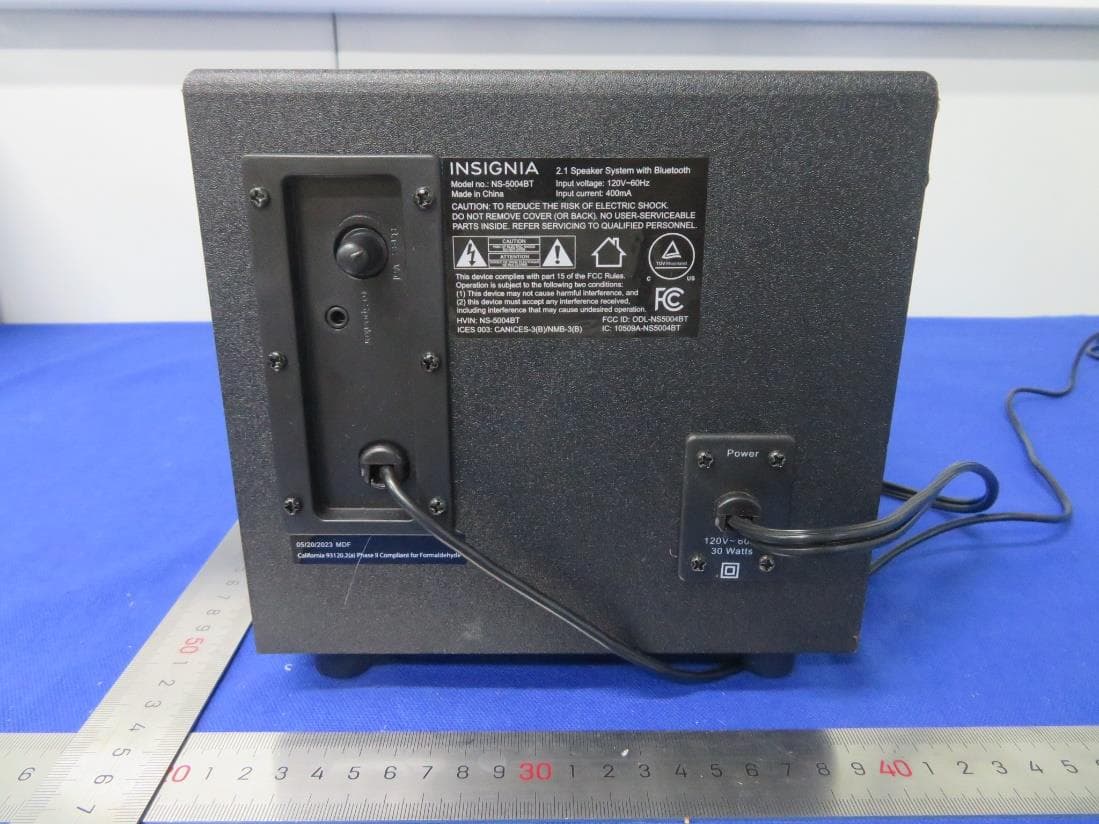
ODL-NS5004BTV2
Oct 15, 20232.1 Speaker System with Bluetooth
Equipment Class
DSS - Part 15 Spread Spectrum Transmitter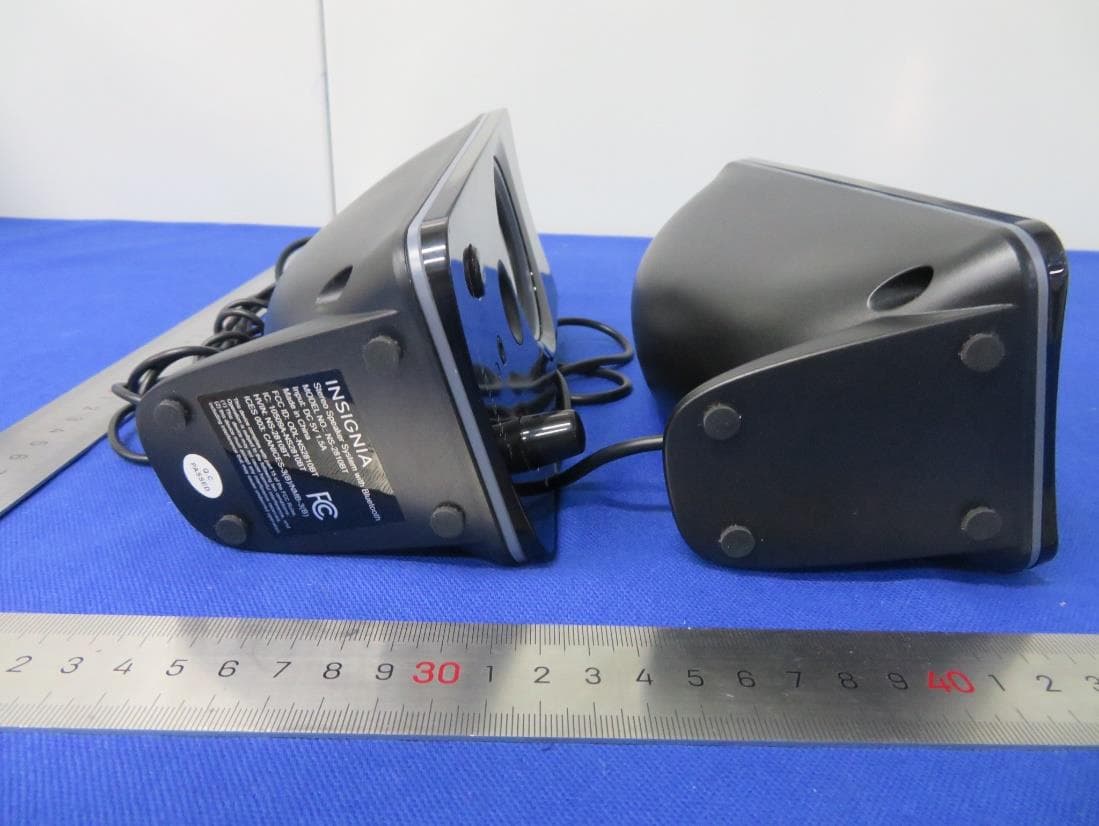
ODL-NS2810BTV2
Oct 15, 2023Color Changing Computer Speakers with Bluetooth
Equipment Class
DSS - Part 15 Spread Spectrum Transmitter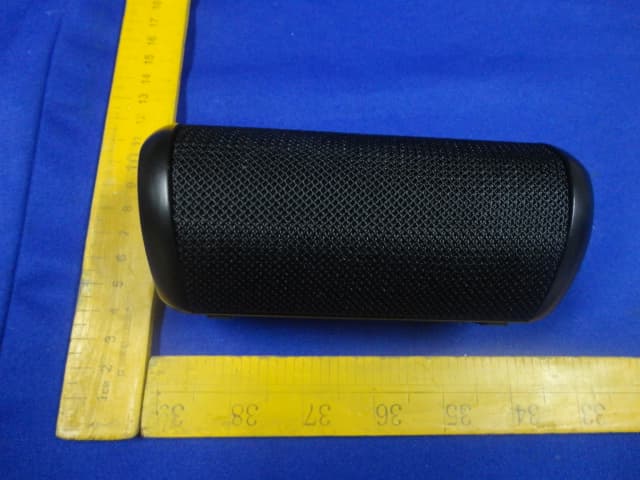
ODL-PS2350
Apr 24, 2014Wireless Mono Speaker
Equipment Class
DTS - Digital Transmission System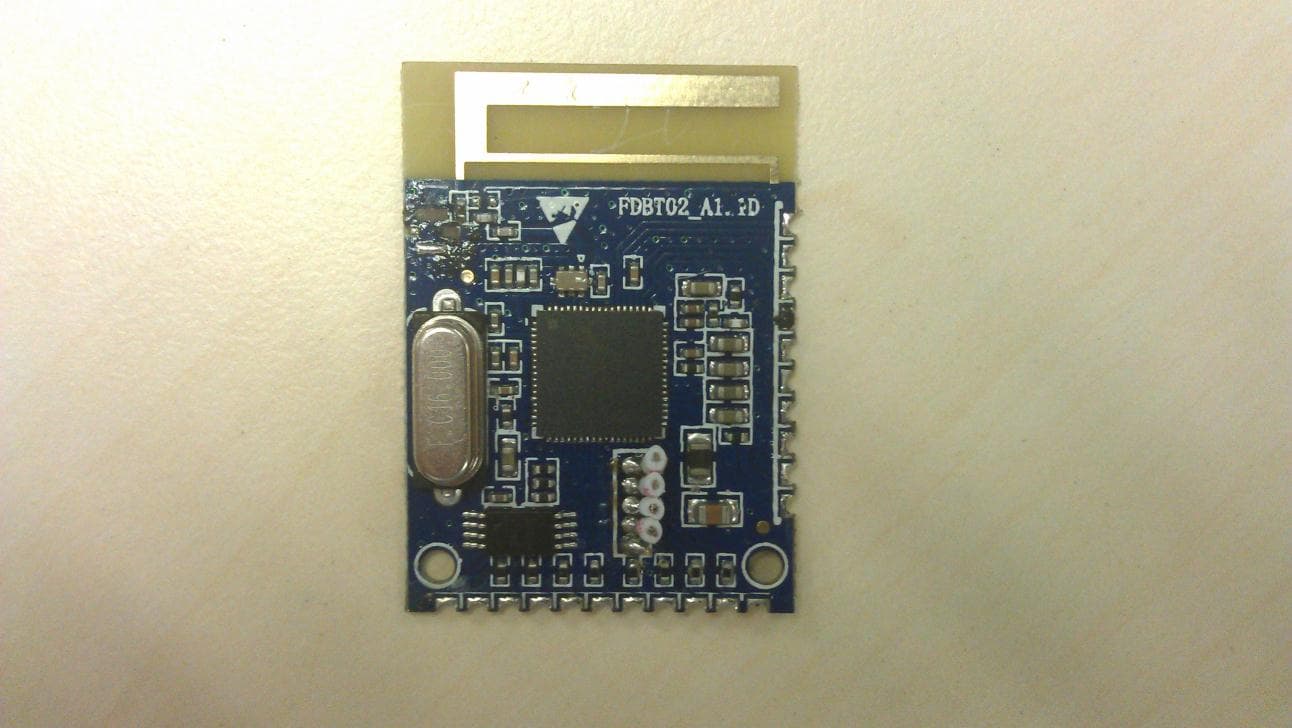
ODL-930BTSS01
Aug 26, 2012Bluetooth Speaker Stand
Equipment Class
DSS - Part 15 Spread Spectrum Transmitter