OFIOONTZXLOONTZ XL
Soundworks, Inc.
Click to zoom
Application Details
- Equipment Class
- DSS - Part 15 Spread Spectrum Transmitter
- Date of Grant
- Jun 18, 2013
- Application Purpose
- Original Equipment
- Date of Application
- Jun 18, 2013
- Equipment Note
- OONTZ XL
- Frequency Range
- 2402.00000000 - 2480.00000000
- Company
- Soundworks, Inc.
- Country
- United States
Documents & Files
Document Text
Text extracted from the exhibit documents filed with the FCC. Open a document above to read the original.
Users Manual
OontZ XL User Manual Introduction What is Bluetooth technology Bluetooth ® is a wireless technology that enables wireless data communication over a short range between digital devices. In general, Bluetooth-enabled devices connect wirelessly with each other within a range of 32 feet (10m). In order for two Bluetooth-enabled devices to work together wirelessly to perform a certain function, both devices should be compatible with the same Bluetooth profile that supports this function. Introduction to OontZ XL Thank you for purchasing our product. This is a Bluetooth wireless speaker system that supports Bluetooth version 2.1. This device is compatible with the following Bluetooth profiles: A2DP - Advanced Audio Distribution Profile AVRCP - Audio/Video Remote Control Profile HFP - HandsFree Profile With this device, you can: • Play music from a Bluetooth enabled mobile phone or audio source that is compatible with A2DP, such as an iPod/iPhone/iPad, Android smartphone, PC, or Mac. • Use the device as a speaker phone for a Bluetooth connected mobile phone. • Play music from an auxiliary device connected through the supplied 3.5mm audio cable. • Charge your portable device such as an MP3 player or mobile phone through the USB socket on the back panel. Overview 1. DC power socket Connect the power adapter. 2. 5V USB OUT Charge a portable device through a USB charging cable (not supplied). 3. AUX IN Connect an auxiliary device. 4. Microphone 5.Indicator Indicate the recharge status of the built-in battery. 6.Indicator Indicate the Bluetooth pairing status. 7/8. In Bluetooth mode, press to skip to the previous or next song. 9/10.-/+ Turn down/up volume. 11.Button During play in Bluetooth mode: (Press) pause or resume music play. (Press and hold) remove the existing pairing information. (Press) answer/hang up a call for a Bluetooth connected mobile phone. (Press and hold) reject during a call for a Bluetooth connected mobile phone. 12.Button Press once to turn on the device. In power-on mode, press and hold to turn off the device During music play, press to mute or resume sound output. Unpack Unpack and identify the items of your package: . 1 x Bluetooth wireless speaker . 1 x power adapter . 1 x 3.5mm audio cable . 1 x User Manual . 1 x warranty card Connect power With a built-in battery, this device allows you to enjoy music or charge your portable devices on the go. Before use outdoors, make sure that the built-in battery is fully recharged. Connect the supplied power adapter Tip: To recharge the built-in battery, you need to turn on the device. Turn on the device Press on the top panel. ☞ The indicator flashes white and red alternately, and turns red when the built-in battery is fully recharged. ☞ The indicator flashes white and the device enters Bluetooth pairing mode automatically. Turn off the device: Press and hold on the top panel. ☞ Both the and indicators turn off. Pair with a Bluetooth-enabled device Before using the Bluetooth feature of OontZ XL for the first time, you need to pair OontZ XL with another Bluetooth- enabled device, such as an iPod/ iPhone/iPad, Android smartphone, PC, or Mac. After successful pairing, each time when the paired device (Bluetooth-enabled) and OontZ XL are powered on and within the detectable range (32 feet or 10m), they will be wirelessly connected to each other automatically. Notes: • If your paired device fails to connect with OontZ XL after activation, you may need to select the device name of OontZ XL from the list of Bluetooth equipment on your paired device to set up wireless connection again. • Make sure that OontZ XL and the device to be paired are located within the detectable range (32 feet or 10m). 1. Enable the Bluetooth function on your device to be paired with OontZ XL. ☞ The device to be paired with OontZ XL enters Bluetooth searching mode. ☞ After a while, “OontZ XL” is displayed in the list of Bluetooth equipment on the device to be paired with OontZ XL. 2. Select “OontZ XL” on the device to be paired with OontZ XL to start pairing (if required, enter the password “0000”). ☞ After successful pairing, the indicator on the top of OontZ XL turns white steadily and the speaker beeps. Tip: • You can press and hold the button on the top of OontZ XL to remove the existing pairing information. In this case, the indicator starts to flash white again and the speaker returns to Bluetooth pairing mode. Play music from a Bluetooth connected device Note: • Make sure that wireless connection has been set up between the paired device and OontZ XL. Start music play on your device paired and connected with OontZ XL. ☞ You can hear music streamed to the Bluetooth wireless speaker. During music play, you can: Press on the top panel to skip to the previous/next song. Press on the top panel to pause or resume music play. Press on the top panel to adjust volume. Presson the top panel to mute or resume sound output. Use OontZ XL as a speaker phone If the paired mobile phone is compatible with Bluetooth profiles HFP, you can use OontZ XL as a speaker phone to answer/reject a call, or hang up. This is very useful when you want to have a teleconference. Notes: . Make sure that your mobile phone is compatible with Bluetooth profiles HFP. See the user manual of your mobile phone for details. . Make sure that wireless connection has been set up between the paired mobile phone and OontZ XL. . When there is an incoming call, music play will be paused. When there is an incoming call, you can: . Press on the speaker phone to answer the call. . Press and hold on the speaker phone to reject the call. During a call (incoming or outgoing), you can: • Listen through the speaker phone. • Speak towards the microphone located at the left side of the speaker phone. • Press VOL +/- on the speaker phone to adjust volume. • Press on the speaker phone to hang up. Listen from an auxiliary device Through this speaker system, you also can listen to music from any auxiliary device with a …
Text truncated - open the document above for the full version.
Cover Letter(s)
Federal comnunications Conmi$ion- Authoiiationmd Evaluaiion Division conndenialily R€qu6t Egarding application for certilication ofFcc lD: OFIooNTzxi, PuNuant lo Seclions 0.45? and 0.459 offie Conmhsion's Rules, rve heEby requesl contddiial neaLnent of infomalion accompsnting dis apPlication s outlined below: SCH.pdf The abov€ maleriah @ntain tmde secGts and proprietary infoftation no1 custom{ilv Fle6ed to thepublic. The public disclosure oflhese nalerialsnay behamru! b the aPPlicoi dd povide unjustified benefits to its mmPetito6. The applicdt undeElands that putsust to Selion 0.45? ol th€ Rules, dielosure ofthis applislion and alt amompdying documentation will nol be nade befo@ thc date oflhe Gdnl
Cover Letter(s)
Federal Communications Commission Authorization and Evaluation Division 1435 Oakland Mills Road Columbia, MD 21046 Date: SUBJECT: FCC Application for FCC ID: OFIOONTZXL To Whom It May Concern: I, the undersigned, hereby attest to the fact that I will apply the Declaration of Conformity procedure to the class B computer peripheral portion of this composite device. I understand the following FCC requirements: 1. Devices subject to the DoC procedure are required to be tested to show compliance with the FCC technical regulations by a recognized accredited testing laboratory. The testing laboratory must be accredited by a Commission approved accreditation body or designated under the terms of a government-to-government Mutual Recognition Agreement (MRA). A listing of those accredited testing laboratories that have been recognized by the Commission is published on the FCC Webpage: https://apps.fcc.gov/oetcf/eas/reports/TestFirmSearch.cfm (Select the "accredited" option to search for FCC recognized accredited test firms.) 2. Test facilities located in countries, where the U.S. does not have an operational Telcom MRA are not recognized by the FCC to test for the DoC procedure. 3. Pt 2.1077 contains the list of information that must be included in the Declaration of Conformity, which must be supplied with each product sold. The DoC compliance info shall be included in the User’s Manual or as a separate sheet. The info must contain the name, address, and phone number of the responsible party, which must be located within the United States. According to 2.909(c)(2), the responsible party is either the Manufacturer or if the product is imported the Importer. Regards, Signature: Typed name and title: Mike Roets Applicant: Soundworks, Inc. Address: 1519 Cimmarron plaza,Stillwater, Oklahoma, United States 74075
External Photos
Reference No.: WTD13S0402514E Page 86 of 97 Waltek Services (Shenzhen) Co.,Ltd. http://www.waltek.com.cn Photographs - Constructional Details EUT – External View Reference No.: WTD13S0402514E Page 87 of 97 Waltek Services (Shenzhen) Co.,Ltd. http://www.waltek.com.cn Reference No.: WTD13S0402514E Page 88 of 97 Waltek Services (Shenzhen) Co.,Ltd. http://www.waltek.com.cn Reference No.: WTD13S0402514E Page 89 of 97 Waltek Services (Shenzhen) Co.,Ltd. http://www.waltek.com.cn
ID Label/Location Info
FCC Label Location for model: OontZ XL BT-2615 The Label must not be a stick-on paper. The Label on these products must be permanently affixed to the product and readily visible at the time of purchase and must last the expected lifetime of the equipment not be readily detachable. FCC ID: OFIOONTZXL This device complies with Part 15 of the FCC Rules. Operation is subject to the following two conditions: (1) this device may not cause harmful interference, and (2) this device must accept any interference received, including interference that may cause undesired operation
ID Label/Location Info
FCC Label Sample for model: OontZ XL BT-2615 FCC ID: OFIOONTZXL This device complies with Part 15 of the FCC Rules. Operation is subject to the following two conditions: (1) this device may not cause harmful interference, and (2) this device must accept any interference received, including interference that may cause undesired operation.
Internal Photos
Reference No.: WTD13S0402514E Page 90 of 97 Waltek Services (Shenzhen) Co.,Ltd. http://www.waltek.com.cn 19.2 EUT – Internal View Reference No.: WTD13S0402514E Page 91 of 97 Waltek Services (Shenzhen) Co.,Ltd. http://www.waltek.com.cn Reference No.: WTD13S0402514E Page 92 of 97 Waltek Services (Shenzhen) Co.,Ltd. http://www.waltek.com.cn Reference No.: WTD13S0402514E Page 93 of 97 Waltek Services (Shenzhen) Co.,Ltd. http://www.waltek.com.cn Reference No.: WTD13S0402514E Page 94 of 97 Waltek Services (Shenzhen) Co.,Ltd. http://www.waltek.com.cn 19.3 EUT-RF Module View Reference No.: WTD13S0402514E Page 95 of 97 Waltek Services (Shenzhen) Co.,Ltd. http://www.waltek.com.cn
Test Report
Reference No.: WTD13S0402514E Page 1 of 94 FCC TEST REPORT Waltek Services (Shenzhen) Co.,Ltd. http://www.waltek.com.cn 。 FCC ID : OFIOONTZXL Applicant : Soundworks, Inc. Address : 1519 Cimmarron plaza,Stillwater, Oklahoma, United States 74075 Manufacturer : Shenzhen 3nod Electronics Co.,Ltd Address : 3NOD High-Tech Park 15# Zhongfu Road Tangxiayong Village, Industrial Zone Songgang Town, Baoan District, Shenzhen City, China Equipment Under Test (EUT) : Product Name : OontZ XL Model No. : OontZ XL BT-2615 Standards : FCC CFR47 Part 15 Section 15.247:2010 Date of Test : April 7~20, 2013 Date of Issue : May 30, 2013 Test Result : PASS Remark: * The sample described above has been tested to be in compliance with the requirements of ANSI C63.4: 2003. The test results have been reviewed and comply with the rules listed above and found to meet their essential requirements. The results shown in this test report refer only to the sample(s) tested, this test report cannot be reproduced, except in full, without prior written permission of the company. The report would be invalid without specific stamp of test institute and the signatures of compiler and approver. Prepared By: Waltek Services (Shenzhen) Co., Ltd. 1/F, Fukangtai Building, West Baima Rd., Songgang Street, Baoan District, Shenzhen 518105, China Tel: +86-755-83551033 Fax: +86-755-83552400 Compiled by: Approved by: Zero Zhou / Project Engineer Philo Zhong / Manager Reference No.: WTD13S0402514E Page 2 of 94 Waltek Services (Shenzhen) Co.,Ltd. http://www.waltek.com.cn 2 Test Summary Test Items Test Requirement Result Spurious Radiated Emissions 15.205(a) 15.209 15.247(d) PASS Band edge Emissions 15.247(d) PASS Spurious RF Conducted Emissions from out of band 15.247(d) PASS Duty Cycle 15.35 PASS Conducted Emissions 15.207 PASS 20dB Bandwidth 15.215c 15.247(a)(1) PASS Maximum Peak Output Power 15.247(b)(1) PASS Frequency Separation 15.247(a)(1) PASS Number of Hopping Frequency 15.247(a)(1)(iii) PASS Dwell time 15.247(a)(1)(iii) PASS Maximum Permissible Exposure (Exposure of Humans to RF Fields) 1.1307(b)(1) PASS Reference No.: WTD13S0402514E Page 3 of 94 Waltek Services (Shenzhen) Co.,Ltd. http://www.waltek.com.cn 3 Contents Page 1 COVER PAGE .......................................................................................................................................... 1 2 TEST SUMMARY ................................................................................................................................................... 2 3 CONTENTS ............................................................................................................................................................. 3 4 GENERAL INFORMATION .................................................................................................................................. 5 4.1 GENERAL DESCRIPTION OF E.U.T. ................................................................................................................. 5 4.2 DETAILS OF E.U.T. .......................................................................................................................................... 5 4.3 TEST FACILITY ................................................................................................................................................. 6 4.4 TEST LOCATION ............................................................................................................................................... 6 5 EQUIPMENT USED DURING TEST ................................................................................................................... 7 5.1 EQUIPMENTS LIST ........................................................................................................................................... 7 5.2 MEASUREMENT UNCERTAINTY ........................................................................................................................ 7 5.3 TEST EQUIPMENT CALIBRATION ..................................................................................................................... 8 6 CONDUCTED EMISSION ..................................................................................................................................... 9 6.1 E.U.T. OPERATION .......................................................................................................................................... 9 6.2 EUT SETUP ..................................................................................................................................................... 9 6.3 CONDUCTED EMISSION TEST RESULT .......................................................................................................... 10 7 SPURIOUS RADIATED EMISSIONS ............................................................................................................... 12 7.1 EUT OPERATION : ......................................................................................................................................... 12 7.2 TEST SETUP .................................................................................................................................................. 13 7.3 SPECTRUM ANALYZER SETUP ...................................................................................................................... 13 7.4 TEST PROCEDURE ......................................................................................................................................... 15 7.5 CORRECTED AMPLITUDE & MARGIN CALCULATION ..................................................................................... 15 7.6 SUMMARY OF TEST RESULTS ....................................................................................................................... 16 8 SPURIOUS RF CONDUCTED EMISSIONS FROM OUT OF BAND .......................................................... 26 8.1 TEST PROCEDURE ........................................................…
Text truncated - open the document above for the full version.
Test Setup Photos
Reference No.: WTD13S0402514E Waltek Services (Shenzhen) Co.,Ltd. http://www.waltek.com.cn Photographs – Test Setup Conducted Emissions Radiated Emissions Below 30MHz Reference No.: WTD13S0402514E Waltek Services (Shenzhen) Co.,Ltd. http://www.waltek.com.cn From 30-1000MHz Above 1GHz
Contact Information
Applicant
Mike Roets
Test Firm
Waltek Services(Shenzhen) Co., Ltd.Philo zhong
Technical Specifications
| # | Rule Parts | Frequency Range | Power Output |
|---|---|---|---|
| 1 | 15C | 2.40 GHz - 2.48 GHz | 640.00 µW |
Other Applications from Soundworks, Inc.
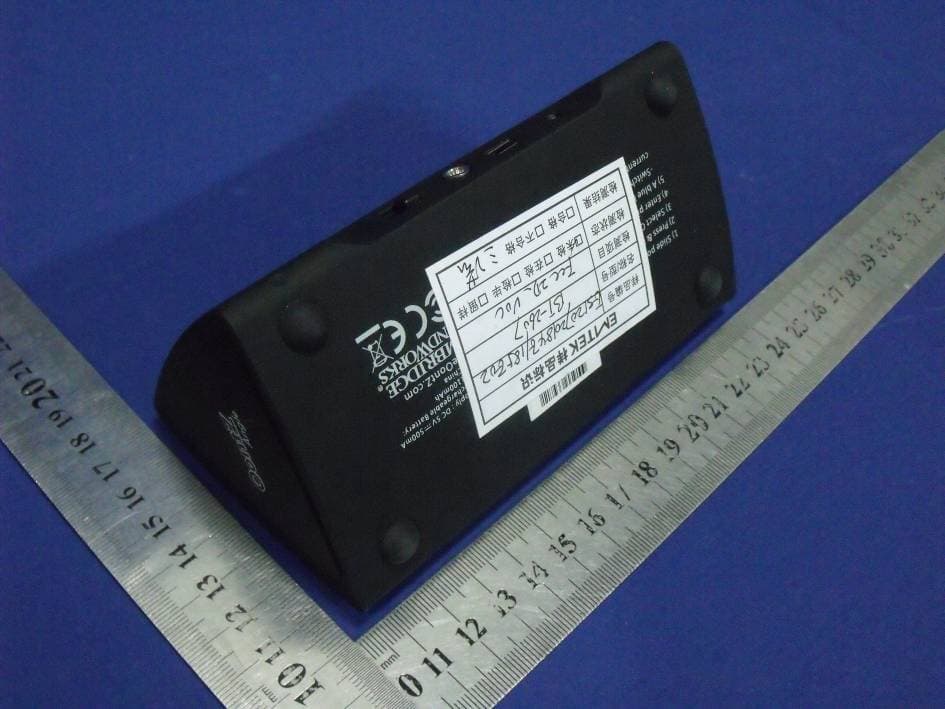
OFIOONTZANGLE
Aug 06, 2012The Ultra Portable Wireless Bluetooth Speaker
Equipment Class
DSS - Part 15 Spread Spectrum Transmitter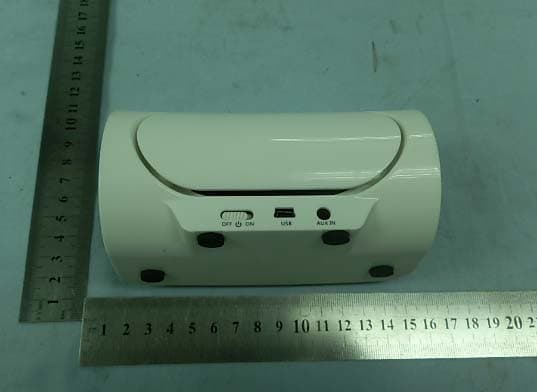
OFIOONTZ
Jul 10, 2012THE ULTRA PORTABLE WIRELESS BLUETOOTH SPEAKER
Equipment Class
DSS - Part 15 Spread Spectrum Transmitter