OR7GM521Wireless Ring Mouse
Globlink Technology Inc
Click to zoom
Application Details
- Equipment Class
- DXX - Part 15 Low Power Communication Device Transmitter
- Date of Grant
- Feb 24, 2008
- Application Purpose
- Original Equipment
- Date of Application
- Feb 24, 2008
- Equipment Note
- Wireless Ring Mouse
- Frequency Range
- 2423.00000000 - 2477.00000000
- Company
- Globlink Technology Inc
- Country
- Taiwan
Documents & Files
Document Text
Text extracted from the exhibit documents filed with the FCC. Open a document above to read the original.
Users Manual
User’s manual W W i i r r e e l l e e s s s s R R i i n n g g M M o o u u s s e e Utilizing Globlink patented technology to deliver better precision optical trackball mouse. A design combines fashion with technology and an innovative way to control mouse. No limitation on space. Specifications - 2.4GHz ISM band radio frequency. - Operating distance up to 18 feet ( 6 meters ). - Optical trackball - Mouse left and right keys - Scrolling button or laser pointer ( Option ). - Rechargeable - Resolution 800cpi - Windows Me/2000/XP/Vista compatible - Mac OS X 10.2 and above - Dimension: 30(L) x 30(W) x 20(H) mm Package Contents - Optical trackball mouse with battery box - USB receiver - USB rechargeable cable - User’s manual - 1 - Installation method Before using it, please press Connect button for one second to turn on the power. Press Scrolling button to activate the mouse cursor if it has not movement. 1. Plug the receiver into an available USB port on the computer. 2. Press the Setup button on the receiver to turn off the LED light. (Fig.2) 3. Hold the mouse close to the receiver. Press the Connect button of the mouse (Fig. 1) till the receiver’s LED light blinks indicating that the set-up has been completed. Note: For initial use, please recharge at least 4 hours. If it has any lag, kindly check battery power. - 2 - LED light Setup button Fig. 2 Fig. 1 Connect button Key Definitions Laser key type Scrolling button type - 3 - Right Key Left Key Battery box Laser key Trackball Right Key Scrolling button Elastic strap Elastic strap Left Key Trackball Battery box Rechargeable function Please plug USB receiver to USB female port of Y-cable and plug USB male of Y-cable to Notebook or PC’s USB port, and then insert recharging male to the Mini USB port beside battery box (Fig. 3) Min USB port for rechargeable This product features a total of 4096 sets of identification codes to avoid interference. The setup mechanism automatically generates a set of identification codes every time you press the “setup” key. The mouse can only be used after the setup has been completed. Sleep mode Press “connect button” over 3 seconds to enter into sleeping mode, the LED light under trackball turns off. To wake up, press “connect button” for 1 second. Scrolling button (Scrolling button types only) Press scrolling button can switch trackball to cursor or scrolling function. - 4 - Fig. 3 Federal Communication Commission Interference Statement This equipment has been tested and found to comply with the limits for a Class B digital device, pursuant to Part 15 of the FCC Rules. These limits are designed to provide reasonable protection against harmful interference in a residential installation. This equipment generates uses and can radiate radio frequency energy and, if not installed and used in accordance with the instructions, may cause harmful interference to radio communications. However, there is no guarantee that interference will not occur in a particular installation. If this equipment does cause harmful interference to radio or television reception, which can be determined by turning the equipment off and on, the user is encouraged to try to correct the interference by one of the following measures: z Reorient or relocate the receiving antenna. z Increase the separation between the equipment and receiver. z Connect the equipment into an outlet on a circuit different from that to which the receiver is connected. z Consult the dealer or an experienced radio/TV technician for help. FCC Caution: Any changes or modifications not expressly approved by the party responsible for compliance could void the user's authority to operate this equipment. This device complies with Part 15 of the FCC Rules. Operation is subject to the following two conditions: (1) This device may not cause harmful interference, and (2) this device must accept any interference received, including interference that may cause undesired operation. This device and its antenna(s) must not be co-located or operating in conjunction with any other antenna or transmitter. 6MNUM521000US-B0 - 5 -
External Photos
Registration number: W6M20801-8832-P-15 FCC ID: OR7GM521 Taiwan ETS Product Service Co., Ltd.Appendix page 30 of 41 External Photos Registration number: W6M20801-8832-P-15 FCC ID: OR7GM521 Taiwan ETS Product Service Co., Ltd.Appendix page 31 of 41 Registration number: W6M20801-8832-P-15 FCC ID: OR7GM521 Taiwan ETS Product Service Co., Ltd.Appendix page 32 of 41
Internal Photos
Registration number: W6M20801-8832-P-15 FCC ID: OR7GM521 Taiwan ETS Product Service Co., Ltd.Appendix page 33 of 41 Internal Photos Registration number: W6M20801-8832-P-15 FCC ID: OR7GM521 Taiwan ETS Product Service Co., Ltd.Appendix page 34 of 41 Registration number: W6M20801-8832-P-15 FCC ID: OR7GM521 Taiwan ETS Product Service Co., Ltd.Appendix page 35 of 41 Registration number: W6M20801-8832-P-15 FCC ID: OR7GM521 Taiwan ETS Product Service Co., Ltd.Appendix page 36 of 41 Registration number: W6M20801-8832-P-15 FCC ID: OR7GM521 Taiwan ETS Product Service Co., Ltd.Appendix page 37 of 41 Registration number: W6M20801-8832-P-15 FCC ID: OR7GM521 Taiwan ETS Product Service Co., Ltd.Appendix page 38 of 41
Test Report
of Applicant: Globlink Technology Inc. Address: 2F, No.101, Rui-Hu St, Nei-Hu 114 Taipei Taiwan Tested and Prepared by Taiwan ETS Product Service Co., Ltd. FCC Registration No.: 930600 Industry Canada filed test laboratory Reg. No. IC 5679A-1 A2LA Accredited No.: 1983.02 PTCRB Accredited Type Certification Test House Report No.: W6M20801-8832-P-15 6F, NO. 58, LANE 188, RUEY-KUANG RD., NEIHU TAIPEI 114, TAIWAN, R.O.C. TEL: 886-2-66068877 FAX: 886-2-66068879 E-mail: [email protected] FCC PART 15 SUBPART C TEST REPORT for Wireless Ring Mouse Model No.: GM-521 FCC ID: OR7GM521 Registration number: W6M20801-8832-P-15 FCC ID: OR7GM521 Taiwan ETS Product Service Co., Ltd. Page 1 of 21 TABLE OF CONTENTS 1 GENERAL INFORMATION ..........................................................................................................2 1.1 NOTES..........................................................................................................................................2 1.2 TESTING LABORATORY................................................................................................................3 1.2.1 Location ..............................................................................................................................3 1.2.2 Details of accreditation status ............................................................................................3 1.3 DETAILS OF APPROVAL HOLDER...................................................................................................3 1.4 APPLICATION DETAILS.................................................................................................................4 1.5 GENERAL INFORMATION OF TEST ITEM........................................................................................4 1.6 TEST STANDARDS.........................................................................................................................5 2 TECHNICAL TEST .........................................................................................................................6 2.1 S UMMARY OF TEST RESULTS........................................................................................................6 2.2 TEST ENVIRONMENT....................................................................................................................6 2.3 T EST EQUIPMENT LIST.................................................................................................................7 2.4 GENERAL TEST PROCEDURE........................................................................................................9 3 TEST RESULTS (ENCLOSURE) ................................................................................................10 3.1 P EAK OUTPUT POWER (TRANSMITTER) ......................................................................................11 3.2 EQUIVALENT ISOTROPIC RADIATED POWER................................................................................13 3.3 RF EXPOSURE COMPLIANCE REQUIREMENTS............................................................................13 3.4 OUT OF BAND RADIATED EMISSIONS.........................................................................................13 3.5 SPURIOUS EMISSION (TX) ...........................................................................................................14 3.6 RADIATED EMISSIONS FROM DIGITAL PART..............................................................................17 3.7 R ADIATED EMISSION ON THE BAND EDGE..................................................................................18 3.8 POWER LINE CONDUCTED EMISSION.........................................................................................19 APPENDIX..................................................................................................................................................21 Registration number: W6M20801-8832-P-15 FCC ID: OR7GM521 Taiwan ETS Product Service Co., Ltd. Page 2 of 21 1 General Information 1.1 Notes The purpose of conformity testing is to increase the probability of adherence to the essential requirements or conformity specifications, as appropriate. The complexity of the technical specifications, however, means that full and thorough testing is impractical for both technical and economic reasons. Furthermore, there is no guarantee that a test sample which has passed all the relevant tests conforms to a specification. Neither is there any guarantee that such a test sample will interwork with other genuinely open systems. The existence of the tests nevertheless provides the confidence that the test sample possesses the qualities as maintained and that is performance generally conforms to representative cases of communications equipment. The test results of this test report relate exclusively to the item tested as specified in 1.5. The test report may only be reproduced or published in full. Reproduction or publication of extracts from the report requires the prior written approval of the Taiwan ETS Product Service Co., Ltd. Tester: February 19, 2008 Jay Chaing Date ETS-Lab. Name Signature Technical responsibility for area of testing: February 19, 2008 Steven Chuang Date ETS Name Signature Registration number: W6M20801-8832-P-15 FCC ID: OR7GM521 Taiwan ETS Product Service Co., Ltd. Page 3 of 21 1.2 Testing laboratory 1.2.1 Location OATS No.5-1, Shuang Sing Village, LiShuei Rd., Wanli Township, Taipei County 207, Taiwan (R.O.C.) Company Taiwan ETS Product Service Co., Ltd. 6F, NO. 58, LANE 188, RUEY-KUANG RD. NEIHU, TAIPEI 114, TAIWAN R.O.C. Tel : 886-2-66068877 Fax : 886-2-66068879 1.2.2 Details of accreditation status Accredited testing laboratory A2LA accredited number: 1983.02 FCC filed test laboratory Reg. No. 930600 Industry Canada filed test laboratory Reg. No. IC 5679A-1 PTCRB Accredited Type Certification Test House 1.3 Details of approval holder Name: Globlink Technology Inc. Street: 2F,No.101,Rui-Hu St, Nei-Hu 114 Tow…
Text truncated - open the document above for the full version.
Test Setup Photos
Registration number: W6M20801-8832-P-15 FCC ID: OR7GM521 Taiwan ETS Product Service Co., Ltd.Appendix page 39 of 41 Set Up Photo of Radiated Emission RF Mode Registration number: W6M20801-8832-P-15 FCC ID: OR7GM521 Taiwan ETS Product Service Co., Ltd.Appendix page 40 of 41 EMI Mode Registration number: W6M20801-8832-P-15 FCC ID: OR7GM521 Taiwan ETS Product Service Co., Ltd.Appendix page 41 of 41 Set Up Photo of Conducted Emission
Contact Information
Applicant
Eric Weng(Manager)
Technical Contact
Taiwan ETS Product Service Co., Ltd.Steven Chuang
[email protected]+886-2-6606-8877
6F., No. 58, Lane 188, Ruey Kuanf Rd., Neihu · Taipei · Taiwan
Test Firm
Worldwide Testing Services (Taiwan) Co. Ltd.Chang Tse-Ming
Technical Specifications
| # | Rule Parts | Frequency Range | Power Output |
|---|---|---|---|
| 1 | 15C | 2.42 GHz - 2.48 GHz | - |
Other Applications from Globlink Technology Inc
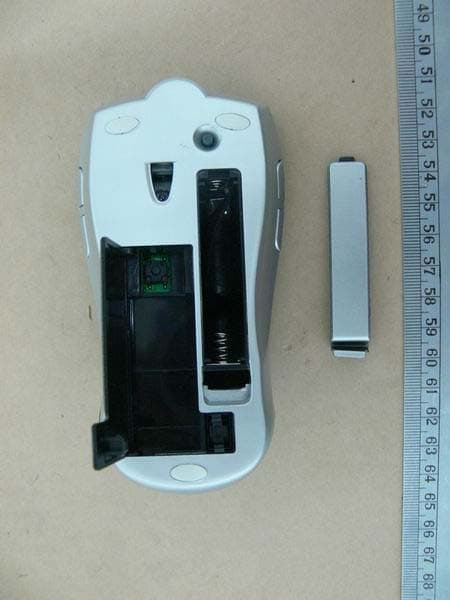
OR7GM322
Sep 15, 2007Wireless Free Wheel Mouse
Equipment Class
DXX - Part 15 Low Power Communication Device Transmitter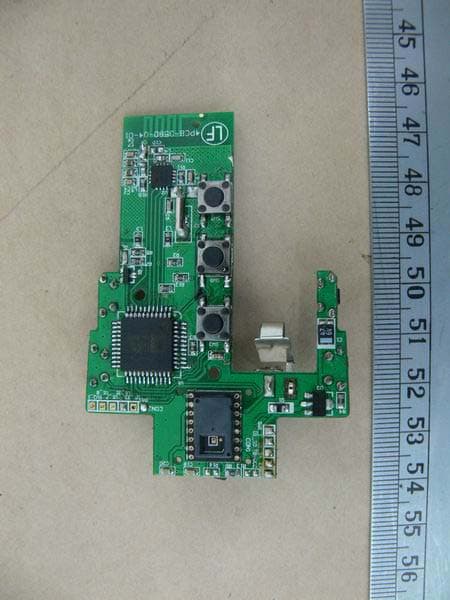
OR7GM323
Sep 15, 2007Wireless Free Wheel Mouse
Equipment Class
DXX - Part 15 Low Power Communication Device Transmitter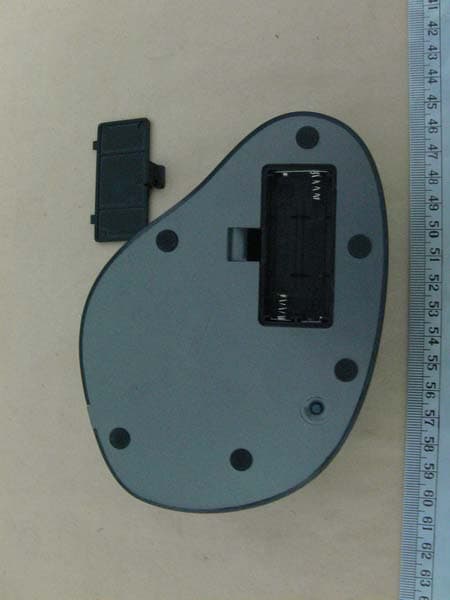
OR7GM520
Sep 11, 2007Wireless Big Optical Trackball Mouse
Equipment Class
DXX - Part 15 Low Power Communication Device Transmitter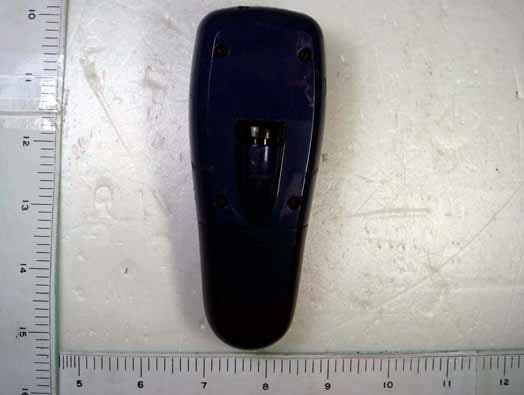
OR7GP300
Dec 11, 20062.4 GHz RF Wireless Optical Presentation Mouse
Equipment Class
DXX - Part 15 Low Power Communication Device Transmitter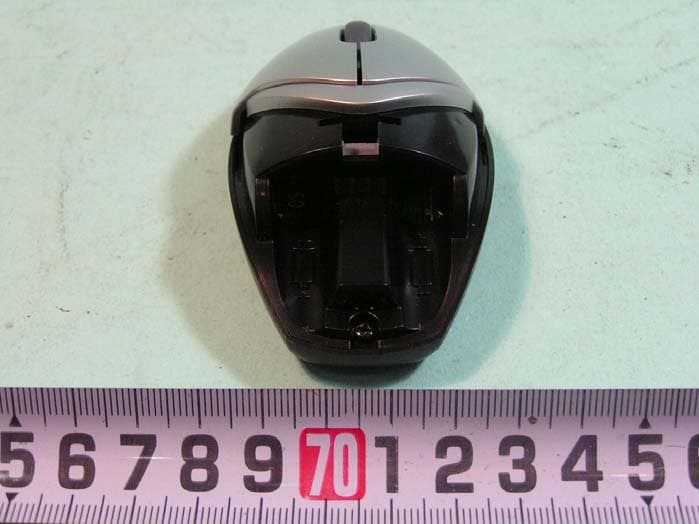
OR7GM302A
Apr 23, 2006Wireless Mouse
Equipment Class
DXX - Part 15 Low Power Communication Device Transmitter