P5T-2000USBAir2Net Bluetooth Wireless USB Dongle
AmbiCom Holdings, Inc.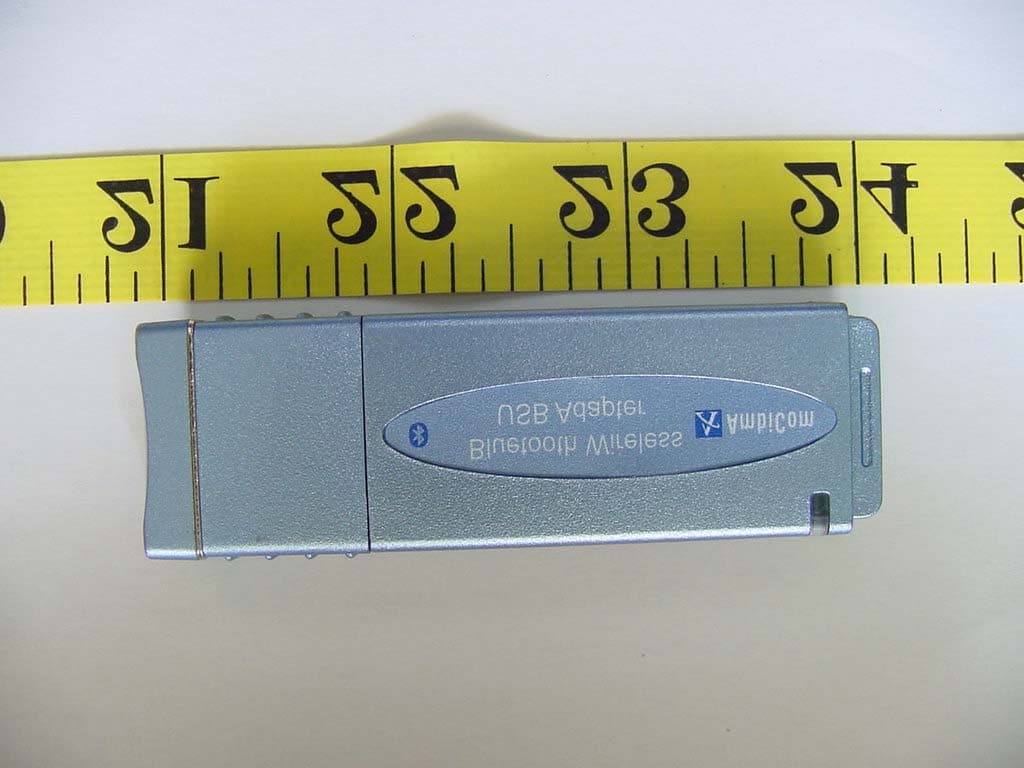
Click to zoom
Application Details
- Equipment Class
- DSS - Part 15 Spread Spectrum Transmitter
- Date of Grant
- Aug 18, 2002
- Application Purpose
- Original Equipment
- Date of Application
- Aug 18, 2002
- Equipment Note
- Air2Net Bluetooth Wireless USB Dongle
- Frequency Range
- 2402.00000000 - 2480.00000000
- Company
- AmbiCom Holdings, Inc.
- Country
- United States
Documents & Files
Document Text
Text extracted from the exhibit documents filed with the FCC. Open a document above to read the original.
Users Manual
AmbiCom Bluetooth Solutions User Manual for Win98SE June 25, 2002 Air2Net Bluetooth Wireless Solutions User Manual for Windows 98SE Working at the speed of thought AmbiCom, Inc Page 1 of 26 6/25/2002 1. Introduction This user manual covers the product features, release notes, installation procedures, and operating procedures for AmbiCom’s Bluetooth applications. Bluetooth wireless technology is a global standard for low-cost and low-power small form factors to connect multiple devices such as computers, mobile phones, PDAs, printers, LAN and WANs to each other. It provides fast and reliable digital transmission of both voice and data over 2.4GHz ISM open band. AmbiCom’s Bluetooth wireless technology offers the following features: • Cable Replacement Establishes a wireless Personal Area Network with other Bluetooth devices within the operating range, without the hassles of wiring and configuration. • Ad-hoc Networking Supports both data and voice between two or more devices wirelessly. • Secure Wireless Connections Built-in authentication, encryption and authorization applications ensure secure information access and transmission. • LAN and WAN Access Points LAN and WAN access such as Web, email, E-commerce, and VPN. 2. Product Features With AmbiCom’s Bluetooth CompactFalsh Card with PCMCIA adapter, USB Adapter or UART Adapter and Bluetooth software, you can establish wireless connections between your computer and other Bluetooth wireless devices. The features include: • Device Discovery • Name Discovery • Service Discovery • File Transfer • Object Push for files, objects and business cards • Blue Chat that allows users to instantly send and receive text messages • Internet Access through Dial-Up Networking • Connection to LAN through LAN Access Point AmbiCom provides Bluetooth Neighborhood software application that integrates all of the above features into one single application. 3. Release Notes • We support Windows 98SE on this release • This release supports the AmbiCom Bluetooth CompactFlash, USB Dongle, USB module, and UART Adapter. • SIG 1.1 compliant Bluetooth protocol stack. Air2Net Bluetooth Wireless Solutions User Manual for Windows 98SE Working at the speed of thought AmbiCom, Inc Page 2 of 26 6/25/2002 • We support Device Discovery, Name Discovery, Service Discovery, Pairing, Object Push, File Transfer, Dial-Up and LAN access Networking in this release. • Audio is not supported in this release. • When two devices are performing Device Discovery at the same time, they will not discover each other. Please do not run Bluetooth Neighborhood at the same time. 4. Installation Procedures for Windows 98SE Important Notes: Make sure you have installed the Dcom 98.exe from Microsoft on your Win98SE system before you install the AmbiCom Bluetooth software. 1. Insert the AmbiCom Bluetooth Installation CD into your laptop CD-ROM drive. 2. Run AmbiCom Bluetooth Setup.exe and follow the on-screen instruction to install the application program. 3. The following window will appear at the start of the installation process: 4. Choose the device you have and click “Next” to continue. Simply follow the on-screen instructions. At the end of the installation, the system will pop up several windows to install some devices. This is because the system is installing some virtual devices for the software to use. Please be patient and wait until the system finishes. Air2Net Bluetooth Wireless Solutions User Manual for Windows 98SE Working at the speed of thought AmbiCom, Inc Page 3 of 26 6/25/2002 5. After the system is finished installing the virtual devices, please click Finish to reboot your system. 6. After you have restarted your laptop, please connect your AmbiCom Bluetooth CompactFlash, USB or UART Adapter to your laptop. The system will automatically install the driver for you. After the system installed the driver you need reboot your system. Now you are ready to execute Object Push, File Transfer and Blue Chat by using Bluetooth Neighborhood. Please see the section “How to Run Bluetooth Neighborhood” and skip the following steps. If you want to use the Dial-up Networking and LAN Access, please observe the following steps. Air2Net Bluetooth Wireless Solutions User Manual for Windows 98SE Working at the speed of thought AmbiCom, Inc Page 4 of 26 6/25/2002 Installation Procedures for Dial-Up Networking If you have a Bluetooth phone/modem, we recommend that you continue installing the corresponding components. Note: During the software installation, you will see several modems installed in your system. You can go to Device Manager, click Modem to view all the modems. For Dial-Up and LAN Access networking, we will use those modems to set up. 1. From Control Panel, go to Dial-up Networking and create a New Connection for Bluetooth Dial-Up Networking. Following the on-screen instructions to set up a connection for the Bluetooth Dial-up Networking. During the setup, the system will ask you to select a modem for dial-up, please select the modem Bluetooth DUN Client. Click Next. Air2Net Bluetooth Wireless Solutions User Manual for Windows 98SE Working at the speed of thought AmbiCom, Inc Page 5 of 26 6/25/2002 2. Click Next. 3. Click Next. Air2Net Bluetooth Wireless Solutions User Manual for Windows 98SE Working at the speed of thought AmbiCom, Inc Page 6 of 26 6/25/2002 4. Click Finish. Follow the on-screen instructions to complete the setup. Air2Net Bluetooth Wireless Solutions User Manual for Windows 98SE Working at the speed of thought AmbiCom, Inc Page 7 of 26 6/25/2002 Installation Procedures for LAN Access 1. For LAN Access, the installation procedure is almost identical to dial-up networking. The only difference is under “Make New Connection”, choose “Bluetooth LAN Client” instead. Click “Next” to continue the installation. Air2Net Bluetooth Wireless Solutions User Manual for Windows 98SE Working at the speed of thought AmbiCom, Inc Page 8 of 26 6/25/2002 5. How to Run Bluetooth Neighborh…
Text truncated - open the document above for the full version.
Block Diagram
Bluetooth Wireless Solutions Model: BT2000-USB AmbiCom BT USB Card: Block diagram: IF Antenna Ericsson 007 module CPU MAX8867EUK33 USB Connect or Digital Component Vendor BT Module ROK 101 007 Erricson CPU MAX8867EUK33 MAX Antenna 100902-101 RangStar Page 1 of 1
External Photos
ETC Report No. : ET91R-06-102-01 FCC ID. : P5T-2000USB Rev. No 2.0 CONSTRUCTED PHOTOS of EUT Front View of EUT Rear View of EUT
ID Label/Location Info
ID Label Rear View of EUT Label Size: 25mm(W)×10mm(H) This statement will be placed in User Manual. This device complies with part 15 of the FCC Rules. Operation is subject to the following two conditions: (1) this device may not cause harmful interference and (2) this device must accept any interference received, including interference that may cause undesired operation. Label Here AmbiCom Model: BT2000-USB FCC ID.: P5T-2000USB Made in Taiwan
Internal Photos
ETC Report No. : ET91R-06-102-01 FCC ID. : P5T-2000USB Rev. No 2.0 CONSTRUCTED PHOTOS of EUT Internal View of EUT Comp onent View of Main PCB ETC Report No. : ET91R-06-102-01 FCC ID. : P5T-2000USB Rev. No 2.0 CONSTRUCTED PHOTOS of EUT Comp onent View of Main PCB 6. Solder View of Main PCB
Operational Description
This Air2Net Bluetooth Wireless USB Dongle designed with a transmitting method of frequency hopping technology. The Air2Net Bluetooth Wireless USB Dongle is using the 2400-2483.5 MHz ISM band.
Test Report
Rev. No 2.0 FCC Part 15 EMI TEST REPORT of E.U.T. : Air2Net Bluetooth Wireless USB Dongle MODEL : BT2000-USB FCC ID. : P5T-2000USB for APPLICANT : AmbiCom, Inc. ADDRESS : 3150 Coronado Dr., Suite A, Santa Clara, CA95054, USA Test Performed by ELECTRONICS TESTING CENTER, TAIWAN NO. 34, LIN 5, DING FU TSUN, LINKOU HSIANG, TAIPEI HSIEN, TAIWAN, R.O.C. Tel:(02)26023052, 26023054 Fax:(02)26010910 Report Number : ET91R-06-102-01 ETC Report No. : ET91R-06-102-01 FCC ID. : P5T-2000USB Rev. No 2.0 TEST REPORT CERTIFICATION Applicant : AmbiCom, Inc. 3150 Coronado Dr., Suite A, Santa Clara, CA95054, USA Manufacturer : Solomon Technology Corp. No. 42, Sing Zhong Rd., Nei Hu Dist., Taipei, Taiwan, R.O.C. Description of EUT : a) Type of EUT : Air2Net Bluetooth Wireless USB Dongle b) Trade Name : AmbiCom c) Model No. : BT2000-USB d) Power Supply : DC 3.3V/5V Regulation Applied : FCC Rules and Regulations Part 15 Subpart B & C (2001) I HEREBY CERTIFY THAT: The data shown in this report were made in accordance with the procedures given in ANSI C63.4, and the energy emitted by the device was founded to be within the limits applicable. I assume full responsibility for accuracy and completeness of these data. Note: 1. The result of the testing report relates only to the item tested. 2. The testing report shall not be reproduced expect in full, without the written approval of ETC. Issued Date : Jul. 15, 2002 Test Engineer : ( Jeff Chuang ) Approve & Authorized Signer : Will Yauo, Manager EMC Dept. II of ELECTRONICS TESTING CENTER, TAIWAN ETC Report No. : ET91R-06-102-01 FCC ID. : P5T-2000USB Rev. No 2.0 Table of Contents Page 1 GENERAL INFORMATION....................................................................................................... 1 1.1 Product Description...................................................................................................................... 1 1.2 Characteristics of Device ............................................................................................................. 1 1.3 Test Methodology......................................................................................................................... 1 1.4 Test Facility.................................................................................................................................. 1 1.5 Modist List.................................................................................................................................... 1 2 PROVISIONS APPLICABLE...................................................................................................... 2 2.1 Definition...................................................................................................................................... 2 2.2 Requirement for Compliance ....................................................................................................... 3 2.3 Restricted Bands of Operation ..................................................................................................... 5 2.4 Labeling Requirement .................................................................................................................. 5 2.5 User Information........................................................................................................................... 6 3. SYSTEM TEST CONFIGURATION........................................................................................... 7 3.1 Justification................................................................................................................................... 7 3.2 Devices for Tested System ........................................................................................................... 7 4 RADIATED EMISSION MEASUREMENT............................................................................... 8 4.1 Applicable Standard ..................................................................................................................... 8 4.2 Measurement Procedure............................................................................................................... 8 4.3 Measuring Instrument................................................................................................................. 10 4.4 Radiated Emission Data ............................................................................................................. 11 4.4.1 Fundatmental and Harmonics ....................................................................................................11 4.4.2 Other Emissions ......................................................................................................................14 4.5 Field Strength Calculation .......................................................................................................... 14 4.6 Photos of Radiation Measuring Setup ........................................................................................ 15 5 CONDUCTED EMISSION MEASUREMENT........................................................................ 16 5.1 Standard Applicable ................................................................................................................... 16 5.2 Measurement Procedure............................................................................................................. 16 5.3 Conducted Emission Data .......................................................................................................... 17 5.4 Result Data Calculation.............................................................................................................. 18 5.5 Conducted Measurement Equipment ......................................................................................... 18 5.6 Photos of Conduction Measuring Setup ..................................................................................... 19 6 ANTENNA REQUIREMENT..............................................................................…
Text truncated - open the document above for the full version.
Test Setup Photos
ETC Report No. : ET91R-06-102-01 FCC ID. : P5T-2000USB Rev. No 2.0 Photos of Radiation Measuring Setup ETC Report No. : ET91R-06-102-01 FCC ID. : P5T-2000USB Rev. No 2.0 Photos of Conduction Measuring Setup
Contact Information
Applicant
Kenneth Cheng
Test Firm
Electronics Testing Center, TaiwanWin-Po Tsai
Technical Specifications
| # | Rule Parts | Frequency Range | Power Output |
|---|---|---|---|
| 1 | 15C | 2.40 GHz - 2.48 GHz | 135.80 µW |
Other Applications from AmbiCom Holdings, Inc.
P5T-WL150NUSBX
Dec 30, 2009WIRELESS-N USB DONGLE
Equipment Class
DTS - Digital Transmission System
P5T-WL150NNUSB
Dec 16, 2009WIRELESS-N USB DONGLE
Equipment Class
DTS - Digital Transmission System
P5T-BT2USB
Feb 08, 2007Bluetooth USB Dongle
Equipment Class
DSS - Part 15 Spread Spectrum Transmitter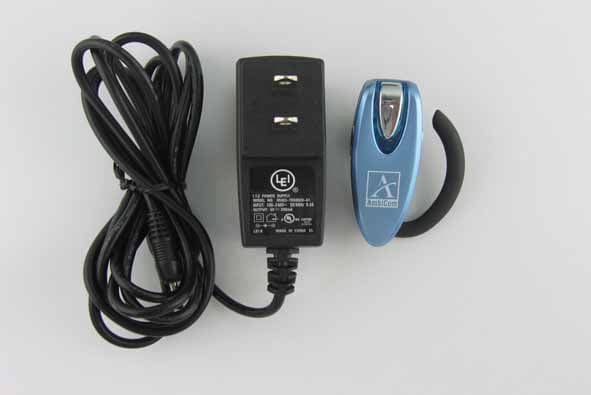
P5T-BTHS
Nov 12, 2006Wireless Skype Headset
Equipment Class
DSS - Part 15 Spread Spectrum Transmitter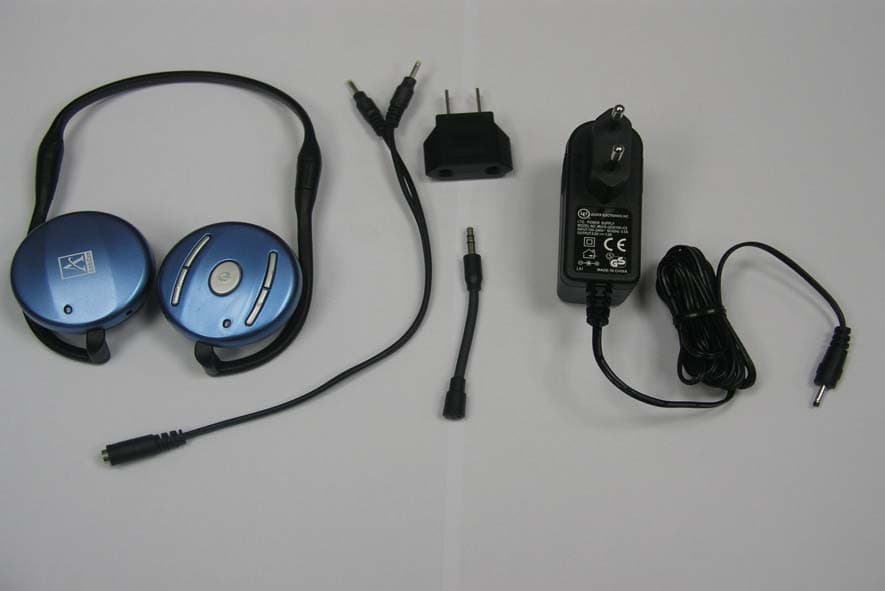
P5T-BTHP
Jun 12, 2006Bluetooth Headset
Equipment Class
DSS - Part 15 Spread Spectrum Transmitter