P68DSF2481188Bluetooth Transmitter
Audex Telecom Industrial Co. Ltd.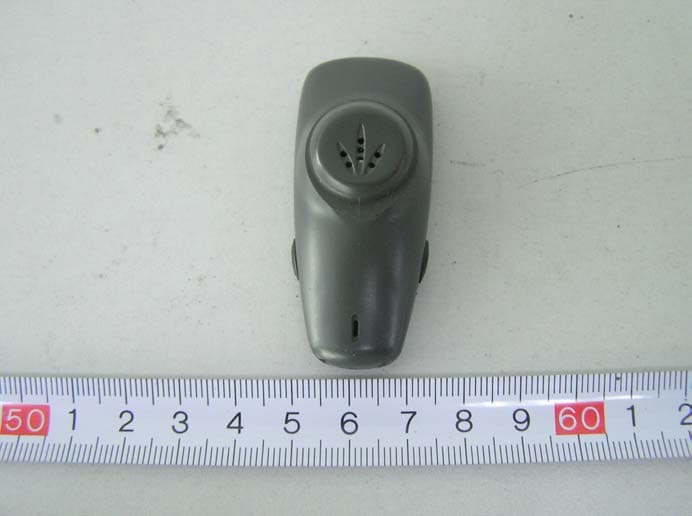
Click to zoom
Application Details
- Equipment Class
- DSS - Part 15 Spread Spectrum Transmitter
- Date of Grant
- Dec 20, 2005
- Application Purpose
- Original Equipment
- Date of Application
- Dec 20, 2005
- Equipment Note
- Bluetooth Transmitter
- Frequency Range
- 2402.00000000 - 2480.00000000
- Country
- China
Documents & Files
Document Text
Text extracted from the exhibit documents filed with the FCC. Open a document above to read the original.
Users Manual
Bluetooth http://www.audex.cn Made in China DSF-2481 a new concept in making phone calls At work or home Headset for telephone User’s Guide Introduction 2 ®TM The Audex Bluetooth DESK-FREE (hereafter called the DSF-2481) is a new concept in wireless handsfree devices for your existing desk phone. It is designed and manufactured in accordance with ® the Bluetooth Core Specification v1.2. It can also work as a wireless headset ® for your Bluetooth mobile phone or ® other Bluetooth devices. You can connect the DSF-2481 to the handset so as to free your hands for other valuable tasks at work or home. It works in full-duplex mode digitally, adopts advanced frequency hopping and spread spectrum technologies so the speech quality and security are ensured. 3 Introduction ® What is Bluetooth? ® Bluetooth wireless technology is a worldwide specification for a small-form factor, low-cost and short-range radio solution that provides links between mobile computers, mobile phones, other portable handheld devices, and connectivity to the Internet. The specification is developed, published and ® promoted by the Bluetooth Special Interest Group (SIG). Welcome 1 Thank you for your purchase of ® our DSF-2481 Bluetooth TM DESK-FREE. This User's Guide will help you to learn the basic features. Please read it carefully before using. Contents This package contains the following: 1. Main unit 2. Headset 3. Ear Hook 4. AC power adapter 5. Connection cord 6. User's Guide 7. Quick Guide The accessories may be subject to change for the sake of product improvement. Changes may be made without prior notice. 4 1 User's guide 2 3 4 5 6 7 5 (1) Main Unit (2) Headset/Handset Switch (3) Headset Working Indicator (4) MIC Volume Control (5) Headset Master Volume Control (6) Power Indicator (7) Headset Charging Station (8) Headset (9) Ear Hook (10) Connection Indicator (11) Headset Charging Indicator (12) Microphone (MIC) (13) Speaker (14) Headset Secondary Volume Control (+) (15) Headset Secondary Volume Control (-) (16) ON/OFF (17) AC Adapter Jack (18) (19) (20) Configuration Switch (21) Pairing Key (22) Connection Cord (with big and small connectors) (23) AC Power Adapter Telephone port Headset port Functional Parts Operating Instructions 8 Connect the Main Unit (1) to the handset according to the figure attached. 1. (18) 2. (19) 3. Connect the AC Power Adaptor (23) to the AC Adaptor Jack (17) and a power outlet. The Power Indicator (6) will light up. 4. When the Headset (8) is seated in the Headset Charging Station (7), the Headset Charging Indicator (11) is on. When the Headset (8) is picked up, the light goes out. 5. Press the Headset/Handset Switch (2). Then the Headset Working Indicator (3) is lit. 6. Pick up the handset and put it aside. Slide the Configuration Switch (20) between the positions “1” and “6” until you hear a clear dial tone through the Headset (8). Then put back the handset. 7. Pair the Headset (8) with the Main Unit (1), then turn on the Headset (8) according to the instructions The DSF-2481 is now ready to use. Telephone port Insert supplied connection cord to the telephone’s handset port and to the bottom of base. Headset port Unplug coiled handset cord from the telephone’s handset port and insert it to the bottom of the base. Operating Instructions 7 Installation & How to Use: 6 13 22 23 1 6 4 2 3 7 14 16 10 8 9 11 15 5 20 Small connector Big connector Functional Parts 12 17 19 18 21 Operating Instructions 9 How to use: 1. When you have an incoming call, pick up the handset and put it aside. Now you can pick up the Headset (8) to make a conversation. 2. The volume of the incoming call can be adjusted with the Headset Master Volume Control (5) on the Main Unit (1) or pressing the Headset Secondary Volume Control +/- (14, 15) on the Headset (8). 3. Adjust how loud you sound to the other party by tuning the MIC Volume Control (4). 4. When the conversation is over, put the handset on the hook and the Headset (8) on the Headset Charging Station (7). Now the call has been canceled. 5. If you want to make a conversation with the handset, press the Headset/Handset Switch (2). Then the Headset Working Indicator (3) is off. The call is now transferred to the handset. Switching On the Headset: Press and hold the ON/OFF button (16) for about 3 seconds until the Connection Indicator (10) flashes blue. A beep (2 shorts tones) can be heard at the same time. Release the ON/OFF button (16). The Headset is now in standby mode. Note: If the battery is low, the Headset Charging Indicator (11) will flash red. Operating Instructions 11 2. When the Headset (8) is attempting to pair, press and hold (do not release) the Pairing Key (21) for about 6 seconds until the Power Indicator (6) flashes. Release the button. If the Main Unit (1) fails to pair during this period, it will return to the standby mode automatically. 3. When the pairing is completed, the Connection Indicator (10) on the headset will flash blue slowly and the Charging Indicator (11) will be OFF; the Power Indicator (6) on the main unit will stay lit but stop flashing. 3 seconds Operating Instructions 12 Switching Off the Headset: Press and hold the ON/OFF button (16) for about 3 seconds until the Connection Indicator (10) goes off. A beep (2 shorts tones) can be heard at the same time. Release the ON/OFF button (16). The Headset is now switched off. Resetting: To reset the DSF-2481, press the ON/OFF button (16) and Headset Secondary Volume Control (-) (15) simultaneously. Then release. 3 seconds Pairing: Before the first use, you must pair the Headset (8) with the Main Unit (1). Pairing is the process of ® linking two Bluetooth devices so that they can communicate. The pairing only needs to be done once. Afterwards, every time you switch on the Headset (8), it will automatically connect to the Main Unit (1). To initiate the pairing, put both the Headset (8) and the Main Unit (1) within 30 cm of each other. Make sure there is no Wi-Fi equipment in the vicin…
Text truncated - open the document above for the full version.
External Photos
EXHIBIT B - EUT EXTERNAL PHOTOGRAPHS EUT – Front View EUT – Rear View
ID Label/Location Info
EXHIBIT A - FCC ID LABELING AND LOCATION Proposed FCC ID Labeling Proposed FCC ID Location Rear Side of EUT / Proposed Label Location FCC ID: DSF2481188
Internal Photos
EXHIBIT C - EUT INTERNAL PHOTOGRAPHS EUT – Uncovered View EUT –PCB Top View EUT –PCB Bottom View
Test Report
Note: The test report is specially limited to the above company and this particular sample only. It may not be duplicated without prior written consent of Bay Area Compliance Lab Corp. (ShenZhen). This report must not be used by the client to claim product certification, approval, or endorsement by NVLAP, NIST or any agency of the US Government. FCC PART 15.247 EMI MEASUREMENT AND TEST REPORT For Audex Telecom Industrial Co., Ltd. 4/F., Chuangye Center, Kangle Rd., Zhongshan Torch Hi-Tech Industrial Zone, Zhongshan China FCC ID: P68DSF2481188 December 12, 2005 This Report Concerns: Original Report Equipment Type: Bluetooth Transmitter Test Engineer: Jandy Su Simon Mo Report No.: RSZ05111604 Test Date: November 30- December 2, 2005 Reviewed By: Chris Zeng Prepared By: Bay Area Compliance Lab Corp. (ShenZhen) 6/F, the 3rd Phase of WanLi Industrial Building, ShiHua Road, FuTian Free Trade Zone, ShenZhen, Guangdong 518038, P.R.China Tel: +86-755-33320018 Fax: +86-755-33320008 Audex Telecom Industrial Co., Ltd. FCC ID: P68DSF2481188 Report # RSZ05111604 Page 2 of 38 FCC Part 15.247 Test Report TABLE OF CONTENTS GENERAL INFORMATION.......................................................................................................................................4 PRODUCT DESCRIPTION FOR EQUIPMENT UNDER TEST (EUT) ....................................................................................4 OBJECTIVE...................................................................................................................................................................4 RELATED SUBMITTAL(S)/GRANT(S).............................................................................................................................4 TEST METHODOLOGY..................................................................................................................................................4 TEST FACILITY.............................................................................................................................................................4 SYSTEM TEST CONFIGURATION ..........................................................................................................................5 DESCRIPTION OF TEST CONFIGURATION......................................................................................................................5 EQUIPMENT MODIFICATIONS.......................................................................................................................................5 CONFIGURATION OF TEST SETUP.................................................................................................................................5 BLOCK DIAGRAM OF TEST SETUP................................................................................................................................5 SUMMARY OF TEST RESULTS...............................................................................................................................6 §15.203 - ANTENNA REQUIREMENT......................................................................................................................7 APPLICABLE STANDARD..............................................................................................................................................7 §15.205, §15.209, §15.247 - RADIATED EMISSION .................................................................................................8 APPLICABLE STANDARD..............................................................................................................................................8 MEASUREMENT UNCERTAINTY....................................................................................................................................8 EUT SETUP..................................................................................................................................................................8 EMI TEST RECEIVER & SPECTRUM ANALYZER SETUP................................................................................................9 TEST EQUIPMENT LIST AND DETAILS...........................................................................................................................9 TEST PROCEDURE........................................................................................................................................................9 CORRECTED AMPLITUDE & MARGIN CALCULATION...................................................................................................9 TEST RESULTS SUMMARY..........................................................................................................................................10 TEST DATA................................................................................................................................................................10 §15.247(a)(1)-CHANNEL SEPARATION TEST .....................................................................................................15 A PPLICABLE S TANDARD ............................................................................................................................................15 T EST E QUIPMENT L IST AND D ETAILS .........................................................................................................................15 TEST PROCEDURE......................................................................................................................................................15 TEST DATA................................................................................................................................................................15 §15.247(a)(1) –20dB BANDWIDTH TESTING ........................................................................................................19 APPLICABLE STANDARD................................................................................................................................…
Text truncated - open the document above for the full version.
Test Setup Photos
EXHIBIT D - TEST SETUP PHOTOGRAPHS Radiated Emission - Front View (Above 1 GHz) Radiated Emission - Rear View (Above 1 GHz) Radiated Emission - Front View (30 MHz-1 GHz) Radiated Emission - Rear View (30 MHz-1 GHz)
Contact Information
Applicant
Marion Z.(R&D Manager)
Test Firm
Bay Area Compliance Laboratory Corp. (Shenzhen)John Chan
Technical Specifications
| # | Rule Parts | Frequency Range | Power Output |
|---|---|---|---|
| 1 | 15C | 2.40 GHz - 2.48 GHz | 100.00 µW |
Other Applications from Audex Telecom Industrial Co. Ltd.
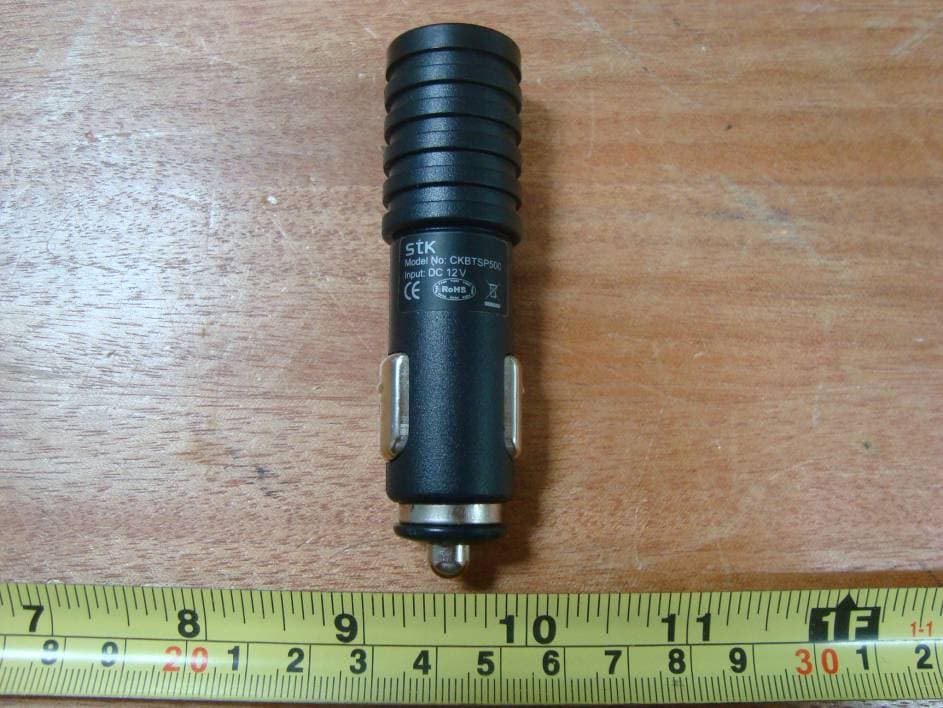
P68MT7000
Mar 24, 2010Motor Trend Bluetooth Headset
Equipment Class
DSS - Part 15 Spread Spectrum TransmitterP68B00788
Dec 21, 2008FM Transmitter
Equipment Class
DXX - Part 15 Low Power Communication Device Transmitter
P68ADB23881898
Jul 23, 2007Bluetooth Micro Headset
Equipment Class
DSS - Part 15 Spread Spectrum Transmitter
P68STB28821818
Dec 21, 2006Bluetooth Wireless Stereo Headphones
Equipment Class
DSS - Part 15 Spread Spectrum Transmitter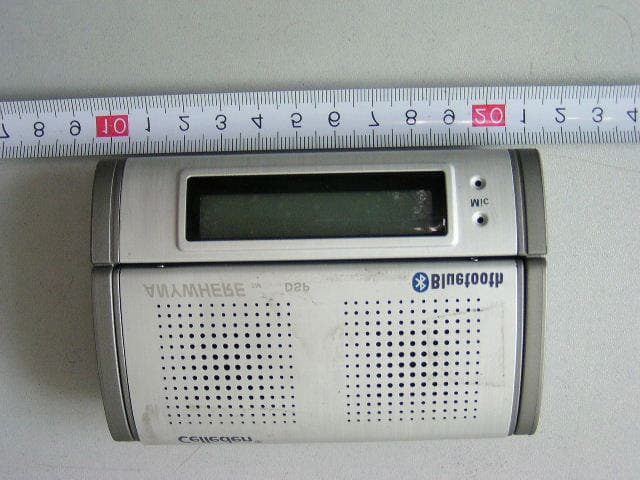
P68SPB28022F88
Aug 30, 2006LCD Speakerphone
Equipment Class
DSS - Part 15 Spread Spectrum Transmitter