P9BPSD401USB Storage Device
Jungsoft Co., Ltd.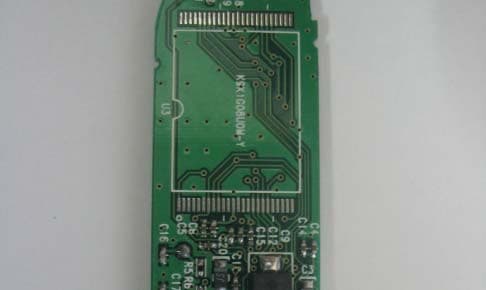
Click to zoom
Application Details
- Equipment Class
- JBP - Part 15 Class B Computing Device Peripheral
- Date of Grant
- Jun 20, 2004
- Application Purpose
- Original Equipment
- Date of Application
- Jun 20, 2004
- Equipment Note
- USB Storage Device
- Company
- Jungsoft Co., Ltd.
- Country
- South Korea
Documents & Files
Document Text
Text extracted from the exhibit documents filed with the FCC. Open a document above to read the original.
Users Manual
A. If you remove NEXDISK while the LED indicator is red, data might be lost or corrupted B. It is impossible to use NEXDISK again if you lose your password, so please take caution not to forget password. C. JUNGSOFT is not responsible for lost data even if product is defective. Please test the product initially. 274-5, Seohyun-Dong, Bundang-Gu,Seongnam-City, Kyunggi-Do, Korea Tel: 82-31-788-5120 Fax: 82-31-708-3477 Mail: [email protected] http://www.nexdisk.com Caution Jungsoft warrants the hardware aspects of NEXDISK to be free from defects in material and workmanship for a period of two(2) years from the original date of purchase. THIS WARRANTY SHALL NOT APPLY TO AND JUNGSOFT MAKES NO WARRANTY WITH RESPECT TO ANY SOFTWARE PRODUCTS OR ANY SOFTWARE ASPECT OF NEXDISK SUPPLIED BY JUNGSOFT WHICH ARE PROVIDED "AS-IS". This warranty is valid anytime within the two(2) years of the purchase date as evidence by the original purchase receipt form the retail outlet, Jungsoft designate reseller, or Jungsoft. If purchase finds a defect in NEXDISK, purchaser must notify Jungsoft within the warranty period. This warranty shall not apply to any failure or defect caused by misuse, abuse, alteration, improper installation, unauthorized repair or modification, improper testing, accident or causes external to the product such as but not limited to excessive heat or humidity, power failure or surges. Warrnty Registration Product : NEXDISK MB Customer's Name : Address : Email : Date of Purchase : Vendor's Name : Interface Transfer Rate Size & Weight Power OS Support Application Standard Certification Operating Environment USB 2.0 / 1.1 USB2.0 - Read : MAX 8 MB/Sec Write : MAX 3 MB/Sec USB1.1 - Read : MAX 950 KB/Sec Write : MAX 900 KB/Sec 256MB~1 GB - 87 20 11mm Weight 18g 32MB~128MB - 80 20 9.5mm Weight 12g USB Power MS-DOS, Windows 98 / SE / Me / 2000 / XP Mac 9 / X, Linux 2.4.2 / 2.4.7 / 2.4.18, WinCE3.0 Desktop PC, Note Book, PDA etc. All PCs that support USB MIC, FCC, CE, WHQL Operating Temp : 0~45 Storage Temp: -20~80 Relative Humidity: 5%-90% Detailed Part Description A. Driver(for Windows 98) & Utility Program Installation - Installation with Installation CD or Download from our Website (www.nexdisk.com) - Insert CD into CD-Rom. The NEXDISK utility program and Device Driver install automatically. B. Hardware Installation - Connect NEXDISK to PC. - Or Connect extended USB cable to PC and connect NEXDISK through it. - Comes up in My Computer as Removable Media. - In "Windows Explorer", the device is recognized as "Removable Disk" in Windows Explorer and "Untitled" in Macintosh. CAP LED Indicator Write Protect Switch CAP Nonskid Groove LED Indicator Write Protect Switch Portable Neck Strap Pocket Clip NonSkid Groove 1.CAP : To protect USB connection head. 2.LED: a.Green LED: Lit when NEXDISK is connected to PC b.Red LED: Lit when NEXDISK is in activity 3.Write Protect Switch: To prevent NEXDISK to write, switch to 4.Pocket Clip: To securely clip to pocket or backpack, etc 5.Portable Neck Strap: NEXDISK Portable Neck Strap hook Product Installation Product Installation Product Specification For more detail info, please read the manual in CD. For USB 2.0 support, the main board should support USB 2.0. Portable Neck Strap Pocket Clip Detailed Part Description A. If you remove NEXDISK while the LED indicator is red, data might be lost or corrupted B. It is impossible to use NEXDISK again if you lose your password, so please take caution not to forget password. C. JUNGSOFT is not responsible for lost data even if product is defective. Please test the product initially. 274-5, Seohyun-Dong, Bundang-Gu,Seongnam-City, Kyunggi-Do, Korea Tel: 82-31-788-5120 Fax: 82-31-708-3477 Mail: [email protected] http://www.nexdisk.com Caution Jungsoft warrants the hardware aspects of NEXDISK to be free from defects in material and workmanship for a period of two(2) years from the original date of purchase. THIS WARRANTY SHALL NOT APPLY TO AND JUNGSOFT MAKES NO WARRANTY WITH RESPECT TO ANY SOFTWARE PRODUCTS OR ANY SOFTWARE ASPECT OF NEXDISK SUPPLIED BY JUNGSOFT WHICH ARE PROVIDED "AS-IS". This warranty is valid anytime within the two(2) years of the purchase date as evidence by the original purchase receipt form the retail outlet, Jungsoft designate reseller, or Jungsoft. If purchase finds a defect in NEXDISK, purchaser must notify Jungsoft within the warranty period. This warranty shall not apply to any failure or defect caused by misuse, abuse, alteration, improper installation, unauthorized repair or modification, improper testing, accident or causes external to the product such as but not limited to excessive heat or humidity, power failure or surges. Warrnty Registration Product : NEXDISK MB Customer's Name : Address : Email : Date of Purchase : Vendor's Name : Interface Transfer Rate Size & Weight Power OS Support Application Standard Certification Operating Environment USB 2.0 / 1.1 USB2.0 - Read : MAX 8 MB/Sec Write : MAX 3 MB/Sec USB1.1 - Read : MAX 950 KB/Sec Write : MAX 900 KB/Sec 256MB~1 GB - 87 20 11mm Weight 18g 32MB~128MB - 80 20 9.5mm Weight 12g USB Power MS-DOS, Windows 98 / SE / Me / 2000 / XP Mac 9 / X, Linux 2.4.2 / 2.4.7 / 2.4.18, WinCE3.0 Desktop PC, Note Book, PDA etc. All PCs that support USB MIC, FCC, CE, WHQL Operating Temp : 0~45 Storage Temp: -20~80 Relative Humidity: 5%-90% Detailed Part Description A. Driver(for Windows 98) & Utility Program Installation - Installation with Installation CD or Download from our Website (www.nexdisk.com) - Insert CD into CD-Rom. The NEXDISK utility program and Device Driver install automatically. B. Hardware Installation - Connect NEXDISK to PC. - Or Connect extended USB cable to PC and connect NEXDISK through it. - Comes up in My Computer as Removable Media. - In "Windows Explorer", the device is recognized as "Removable Disk" in Windows Explorer and "Untitled" in Macintosh. CAP LED Indicator Write Protect Switch CAP Nonskid Groove LED Indicator Write Protect Switc…
Text truncated - open the document above for the full version.
Block Diagram
Report No: BWS-04-EF-0037 FCC ID : P9BPSD401 Date of Test : June 11, 2004 Jungsoft Co.,Ltd. Appendix 5 USB Storage Device PSD401 Appendix 5. Block Diagram
External Photos
Report No: BWS-04-EF-0037 FCC ID : P9BPSD401 Date of Test : June 11, 2004 Jungsoft Co.,Ltd. USB Storage Device PSD401 Appendix 3. Photographs of EUT Front of EUT Rear of EUT
ID Label/Location Info
Report No: BWS-04-EF-0037 FCC ID : P9BPSD401 Date of Test : June 11, 2004 Jungsoft Co.,Ltd. Appendix 2 USB Storage Device PSD401 Appendix 2. FCC ID Label and location Product Label Sample with FCC ID Label information Following is a sample copy of the label that will be placed on the rear cabinet of the product. The FCC identifier is marked in the product label. The warning statement and Information to the User are described in the user manual. Label Location The label shown above shall be permanently affixed at a conspicuous location on the device and be readily visible to the user at the time purchase.(Labeling requirements per 2.925) FCC Label This device complies with part 15 of the FCC rules. Operation is subject to the following conditions: (1) This devices may not cause harmful interference, and (2) this device must accept any interference received including interference that may cause undesired operation. Model No : PSD401 FCC ID : P9BPSD401 Jungsoft Co., Ltd. Made in Korea
Internal Photos
Report No: BWS-04-EF-0037 FCC ID : P9BPSD401 Date of Test : June 11, 2004 Jungsoft Co.,Ltd. Appendix 4 USB Storage Device PSD401 Appendix 4. Internal Photographs of EUT Top of main PCB side - 1 GB Report No: BWS-04-EF-0037 FCC ID : P9BPSD401 Date of Test : June 11, 2004 Jungsoft Co.,Ltd. Appendix 4 USB Storage Device PSD401 Bottom of main PCB side - 1 GB Report No: BWS-04-EF-0037 FCC ID : P9BPSD401 Date of Test : June 11, 2004 Jungsoft Co.,Ltd. Appendix 4 USB Storage Device PSD401 Top of main PCB side - 512 MB Report No: BWS-04-EF-0037 FCC ID : P9BPSD401 Date of Test : June 11, 2004 Jungsoft Co.,Ltd. Appendix 4 USB Storage Device PSD401 Bottom of main PCB side - 512 MB Report No: BWS-04-EF-0037 FCC ID : P9BPSD401 Date of Test : June 11, 2004 Jungsoft Co.,Ltd. Appendix 4 USB Storage Device PSD401 Top of main PCB side – 256 MB Report No: BWS-04-EF-0037 FCC ID : P9BPSD401 Date of Test : June 11, 2004 Jungsoft Co.,Ltd. Appendix 4 USB Storage Device PSD401 Bottom of main PCB side - 256 MB Report No: BWS-04-EF-0037 FCC ID : P9BPSD401 Date of Test : June 11, 2004 Jungsoft Co.,Ltd. Appendix 4 USB Storage Device PSD401 Top of main PCB side - 128 MB Report No: BWS-04-EF-0037 FCC ID : P9BPSD401 Date of Test : June 11, 2004 Jungsoft Co.,Ltd. Appendix 4 USB Storage Device PSD401 Bottom of main PCB side - 128 MB
Operational Description
A. If you remove NEXDISK while the LED indicator is red, data might be lost or corrupted B. It is impossible to use NEXDISK again if you lose your password, so please take caution not to forget password. C. JUNGSOFT is not responsible for lost data even if product is defective. Please test the product initially. 274-5, Seohyun-Dong, Bundang-Gu,Seongnam-City, Kyunggi-Do, Korea Tel: 82-31-788-5120 Fax: 82-31-708-3477 Mail: [email protected] http://www.nexdisk.com Caution Jungsoft warrants the hardware aspects of NEXDISK to be free from defects in material and workmanship for a period of two(2) years from the original date of purchase. THIS WARRANTY SHALL NOT APPLY TO AND JUNGSOFT MAKES NO WARRANTY WITH RESPECT TO ANY SOFTWARE PRODUCTS OR ANY SOFTWARE ASPECT OF NEXDISK SUPPLIED BY JUNGSOFT WHICH ARE PROVIDED "AS-IS". This warranty is valid anytime within the two(2) years of the purchase date as evidence by the original purchase receipt form the retail outlet, Jungsoft designate reseller, or Jungsoft. If purchase finds a defect in NEXDISK, purchaser must notify Jungsoft within the warranty period. This warranty shall not apply to any failure or defect caused by misuse, abuse, alteration, improper installation, unauthorized repair or modification, improper testing, accident or causes external to the product such as but not limited to excessive heat or humidity, power failure or surges. Warrnty Registration Product : NEXDISK MB Customer's Name : Address : Email : Date of Purchase : Vendor's Name : Interface Transfer Rate Size & Weight Power OS Support Application Standard Certification Operating Environment USB 2.0 / 1.1 USB2.0 - Read : MAX 8 MB/Sec Write : MAX 3 MB/Sec USB1.1 - Read : MAX 950 KB/Sec Write : MAX 900 KB/Sec 256MB~1 GB - 87 20 11mm Weight 18g 32MB~128MB - 80 20 9.5mm Weight 12g USB Power MS-DOS, Windows 98 / SE / Me / 2000 / XP Mac 9 / X, Linux 2.4.2 / 2.4.7 / 2.4.18, WinCE3.0 Desktop PC, Note Book, PDA etc. All PCs that support USB MIC, FCC, CE, WHQL Operating Temp : 0~45 Storage Temp: -20~80 Relative Humidity: 5%-90% Detailed Part Description A. Driver(for Windows 98) & Utility Program Installation - Installation with Installation CD or Download from our Website (www.nexdisk.com) - Insert CD into CD-Rom. The NEXDISK utility program and Device Driver install automatically. B. Hardware Installation - Connect NEXDISK to PC. - Or Connect extended USB cable to PC and connect NEXDISK through it. - Comes up in My Computer as Removable Media. - In "Windows Explorer", the device is recognized as "Removable Disk" in Windows Explorer and "Untitled" in Macintosh. CAP LED Indicator Write Protect Switch CAP Nonskid Groove LED Indicator Write Protect Switch Portable Neck Strap Pocket Clip NonSkid Groove 1.CAP : To protect USB connection head. 2.LED: a.Green LED: Lit when NEXDISK is connected to PC b.Red LED: Lit when NEXDISK is in activity 3.Write Protect Switch: To prevent NEXDISK to write, switch to 4.Pocket Clip: To securely clip to pocket or backpack, etc 5.Portable Neck Strap: NEXDISK Portable Neck Strap hook Product Installation Product Installation Product Specification For more detail info, please read the manual in CD. For USB 2.0 support, the main board should support USB 2.0. Portable Neck Strap Pocket Clip Detailed Part Description
Test Report
Report No: BWS-04-EF-0037 FCC ID : P9BPSD401 Date of Test : June 11, 2004 This report only respoe and may not be reproduced, except in full, without written approval of the BWS TECH,Inc. Page 1 of 16 Electromagnetic Emission FCC MEASUREMENT REPORT CERTIFICATION OF FCC PART15 Subpart B COMPLIANCE PRODUCT : USB Storage Device MODEL/TYPE NO : PSD401 FCC ID : P9BPSD401 TRADE NAME : Jungsoft APPLICANT : Jungsoft Co., Ltd. 274-5, Seohyun-dong, Bundang-gu, Seongnam-city, Kyunggi-do 463-824, Korea FCC CLASSIFICATION : JBP : Part 15 Class B Computer Device Peripheral FCC RULE PART(S) : FCC Part 15 Subpart B Class B FCC PROCEDURE : Certification DATES OF TEST : June 11, 2004 DATES OF ISSUE : June 21, 2004 TEST REPORT No. : BWS-04-EF-0037 TEST LAB. : BWS TECH Inc. (Registration No. : 553281) This Portable Digital Audio Player(MP3&Voice Recoder) has been tested in accordance with the measurement procedures specified in ANSI C63.4-2000 at the BWS TECH/EMC Test Laboratory and has been shown to be complied with the electromagnetic emission limits specified in FCC Rule Part15 Subpart B Section15.107 and 15.109 I attest to the accuracy of data. All measurement herein were performed by me or were made under my supervision and are correct to the best of my knowledge and belief. I assume full responsibility for the completeness of these measurements and vouch for the qualifications of all persons taking them. The results of testing in this report apply to the product/system which was tested only. Other similar equipment will not necessarily produce the same results due to production tolerance and measurement uncertainties. June 21, 2004 (Date) Tae-hyun Nam Chief Engineer Laboratory Division BWS TECH Inc. www.bws.co.kr 294-9, Jungdae-Dong, Kwangju-Si, Kyunggi-Do, 464-080, Korea TEL: +82 31 762 0124 FAX: +82 31 762 0126 Report No: BWS-04-EF-0037 FCC ID : P9BPSD401 Date of Test : June 11, 2004 Jungsoft Co., Ltd. USB Storage Device PSD401 TABLE OF CONTENTS Pages 1. General Information 3 2. Description of Test Facility 4 3. Product Information 5 4. Description of Tests 6~7 5. Test Condition 8~9 6. Test Results 10~14 7. Sample Calculation and Other Information 15 8. Test Equipment List 16 Appendix 1. Test Setup Photos Appendix 2. FCC ID Label and location Appendix 3. External Photos of EUT Appendix 4. Internal Photos of EUT Appendix 5. Block Diagram Appendix 6. User Manual Report No: BWS-04-EF-0037 FCC ID : P9BPSD401 Date of Test : June 11, 2004 Jungsoft Co., Ltd. USB Storage Device PSD401 FCC TEST REPORT Scope – Measurement and determination of electromagnetic emission(EME) of radio frequency devices including intentional radiators and/or unintentional radiators for compliance with the technical rules and regulations of the U.S Federal Communications Commission(FCC). 1. General Information Applicant Information Manufacturer Information Company Name : Jungsoft Co., Ltd. Company Address : 274-5, Seohyun-dong, Bundang-gu, Seongnam-city, Kyunggi-do 463-824, Korea Phone/Fax : Phone : +82-31-788-5271 / Fax : +82-31-708-3477 Company Name : Jungsoft Co., Ltd. Company Address : 274-5, Seohyun-dong, Bundang-gu, Seongnam-city, Kyunggi-do 463-824, Korea Phone/Fax : Phone : +82-31-788-5271 / Fax : +82-31-708-3477 z EUT Type : USB Storage Device z Model Number : PSD401 z FCC Identifier : P9BPSD401 z S/N : Prototype z FCC Rule Part(s) : Part 15 Subpart B Class B z Test Procedure : ANSI C63.4-2000 z Date of Tests : June 11, 2004 z Place of Tests : BWS TECH Inc. EMC Testing Lab (FCC Registration Number : 553281) 294-9, Jungdae-Dong, Kwangju-Si, Kyunggi-Do 464-080, Korea TEL: +82-31-762-0124 FAX: +82-31-762-0126 z Test Report No. : BWS-04-EF-0037 Report No: BWS-04-EF-0037 FCC ID : P9BPSD401 Date of Test : June 11, 2004 Jungsoft Co., Ltd. USB Storage Device PSD401 2. Description of Test Facility The measurement for radiated emission test were practiced at the open area test site of BWS TECH Inc. Measurement for conducted emission test were practiced at the semi EMC Anechoic Chamber test site of BWS TECH Inc. facility located at 294-9, Jungdae-Dong, Kwangju-Si, Kyunggi-Do, Korea. The site is constructed in conformance with the requirements of the ANSI C63.4-2000 and CISPR Publication 16. The BWS TECH measurement facility has been filed to the Commission with the FCC for 3 and 10 meter site configurations. Detailed description of test facility was found to be in compliance with the requirements of Section 2.948 FCC Rules according to the ANSI C63.4-2000 and registered to the Federal Communications Commission(Registration Number : 553281 ). The measurement procedure described in American National Standard for Method of Measurement of Radio-Noise Emission from Low-Voltage Electrical and Electronic Equipment in the Range of 9kHz to 40GHz (ANSI C.63.4-2000) was used in determining radiated and conducted emissions from the Jungsoft Co., Ltd. USB Storage Device Model : PSD401. Report No: BWS-04-EF-0037 FCC ID : P9BPSD401 Date of Test : June 11, 2004 Jungsoft Co., Ltd. USB Storage Device PSD401 3. Product Information 3.1 Equipment Description * Memory : 128MB, 256MB, 512MB,1GB This products are different in memory size only.(Other specification is same) 3.2 Variations covered by this report Model Difference : N/A Technical Deviation : Tested by 1GB - This products are different in memory size only.(Other specification is same) 3.3 Additional Information Related to Testing Test results apply only to the particular sample tested and functionality described in this test report. This report may be reproduced in full. Partial reproduction may only be made with the written permission of the BWS TECH Inc. Report No: BWS-04-EF-0037 FCC ID : P9BPSD401 Date of Test : June 11, 2004 Jungsoft Co., Ltd. USB Storage Device PSD401 4. Description of Tests 4.1 Conducted Emission Measurement Conducted emissions measurements were made in accordance with section 11, "Measurement of Information Technology Equipment" of ANSI C63.4-2000. The measurement were perf…
Text truncated - open the document above for the full version.
Test Setup Photos
Report No: BWS-04-EF-0037 FCC ID : P9BPSD401 Date of Test : June 11, 2004 Jungsoft Co.,Ltd. Appendix 1 USB Storage Device PSD401 Appendix 1. Test Setup Photographs Conducted Emission Test Setup Report No: BWS-04-EF-0037 FCC ID : P9BPSD401 Date of Test : June 11, 2004 Jungsoft Co.,Ltd. Appendix 1 USB Storage Device PSD401 Radiated Emission Test Setup
Contact Information
Applicant
GyooHo Kim(Director)
Test Firm
BWS TECH INCCheol-Ho Lee
Technical Specifications
| # | Rule Parts | Frequency Range | Power Output |
|---|---|---|---|
| 1 | 15B | - | - |
Other Applications from Jungsoft Co., Ltd.
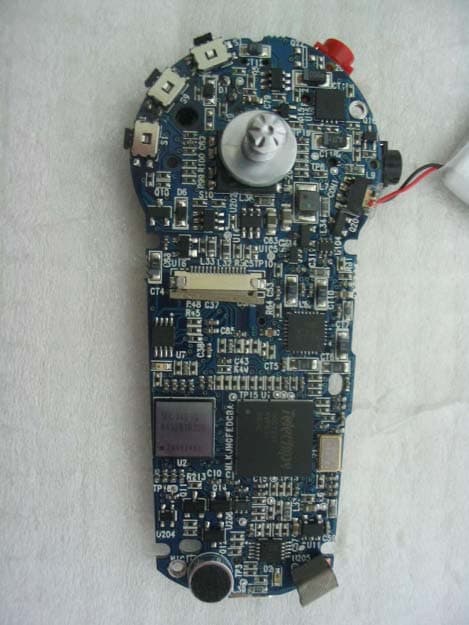
P9BJM-200
May 13, 2004MP3 Player
Equipment Class
JBP - Part 15 Class B Computing Device Peripheral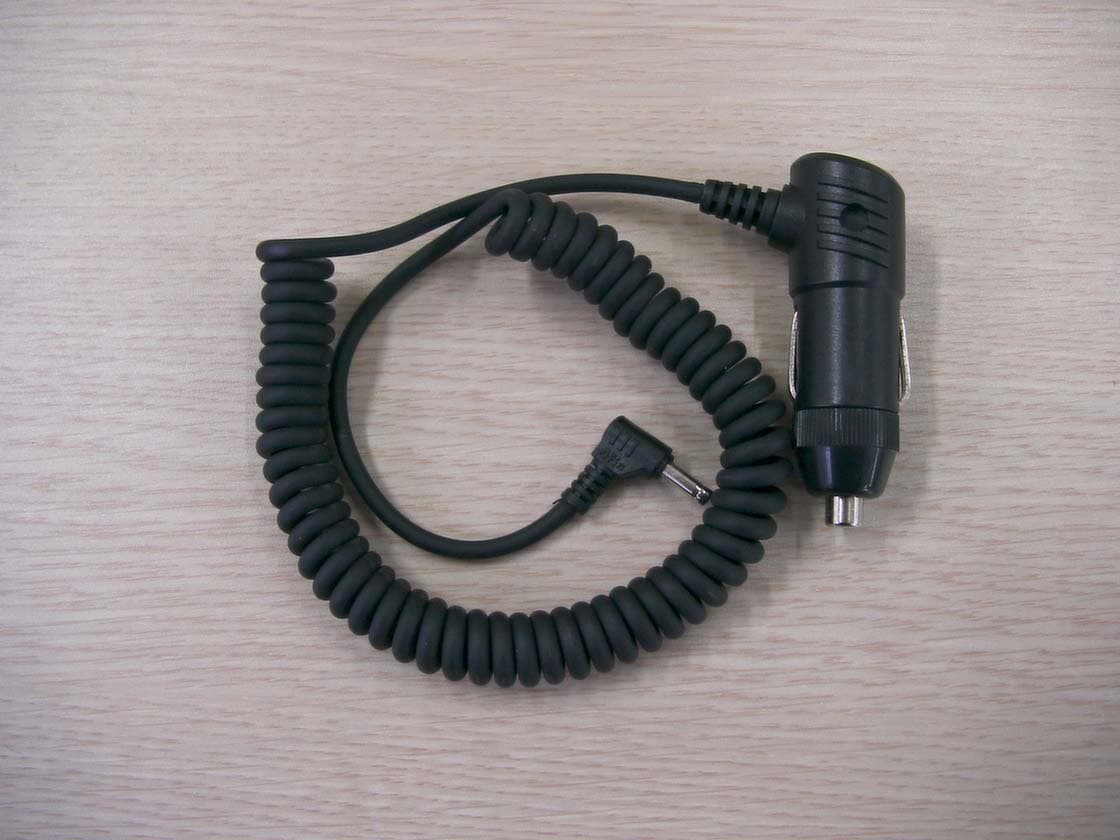
P9BTX-1000
Dec 22, 2003FM Transmitter
Equipment Class
DXX - Part 15 Low Power Communication Device Transmitter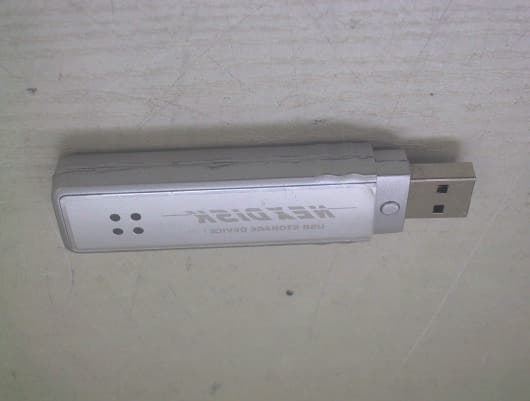
P9BPSD301
Aug 10, 2003USB Storage Device
Equipment Class
JBP - Part 15 Class B Computing Device Peripheral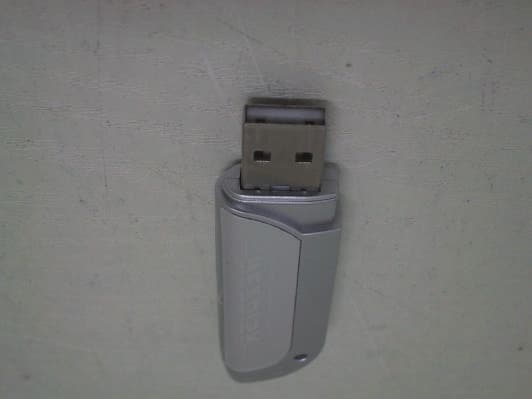
P9BPSD303
Aug 03, 2003USB Storage Device
Equipment Class
JBP - Part 15 Class B Computing Device Peripheral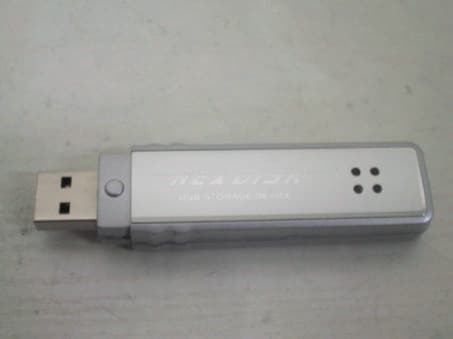
P9BPSD302
Jul 20, 2003USB Storage Device
Equipment Class
JBP - Part 15 Class B Computing Device Peripheral