PDNRM-1020GSM/WCDMA cellular device w/BT, BLE, WLAN
Microsoft Corporation
Click to zoom
Application Details
- Equipment Class
- JBP - Part 15 Class B Computing Device Peripheral
- Date of Grant
- Jul 07, 2014
- Application Purpose
- Original Equipment
- Date of Application
- Jul 06, 2014
- Equipment Note
- GSM/WCDMA cellular device w/BT, BLE, WLAN
- Company
- Microsoft Corporation
- Country
- United States
Documents & Files
Document Text
Text extracted from the exhibit documents filed with the FCC. Open a document above to read the original.
Users Manual
Quick GuideNokia Lumia 530 123123 Issue 1 EN RM-1020 Keys and parts Important: For important info on the safe use of your device and battery, read “Safety” and “Product and safety info” in the device user guide at www.nokia.com/support and in the in-device user guide before you take your device into use. Select Nokia Care. 1Earpiece 2Volume keys 3Power/Lock key 4Microphone 5Antenna areas 6Camera 7Audio connector 3.5 mm 8Micro-USB connector 9Loudspeaker Some of the accessories mentioned in this user guide, such as charger, headset, or data cable, may be sold separately. Avoid touching the antenna area while the antenna is in use. Contact with antennas affects the communication quality and may reduce battery life due to higher power level during operation. Insert the SIM and memory cards Make sure the phone is switched off. 1. At the top of the phone, put your fingernails in the seam between the screen frame and the back cover. Do not use any sharp tools, as they may damage the phone. 2. Place your thumb in the middle of the back cover and bend the cover to remove it. 3. If the battery is in, lift it out from the upper right corner. 4. Slide the micro-SIM card into the SIM1 slot with the metal contact area down. 5. Slide the memory card into the memory card slot. 6. If you have a second SIM card, slide the SIM2 holder out, place the second SIM on the holder with the metal contact area up, and slide the holder back in. Important: Your device uses a micro-SIM card, also known as a mini-UICC SIM card. Use of incompatible SIM cards, or use of SIM card adapters, may damage the card or the device, and may corrupt data stored on the card. Tip: For best performance, it is recommended that you use a fast 4–128GB memory card by a well-known manufacturer. Replace the battery and back cover 1. Line up the battery contacts, and put the battery in. 2. Press the bottom edge of the back cover against the bottom edge of your phone, and snap the cover into place. 3. To switch your phone on, press the power key. Charge the battery Plug a compatible charger into a wall outlet, and connect the micro-USB end to your phone. You can also charge your phone from a computer with a USB cable. If the battery is completely discharged, it may need to charge for up to 20 minutes before you can use your device. The charging indicator may not be displayed in this time. Help and tips There's a user guide in your phone – it's always with you, available when needed. Check out videos, find answers to your questions, and get helpful tips. On the start screen, swipe left, and tap Nokia Care. If you’re new to Windows Phone, check out the section for new Windows Phone users. To transfer contacts and text messages from your old phone, on the start screen, swipe left, and tap Transfer my Data. For more info, see the Nokia Care app. For the online user guide, even more info, and troubleshooting help, go to www.nokia.com/ support. If your phone freezes To reset the phone without losing your data and settings, press and hold the power key for about 10 seconds. The phone vibrates and restarts. Product and safety information For info on Microsoft Mobile Service terms and Privacy policy, go to www.nokia.com/privacy. We invite you to read the instructions on this guide before using the device. You can only use your device on the WCDMA 850, 900, 1900, 2100; and GSM 850, 900, 1800, 1900 MHz networks. Use your device only with an original BL-5J rechargeable battery. Do not dispose batteries as household waste. Charge your device with AC-18 charger. Charger plug type may vary. Microsoft Mobile may make additional battery or charger models available for this device. Third-party chargers that comply with the IEC/EN 62684 standard, and that can connect to your device micro USB connector, may also be compatible. To prevent possible hearing damage, do not listen at high volume levels for long periods. Exercise caution when holding your device near your ear while the loudspeaker is in use. For info about accessibility, go to www.nokiaaccessibility.com. When this device has reached the end of its working life, all of its materials can be recovered as materials and energy. For info on how to recycle your old Nokia products and where to find collection sites, go to www.nokia-latinoamerica.com/reciclaje, or call the Contact Center. Recycle packaging and user guides at your local recycling scheme. When you cooperate and deliver all these materials to one of the available collection sites, you contribute in helping the environment and help to ensure the health of future generations. All electrical and electronic products and batteries may contain recycleable metals and other potentially hazardous substances and must be taken to their respective collection sites at the end of their working life. Under no circumstances should you break open a battery or other related materials. Do not dispose of these products as unsorted municipal waste, as this may cause contamination of the environment or risks to human health. All Nokia products are in compliance to the applicable industry international production standards and to all requirements defined by the competent government agencies. For more info on the environmental attributes of your device, see www.nokia.com/ecoprofile (in English). When using this device, obey all laws and respect local customs, privacy and legitimate rights of others, including copyrights. The list of countries and territories included in the time zone settings does not imply sovereignty. Additional safety information Accessibility solutions Microsoft Mobile is committed to making mobile phones easy to use for all individuals, including those with disabilities. For more information, visit www.nokiaaccessibility.com (in English). Nickel The surface of this device is nickel-free. Certification information (SAR) This mobile device meets international guidelines for exposure to radio waves. Your mobile device is a radio transmitter and receiv…
Text truncated - open the document above for the full version.
Cover Letter(s)
Microsoft Date I July 4, 2014 Microsoft Mobile OY Visiokatu 6 FIN-33720 TAMPERE FINLAND Tel. +358 7180 08000 July 4, 2014 Federal Communications Commission, Authorization & Evaluation Division, 7435 Oakland Mills Road, Columbia, MD. 21046 Attention: Equipment Authorization Branch REQUEST FOR CONFIDENTIALITY Pursuant to Sections 0.457 (d) (I) (ii) and 0.459 of the Commission's Rules, the Applicant hereby requests confidential treatment of some of the information accompanying this Application of FCC ID: PDNRM-1020 and as outlined below: - Exhibit 4: Block Diagram Exhibit 5: Schematic Diagrams - Exhibit 10: List of Active Devices and Tune-Up Procedure Exhibit 12: Theory of Operation / Description of Circuitry These materials contain trade secrets and proprietary information not customarily released to the public and the public disclosure of these matters might be harmful to the Applicant and provide unjustified benefits to its competitors. The Applicant understands that pursuant to Rule 0.457 (d) (I) (ii) disclosure of this Application and all accompanying documentation will not be made before the date of the Grant for this Application. Microsoft Mobile OY Janne Ilkka Product Certification Officer SD/NLQ Exhibit 13a Confidentiality Request Applicant: Microsoft Mobile Oy FCC ID: PDNRM-1020 Copyright © 2014 Microsoft Mobile. All Rights Reserved.
Cover Letter(s)
Microsoft Mobile Oy Tel +358 *(0) 7180 08000 Keilalahdentie 4 02150 ESPOO www.microsoft.com Finland Microsoft Corporation is an equal opportunity employer. Page 1 of 1 June 13, 2014 Federal Communications Commission, Authorization & Evaluation Division, 7435 Oakland Mills Road, Columbia, MD. 21046 Attention: Equipment Authorization Branch This letter will authorize the appointment of Janne Ilkka to act as our agent in all FCC matters for grantee code PDN. Yours Sincerely, Microsoft Mobile Oy Antero Koivisto Senior Specialist, Regulatory
Cover Letter(s)
Microsoft Mobile OY Visiokatu 6 FIN-33720 Tampere FINU\ND Tel. +358 7180 08000 July 4, 2014 Attention: Equipment Authorization Branch REQUEST FOR SHORT TERM CONFIDENTIALITY Pursuant to Section 0.459 of the Commission's Rules and Public Notice DA 04-1705 of June 15, 2004, the Applicant hereby requests for 45 days short term confidential treatment of some of the information accompanying this application of FCC ID: PDNRM-1020 and as outlined below: - Exhibit 3: External photos - Exhibit 7: Test setup photos - Exhibit 8: User's manual - Exhibit 9: Internal photos These materials contain proprietary information not yet released to the public and the public disclosure of these matters might be harmful to the Applicant and provide unjustified benefits to its competitors. Microsoft Mobile OY Janne Ilkka Product Certification Officer SD/NLQ
External Photos
FCC ID: PDNRM-1020 Exhibit 03 External photos Applicant: Microsoft Mobile Oy Copyright © 2014 Microsoft Mobile. All Rights Reserved. Date| Jul 3, 2014 FCC ID: PDNRM-1020 Exhibit 03 External photos Applicant: Microsoft Mobile Oy Copyright © 2014 Microsoft Mobile. All Rights Reserved. FCC ID: PDNRM-1020 Exhibit 03 External photos Applicant: Microsoft Mobile Oy Copyright © 2014 Microsoft Mobile. All Rights Reserved.
ID Label/Location Info
FCC ID: PDNRM-1020 Exhibit 01 Type Label and location Applicant: Microsoft Mobile Oy Copyright © 2014 Microsoft Mobile. All Rights Reserved. Date| July 7, 2014
Internal Photos
FCC ID: PDNRM-1020 Exhibit 09 Internal Photos Applicant: Microsoft Mobile Oy Copyright © 2014 Microsoft Mobile. All Rights Reserved. Date| Jul 3, 2014 FCC ID: PDNRM-1020 Exhibit 09 Internal Photos Applicant: Microsoft Mobile Oy Copyright © 2014 Microsoft Mobile. All Rights Reserved. FCC ID: PDNRM-1020 Exhibit 09 Internal Photos Applicant: Microsoft Mobile Oy Copyright © 2014 Microsoft Mobile. All Rights Reserved. FCC ID: PDNRM-1020 Exhibit 09 Internal Photos Applicant: Microsoft Mobile Oy Copyright © 2014 Microsoft Mobile. All Rights Reserved.
Test Report
FCC Part 15B Compliance Test Report / Template Version 15.0 FCC15B_RM-1020_02 Copyright © TCC Microsoft 1 (17) TCC Microsoft Tampere Laboratory P.O.Box 403 Visiokatu 3 FIN-33101 TAMPERE, FINLAND Tel. +358 71 800 8000 Fax. +358 71 804 6880 FCC Part 15B Compliance Test Report Test Report no.: FCC15B_RM-1020_02 Date of Report: 12-Jun-2014 Number of pages: 17 Customer’s Contact person: Tero Huhtala Testing laboratory: TCC Microsoft Tampere Laboratory P.O. Box 403 Visiokatu 3 FIN-33101 TAMPERE, FINLAND Tel. +358 71 800 8000 Fax. +358 71 804 6880 Customer: Microsoft Tampere P.O. Box 403 Visiokatu 4 FIN-33720 TAMPERE, FINLAND Tel. +358 (0) 7180 46800 Fax. +358 (0) 7180 46880 FCC listing no.: IC recognition no.: 94436 661AK-1 Tested devices/ accessories: Phone RM-1020 / Battery BL-5J / AC Charger AC-18E / Headset WH-108 / Data cable CA-101, Laptop IBM Thinkpad T40, AC adapter 02K6543, Printer HP deskjet 1600CC3540A, Parallel cable for printer FCC ID: PDNRM-1020 IC: 661R-RM1020 Supplement reports: - Testing has been carried out in accordance with: CFR 47, FCC rules Part 15 Subpart B, ANSI C63.4 (2003), CISPR 22, RSS-GEN (Issue 3, December 2010), RSS-132 (Issue 2, September 2005), RSS-133 (Issue 5, February 2009). Deviations, modifications or clarifications (if any) to above mentioned documents are written in each section under "Test method and limit". Documentation: The test report must always be reproduced in full; reproduction of an excerpt only is subject to written approval of the testing laboratory. The documentation of the testing performed on the tested devices is archived for 15 years at TCC Microsoft. Test Results: The EUT complies with the requirements in respect of all parameters subject to the test. The test results relate only to devices specified in this document Date and signature for the contents: Jari Jantunen, System Manager, EMC FCC Part 15B Compliance Test Report / Template Version 15.0 FCC15B_RM-1020_02 Copyright © TCC Microsoft 2 (17) TCC Microsoft Tampere Laboratory P.O.Box 403 Visiokatu 3 FIN-33101 TAMPERE, FINLAND Tel. +358 71 800 8000 Fax. +358 71 804 6880 1. Summary for FCC Part 15B Compliance Test Report Date of receipt 12-May-2014 Testing completed 02-Jun-2014 The customer's contact person Tero Huhtala Test Plan referred to T:\Projects\accessor\MU-45 Toshiba\TestPlan\RS_testplan_MU-45 Toshiba.xlsm Notes - Document name T:\Projects\RM-1018\EMC\FCC15B_RM-1018_02.docx 1.1. EUT and Accessory Information The EUT is a mobile phone with following features: GSM/WCDMA/WLAN/Bluetooth The EUT is tested with maximum rated TX power. Devices under tests Product Type SN HW MV SW DUT Phone RM-1018 004402478273679 1500 - 01068.00004.14182.20000 43170 Battery BL-5J 4175354134B12504824;0670573 - - - 43174 AC Charger AC-18E 4090493442750400944;0675695 - - - 43172 Headset WH-108 2376171 - - - 43142 Data cable CA-101 - - - - 41683 Laptop IBM Thinkpad T40 99ARTGD - - - 41868 AC Adapter 02K6543 - - - 40202 Printer HP deskjet 1600CC3540A USB8302546 - - - 40077 Parallel cable for printer - - - - - 40087 1.2. Summary of Test Results GSM 850: Section in CFR 47 Section in RSS-GEN Name of the test Result 15.107, a 7.2.4 AC powerline conducted emissions PASSED 15.109, a 6.1 Radiated emissions PASSED GSM 1900: Section in CFR 47 Section in RSS-GEN Name of the test Result 15.107, a 7.2.4 AC powerline conducted emissions PASSED 15.109, a 6.1 Radiated emissions PASSED PASSED The EUT complies with the essential requirements in the standard. FAILED The EUT does not comply with the essential requirements in the standard. NP The test was not performed by the TCC Microsoft Laboratory. The test results of PDNRM-1018 are re-used for certification of the PDNRM-1020. The table above indicates the results, which will be re-used. FCC Part 15B Compliance Test Report / Template Version 15.0 FCC15B_RM-1020_02 Copyright © TCC Microsoft 3 (17) TCC Microsoft Tampere Laboratory P.O.Box 403 Visiokatu 3 FIN-33101 TAMPERE, FINLAND Tel. +358 71 800 8000 Fax. +358 71 804 6880 CONTENTS 1. Summary for FCC Part 15B Compliance Test Report .............................................. 2 1.1. EUT and Accessory Information ...........................................................................................................2 1.2. Summary of Test Results .....................................................................................................................2 2. AC powerline conducted emissions (FCC §15.107, a, RSS-GEN, section 7.2.4) ....................................................................... 4 2.1. Test Setup ............................................................................................................................................4 2.2. Test method and limit ...........................................................................................................................4 2.3. Bluetooth Test results ...........................................................................................................................5 2.4. WLAN Test results ................................................................................................................................6 3. AC powerline conducted emissions (FCC §15.107, a, RSS-GEN, section 7.2.4) ....................................................................... 7 3.1. Test Setup ............................................................................................................................................7 3.2. Test method and limit ...........................................................................................................................7 3.3. GSM 1900 Test results .........................................................................................................................8 4. Radiated emissions (FCC 15.109, a)................................................................................................................... 9 4.2. Test method and limit ...........................…
Text truncated - open the document above for the full version.
Test Setup Photos
EMC Test Setup Photos / Template Version 1.0 EMC_Photo_RM-1020_09 Copyright © TCC Microsoft 1 (2) RM-1020 Test Setups Picture 1. FCC Part 15C Radiated emissions Picture 2. FCC Part 15B Radiated emissions EMC Test Setup Photos / Template Version 1.0 EMC_Photo_RM-1020_09 Copyright © TCC Microsoft 2 (2) Picture 3. FCC Part 15C AC powerline conducted emissions Picture 4. FCC Part 15B AC powerline conducted emissions
Contact Information
Applicant
Hasnain Syed(Director, EMC, SI and RF Compliance)
Non-Technical Contact
Microsoft Mobile OyJanne Ilkka
[email protected]011358718008000
Test Firm
TCC MicrosoftJari Jantunen
Technical Specifications
| # | Rule Parts | Frequency Range | Power Output |
|---|---|---|---|
| 1 | 15B | - | - |
Other Applications from Microsoft Corporation

PDNRM-1018
Jul 06, 2014GSM/WCDMA cellular device w/BT, BLE, WLAN
Equipment Class
DSS - Part 15 Spread Spectrum Transmitter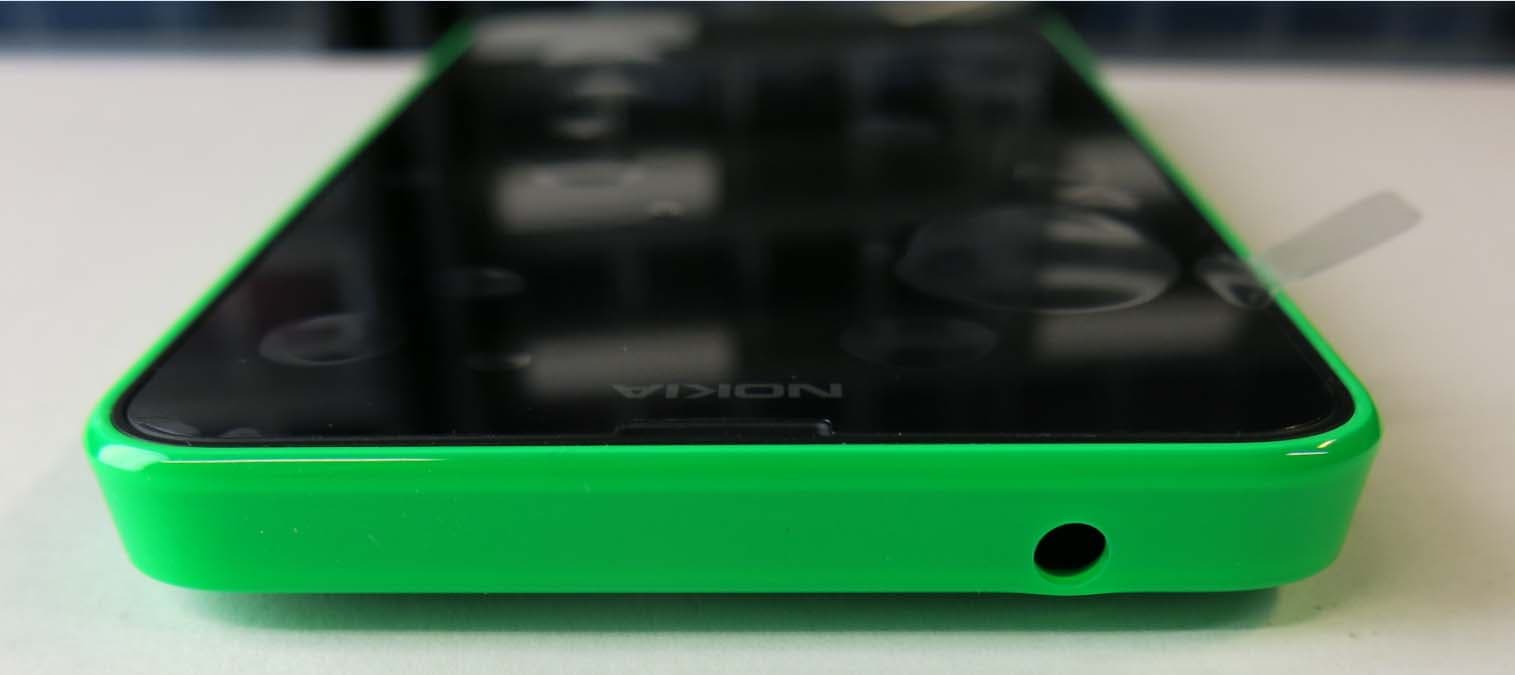
PDNRM-975
May 27, 2014GSM/WCDMA/LTE cellular device w/BT, BLE, WLAN
Equipment Class
DTS - Digital Transmission System
PDNRM-974
May 12, 2014GSM/WCDMA/LTE cellular device w/BT, BLE, WLAN
Equipment Class
DTS - Digital Transmission System
PDNRM-979
Mar 09, 2014GSM/WCDMA cellular device w/BT, BLE, WLAN
Equipment Class
DTS - Digital Transmission System
PDNRM-978
Mar 09, 2014GSM/WCDMA cellular device w/BT, BLE, WLAN
Equipment Class
PCE - PCS Licensed Transmitter held to ear