PJF-05010RXSMART SYNC 5 inches Internet Viewable Touch Screen Video Monitor
Baby's Journey, Inc.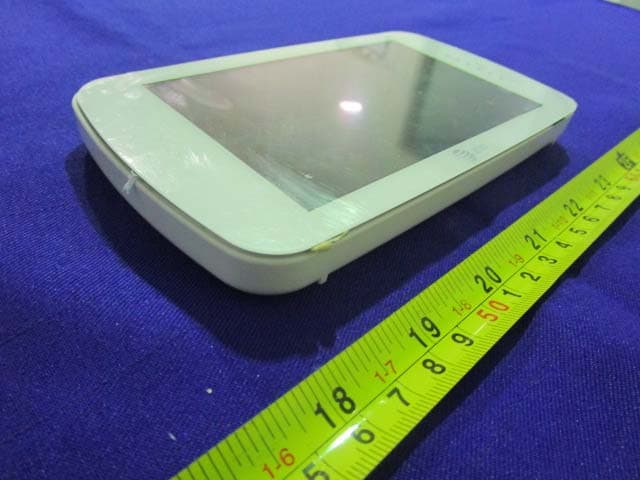
Click to zoom
Application Details
- Equipment Class
- DTS - Digital Transmission System
- Date of Grant
- Jan 27, 2015
- Application Purpose
- Original Equipment
- Date of Application
- Jan 27, 2015
- Equipment Note
- SMART SYNC 5 inches Internet Viewable Touch Screen Video Monitor
- Frequency Range
- 2422.00000000 - 2452.00000000
- Company
- Baby's Journey, Inc.
- Country
- United States
Documents & Files
Document Text
Text extracted from the exhibit documents filed with the FCC. Open a document above to read the original.
Users Manual
4.3” Touch Screen Video Monitor Smart Link User Guide Model Number: 05020 Software Version: V 1.0.1 A • Adult assembly is required. • This product is not a toy. Do not allow children to play with it. • This Video Monitor is not a substitute for responsible adult supervision. • Test the Monitor and all its functions so that you are familiar with it prior to actual use. 2 Important Safety Instructions • Do not place the Baby Unit or AC adapter cord within reach of children. • Do not place the Baby Unit or AC adapter cord in, or attach to, a crib or playpen. • Always use enclosed Cord Clips to help secure Baby Unit AC adapter cord away from children's reach. • Never use extension cords with AC adaptors. Use only AC adapters provided. • Charge the product by the designated charging method. • When the power adapter is plugged into an electrical outlet, do not touch exposed end. • Do not place the product in or near fire, or put the product in a microwave. • Do not expose the product to high temperatures above 140 F. • Do not disassemble the product. • Do not expose the product to excessive shock such as dropping from a high place. • Keep the product dry. • Dispose of the product appropriately. Rechargeable Li-ion battery is built into the product. CAUTION: Risk of heat generation, fire, or explosion. CAUTION: Keep small parts out of the reach of children. To prevent cord entanglement and strangulation: WARNING! Strangulation Hazard: Children have STRANGLED in cords. Keep this cord outof the reach of children (more than 3 ft. (0.9 m) away). Important Safety Instructions Contents 1 Overview.............................................................................................. 3 2 Getting Started .................................................................................. 4 7 Contents 3 Setup ..................................................................................................10 5 Monitor ...............................................................................................13 Parent Unit ...........................................................................................5 Baby Unit ..............................................................................................6 10 Warranty ..........................................................................................18 9 Other Information ...........................................................................17 Cleaning and Care .............................................................................17 FCC - Part 15 .......................................................................................17 Placement ...........................................................................................7 Securing Cord ...................................................................................7 Wall Mounting ...................................................................................8 Powering On and Charging Battery ...............................................9 Connect to WiFi .................................................................................10 Date and Time ..................................................................................10 Creating Baby Profile ......................................................................10 Camera Setup and Pairing ..............................................................11 6 Journal ...............................................................................................14 7 Data ....................................................................................................15 4 Basics ..................................................................................................12 Connect to WiFi .................................................................................12 Date and Time ..................................................................................12 Creating Baby Profile ......................................................................12 Camera Setup and Pairing ..............................................................12 8 Settings ............................................................................................. 16 Have Everything? 4 Overview Overview Your Smart Link 4.3" Touch Screen Video Monitor allows you to clearly see and hear baby from within your home. Our unique Baby Tracker lets you log and track baby's important data such as feedings, weight, sleep, and more. Welcome to your Smart Link Monitor 1 Parent Monitor Baby Unit Cord Clips (6)USB power adapter for Parent Monitor AC power adapter for Baby Unit This User Guide describes the features of the Smart Link Monitor system. Check that the following items are included when you open the box: More Information Call our Consumer Care: 1-855-661-8333 On the Web: www.att.com/mhealthbabymonitors Drywall Anchor and Screw Printed Quick Start Guide On Back of Parent Unit: • Stand • Speaker 5 Parent Unit Overview Overview of your Parent Monitor (monitor) Power and Screen On/Off Volume Sound Indicator Lights USB Charging Port Multitouch Display Reset 6 Baby Unit Overview Overview of your Baby Unit Power LED Microphone Reset Camera Lens Night-View LEDs On Back of Baby Unit: • Antenna AC Charging Port Wall Mount Hole Angle and Rotation Adjustment Placing Your Camera 7 Getting Started Getting Started When deciding on where to place your Baby Unit, be conscious of the ambient light and noise. Test the video and sound quality from a few locations before deciding on the final spot. 3 ft. 2 To prevent entanglement, always secure the cord to a wall using all 6 of the cord clips provided: Place the camera on a flat surface, such as a table, dresser top, or shelf. Face the camera lens towards what you want to see. The camera’s cord must be more than 3 feet away from the reach of children. 3 ft. You can also mount the camera to a wall using the screw and drywall anchor provided (See Page 8). The camera’s …
Text truncated - open the document above for the full version.
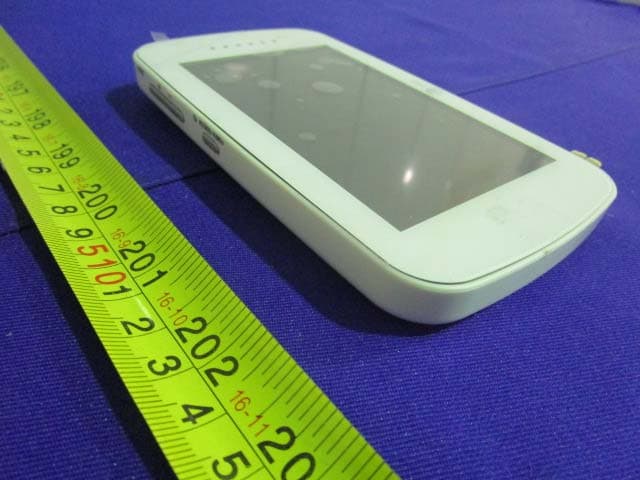
External Photos
Page 1 of 4 EXHIBIT B - EUT EXTERNAL PHOTOGRAPHS EUT – All View EUT – Top View Page 2 of 4 EUT – Bottom View EUT –Side View Page 3 of 4 EUT –Side View EUT –Adapter View Page 4 of 4 EUT – Adapter Label View
ID Label/Location Info
EXHIBIT A - FCC ID LABELING AND LOCATION FCC ID Label Proposed FCC ID Label Location The label shown shall be permanently affixed at a conspicuous location on the device and be readily visible to the user at the time purchase (Labeling requirements per 2.925) Label Here
Internal Photos
Page 1 of 6 EXHIBIT C - EUT INTERNAL PHOTOGRAPHS EUT – Uncover View EUT –Uncover View Page 2 of 6 EUT –Uncover View EUT – Main Board Top View Page 3 of 6 EUT – Main Board Bottom View EUT – LED Board Top View Page 4 of 6 EUT – LED Board Bottom View EUT – Screen Top View Page 5 of 6 EUT – Screen Bottom View EUT – RF Chip View Page 6 of 6 EUT – Antenna View EUT – Battery Label View
Test Setup Photos
Page 1 of 3 EXHIBIT D - TEST SETUP PHOTOGRAPHS Conducted Emission View-Front View Conducted Emission View- Side View Radiated Emission-Front View (Below 1 GHz) Radiated Emission-Rear View (Below 1 GHz) Radiated Emission-Front View (Above 1 GHz) Radiated Emission-Rear View (Above 1 GHz)
Contact Information
Applicant
Steve Gibree(President)
Test Firm
Bay Area Compliance Laboratories Corp. (Dongguan)John Chan
[email protected]86-769-86858888
Technical Specifications
| # | Rule Parts | Frequency Range | Power Output |
|---|---|---|---|
| 2 | 15C | 2.42 GHz - 2.45 GHz | 102.00 mW |
Other Applications from Baby's Journey, Inc.
PJF-05020RX
Jan 27, 2015SMART LINK 4.3 inches Touch Screen Video Monitor
Equipment Class
DTS - Digital Transmission System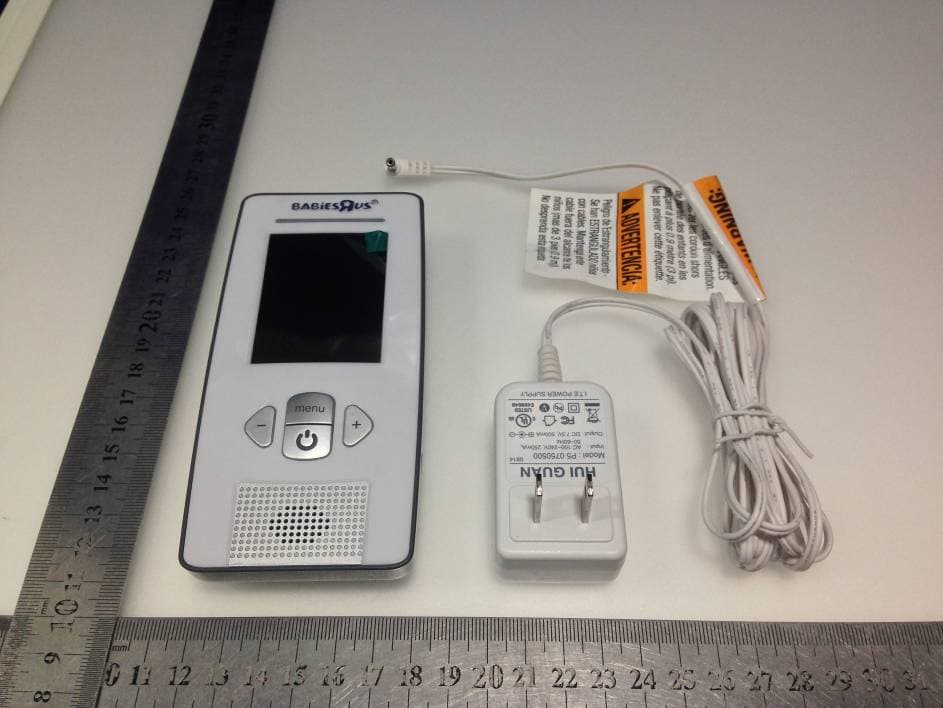
PJF-2146RX
Sep 28, 20142.4 inch color video monitor
Equipment Class
DSS - Part 15 Spread Spectrum Transmitter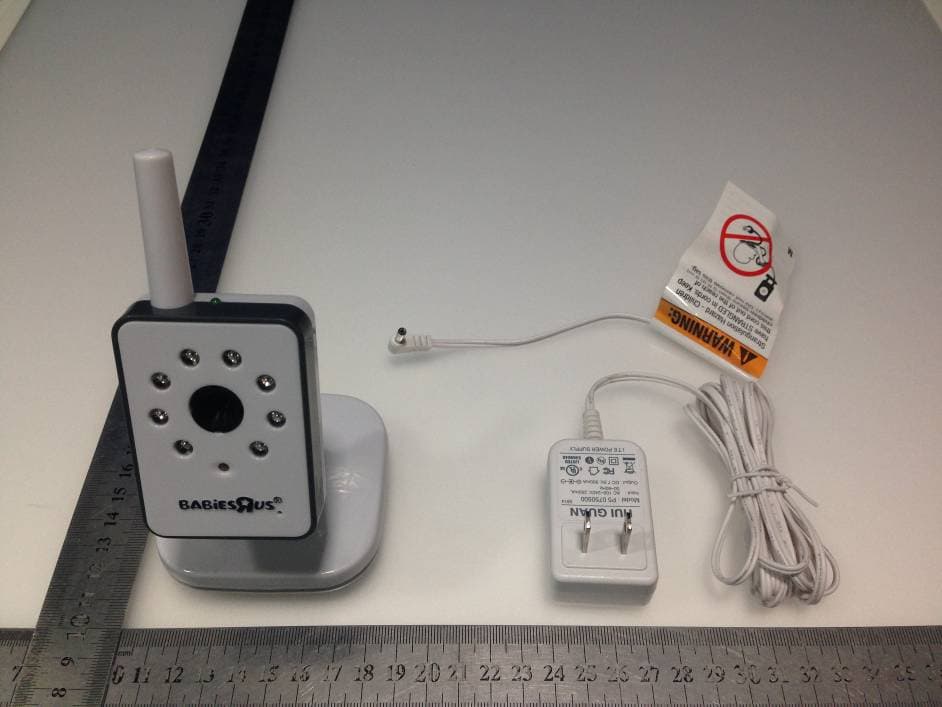
PJF-2313TX
Sep 28, 20145 inch color flatscreen video monitor
Equipment Class
DSS - Part 15 Spread Spectrum Transmitter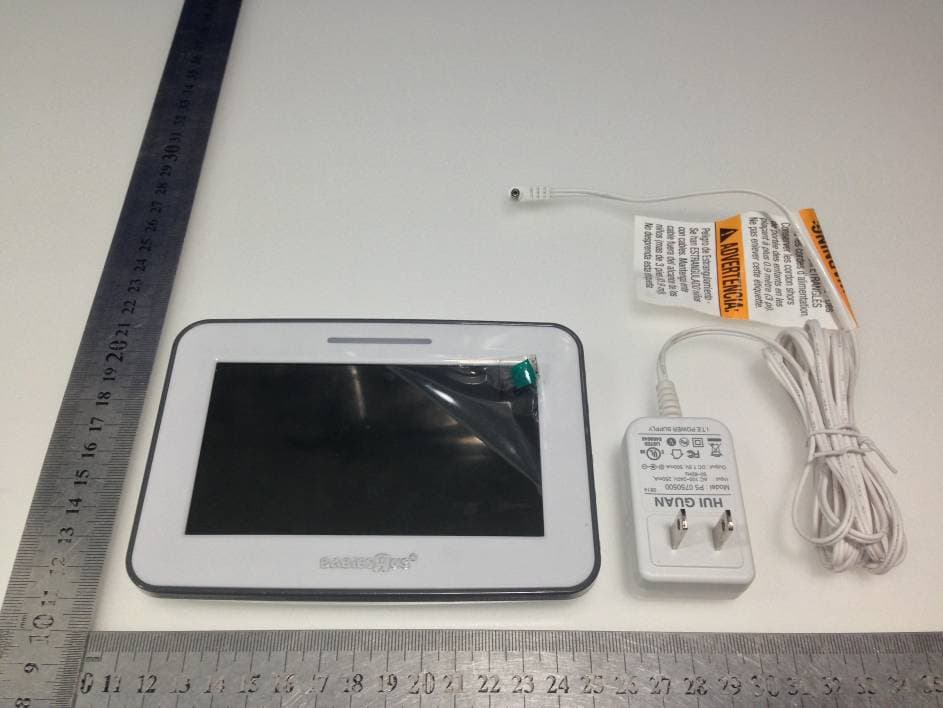
PJF-2313RX
Sep 25, 20145 inch color flatscreen video monitor
Equipment Class
DSS - Part 15 Spread Spectrum Transmitter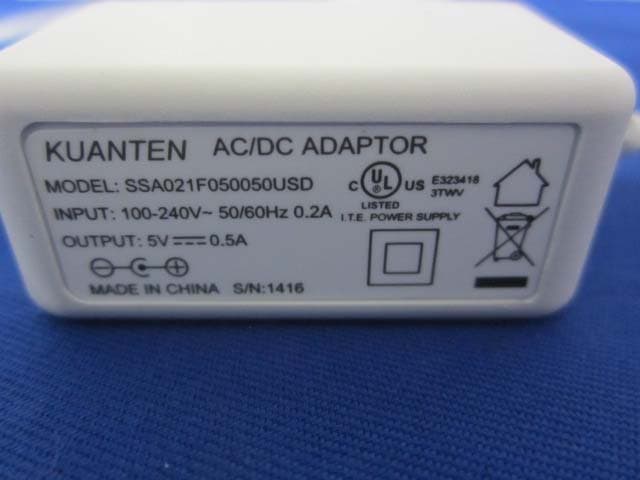
PJF-05000TX
Jun 22, 2014SMART TRAC Digital Audio Monitor
Equipment Class
DSS - Part 15 Spread Spectrum Transmitter