PLJIKT201Remote Control Transmitter
Mandolyn Electronic Technology Inc.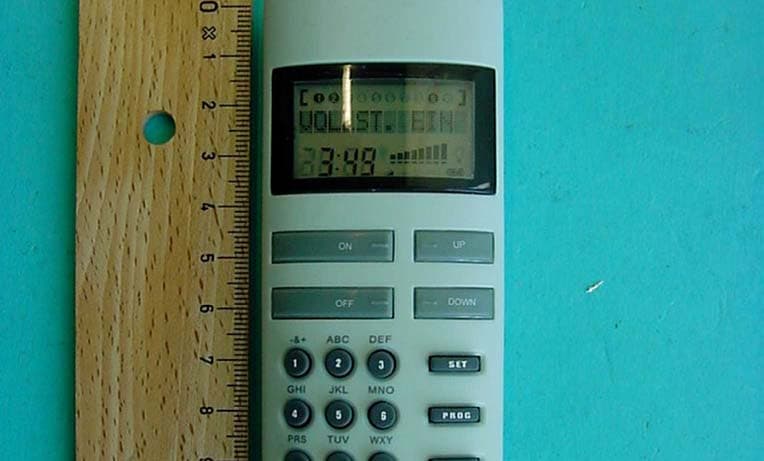
Click to zoom
Application Details
- Equipment Class
- DSC - Part 15 Security/Remote Control Transmitter
- Date of Grant
- Dec 07, 2003
- Application Purpose
- Original Equipment
- Date of Application
- Dec 07, 2003
- Equipment Note
- Remote Control Transmitter
- Frequency Range
- 433.90000000 - 433.90000000
- Country
- Canada
Documents & Files
Document Text
Text extracted from the exhibit documents filed with the FCC. Open a document above to read the original.
Users Manual
1 KOPPLA 2 CONTENTS START HERE! 4 Insert the batteries in the remote control 4 Set the time and date 4 Program the receiver 7 DIRECT CONTROL 9 Choose channels 9 Functions 10 PROGRAMMING 12 Grouping 12 Choose group 13 Random on/off 13 Delay shut off 14 Timer programming 15 Programming example 18 Deactivate Timer program 21 Activate Timer program 21 OTHER FUNCTIONS 21 Key sound and background lighting on/off 21 Key lock on 22 Key lock off 22 Language selection 23 RECEIVER 24 Dimmer receiver (fi g 2) 24 On/off receiver (fi g 3) 25 3 TECHNICAL DATA 27 Remote control 27 Dimmer receiver 27 On/off receiver 27 REMEMBER 28 Installing the wall bracket for the remote control 29 LCD DISPLAY 30 Remote control (fi g 7) 30 Dimmer receiver (fi g 8) 30 On/off receiver (fi g 9) 30 COMPONENT LAYOUT 32 Remote control (fi g 1) 32 Dimmer receiver (fi g 2) 32 On/off receiver (fi g 3) 32 4 START HERE! Insert the batteries in the remote control 1. Open the battery cover on the back. 2. Insert three AAA/LR03/AM4/ batteries 3. Close the battery cover. 1. Press [FUNCTION] 2. Press [9] Set the time and date 5 3. Select time format. You can choose between 12 and 24 hour display. To change between 12 or 24 hour display, press [UP] Press [SET] to continue. 3.1 24 hour display. Enter the time, for example, 15.00. Press [1],[5],[0],[0] 3.2 12 hour display. Enter the time, for ex- ample, 3.00 AM. Press [0],[3],[0],[0], [DOWN] For 3.00 PM, press [0],[3],[0],[0],[UP] 6 4. State the day of the week. Press [UP] or [DOWN] to change the day of the week. Sunday (SUN) Monday (MON) Tuesday (TUE) Wednesday (WED) Thursday (THU) Friday (FRI) Monday- Friday (M-F) Saturday- Sunday (S-S) Complete week (ALL) 5. Press [SET] to continue. 7 Program the receiver The receivers must be programmed to recognise signals from the remote control. Each receiver corresponds to a channel on the remote control. Up to 10 channels/receiver can be program- med. 1. Place the receiver in the wall socket. 2. Press [FUNCTION] on the remote control. 8 3. Press [6] 4. Select channel (1-10), for example, 1. Press [1] 5. Press down one of the buttons on the receiver within 10 seconds. The red lamp on the receiver starts to fl ash to ac- knowledge the receiver has received the signal from the remote control. 6. Press [FUNCTION] on the remote control. If you have several receivers, repeat steps 1-6 choosing other channels. (Up to 10 channels) 9 Choose channels 1. To choose one or more channels (receiver) press [CH] 2. Choose, for example, receiver 2 by pressing [2]. The chosen chan- nels are shown on the top row of the remote control display. 3. If you want to control several receivers at the same time, for exam- ple, receivers 1 and 2, press [CH] followed by [1] and [2] 4. To clear the chosen channels press [CH] again. 5. To choose all 10 chan- nels press [CH] once again. DIRECT CONTROL 10 Functions 1. Switching on and off. 1.1 Choose the channel/s. 1.2 Press [ON] to switch on. 1.3 Press [OFF] to switch off. 2.1 Choose the channel/s. 2.2 Press [UP] to increase the brightness. 2.3 Press [DOWN] to reduce the brightness. 3 Set the brightness. 3.1 Choose the channel/s. 3.2 Press [LEV] 3.3 Choose brightness 1-9, for example 5. Press [5] 2. Dimmer. Increase or decrease the brightness. (Only applies to receivers with the dimmer function.) NOTE: Energy saving bulbs do not work. 11 4. Gradual on/off or instant on/off. 4.1 Press [FUNCTION] followed by [1] to switch between gradual on/off and instant on/off. In gradual mode the lights are switched on and off with increasing respective decreasing brightness. In instant mode the lights are switched on and off instantly. 12 Grouping Instead of choosing channels one by one you can group and name different channels, e.g. living-room, bedroom, hall, etc. PROGRAMMING 1. Select group number, for example, 1, by pressing [GRP] followed by [1] Scroll between the groups by pressing [UP] or [DOWN] 2. Press [SET] to state the group names. Use the number keys to enter letters and [UP] and [DOWN] to move the cursor. A maximum of 10 characters can be used. 3. Press [SET] to confi rm the name. 4. State which channels should belong to the group, for example channels 2, 3 and 8 by pressing the corre- sponding number keys. 13 5. Press [SET] to save the group. You can edit the groups by carrying out steps 1-5 to write over or change them. Choose group 1. Select group number, for example, 1, by pressing [GRP] followed by [1] Scroll between the groups using [UP] or [DOWN] Random on/off This function switches chosen lights on and off at random time intervals. 1. Select the channel/s or group. 2. Press [FUNCTION] fol- lowed by [3]. The func- tion is confi rmed by the light being switched off if it was on or switched on if it was off. An R on the LCD display on the receiver indicates the function is active. 14 The function is deactivated by new commands to the chosen channels using the remote control, pressing keys on the receiver or if the receiver is removed from the wall socket. Delay shut off The function switches off the chosen lights after a predefi ned time. You set directly by channel/s or by group. Channel/s: 1. Press [CH] followed by the number. 2. Press [FUNCTION] fol- lowed by [2] 3. State the length of the delay you would like, for example after 15 minutes. The time can be stated between 1-99 minutes. NOTE! Pressing the key again deactivates the function. Group: 1. Press [GRP] followed by the number. 15 2. Press [FUNCTION] twice followed by [2] 3. State the length of the delay you would like, for example after 15 minutes. The time can be stated between 1-99 minutes. NOTE! Pressing the key again deactivates the function. Timer programming 1. Press [PROG] 2. Select the program number (01-16). Press [0],[1] for program 1. The display shows EMPTY if the chosen program has not pre- viously been program- med. If it has been preprogrammed the program settings are shown. 16 3. Press [SET] to continue. 4. State the time when you would like the com…
Text truncated - open the document above for the full version.
External Photos
CETECOM ICT Services GmbH Test report No.: 2-3373-01-01/03Date: 2003-10-13Page 19 (25) Photographs of the equipment Photograph no.: 1 CETECOM ICT Services GmbH Test report No.: 2-3373-01-01/03Date: 2003-10-13Page 20 (25) Photographs of the equipment Photograph no.: 2 CETECOM ICT Services GmbH Test report No.: 2-3373-01-01/03Date: 2003-10-13Page 21 (25) Photographs of the equipment Photograph no.: 3
ID Label/Location Info
Remote Receiver SCALE: 2:1 RATING LABEL MODEL IKR203 REMOTE CONTROL MODEL IKR202 REMOTE CONTROL POWER SUPPLY: AC 120V 60Hz MAX RATING: 200W No User Service Parts Inside POWER SUPPLY: AC 120V 60Hz MAX RATING: 1,800W (RESISTIVE) 600W (TUNGSTEN), 15A MAX No User Service Parts Inside FCC ID: PLJIKR202Canada: 3981A-IKT201 This device complies with Part 15 of the FCC Rules and with RSS-210 of Industry Canada. Operation is subject to the following two conditions. (1) this device may not cause harmful interference, and (2) this device must accept any interference received, including interference that may cause undesired operation. Remote Control FCC ID: PLJIKT201Canada: 3981A-IKT201 This device complies with Part 15 of the FCC Rules and with RSS-210 of Industry Canada. Operation is subject to the following two conditions. (1) this device may not cause harmful interference, and (2) this device must accept any interference received, including interference that may cause undesired operation. No User Service Parts Inside MODEL IKT201 FCC ID: PLJIKR203Canada: 3981A-IKT201 This device complies with Part 15 of the FCC Rules and with RSS-210 of Industry Canada. Operation is subject to the following two conditions. (1) this device may not cause harmful interference, and (2) this device must accept any interference received, including interference that may cause undesired operation. CETECOM ICT Services GmbH Test report No.: 2-3373-01-01/03Date: 2003-10-13Page 20 (25) Photographs of the equipment Photograph no.: 2
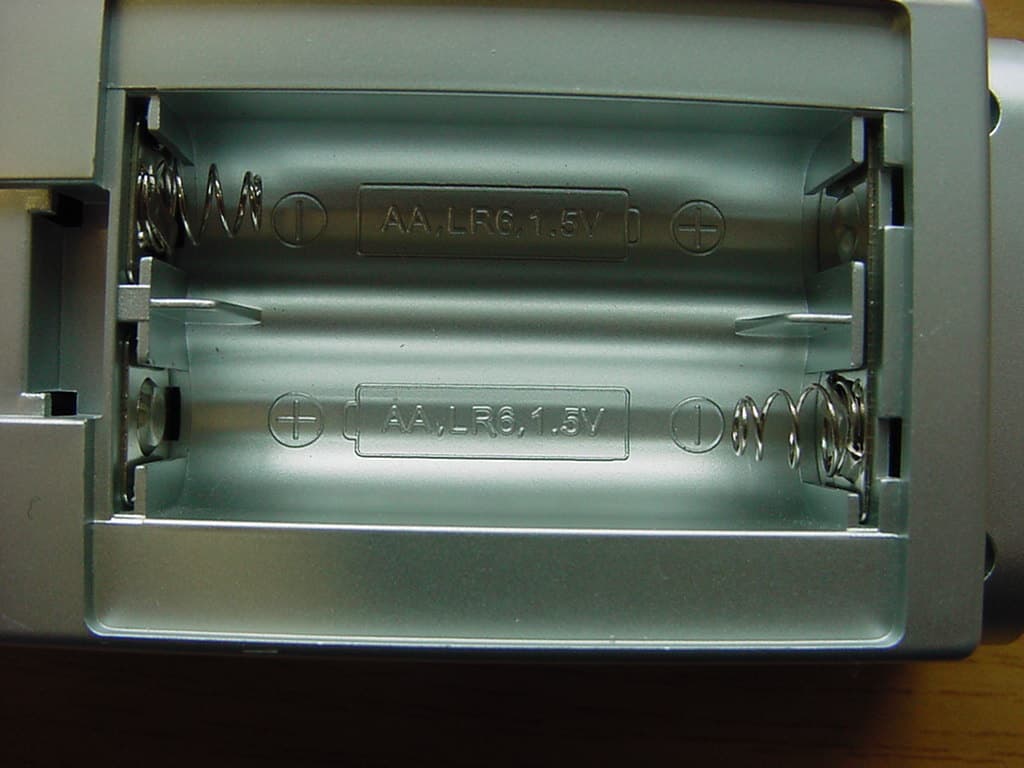
Internal Photos
CETECOM ICT Services GmbH Test report No.: 2-3373-01-01/03Date: 2003-10-13Page 22 (25) Photographs of the equipment Photograph no.: 3 CETECOM ICT Services GmbH Test report No.: 2-3373-01-01/03Date: 2003-10-13Page 23 (25) Photographs of the equipment Photograph no.: 3 CETECOM ICT Services GmbH Test report No.: 2-3373-01-01/03Date: 2003-10-13Page 24 (25) Photographs of the equipment Photograph no.: 3 CETECOM ICT Services GmbH Test report No.: 2-3373-01-01/03Date: 2003-10-13Page 25 (25) Photographs of the equipment Photograph no.: 3
Test Report
CETECOM ICT Services GmbH Radio Satellite Communication Untertürkheimer Straße 6–10, D-66117 Saarbrücken, Telephone +49 (0) 681 598- 0, Fax +49 (0) 598 9075 Test report No.: 2-3373-01-01/03This test report consists of 27 pagesPage 1 (25) Recognized by the Federal Communications Commission FCC–Identification Number: 90462 TCB ID: DE 001 Accredited by the German Accreditation Council DAR–Registration Number TTI–P–G 166/98 Independent ETSI compliance test house ETSI Accredited Bluetooth™ Test Facility (BQTF) Test report No. : 2-3373-01-01/03 Applicant : Mandolyn Int. Ltd. Type : IKT201 FCC–ID No : PLJIKT201 BLUETOOTH is a trademark owned by Bluetooth SIG, Inc. and licensed to CETECOM CETECOM ICT Services GmbH Test report No.: 2-3373-01-01/03Date: 2003-10-13Page 2 (25) Table of contents 1 General information 1.1 Notes 1.2 Testing laboratory 1.3 Details of applicant 1.4 Application details 1.5 Test item 1.6 Test specifications 2 Technical test 2.1 Summary of test results 2.2 Test report CETECOM ICT Services GmbH Test report No.: 2-3373-01-01/03Date: 2003-10-13Page 3 (25) 1 General information 1.1 Notes The test results of this test report relate exclusively to the test item specified in 1.5. The CETECOM ICT Services GmbH does not assume responsibility for any conclusions and generalisations drawn from the test results with regard to other specimens or samples of the type of the equipment represented by the test item. The test report may only be reproduced or published in full. Reproduction or publication of extracts from the report requires the prior written approval of the CETECOM ICT Services GmbH. Test laboratory manager: 2003-10-13RSC - 8411Berg M. DateSectionNameSignature Technical responsibility for area of testing: 2003-10-13RSC - 8412Hausknecht D. DateSectionNameSignature CETECOM ICT Services GmbH Test report No.: 2-3373-01-01/03Date: 2003-10-13Page 4 (25) 1.2 Testing laboratory CETECOM ICT Services GmbH Untertürkheimer Straße 6 - 10 66117 Saarbrücken Germany Telephone: + 49 681 598 - 0 Telefax : + 49 681 598 - 9075 E-mail: [email protected] Internet: www.cetecom-ict.de Accredited testing laboratory Accredited by: Regulierungsbehörde für Telekommunikation und Post (RegTP) Listed by: Federal Communications Commission (FCC) AuthorityIdentification/Registration No. RegTPTTI-P-G 166/98-30 FCC90462 1.3Details of applicant Name :W.H. Mandolyn International Ltd. Street :Unit 1003-8 Landmark North 39 Lung Sum Avenue; Sheung Shui City :N.T. Hong Kong Country :N.T. Hong Kong Telephone:+(852) 2670 9733 Telex :+(852) 2673 0337 E-mail :[email protected] Contact person: Name : Shirley Chan Telephone : +(852) 2670 9733 Telex : +(852) 2673 0337 E-mail : [email protected] 1.4Application details Date of receipt of test item : 2003-10-01 Date of test: 2003-10-13 Person(s) who have been : -.- present during the test CETECOM ICT Services GmbH Test report No.: 2-3373-01-01/03Date: 2003-10-13Page 5 (25) 1.5Test item Type of equipment : Remote Control Transmitter Type designation:IKT201 Manufacturer:Same as applicant Street: City: Country: Serial number:- / - Additional information : Frequency:433.9 MHz Type of modulation:12K4A1D Channel spacing:>25 kHz Number of channels :1 Antenna:Integral antenna Power supply:3 x 1,5V DC Batteries Temperature range :-20°C - +55°C FCC ID :PLJIKT201 Max. ERP: Peak: 91.3 dBμV/m ; Average: 70.3 dBμV/m at 3m distance 1.6Test specifications: FCC Part 15 §15.209 FCC Part 15 §15.231 CANADA RSS-210 CETECOM ICT Services GmbH Test report No.: 2-3373-01-01/03Date: 2003-10-13Page 6 (25) 2 Technical test 2.1 Summary of test results The radiated measurements are performed in vertical and horizontal plane in the frequency range from 9 kHz to 20 GHz in semi-anechoic chambers. The EUT is positioned on a non- conductive support with a height of 0.80 m above a conductive ground plane that covers the whole chamber. The receiving antennas are conform with specifications ANSI C63.2-1987 clause 15 and ANSI C63.4-1992 clause 4.1.5. These antennas can be moved over the height range between 1.0 m and 4.0 m in order to search for maximum field strength emitted from EUT. The measurement distances between EUT and receiving antennas are indicated in the test set-ups for the various frequency ranges. For each measurement, the EUT is rotated in all three axes until the maximum field strength is received. The wanted and unwanted emissions are received by spectrum analysers where the detector modes and resolution bandwidths over various frequency ranges are set according to requirement ANSI C63-4-1992 clause 4.2. Antennas are conform with ANSI C63.2-1996 item 15. 150 kHz - 30 MHz: Quasi Peak measurement, 9kHz Bandwidth, passive loop antenna. 30 MHz - 200 MHz: Quasi Peak measurement, 120KHz Bandwidth, biconical antenna 200MHz - 1GHz: Quasi Peak measurement, 120KHz Bandwidth, log periodic antenna >1GHz: Average, RBW 1MHz, VBW 10 Hz, wave guide horn All measurement settings are according to FCC 15.35, 15.209. The product fulfills also the requirements for CANADA RSS-210 No deviations from the technical specification(s) were ascertained in the course of the tests performed. CETECOM ICT Services GmbH Test report No.: 2-3373-01-01/03Date: 2003-10-13Page 7 (25) 2.2Test report TEST REPORT Test report no. : 2-3085-01-01/02 CETECOM ICT Services GmbH Test report No.: 2-3373-01-01/03Date: 2003-10-13Page 8 (25) TEST REPORT REFERENCE LIST OF MEASUREMENTS ParagraphPARAMETER TO BE MEASUREDPAGE TRANSMITTER PARAMETERS § 15.231 (e)Timing of the transmitter 9 § 15.231 (e)Emission limitations12 § 15.231 (c)Occupied bandwidth15 Test equipment listing16 Photographs of the equipment18 CETECOM ICT Services GmbH Test report No.: 2-3373-01-01/03Date: 2003-10-13Page 9 (25) REFERENCE NUMBER(S) OF TEST EQUIPMENT USED :17 - 24 (for reference numbers see test equipment listing) Timing of the transmitterSUBCLAUSE § 15.231 (a) (1) Ref Lvl -20 dBm Ref Lvl -20 dBm RF Att 10 dB A Unit dBm RBW 1 MHz VBW 1 MHz TRG 1AP SG…
Text truncated - open the document above for the full version.
Test Setup Photos
CETECOM ICT Services GmbH Test report No.: 2-3373-01-01/03Date: 2003-10-13Page 18 (25) Test site
Contact Information
Applicant
C.M. Yip(Engineering Manager)
Test Firm
Cetecom ICT Services GmbHRalf Hoehn
Technical Specifications
| # | Rule Parts | Frequency Range | Power Output |
|---|---|---|---|
| 1 | 15.231 | 433.9 MHz - 433.9 MHz | - |
Other Applications from Mandolyn Electronic Technology Inc.
PLJDB910
Jul 03, 2007Wireless Doorbell
Equipment Class
CYY - Communications Receiver used w/Pt 15 Transmitter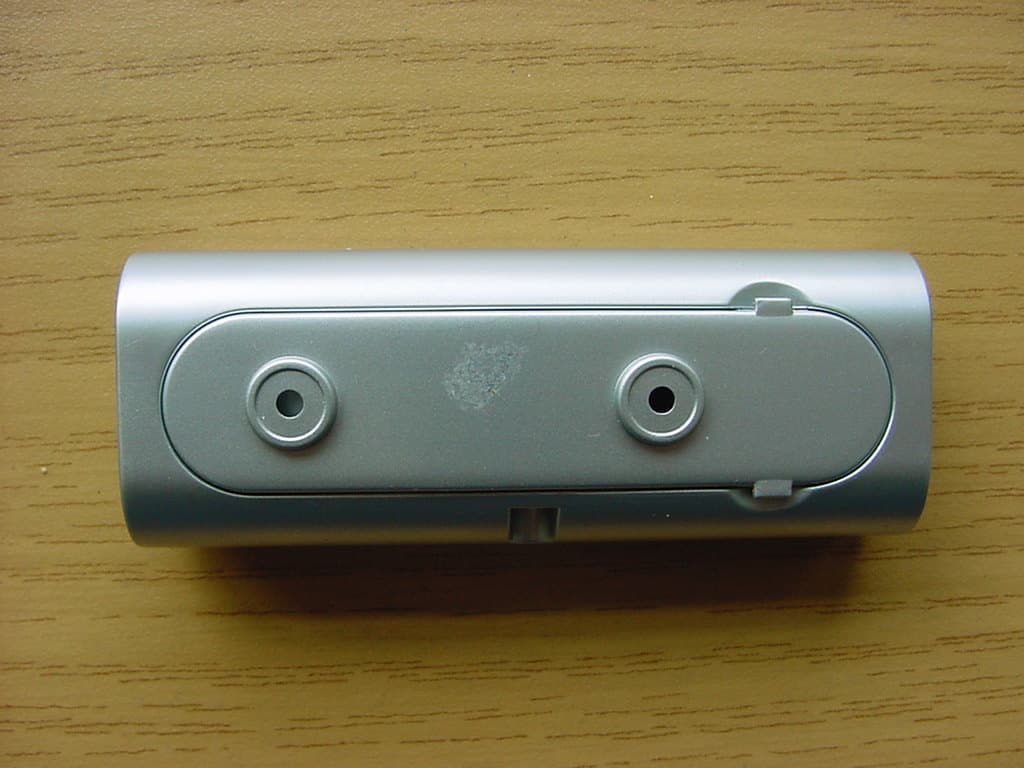
PLJDBT701
Jul 03, 2007Wireless Doorbell
Equipment Class
DSC - Part 15 Security/Remote Control Transmitter
PLJWS2635
Mar 13, 2007Weather Station Receiver
Equipment Class
CRR - Superregenerative Receiver
PLJWDS500
Mar 13, 2007Weather Station Transmitter
Equipment Class
DSC - Part 15 Security/Remote Control Transmitter
PLJWS1200
Mar 13, 2007Weather Station Receiver
Equipment Class
CRR - Superregenerative Receiver