PLJWS290CWeather Station Receiver
Mandolyn Electronic Technology Inc.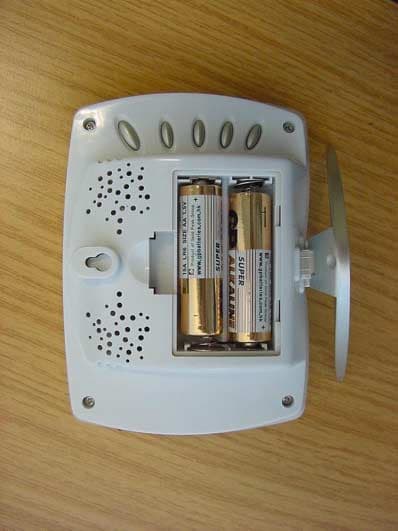
Click to zoom
Application Details
- Equipment Class
- CRR - Superregenerative Receiver
- Date of Grant
- Dec 04, 2002
- Application Purpose
- Original Equipment
- Date of Application
- Dec 04, 2002
- Equipment Note
- Weather Station Receiver
- Frequency Range
- 433.92000000 - 433.92000000
- Country
- Canada
Documents & Files
Document Text
Text extracted from the exhibit documents filed with the FCC. Open a document above to read the original.
Users Manual
GETTING STARTED button placement 1 7 6 8 9 10 2 3 4 5 MIN/Day/MIN/- : shows minimum temperature; adjusts clock, alarm, date and temperature alarm values MODE/SNOOZE: scrolls through Clock 1 & 2, Alarm 1&2, Date and Temperature Alarm mode; snooze for alarm SET: change House Code, Channel value and select C/F Table Stand RESET: Reset Channel & House Code Battery Compartment LCD display ON/OFF (C/F) toggles between C and F, 12 and 24 hour format; Alarm 1&2 on and off, and bar graph indoor and outdoor channels; scrolls through temperature alarm settings (off/high/low) CHN/ WEEKDAY: scrolls through local and remote channels (1 to 3); adjusts time and date values HOUR/MONTH/MAX/+: shows maximum temperature; adjusts clock, alarm, date and temperature alarm values S E T R E S E T 8 7 1 2 3 5 4 6 9 9 WS290C + WT260H Wireless Weather Station OWNERS MANUAL Congratulations on your purchase of this weather station set, WS290C + WT260H. Please take the time to read and understand this manual so you can begin to enjoy the convenience and features this product has to offer. FEATURES Main Display Unit WS290C: * dual clock and dual alarm * calendar (month/day/date) * local temperature display * receives and displays temperature and humidity readings from up to 3 remote transmitter via RF technology of 433MHz * minimum and maximum temperature and humidity display * temperature and humidity trend indicator * temperature history (bar graph for past 12 hours) * weather report symbols * user-selectable C or F * table stand or wall mountable * battery type: 2 x AA Remote Transmitter WT260H * drip-proof design with LCD * temperature display in user-selectable C or F * humidity display * transmission range: up to 40 meters in open area * table stand or wall mountable * battery type: 2 x AAA WS290C receiver WT260H remote transmitter battery installation GETTING STARTED Synchronization Synchronised!!! 1 1 3 2 4 5 6 remove battery cover 2 AA size batteries (WS290C) 2 AAA size batteries (RT201H) (included) Insert between terminals observing proper polarity then replace cover LOW BATTERY INDICATION: Low battery indicator on receiver will flash continuously when batteries need to be changed. On transmitter, Lo bat will be displayed SETUP Automatic Learn Function: Manual-Learn (Search Remote Signals): Learn function executes automatically and runs for approximately 3 minutes when batteries are first installed in the receiver. Pressing and holding CHN for 3 seconds to start If a new remote sensor is added or if signal is lost (outdoor display blinking), learn function must be executed again. Within these 3 minutes, receiver picks up the temperature & humidity signals from remote sensor and display the reading. Beep sound indicates that learn function has started 'Channel' symbol will flash and unit will beep as each remote sensor is detected S E T R E S E T setting up transmitters S E T R E S E T 2 35 4 1 1 Press RESET to start setup House code will flash for 10 seconds 2 2 * Use a different house code if your weather station receives the other transmitter of your neighbourhood. * If House code and Channel code are not selected (steps 3 & 5 are skipped), House code 01 and Channel code 1 are default. Check Remote Temperature & Humidity Check Local Temperature C or F Temperature Display Min and Max Temperature & Humidity Historical Temperature Bar Graph WEATHER DISPLAY B C D * A 3 4 3 3 4 4 5 Select House code (1-15) by pressing SET Channel will flash for 10 seconds Press CHN key to display and toggle the readings of temperature and humidity among the Channel 1, 2 and 3 displays. Temperature and humidity data will alternate Local Temperature displays instantly after batteries are inserted. Toggle between C and F by pressing ON/OFF in either CLOCK1 or CLOCK2 mode. Press MIN in Clock1 mode to display minimum temperature and humidity The bar graph lets you see the temperature trend over a period of 12 hours in 3-hour intervals. Toggle between indoor and outdoor bar graphs using ON/OFF in Date mode. Press MAX in Clock1 mode to display maximum temperature and humidity Select Channel(1-3) by pressing SET Note: Min/Max readings are automatically cleared daily at 00:00 Transmitters for each receiver must be set to the same House code. 28.6 C 2 5 6 10 1 * A B C D E E Temperature & humidity readings of remote transmitter displays on the receiver. Clock 1 Setting: Press and hold MODE for 3 seconds to enter the clock setting mode (the CLOCK 1 symbol appears and the time will flash) Press HOUR to set the hour and MIN to set the minute; Press ON/OFF during clock setting, to change between 12 and 24 hour display. This also will end the clock setting. Press MODE or no key pressed for 1 minute will finish the clock setting. Clock 2 Setting: Scroll to CLOCK 2 mode using MODE Press + or - key to change the hour (in one hour increments/decrements relative to Clock 1) Alarm 1and Alarm 2 Setting Scroll to ALARM1 mode (ALARM2 mode) using MODE/SNOOZE Press HOUR/+/MAX to set hour Press MIN/-/MIN to set minute Press ON/OFF to toggle alarm on and off When the alarm is set ON, the 'on' symbol will appear When Alarm Sounds ALARM 1 or ALARM 2 will flash The Crescendo alarm will initially have a gentle sound. The loudness will increase gradually. Press SNOOZE key will snooze the alarm for 5 minutes. After that the alarm will sound again. Press ANY other key will shut off the alarm. Without interruption, alarm will turn off automatically after one minute. Calendar Setting: Scroll to Date mode using MODE/SNOOZE Press HOUR/+/MAX to set month Press MIN/-/MIN to set date Press CHN to set day CLOCK SETTING DATE & ALARM SETTING 1 Clock 1 Setting 1 2 3 4 Clock 2 Setting Calendar Setting 1 1 6 2 3 4 5 1 4 5 26 3 2 3 4 1 2 3 4 1 2 3 4 5 5 2 3 4 1 2 3 4 5 The trend indicator shows the trend of temperature and humidity determined by the particular transmitter in the past half-hour interval. The receiver is able to monitor and display the weather status based on col…
Text truncated - open the document above for the full version.
External Photos
CETECOM ICT Services GmbH Test report No.: 2_3083-01-04/02Date: 2002-12-03Page 16 (19) Photographs of the equipment Photograph no.: 1 CETECOM ICT Services GmbH Test report No.: 2_3083-01-04/02Date: 2002-12-03Page 17 (19) Photographs of the equipment Photograph no.: 2
Internal Photos
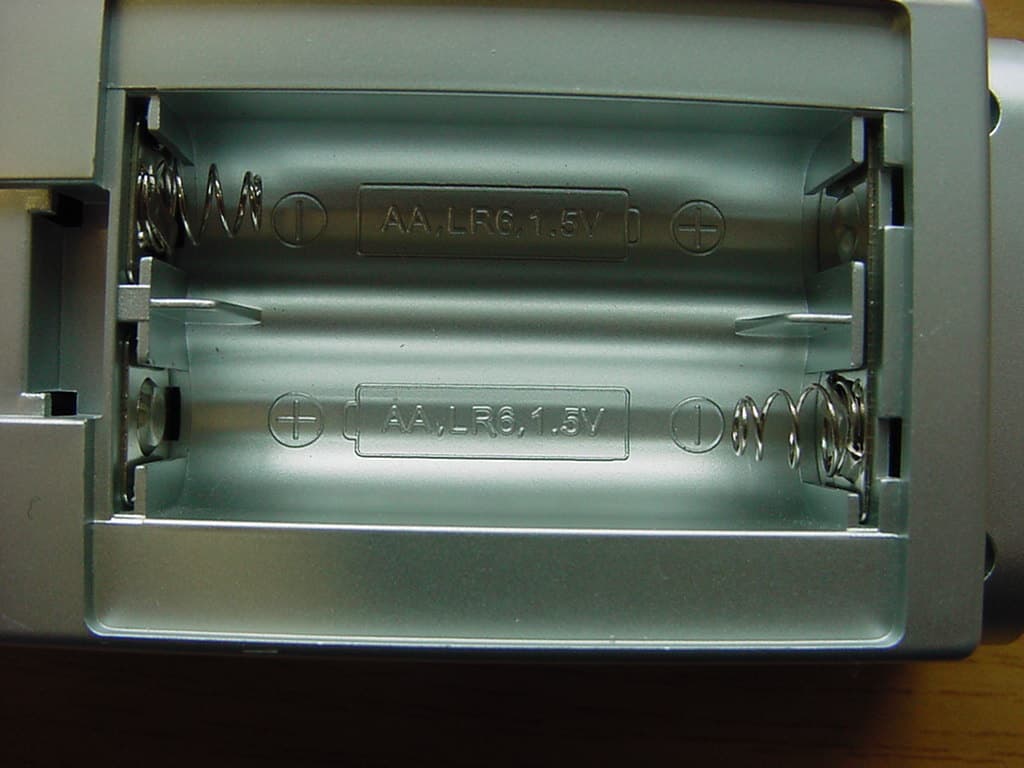
CETECOM ICT Services GmbH Test report No.: 2_3083-01-04/02Date: 2002-12-03Page 18 (19) Photographs of the equipment Photograph no.: 3 CETECOM ICT Services GmbH Test report No.: 2_3083-01-04/02Date: 2002-12-03Page 19 (19) Photographs of the equipment Photograph no.: 4
Test Report
CETECOM ICT Services GmbH Radio Satellite Communication Untertürkheimer Straße 6–10, D-66117 Saarbrücken, Telephone +49 (0) 681 598- 0, Fax +49 (0) 598 9075 Test report No.: 2_3083-01-04/02This test report consists of 27 pagesPage 1 (19) Recognized by the Federal Communications Commission FCC–Identification Number: 90462 TCB ID: DE 001 Accredited by the German Accreditation Council DAR–Registration Number TTI–P–G 166/98 Independent ETSI compliance test house ETSI Accredited Bluetooth™ Test Facility (BQTF) Test report No. : 2_3083-01-04/02 Applicant : Mandolyn Int. Ltd. Type : WS290C FCC–ID No : PLJWS290C BLUETOOTH is a trademark owned by Bluetooth SIG, Inc. and licensed to CETECOM CETECOM ICT Services GmbH Test report No.: 2_3083-01-04/02Date: 2002-12-03Page 2 (19) Table of contents 1 General information 1.1 Notes 1.2 Testing laboratory 1.3 Details of applicant 1.4 Application details 1.5 Test item 1.6 Test specifications 2 Technical test 2.1 Summary of test results 2.2 Test report CETECOM ICT Services GmbH Test report No.: 2_3083-01-04/02Date: 2002-12-03Page 3 (19) 1 General information 1.1 Notes The test results of this test report relate exclusively to the test item specified in 1.5. The CETECOM ICT Services GmbH does not assume responsibility for any conclusions and generalisations drawn from the test results with regard to other specimens or samples of the type of the equipment represented by the test item. The test report may only be reproduced or published in full. Reproduction or publication of extracts from the report requires the prior written approval of the CETECOM ICT Services GmbH. Test laboratory manager: 2002-12-03RSC - 8411Berg M.. DateSectionNameSignature Technical responsibility for area of testing: 2002-12-03RS - 8412Hausknecht D. DateSectionNameSignature CETECOM ICT Services GmbH Test report No.: 2_3083-01-04/02Date: 2002-12-03Page 4 (19) 1.2 Testing laboratory CETECOM ICT Services GmbH Untertürkheimer Straße 6 - 10 66117 Saarbrücken Germany Telephone: + 49 681 598 - 0 Telefax : + 49 681 598 - 9075 E-mail: [email protected] Internet: www.cetecom-ict.de Accredited testing laboratory Accredited by: Regulierungsbehörde für Telekommunikation und Post (RegTP) Listed by: Federal Communications Commission (FCC) AuthorityIdentification/Registration No. RegTPTTI-P-G 166/98-30 FCC90462 1.3Details of applicant Name :W.H. Mandolyn International Ltd. Street :Unit 1003-8 Landmark North 39 Lung Sum Avenue; Sheung Shui City :N.T. Hong Kong Country :N.T. Hong Kong Telephone:+(852) 2670 9733 Telefax :+(852) 2673 0337 E-mail :[email protected] Contact person: Name : Shirley Chan Telephone : +(852) 2670 9733 Telefax : +(852) 2673 0337 E-mail : [email protected] 1.4Application details Date of receipt of test item : 2002-11-14 Date of test: 2002-12-03 Person(s) who have been : -.- present during the test CETECOM ICT Services GmbH Test report No.: 2_3083-01-04/02Date: 2002-12-03Page 5 (19) 1.5Test item Type of equipment : Receiver Type designation:Model WS290C Manufacturer:Same as applicant Street: City: Country: Serial number:- / - Additional information : Frequency:433.92 MHz Type of modulation:A1D Channel spacing:>25 kHz Number of channels :1 Antenna:Integral antenna Power supply:2x 1.5 V Alkaline Batteries Temperature range :-20°C - +55°C FCC ID :PLJWS290C 1.6Test specifications: FCC Part 15 §15.109 CANADA ICES0003 CETECOM ICT Services GmbH Test report No.: 2_3083-01-04/02Date: 2002-12-03Page 6 (19) 2 Technical test 2.1 Summary of test results The radiated measurements were performed vertical and horizontal over the whole frequency range. We start at 1 m high with vertical receiving antenna and rotate the dish continuously. During rotation we use the antenna lift system to vary the high from 1 to 4 m. So we find maximum radiation output. At this points we do manual re-measurements. After this we do the same measurements in horizontal position of the receiving antenna. This (horizontal and vertical) is made for all the three planes of the test sample. We use the maximum received results. The detector function and selection of bandwidth are according ANSI C63.2-1996 item 8.2.1 and ANSI C63.4-1992 Item 4.2. Antennas are conform with ANSI C63.2-1996 item 15. 150 kHz - 30 MHz: Quasi Peak measurement, 9kHz Bandwidth, passive loop antenna. 30 MHz - 200 MHz: Quasi Peak measurement, 120KHz Bandwidth, biconical antenna 200MHz - 1GHz: Quasi Peak measurement, 120KHz Bandwidth, log periodic antenna 1GHz: Average, RBW 1MHz, VBW 10 MHz, waveguide horn All measurement settings are according to FCC 15.35, 15.205, 15.209, 15.109 . The product fulfills also the requirements for CANADA ICES0003 No deviations from the technical specification(s) were ascertained in the course of the tests performed. CETECOM ICT Services GmbH Test report No.: 2_3083-01-04/02Date: 2002-12-03Page 7 (19) 2.2Test report TEST REPORT Test report no. : 2_3083-01-04/02 CETECOM ICT Services GmbH Test report No.: 2_3083-01-04/02Date: 2002-12-03Page 8 (19) TEST REPORT REFERENCE LIST OF MEASUREMENTS ParagraphPARAMETER TO BE MEASUREDPAGE RECEIVER PARAMETERS § 15.109Spurious radiation - Radiated9 Test equipment listing13 Photographs of the equipment15 CETECOM ICT Services GmbH Test report No.: 2_3083-01-04/02Date: 2002-12-03Page 9 (19) Receiver EMISSION LIMITATIONS- Radiated § 15.109 EMISSION LIMITATIONS f (MHz) polari- zation amplitude of emission (dBμV/m) QUASIPEAK amplitude of emission (dBμV/m) average limit max. allowed emmision power (dBμV/m) results 463.34V30.846complies Measurement uncertainty± 3dB Limits SUBCLAUSE § 15.109 Frequency (MHz)Field strength (μV/m)Measurement distance (m) 0.009 - 0.4902400/F(kHz)300 0.490 - 1.70524000/F(kHz)30 1.705 - 30.03030 30 - 881003 88 - 2161503 216 - 9602003 above 9605003 CETECOM ICT Services GmbH Test report No.: 2_3083-01-04/02Date: 2002-12-03Page 10 (19) EMISSION LIMITATIONS- Radiated < 30 MHz § 15.109 Receiver SCANTABELLE: "VDE0875/211 Triple" Kurzbeschreibung:…
Text truncated - open the document above for the full version.
Test Setup Photos
CETECOM ICT Services GmbH Test report No.: 2_3083-01-04/02Date: 2002-12-03Page 15 (19) Test site
Contact Information
Applicant
C.M. Yip(Engineering Manager)
Test Firm
Cetecom ICT Services GmbHRalf Hoehn
Technical Specifications
| # | Rule Parts | Frequency Range | Power Output |
|---|---|---|---|
| 1 | 15B | 433.92 MHz - 433.92 MHz | - |
Other Applications from Mandolyn Electronic Technology Inc.
PLJDB910
Jul 03, 2007Wireless Doorbell
Equipment Class
CYY - Communications Receiver used w/Pt 15 Transmitter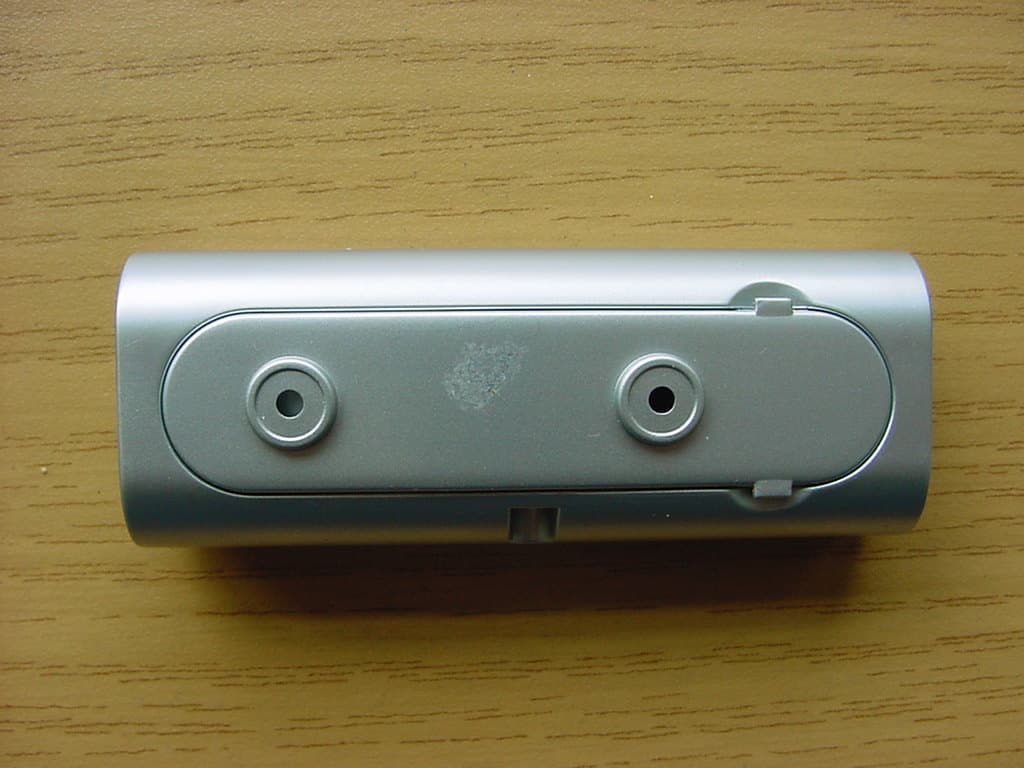
PLJDBT701
Jul 03, 2007Wireless Doorbell
Equipment Class
DSC - Part 15 Security/Remote Control Transmitter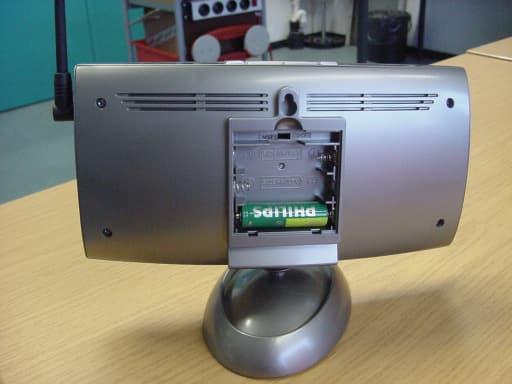
PLJWS2635
Mar 13, 2007Weather Station Receiver
Equipment Class
CRR - Superregenerative Receiver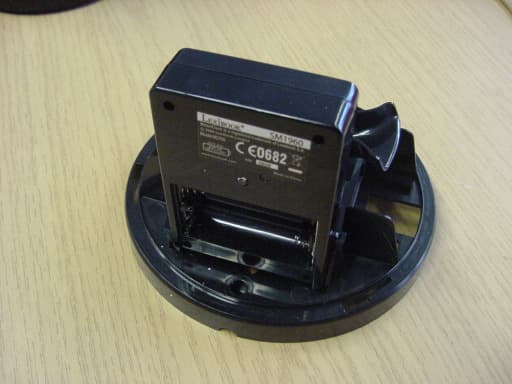
PLJWDS500
Mar 13, 2007Weather Station Transmitter
Equipment Class
DSC - Part 15 Security/Remote Control Transmitter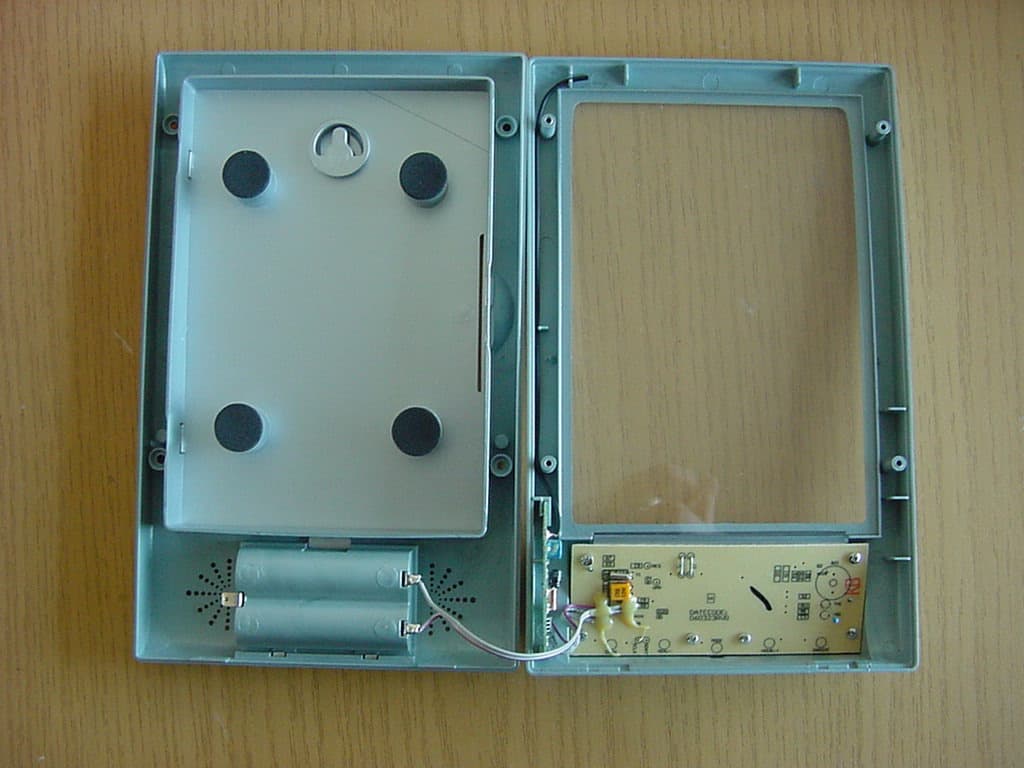
PLJWS1200
Mar 13, 2007Weather Station Receiver
Equipment Class
CRR - Superregenerative Receiver