PPNJWS030821KJWOptical Graphic Extension Module
OPTICIS Co., Ltd.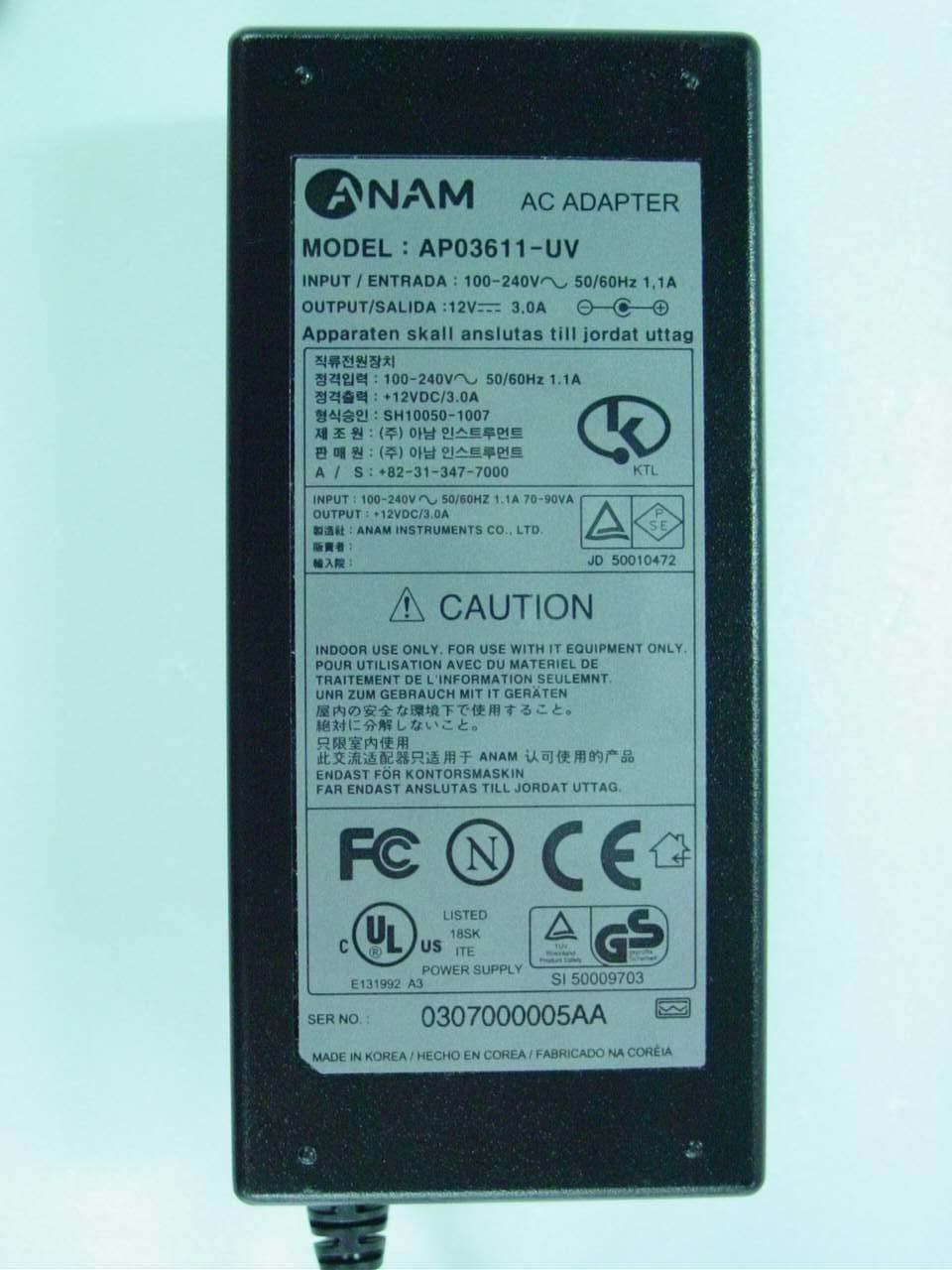
Click to zoom
Application Details
- Equipment Class
- JBP - Part 15 Class B Computing Device Peripheral
- Date of Grant
- Aug 26, 2003
- Application Purpose
- Original Equipment
- Date of Application
- Aug 26, 2003
- Equipment Note
- Optical Graphic Extension Module
- Company
- OPTICIS Co., Ltd.
- Country
- South Korea
Documents & Files
Document Text
Text extracted from the exhibit documents filed with the FCC. Open a document above to read the original.
Users Manual
Step 4 Remove the module dust covers and connect each duplex LC fiber cable one by one to each of 4 LC receptacles of the Transmitter and Receiver boxes, as shown in Fig. 2. Plug A to A and B to B. Carefully recheck polarities and ensure the duplex connectors are fully engaged. Step 5 Connect each RJ-45C plug of the DDC cable to each RJ-45C receptacle of the Transmitter and Receiver boxes. Figure 4 – Connection of 2 duplex LC fiber cables Step 6 Connect an AC/DC power adapter to either of the Transmitter and Receiver boxes as your availability of AC outlets. Figure 5 – Connection of AC/DC power adaptor Step 7 Power on the media receiver or computer and display. Tip 1: After initial installation as guided in the above, we recommend you to power On and Off while all connections are set and the Tx/Rx boxes are powered in. Tip 2: Avoid “hot plugging” the Tx or Rx boxes as this is not recommended practice with live digital voltages. 1-4 Installation (continued) Installation Important: Please use the installation procedure below. Improper, or no operation may result if the start-up sequence is not correctly followed. Step 1 Carefully unpack the contents of the shipping group. Step 2 With system power turned off , connect the upstream Transmitter box to the DVI receptacle of a media receiver or a computer by one DVI copper cable in the shipping group. Figure 2 – Connection of DVI cable between Transmitter box and media receiver Step 3 In the same way as above, connect the Receiver box into the DVI receptacle of the display by the other DVI copper cable. Figure 3 – Connection of DVI cable between Receiver box and display Notice: Please DO NOT look directly into the LC receptacles of the Transmitter box, while it is powered on, although this product is regulated strictly enough to operate under the Laser Class I, classified by CDRH/FDA for eye safety. 1-3 Installation Troubleshooting The display displays only black screen. • Check that all AC and DC plugs and jacks used by external power supplies (both Opticis and others) are firmly connected. • Ensure that power bars are live. • Ensure that the Tx and Rx boxes plug correctly to the media receiver or computer and display, respectively. • Check if the media receiver or computer and display are powered on and properly booted. • Re-boot up the system after reconnecting the optical system cable. Screen is distorted or displays noises. • Check if the graphic resolution is properly set. Go to the display properties and tap the settings. Ensure that the resolution sets less than SXGA (1,600x1,200) at 60Hz refresh ratio. • Reset the system. • Power down, disconnect and reconnect the optical system cable or DC power adaptors, and power up. Maintenance No special maintenance is required for the optical system cables and power supplies. Ensure that the cables and power modules are stored or used in a benign environment free from liquid or dirt contamination. There are no user serviceable parts. Refer all service and repair issues to Opticis or its authorized distributor. Technical Support and Service For commercial or general product support, contact your reseller. For technical service, contact Opticis by email [email protected] or visit its website at www.opticis.com . 1-5 Troubleshooting, Maintenance, Technical Support System Requirements for Setup Hardware requirements You have a Media Receiver or a graphic controller card with a DVI (Digital Visual Interface) port in your Windows/Mac (Mac is option), or SUN system. It should support the maximum graphic resolution feature of the display to be connected. In case of using a computer, no special memory size, CPU speed and chipsets are required. Proper initial trial of the entire platform with its application using a short length copper cable is re commended prior to install with the optical link. Software requirements No special needs, if the DVI graphic controller and display peripheral are operational with the platform’s OS and application. AC/DC Power Adapter Technical Advisory The power of M1-2Rx-TR is designed to supply to both modules of Tx and Rx over the DDC cable by plugging the power jack to either of their power plugs. 1-2 System Requirements for Setup Welcome! Congratulations on your purchase of the M1-2Rx-TR, Optical DVI Module. This manual contains information that will assist you in installing and operating the product. Product Description The M1-2Rx-TR module offers 100 meters extension of high-resolution digital graphic data over fiber, directly connected between computers or media receivers and displays. Two boxes, located one in the media receiver and the other in the display are connected to each of them by a 1.0 m DVI copper cable. Between two boxes, the 4 LC patch cord fiber bundled cable enables to transmit 4 channels (R,G,B,Clk) of graphic data over it and the DVI Digital Display Channel (DDC2B) interface is performed over a bundled copper cable, so called as DDC cable, which optionally has RJ-45C connectors. Shipping Group of M1-2Rx-TR Optical DVI Module Tx and Rx boxes: One (1) Transmitter (Tx) Box and One (1) Receiver (Rx) Box. Option: DDC cable with RJ-45C . Option: 4 LC Patch Cord fiber bundled cable (Multimode glass fiber) . AC/DC power adapter: One (1) +12V units User’s Manual Quick Installation Note Figure 1 – Overall Optical DVI Module 1-1 Welcome, Product Description Product Specifications M1-2Rx-TR Optical DVI Module Compliance with DVI standard: supports DVI 1.0, using fiber-optic communication links and DDC2B. Extension limit: 100m (330feet) for UXGA (1,600x1,200) at 60Hz refresh rate in ultimate operation. Graphic Transmission Bandwidth: supports up to 1.65Gbps bandwidth per graphic channel at UXGA at 60Hz. Fiber-optic Connection: The transmitter and receiver boxes of M1- 2Rx-TR have 2 duplex LC receptacles connected to four 62.5/125 μ m or 50/125 μ m Multi-Mode glass fibers cables. Mechanical specifications of Tx and Rx boxes D…
Text truncated - open the document above for the full version.
Block Diagram
CONFIDENTIAL www.o p ticis.com Opticis M1-2S2-T / M1-2R2-T Circuit Block Diagram DVI Cable From Media Receiver Optical module for graphic signal (TX) Switching Regulator (12V Æ 5V) AC to DC Adapter 12V 3A Output Linear Regulator (5V Æ 3.3V) SN Conn. port For DDC cable connection & power, HPD Status Decision 1.DVI connection2. Power On LED DDC Cable Optical cable TX Block CONFIDENTIAL www.o p ticis.com Opticis M1-2S2-R / M1-2R2 -R Circuit Block Diagram DVI Cable to PDP Optical module for graphic signal (RX) Switching Regulator (12V Æ 5V) AC to DC Adapter 12V 3A Out p ut Linear Regulator (5V Æ 3.3V) SN Conn. port For DDC cable connection & power, HPD Status Decision 1.RX signal detect 2. Power On LED DDC Cable Optical cable RX Block
External Photos
FCC ID. : PPNJWS030821KJW File No. : E038R-048 It should not be reproduced except in full, without the written approval of ONETECH. FCC-003 (Rev.0) HEAD OFFICE : #505 SK APT. Factory 223-28, Sangdaewon 1 Dong, Jungwon-Gu, Seongnam-City, Gyunggi-Do, 462-121, Korea (TEL: +82-31-746-8500, FAX: +82-31-746-8700) EMC Testing Dept : 426-1 Daessangryung-Ri, Chowol-Myun, Gwangju-City, Gyunggi-Do 464-860 Korea. (TEL: +82-31-765-8289, FAX: +82-31-766-2904) ONETECH Testing & Evaluation Lab. FCC ID. : PPNJWS030821KJW File No. : E038R-048 It should not be reproduced except in full, without the written approval of ONETECH. FCC-003 (Rev.0) HEAD OFFICE : #505 SK APT. Factory 223-28, Sangdaewon 1 Dong, Jungwon-Gu, Seongnam-City, Gyunggi-Do, 462-121, Korea (TEL: +82-31-746-8500, FAX: +82-31-746-8700) EMC Testing Dept : 426-1 Daessangryung-Ri, Chowol-Myun, Gwangju-City, Gyunggi-Do 464-860 Korea. (TEL: +82-31-765-8289, FAX: +82-31-766-2904) ONETECH Testing & Evaluation Lab. FCC ID. : PPNJWS030821KJW File No. : E038R-048 It should not be reproduced except in full, without the written approval of ONETECH. FCC-003 (Rev.0) HEAD OFFICE : #505 SK APT. Factory 223-28, Sangdaewon 1 Dong, Jungwon-Gu, Seongnam-City, Gyunggi-Do, 462-121, Korea (TEL: +82-31-746-8500, FAX: +82-31-746-8700) EMC Testing Dept : 426-1 Daessangryung-Ri, Chowol-Myun, Gwangju-City, Gyunggi-Do 464-860 Korea. (TEL: +82-31-765-8289, FAX: +82-31-766-2904) ONETECH Testing & Evaluation Lab. FCC ID. : PPNJWS030821KJW File No. : E038R-048 It should not be reproduced except in full, without the written approval of ONETECH. FCC-003 (Rev.0) HEAD OFFICE : #505 SK APT. Factory 223-28, Sangdaewon 1 Dong, Jungwon-Gu, Seongnam-City, Gyunggi-Do, 462-121, Korea (TEL: +82-31-746-8500, FAX: +82-31-746-8700) EMC Testing Dept : 426-1 Daessangryung-Ri, Chowol-Myun, Gwangju-City, Gyunggi-Do 464-860 Korea. (TEL: +82-31-765-8289, FAX: +82-31-766-2904) ONETECH Testing & Evaluation Lab. FCC ID. : PPNJWS030821KJW File No. : E038R-048 It should not be reproduced except in full, without the written approval of ONETECH. FCC-003 (Rev.0) HEAD OFFICE : #505 SK APT. Factory 223-28, Sangdaewon 1 Dong, Jungwon-Gu, Seongnam-City, Gyunggi-Do, 462-121, Korea (TEL: +82-31-746-8500, FAX: +82-31-746-8700) EMC Testing Dept : 426-1 Daessangryung-Ri, Chowol-Myun, Gwangju-City, Gyunggi-Do 464-860 Korea. (TEL: +82-31-765-8289, FAX: +82-31-766-2904) ONETECH Testing & Evaluation Lab. FCC ID. : PPNJWS030821KJW File No. : E038R-048 It should not be reproduced except in full, without the written approval of ONETECH. FCC-003 (Rev.0) HEAD OFFICE : #505 SK APT. Factory 223-28, Sangdaewon 1 Dong, Jungwon-Gu, Seongnam-City, Gyunggi-Do, 462-121, Korea (TEL: +82-31-746-8500, FAX: +82-31-746-8700) EMC Testing Dept : 426-1 Daessangryung-Ri, Chowol-Myun, Gwangju-City, Gyunggi-Do 464-860 Korea. (TEL: +82-31-765-8289, FAX: +82-31-766-2904) ONETECH Testing & Evaluation Lab. FCC ID. : PPNJWS030821KJW File No. : E038R-048 It should not be reproduced except in full, without the written approval of ONETECH. FCC-003 (Rev.0) HEAD OFFICE : #505 SK APT. Factory 223-28, Sangdaewon 1 Dong, Jungwon-Gu, Seongnam-City, Gyunggi-Do, 462-121, Korea (TEL: +82-31-746-8500, FAX: +82-31-746-8700) EMC Testing Dept : 426-1 Daessangryung-Ri, Chowol-Myun, Gwangju-City, Gyunggi-Do 464-860 Korea. (TEL: +82-31-765-8289, FAX: +82-31-766-2904) ONETECH Testing & Evaluation Lab. FCC ID. : PPNJWS030821KJW File No. : E038R-048 It should not be reproduced except in full, without the written approval of ONETECH. FCC-003 (Rev.0) HEAD OFFICE : #505 SK APT. Factory 223-28, Sangdaewon 1 Dong, Jungwon-Gu, Seongnam-City, Gyunggi-Do, 462-121, Korea (TEL: +82-31-746-8500, FAX: +82-31-746-8700) EMC Testing Dept : 426-1 Daessangryung-Ri, Chowol-Myun, Gwangju-City, Gyunggi-Do 464-860 Korea. (TEL: +82-31-765-8289, FAX: +82-31-766-2904) ONETECH Testing & Evaluation Lab.
ID Label/Location Info
FCC ID. : PPNJWS030821KJW File No. : E038R-048 It should not be reproduced except in full, without the written approval of ONETECH. FCC-003 (Rev.0) HEAD OFFICE : #505 SK APT. Factory 223-28, Sangdaewon 1 Dong, Jungwon-Gu, Seongnam-City, Kyunggi-Do, 462-121, Korea (TEL: +82-31-746-8500, FAX: +82-31-746-8700) EMC Testing Dept : 426-1 Daessangryung-Ri, Chowol-Myun, Kwangju-City, Kyunggi-Do 464-860 Korea. (TEL: +82-31-765-8289, FAX: +82-31-766-2904) ONETECH Testing & Evaluation Lab. IDENTIFICATION LABEL: PROPOSED FCC ID LABEL The FCC ID shall be permanently affixed to the bottom side of the equipment OPTICAL GRAPHIC EXTENSION MODULE OPTICIS CO., LTD Model Name : M1-2R2-TR FCC ID : PPNJWS030821KJW This device complies with Part 15 of the FCC Rules. Operation is subject to the following two conditions: (1) this device may not cause harmful interference, and (2) this device must accept any interference received, including interference that may cause undesired operations. Made in Korea
Internal Photos
FCC ID. : PPNJWS030821KJW File No. : E038R-048 It should not be reproduced except in full, without the written approval of ONETECH. FCC-003 (Rev.0) HEAD OFFICE : #505 SK APT. Factory 223-28, Sangdaewon 1 Dong, Jungwon-Gu, Seongnam-City, Gyunggi-Do, 462-121, Korea (TEL: +82-31-746-8500, FAX: +82-31-746-8700) EMC Testing Dept : 426-1 Daessangryung-Ri, Chowol-Myun, Gwangju-City, Gyunggi-Do 464-860 Korea. (TEL: +82-31-765-8289, FAX: +82-31-766-2904) ONETECH Testing & Evaluation Lab. FCC ID. : PPNJWS030821KJW File No. : E038R-048 It should not be reproduced except in full, without the written approval of ONETECH. FCC-003 (Rev.0) HEAD OFFICE : #505 SK APT. Factory 223-28, Sangdaewon 1 Dong, Jungwon-Gu, Seongnam-City, Gyunggi-Do, 462-121, Korea (TEL: +82-31-746-8500, FAX: +82-31-746-8700) EMC Testing Dept : 426-1 Daessangryung-Ri, Chowol-Myun, Gwangju-City, Gyunggi-Do 464-860 Korea. (TEL: +82-31-765-8289, FAX: +82-31-766-2904) ONETECH Testing & Evaluation Lab. FCC ID. : PPNJWS030821KJW File No. : E038R-048 It should not be reproduced except in full, without the written approval of ONETECH. FCC-003 (Rev.0) HEAD OFFICE : #505 SK APT. Factory 223-28, Sangdaewon 1 Dong, Jungwon-Gu, Seongnam-City, Gyunggi-Do, 462-121, Korea (TEL: +82-31-746-8500, FAX: +82-31-746-8700) EMC Testing Dept : 426-1 Daessangryung-Ri, Chowol-Myun, Gwangju-City, Gyunggi-Do 464-860 Korea. (TEL: +82-31-765-8289, FAX: +82-31-766-2904) ONETECH Testing & Evaluation Lab. FCC ID. : PPNJWS030821KJW File No. : E038R-048 It should not be reproduced except in full, without the written approval of ONETECH. FCC-003 (Rev.0) HEAD OFFICE : #505 SK APT. Factory 223-28, Sangdaewon 1 Dong, Jungwon-Gu, Seongnam-City, Gyunggi-Do, 462-121, Korea (TEL: +82-31-746-8500, FAX: +82-31-746-8700) EMC Testing Dept : 426-1 Daessangryung-Ri, Chowol-Myun, Gwangju-City, Gyunggi-Do 464-860 Korea. (TEL: +82-31-765-8289, FAX: +82-31-766-2904) ONETECH Testing & Evaluation Lab. FCC ID. : PPNJWS030821KJW File No. : E038R-048 It should not be reproduced except in full, without the written approval of ONETECH. FCC-003 (Rev.0) HEAD OFFICE : #505 SK APT. Factory 223-28, Sangdaewon 1 Dong, Jungwon-Gu, Seongnam-City, Gyunggi-Do, 462-121, Korea (TEL: +82-31-746-8500, FAX: +82-31-746-8700) EMC Testing Dept : 426-1 Daessangryung-Ri, Chowol-Myun, Gwangju-City, Gyunggi-Do 464-860 Korea. (TEL: +82-31-765-8289, FAX: +82-31-766-2904) ONETECH Testing & Evaluation Lab. FCC ID. : PPNJWS030821KJW File No. : E038R-048 It should not be reproduced except in full, without the written approval of ONETECH. FCC-003 (Rev.0) HEAD OFFICE : #505 SK APT. Factory 223-28, Sangdaewon 1 Dong, Jungwon-Gu, Seongnam-City, Gyunggi-Do, 462-121, Korea (TEL: +82-31-746-8500, FAX: +82-31-746-8700) EMC Testing Dept : 426-1 Daessangryung-Ri, Chowol-Myun, Gwangju-City, Gyunggi-Do 464-860 Korea. (TEL: +82-31-765-8289, FAX: +82-31-766-2904) ONETECH Testing & Evaluation Lab.
Test Report
Page 1 of 15 FCC ID. : PPNJWS030821KJW File No. : E038R-048 It should not be reproduced except in full, without the written approval of ONETECH. FCC-003 (Rev.0) HEAD OFFICE : #505 SK APT. Factory 223-28, Sangdaewon 1 Dong, Jungwon-Gu, Seongnam-City, Kyunggi-Do, 462-121, Korea (TEL: +82-31-746-8500, FAX: +82-31-746-8700) EMC Testing Dept : 426-1 Daessangryung-Ri, Chowol-Myun, Kwangju-City, Kyunggi-Do 464-860 Korea. (TEL: +82-31-765-8289, FAX: +82-31-766-2904) ONETECH Testing & Evaluation Lab. ELECTROMAGNETIC EMISSION C OMPLIANCE REPORT FOR FCC CLASS B CERTIFICATION Test report file number : E038R-048 Applicant : OPTICIS CO., LTD. Address : Suite A 906-2, Techno-Park, 150 Yatap-Dong, Sungnam-City, Kyungki-Do, 463-070, Korea Manufacturer : OPTICIS CO., LTD. Address : Suite A 906-2, Techno-Park, 150 Yatap-Dong, Sungnam-City, Kyungki-Do, 463-070, Korea Type of Equipment : Optical Graphic Extension Module (Class B Computing Device Peripheral) FCC ID : PPNJWS030821KJW Model Name : M1-2R2-TR Multiple Model Name : M1-2RX-TR, M1-2RS-TR, M1-2RU-TR Serial number : N/A Total page of Report : 15 pages (including this page) Date of Incoming : August 13, 2003 Date of Issuing : August 20, 2003 SUMMARY The equipment complies with the requirements of FCC CFR 47 PART 15 SUBPART B, Class B. This test report contains only the results of a single test of the sample supplied for the examination. It is not a general valid assessment of the features of the respective products of the mass-production. Prepared by: Reviewed by: Gea Won, Lee/ Chief Engineer Y. K. Kwon/ Director EMC Div. EMC Div. ONETECH Corp. ONETECH Corp. Page 2 of 15 FCC ID. : PPNJWS030821KJW File No. : E038R-048 It should not be reproduced except in full, without the written approval of ONETECH. FCC-003 (Rev.0) HEAD OFFICE : #505 SK APT. Factory 223-28, Sangdaewon 1 Dong, Jungwon-Gu, Seongnam-City, Kyunggi-Do, 462-121, Korea (TEL: +82-31-746-8500, FAX: +82-31-746-8700) EMC Testing Dept : 426-1 Daessangryung-Ri, Chowol-Myun, Kwangju-City, Kyunggi-Do 464-860 Korea. (TEL: +82-31-765-8289, FAX: +82-31-766-2904) ONETECH Testing & Evaluation Lab. CONTENTS Page 1. VERIFICATION OF COMPLIANCE .............................................................................................................................3 2. GENERAL INFORMATION............................................................................................................................................4 2.1 PRODUCT DESCRIPTION.................................................................................................................................................4 2.2 MODEL DIFFERENCES:..................................................................................................................................................4 2.3 RELATED SUBMITTAL(S) / GRANT(S)............................................................................................................................4 2.4 TEST SYSTEM DETAILS..................................................................................................................................................5 2.5 TEST METHODOLOGY....................................................................................................................................................5 2.6 TEST FACILITY...............................................................................................................................................................5 3. SYSTEM TEST CONFIGURATION...............................................................................................................................6 3.1 JUSTIFICATION...............................................................................................................................................................6 3.2 EUT OPERATING CONDITION.......................................................................................................................................6 3.3 CABLE DESCRIPTION.....................................................................................................................................................6 3.4 NOISE SUPPRESSION PARTS ON CABLE.........................................................................................................................7 3.5 EQUIPMENT MODIFICATIONS........................................................................................................................................7 3.6 CONFIGURATION OF TEST SYSTEM...............................................................................................................................7 4. PRELIMINARY TEST ......................................................................................................................................................8 4.1 AC POWER LINE CONDUCTED EMISSION TEST............................................................................................................8 4.2 RADIATED EMISSION TEST............................................................................................................................................8 5. FINAL RESULT OF MEASURMENT ............................................................................................................................9 5.1 CONDUCTED EMISSION TEST.........................................................................................................................................9 5.2 RADIATED EMISSION TEST..........................................................................................................................................13 6. FIELD STRENGTH CALCULATION ..........................................................................................................................14 7. LIST OF TEST EQUIPMENT........................................................................................................................................15 Page 3 of 15 FCC ID. : PPNJWS030821KJW File No. : E038R-048 It should no…
Text truncated - open the document above for the full version.
Test Setup Photos
FCC ID. : PPNJWS030821KJW File No. : E038R-048 It should not be reproduced except in full, without the written approval of ONETECH.. FCC-003 (Rev.0) HEAD OFFICE : #505 SK APT. Factory 223-28, Sangdaewon 1 Dong, Jungwon-Gu, Seongnam-City, Kyunggi-Do, 462-121, Korea (TEL: +82-31-746-8500, FAX: +82-31-746-8700) EMC Testing Dept : 426-1 Daessangryung-Ri, Chowol-Myun, Kwangju-City, Kyunggi-Do 464-860 Korea. (TEL: +82-31-765-8289, FAX: +82-31-766-2904) ONETECH Testing & Evaluation Lab. Conducted Emission Test FCC ID. : PPNJWS030821KJW File No. : E038R-048 It should not be reproduced except in full, without the written approval of ONETECH.. FCC-003 (Rev.0) HEAD OFFICE : #505 SK APT. Factory 223-28, Sangdaewon 1 Dong, Jungwon-Gu, Seongnam-City, Kyunggi-Do, 462-121, Korea (TEL: +82-31-746-8500, FAX: +82-31-746-8700) EMC Testing Dept : 426-1 Daessangryung-Ri, Chowol-Myun, Kwangju-City, Kyunggi-Do 464-860 Korea. (TEL: +82-31-765-8289, FAX: +82-31-766-2904) ONETECH Testing & Evaluation Lab. Radiated Emission Test
Contact Information
Applicant
Keum-Hee Lee(Team Leader)
Test Firm
ONETECH Corp.Gea-Won Lee
Technical Specifications
| # | Rule Parts | Frequency Range | Power Output |
|---|---|---|---|
| 1 | 15B | - | - |
Other Applications from OPTICIS Co., Ltd.

PPNHDWX-100-T
Nov 04, 2014Wireless HDMI Extender
Equipment Class
NII - Unlicensed National Information Infrastructure TX
PPNHDWX-100-R
Nov 04, 2014Wireless HDMI Extender
Equipment Class
NII - Unlicensed National Information Infrastructure TX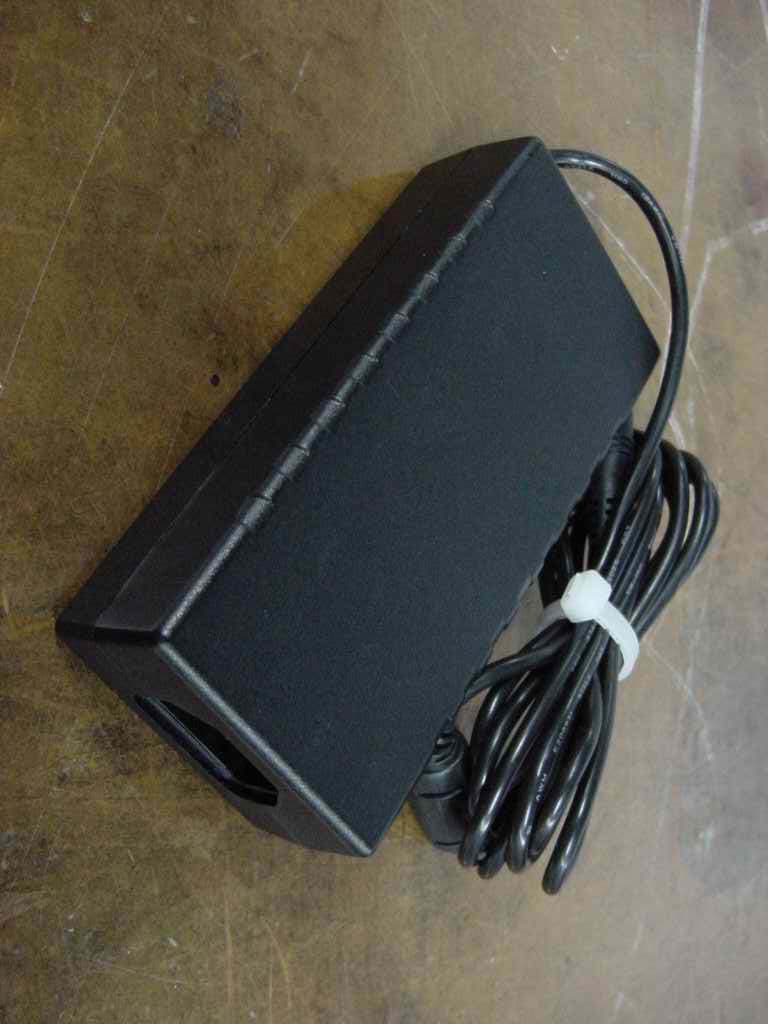
PPNBTH20050711
Sep 05, 2005Optical 1394B Repeater Module
Equipment Class
JBP - Part 15 Class B Computing Device Peripheral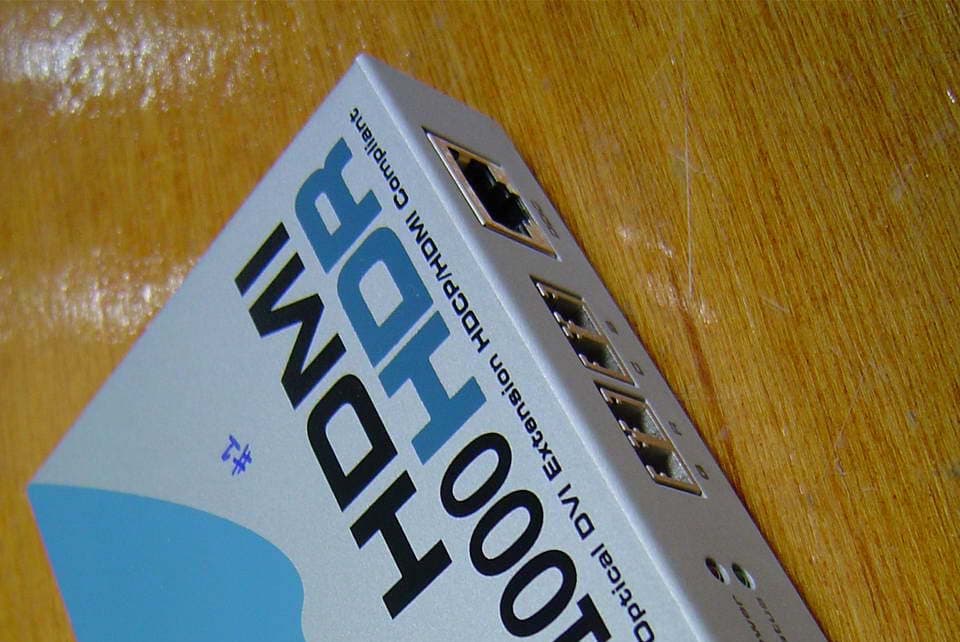
PPNCJH041102WS
Jan 31, 2005Optical Graphic Extension Module
Equipment Class
JBP - Part 15 Class B Computing Device Peripheral
PPNM2-100
Jun 25, 2001Optical USB Extension Module
Equipment Class
JBP - Part 15 Class B Computing Device Peripheral