PRDMPH0050708RF Laser Mouse
Acrox Technologies Co., Ltd.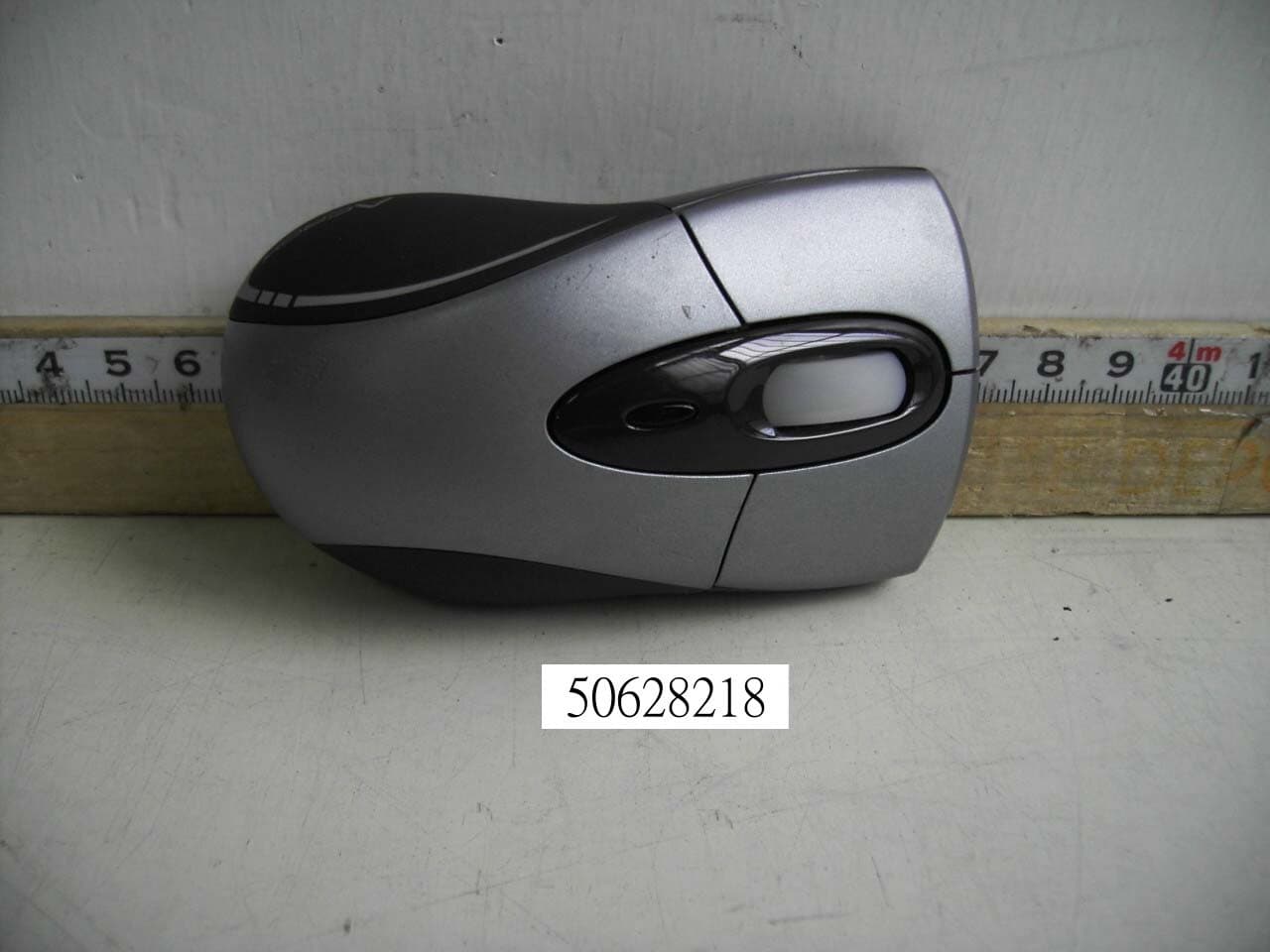
Click to zoom
Application Details
- Equipment Class
- DXX - Part 15 Low Power Communication Device Transmitter
- Date of Grant
- Aug 23, 2005
- Application Purpose
- Original Equipment
- Date of Application
- Aug 23, 2005
- Equipment Note
- RF Laser Mouse
- Frequency Range
- 27.04500000 - 27.19500000
- Company
- Acrox Technologies Co., Ltd.
- Country
- Taiwan
Documents & Files
Document Text
Text extracted from the exhibit documents filed with the FCC. Open a document above to read the original.
Users Manual
Mini RF Laser Mouse OWNER'S GUIDE CAUTION : To use this product properly, please read the user's guide before installation 1 Safety Notice 1. This product complies with IEC 60825-1, class 1 laser product. 2. Your product complies with FCC and CE rules. 3. This product has no serviceable parts. Use of controls or adjustments of procedures other than the user guide may result in dangerous. Welcome Your mouse uses a new generation technology – laser module that replaces the traditional LED mouse and provides amazing tracking ability. The laser module accurately scans the surface in 30 times sensitive of LED optical mouse. You can work with your mouse in most surfaces perfectly. The mouse uses the digital radio technology as a convenient wireless application. Especially combine with a rechargeable box for your mouse’s batteries; you can have the best compact solution to work with your notebook. CAUTION: Change or modifications not expressly approved by the manufacturer responsible for compliance could void the user's authority to operate the equipment 2 Installing the batteries Step 1 Press the tag on the bottom-end of mouse and pull the slide cover backward to remove the battery compartment cover. Step 2 Insert the batteries as shown inside the battery compartment. Step 3 Replace the cover. Install the Receiver and the recharger 3 Setup the connection Rf channel between the Mouse and the Receiver 1. Press the ID Switch button on the Mouse 2. Press the ID Switch button on the bottom of the Receiver If the mouse cursor does not move after 30 seconds, do above steps again. Caution: If you had completed the connection successfully, The LED on the receiver will be flash several times. If the ID Setting is not properly, please re set your ID again by following the above steps. Please re-setup the Rf channel since you replace batteries Pu sh 1 Pu sh 2 4 Using your mouse How to use the wheel Your mouse has a wheel that functions both as a wheel for Windows Scrolling and also as a customized button. It can be used as a standard mouse button, click (press down) the wheel. To Use the Middle Button, Directly Press down the Wheel. For scrolling the screen, simply move the wheel. Caution : It may interfere the optical sensor of the mouse, if your tabletop surface is in red color, transparent as glass or highly reflective like a mirror. Try to use a mouse pad or use your mouse on a different tabletop surface. ORANGE LED ON GREEN LED ON Charging batteries Finished charge / No batteries LED FLASH 0.5 sec. Regularly LED FLASH if any action LED ON SEARCHING the cha nnel Channel c onnec ted No a c tion 5 Troubleshooting Mouse does not work upon installation Try one or more of the following: z For optimal performance, place adjust the angle of the receiver to find the best performance. z Make sure you have installed the batteries correctly. z If you are working on a metallic surface, try using a mouse pad and turning the receiver on its side for better reception z Press the CONNECT button on the receiver, then press the Connect button on the mouse. Mouse not detected When using the mouse, it may not be detected by the computer, To remedy this problem, try the following z Make sure the receiver is plugged into the right mouse port. z Make sure your mouse port has the proper configuration. Refer to your computer documentation for the correct port configuration. z You may have other system devices (e.g. a LAN card) that conflict with your mouse. Check the IRQ/address settings of these devices for conflicts, and change the settings as required. 6 This device complies with part 15 of the FCC rules. Operation is subject to the following two conditions. 1) This device may not cause harmful interference, and 2) This device must accept any interference received, including interference that may cause undesired operation. Per FCC 15.21, you are cautioned that changes or modifications not expressly approved by the part responsible for compliance could void the user’s authority to operate the equipment. The Screen Cursors Does Not Move Properl y z Change the angle of your radio receiver,. Try adjusting the receiver and/o r mouse to improve reception. z Make sure that the battery low indicator is NOT lit on. Replace batteries if the low battery indicator is lit on. z You may also need to change the channel / ID for the mouse, Press the Connect button on the receiver, then press the Connect button on the mouse.
Cover Letter(s)
Date: August 18, 2005 Compliance Certification Services Certification Division 561F Monterey Road Morgan Hill, CA 95037 To whom it may concern: We, the undersigned, hereby authorize the Testing Division of Compliance Engineering Services, Inc., d.b.a. Compliance Certification Services and hereafter referred to as CCS, to act on our behalf in all manners relating to application for equipment authorization, including signing of all documents relating to these matters. Any and all acts carried out by CCS on our behalf shall have the same effect as acts of our own. We, the undersigned, hereby certify that we are not subject to a denial of federal benefits, that includes FCC benefits, pursuant to Section 5301 of the Anti-Drug Abuse Act of 1988, 21 U.S.C. 853(a). In authorizing CCS Testing Division as our agent, we still recognize that we are responsible to: a) comply with the relevant provisions of the certification program; b) make all necessary arrangements for the conduct of the evaluation, including provision for examining documentation and access to all areas, records (including internal audit reports) and personnel for the purposes of evaluation (e.g. testing, inspection, assessment, surveillance, reassessment) and resolution of complaints; c) make claims regarding certification only in respect of the scope for which certification has been granted; d) do not use our product certification in such a manner as to bring the Certification Division into disrepute and not make any statement regarding our product certification which the Certification Division may consider misleading or unauthorized; e) upon suspension or cancellation of certification, discontinue use of all advertising matter that contains any reference thereto and return any certification documents as required by the Certification Division; f) use certification only to indicate the products are certified as being in conformity with specified standards; g) endeavor to ensure that no certificate or report nor any part thereof is used in a misleading manner; h) ensure that any reference to our product certification in communication media such as documents, brochures or advertising, complies with the requirements of the Certification Division; i) keep a record of all complaints made known to the us relating to the product’s compliance with requirements of the relevant standard and to make these records available to the Certification Division when requested; j) take appropriate action with respect to such complaints and any deficiencies found in products or services that affect compliance with the requirements for certification; k) document the actions taken. This authorization is valid until further written notice from the applicant. Sincerely Yours, (Leo Chen / Manager) (Acrox Technologies Co.,Ltd.) REMARK: 1. This authorization letter will be sent along with your application when filing with the Certification Division. 2. Please follow the format and type it on company letterhead and send original to us.
External Photos
Compliance Certification Services Inc. Report No.: 50628218 Date of Issue: August 18, 2005 PHOTOGRAPHS OF EUT Page 1 Total Page: 3 Rev. 00
ID Label/Location Info
FCC ID LABEL FORMAT AND LOCATION Applicant: Acrox Technologies Co., Ltd. FCC ID: PRDMPH0050708 This device complies with part 15 of the FCC Rules. Operation is subject to the following two conditions: (1) This device may not cause harmful interference, and (2) this device must accept any interference received, including interference that may cause undesired operation. FCC ID: PRDMPH0050708 FCC ID LABEL AREA
Internal Photos
Compliance Certification Services Inc. Report No.: 50628218 Date of Issue: August 18, 2005 Page 2 Rev. 00 Compliance Certification Services Inc. Report No.: 50628218 Date of Issue: August 18, 2005 Page 3 Rev. 00
Operational Description
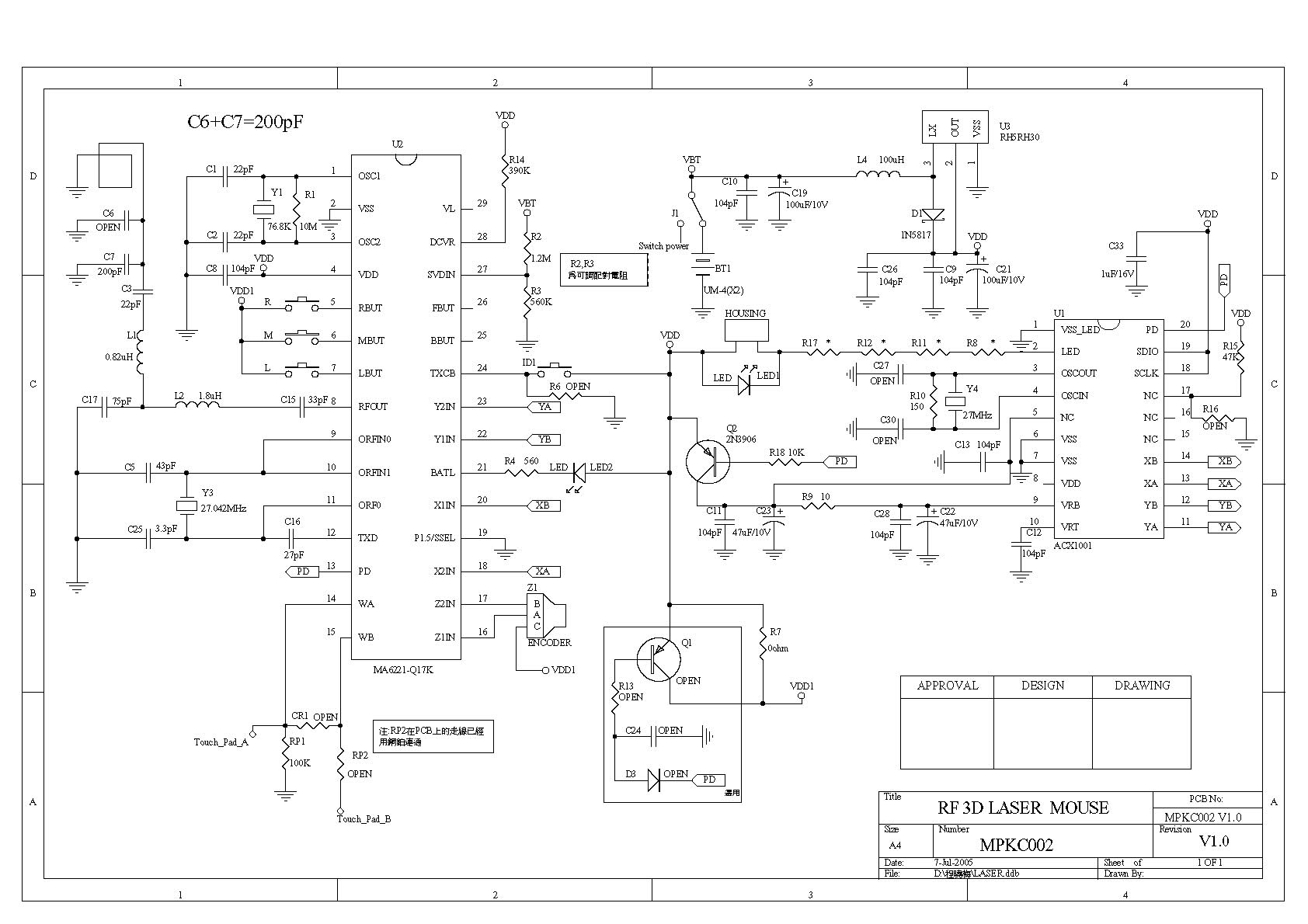
MPK Work Basis Mouse (optical): 1. When the mouse was moved, the optical sensor would detect the different between two points, and then sensor will send the signal to the MPK. 2. The MPK will encode the signal and modulate the signal that uses FSK modulation type). 3. Through the 27 MHz RF circuit transmit the modulation signal. Receiver: 1. When the receiver receives the modulation signal will demodulate signal through RF circuit. And responds signal to MPK. 2. The MPK meeting decodes the signal PC acceptable format. ps. FSK: Frequency Shift Key MPK: Micro Control Unit RF: Radio Frequency
Test Report
Compliance Certification Services Inc. Report No.: 50628218-RP1 FCC ID: PRDMPH0050708 Date of Issue: August 18, 2005 Page 1 Total Page: 18 Rev. 00 FCC CFR 47 PART 15 SUBPART C TEST REPORT For Acrox Technologies Co., Ltd. RF Laser Mouse Model: MPK; MPP Trade Name: Acrox Issued to Acrox Technologies Co., Ltd. 8F, No. 437, Rui Guang Rd., Nei Hu Dist., Taipei 114, Taiwan, R.O.C. Issued by Compliance Certification Services Inc. Hsintien Lab. No. 165, Chunghsen Road, Hsintien City Taipei Hsien, Taiwan TEL: (02) 2217-0894 FAX: (02) 2217-1029 Note: This report shall not be reproduced except in full, without the written approval of Compliance Certification Services Inc. This document may be altered or revised by Compliance Certification Services Inc. personnel only, and shall be noted in the revision section of the document. Compliance Certification Services Inc. Report No.: 50628218-RP1 FCC ID: PRDMPH0050708 Date of Issue: August 18, 2005 Page 2 Rev. 00 TABLE OF CONTENTS 1. TEST RESULT CERTIFICATION ................................................................................ 3 2. EUT DESCRIPTION ........................................................................................................ 4 3. TEST METHODOLOGY ................................................................................................. 5 3.1 EUT CONFIGURATION ........................................................................................... 5 3.2 EUT EXERCISE......................................................................................................... 5 3.3 GENERAL TEST PROCEDURES ............................................................................ 5 3.4 FCC PART 15.205 RESTRICTED BANDS OF OPERATIONS .............................. 6 3.5 DESCRIPTION OF TEST MODES........................................................................... 6 4. INSTRUMENT CALIBRATION .................................................................................... 7 5. FACILITIES AND ACCREDITATIONS....................................................................... 7 5.1 FACILITIES ............................................................................................................... 7 5.2 EQUIPMENT ............................................................................................................. 7 5.3 LABORATORY ACCREDITATIONS AND LISTINGS ......................................... 7 5.4 TABLE PF ACCREDITATIONS AND LISTINGS .................................................. 8 6. SETUP OF EQUIPMENT UNDER TEST...................................................................... 9 6.1 SETUP CONFIGURATION OF EUT ....................................................................... 9 6.2 SUPPORT EQUIPMENT........................................................................................... 9 7. FCC PART 15.227 REQUIREMENTS ......................................................................... 10 7.1 26 DB BANDWIDTH .............................................................................................. 10 7.2 RADIATED EMISSIONS ........................................................................................ 12 7.3 POWERLINE CONDUCTED EMISSIONS............................................................ 17 APPENDIX 1 - PHOTOGRAPHS OF TEST SETUP ....................................................... 18 Compliance Certification Services Inc. Report No.: 50628218-RP1 FCC ID: PRDMPH0050708 Date of Issue: August 18, 2005 Page 3 Rev. 00 1. TEST RESULT CERTIFICATION Applicant: Acrox Technologies Co., Ltd. 8F, No. 437, Rui Guang Rd., Nei Hu Dist., Taipei 114, Taiwan, R.O.C. Equipment Under Test: RF Laser Mouse Trade Name: Acrox Model: MPK; MPP Model Difference: N/A Report Number: 50628218-RP1 Date of Test: July 05, 2005 ~ July 20, 2005 APPLICABLE STANDARDS STANDARD TEST RESULT FCC Part 15 Subpart C No non-compliance noted The above equipment was tested by Compliance Certification Services Inc. The test data, data evaluation, test procedures, and equipment configurations shown in this report were made in accordance with the procedures given in ANSI C63.4 (2003) and the energy emitted by the sample EUT tested as described in this report is in compliance with conducted and radiated emission limits of FCC Rules Part 15.227. The test results of this report relate only to the tested sample identified in this report. Approved by: Reviewed by: Compliance Certification Services Inc. Report No.: 50628218-RP1 FCC ID: PRDMPH0050708 Date of Issue: August 18, 2005 Page 4 Rev. 00 2. EUT DESCRIPTION Product RF Laser Mouse Trade Name Acrox Model MPK; MPP Power Supply 3VDC From Battery AA size X 2 pcs. Operate Frequency 27.045MHz; 27.195MHz Transmit Power N/A Modulation Technique Frequency Shift Keying (FSK) Number of Channels 2 Channels Operating Mode Point-to-Point Antenna Designation Internal loop, which is built in EUT Note: The product is a composite system which includes Transmitter and Receiver. This submittal(s) (test report) is intended for FCC ID: PRDMPK0050708 filing to comply with Section 15.227 of the FCC Part 15 Subpart C Rules. The composite system (digital device) is compliance with Subpart B is authorized under a DoC procedure. MODEL DIFFERENCE Model Number Difference Test (check) Original MPK Additional MPP The difference of models is marketing purposes only. Note: Client consigns only one model sample (Model Number is MR6) to test. Compliance Certification Services Inc. Report No.: 50628218-RP1 FCC ID: PRDMPH0050708 Date of Issue: August 18, 2005 Page 5 Rev. 00 3. TEST METHODOLOGY The tests documented in this report were performed in accordance with ANSI C63.4 and FCC CFR 47 Part 15 Subpart C. 3.1 EUT CONFIGURATION The EUT configuration for testing is installed on RF field strength measurement to meet the Commissions requirement and operating in a manner that intends to maximize its emission characteristics in a continuous normal application. 3.2 EUT EXERCISE The cal…
Text truncated - open the document above for the full version.
Test Setup Photos
Compliance Certification Services Inc. Report No.: 50628218-RP1 FCC ID: PRDMPH0050708 Date of Issue: August 18, 2005 Page 18 Rev. 00 APPENDIX 1 - PHOTOGRAPHS OF TEST SETUP
Contact Information
Applicant
Gavin Hsieh(Product Manager)
Test Firm
Compliance Certification Services Inc.Kurt Chen
Technical Specifications
| # | Rule Parts | Frequency Range | Power Output |
|---|---|---|---|
| 1 | 15C | 27.045 MHz - 27.195 MHz | - |
Other Applications from Acrox Technologies Co., Ltd.

PRDRX12
May 27, 2026Wireless Receiver
Equipment Class
DXX - Part 15 Low Power Communication Device Transmitter
PRDRX11
Apr 07, 2026Wireless Receiver
Equipment Class
DXX - Part 15 Low Power Communication Device Transmitter
PRDKB72
Apr 03, 2026WIRELESS SPLIT KEY ERGONOMIC KEYBOARD
Equipment Class
DTS - Digital Transmission System
PRDRX1P
Apr 03, 2026Wireless Receiver
Equipment Class
DXX - Part 15 Low Power Communication Device Transmitter
PRDKB73
Apr 03, 2026Gaming Keyboard
Equipment Class
DTS - Digital Transmission System