PRDMS80051025CORDLESS 3D MINI OPTICAL MOUSE
Acrox Technologies Co., Ltd.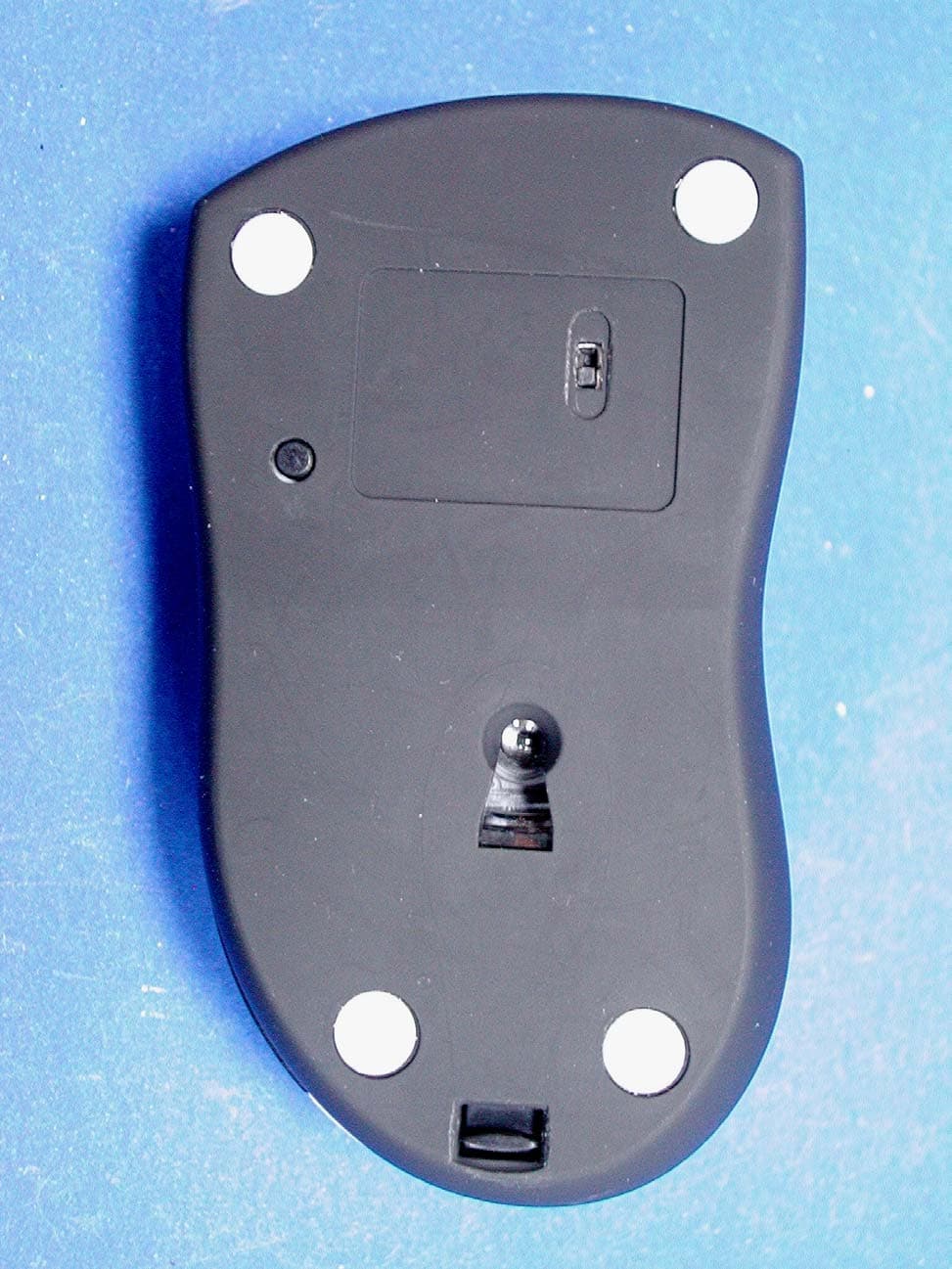
Click to zoom
Application Details
- Equipment Class
- DXX - Part 15 Low Power Communication Device Transmitter
- Date of Grant
- Oct 30, 2005
- Application Purpose
- Original Equipment
- Date of Application
- Oct 30, 2005
- Equipment Note
- CORDLESS 3D MINI OPTICAL MOUSE
- Frequency Range
- 27.04500000 - 27.19500000
- Company
- Acrox Technologies Co., Ltd.
- Country
- Taiwan
Documents & Files
Document Text
Text extracted from the exhibit documents filed with the FCC. Open a document above to read the original.
Users Manual
Mini 3D RF Optical Mouse (MS8+MR3) OWNER'S GUIDE CAUTION : To use this product properly, please read the user's guide before installation Welcome The mini Rf optical mouse uses the digital radio technology as a convenient wireless application. It combines a newly developed optical sensor that replaces the traditional mouse ball and improves your working efficiency. However, the compact receiver and the wireless mouse provide you the best way to work with your notebook. 1 Federal Communications Commission (FCC) Notice This device complies with Part 15 of the FCC rules. Operation is subject to the following two conditions (1) This device may not cause harmful interference, and (2) This device must accept any interference received, including interference that may cause undesired operation. This equipment has been tested and found to comply with the limits of a Class B digital device, pursuant to Part 15 of the FCC Rules These limits are designed to provide reasonable protection against harmful interference in a residential installation This equipment generates, uses and can radiate radio frequenc y energy and, if not installed and used in accordance with the instructions, may cause harmful interference to radio communications, However, there is no guarantee that interference will not occur in particular installations If this equipment does cause harmful interference to radio or television reception, which can be determined by turning the equipment off and on, the user is encouraged to try to correct the interference by one or more of the following measures : 1. Reorient / Relocate the receiving antenna. 2. Increase the distance between the mouse and receiver. 3. Connect the equipment into an outlet on a circuit different from that the receiver is connected. 4. Consult the dealer or an experienced radio /TV technician for help CAUTION: Change or modifications not expressly approved by the manufacturer responsible for compliance could void the user's authority to operate the equipment Installing the batteries Step 1 Press the tag on the bottom-end of mouse and pull the slide cover backward to remove the battery compartment cover. Step 2 Insert the batteries as shown inside the battery compartment. Step 3 Replace the cover. Install the Receiver The Cordless Mouse uses digital radio technology Communication between the mouse and your computer is achieved with great reliability using radio waves.The cordless mouse do not have bulky cables that can get in the way, the mouse emit radio frequencies as a means of communicating, which is picked up by the receiver and passed onto you r computer. The receiver is connected to your computer directly. And it plugs into your computer's USB port 2 Setup the connection Rf channel between the Mouse and the Receiver 1. Press the ID Switch button on the Mouse 2. Press the ID Switch button on the bottom of the Receiver If the mouse cursor does not move after 30 seconds, do above steps again. Push 1 Push 2 Caution: If you had completed the connection successfully, The LED on the receiver will be flash several times. If the ID Setting is not properly, please re set your ID again by following the above steps. Please re-setup the Rf channel since you replace batteries 3 LED FLASH 0.5 sec. Regularly LED FLASH if any action LED ON SEARCHING the channel Channel connected No action Using your mouse How to use the wheel Your mouse has a wheel that functions both as a wheel for Windows Scrolling and also as a customized button. It can be used as a standard mouse button, click (press down) the wheel. To Use the Middle Button, Directly Press down the Wheel. For scrolling the screen, simply move the wheel. Caution: It may interfere the optical sensor of the mouse, if your tabletop surface is in red color, transparent as glass or highly reflective like a mirror. Try to use a mouse pad or use your mouse on a different tabletop surface. 4 Utility The Mouse Utility provides you an easy way to customize the mouse operations. It will load into your system automatically after finishing the driver Installation. Double click the mouse icon on the right-bottom corner of the Windows screen for utility setting up. 5 hoose the “ Universal Scroll Wheel Setting: 1. Choose “ System Default Mode “ to be compatible with Intelli-Mouse functions. 2. Choose “ Enhance Scroll Mode “ to support the new useful functions of 8D Scroll Ball Mouse. Button Setting: You can set the button 3~5 by selecting the functions you want in the task. And the functions you can select are including the system frequently functions and special powerful functions as below: Universal Scroll Provide the scrolling movement by mouse scroll button. C “ to adjust the horizontal and Vertical Movement speed by “ Slow-Fast bar “ on the window. Zoom It allow you to a certain pan area by input the numbers in “ Zoomed Size “ from 2 X 2 to 64 X 48 . And, enlarge the content of the pan area by inputting the factor number from2 to 8 times to” Zoom Factor “. Application Switching Choose this function for easy-to-do application change by clicking scroll button. Launch Default Browser Mark this function to get the path to access the IE and Netscape application by pressing the scroll button. Launch Default E-Mail Mark this function to get the path to access the E-Mail application by pressing the scroll button. 6 Auto Scroll Give a fixed movement speed for horizontal and Vertical scrolling. Control (Office Zoom) As holding the “Ctrl“ Key of the keyboard by pressing down the scroll button. Shift As holding the “Shift“ Key of the keyboard by pressing down the scroll button. Switch to Horizontal Wheel Choose to change the Vertical Scrolling wheel mode to Horizontal Scroll mode by each pressing down the scroll button. IE Switching Backward Choose to replace the “ Back “ function by each pressing down the scroll button. Forward Choose to replace the “ Forward “ function by each pressing down the scroll button. K.B. Simulation Choose to simulate…
Text truncated - open the document above for the full version.
Cover Letter(s)
東莞旺宏科技有限公司 Request for Confidentiality Federal Communications Commission Authorization and Evaluation Division Subject: : Confidentiality Request regarding application for certification of FCC ID: PRDMS80051025 Dear Madam or Sir: Pursuant to Sections 0.457 and 0.459 of the Commission’s Rules, we hereby request confidential treatment of information accompanying this application as outlined below: z Schematics z Part list z Block diagram z Operational description The above materials contain trade secrets and proprietary information not customarily released to the public. The public disclosure of these materials may be harmful to the applicant and provide unjustified benefits to its competitors. The applicant understands that pursuant to Section 0.457 of the Rules, disclosure of this application and all accompanying documentation will not be made before the date of the Grant for this application. Pursuant to DA 04-1705 June 15, 2004 of the Commission’s public notice, we also request temporary confidential treatment of information accompanying this application as outlined below: z External Photos z Internal Photos z Test Setup Photos z User’s Manual Sincerely, Phoenix Chen / Acrox Technologies Co., Ltd
External Photos
External Photos of Cordless 3D Mini Optical Mouse --------------------------- 1/ 6 Applicant: Acrox Technologies Co., Ltd. FCC ID: PRDMS80051025 IC: 6180A- MS81025 Training Research Co., Ltd., TEL: 886-2-26935155, Fax: 886-2-26934440 External Photos of Cordless 3D Mini Optical Mouse --------------------------- 2/ 6 Applicant: Acrox Technologies Co., Ltd. FCC ID: PRDMS80051025 IC: 6180A- MS81025 Training Research Co., Ltd., TEL: 886-2-26935155, Fax: 886-2-26934440 External Photos of Cordless 3D Mini Optical Mouse --------------------------- 3/ 6 Applicant: Acrox Technologies Co., Ltd. FCC ID: PRDMS80051025 IC: 6180A- MS81025 Training Research Co., Ltd., TEL: 886-2-26935155, Fax: 886-2-26934440
ID Label/Location Info
LABEL Sample and Location information ----------------------------------------- 2/2 Applicant: Acrox Technologies Co., Ltd. FCC ID: PRDMS80051025 IC: 6180A- MS81025 Training Research Co., Ltd., TEL: 886-2-26935155, Fax: 886-2-26934440 LABEL Position: L A B E L
ID Label/Location Info
LABEL Sample and Location information ----------------------------------------- 1/2 Applicant: Acrox Technologies Co., Ltd. FCC ID: PRDMS80051025 IC: 6180A- MS81025 Training Research Co., Ltd., TEL: 886-2-26935155, Fax: 886-2-26934440 LABEL Format: LABEL Size: 28 x 20 mm FCC ID: PRDMS80051025 IC: 6180A-MS81025
Internal Photos
Internal Photos of Cordless 3D Mini Optical Mouse ---------------------------- 4/ 6 Applicant: Acrox Technologies Co., Ltd. FCC ID: PRDMS80051025 IC: 6180A- MS81025 Training Research Co., Ltd., TEL: 886-2-26935155, Fax: 886-2-26934440 Internal Photos of Cordless 3D Mini Optical Mouse ---------------------------- 5/ 6 Applicant: Acrox Technologies Co., Ltd. FCC ID: PRDMS80051025 IC: 6180A- MS81025 Training Research Co., Ltd., TEL: 886-2-26935155, Fax: 886-2-26934440 Internal Photos of Cordless 3D Mini Optical Mouse ---------------------------- 6/ 6 Applicant: Acrox Technologies Co., Ltd. FCC ID: PRDMS80051025 IC: 6180A- MS81025 Training Research Co., Ltd., TEL: 886-2-26935155, Fax: 886-2-26934440
Test Report
Test Report ------------------------------------------------------------------------------- 1/16 Report No.: A8515050768, FCC Part 15.227 Training Research Co., Ltd. TEL:886-2-26935155, Fax:886-2-26934440 MEASUREMENT REPORT of 27MHz Wireless Optical Mouse Applicant : Acrox Technologies Co., Ltd. FCC ID : PRDMS80051025 Model : MS8 Test by : Training Research Co., Ltd. TEL : 886-2-26935155 FAX : 886-2-26934440 No. 255, Nan-yang Street, Shijr, Taipei Hsien 221, Taiwan Test Report ------------------------------------------------------------------------------- 2/16 Report No.: A8515050768, FCC Part 15.227 Training Research Co., Ltd. TEL:886-2-26935155, Fax:886-2-26934440 CERTIFICATION We here by verify that: The test data, data evaluation, test procedures and equipment configurations shown in this report were made mainly in accordance with the procedures given in ANSI C63.4 (2003) as a reference. All tests were conducted by Training Research Co., Ltd., No. 255, Nan-yang Street, Shijr, Taipei Hsien 221, Taiwan. Also, we attest to the accuracy of each. We further submit that the energy emitted by the sample EUT tested as described in the report is in compliance with the technical requirements set forth in the FCC Rules Part 15 Subpart C Section 15.227. Applicant : Acrox Technologies Co., Ltd. Applicant address : 8F, No. 437, Rui Guang Road, Nei Hu District, Taipei 114, Taiwan Report No. : A8515050768 Test Date : October 24, 2005 Prepared by: Approved by: Jack Tsai Frank Tsai Conditions of issue : (1) This test report shall not be reproduced except in full, without written approval of TRC. And the test result contained within this report only relate to the sample submitted for testing. (2) This report must not be used by the client to claim product endorsement by NVLAP or any agency of U.S. Government. (3) This test report, measurements made by TRC are traceable to the NIST only Conducted and Radiated Method. NVLAP LAB CODE: 200174-0 Test Report ------------------------------------------------------------------------------- 3/16 Report No.: A8515050768, FCC Part 15.227 Training Research Co., Ltd. TEL:886-2-26935155, Fax:886-2-26934440 Tables of Contents CHAPTER 1 GENERAL........................................................................................... 4 1.1 INTRODUCTION...........................................................................................4 1.2 DESCRIPTION OF EUT.................................................................................4 1.3 TEST METHOD.............................................................................................4 1.4 DESCRIPTION OF SUPPORT EQUIPMENT......................................................4 1.5 TEST PROCEDURE.......................................................................................5 1.6 LOCATION OF THE TEST SITE......................................................................5 1.7 GENERAL TEST CONDITION........................................................................5 CHAPTER 2 CONDUCTED EMISSIONS MEASUREMENTS....................................... 6 2.1 TEST CONDITION & SETUP.........................................................................6 2.2 LIST OF TEST INSTRUMENTS.......................................................................6 2.3 TEST RESULT OF CONDUCTED EMISSIONS..................................................6 CHAPTER 3 RADIATED EMISSION MEASUREMENTS............................................ 7 3.1 HARMONIC AND SPURIOUS EMISSION.........................................................7 3.1.1 Test Condition and Setup...............................................................7 3.1.2 List of Test Instruments .................................................................8 3.1.3 Configuration of System Under Test .............................................9 3.1.4 Test Result of Harmonic and Spurious Emission ........................10 3.2 PEAK POWER MEASUREMENT OF FUNDAMENTAL FREQUENCY................12 3.2.1 Test Condition and Setup.............................................................12 3.2.2 List of Test Instruments ...............................................................12 3.2.3 Configuration of System Under Test ...........................................13 3.2.4 Test Result of Fundamental Emission .........................................14 3.3 TEST RESULT OF THE BANDEDGE.............................................................16 Test Report ------------------------------------------------------------------------------- 4/16 Report No.: A8515050768, FCC Part 15.227 Training Research Co., Ltd. TEL:886-2-26935155, Fax:886-2-26934440 Chapter 1 General 1.1 Introduction The following measurement report is submitted on behalf of Applicant in support of a RF mouse certification in accordance with Part 2 Subpart J and Part 15 Subpart C of the Commission's Rules and Regulations. 1.2 Description of EUT Product Name : Cordless 3D Mini Optical Mouse Model : MS8 Frequency Range : 26.96MHz ~ 27.28MHz Operating Frequency : CH1 27.045MHz, CH2 27.195MHz Modulation Skill : FSK Power Type : Powered by 1.5V batteries (SIZE AAA*2) 1.3 Test method All measurements contained in this report were performed according to the techniques described in Measurement procedure ANSI C63.4 – 2003. Pretest was found that the emission of operating mode is worse than standby mode. So, the final test is made at the operating mode (transmitted). The EUT set in 27.045MHz, 27.195MHz continuously transmitting mode, which transmitted the maximum emission. The test placement as the photographs showed is the worst case emission placed. (If the emission is close to the ambient, the resolution BW and view resolution will be reduced and the data will be recorded by detection of maximum hold peak mode.) 1.4 Description of Support Equipment No support equipment: The EUT itself forms a system. No support equipment is requited for its normal operation Test Report ------------------------…
Text truncated - open the document above for the full version.
Test Setup Photos
Test Setup Photos ------------------------------------------------------------------------- 1/1 Applicant: Acrox Technologies Co., Ltd. FCC ID: PRDMS80051025 IC: 6180A- MS81025 Training Research Co., Ltd., TEL: 886-2-26935155, Fax: 886-2-26934440 Radiated Test Setup Placement: (Intentional test) Front View of the Test Configuration Rear View of the Test Configuration
Contact Information
Applicant
Gavin Hsieh(Product Manager)
Test Firm
Training Research Co., Ltd.Jack Tsai
Technical Specifications
| # | Rule Parts | Frequency Range | Power Output |
|---|---|---|---|
| 1 | 15C | 27.045 MHz - 27.195 MHz | - |
Other Applications from Acrox Technologies Co., Ltd.

PRDRX12
May 27, 2026Wireless Receiver
Equipment Class
DXX - Part 15 Low Power Communication Device Transmitter
PRDRX11
Apr 07, 2026Wireless Receiver
Equipment Class
DXX - Part 15 Low Power Communication Device Transmitter
PRDKB72
Apr 03, 2026WIRELESS SPLIT KEY ERGONOMIC KEYBOARD
Equipment Class
DTS - Digital Transmission System
PRDRX1P
Apr 03, 2026Wireless Receiver
Equipment Class
DXX - Part 15 Low Power Communication Device Transmitter
PRDKB73
Apr 03, 2026Gaming Keyboard
Equipment Class
DTS - Digital Transmission System