PRDMU18Bluetooth Mouse
Acrox Technologies Co., Ltd.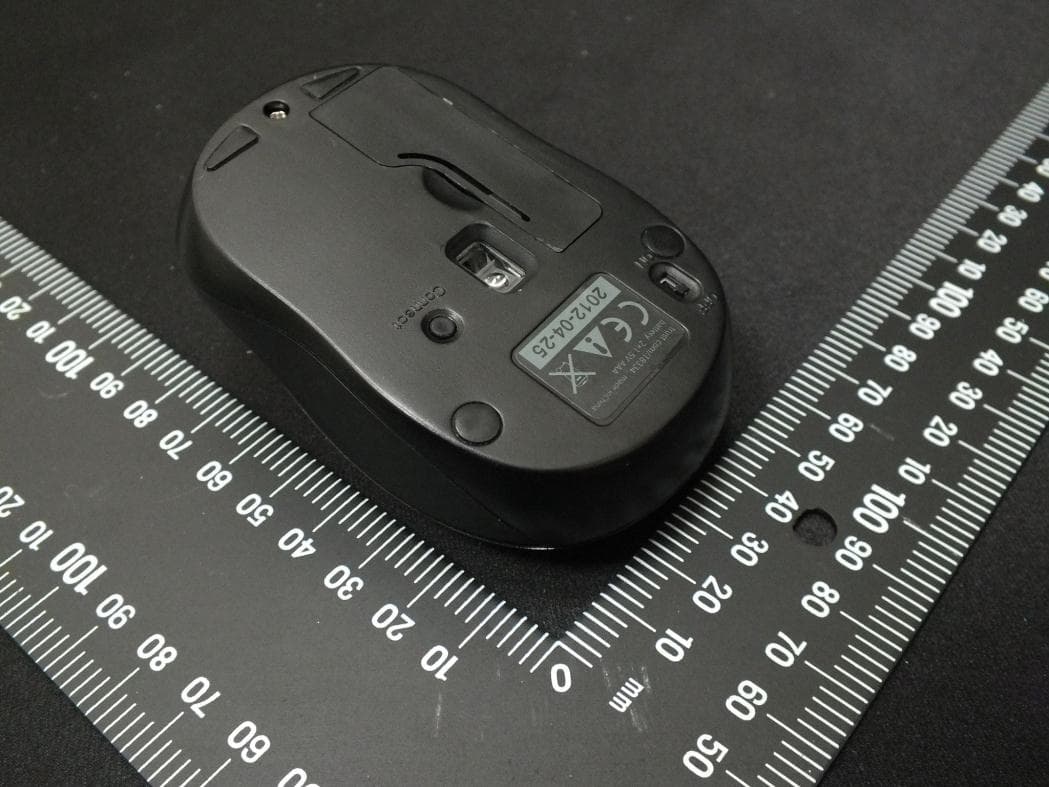
Click to zoom
Application Details
- Equipment Class
- DSS - Part 15 Spread Spectrum Transmitter
- Date of Grant
- Apr 02, 2013
- Application Purpose
- Original Equipment
- Date of Application
- Apr 02, 2013
- Equipment Note
- Bluetooth Mouse
- Frequency Range
- 2402.00000000 - 2480.00000000
- Company
- Acrox Technologies Co., Ltd.
- Country
- Taiwan
Documents & Files
Document Text
Text extracted from the exhibit documents filed with the FCC. Open a document above to read the original.
Users Manual
BK4 Bluetooth Mouse OWNER'S GUIDE Ver.1.0 CAUTION: To use this product properly, please read the user's guide before installing. 1 Federal Communication Commission Interference Statement This equipment has been tested and found to comply with the limits for a Class B digital device, pursuant to Part 15 of the FCC Rules. These limits are designed to provide reasonable protection against harmful interference in a residential installation. This equipment generates, uses and can radiate radio frequency energy and, if not installed and used in accordance with the instructions, may cause harmful interference to radio communications. However, there is no guarantee that interference will not occur in a particular installation. If this equipment does cause harmful interference to radio or television reception, which can be determined by turning the equipment off and on, the user is encouraged to try to correct the interference by one of the following measures: - Reorient or relocate the receiving antenna. - Increase the separation between the equipment and receiver. - Connect the equipment into an outlet on a circuit different from that to which the receiver is connected. - Consult the dealer or an experienced radio/TV technician for help. FCC Caution: Any changes or modifications not expressly approved by the party responsible for compliance could void the user's authority to operate this equipment. This device complies with Part 15 of the FCC Rules. Operation is subject to the following two conditions: (1) This device may not cause harmful interference, and (2) this device must accept any interference received, including interference that may cause undesired operation. 2 Functional Introduction Scrolling Wheel Connect Button OFF/ON Switch Battery Cover Right button Left button LED indicator *Mouse Indicator Red LED Blinking Low battery Warning in working mode, LED will be off after 10 sec when mouse inactivity. Power ON Red LED is on for 10 sec. Red LED Blinking LED will be light blinking during paring and mouse didn’t work, and light off when paired or if it failed to pair after 3 mins 3 Battery and Power Management: Step 1: Take the battery cover off. Step 2: Insert the battery as shown inside the battery compartment. Step 3: Replace the cover. **Warning: *Please insert the battery with the correct position according to the instruction labeled on the mouse. Power saving features: To conserve the battery power, the mouse offers power management functions as below: 1. The mouse goes into “Saving Mode” after inactivity. 2. The mouse powers down to “Sleeping Mode” after 5 minutes of Inactivity. There may be a slight delay while the mouse re-establishes Bluetooth connection from power saving or sleeping mode. Establishing a Bluetooth Connection The Bluetooth mouse can work in any Bluetooth environment. Before connecting your Bluetooth mouse with your computer, make sure your computer has a working Bluetooth configuration with Human Interface AAA Battery Pull 1st 2nd 4 Device (HID) profile. If your computer does not support Bluetooth, you need to obtain and install a commercially available Bluetooth dongle which converts your computer to a Bluetooth environment. Troubleshooting A. Mouse does not work upon installation or is not detected Try one or more of the following: Make sure the batteries are installed correctly and turn the switch on. Replace a fresh set of batteries if it still does not work. Verify that the computer is Bluetooth enabled. Press the connection button to reset the Bluetooth connection between your mouse and your computer. Make sure it has been detected by the Operating Systems properly. B. The screen cursor does not move properly If your screen cursor lags behind the movement, then your Bluetooth connection may not be able to transmit all of the data from the mouse with the necessary speed. This may be caused by interference from other radio sources, obstructions in the radio wave path, excessive distance from the computer, or a combination of the above. ※ Try the following actions to improve your Bluetooth connection and optimize your mouse performance: Remove any metallic objects from the line of sight between your computer and the Bluetooth mouse. If you are using a computer with a built-in Bluetooth antenna, try reorienting the computer until you get a better data rate. If you are using a Bluetooth dongle, use a USB extension cable and place the Bluetooth dongle onto your desktop or somewhere in sight of your Bluetooth mouse. Move the mouse closer to your Bluetooth dongle. Turn off the mouse and turn it on again for better connection. Disconnect any Bluetooth audio devices, such as headsets, that may be 5 connected to your computer. Switch off any other devices operating in the 2.4 GHz radio spectrum, such as Wi-Fi network, mobile telephones, etc., or move their antennas further away from your computer.
External Photos
FCC Test Report Report No. : EP320502 SPORTON International Inc. Page No. : B1 of B7 TEL : 886-3-327-3456 Issued Date : Mar. 06, 2013 FAX : 886-3-327-0973 Appendix B. Photographs of EUT
ID Label/Location Info
FCC ID:PRDMU18
ID Label/Location Info
Label Location
Internal Photos
FCC Test Report Report No. : EP320502 SPORTON International Inc. Page No. : B2 of B7 TEL : 886-3-327-3456 Issued Date : Mar. 06, 2013 FAX : 886-3-327-0973 FCC Test Report Report No. : EP320502 SPORTON International Inc. Page No. : B3 of B7 TEL : 886-3-327-3456 Issued Date : Mar. 06, 2013 FAX : 886-3-327-0973 FCC Test Report Report No. : EP320502 SPORTON International Inc. Page No. : B4 of B7 TEL : 886-3-327-3456 Issued Date : Mar. 06, 2013 FAX : 886-3-327-0973 FCC Test Report Report No. : EP320502 SPORTON International Inc. Page No. : B5 of B7 TEL : 886-3-327-3456 Issued Date : Mar. 06, 2013 FAX : 886-3-327-0973 FCC Test Report Report No. : EP320502 SPORTON International Inc. Page No. : B6 of B7 TEL : 886-3-327-3456 Issued Date : Mar. 06, 2013 FAX : 886-3-327-0973 FCC Test Report Report No. : EP320502 SPORTON International Inc. Page No. : B7 of B7 TEL : 886-3-327-3456 Issued Date : Mar. 06, 2013 FAX : 886-3-327-0973
Test Report
FCC Test Report Report No. : FR320502 SPORTON INTERNATIONAL INC. Page No. : 2 of 36 TEL : 886-3-327-3456 Report Version : Rev. 01 FAX : 886-3-327-0973 Table of Contents 1 GENERAL DESCRIPTION .................................................................................................................... 5 1.1 Information .............................................................................................................................................. 5 1.2 Accessories ............................................................................................................................................ 6 1.3 Support Equipment ................................................................................................................................. 6 1.4 Testing Applied Standards ..................................................................................................................... 6 1.5 Testing Location Information .................................................................................................................. 7 1.6 Measurement Uncertainty ...................................................................................................................... 7 2 TEST CONFIGURATION OF EUT......................................................................................................... 8 2.1 The Worst Case Modulation Configuration ............................................................................................ 8 2.2 Test Channel Frequencies Configuration ............................................................................................... 8 2.3 The Worst Case Power Setting Parameter ............................................................................................ 8 2.4 The Worst Case Measurement Configuration ........................................................................................ 9 2.5 Test Setup Diagram ............................................................................................................................. 11 3 TRANSMITTER TEST RESULT .......................................................................................................... 12 3.1 AC Power-line Conducted Emissions .................................................................................................. 12 3.2 20dB Bandwidth and Carrier Frequency Separation............................................................................ 13 3.3 Number of Hopping Frequencies ......................................................................................................... 15 3.4 Time of Occupancy (Dwell Time) ......................................................................................................... 17 3.5 RF Output Power .................................................................................................................................. 19 3.6 Transmitter Radiated Bandedge Emissions ......................................................................................... 21 3.7 Transmitter Radiated Unwanted Emissions ......................................................................................... 24 4 TEST EQUIPMENT AND CALIBRATION DATA ................................................................................ 35 APPENDIX A. TEST PHOTOS ....................................................................................................................... A1 APPENDIX B. PHOTOGRAPHS OF EUT ...................................................................................................... B1 FCC Test Report Report No. : FR320502 SPORTON INTERNATIONAL INC. Page No. : 3 of 36 TEL : 886-3-327-3456 Report Version : Rev. 01 FAX : 886-3-327-0973 Summary of Test Result Conformance Test Specifications Report Clause Ref. Std. Clause Description Measured Limit Result 1.1.2 15.203 Antenna Requirement Antenna connector mechanism complied FCC 15.203 Complied 3.1 15.207 AC Power-line Conducted Emissions The EUT consumes DC power. Not applicable for this test. FCC 15.207 N/A 3.2 15.247(a) 20dB Bandwidth 1.120 MHz N/A Complied 3.2 15.247(a) Carrier Frequency Separation (ChS) 1.000 MHz ChS ≥ 20 dB BW x 2/3. Complied 3.3 15.247(a) Number of Hopping Frequencies (N) Max: 79 Min: 75 N ≥ 15 Complied 3.4 15.247(a) Time of Occupancy (Dwell Time) 0.3185 sec 0.4 s within 0.4 x N Complied 3.5 15.247(b) RF Output Power (that Maximum Peak Conducted Output Power) Power [dBm] Basic: 1.41 Power [dBm] Basic: 21 EDR: 21 LE: 30 Complied 3.6 15.247(c) Transmitter Radiated Bandedge Emissions Non-Restricted Bands: 2500.12MHz: 55.12dB Restricted Bands [dBuV/m at 3m]: 2390MHz 44.54 (Margin 29.46dB) - PK 31.60 (Margin 22.40dB) - AV Non-Restricted Bands: > 20 dBc Restricted Bands: FCC 15.209 Complied 3.7 15.247(c) Transmitter Radiated Unwanted Emissions Restricted Bands [dBuV/m at 3m]: 2491MHz 52.70 (Margin 1.30dB) - AV Non-Restricted Bands: > 20 dBc Restricted Bands: FCC 15.209 Complied FCC Test Report Report No. : FR320502 SPORTON INTERNATIONAL INC. Page No. : 4 of 36 TEL : 886-3-327-3456 Report Version : Rev. 01 FAX : 886-3-327-0973 Revision History Report No. Version Description Issued Date FR320502 Rev. 01 Initial issue of report Mar. 06, 2013 2500-2690 FCC Test Report Report No. : FR320502 SPORTON INTERNATIONAL INC. Page No. : 5 of 36 TEL : 886-3-327-3456 Report Version : Rev. 01 FAX : 886-3-327-0973 1 General Description 1.1 Information 1.1.1 RF General Information RF General Information Frequency Range (MHz) Bluetooth Version Ch. Frequency (MHz) Channel Number RF Output Power (dBm) 2400-2483.5 v3.0 Basic 2402-2480 0-78 [79] 1.41 Note 1: Bluetooth uses GFSK (1Mbps) modulation for FHSS modulation. Note 2: RF output power specifies that Maximum Peak Conducted Output Power. 1.1.2 Antenna Information Antenna Category Equipment placed on the market without antennas Integral antenna (antenna permanently attached) Temporary RF connector provided No temporary RF connector provided Tran…
Text truncated - open the document above for the full version.
Test Setup Photos
Test Photos Report No. : FR320502 SPORTON INTERNATIONAL INC. Page No. : A1 of A2 TEL : 886-3-327-3456 Report Version : Rev. 01 FAX : 886-3-327-0973 Appendix A. TEST PHOTOS 1 Photographs of Radiated Emissions Test Configuration For radiated emission below 1GHz FRONT VIEW REAR VIEW Test Photos Report No. : FR320502 SPORTON INTERNATIONAL INC. Page No. : A2 of A2 TEL : 886-3-327-3456 Report Version : Rev. 01 FAX : 886-3-327-0973 For radiated emission above 1GHz FRONT VIEW REAR VIEW
Contact Information
Applicant
Gavin Hsieh(Product Manager)
Test Firm
Sporton International Inc.Alex Chen
Technical Specifications
| # | Rule Parts | Frequency Range | Power Output |
|---|---|---|---|
| 1 | 15C | 2.40 GHz - 2.48 GHz | 1.38 mW |
Other Applications from Acrox Technologies Co., Ltd.

PRDRX12
May 27, 2026Wireless Receiver
Equipment Class
DXX - Part 15 Low Power Communication Device Transmitter
PRDRX11
Apr 07, 2026Wireless Receiver
Equipment Class
DXX - Part 15 Low Power Communication Device Transmitter
PRDKB72
Apr 03, 2026WIRELESS SPLIT KEY ERGONOMIC KEYBOARD
Equipment Class
DTS - Digital Transmission System
PRDRX1P
Apr 03, 2026Wireless Receiver
Equipment Class
DXX - Part 15 Low Power Communication Device Transmitter
PRDKB73
Apr 03, 2026Gaming Keyboard
Equipment Class
DTS - Digital Transmission System