PRDRX1MWireless Receiver
Acrox Technologies Co., Ltd.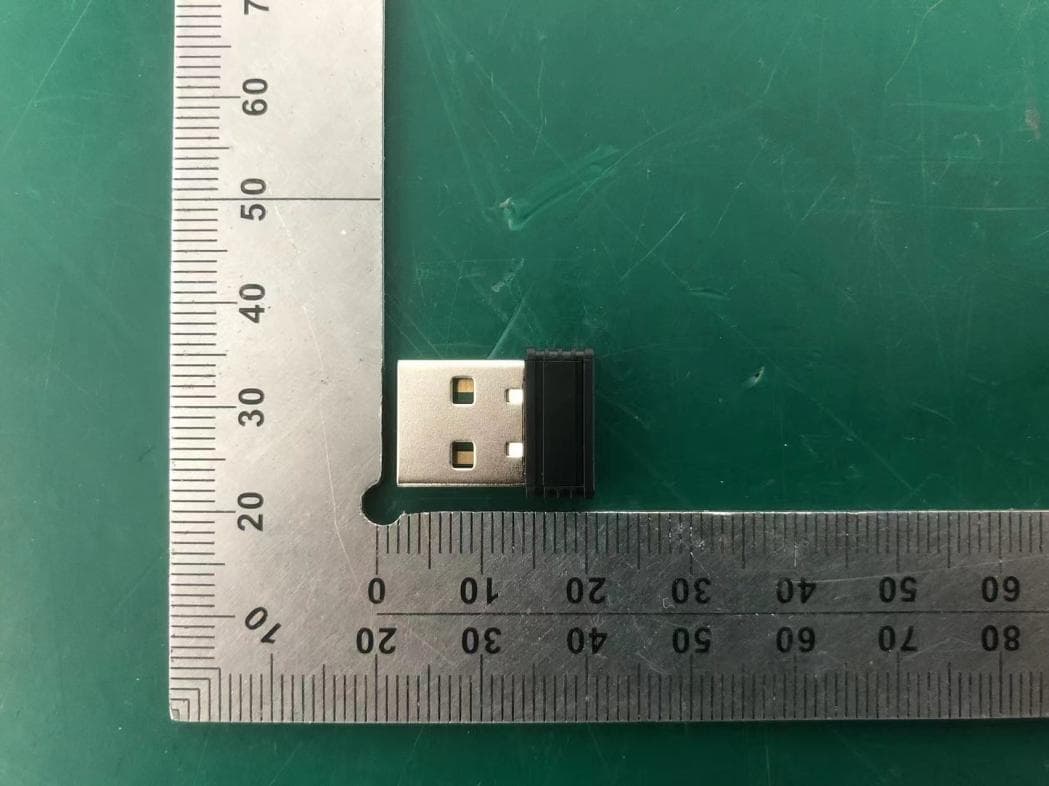
Click to zoom
Application Details
- Equipment Class
- DXX - Part 15 Low Power Communication Device Transmitter
- Date of Grant
- Nov 19, 2025
- Application Purpose
- Original Equipment
- Equipment Note
- Wireless Receiver
- Frequency Range
- 2402.00000000 - 2480.00000000
- Company
- Acrox Technologies Co., Ltd.
- Country
- Taiwan
Documents & Files
Document Text
Text extracted from the exhibit documents filed with the FCC. Open a document above to read the original.
Users Manual
PREDATOR CESTUS 353 PMR400 Quick Start Guide / Guide de démarrage rapide Kurzanleitung / Guía de inicio rápido Guida rapida / Snabbstartsguide Hurtigstartguide / Guide til hurtig opstart Stručná referenční příručka / Skrócona instrukcja obsługi Hızlı Başlangıç Kılavuzu / Краткое руководство دليل البدء السريع / Guía de inicio rápido Guia de início rápido / Guide de démarrage rapide 快速入門指南 / 快速入门使用指南 1 English Quick Start Guide This guide outlines the operating procedures and safety precautions. Please read it carefully to make sure you are using your product properly and keep it for future reference. Specifications • Model: PMR400 • Connector type: USB/2.4 GHz • Cable Length: Ø4.0 1800 mm • Dimensions (L x W x H): 125.9 x 64.0 x 39.3 mm • Weight: 153 g ± 5 g • Maximum DPI: 19,000 • Programmable buttons: 7 • Sensor Type: Optical IR Device Features 8 9 1 4 5 2 3 6 7 1. Left button 2. Right button 3. Scroll wheel 4. Forward button 5. Backward button 6. DPI setting 1200 (Red) → 1600 (Yellow) → 3200 (Purple) → 6400 (Green) → 19000 (Teal blue) 2 English 7. Game mode setting Game Mode 1 (Blue) → Game Mode 2 (Orange) → Game Mode 3 (Spring Green) → Game Mode 4 (Yellow) → Game Mode 5 (Raspberry) 8. Connect button 9. LED ON/OFF Getting Started Wired Connect the USB Type-C charging cable into the front of the mouse. Wireless Remove the USB wireless receiver that can be found at the bottom of the mouse. Plug it into one of your computer’s USB ports. 1. Turn on the mouse via the switch at the bottom of the mouse. 2. You can download the software from http://go.acer.com/predator-quartermaster 3. DPI, game mode and lighting modes can be adjusted after installation completes. 4. In regions where Dynamic Lighting is supported in Windows 11, you can control the Lighting modes through Windows 11 by selecting [Settings] > [Personalization] > [Dynamic Lighting]. 5. Please note that in scenarios where Dynamic Lighting is supported, if you want to control Lighting modes by using QuarterMaster software, please select [Settings] > [Personalization] > [Dynamic Lighting] and turn off [Use Dynamic Lighting on my devices] and [Compatible apps in the foreground always control lighting]. Note: • Wireless range under 10 meters. • Indicator: When mouse power on, the battery state is displayed for 5 seconds first then the DPI state will be displayed for 10 seconds. 3 English DPI Indicator • DPI#1: 1200DPI in Red light. • DPI#2: 1600DPI in Yellow light. • DPI#3: 3200DPI in Purple light. • DPI#4: 6400DPI in Green light. • DPI#5: 19000DPI in Blue light. Battery Indicator (show on Logo) • Power ON or 2.4G mode: Green light stays on for 5 seconds and then goes off. • 2.4G pairing: orange flash; 2.4G pairing completed: Orange stays on for 5 seconds and then goes off. • Low voltage (20% and below 10%): Red light flashes slowly and quickly. • Charging: red light always on; Charging completed: green light always on. Battery Level Display (DPI Indicator) Battery Capacity % (V) Red light flashingBelow 20% (3.5V) Red light flashing quicklyBelow 10% (3.4V) Cut OFF (3.3V) Note: • Battery life and capacity may vary with age and use. • Battery level can be checked by software also. Package Contents • Predator Gaming mouse x 1 • USB Cable x 1 • Quick start guide x 1 • Warranty booklet x 1 4 English System Compatibility • Windows Operating System • Internet connection for optional software downloads Comfort Guideline Some research has suggested long periods of repetitive motion; using an improper operation space, body position, and poor work habits may be associated with physical discomfort and injury to nerves, tendons, and muscles. Below are some guidelines for optimizing comfort of usage and avoiding injury. 1. Put the keyboard and monitor in front of you, and place the mouse within easy reach. 2. Have your elbow next to your side and adjust the height of the table and chair to make the mouse and keyboard placed below your elbow. 3. Have your feet well supported and your shoulders relaxed. 4. Taking frequent short breaks can help ease the tiredness from using the keyboard for a long time. 5. Do not sit in the same position all day operating the keyboard and mouse. Leave the seat, do some exercise for arms and shoulders, and relax your wrists, neck and legs. 6. Beware of discomfort; when you experience body conditions like pain, numbness, or tingling in hands, wrists, arms, shoulders, neck and legs, please consult qualified health professionals. Caution • Do not disassemble the device or operate the device under abnormal conditions. • Do not submerge the device in water. • If the device RGB lights could not be lightened up, please re-plug in the USB. • If the device could not be functional, or there was thermal abnormal situation, please re-plug in the USB. 5 English • If you still encounter problems after going through the corrective measures, please contact your dealer or an authorized service center for assistance. • For more information regarding the PREDATOR accessories, please visit the PREDATOR website at www.acer.com/predator Environment Temperature: • Operating: 0 °C to 40 °C • Non-operating: -20 °C to 60 °C Humidity (non-condensing): • Operating: 10% to 85% • Non-operating: 10% to 95% Manufacturer address Acer Inc. 8F, 88, Sec. 1, Xintai 5th Rd. Xizhi, New Taipei City 221 Please visit www.acer.com/predator for warranty. 6 English Europe – EU Declaration of Conformity We declare under our sole responsibility that the product is conformity with all the essential requirements and other provisions of the European Council Directive RoHS Directive (2011/65/EU), Radio Equipment Directive (2014/53/EU) on issued by the Commission of the European Community. This product must not be disposed of with your other House hold waste or treat them in compliance with the local regulations or contact your local city office, your household waste disposal service or the shop where you purchased the product. FEDERAL COMMUNICATIONS COMMISSION (FCC) STA…
Text truncated - open the document above for the full version.
Attestation Statements
Acrox Technologies Co., Ltd. Covered Equipment Certification Attestation Letter 11/3/2025 Federal Communications Commission Authorization and Evaluation Division 7435 Oakland Mills Road Columbia, MD 21046 USA ATTN.: Reviewing Engineer FCC ID: PRDRX1M Acrox Technologies Co., Ltd. (“the applicant”) certifies that the equipment for which authorization is sought is not “covered” equipment prohibited from receiving an equipment authorization pursuant to section 2.903 of the FCC rules. Note: If the equipment for which the applicant seeks authorization is produced by any of the entities identified on the current Covered List, the applicant should include an explanation on why the equipment is not “covered” equipment. Acrox Technologies Co., Ltd. (“the applicant”) certifies that, as of the date of the filing of the application, the applicant is not identified on the Covered List (as a specifically named entity or any of its subsidiaries or affiliates) as an entity producing “covered” equipment. Acrox Technologies Co., Ltd. (“the applicant”) certifies that the equipment for which authorization is sought does not include cybersecurity or anti-virus software produced or provided by Kaspersky Lab, Inc. or any of its successors and assignees, including equipment with integrated Kaspersky Lab, Inc. (or any of its successors and assignees) cybersecurity or anti-virus software pursuant to DA-24-886 and KDB 986446 D01 Covered Equipment Guidance section B(2a). Signed: Printed name: Gavin Hsieh Title: Product Manager Company Name: Acrox Technologies Co., Ltd. Date: 11/3/2025
Attestation Statements
Acrox Technologies Co., Ltd. * the applicant must designate a contact located in the United States for purposes of acting as the applicant’s agent for service of process, regardless of whether the applicant is a domestic or foreign entity. An applicant located in the United States may designate itself as the agent for service of process. U.S. Agent Designation for Service of Process - Certification Attestation Letter 11/3/2025 Federal Communications Commission Authorization and Evaluation Division 7435 Oakland Mills Road Columbia, MD 21046 USA ATTN.: Reviewing Engineer FCC ID: PRDRX1M FRN of applicant: 0018333633 Per section 2.911(d)(7) of the FCC rules, Acrox Technologies Co., Ltd. (“the applicant”) certifies that the equipment for which authorization is sought is designated to the following U.S. agent* for service of process: Company Name: Acer America Corporation FCC Registration Number (FRN): 0033486168 Physical U.S. Company Address: 1730 N. 1st St. Suite 400 San Jose, CA 95112 United States Contact Person: young kim Agent Email Address: [email protected] The above contact person accepts the obligation for service of process. The applicant accepts to maintain an agent for no less than one year after the grantee has terminated all marketing and importation or the conclusion of any Commission-related proceeding involving the equipment. Applicant Signed: Agent Signed (if different from Applicant): Signed: Signed: Printed name: Gavin Hsieh Printed name: young kim Title: Product Manager Title: Director Company Name: Acrox Technologies Co., Ltd. Company Name: Acer America Corporation Date: 11/3/2025 Date: 11/3/2025
Cover Letter(s)
DATE : 11/3/2025 Federal Communications Commission Authorization & Evaluation Division 7345 Oakland Mills Road Columbia, Maryland 21046 Authority to Act as Agent On our behalf, I appoint EST Technology Co., Ltd. Address:Chilingxiang, Qishantou, Santun, Houjie, Dongguan, Guangdong, China to act as our agent in the preparation of this application for equipment certification. I certify that submitted documents properly describe the device or system for which equipment certification is sought. I also certify that each unit manufactured, imported or marketed, as defined in the Federal Communications Commission’s regulations will have affixed to it a label identical to that submitted for approval with this application. For instances where our authorized agent signs the application for certification on our behalf, I acknowledge that all responsibility for complying with the terms and conditions for certification, still resides with Acrox Technologies Co., Ltd. Address:4F., No.89, Minshan St., Neihu Dist., Taipei City 114, Taiwan <Signature> Name:Gavin Hsieh Title:Product Manager Applicant Company:Acrox Technologies Co., Ltd.
Cover Letter(s)
DATE : 11/3/2025 Equipment Autorisation Division Federal Communications Commission 7435 Oakland Mills Road Columbia, MD 21046 FCC ID: PRDRX1M Product Name: Wireless Receiver Request for Confidentiality Pursuant to Sections 0.457 and 0.459 of the commissions rules, we hereby request that the following documents be held confidential: Schematics Block diagram Operation description These materials contain trade secrets and proprietary information and are not customarily released to the public. The public disclosure of this information might be harmful to the company and provide unjustified benefits to our competitors. <Signature> Name:Gavin Hsieh Title:Product Manager Company:Acrox Technologies Co., Ltd.
External Photos
External Photos M/N: MQS External Photos M/N: MQS External Photos M/N: MQS
ID Label/Location Info
FCC ID: PRDRX1M FCC ID: PRDRX1M Model:MQS Model:MQS W10.907 mm x H1.929 mm W8.731 mm x H2.272 mm W9.6 mm X H2.3 mm
ID Label/Location Info
Label Location
Internal Photos
Internal Photos M/N: MQS Internal Photos M/N: MQS 2.4G SRD Antenna
RF Exposure Info
Page 1 of 3 Report No. ESTE-R2510021 FCC RF EXPOSURE REPORT Acrox Technologies Co., Ltd. Wireless Receiver Model Number: MQS FCC ID: PRDRX1M Applicant: Acrox Technologies Co., Ltd. Address: 4F., No.89, Minshan St., Neihu Dist., Taipei City 114, Taiwan Prepared By: EST Technology Co., Ltd. Chilingxiang, Qishantou, Santun, Houjie, Dongguan, Guangdong, China Tel: 86-769-83081888-808 Report Number: ESTE-R2510021 Date of Test: Feb. 27, 2025 ~ Oct. 09, 2025 Date of Report: Oct. 11, 2025 Page 2 of 3 Report No. ESTE-R2510021 1. Applicable Standards FCC Part 2(Section 2.1093) FCC KDB 447498 D04 Interim General RF Exposure Guidance v01 2. Exposure Evaluation of Portable or Mobile Devices Human exposure to RF emissions from portable devices (47 CFR §2.1093), as defined by the FCC, must be evaluated with respect to the FCC-adopted limits for SAR. Evaluation of mobile devices, as defined by the FCC, may also be performed with respect to SAR limits, but in such cases it is usually simpler and more cost-effective to evaluate compliance with respect to field strength or power density limits. For certain devices that are designed to be used in both mobile and portable configurations similar to those described in 47 CFR §2.1091(d)(4), such as certain desktop phones and wireless modem modules, compliance for mobile configurations is also satisfied when the same device is evaluated for SAR compliance in portable configurations. The test exclusions are applicable only when the minimum test separation distance is ≤ 50 mm and for transmission frequencies between 300 MHz and 6 GHz. When the minimum test separation distance is < 5 mm, a distance of 5 mm is applied to determine SAR test exclusion. Page 3 of 3 Report No. ESTE-R2510021 3. Evaluation Results For 2.4G SRD Field strength = 78.71dBuV/m@3m P={ [10 (78.71/20) /10 6 *3] 2 /30 }*1000mW = 0.022mW< 2.72mW 1. Limited= 3060*(0.5/20)^(- (where f is in GHz); 2. We choose 2.480GHz to calculate limit as lower frequency will have higher limits. End of Test Report
Test Report
Antenna Spec 1. Antenna Type:PCB Manufacturer:Yanshan Xingao Electronic Technology Co., Ltd. 2. Antenna Size 3. Frequency, Efficiency, Gain 4. Antenna 2D/3D Diagram 5. VSWR Phi 0 2D Phi 90 2D Theta 90 2D 2400 2450 2500 6. Matching circuit 7. Test environment
Test Report
Page 1 of 53 Report No.ESTE-R2510020 FCC PART 15C TEST REPORT FOR CERTIFICATION On Behalf of Acrox Technologies Co., Ltd. Wireless Receiver Model Number: MQS FCC ID: PRDRX1M Applicant: Acrox Technologies Co., Ltd. Address: 4F., No.89, Minshan St., Neihu Dist., Taipei City 114, Taiwan Prepared By: EST Technology Co., Ltd. Chilingxiang, Qishantou, Santun, Houjie, Dongguan, Guangdong, China Tel: 86-769-83081888-808 Report Number: ESTE-R2510020 Date of Test: Feb. 27, 2025 ~ Oct. 09, 2025 Date of Report: Oct. 11, 2025 Page 2 of 53 Report No.ESTE-R2510020 TABLE OF CONTENTS Description Page TEST REPORT VERIFICATION .......................................................................................................... 3 1. GENERAL INFORMATION ................................................................................................................ 5 1.1. Description of Device (EUT) ......................................................................................................... 5 1.2. Antenna Information ...................................................................................................................... 5 1.3. Information of RF Cable ................................................................................................................ 5 2. SUMMARY OF TEST ........................................................................................................................ 6 2.1. Summary of test result .................................................................................................................. 6 2.2. Test Facilities .................................................................................................................................. 7 2.3. Measurement uncertainty ............................................................................................................. 8 2.4. Assistant equipment used for test ............................................................................................... 8 2.5. Block Diagram ................................................................................................................................ 8 2.6. Test Mode ....................................................................................................................................... 9 2.7. Power Setting of Test Software ................................................................................................... 9 2.8. Channel List .................................................................................................................................. 10 2.9. Test Equipment List ..................................................................................................................... 11 3. FIELD STRENGTH OF FUNDAMENTAL .......................................................................................... 13 3.1. Limit ................................................................................................................................................ 13 3.2. Test Setup ..................................................................................................................................... 13 3.3. Spectrum Analyzer Setting ......................................................................................................... 13 3.4. Test Procedure ............................................................................................................................. 14 3.5. Test Result .................................................................................................................................... 15 4. RADIATED SPURIOUS EMISSIONS AND BAND EDGE ................................................................... 22 4.1. Limit ................................................................................................................................................ 22 4.2. Test Setup ..................................................................................................................................... 24 4.3. Spectrum Analyzer Setting ......................................................................................................... 25 4.4. Test Procedure ............................................................................................................................. 26 4.5. Test Result .................................................................................................................................... 27 5. 20DB BANDWIDTH ....................................................................................................................... 39 5.1. Limit ................................................................................................................................................ 39 5.2. Test Setup ..................................................................................................................................... 39 5.3. Spectrum Analyzer Setting ......................................................................................................... 39 5.4. Test Procedure ............................................................................................................................. 39 5.5. Test Condition .............................................................................................................................. 40 5.6. Test Result .................................................................................................................................... 40 6. AC POWER LINE CONDUCTED EMISSIONS ................................................................................. 42 6.1. Limit ................................................................................................................................................ 42 6.2. Test Setup ..................................................................................................................................... 42 6.3. Spectrum Anal…
Text truncated - open the document above for the full version.
Test Setup Photos
Conducted Emissions Test Radiated Test (Below 1GHz) Radiated Test (Above 1GHz)
Contact Information
Applicant
Gavin Hsieh(Product Manager)
[email protected]Fax: 886-2-2793-8999
Test Firm
EST Technology Co., Ltd.Iceman Hu
Technical Specifications
| # | Rule Parts | Frequency Range | Power Output |
|---|---|---|---|
| 1 | 15C | 2.40 GHz - 2.48 GHz | - |
Other Applications from Acrox Technologies Co., Ltd.

PRDRX12
May 27, 2026Wireless Receiver
Equipment Class
DXX - Part 15 Low Power Communication Device Transmitter
PRDRX11
Apr 07, 2026Wireless Receiver
Equipment Class
DXX - Part 15 Low Power Communication Device Transmitter
PRDKB72
Apr 03, 2026WIRELESS SPLIT KEY ERGONOMIC KEYBOARD
Equipment Class
DTS - Digital Transmission System
PRDRX1P
Apr 03, 2026Wireless Receiver
Equipment Class
DXX - Part 15 Low Power Communication Device Transmitter
PRDKB73
Apr 03, 2026Gaming Keyboard
Equipment Class
DTS - Digital Transmission System