PY312200197NeoTV Streaming Player
Netgear Incorporated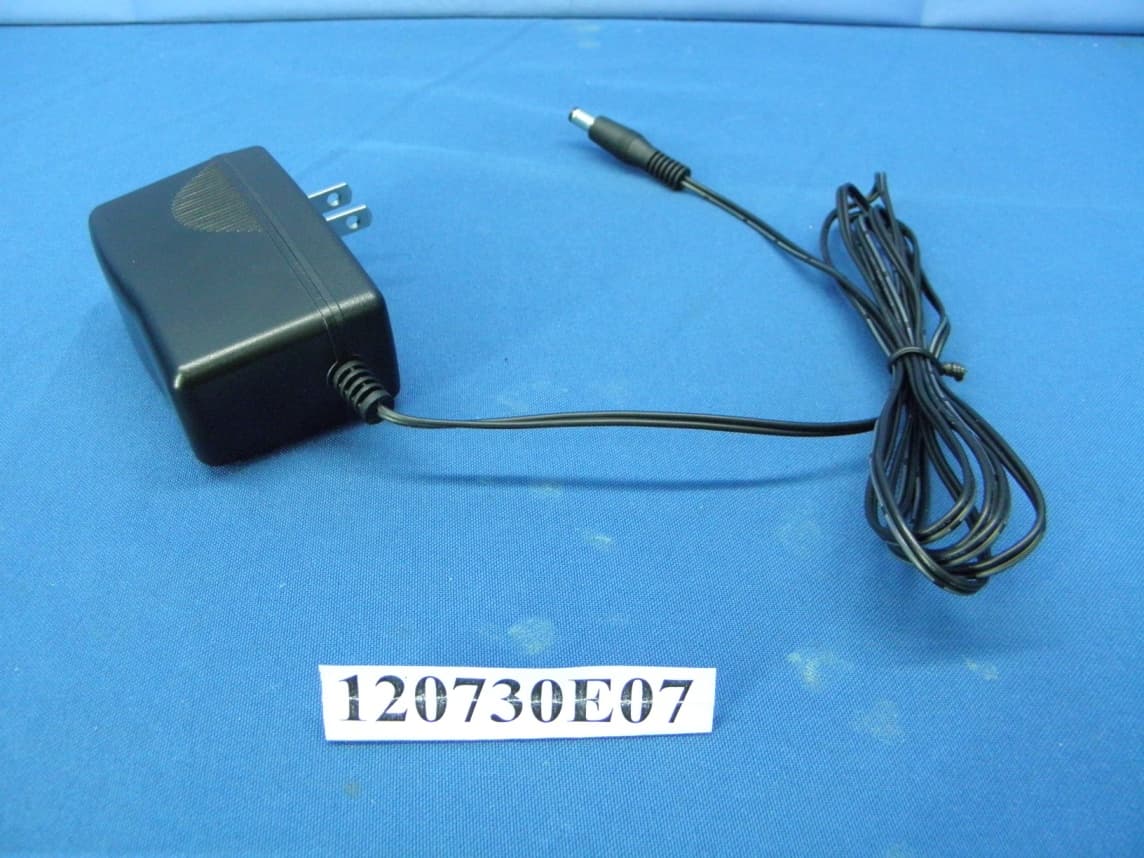
Click to zoom
Application Details
- Equipment Class
- DTS - Digital Transmission System
- Date of Grant
- Aug 28, 2012
- Application Purpose
- Original Equipment
- Date of Application
- Aug 28, 2012
- Equipment Note
- NeoTV Streaming Player
- Frequency Range
- 2412.00000000 - 2462.00000000
- Company
- Netgear Incorporated
- Country
- United States
Documents & Files
Document Text
Text extracted from the exhibit documents filed with the FCC. Open a document above to read the original.
Users Manual
NeoTV Pro Streaming Player (NTV300S) Installation Guide © 2012 NETGEAR, Inc. All rights reserved. No part of this publication may be reproduced, transmitted, transcribed, stored in a retrieval system, or translated into any language in any form or by any means without the written permission of NETGEAR, Inc. Technical Support Thank you for choosing NETGEAR. To register your product, get the latest product updates, or get support online, visit us at http://support.netgear.com. Phone (US only): 1-888-NETGEAR Phone (Other Countries): See http://support.netgear.com/app/answers/detail/a_id/984. Trademarks NETGEAR, the NETGEAR logo, and Connect with Innovation are trademarks and/or registered trademarks of NETGEAR, Inc. and/or its subsidiaries in the United States and/or other countries. Information is subject to change without notice. Other brand and product names are registered trademarks or trademarks of their respective holders. © 2012 NETGEAR, Inc. All rights reserved. HDMI, the HDMI Logo, and HighDefinition Multimedia Interface are trademarks or registered trademarks of HDMI Licensing LLC in the United States and other countries. Manufactured under license from Dolby laboratories. Dolby and the double-D symbol are trademarks of Dolby Laboratories. Statement of Conditions In the interest of improving internal design, operational function, and/or reliability, NETGEAR reserves the right to make changes to the products described in this document without notice. NETGEAR does not assume any liability that may occur due to the use or application of the product(s) or circuit layout(s) described herein. 3 What’s Included in the Box Power adapter Remote NeoTV Streaming Player control Installation guide AAA batteries (x2) AV cable 4 Front and Rear Views What You Need to Use Your NeoTV Player • TV with HDMI port • HDMI cable • Broadband Internet connection • A wireless or wired network • Device with Internet browser for service activation 5 Connect to the TV 1. Make sure that your TV is on and set to display the correct video input. 2. Connect an HDMI cable (sold separately) to the HDMI port on your player and to the HDMI IN port on your TV. If you have an Analog TV, connect the AV composite cable to your TV. When the HDMI cable is connected, there will be no output to the AV composite port. 3. Connect the power adapter to your player, and plug it into an electrical outlet. HDMI supports 5.1 surround sound (if available). You do not need a separate audio cable. 6 Connect to Your Home Network To use your player, you need to connect it to your home network with either a wireless or a wired connection. After you get your network ready, the onscreen guided setup helps you connect your player to your network. IMPORTANT: Do not place anything on top of your NeoTV player. Placing objects on top of your player can interfere with the wireless signal or cause the player to overheat. 7 Wired Connection Use an Ethernet cable (sold separately) to connect your player to a LAN port on your router. NeoTV Router 8 Wireless Connection 1. If you are using a wireless connection, place your player within range of your wireless network. For best wireless reception, avoid enclosing your player in a cabinet. To connect wirelessly, you can use Wi-Fi Protected Setup (WPS), or you can select your network and enter its password using the onscreen setup guide. 2. If you do not receive a strong signal during the onscreen setup, rotate your player or move it closer to your router. NeoTV Wireless router 9 Onscreen Guided Setup On your TV: • Use the remote control to follow the NeoTV onscreen setup instructions, which include setting the output resolution to the TV, and the standby timing, connecting to a network, and checking for the latest NeoTV software update. • Your player might download software updates or restart during setup. • Once you complete setup, select a channel icon (such as Netflix or Pandora) to enjoy the content. 10 Remote Control Power Select Down Stop Fast forward Rewind Next Home Return Menu Play/Pause Previous Right Left Up 11 Remote Control App NeoTV Remote app turns your iPhone or Android phone into a NeoTV Streaming Player remote control. 12 To Install the Remote Control App 1. Using your iPhone or Android smartphone, navigate to the Apple AppStore or Android Market, and search for NeoTV Remote. You can use the following QR codes to speed up this process: 2. Install the app on your phone. 3. Make sure that the phone is connected to the same WiFi network (SSID) as your NeoTV Streaming Player. 4. Launch the app, and it searches for your device and connects. Android Market Apple App Store 13 Intel WiDi Channel The Intel Wireless Display (WiDi) channel lets you display your laptop screen on your TV. Note: To use the Intel WiDi channel, your laptop must: •Be Intel WiDi-capable •Have the Intel WiDi software installed. 1. From the NeoTV main screen, use the remote to select the Intel WiDi icon: The Ready for Connection screen displays. 2. On your laptop, launch the Intel WiDi software. •If your laptop has a button or key, press it. •From Windows, select Start. Type Intel WiDi in the search field. •Select and run the Intel WiDi software. 14 3. Use the Intel WiDi software to scan and find the NeoTV WiDi adapter. 4. Double-click the detected NeoTV to connect to it. If you are connecting the laptop to the NeoTV for the first time, the NeoTV adapter displays a 4-digit security code on your TV. 5. Enter this security code into the Intel WiDi application on your laptop. Within a few seconds, the TV screen displays your laptop screen. 6. To exit the NeoTV WiDi connection or return to the NeoTV home page, you need to disconnect the WiDi connection. a.Click the Disconnect button on your laptop WiDi application, and wait for the Ready for Connection screen to appear on your TV. b. Press the NeoTV remote Home button to return to the NeoTV home page. 15 Technical Support Thank you for selecting NETGEAR products. After installi…
Text truncated - open the document above for the full version.
Users Manual
NeoTV Max Streaming Player (NTV300SL) Installation Guide © 2012 NETGEAR, Inc. All rights reserved. No part of this publication may be reproduced, transmitted, transcribed, stored in a retrieval system, or translated into any language in any form or by any means without the written permission of NETGEAR, Inc. Technical Support Thank you for choosing NETGEAR. To register your product, get the latest product updates, or get support online, visit us at http://support.netgear.com. Phone (US only): 1-888-NETGEAR Phone (Other Countries): See http://support.netgear.com/app/answers/detail/a_id/984. Trademarks NETGEAR, the NETGEAR logo, and Connect with Innovation are trademarks and/or registered trademarks of NETGEAR, Inc. and/or its subsidiaries in the United States and/or other countries. Information is subject to change without notice. Other brand and product names are registered trademarks or trademarks of their respective holders. © 2012 NETGEAR, Inc. All rights reserved. HDMI, the HDMI Logo, and HighDefinition Multimedia Interface are trademarks or registered trademarks of HDMI Licensing LLC in the United States and other countries. Manufactured under license from Dolby laboratories. Dolby and the double-D symbol are trademarks of Dolby Laboratories. Statement of Conditions In the interest of improving internal design, operational function, and/or reliability, NETGEAR reserves the right to make changes to the products described in this document without notice. NETGEAR does not assume any liability that may occur due to the use or application of the product(s) or circuit layout(s) described herein. 3 What’s Included in the Box Power adapter Remote NeoTV Streaming Player control Installation guide AV cable 4 Front and Rear Views What You Need to Use Your NeoTV Player • TV with HDMI port • HDMI cable • Broadband Internet connection • A wireless or wired network • Device with Internet browser for service activation 5 Connect to the TV 1. Make sure that your TV is on and set to display the correct video input. 2. Connect an HDMI cable (sold separately) to the HDMI port on your player and to the HDMI IN port on your TV. If you have an Analog TV, connect the AV composite cable to your TV. When the HDMI cable is connected, there will be no output to the AV composite port. 3. Connect the power adapter to your player, and plug it into an electrical outlet. HDMI supports 5.1 surround sound (if available). You do not need a separate audio cable. 6 Remote Control Batteries To use the remote control, remove the yellow isolation strip at the bottom of the remote. Connect to Your Home Network To use your player, you need to connect it to your home network with either a wireless or a wired connection. After you get your network ready, the onscreen guided setup helps you connect your player to your network. IMPORTANT: Do not place anything on top of your NeoTV player. Placing objects on top of your player can interfere with the wireless signal or cause the player to overheat. 7 Wired Connection Use an Ethernet cable (sold separately) to connect your player to a LAN port on your router. NeoTV Router 8 Wireless Connection 1. If you are using a wireless connection, place your player within range of your wireless network. For best wireless reception, avoid enclosing your player in a cabinet. To connect wirelessly, you can use Wi-Fi Protected Setup (WPS), or you can select your network and enter its password using the onscreen setup guide. 2. If you do not receive a strong signal during the onscreen setup, rotate your player or move it closer to your router. NeoTV Wireless router 9 Onscreen Guided Setup On your TV: • Use the remote control to follow the NeoTV onscreen setup instructions, which include setting the output resolution to the TV, and the standby timing, connecting to a network, and checking for the latest NeoTV software update. • Your player might download software updates or restart during setup. • Once you complete setup, select a channel icon (such as Netflix or Pandora) to enjoy the content. 10 Remote Control Power Select Down Stop Fast forward Rewind Next Home Return Menu Play/Pause Previous Right Left Up 11 Remote Control App NeoTV Remote app turns your iPhone or Android phone into a NeoTV Streaming Player remote control. 12 To Install the Remote Control App 1. Using your iPhone or Android smartphone, navigate to the Apple AppStore or Android Market, and search for NeoTV Remote. You can use the following QR codes to speed up this process: 2. Install the app on your phone. 3. Make sure that the phone is connected to the same WiFi network (SSID) as your NeoTV Streaming Player. 4. Launch the app, and it searches for your device and connects. Android Market Apple App Store 13 Intel WiDi Channel The Intel Wireless Display (WiDi) channel lets you display your laptop screen on your TV. Note: To use the Intel WiDi channel, your laptop must: •Be Intel WiDi-capable •Have the Intel WiDi software installed. 1. From the NeoTV main screen, use the remote to select the Intel WiDi icon: The Ready for Connection screen displays. 2. On your laptop, launch the Intel WiDi software. •If your laptop has a button or key, press it. •From Windows, select Start. Type Intel WiDi in the search field. •Select and run the Intel WiDi software. 14 3. Use the Intel WiDi software to scan and find the NeoTV WiDi adapter. 4. Double-click the detected NeoTV to connect to it. If you are connecting the laptop to the NeoTV for the first time, the NeoTV adapter displays a 4-digit security code on your TV. 5. Enter this security code into the Intel WiDi application on your laptop. Within a few seconds, the TV screen displays your laptop screen. 6. To exit the NeoTV WiDi connection or return to the NeoTV home page, you need to disconnect the WiDi connection. a.Click the Disconnect button on your laptop WiDi application, and wait for the Ready for Connection screen to appear on your TV. b. Press the NeoTV remote Home button to return to t…
Text truncated - open the document above for the full version.
Attestation Statements
Netgear Incorporated 350 East Plumeria Drive San Jose California United States 95134 Declaration for no non‐US channel operation August 29, 2012 We, Netgear Incorporated declare that the device does not support any non-US channels in all the operational mode(s), like Ad-Hoc...etc, for the following product. FCC ID: PY312200197 If you should have any question(s) regarding this declaration, please don’t hesitate to contact us. Thank you! ‐‐‐‐‐‐‐‐‐‐‐‐‐‐‐‐‐‐‐‐‐‐‐‐‐‐‐‐‐‐‐‐‐‐‐ Mark Gandler / project manager Netgear INC. TEL:+1 408‐907‐8000 Fax:+1 408‐907‐8097 E‐mail: [email protected]
Cover Letter(s)
Netgear Incorporated 350 East Plumeria Drive San Jose California United States 95134 Date: 2012-08-16 FCC ID: PY312200197 To the attention of Federal Communications Commission Authorization and Evaluation Division Confidentiality Request Pursuant to Sections 0.457 and 0.459 of the Commission’s Rules, the Applicant hereby requests confidential treatment of information accompanying this Application as outlined below: Schematics Block Diagram The above materials contain trade secrets and proprietary information not customarily released to the public. The public disclosure of these matters might be harmful to the Applicant and provide unjustified benefits to its competitors. The Applicant understands that pursuant to Rule 0.457, disclosure of this Application and all accompanying documentation will not be made before the date of the Grant for this application. Sincerely yours, ___________________________________ Mark Gandler / Regulatory Compliance manager Netgear INC. TEL:+1 408-907-8000 Fax:+1 408-907-8097 E-mail: [email protected]
Cover Letter(s)
Netgear Incorporated 350 East Plumeria Drive San Jose California United States 95134 Date: 2012-08-16 FCC ID: PY312200197 To the attention of Federal Communications Commission Authorization and Evaluation Division Confidentiality Request Pursuant to DA 04-1705 of the commission’s public notice, we request short-term confidential treatment for the following information until 2012/9/28 in order to ensure sensitive business information remains confidential until the actual marketing of the device: External photos Test Setup photos User’s manual Internal Photos Sincerely yours, ___________________________________ Mark Gandler / Regulatory Compliance manager Netgear INC. TEL:+1 408-907-8000 Fax:+1 408-907-8097 E-mail: [email protected]
Cover Letter(s)
Netgear Incorporated 350 East Plumeria Drive San Jose California United States 95134 Date: 2012-08-16 A U T H O R I Z A T I O N L E T T E R To whom it may concern: We, the undersigned Netgear Incorporated hereby authorize Bureau Veritas Consumer Products Services (H.K.) Ltd., Taoyuan Branch (BV CPS Taoyuan) of Taiwan to act on our behalf in all matters relating to all processes required in FCC Part 15C and any communication needed with the national authority. Any and all acts carried out by BV CPS Taoyuan on our behalf shall have the same effects as acts of our own. FCC ID: PY312200197 If you have any questions regarding the authorization, please don’t hesitate to contact us. Thank you! Sincerely yours, ------------------------------------ Mark Gandler / Regulatory Compliance manager Netgear INC. TEL:+1 408-907-8000 Fax:+1 408-907-8097 E-mail: [email protected]
External Photos
Report No.: 120730E07 1 of 14 CONSTRUCTION PHOTOS OF EUT Model: NTV300SL Report No.: 120730E07 2 of 14 Report No.: 120730E07 6 of 14 Model: NTV300S Report No.: 120730E07 7 of 14 Report No.: 120730E07 11 of 14 Adapter: AD810F20 Report No.: 120730E07 12 of 14 Adapter: SAL012F1 NA Report No.: 120730E07 13 of 14 Report No.: 120730E07 14 of 14
ID Label/Location Info
(Fig.1) FCC ID: PY312200197 FCC LABEL LOCATION The label will be permanently affixed at a conspicuous location on the device.
Internal Photos
Report No.: 120730E07 3 of 14 Model: NTV300SL Report No.: 120730E07 4 of 14 Report No.: 120730E07 5 of 14 Report No.: 120730E07 8 of 14 Model: NTV300S Report No.: 120730E07 9 of 14 Report No.: 120730E07 10 of 14
Operational Description
FCC ID: PY312200197 Report No.: RF 120730E07 Operational Description This device is a NeoTV Streaming Player, which operates in 2.4GHz band; the maximum data rate could be up to 300Mbps which OFDM technique. If the signal to noise radio is too poor which could not support 300Mbps, the 11Mbps data rate with DSSS technique will be applied. The transmitter of the EUT is powered by 12Vdc power adapter. The antenna is Printed antenna without antenna connector. For more detailed instruction, please take a look at the user’s manual.
RF Exposure Info
Report No.: SA120730E07 R1 1 of 6 Report Format Version 5.0.0 Cancels and replaces the report No.: SA120730E07 dated Aug. 22, 2012 RF EXPOSURE REPORT REPORT NO.: SA120730E07 R1 MODEL NO.: NTV300S, NTV300SL FCC ID: PY312200197 RECEIVED: July 30, 2012 TESTED: Aug 08, 2012 ISSUED: Aug. 23, 2012 APPLICANT: Netgear Incorporated. ADDRESS: 350 East Plumeria Drive San Jose California United States 95134 ISSUED BY: Bureau Veritas Consumer Products Services (H.K.) Ltd., Taoyuan Branch Hsin Chu Laboratory LAB ADDRESS: No. 81-1, Lu Liao Keng, 9th Ling,Wu Lung Tsuen, Chiung Lin Hsiang, Hsin Chu Hsien 307, Taiwan, R.O.C. This report should not be used by the client to claim product certification, approval, or endorsement by any government agencies. This report is for your exclusive use. Any copying or replication of this report to or for any other person or entity, or use of our name or trademark, is permitted only with our prior written permission. This report sets forth our findings solely with respect to the test samples identified herein. The results set forth in this report are not indicative or representative of the quality or characteristics of the lot from which a test sample was taken or any similar or identical product unless specifically and expressly noted. Our report includes all of the tests requested by you and the results thereof based upon the information that you provided to us. You have 60 days from date of issuance of this report to notify us of any material error or omission caused by our negligence, provided, however, that such notice shall be in writing and shall specifically address the issue you wish to raise. A failure to raise such issue within the prescribed time shall constitute your unqualified acceptance of the completeness of this report, the tests conducted and the correctness of the report contents. Unless specific mention, the uncertainty of measurement has been explicitly taken into account to declare the compliance or non-compliance to the specification Report No.: SA120730E07 R1 2 of 6 Report Format Version 5.0.0 Cancels and replaces the report No.: SA120730E07 dated Aug. 22, 2012 TABLE OF CONTENTS RELEASE CONTROL RECORD ..................................................................................... 3 1. CERTIFICATION ...................................................................................................... 4 2. RF EXPOSURE LIMIT ............................................................................................. 5 3. MPE CALCULATION FORMULA ............................................................................. 5 4. CLASSIFICATION .................................................................................................... 5 5. CALCULATION RESULT OF MAXIMUM CONDUCTED POWER .......................... 6 Report No.: SA120730E07 R1 3 of 6 Report Format Version 5.0.0 Cancels and replaces the report No.: SA120730E07 dated Aug. 22, 2012 RELEASE CONTROL RECORD ISSUE NO. REASON FOR CHANGE DATE ISSUED SA120730E07 Original release Aug. 22, 2012 SA120730E07 R1 Modified the product name. Aug. 23, 2012 Report No.: SA120730E07 R1 4 of 6 Report Format Version 5.0.0 Cancels and replaces the report No.: SA120730E07 dated Aug. 22, 2012 1. CERTIFICATION PRODUCT: NeoTV Streaming Player BRAND NAME: Netgear MODEL NO.: NTV300S, NTV300SL TEST SAMPLE: ENGINEERING SAMPLE APPLICANT: Netgear Incorporated. TESTED DATE: Aug 08, 2012 STANDARDS: FCC Part 2 (Section 2.1091) FCC OET Bulletin 65, Supplement C (01-01) IEEE C95.1 The above equipment (Model: NTV300SL) has been tested by Bureau Veritas Consumer Products Services (H.K.) Ltd., Taoyuan Branch, and found compliance with the requirement of the above standards. The test record, data evaluation & Equipment Under Test (EUT) configurations represented herein are true and accurate accounts of the measurements of the sample’s EMC characteristics under the conditions specified in this report. PREPARED BY : , DATE: Aug. 23, 2012 ( Claire Kuan, Specialist ) APPROVED BY : , DATE: Aug. 23, 2012 ( May Chen, Deputy Manager ) Report No.: SA120730E07 R1 5 of 6 Report Format Version 5.0.0 Cancels and replaces the report No.: SA120730E07 dated Aug. 22, 2012 2. RF EXPOSURE LIMIT LIMITS FOR MAXIMUM PERMISSIBLE EXPOSURE (MPE) FREQUENCY RANGE (MHz) ELECTRIC FIELD STRENGTH (V/m) MAGNETIC FIELD STRENGTH (A/m) POWER DENSITY (mW/cm 2 ) AVERAGE TIME (minutes) LIMITS FOR GENERAL POPULATION / UNCONTROLLED EXPOSURE 300-1500 ... ... F/1500 30 1500-100,000 ... ... 1.0 30 F = Frequency in MHz 3. MPE CALCULATION FORMULA Pd = (Pout*G) / (4*pi*r 2 ) where Pd = power density in mW/cm 2 Pout = output power to antenna in mW G = gain of antenna in linear scale pi = 3.1416 r = distance between observation point and center of the radiator in cm 4. CLASSIFICATION The antenna of this product, under normal use condition, is at least 20cm away from the body of the user. So, this device is classified as Mobile Device. Report No.: SA120730E07 R1 6 of 6 Report Format Version 5.0.0 Cancels and replaces the report No.: SA120730E07 dated Aug. 22, 2012 5. CALCULATION RESULT OF MAXIMUM CONDUCTED POWER FREQUENCY BAND (MHz) CONDUCTED POWER (mW) ANTENNA GAIN (dBi) DISTANCE (cm) POWER DENSITY (mW/ cm 2 ) LIMIT (mW/cm 2 ) 2412-2462 408.780 2.46 20 0.14329 1.00 --- END ---
Test Report
Report No.: RF120730E07 R1 1 of 76 Report Format Version 5.0.0 Cancels and replaces the report No.: RF120730E07 dated Aug. 22, 2012 FCC TEST REPORT REPORT NO.: RF120730E07 R1 MODEL NO.: NTV300S, NTV300SL FCC ID: PY312200197 RECEIVED: July 13, 2012 TESTED: July 13 to Aug 15, 2012 ISSUED: Aug. 23, 2012 APPLICANT: Netgear Incorporated. ADDRESS: 350 East Plumeria Drive San Jose California United States 95134 ISSUED BY: Bureau Veritas Consumer Products Services (H.K.) Ltd., Taoyuan Branch Hsin Chu Laboratory LAB ADDRESS : No. 81-1, Lu Liao Keng, 9th Ling, Wu Lung Tsuen, Chiung Lin Hsiang, Hsin Chu Hsien 307, Taiwan, R.O.C. TEST LOCATION (1): No. 81-1, Lu Liao Keng, 9th Ling, Wu Lung Tsuen, Chiung Lin Hsiang, Hsin Chu Hsien 307, Taiwan, R.O.C. TEST LOCATION (2): No. 49, Ln. 206, Wende Rd., Shangshan Tsuen, Chiung Lin Hsiang, Hsin Chu Hsien 307, Taiwan, R.O.C. This report should not be used by the client to claim product certification, approval, or endorsement by TAF or any government agencies. This report is for your exclusive use. Any copying or replication of this report to or for any other person or entity, or use of our name or trademark, is permitted only with our prior written permission. This report sets forth our findings solely with respect to the test samples identified herein. The results set forth in this report are not indicative or representative of the quality or characteristics of the lot from which a test sample was taken or any similar or identical product unless specifically and expressly noted. Our report includes all of the tests requested by you and the results thereof based upon the information that you provided to us. You have 60 days from date of issuance of this report to notify us of any material error or omission caused by our negligence, provided, however, that such notice shall be in writing and shall specifically address the issue you wish to raise. A failure to raise such issue within the prescribed time shall constitute your unqualified acceptance of the completeness of this report, the tests conducted and the correctness of the report contents. Unless specific mention, the uncertainty of measurement has been explicitly taken into account to declare the compliance or non-compliance to the specification Report No.: RF120730E07 R1 2 of 76 Report Format Version 5.0.0 Cancels and replaces the report No.: RF120730E07 dated Aug. 22, 2012 Table of Contents RELEASE CONTROL RECORD .......................................................................................... 4 1. CERTIFICATION ...................................................................................................... 5 2. SUMMARY OF TEST RESULTS .............................................................................. 6 2.1 MEASUREMENT UNCERTAINTY ........................................................................... 7 3. GENERAL INFORMATION ....................................................................................... 8 3.1 GENERAL DESCRIPTION OF EUT ......................................................................... 8 3.2 DESCRIPTION OF TEST MODES ......................................................................... 10 3.2.1 TEST MODE APPLICABILITY AND TESTED CHANNEL DETAIL ......................... 11 3.3 GENERAL DESCRIPTION OF APPLIED STANDARDS ........................................ 14 3.4 DESCRIPTION OF SUPPORT UNITS ................................................................... 15 3.5 CONFIGURATION OF SYSTEM UNDER TEST .................................................... 16 4. TEST TYPES AND RESULTS ................................................................................ 18 4.1 CONDUCTED EMISSION MEASUREMENT ......................................................... 18 4.1.1 LIMITS OF CONDUCTED EMISSION MEASUREMENT....................................... 18 4.1.2 TEST INSTRUMENTS ........................................................................................... 18 4.1.3 TEST PROCEDURES ............................................................................................ 19 4.1.4 DEVIATION FROM TEST STANDARD .................................................................. 19 4.1.5 TEST SETUP ......................................................................................................... 20 4.1.6 EUT OPERATING CONDITIONS ........................................................................... 20 4.1.7 TEST RESULTS(MODE 1) ..................................................................................... 21 4.1.8 TEST RESULTS(MODE 2) ..................................................................................... 23 4.2 RADIATED EMISSION AND BANDEDGE MEASUREMENT ................................. 25 4.2.1 LIMITS OF RADIATED EMISSION AND BANDEDGE MEASUREMENT .............. 25 4.2.2 TEST INSTRUMENTS ........................................................................................... 26 4.2.3 TEST PROCEDURES ............................................................................................ 28 4.2.4 DEVIATION FROM TEST STANDARD .................................................................. 28 4.2.5 TEST SETUP ......................................................................................................... 29 4.2.6 EUT OPERATING CONDITIONS ........................................................................... 29 4.2.7 TEST RESULTS ..................................................................................................... 30 4.3 6dB BANDWIDTH MEASUREMENT ..................................................................... 51 4.3.1 LIMITS OF 6dB BANDWIDTH MEASUREMENT ................................................... 51 4.3.2 TEST INSTRUMENTS ........................................................................................... 51 4.3.3 TEST PROCEDURE .............................................................................................. 51 4.3.4 DEVIATION FROM TEST …
Text truncated - open the document above for the full version.
Test Setup Photos
Report No.: 1200730E07 1 of 3 PHOTOGRAPHS OF THE TEST CONFIGURATION CONDUCTED EMISSION TEST(MODE 1) Report No.: 1200730E07 2 of 3 CONDUCTED EMISSION TEST(MODE 2) Report No.: 1200730E07 3 of 3 RADIATED EMISSION TEST
Contact Information
Applicant
David Kay
Technical Contact
Bureau Veritas CPS (H.K.) Ltd. Taoyuan BranchHank Chung
[email protected]886-3-593-5343
81-1, Lu Laio Keng, 9th Ling, Wu Lung Tsuen, Chiun · Hsinchu Hsien · Taiwan
Non-Technical Contact
Bureau Veritas CPS (H.K.) Ltd. Taoyuan BranchCeline Chou
[email protected]886-3-3183232
Test Firm
Bureau Veritas CPS (H.K.) Ltd. Taoyuan BranchRichard Chen
Technical Specifications
| # | Rule Parts | Frequency Range | Power Output |
|---|---|---|---|
| 1 | 15C | 2.41 GHz - 2.46 GHz | 409.00 mW |
Other Applications from Netgear Incorporated
PY325100647
Aug 04, 2026BE5000 Dual-Band PoE 2.5G Insight Managed WiFi 7 Outdoor Access Point
Equipment Class
DTS - Digital Transmission SystemPY325300652
May 12, 2026BE5000 Dual-Band PoE 2.5G Insight Managed WiFi 7 Access Point
Equipment Class
NII - Unlicensed National Information Infrastructure TXPY325400656
Apr 16, 2026Orbi Outdoor Satellite
Equipment Class
DTS - Digital Transmission SystemPY324400640
Dec 12, 2025Orbi 11BE WiFi 7 Tri-band Router, Orbi 11BE WiFi 7 Tri-band Satellite
Equipment Class
NII - Unlicensed National Information Infrastructure TXPY324100618
Jul 31, 2024Nighthawk 5G Mobile Router
Equipment Class
PCB - PCS Licensed Transmitter