PY321100533NETGEAR WiFi 6 AX3200 Dual Band Access Point
Netgear Incorporated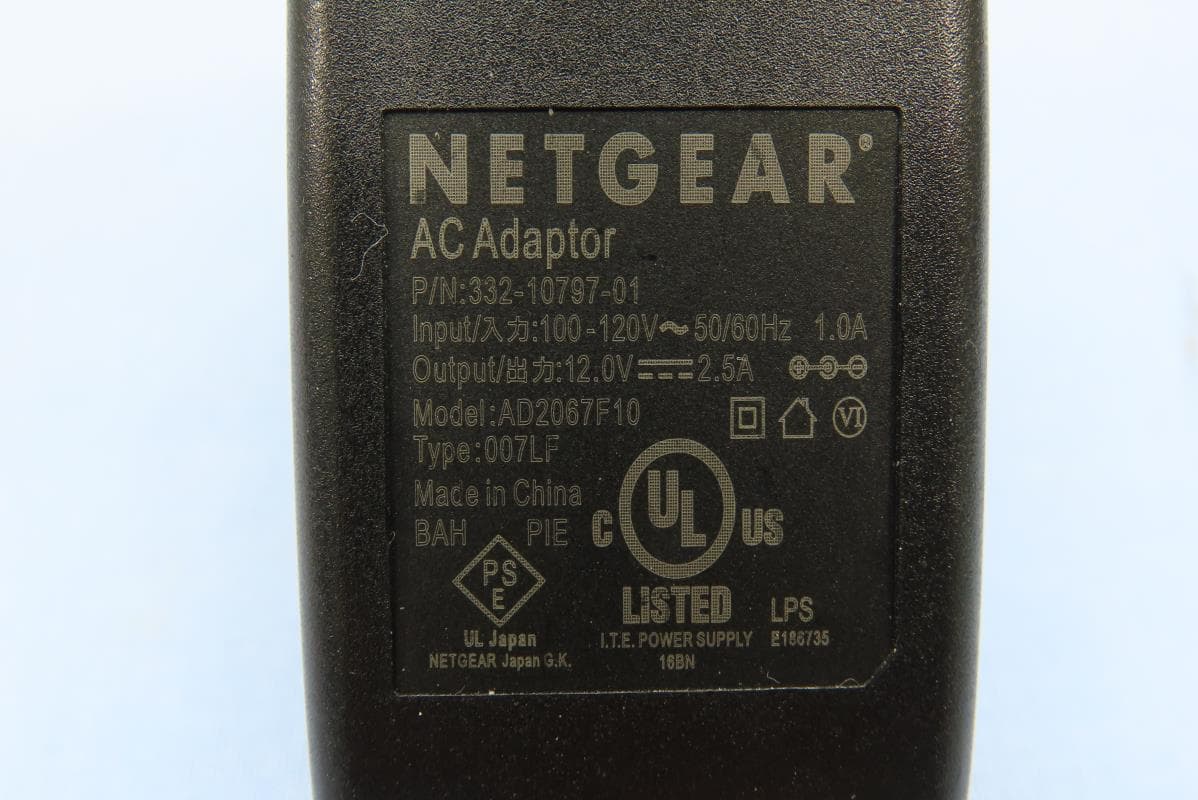
Click to zoom
Application Details
- Equipment Class
- NII - Unlicensed National Information Infrastructure TX
- Date of Grant
- Jun 29, 2021
- Application Purpose
- Original Equipment
- Date of Application
- Jun 14, 2021
- Equipment Note
- NETGEAR WiFi 6 AX3200 Dual Band Access Point
- Frequency Range
- 5745.00000000 - 5825.00000000
- Company
- Netgear Incorporated
- Country
- United States
Documents & Files
Document Text
Text extracted from the exhibit documents filed with the FCC. Open a document above to read the original.
Users Manual
Federal Communication Commission Interference Statement This device complies with Part 15 of the FCC Rules. Operation is subject to the following two conditions: (1) This device may not cause harmful interference, and (2) this device must accept any interference received, including interference that may cause undesired operation. This equipment has been tested and found to comply with the limits for a Class B digital device, pursuant to Part 15 of the FCC Rules. These limits are designed to provide reasonable protection against harmful interference in a residential installation. This equipment generates, uses and can radiate radio frequency energy and, if not installed and used in accordance with the instructions, may cause harmful interference to radio communications. However, there is no guarantee that interference will not occur in a particular installation. If this equipment does cause harmful interference to radio or television reception, which can be determined by turning the equipment off and on, the user is encouraged to try to correct the interference by one of the following measures: - Reorient or relocate the receiving antenna. - Increase the separation between the equipment and receiver. - Connect the equipment into an outlet on a circuit different from that to which the receiver is connected. - Consult the dealer or an experienced radio/TV technician for help. FCC Caution: Any changes or modifications not expressly approved by the party responsible for compliance could void the user's authority to operate this equipment. This transmitter must not be co-located or operating in conjunction with any other antenna or transmitter. Operations in the 5.15-5.25GHz band are restricted to indoor usage only. Radiation Exposure Statement: This equipment complies with FCC radiation exposure limits set forth for an uncontrolled environment. This equipment should be installed and operated with minimum distance 26cm between the radiator & your body.
Users Manual
Installation Guide WiFi 6 AX3200 Dual Band Access Point WAX206 What WiFi setup do you want? CERTIFICATION DRAFT ONLY March 2021 Step 1. Connect the WAX206 1. Unplug the power of the broadband, cable, or DSL device, but leave the device connected to the wall jack for your Internet service. (If the device uses a battery backup, remove the battery.) 2. Connect the Ethernet cable to the yellow WAN port on the WAX206. 3. Connect the other end of the cable to a LAN port on your broadband, cable, or DSL device. 4. Plug in and turn on the broadband, cable, or DSL device. (If the devices uses a battery backup, put the battery back in before you turn on the device.) 5. P ower on the WAX206 and check that the LEDs are lit. Step 2. Join the WAX206’s WiFi network 1. Open the software utility that manages the WiFi connections on the WiFi-enabled computer that you want to connect to the WAX206. This utility scans for all WiFi networks in your area. 2. Find and select the WAX206’s WiFi network name (SSID), which is printed on the access point’s label, and connect to the WAX206’s WiFi network. 3. Type the WiFi password that is printed on the access point’s label. What you haveWhat you wantOperation mode Follow ABroadband/cable/DSL device with WiFi Add WiFi 6 to your home or office. Change to access point mode Steps 1, 2, 3, 4 BBroadband/cable/DSL device without WiFi Add WiFi 6 and a wired network to your home or office. Keep default router mode Steps 1, 2, 3 only C Ethernet wall outlet with Internet service Set up a WiFi 6 hotspot on an existing network. Change to access point mode Steps 1, 2, 3, 4 Set up a private WiFi 6 network.Keep default router mode Steps 1, 2, 3 only Package contents • NETGEAR WAX206 WiFi access point • DC power adapter (varies by region) • Ethernet cable • Installation guide A. Connect to a broadband/cable/DSL device with WiFi Follow the steps for the setup that you want. B. Connect to a broadband/cable/DSL device without WiFi WiFi-enabled computer WA X206Broadband, cable, or DSL device with WiFi Internet 1. Unplug the power of the broadband, cable, or DSL device, but leave the device connected to the wall jack for your Internet service. (If the device uses a battery backup, remove the battery.) 2. C onnect the Ethernet cable to the yellow WAN port on the WAX206. 3. Connect the other end of the cable to a LAN port on your broadband, cable, or DSL device. 4. Plug in and turn on the br oadband, cable, or DSL device. (If the devices uses a battery backup, put the battery back in before you turn on the device.) 5. P ower on the WAX206 and check that the LEDs are lit. C. Connect to an Ethernet wall outlet with Internet service WiFi-enabled computer WA X206 Ethernet cable Internet Internet 1. Connect an Ethernet cable from the wall outlet to the yellow WAN port on the WAX206. 2. P ower on the WAX206 and check that the LEDs are lit. Step 3. Log in to the WAX206 1. Launch a web browser and type http://www.routerlogin.net in the address field. Your browser might display a security warning, which you can dismiss. For more information on how to dismiss a browser security warning, see https://kb.netgear.com/000062980. The Setup Wizard starts 2. Follow the prompts onscreen to do the following: a. Set a new admin passwor d (local device password) for local login and set security questions and answers. b. As an option for gr eater security, you can set a new WiFi network name (SSID) and WiFi password. If you do, your WiFi connection is terminated and you must reconnect to the WAX206 to complete the setup process. c. If you specify a new SSID and WiFi password, reconnect to the WAX206 using your new SSID and WiFi password. d. If a new firmware version is available, follow the prompts to update the firmware. When the setup process is complete, your browser might again display a security warning, which you can dismiss. The local device login page displays. If the page does not display, type http://www.routerlogin.net in the address field of your browser. Continued on the next page. WiFi-enabled computer WA X206Broadband, cable, or DSL device without WiFi CERTIFICATION DRAFT NETGEAR, Inc. 350 East Plumeria Drive San Jose, CA 95134, USA NETGEAR INTERNATIONAL LTD Floor 1, Building 3 University Technology Centre Curraheen Road, Cork, T12EF21, Ireland Step 4. Change the WAX206 operation mode to access point mode Note: If you cannot connect to the WAX206, see the user manual for more detailed instructions. Download the user manual by visiting netgear.com/support/download. 3. Enter your local device password. The BASIC Home page displays. 4. If you are using the WAX206 in a country other than the U.S. or Canada, set the country and region where you are using the WAX206: a. Select Advanced > Advanced Setup > Wireless Settings. b. From the Region menu, select the country and region where you are using the WAX206. Note: Make sure that the country is set to the location where the device is operating. You are responsible for complying with the local, regional, and national regulations for channels, power levels, and frequency ranges. c. Click the Apply button. Your settings are saved. 5. As an option, configure the WAX206 settings for your environment and security requirements. The WAX206 supports multiple WiFi and security settings. For more information about the configuration options, see the user manual. A login window displays. Your browser might display a security warning, which you can dismiss. For more information on how to dismiss a browser security warning, see https://kb.netgear.com/000062980/what-to-do-incase-of-security-message. c. Enter the local device password. The local device password is the one that you specified the first time that you logged in to the WAX206. The local device password is case-sensitive. The BASIC Home page displays. 2. Select ADVANCED > Advanced Setup > Router / AP / Bridge Mode. The Router / AP / Bridge Mode page displays. 3. Select the AP Mode radio button. 4. Click the A…
Text truncated - open the document above for the full version.
Cover Letter(s)
SCS-F19: Confidentiality Request Letter Page 1 of 4 Rev 6.0 775 Montague Expressway Milpitas, CA 95035 Tel: 408-526-1188 Fax: 408-526-1088 Email: [email protected] Confidentiality Request Letter Reason for Amendment (current / obsolete) Revision History Approved Date From To Initial Release (obsolete) 1.0 1.0 Nov-14-2006 Adding CFR 2.459 (obsolete) 1.0 2.0 August 11 - 2008 Updated company template & Added text box (obsolete) 2.0 3.0 Jan-31-2012 Added IC confidentiality letter form (obsolete) 3.0 4.0 March-26-2015 Corrections to STC form. Added reference to KDB (obsolete) 4.0 5.0 Nov-19-2015 Updated company logo (current) 5.0 6.0 Jun-26-2019 SCS-F19: Confidentiality Request Letter Page 2 of 4 Rev 6.0 Netgear Incorporated 350 East Plumeria Drive, San Jose, CA 95134, USA Tel:408-890-3657/Fax:408-907-8097 2021-05-06 To: Federal Communications Commission Authorization and Evaluation Division 7435 Oakland Mills Road Columbia, MD Subject: Permanent Confidentiality Request for FCC ID: PY321100533 Pursuant to sections 0.457 and 0.459 of CFR 47, we respectfully request permanent confidential treatment of the following Exhibits accompanying this application as: - e.g. Block Diagram - e.g. Schematics - e.g. Operational Description - e.g. Software Operational Description The above materials contain trade secrets and proprietary information not customarily released to the public. The public disclosure of these materials may be harmful to the applicant and provide unjustified benefits to its competitors. The applicant understands that disclosure of this application and all accompanying documentation will not be made before the date of the Grant for this application. Sincerely, s signature: David Kay / Regulatory Compliance Director Netgear Incorporated TEL: 4088903657 FAX: 4089078097 E-mail: [email protected] SCS-F19: Confidentiality Request Letter Page 4 of 4 Rev 6.0 Netgear Incorporated 350 East Plumeria Drive, San Jose, CA 95134, USA Tel:408-890-3657/Fax:408-907-8097 2021-05-06 To: Federal Communications Commission Office of Engineering and Technology Equipment Authorization Division 7345 Oakland Mills Road Columbia, Maryland 21046 Subject: Short Term Confidentiality Request for FCC ID: PY321100533 To Whom It May Concern: Pursuant to sections 0.457 and 0.459 of CFR 47, and to avoid premature release of sensitive information prior to marketing or release of the product to the public, the applicant requests the following documents contained in this certification application be temporarily withheld from public disclosure for an initial period of 45 or 180 days; or for a specified date of / / not to exceed 180 days from the Grant Date. See KDB 726920. - e.g. User Manual - e.g. Internal Photos - e.g. External Photos - e.g. Test Setup photos The above materials contain trade secrets and proprietary information not customarily released to the public. The public disclosure of these materials may be harmful to the applicant and provide unjustified benefits to its competitors. Sincerely, Cli: David Kay / Regulatory Compliance Director Netgear Incorporated TEL: 4088903657 FAX: 4089078097 E-mail: [email protected]
Cover Letter(s)
Netgear Incorporated 350 East Plumeria Drive, San Jose, CA 95134, USA Tel:408-890-3657/Fax:408-907-8097 Date: 2021-05-06 FCC ID: PY321100533 A U T H O R I Z A T I O N L E T T E R To Whom It May Concern: NETGEAR Inc. hereby authorizes Andrea Hsia / Supervisor of Bureau Veritas Consumer Products Services (H.K.) Ltd., Taoyuan Branch (“BV CPS Taoyuan”), to act on its behalf in all matters relating to the Federal Communication Commission (“FCC”) application for equipment authorization in connection with the FCC ID listed above, including signing of all documents relating to these matters. Any and all acts carried out by Andrea Hsia / Supervisor of BV CPS Taoyuan on NETGEAR Inc.’s behalf, within the scope of the powers granted herein, shall have the same effect as acts of its own. If you have any questions regarding the authorization, please don’t hesitate to contact us. Sincerely yours, ------------------------------------- David Kay / Regulatory Compliance Director Netgear Incorporated TEL: 4088903657 FAX: 4089078097 E-mail: [email protected]
External Photos
Reference No.: BBQZ-WTW-P20120983_EXT Page 1 of 9 CONSTRUCTION PHOTOS OF EUT Model: WAX206 / Brand: NETGEAR Reference No.: BBQZ-WTW-P20120983_EXT Page 2 of 9 Reference No.: BBQZ-WTW-P20120983_EXT Page 3 of 9 Reference No.: BBQZ-WTW-P20120983_EXT Page 4 of 9 Reference No.: BBQZ-WTW-P20120983_EXT Page 5 of 9 Reference No.: BBQZ-WTW-P20120983_EXT Page 6 of 9 Reference No.: BBQZ-WTW-P20120983_EXT Page 7 of 9 Reference No.: BBQZ-WTW-P20120983_EXT Page 8 of 9 Reference No.: BBQZ-WTW-P20120983_EXT Page 9 of 9
ID Label/Location Info
WAX206 FCC ID: PY321100533
Internal Photos
Reference No.: BBQZ-WTW-P20120983_INT Page 1 of 8 CONSTRUCTION PHOTOS OF EUT Model: WAX206 / Brand: NETGEAR Reference No.: BBQZ-WTW-P20120983_INT Page 2 of 8 Reference No.: BBQZ-WTW-P20120983_INT Page 3 of 8 Reference No.: BBQZ-WTW-P20120983_INT Page 4 of 8 Reference No.: BBQZ-WTW-P20120983_INT Page 5 of 8 Reference No.: BBQZ-WTW-P20120983_INT Page 6 of 8 Reference No.: BBQZ-WTW-P20120983_INT Page 7 of 8 Reference No.: BBQZ-WTW-P20120983_INT Page 8 of 8
RF Exposure Info
Report No.: SABBQZ-WTW-P20120983 Page No. 1 / 6 Report Format Version: 6.1.1 RF Exposure Report Report No.: SABBQZ-WTW-P20120983 FCC ID: PY321100533 Test Model: WAX206 Received Date: Dec. 30, 2020 Test Date: Jan. 15 ~ May 21, 2021 Issued Date: May 27, 2021 Applicant and Manufacturer: NETGEAR, Inc. Address: 350 East Plumeria Drive San Jose, CA 95134 Issued By: Bureau Veritas Consumer Products Services (H.K.) Ltd., Taoyuan Branch Lin Kou Laboratories Lab Address: No. 47-2, 14th Ling, Chia Pau Vil., Lin Kou Dist., New Taipei City, Taiwan Test Location: No. 19, Hwa Ya 2nd Rd., Wen Hwa Vil., Kwei Shan Dist., Taoyuan City 33383, TAIWAN FCC Registration / Designation Number: 788550 / TW0003 This report is for your exclusive use. Any copying or replication of this report to or for any other person or entity, or use of our name or trademark, is permitted only with our prior written permission. This report sets forth ourfindings solely with respect to the test samples identified herein. The results set forth in this report are not indicative or representative of the quality or characteristics of the lot from which a test sample was taken or any similar or identical product unless specifically and expressly noted. Our report includes all of the tests requested by you and the results thereof based upon the information that you provided to us. You have 60 days from date of issuance of this report to notify us of any material error or omission caused by our negligence, provided, however, that such notice shall be in writing and shall specifically address the issue you wish to raise. A failure to raise such issue within the prescribed time shall constitute your unqualified acceptance of the completeness of this report, the tests conducted and the correctness of the report contents. Unless specific mention, the uncertainty of measurement has been explicitly taken into account to declare the compliance or non-compliance to the specification. Report No.: SABBQZ-WTW-P20120983 Page No. 2 / 6 Report Format Version: 6.1.1 Table of Contents Release Control Record .................................................................................................................................. 3 1 Certificate of Conformity ...................................................................................................................... 4 2 RF Exposure .......................................................................................................................................... 5 2.1 Limits for Maximum Permissible Exposure (MPE) .............................................................................. 5 2.2 MPE Calculation Formula ................................................................................................................... 5 2.3 Classification ....................................................................................................................................... 5 3 Calculation Result of Maximum Conducted Power ........................................................................... 6 Report No.: SABBQZ-WTW-P20120983 Page No. 3 / 6 Report Format Version: 6.1.1 Release Control Record Issue No. Description Date Issued SABBQZ-WTW-P20120983 Original Release May 27, 2021 Report No.: SABBQZ-WTW-P20120983 Page No. 4 / 6 Report Format Version: 6.1.1 1 Certificate of Conformity Product: NETGEAR WiFi 6 AX3200 Dual Band Access Point Brand: NETGEAR Test Model: WAX206 Sample Status: Engineering Sample Applicant: NETGEAR, Inc. Test Date: Jan. 15 ~ May 21, 2021 Standards: FCC Part 2 (Section 2.1091) References Test Guidance: KDB 447498 D01 General RF Exposure Guidance v06 The above equipment has been tested by Bureau Veritas Consumer Products Services (H.K.) Ltd., Taoyuan Branch, and found compliance with the requirement of the above standards. The test record, data evaluation & Equipment Under Test (EUT) configurations represented herein are true and accurate accounts of the measurements of the sample’s RF characteristics under the conditions specified in this report. Prepared by : , Date: May 27, 2021 Lena Wang / Specialist Approved by : , Date: May 27, 2021 Dylan Chiou / Senior Project Engineer Report No.: SABBQZ-WTW-P20120983 Page No. 5 / 6 Report Format Version: 6.1.1 2 RF Exposure 2.1 Limits for Maximum Permissible Exposure (MPE) Frequency Range (MHz) Electric Field Strength (V/m) Magnetic Field Strength (A/m) Power Density (mW/cm 2 ) Average Time (minutes) Limits For General Population / Uncontrolled Exposure 300-1500 ... ... F/1500 30 1500-100,000 ... ... 1.0 30 F = Frequency in MHz 2.2 MPE Calculation Formula Pd = (Pout*G) / (4*pi*r 2 ) where Pd = power density in mW/cm 2 Pout = output power to antenna in mW G = gain of antenna in linear scale pi = 3.1416 r = distance between observation point and center of the radiator in cm 2.3 Classification The antenna of this product, under normal use condition, is at least 26 cm away from the body of the user. So, this device is classified as Mobile Device. Report No.: SABBQZ-WTW-P20120983 Page No. 6 / 6 Report Format Version: 6.1.1 3 Calculation Result of Maximum Conducted Power Frequency Band (MHz) Max Power (dBm) Antenna Gain (dBi) Distance (cm) Power Density (mW/cm 2 ) Limit (mW/cm 2 ) CDD Mode 2412-2462 29.03 6.81 26 0.452 1 5180-5240 28.97 6.85 26 0.450 1 5745-5825 29.14 7.02 26 0.486 1 Beamforming Mode 2412-2462 28.47 6.81 26 0.397 1 5180-5240 28.97 6.85 26 0.450 1 5745-5825 28.89 7.02 26 0.459 1 Note: 1. Determining compliance based on the results of the compliance measurement, not taking into account measurement instrumentation uncertainty. 2412-2462MHz: Directional gain = 6.81 dBi 5180-5240MHz: Directional gain = 6.85 dBi 5745-5825MHz: Directional gain = 7.02 dBi Conclusion: Both of the WLAN 2.4G & WLAN 5G can transmit simultaneously, the formula of calculated the MPE is: CPD1 / LPD1 + CPD2 / LPD2 + ......etc. < 1 CPD = Calculation power density LPD = Limit of power density 2.4G + 5G = 0.452 / 1 + 0.486 / 1 = 0…
Text truncated - open the document above for the full version.
Test Report
Report No.: RFBBQZ-WTW-P20120983-1 Page No. 1 / 87 Report Format Version:6.1.2 FCC Test Report Report No.: RFBBQZ-WTW-P20120983-1 FCC ID: PY321100533 Test Model: WAX206 Received Date: Dec. 30, 2020 Test Date: Feb. 25 ~ May 03, 2021 Issued Date: May 27, 2021 Applicant and Manufacturer: NETGEAR INC. Address: 350 East Plumeria Drive, San Jose, CA 95134, USA Issued By: Bureau Veritas Consumer Products Services (H.K.) Ltd., Taoyuan Branch Lin Kou Laboratories Lab Address: No. 47-2, 14th Ling, Chia Pau Vil., Lin Kou Dist., New Taipei City, Taiwan Test Location: No.19, Hwa Ya 2nd Rd., Wen Hwa Vil., Kwei Shan Dist., Taoyuan City 33383, Taiwan FCC Registration / Designation Number: 788550 / TW0003 This report is for your exclusive use. Any copying or replication of this report to or for any other person or entity, or use of our name or trademark, is permitted only with our prior written permission. This report sets forth our findings solely with respect to the test samples identified herein. The results set forth in this report are not indicative or representative of the quality or characteristics of the lot from which a test sample was taken or any similar or identical product unless specifically and expressly noted. Our report includes all of the tests requested by you and the results thereof based upon the information that you provided to us. You have 60 days from date of issuance of this report to notify us of any material error or omission caused by our negligence, provided, however, that such notice shall be in writing and shall specifically address the issue you wish to raise. A failure to raise such issue within the prescribed time shall constitute your unqualified acceptance of the completeness of this report, the tests conducted and the correctness of the report contents. Unless specific mention, the uncertainty of measurement has been explicitly taken into account to declare the compliance or non-compliance to the specification. Report No.: RFBBQZ-WTW-P20120983-1 Page No. 2 / 87 Report Format Version:6.1.2 Table of Contents Release Control Record .................................................................................................................................. 4 1 Certificate of Conformity ........................................................................................................................... 5 2 Summary of Test Results ........................................................................................................................... 6 2.1 Measurement Uncertainty ..................................................................................................................... 7 2.2 Modification Record .............................................................................................................................. 7 3 General Information ................................................................................................................................... 8 3.1 General Description of EUT .................................................................................................................. 8 3.2 Description of Test Modes ................................................................................................................... 10 3.2.1 Test Mode Applicability and Tested Channel Detail ................................................................... 11 3.3 Duty Cycle of Test Signal .................................................................................................................... 13 3.4 Description of Support Units ............................................................................................................... 14 3.4.1 Configuration of System under Test ......................................................................................... 14 3.5 General Description of Applied Standards and References ............................................................... 15 4 Test Types and Results ............................................................................................................................ 16 4.1 Radiated Emission and Bandedge Measurement .............................................................................. 16 4.1.1 Limits of Radiated Emission and Bandedge Measurement ..................................................... 16 4.1.2 Test Instruments ....................................................................................................................... 18 4.1.3 Test Procedures ........................................................................................................................ 19 4.1.4 Deviation from Test Standard ................................................................................................... 19 4.1.5 Test Setup ................................................................................................................................. 20 4.1.6 EUT Operating Conditions ........................................................................................................ 21 4.1.7 Test Results .............................................................................................................................. 22 4.2 Conducted Emission Measurement .................................................................................................... 42 4.2.1 Limits of Conducted Emission Measurement ........................................................................... 42 4.2.2 Test Instruments ....................................................................................................................... 42 4.2.3 Test Procedures ........................................................................................................................ 43 4.2.4 Deviation from Test Standard ................................................................................................... 43 4.2.5 Test Setup ..........................................................…
Text truncated - open the document above for the full version.
Test Report
Report No.: RFBBQZ-WTW-P20120983-2 Page No. 1 / 25 Report Format Version: 6.1.1 FCC Test Report (Co-Located) Report No.: RFBBQZ-WTW-P20120983-2 FCC ID: PY321100533 Test Model: WAX206 Received Date: Dec. 30, 2020 Test Date: May 19, 2021 Issued Date: May 27, 2021 Applicant and Manufacturer: NETGEAR, Inc. Address: 350 East Plumeria Drive San Jose, CA 95134 Issued By: Bureau Veritas Consumer Products Services (H.K.) Ltd., Taoyuan Branch Lin Kou Laboratories Lab Address: No. 47-2, 14th Ling, Chia Pau Vil., Lin Kou Dist., New Taipei City, Taiwan Test Location: No. 19, Hwa Ya 2nd Rd., Wen Hwa Vil., Kwei Shan Dist., Taoyuan City 33383, TAIWAN FCC Registration / Designation Number: 788550 / TW0003 This report is for your exclusive use. Any copying or replication of this report to or for any other person or entity, or use of our name or trademark, is permitted only with our prior written permission. This report sets forth our findings solely with respect to the test samples identified herein. The results set forth in this report are not indicative or representative of the quality or characteristics of the lot from which a test sample was taken or any similar or identical product unless specifically and expressly noted. Our report includes all of the tests requested by you and the results thereof based upon the information that you provided to us. You have 60 days from date of issuance of this report to notify us of any material error or omission caused by our negligence, provided, however, that such notice shall be in writing and shall specifically address the issue you wish to raise. A failure to raise such issue within the prescribed time shall constitute your unqualified acceptance of the completeness of this report, the tests conducted and the correctness of the report contents. Unless specific mention, the uncertainty of measurement has been explicitly taken into account to declare the compliance or non-compliance to the specification. Report No.: RFBBQZ-WTW-P20120983-2 Page No. 2 / 25 Report Format Version: 6.1.1 Table of Contents Release Control Record .................................................................................................................................. 3 1 Certificate of Conformity ...................................................................................................................... 4 2 Summary of Test Results ..................................................................................................................... 5 2.1 Measurement Uncertainty ................................................................................................................... 5 2.2 Modification Record ............................................................................................................................ 5 3 General Information .............................................................................................................................. 6 3.1 General Description of EUT ................................................................................................................ 6 3.2 Description of Test Modes ................................................................................................................... 8 3.2.1 Test Mode Applicability and Tested Channel Detail ........................................................................... 10 3.3 Description of Support Units .............................................................................................................. 11 3.3.1 Configuration of System under Test ................................................................................................... 11 3.4 General Description of Applied Standards ........................................................................................ 12 4 Test Types and Results ...................................................................................................................... 13 4.1 Radiated Emission and Bandedge Measurement ............................................................................. 13 4.1.1 Limits of Radiated Emission and Bandedge Measurement .............................................................. 13 4.1.2 Test Instruments ................................................................................................................................ 14 4.1.3 Test Procedures ................................................................................................................................. 15 4.1.4 Deviation from Test Standard ............................................................................................................ 16 4.1.5 Test Setup ...............................................................................................................…
Text truncated - open the document above for the full version.
Contact Information
Applicant
David Kay
Test Firm
Bureau Veritas CPS(H.K.) Ltd., Taoyuan BranchLiu Ken
Technical Specifications
| # | Rule Parts | Frequency Range | Power Output |
|---|---|---|---|
| 2 | 15E | 5.75 GHz - 5.83 GHz | 821.00 mW |
Other Applications from Netgear Incorporated
PY325300650
Aug 25, 2026Orbi 11BE WiFi 7 Tri-band Router & Orbi 11BE WiFi 7 Tri-band Satellite
Equipment Class
DSS - Part 15 Spread Spectrum Transmitter
PY325100647
Aug 04, 2026BE5000 Dual-Band PoE 2.5G Insight Managed WiFi 7 Outdoor Access Point
Equipment Class
DTS - Digital Transmission SystemPY325300652
May 12, 2026BE5000 Dual-Band PoE 2.5G Insight Managed WiFi 7 Access Point
Equipment Class
NII - Unlicensed National Information Infrastructure TXPY325400656
Apr 16, 2026Orbi Outdoor Satellite
Equipment Class
DTS - Digital Transmission SystemPY324400640
Dec 12, 2025Orbi 11BE WiFi 7 Tri-band Router, Orbi 11BE WiFi 7 Tri-band Satellite
Equipment Class
NII - Unlicensed National Information Infrastructure TX