PY3AC779SSMobile Hot Spot
Netgear Incorporated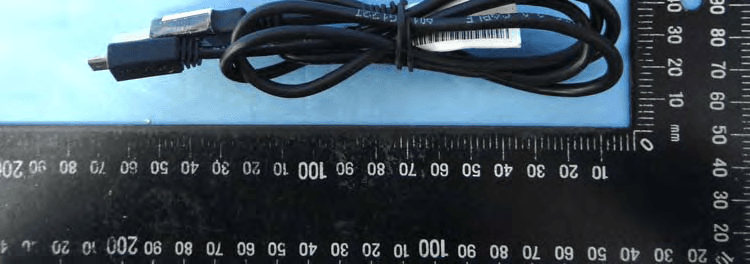
Click to zoom
Application Details
- Equipment Class
- PCB - PCS Licensed Transmitter
- Date of Grant
- Mar 09, 2015
- Application Purpose
- Original Equipment
- Date of Application
- Mar 08, 2015
- Equipment Note
- Mobile Hot Spot
- Frequency Range
- 2506.00000000 - 2680.00000000
- Company
- Netgear Incorporated
- Country
- United States
Documents & Files
Document Text
Text extracted from the exhibit documents filed with the FCC. Open a document above to read the original.
Users Manual
What’s in the BoxBefore You Start Your Device Web Interface Manage Your Account Sustainability ResourcesSurvey Get Connected Your Mobile Hotspot lets you set up and share an on-the-go Wi-Fi hotspot for up to 10 devices. Manage, monitor, and customize your device settings by using the Mobile Hotspot Web-based interface. Online: sprint.com/mysprint • Make a payment, see your bills, enroll in online billing. • Check usage and account balance. • See or modify the details of your Sprint service plan. • Get detailed instructions and download content. From a Phone • Sprint Customer Service: Dial 1-888-211-4727 • Business Customer Service: Dial 1-888-788-4727 • User Guide – View the comprehensive User Guide online at sprint.com/support. • Updates – The first time you connect your Mobile Hotspot, from your Web browser go to the device’s home page by entering http://192.168.1.1. Click Settings, click the Software and Reset tab, and then, under Software Update, click Check for Update. • Device Help – From the Mobile Hotspot home page on your computer, click Support. • Web – Go to sprint.com/support to access troubleshooting and other resources. For software updates, go to sprint.com/downloads. At Sprint, environmental responsibility is more than talk. We’re continuously working to reduce our carbon footprint and decrease our use of natural resources. That’s why you’ll find your user guide, along with expanded support resources, online at sprint.com/support. To find out more about our commitment, visit sprint.com/green. This guide is printed with vegetable based inks and contains a minimum of 30% recycled content or post consumer waste. Please tell us what you think about your new device. We are interested in your initial impressions of this new Sprint device. Within two weeks of your device purchase, please go to the website http://labs.sprint.com/sprintphonesurvey to complete a brief survey. Your feedback will help us provide the wireless features and services you want most. Thank you for choosing Sprint. ©2015 Sprint. Sprint and the logo are trademarks of Sprint. Other marks are property of their respective owners. Screen images simulated. Appearance of device may vary. Power Up the Device If the device is not powered on, press and hold the Power button on the front of the device for at least two seconds. • The device will automatically activate. Note: It can take several minutes for your device to connect with the Sprint network. Connect to Your Device 1. Turn on your Mobile Hotspot and your Wi-Fi enabled device. 2. Open the Wi-Fi application or controls on the computer or Wi-Fi enabled device that you want to connect to your Mobile Hotspot and find the Wi-Fi name. 3. When prompted, enter your Wi-Fi password to connect to the Internet. Note: Your password appears on the Mobile Hotspot LCD display. Charge the Battery 1. Insert the USB cable into the charging adapter. 2. Insert the small end of the USB cable into the microUSB charging port at the bottom of the hotspot. 3. Plug the charging adapter into a standard AC power outlet. Get Ready 1. Make sure you are in an area covered by the Sprint network (not roaming). 2. Make sure the device you are trying to connect to your Mobile Hotspot has its Wi-Fi (wireless network connection) mode turned on. 3. Make sure your Mobile Hotspot is set up on your Sprint account. (Sign on to your account at sprint.com/mysprint to verify.) Thanks for choosing Sprint.This booklet helps you get started with your Sprint Spark™ capable * NETGEAR Fuse Mobile Hotspot. ReadyNow – For more help in getting up and running with your new device, take advantage of exclusive Ready Now resources at sprint.com/readynow. You can even schedule a one-on-one appointment at a Sprint Store near you. For ongoing support and resources, visit sprint.com/support. There, you’ll find guides, tutorials, and more to help you get the most out of your device. Note: Available applications and services are subject to change at any time. * The Sprint Spark enhanced LTE network is available in select markets. Visit sprint.com/coverage for more information. Welcome! Battery Battery Cover USB Cable Charging Adapter Get Started Guide (This guide) Your Device 1. On a computer connected to the Internet via the Mobile Hotspot, open a browser and type [final URL] or http://192.168.1.1 into the address bar and press Enter. The Mobile Hotspot home page opens. 2. [Type your Mobile Hotspot Web Interface password in the Sign In field and click Sign In to display the home page.] Get Started Insert the micro-SIM card and the battery 1. Remove the back cover using the thumb catch on the corner of the hotspot. 2. Insert the micro-SIM card. 3. Ensure that the micro-SIM card is seated securely. 4. Align the battery’s contacts with those inside the battery compartment and gently press down until the battery is seated. 5. Replace the back cover. LCD screen External antenna port microUSB charging port Power/Wake device/ Navigation key External antenna port Main LCD Screens You can view basic settings and alerts on the LCD screen. Press the Navigation button to scroll through the following screens: • Alerts • WiFi name and password • About your device 201-18774-01
Users Manual
Notification of Compliance Regulatory Compliance Information This document includes user requirements for operating NETGEAR products in accordance with national laws including usage of radio spectrum and operation of radio devices. Failure of the end-user to comply with the applicable requirements may result in unlawful operation and adverse action against the end-user by the applicable national regulatory authority. The NETGEAR product firmware limits operation to only the channels allowed in a particular region or country. Therefore, all options described in this document may not be available in your version of the product. This document applies to both Class A and Class B devices: Class A devices are intended to be used in a commercial or industrial environment. They are not intended to be used in a residential home or be available for general public use. Class B devices are intended to be used in a residential setting, and may also be used in commercial and industrial applications. Examples of Class B devices are telephones, personal computers, and residential data gateways. Fuses should only be installed by service personnel. NETGEAR recommends the use of 26 AWG or larger gauge phone line cords. Europe – EU Declaration of Conformity This section applies to products bearing the CE or CE! mark: Products bearing the CE or CE! mark comply with the following EU directives: EMC Directive 2004/108/EC Low Voltage Directive 2006/95/EC Ecodesign Directive 2009/125/EC RoHS Directive 2011/65/EU If the product has telecommunications functionality, it also complies with the requirement of the following EU directive: R&TTE Directive 1999/5/EC Compliance with these directives implies conformity to harmonized European standards that are noted in the EU Declaration of Conformity. The EU CE Declaration of Conformity may be found at http://support.netgear.com/app/answers/detail/a_id/11621/. Caution for installing this equipment outdoors: (Valid in all EU member states, EFTA states, and Switzerland.) Be aware that outdoor installations require special attention and will only be handled by trained and qualified installation personnel. No one from the general public is permitted to install NETGEAR wireless products outdoors when external antennas, power and grounding must be installed for use. Particular attention has to be given allowed operational frequencies. Contact NETGEAR for instructions on how to contact an installer for outdoor operations if this product requires the special considerations for outdoor installations. For detailed information concerning installations in France, the user should contact the national spectrum authority in France (http://www.arcep.fr/ ) The following paragraphs apply to WN2500RP: This device is a 2.4GHz and 5GHz wideband transmission system (transceiver), intended for indoor use only in all EU member states, EFTA states, and Switzerland. In Italy the end-user should apply for a license at the national spectrum authorities in order to obtain authorization to use the device for setting up outdoor radio links and/or for applying public access to telecommunications and/or network services. This device may not be used for setting up outdoor radio links in France and in some areas the RF output power may be limited to 10mW EIRP in the frequency range of 2454-2483.5 MHz. For detailed information the end-user should contact the national spectrum authority in France. The following paragraph applies to the LG2210: External antenna requirement: Net gain (antenna + cable) of external antenna is required to be less than 1.14dBi (minimum gain of internal antenna). Warning NETGEAR Class A products that may be utilized in domestic/residential environments may cause radio interference in which case the user may be required to take adequate measures. FCC Requirements for Operation in the United States Information in this section applies to products bearing the FCC mark (or statement): FCC Information to User This NETGEAR product does not contain any user serviceable components and is to be used with approved antennas only. Any product changes or modifications will invalidate all applicable regulatory certifications and approvals. The following statement applies to these products: C6300 FS308v2 R6220 WNDR3700v5 C7000BMX FS605v4 R7500 WNDR4300v2 D6000 FS608v4 R8000 WNDR4500v3 D6010 GS205v2 STS7000 WNR2010 D3600 GS208v2 VEGN2200 WNR2020 D3610 GS305 VMB3000 WNR614 D6200V2 GS308v2 VMC3010 WNR618 EX2700 GS605v5 VMC3030 EX3700 GS608v4 WN370 EX6100 HMNC100 WN1000v4 EX6150 JNR1010v2 WN2500RP EX6200 JR6150 WN3000RPv2 EX7000 JWNR2000v5 WN3500RP FS205v2 JWNR2010v5 WNA1000Mv2 FS208v2 R6050 WNDA3100v3 FS305v2 R6200v3 WNDR3400v3 This device and its antenna(s) must not be co-located or operating in conjunction with any other antenna or transmitter except in accordance with FCC multi-transmitter product procedures. FCC Guidelines for Human Exposure The NETGEAR product complies with FCC radiation exposure limits set forth for an uncontrolled environment. The equipment should be installed and operated with minimum distance of 20cm between the radiator and your body. The following statement applies to this product: C6300BD This product complies with FCC radiation exposure limits set forth for an uncontrolled environment. The device should be installed and operated with minimum distance of 35cm between the radiator and your body. The following statement applies to this product: C6300XB3 This product complies with FCC radiation exposure limits set forth for an uncontrolled environment. The device should be installed and operated with minimum distance of 25cm between the radiator and your body. The following statement applies to this product: R8000 This product complies with FCC radiation exposure limits set forth for an uncontrolled environment. The device should be installed …
Text truncated - open the document above for the full version.
Cover Letter(s)
Netgear Incorporated Date:2015/2/16 Federal Communications Commission 7435 Oakland Mills Road Columbia MD 21046 c.c. SIEMIC, INC. 775 Montague Expressway Milpitas, CA 95035 To whom it may concern: I, the undersigned, hereby authorize Murphy Wang, Director of A Test Lab Techno Corp. and hereafter referred to as ATL, to act on our behalf in all manners relating to application for equipment authorization, including signing of all documents relating to these matters. Any and all acts carried out by Murphy Wang, Director of A Test Lab Techno Corp. on our behalf shall have the same effect as acts of our own. I, the undersigned, hereby certify that we are not subject to a denial of federal benefits, that includes FCC benefits, pursuant to Section 5301 of the Anti-Drug Abuse Act of 1988, 21 U.S.C. 853(a). In authorizing ATL as our agent, we still recognize that we are responsible to: a) comply with the relevant provisions of the certification program; b) make all necessary arrangements for the conduct of the evaluation, including provision for examining documentation and access to all areas, records (including internal audit reports) and personnel for the purposes of evaluation (e.g. testing, inspection, assessment, surveillance, reassessment) and resolution of complaints; c) make claims regarding certification only in respect of the scope for which certification has been granted; d) do not use our product certification in such a manner as to bring the Certification Division into disrepute and not make any statement regarding our product certification which the Certification Division may consider misleading or unauthorized; e) upon suspension or cancellation of certification, discontinue use of all advertising matter that contains any reference thereto and return any certification documents as required by the Certification Division; f) use certification only to indicate the products are certified as being in conformity with specified standards; g) endeavor to ensure that no certificate or report nor any part thereof is used in a misleading manner; h) ensure that any reference to our product certification in communication media such as documents, brochures or advertising, complies with the requirements of the Certification Division; i) keep a record of all complaints made known to the us relating to the product’s compliance with requirements of the relevant standard and to make these records available to the Certification Division when requested; j) take appropriate action with respect to such complaints and any deficiencies found in products or services that affect compliance with the requirements for certification; k) document the actions taken. This authorization is valid until further written notice from the applicant. Sincerely Yours, David Kay Netgear Incorporated REMARK: 1. This authorization letter will be sent along with your application when filing with the Certification Division. 2. Please follow the format and type it on company letterhead and send original to us. 3. Authorized signature must be in agreement with grantee code contact in FCC database.
Cover Letter(s)
SCS-F18: Project and Product Certification Representative Authorization Letter Page 1 of 2 Rev 3.0 775 Montague Expressway Milpitas, CA 95035 Tel: 408-526-1188 Fax: 408-526-1088 Email: [email protected] Project and Product Certification Representative Authorization Letter Reason for Amendment (current / obsolete) Revision History Approved Date From To Initial Release (obsolete) 1.0 1.0 Nov-14-2006 Revised wording (obsolete) 1.0 2.0 Sept–25-2007 Updated company template (current) 2.0 3.0 Jan-31-2012 SCS-F18: Project and Product Certification Representative Authorization Letter Page 2 of 2 Rev 3.0 Netgear Incorporated Date: 2015/2/16 To: SIEMIC, INC. 775 Montague Expressway, Milpitas, CA 95035 USA Dear Sir/Madam, Re: Project and Product Certification Representative Authorization Letter We, Netgear Incorporated hereby authorize SIEMIC, INC. to act as a Certification Body for certifying for the following project(s): Product description: Mobile Hot Spot Model Number: AC779S-100 FCC ID: PY3AC779SS Sincerely, _________________________________________- David Kay Netgear Incorporated 350 East Plumeria Drive, San Jose, California, United States 95134
Cover Letter(s)
SCS-F19: Confidentiality Request Letter Page 1 of 3 Rev 3.0 775 Montague Expressway Milpitas, CA 95035 Tel: 408-526-1188 Fax: 408-526-1088 Email: [email protected] Confidentiality Request Letter Reason for Amendment (current / obsolete) Revision History Approved Date From To Initial Release (obsolete) 1.0 1.0 Nov-14-2006 Adding CFR 2.459 (obsolete) 1.0 2.0 August – 11 - 2008 Updated company template & Added text box (current) 2.0 3.0 Jan-31-2012 SCS-F19: Confidentiality Request Letter Page 2 of 3 Rev 3.0 Netgear Incorporated Date: 2015/2/16 To: Federal Communications Commission Authorization and Evaluation Division 7435 Oakland Mills Road Columbia, MD Subject: Permanent Confidentiality Request for FCC ID : PY3AC779SS We hereby request confidential treatment of information accompanying this application as outlined below: - Block Diagram - Schematics - Operational Description (Antenna Information) - Tune up Procedure - B.O.M The above materials contain trade secrets and proprietary information not customarily released to the public. The public disclosure of these materials may be harmful to the applicant and provide unjustified benefits to its competitors. The applicant understands that pursuant to Section 0.457 & 0.459 of the Rules, disclosure of this application and all accompanying documentation will not be made before the date of the Grant for this application. Sincerely, ____________________________ David Kay Netgear Incorporated 350 East Plumeria Drive, San Jose, California, United States 95134 SCS-F19: Confidentiality Request Letter Page 3 of 3 Rev 3.0 Netgear Incorporated Date: 2015/2/16 To: Federal Communications Commission Office of Engineering and Technology Equipment Authorization Division 7345 Oakland Mills Road Columbia, Maryland 21046 Subject: Short Term Confidentiality Request for FCC ID : PY3AC779SS To Whom It May Concern: Pursuant to sections 0.457 and 0.459 of CFR 47 and to avoid premature release of sensitive information prior to marketing or release of the product to the public, the applicant requests the following documents contained in this certification application be temporarily withheld from public disclosure for an initial period of 45 or 180 days (please check one). - User Manual - Internal Photo - External Photo - Test Setup Photo The above materials contain trade secrets and proprietary information not customarily released to the public. The public disclosure of these materials may be harmful to the applicant and provide unjustified benefits to its competitors. Sincerely, __________________________________ David Kay Netgear Incorporated 350 East Plumeria Drive, San Jose, California, United States 95134
Cover Letter(s)
Netgear Incorporated The NETGEAR AirCard 779S mobile hotspot is a variant of the AirCard 779 platform. For marketing purposes, the device will be identified in the North American region as the AirCard 779S (AC779S-100). NETGEAR declares that any reference to the AC779S-100 within regulatory compliance test reports accurately reflects the Model: AirCard 779S. Please do not hesitate to contact your local NETGEAR Systems Engineering representative for any additional information. Respectfully, ____________________________ David Kay Netgear Incorporated 350 East Plumeria Drive, San Jose, California, United States 95134
External Photos
1 of 8 External Photos Model Number: AC779S-100 FCC ID: PY3AC779SS 2 of 8 EUT Photo 1 ) EUT Photo 2 ) 3 of 8 EUT Photo 3 ) EUT Photo 4 ) 4 of 8 EUT Photo 5 ) EUT Photo 6 ) 5 of 8 EUT Photo 7 ) EUT Photo 8 ) 6 of 8 EUT Photo 9 ) EUT Photo 10 ) 7 of 8 EUT Photo 11 ) EUT Photo 12 ) 8 of 8 EUT Photo 13 ) EUT Photo 14 )
ID Label/Location Info
ID Label info & Label Location FCC ID : PY3AC779SS
Internal Photos
1 of 8 Internal Photos Model Number: AC779S-100 FCC ID: PY3AC779SS 2 of 8 EUT Photo 1 ) EUT Photo 2 ) 3 of 8 EUT Photo 3 ) EUT Photo 4 ) 4 of 8 EUT Photo 5 ) EUT Photo 6 ) 5 of 8 EUT Photo 7 ) EUT Photo 8 ) WWAN ANT. WWAN ANT. Wi-Fi ANT. 6 of 8 EUT Photo 9 ) EUT Photo 10 ) 7 of 8 EUT Photo 11 ) EUT Photo 12 ) 8 of 8 EUT Photo 13 )
RF Exposure Info
A Test Lab Techno Corp. Changan Lab:No. 140 -1, Changan Street, Bade City, Taoyuan County, Taiwan R.O.C. Te l:886-3-271-0188 / Fax:886-3-271-0190 SAR EVALUATION REPORT Test Report No. : 1502FS15 Applicant : Netgear Inc. Product Type : Mobile Hot Spot Trade Name : Netgear Model Number : AC779S-100 Date of Received : Jan. 30, 2015 Test Period : Feb. 08 ~ 16, 2015 Date of Issued : Feb. 25, 2015 Test Environment : Ambient Temperature: 22 ± 2 ° C Relative Humidity:40 - 70 % Standard : KDB 865664 D01 SAR Measurement 100 MHz to 6 GHz v01r03 KDB 865664 D02 RF Exposure Reporting v01r01 KDB 447498 D01 General RF Exposure Guidance v05r02 KDB 248227 D01 SAR meas for 802 11 a b g v01r02. KDB 941225 D05 SAR for LTE Devices v02r03 KDB 941225 D06 Hotspot Mode v02 ANSI/IEEE C95.1-1999 IEEE Std. 1528-2013 IEEE Std. 1528a-2005 47 CFR Part §2.1093; Test Lab Location : Chang-an Lab 1. The test operations have to be performed with cautious behavior, the test results are as attached. 2. The test results are under chamber environment of A Test Lab Techno Corp. A Test Lab Techno Corp. does not assume responsibility for any conclusions and generalizations drawn from the test results with regard to other specimens or samples. 3. The measurement report has to be written approval of A Test Lab Techno Corp. It may only be reproduced or published in full. This report shall not be reproduced except in full, without the written approval of A Test Lab Techno Corp. The test results in the report only apply to the tested sample. Approved By : Tested By : (Bill Hu) (Sky Chou) Report Number: 1502FS15Page 1 of 293 ©2015 A Test Lab Techno Corp. Contents 1. Summary of Maximum Reported SAR Value ................................................................................................. 4 2. Description of Equipment under Test (EUT) .................................................................................................. 5 3. Introduction..................................................................................................................................................... 7 3.1 SAR Definition ..................................................................................................................................... 7 4. SAR Measurement Setup .............................................................................................................................. 8 4.1 DASY E-Field Probe System............................................................................................................... 9 4.2 Data Acquisition Electronic (DAE) System ........................................................................................ 12 4.3 Robot ................................................................................................................................................. 12 4.4 Measurement Server......................................................................................................................... 12 4.5 Device Holder .................................................................................................................................... 13 4.6 Phantom - SAM v4.0 ......................................................................................................................... 13 4.7 Oval Flat Phantom - ELI 4.0 .............................................................................................................. 14 4.8 Data Storage and Evaluation............................................................................................................. 14 5. Tissue Simulating Liquids............................................................................................................................. 17 5.1 Ingredients......................................................................................................................................... 18 5.2 Recipes.............................................................................................................................................. 18 5.3 Liquid Depth ...................................................................................................................................... 19 6. SAR Testing with RF Transmitters ............................................................................................................... 20 6.1 SAR Testing with LTE-FDD Transmitters .......................................................................................... 20 6.2 SAR Testing with LTE-TDD Transmitters .......................................................................................... 20 6.3 LTE Frequency range and channel bandwidth..................................................................................22 6.4 Power reduction ................................................................................................................................ 26 6.5 SAR Testing with 802.11 Transmitters............................................................................................... 27 6.6 General Device Setup ....................................................................................................................... 27 6.7 Conducted Power .............................................................................................................................. 29 6.8 Antenna location................................................................................................................................ 65 6.9 Stand-alone SAR Evaluate................................................................................................................ 68 6.10 Simultaneous Transmitting Evaluate ................................................................................................. 70 6.11 SAR test reduction according to KDB ............................................................................................... 74 7. System Verification and Validation ...................................…
Text truncated - open the document above for the full version.
RF Exposure Info
Appendix C - Calibration All of the instruments Calibration information are listed below. z Dipole _ D750V3 SN:1078 Calibration No.D750V3-1078_Jun14 z Dipole _ D835V2 SN:4d082 Calibration No.D835V2-4d082_Jul14 z Dipole _ D1750V2 SN:1023 Calibration No.D1750V2-1023_Jun14 z Dipole _ D1900V2 SN:5d111 Calibration No.D1900V2-5d111_Jul14 z Dipole _ D2450V2 SN:712 Calibration No.D2450V2-712_Mar14 z Probe _ EX3DV4 SN:3977 Calibration No.EX3-3977_Feb14 z DAE _ DAE4 SN:779 Calibration No.DAE4-779_Feb14 Report Number: 1502FS15Page 236 of 293 ©2015 A Test Lab Techno Corp. Report Number: 1502FS15Page 237 of 293 ©2015 A Test Lab Techno Corp. Report Number: 1502FS15Page 238 of 293 ©2015 A Test Lab Techno Corp. Report Number: 1502FS15Page 239 of 293 ©2015 A Test Lab Techno Corp. Report Number: 1502FS15Page 240 of 293 ©2015 A Test Lab Techno Corp. Report Number: 1502FS15Page 241 of 293 ©2015 A Test Lab Techno Corp. Report Number: 1502FS15Page 242 of 293 ©2015 A Test Lab Techno Corp. Report Number: 1502FS15Page 243 of 293 ©2015 A Test Lab Techno Corp. Report Number: 1502FS15Page 244 of 293 ©2015 A Test Lab Techno Corp. Report Number: 1502FS15Page 245 of 293 ©2015 A Test Lab Techno Corp. Report Number: 1502FS15Page 246 of 293 ©2015 A Test Lab Techno Corp. Report Number: 1502FS15Page 247 of 293 ©2015 A Test Lab Techno Corp. Report Number: 1502FS15Page 248 of 293 ©2015 A Test Lab Techno Corp. Report Number: 1502FS15Page 249 of 293 ©2015 A Test Lab Techno Corp. Report Number: 1502FS15Page 250 of 293 ©2015 A Test Lab Techno Corp. Report Number: 1502FS15Page 251 of 293 ©2015 A Test Lab Techno Corp. Report Number: 1502FS15Page 252 of 293 ©2015 A Test Lab Techno Corp. Report Number: 1502FS15Page 253 of 293 ©2015 A Test Lab Techno Corp. Report Number: 1502FS15Page 254 of 293 ©2015 A Test Lab Techno Corp. Report Number: 1502FS15Page 255 of 293 ©2015 A Test Lab Techno Corp. Report Number: 1502FS15Page 256 of 293 ©2015 A Test Lab Techno Corp. Report Number: 1502FS15Page 257 of 293 ©2015 A Test Lab Techno Corp. Report Number: 1502FS15Page 258 of 293 ©2015 A Test Lab Techno Corp. Report Number: 1502FS15Page 259 of 293 ©2015 A Test Lab Techno Corp. Report Number: 1502FS15Page 260 of 293 ©2015 A Test Lab Techno Corp. Report Number: 1502FS15Page 261 of 293 ©2015 A Test Lab Techno Corp. Report Number: 1502FS15Page 262 of 293 ©2015 A Test Lab Techno Corp. Report Number: 1502FS15Page 263 of 293 ©2015 A Test Lab Techno Corp. Report Number: 1502FS15Page 264 of 293 ©2015 A Test Lab Techno Corp. Report Number: 1502FS15Page 265 of 293 ©2015 A Test Lab Techno Corp. Report Number: 1502FS15Page 266 of 293 ©2015 A Test Lab Techno Corp. Report Number: 1502FS15Page 267 of 293 ©2015 A Test Lab Techno Corp. Report Number: 1502FS15Page 268 of 293 ©2015 A Test Lab Techno Corp. Report Number: 1502FS15Page 269 of 293 ©2015 A Test Lab Techno Corp. Report Number: 1502FS15Page 270 of 293 ©2015 A Test Lab Techno Corp. Report Number: 1502FS15Page 271 of 293 ©2015 A Test Lab Techno Corp. Report Number: 1502FS15Page 272 of 293 ©2015 A Test Lab Techno Corp. Report Number: 1502FS15Page 273 of 293 ©2015 A Test Lab Techno Corp. Report Number: 1502FS15Page 274 of 293 ©2015 A Test Lab Techno Corp. Report Number: 1502FS15Page 275 of 293 ©2015 A Test Lab Techno Corp. Report Number: 1502FS15Page 276 of 293 ©2015 A Test Lab Techno Corp. Report Number: 1502FS15Page 277 of 293 ©2015 A Test Lab Techno Corp. Report Number: 1502FS15Page 278 of 293 ©2015 A Test Lab Techno Corp. Report Number: 1502FS15Page 279 of 293 ©2015 A Test Lab Techno Corp. Report Number: 1502FS15Page 280 of 293 ©2015 A Test Lab Techno Corp. Report Number: 1502FS15Page 281 of 293 ©2015 A Test Lab Techno Corp. Report Number: 1502FS15Page 282 of 293 ©2015 A Test Lab Techno Corp. Report Number: 1502FS15Page 283 of 293 ©2015 A Test Lab Techno Corp. Report Number: 1502FS15Page 284 of 293 ©2015 A Test Lab Techno Corp. Report Number: 1502FS15Page 285 of 293 ©2015 A Test Lab Techno Corp.
Test Report
FCC RF Test Report Product Type : Mobile Hot Spot Applicant : Netgear Inc. Address : 350 East Plumeria Drive, San Jose, CA 95134 Trade Name : Netgear Model Number : AC779S-100 Test Specification : FCC 47 CFR PART 22H: Oct, 2014 FCC 47 CFR PART 24E: Oct, 2014 FCC 47 CFR PART 27: Oct. 2014 FCC 47 CFR PART 90: Oct, 2014 ANSI/TIA-603-C-2004 Application Purpose : Original Receive Date : Jan. 30, 2015 Test Period : Feb. 10 ~ 14, 2015 Issue Date : Mar. 09, 2015 Issue by A Test Lab Techno Corp. No. 140-1, Changan Street, Bade City, Taoyuan County 334, Taiwan R.O.C. Te l:+8…
Text truncated - open the document above for the full version.
Contact Information
Applicant
David Kay
Test Firm
Eurofins E&E Wireless Taiwan Co., LtdFly LU
Technical Specifications
| # | Rule Parts | Frequency Range | Power Output | Emission | Tolerance |
|---|---|---|---|---|---|
| 7 | 27 | 2.51 GHz - 2.68 GHz | 179.00 mW | 17M8W7D | 0.004 ppm |
Other Applications from Netgear Incorporated
PY325100647
Aug 04, 2026BE5000 Dual-Band PoE 2.5G Insight Managed WiFi 7 Outdoor Access Point
Equipment Class
DTS - Digital Transmission SystemPY325300652
May 12, 2026BE5000 Dual-Band PoE 2.5G Insight Managed WiFi 7 Access Point
Equipment Class
NII - Unlicensed National Information Infrastructure TXPY325400656
Apr 16, 2026Orbi Outdoor Satellite
Equipment Class
DTS - Digital Transmission SystemPY324400640
Dec 12, 2025Orbi 11BE WiFi 7 Tri-band Router, Orbi 11BE WiFi 7 Tri-band Satellite
Equipment Class
NII - Unlicensed National Information Infrastructure TXPY324100618
Jul 31, 2024Nighthawk 5G Mobile Router
Equipment Class
PCB - PCS Licensed Transmitter