PY3MA111V2802.11b WIRELESS USB ADAPTER
Netgear Incorporated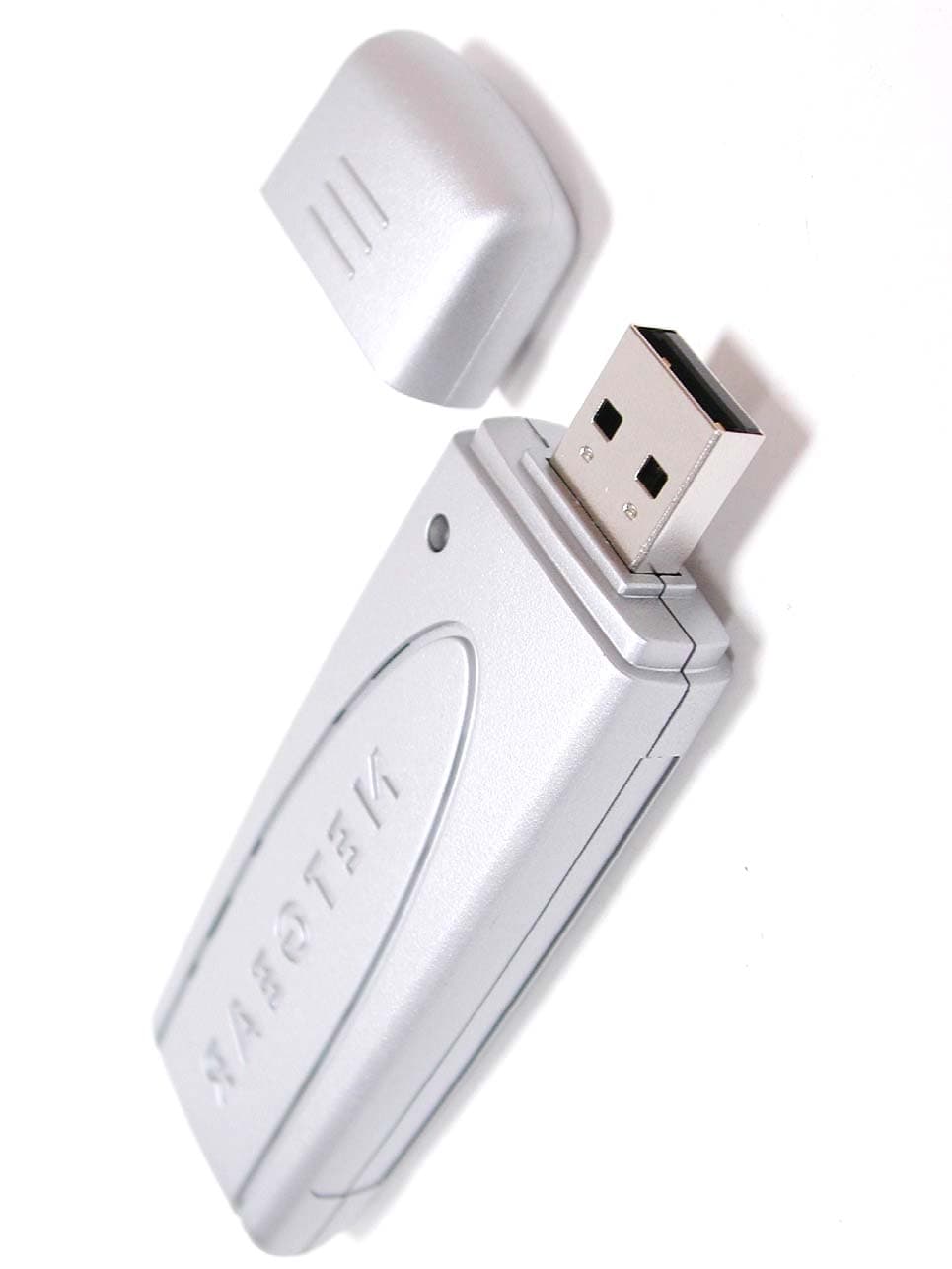
Click to zoom
Application Details
- Equipment Class
- DTS - Digital Transmission System
- Date of Grant
- Jun 27, 2004
- Application Purpose
- Original Equipment
- Date of Application
- Jun 27, 2004
- Equipment Note
- 802.11b WIRELESS USB ADAPTER
- Frequency Range
- 2412.00000000 - 2462.00000000
- Company
- Netgear Incorporated
- Country
- United States
Documents & Files
Document Text
Text extracted from the exhibit documents filed with the FCC. Open a document above to read the original.
Users Manual
Start HereFollow these instructions to set up your wireless adapter.These basic setup instructions assume that you will connect to an access point, and you arenot using WEP security. Please refer to the online help and the Reference Manual on the Resource CD for instructions on configuring WEP, Ad-Hoc mode, or advanced options. Estimated Completion Time: 5-15 minutes.For Windows XP computers 1 1 First, Install the MA111 v2 Software a. Power on your PC, let the operating system boot up completely, and log in as needed. b. Insert the Resource CD into your CD-ROM drive. The CD main page shown below will load. c. Click the Install Driver & Utility link. d. Follow the InstallShield Wizard steps. Click Finish when done, and if prompted restart your computer. 2 2 Ne xt, Install the MA111 v2 Wireless USB Adapter Note: You should have a USB port on your computer. Newer USB 2.0 ports will also work.a. Inser t the MA111 v2 into a USB slot. After a shor t delay , the F ound N ew Hardware Wizard displays. Click Next to proceed. Note: If a Windows XP logo testing warning appears, click Continue Anyway to proceed. b. Next, you will also be prompted to choose the country where you are located. Click Ye s to accept this option. If you choose No , you must read the Windows XP documentation for an explanation of how to use the Windows XP wireless configuration utility.You will also be prompted to choose the country you are located in. Select yourlocation from the list. c. Click Finish to complete the installation. You will see the MA111 v2 system tray icon on the lower right portion of the Windows task bar. 3 3 Now , Configure Y our MA111 v2 and Save the Profile a. Click the icon in the Windo ws system tray to open the MA111 v2 S mar t Wireless Settings Utility. b. The utility opens to the Status tab page. c. Click the Configuration tab page to change the wireless settings. Change the Network Name SSID to match your network.Tip: To view the available wireless networks, use the drop-down list or the Site Survey tab and choose the one you want. d. Click Apply to activate the connection. Tip: Click the Profile tab page for profile creation. Create work and home profiles. Then, activate whichever one you need for your current location. Note: The Signal Strength and Link Quality indicators on the Status tab page report the status of your wireless connection. 4 4 Finally, Verify Wireless Network Connectivity a. Verify that the status monitor information at the bottom of the utility matches your wireless network. b. Check the color of the MA111 v2 icon in the Windo ws system tray: gr een or yellow indicates a working connection; red indicates no connection. c. Check the MA111 v2 LED: blinking means attempting to connect; solid indicates a good connection; off means the MA111 v2 is not plugged in. d. Verify connectivity to the I nternet or networ k r esour ces. Note: If you are unable to connect, see troubleshooting tips in the Basic Installation section of the Reference Manual on the Resource CD. Wireless USB Adapter MA111 v2 Installation Guide For Windows 2000, Me, or 98SE computers 1 1 First, Install the MA111 v2 Software a. Power on your PC, let the operating system boot up completely, and log in as needed. b. Insert the Resource CD into your CD-ROM drive. The CD main page shown below will load. c. Click the Install Driver & Utility link. d. Follow the InstallShield Wizard steps, click Finish when done, and if prompted, restart your computer. 2 2 Ne xt, Install the MA111 v2 Wireless USB Adapter Note: You should have a USB port on your computer. Newer USB ports will also work. a. Inser t the MA111 v2 into a USB slot. After a shor t delay , the F ound N ew Hardware Wizard displays. Click Next to proceed. Note: If Windows 2000 displays a Digital Signature Not Found warning,click Ye s to continue the installation. May 2004 ©2004 NETGEAR, Inc. NETGEAR, the Netgear logo, Everybody's connecting, Auto Uplink and ProSafe are trademarks orregistered trademarks of Netgear, Inc. in the United States and/or other countries. Microsoft and Windows are registered trade-marks of Microsoft Corporation in the United States and/or other countries. Other brand and product names are trademarks orregistered trademarks of their respective holders. Information is subject to change without notice. All rights reserved. b. Follo w the F ound N ew H ar dwar e Wizar d steps, click F inish when done, and if prompted, restart your computer. c. Next, y ou will be pr ompted to choose the countr y wher e y ou ar e located. S elect your location from the list. d. You will no w see the MA111 v2 system tray icon in the lo wer right ar ea of the Windows task bar. 3 3 Now , Configure Y our MA111 v2 a. Open the MA111 v2 S mar t Wir eless S ettings U tility b y clicking on the icon in the Windows system tray. b. The utility opens to the Status tab page. c. Click the Configuration tab page to change the wireless settings. Change the Network Name SSID to match your network.Tip: To view the available wireless networks, use the drop-down list or the Site Survey tab and choose the one you want. d. Click Apply to activate the connection. Tip: Click the Profile tab page for profile creation. Create work and home profiles. Then, activate whichever one you need for your current location. Note: The Signal Strength and Link Quality indicators on the Status tab page report the status of your wireless connection. 4 4 Finally , V erify Wireless Network Connectivity a. Verify that the status monitor information at the bottom of the utility matches your wireless network. b. Check the color of the MA111 v2 icon in the Windo ws system tray: gr een or yellow indicates a working connection; red indicates no connection. c. Check the MA111 v2 LED: blinking means attempting to connect; solid indicates a good connection; off means the MA111 v2 is not plugged in. d. Verify connectivity to the I nternet or networ k r esour ces. Note: If you are unable to connect, see troublesh…
Text truncated - open the document above for the full version.
External Photos
External Photos of Wireless USB Adapter --------------- 1/5 Applicant: Netgear, Inc. Model: MA111v2, FCC ID: PY3MA111V2, CANADA IC: 4054A-MA111V2 Training Research Co., Ltd., TEL: 886-2-26935155, Fax: 886-2-26934440 External Photos of Wireless USB Adapter --------------- 2/5 Applicant: Netgear, Inc. Model: MA111v2, FCC ID: PY3MA111V2, CANADA IC: 4054A-MA111V2 Training Research Co., Ltd., TEL: 886-2-26935155, Fax: 886-2-26934440
ID Label/Location Info
LABEL Position:
ID Label/Location Info
MA111v2 See Caution in Manual
Internal Photos
Internal Photos of Wireless USB Adapter --------------- 3/5 Applicant: Netgear, Inc. Model: MA111v2, FCC ID: PY3MA111V2, CANADA IC: 4054A-MA111V2 Training Research Co., Ltd., TEL: 886-2-26935155, Fax: 886-2-26934440 Internal Photos of Wireless USB Adapter --------------- 4/5 Applicant: Netgear, Inc. Model: MA111v2, FCC ID: PY3MA111V2, CANADA IC: 4054A-MA111V2 Training Research Co., Ltd., TEL: 886-2-26935155, Fax: 886-2-26934440 Internal Photos of Wireless USB Adapter --------------- 5/5 Applicant: Netgear, Inc. Model: MA111v2, FCC ID: PY3MA111V2, CANADA IC: 4054A-MA111V2 Training Research Co., Ltd., TEL: 886-2-26935155, Fax: 886-2-26934440
RF Exposure Info
Compliance Certification Services Inc. Report No: 40610002-SF FCC ID: PY3MA111V2 Date of Issue: June 18, 2004 Note: This report shall not be reproduced except in full, without the written approval of Compliance Certification Services Inc. This document may be altered or revised by Compliance Certification Services Inc. personnel only, and shall be noted in the revision section of the document. Page1 of 23 ANSI/IEEE Std. C95.1-1992 in accordance with the requirements of FCC Report and Order: ET Docket 93-62, and OET Bulletin 65 Supplement C FCC TEST REPORT For Netgear, Inc. 802.11bWireless USB Adapter Trade Name: NETGEAR Model: MA111v2 Prepared for Netgear, Inc. 4500 Great America Parkway Santa clara, CA 95054, USA Prepared by Compliance Certification Services Inc. No. 81-1, Lane 210, Bade Rd. 2, Luchu Hsiang, Taoyuan Hsien, (338) Taiwan, R.O.C. TEL: 886-3-324-0332 FAX: 886-3-324-5235 Compliance Certification Services Inc. Report No: 40610002-SF Date of Issue: June 18, 2004 Page 2 CERTIFICATE OF COMPLIANCE (SAR EVALUATION) Date of Test: June 14, 2004 Applicant: Netgear, Inc. 4500 Great America Parkway Santa clara, CA 95054, USA Model Number / Trade Name: MA111v2 / NETGEAR Device Category: PORTABLE DEVICES Exposure Category: GENERAL POPULATION/UNCONTROLLED EXPOSURE Test Sample is a: Production unit Modulation type: 802.11b Direct Sequence Spread Spectrum Tx Frequency: 2412 ~ 2462 MHz Max. O/P Power: (Conducted/Peak) 17.01dBm Max. SAR (1g): 0.610W/kg Application Type: Certification FCC Rule Part(s): 15C Note: This Report is only applicable for 802.11b/g. This wireless portable device has been shown to be capable of compliance for localized specific absorption rate (SAR) for uncontrolled environment/general population exposure limits specified in ANSI/IEEE Std. C95.1- 1992 and had been tested in accordance with the measurement procedures specified in FCC OET 65 Supplement C (released on 6/29/2001 see Test Report). I attest to the accuracy of data. All measurements reported herein were performed by me or were made under my supervision and are correct to the best of my knowledge and belief. I assume full responsibility for the completeness of these measurements and vouch for the qualifications of all persons taking them. Approved by: Reviewed by: Harris W. Lai James Lee Executive Vice President Section Manager Compliance Certification Services Inc. Compliance Certification Services Inc. Compliance Certification Services Inc. Report No: 40610002-SF Date of Issue: June 18, 2004 Page 3 TABLE OF CONTENTS 1. EUT DESCRIPTION ..................................................................................................... 4 2. REQUIREMENTS FOR COMPLIANCE TESTING DEFINED BY THE FCC .... 5 3. DOSIMETRIC ASSESSMENT SYSTEM ................................................................... 5 3.1 MEASUREMENT SYSTEM DIAGRAM .........................................................................6 3.2 SYSTEM COMPONENTS.................................................................................................7 4. EVALUATION PROCEDURES................................................................................... 9 5. MEASUREMENT UNCERTAINTY ......................................................................... 12 6. EXPOSURE LIMIT ..................................................................................................... 13 7. TYPICAL COMPOSITION OF INGREDIENTS FOR LIQUID TISSUE PHANTOMS13 8. MEASUREMENT RESULTS ..................................................................................... 14 8.1 SYSTEM PERFORMANCE CHECK..............................................................................14 8.2 TEST LIQUID CONFIRMATION ..................................................................................16 8.3 EUT TUNE-UP PROCEDURES......................................................................................17 8.4 SAR MEASUREMENTS RESULTS...............................................................................18 9. EUT PHOTOS .............................................................................................................. 20 10. EQUIPMENT LIST & CALIBRATION STATUS ................................................... 21 11. FACILITIES ................................................................................................................. 22 12. REFERENCES ............................................................................................................. 22 13. ATTACHMENTS ......................................................................................................... 23 Compliance Certification Services Inc. Report No: 40610002-SF Date of Issue: June 18, 2004 Page 4 1. EUT DESCRIPTION Applicant: Netgear, Inc. 4500 Great America Parkway Santa clara, CA 95054, USA Model Number / Trade Name: MA111v2 /NETGEAR Device Category: PORTABLE DEVICES Exposure Category: GENERAL POPULATION/UNCONTROLLED EXPOSURE Test Sample is a: Production unit Modulation type: 802.11b Direct Sequence Spread Spectrum Tx Frequency: 2412 ~ 2462 MHz Max. O/P Power: (Conducted/Peak) 17.01dBm Max. SAR (1g): 0.610W/kg Application Type: Certification FCC Rule Part(s): 15C Antennas: PIFA Ant. Compliance Certification Services Inc. Report No: 40610002-SF Date of Issue: June 18, 2004 Page 5 2. REQUIREMENTS FOR COMPLIANCE TESTING DEFINED BY THE FCC The US Federal Communications Commission has released the report and order “Guidelines for Evaluating the Environmental Effects of RF Radiation", ET Docket No. 93-62 in August 1996 [1]. The order requires routine SAR evaluation prior to equipment authorization of portable transmitter devices, including portable telephones. For consumer products, the applicable limit is 1.6 mW/g for an uncontrolled environment and 8.0 mW/g for an occupational/controlled environment as recommended by the ANSI/IEEE standard C95.1-1992 [6]. According to the Supplement C of OET Bulletin 65 “Evaluating Compliance with FCC Guide-lines f…
Text truncated - open the document above for the full version.
Test Report
Test Report ----------------------------------------------------------------------------------1/45 Report No.: N1015562, FCC Part 15.247 Training Research Co., Ltd., TEL: 886-2-26935155, Fax: 886-2-26934440 MEASUREMENT REPORT of Wireless USB Adapter Applicant:Netgear, Inc. EUT:802.11b Wireless USB Adapter Model:MA111v2 FCC ID:PY3MA111V2 Report No.:N1015562 Tested by : Training Research Co., Ltd. TEL : 886-2-26935155 FAX : 886-2-26934440 No. 255, Nanyang Street, Shijr, Taipei Hsien 221, Taiwan, R.O.C. Test Report ----------------------------------------------------------------------------------2/45 Report No.: N1015562, FCC Part 15.247 Training Research Co., Ltd., TEL: 886-2-26935155, Fax: 886-2-26934440 CERTIFICATION We here by verify that: The test data, data evaluation, test procedures and equipment configurations shown in this report were made mainly in accordance with the procedures given in ANSI C63.4 (1992) as a reference. All test were conducted byTraining Research Co., Ltd., 255 Nanyang Street, Shijr, Taipei Hsien 221, Taiwan, R.O.C. Also, we attest to the accuracy of each. We further submit that the energy emitted by the sample EUT tested as described in the report is in compliance with the technical requirements set forth in the FCC Rules Part 15 Subpart B (Declaration of Conformity) and C Section 15.247. Applicant:Netgear, Inc. Applicant address:4500 Great America Parkway Santa Clara, CA 95054 USA Product Name:802.11b Wireless USB Adapter Model Name:MA111v2 FCC ID:PY3MA111V2 Report No.:N1015562 Test Date:May 26, 2004 Prepared by:Approved by: Jack TsaiFrank Tsai Conditions of issue : (1) This test report shall not be reproduced except in full, without written approval of TRC. And the test result contained within this report only relate to the sample submitted for testing. (2) This report must not be used by the client to claim product endorsement by NVLAP or any agency of U.S. Government. (3)This test report, measurements made by TRC are traceable to the NIST only Conducted and Radiated Method. NVLAP LAB CODE: 200174-0 Test Report ----------------------------------------------------------------------------------3/45 Report No.: N1015562, FCC Part 15.247 Training Research Co., Ltd., TEL: 886-2-26935155, Fax: 886-2-26934440 Federal Communications Commission Declaration of Conformity (DoC) For the Following Equipment: Product name:802.11b Wireless USB Adapter Model name:MA111v2 Trade name:NETGEAR Is herewith confirmed and found to comply with the requirements of CFR 47 part15 Subpart B - Unintentional Radiators regulation. The results of electromagnetic mission evaluation are shown in the report number : N1015562 This device complies with Part 15 of the FCC Rules. Operation is subject to the following two conditions: (1) This device may not cause harmful interference, and (2) This device must accept any interference received, including interference that may cause undesired operation ManufacturerUSA local representative Company name: CAMEO Communications, Inc.To be determined Computer address: 6F, No.22, Chung Shin Rd., Hsi-Chih, Taipei 221, Taiwan ZIP / Postal code 221 Contact person: Jason Chang Title: Wireless Comm RD Dept Manager Internet e-mail address: [email protected] Tel / Fax: 886-2-26499800 /886-2-26499984 Test Report ----------------------------------------------------------------------------------4/45 Report No.: N1015562, FCC Part 15.247 Training Research Co., Ltd., TEL: 886-2-26935155, Fax: 886-2-26934440 Tables of Contents I.GENERAL....................................................................................................................... 6 1.1 Introduction ................................................................................................................ 6 1.2 Description of EUT .................................................................................................... 6 1.3 Test method ................................................................................................................ 6 1.4 Description of Support Equipment ............................................................................ 7 1.5 Configuration of System Under Test ......................................................................... 9 1.6 Verify the Frequency and Channel ............................................................................ 11 1.7 Test Procedure ........................................................................................................... 12 1.8 Location of the Test Site ........................................................................................... 12 1.9 General Test Condition ............................................................................................. 12 II. Section 15.101(a) : Equipment Authorization of Unintentional Radiators................ 13 III. Section 15.203 : Antenna Requirement.......................................................................... 14 IV. Section 15.207 : Power Line Conducted Emissions for AC Powered Units.............. 15 4.1 Test Condition & Setup ............................................................................................. 15 4.2 List of Test Instruments ............................................................................................. 16 4.3 Test Result of Conducted Emissions ........................................................................ 17 Standby mode ........................................................................................................................ 17 IEEE 802.11b, Channel 01 .................................................................................................... 18 IEEE 802.11b, Channel 06 .................................................................................................... 18 IEEE 802.11b, Channel 11 .................................................................................................... 19 V.Section 15.247(a) : Technical Descrip…
Text truncated - open the document above for the full version.
Test Setup Photos
Test Setup Photos ------------------------------------------------------------------------ 1/2 Applicant: Netgear, Inc. Model: MA111v2, FCC ID: PY3MA111V2, CANADA IC: 4054A-MA111V2 Training Research Co., Ltd., TEL: 886-2-26935155, Fax: 886-2-26934440 Conducted Test Setup Placement: Front View of the Test Configuration Side View of the Test Configuration Test Setup Photos ------------------------------------------------------------------------ 2/2 Applicant: Netgear, Inc. Model: MA111v2, FCC ID: PY3MA111V2, CANADA IC: 4054A-MA111V2 Training Research Co., Ltd., TEL: 886-2-26935155, Fax: 886-2-26934440 Radiated Test Setup Placement: Front View of the Test Configuration Rear View of the Test Configuration
Contact Information
Applicant
David Kay
Test Firm
Training Research Co., Ltd.YuYu Tzeng
Technical Specifications
| # | Rule Parts | Frequency Range | Power Output |
|---|---|---|---|
| 1 | 15C | 2.41 GHz - 2.46 GHz | 50.23 mW |
Other Applications from Netgear Incorporated
PY325100647
Aug 04, 2026BE5000 Dual-Band PoE 2.5G Insight Managed WiFi 7 Outdoor Access Point
Equipment Class
DTS - Digital Transmission SystemPY325300652
May 12, 2026BE5000 Dual-Band PoE 2.5G Insight Managed WiFi 7 Access Point
Equipment Class
NII - Unlicensed National Information Infrastructure TXPY325400656
Apr 16, 2026Orbi Outdoor Satellite
Equipment Class
DTS - Digital Transmission SystemPY324400640
Dec 12, 2025Orbi 11BE WiFi 7 Tri-band Router, Orbi 11BE WiFi 7 Tri-band Satellite
Equipment Class
NII - Unlicensed National Information Infrastructure TXPY324100618
Jul 31, 2024Nighthawk 5G Mobile Router
Equipment Class
PCB - PCS Licensed Transmitter