PY3WG302802.11g ProSafe Wireless Access Point
Netgear Incorporated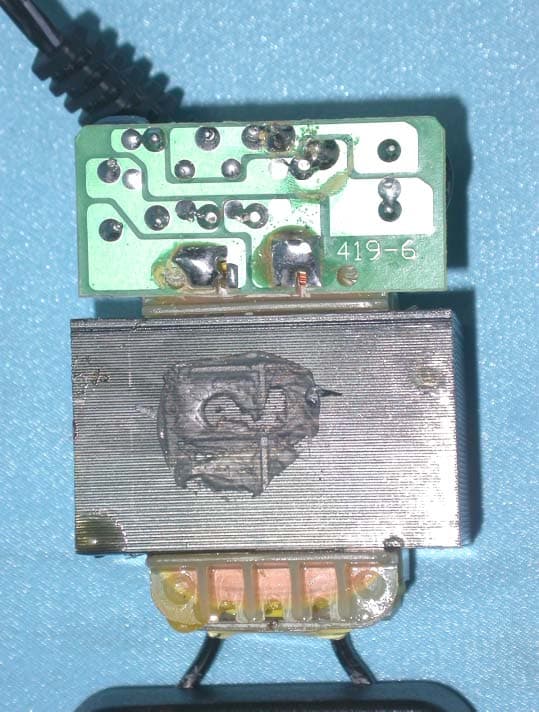
Click to zoom
Application Details
- Equipment Class
- JBP - Part 15 Class B Computing Device Peripheral
- Date of Grant
- Nov 17, 2003
- Application Purpose
- Original Equipment
- Date of Application
- Nov 17, 2003
- Equipment Note
- 802.11g ProSafe Wireless Access Point
- Company
- Netgear Incorporated
- Country
- United States
Documents & Files
Document Text
Text extracted from the exhibit documents filed with the FCC. Open a document above to read the original.
Users Manual
Installation Guide Follow these quick steps to install your wireless access point. You can also consult the Install Assistant or the Reference Manualon the Resource CD for ProSafe Wireless Access Point. 1 1 Set up the WG302 Access Point Tip:Before mounting the WG302 in a high location, first set up and test the WG302 to verify wireless network connectivity. a. Unpack the box and verify the contents and attach the antennas. b. Prepare a PC with an Ethernet adapter. If this PC is already part of your network, record its TCP/IP configuration settings. Configure the PC with a static IP address of 192.168.0.210and 255.255.255.0for the Subnet Mask. c. Connect an Ethernet cable from the WG302 to the PC(A). d. Turn on your computer, connect the power adapter to the WG302 and verify the following: • The PWR power light goes on. • The LAN light of the wireless access point is lit when connected to a powered on PC. 2 2 Configure LAN and Wireless Access a.Configure the WG302 Ethernet port for LAN access. •Connect to the WG302 by opening your browser and entering http://192.168.0.228in the address field. •When prompted, enter adminfor the user name and passwordfor the password, both in lower case letters. •Click the IP Settingslink and configure the IP Settings for your network. b. Configure the wireless interface for wireless access. See the online help or “Understanding Basic Wireless Settings” section in the Reference Manualfor full instructions. c. Test wireless connectivity using a PC with a wireless adapter configured according to the wireless settings you just set in the WG302, establish a wireless connection to the WG302. Note:You must set the Regulatory Domain. It may not be legal to operate the wireless access point in a region other than one of those identified in this field. Now that you have finished the setup steps, you are ready to deploy the WG302 in your network. If needed, you can now reconfigure the PC you used in step 1 back to its original TCP/IP settings. 3 3 Deploy the WG302 Access Point a. Disconnect the WG302 and position it where you will deploy it. The best location is elevated, such as wall mounted or on the top of a cubicle, at the center of your wireless coverage area, and within line of sight of all the mobile devices. Tip:If you plan to locate the WG302 in a location where it is difficult to connect the electrical power supply, consider using the NETGEAR POE101 Power Over Ethernet Adapter which provides power to the WG302 through the Ethernet cable. b.Lift the antenna on either side so that they are vertical. Note:Consult the antenna positioning and configuration infor- mation in the Reference Manualon the Resource CD for ProSafe Wireless Access Point. c. Connect an Ethernet cable from your WG302 Access Point to a LAN port on your router, switch, or hub. Note:By default, WG302 is set to be a DHCP client. If your network uses static IP addresses, you will need to change this setting. d. Connect the power adapter to the wireless access point and plug the power adapter in to a power outlet. The PWR, LAN, and Wireless LAN lights should light up. 4 4 Verify Wireless Connectivity Using a computer with an 802.11b wireless adapter, verify connectivity by using a browser such as Netscape ® or Internet Explorer to connect to the Internet, or check for file and printer access on your network. Note:If you cannot connect, see to Troubleshooting Tips in this guide or the Reference Manualon the Resource CD for ProSafe Wireless Access Point. 802.11g ProSafe ™ Wireless Access Point WG302 ResetConsole 9600,N,8,1PrimaryLAN/[email protected] WG302 802.11g ProSafe ™ Wireless Access Point A Troubleshooting Tips If you have trouble setting up your WG302, check the tips below. No lights are lit on the access point. The access point has no power. •Make sure the power cord is connected to the access point and plugged in to a working power outlet or power strip. •Make sure you are using the correct NETGEAR power adapter supplied with your access point. The Ethernet LAN light is not lit. There is a hardware connection problem. •Make sure the cable connectors are securely plugged in at the access point and the network device (hub, switch, or router). •Make sure the connected device is turned on. •Be sure the correct cable is used. Use a standard Category 5 Ethernet patch cable. If the network device has Auto Uplink ™ (MDI/MDIX) ports, you may use a cross-over cable. The Wireless LAN activity light is not lit. The access point’s antennas are not working. •If the Wireless LAN activity light stays off, disconnect the adapter from its power source and then plug it in again. •Make sure the antennas are tightly connected to the WG302. •Contact NETGEAR if the Wireless LAN light remains off. I cannot configure the wireless access point from a browser. Check these items: •The WG302 is properly installed, LAN connections are OK, and it is powered on. Check that the LAN port LED is green to verify that the Ethernet connection is OK. •If you are using the NetBIOS name of the WG302 to connect, ensure that your PC and the WG302 are on the same network seg- ment or that there is a WINS server on your network. •If your PC uses a Fixed (Static) IP address, ensure that it is using an IP Address in the range of the WG302. The WG302 default IP Address is 192.168.0.228 and the default Subnet Mask is 255.255.255.0. The WG302 default setting is for a static IP address. If the network where you are connecting it is using DHCP, configure it accordingly. See the Reference Manualon the Resource CD for ProSafe Wireless Access Pointfor more details. I cannot access the Internet or the LAN with a wireless capable computer. There is a configuration problem. Check these items: •You may not have restarted the computer with the wireless adapter to have TCP/IP changes take effect. Restart the computer. •The computer with the wireless adapter may not have the correct TCP/IP settings to communicate with the network. Restart the co…
Text truncated - open the document above for the full version.
Cover Letter(s)
NETGEAR Inc. 4500 Great America Parkway Santa Clara, CA95054 U.S.A. Confidentiality Request FCC ID :PY3WG302 Product : 802.11g ProSafe Wireless Access Point Model : WG302 Pursuant to Sections 0.457 and 0.459 of the Commission’s Rules, the Applicant hereby requests confidential treatment of information accompanying this Application as outlined below. Schematics / Block Diagram The above materials contain trade secrets and proprietary information not customarily released to the public. The public disclosure of these matters might be harmful to the Applicant and provide unjustified benefits to its competitors. The Applicant understands that pursuant to Rule 0.457, disclosure of this Application And all accompanying documentation will not be made before the date of the Grant for this application. Sincerely, Signature: 11.14.2003 (Name / Date)
External Photos
Company: NETGEAR Inc. Page : 1 of 4 Product : 802.11g ProSafe Wireless Access Point Model : WG302 Company: NETGEAR Inc. Page : 2 of 4 Product : 802.11g ProSafe Wireless Access Point Model : WG302 Company: NETGEAR Inc. Page : 3 of 4 Product : 802.11g ProSafe Wireless Access Point Model : WG302 Company: NETGEAR Inc. Page : 4 of 4 Product : 802.11g ProSafe Wireless Access Point Model : WG302 Company: NETGEAR Inc. Page : 1 of 6 Product : Adapter for the 802.11g ProSafe Wireless Access Point Model: DV-121A2J Company: NETGEAR Inc. Page : 2 of 6 Product : Adapter for the 802.11g ProSafe Wireless Access Point Model: DV-121A2J Company: NETGEAR Inc. Page : 3 of 6 Product : Adapter for the 802.11g ProSafe Wireless Access Point Model: DV-121A2J Company: NETGEAR Inc. Page : 4 of 6 Product : Adapter for the 802.11g ProSafe Wireless Access Point Model: DV-121A2J Company: NETGEAR Inc. Page : 5 of 6 Product : Adapter for the 802.11g ProSafe Wireless Access Point Model: DV-121A2J Company: NETGEAR Inc. Page : 6 of 6 Product : Adapter for the 802.11g ProSafe Wireless Access Point Model: DV-121A2J Company: NETGEAR Inc. Page : 1 of 8 Product : Adapter for the 802.11g ProSafe Wireless Access Point Model: DV-151A-1 Company: NETGEAR Inc. Page : 2 of 8 Product : Adapter for the 802.11g ProSafe Wireless Access Point Model: DV-151A-1 Company: NETGEAR Inc. Page : 3 of 8 Product : Adapter for the 802.11g ProSafe Wireless Access Point Model: DV-151A-1 Company: NETGEAR Inc. Page : 4 of 8 Product : Adapter for the 802.11g ProSafe Wireless Access Point Model: DV-151A-1 Company: NETGEAR Inc. Page : 5 of 8 Product : Adapter for the 802.11g ProSafe Wireless Access Point Model: DV-151A-1 Company: NETGEAR Inc. Page : 6 of 8 Product : Adapter for the 802.11g ProSafe Wireless Access Point Model: DV-151A-1 Company: NETGEAR Inc. Page : 7 of 8 Product : Adapter for the 802.11g ProSafe Wireless Access Point Model: DV-151A-1 Company: NETGEAR Inc. Page : 8 of 8 Product : Adapter for the 802.11g ProSafe Wireless Access Point Model: DV-151A-1
ID Label/Location Info
Company: NETGEAR Inc. Product: 802.11g ProSafe Wireless Access Point Model : WG302 802.11g ProSafe Wireless Access Point Model No: WG302 FCC IDPY3WG302 This device complies with part 15 of the FCC Rules. Operation is subject to the following two conditions: [1] this device may not cause harmful interference and [2] this device must accept any interference received, including interference that may cause undesired operation. S/N Made in Taiwan
Internal Photos
Company: NETGEAR Inc. Page: 1 of 13 Product : 802.11g ProSafe Wireless Access Point Model: WG302 Company: NETGEAR Inc. Page: 2 of 13 Product : 802.11g ProSafe Wireless Access Point Model: WG302 Company: NETGEAR Inc. Page: 3 of 13 Product : 802.11g ProSafe Wireless Access Point Model: WG302 Company: NETGEAR Inc. Page: 4 of 13 Product : 802.11g ProSafe Wireless Access Point Model: WG302 Company: NETGEAR Inc. Page: 5 of 13 Product : 802.11g ProSafe Wireless Access Point Model: WG302 Company: NETGEAR Inc. Page: 6 of 13 Product : 802.11g ProSafe Wireless Access Point Model: WG302 Company: NETGEAR Inc. Page: 7 of 13 Product : 802.11g ProSafe Wireless Access Point Model: WG302 Company: NETGEAR Inc. Page: 8 of 13 Product : 802.11g ProSafe Wireless Access Point Model: WG302 Company: NETGEAR Inc. Page: 9 of 13 Product : 802.11g ProSafe Wireless Access Point Model: WG302 Company: NETGEAR Inc. Page: 10 of 13 Product : 802.11g ProSafe Wireless Access Point Model: WG302 Company: NETGEAR Inc. Page: 11 of 13 Product : 802.11g ProSafe Wireless Access Point Model: WG302 Company: NEATGEAR Inc. Page: 12 of 13 Product : 802.11g ProSafe Wireless Access Point Model: WG302 Company: NEATGEAR Inc. Page: 13 of 13 Product : 802.11g ProSafe Wireless Access Point Model: WG302
Operational Description
Description of Operation EUT is a 802.11g ProSafe Wireless Access Point with 11 channels. This device provided four kind of transmitting speed 1,2,5.5 and 11Mbps. The device of RF carrier is DQPSK,DB PSK and CCK.The device adapts direct sequence spread spectrum modulation. The Connector antenna was scolded on PCB provided diversity function to improve the receiving function.This 802.11g ProSafe Wireless Access Point is an IEEE 802.11b Wireless LAN adapter. It allows your computer to connect to a wireless network and to share resources, such as files or printers without being bound to the network wires. Operation in 2.4GHz Direct Sequence Spread Spectrum (D.S.S.S) Orthogonal Frequency Division Multiplex (O.F.D.M) radio transmission, the 802.11g ProSafe Wireless Access Point transfers data at speeds up to 64/128-bit Wired Equivalent Protection(WEP) algorithm is used. In addition, its standard compliance ensures that it can communicate with any 802.11bg network.
Test Report
Ecom Sertech Corp. Rm. 258, Bldg. 17, NO.195, Sec. 4 Chung Hsing Rd.,Chu -Tung Chen, Hsinchu, Taiwan 310, R.O.C TEL:886 - 3 - 5918012 FAX : 886 - 3 - 5825720 FCC ID :PY3WG302 Report No.:EC03-09-033FRF Page 1 of 88 TEST REPORT Product Name : 802.11g ProSafe Wireless Access Point Model Number : WG302 Applicant : NETGEAR Inc. Address : 4500 Great America Parkway Santa Clara,CA 95054 Received Date : Sept. 08, 2003 Tested Date : Oct. 22-26, 2003 Notes : 1. This report will be invalid if duplicated or photocopied in part. 2. This report refers only to the specimen(s) submitted to testing, and be invalid as seperately used. 3. This report is invalid without examination stamp and signature of this institute. 4. The tested specimen(s) will be preserved for thirty days from the data issued. 5. The report must not be used to claim product certification, approval, or endorsement by NVLAP, NIST, or any agency of the federal government. Ecom Sertech Corp. Rm. 258, Bldg. 17, NO.195, Sec. 4 Chung Hsing Rd.,Chu -Tung Chen, Hsinchu, Taiwan 310, R.O.C TEL:886 - 3 - 5918012 FAX : 886 - 3 - 5825720 FCC ID :PY3WG302 Report No.:EC03-09-033FRF Page 2 of 88 Test Report Certification Product Name : 802.11g ProSafe Wireless Access Point Model Number : WG302 Applicant : NETGEAR Inc. Measurement Standard : 47 CFR Part 15, Subpart B and Subpart C (Section 15.247), ANSI C63.4-2001 WE HEREBY CERTIFY THAT: The measurements shown in the attachment were made in accordance with the procedures indicated, and the energy emitted by the equipment was found to be within the limits applicable. We assume full responsibility for the accuracy and completeness of these measurements and vouch for the qualifications of all persons taking them. Ecom Sertech Corp. Rm. 258, Bldg. 17, NO.195, Sec. 4 Chung Hsing Rd.,Chu -Tung Chen, Hsinchu, Taiwan 310, R.O.C TEL:886 - 3 - 5918012 FAX : 886 - 3 - 5825720 FCC ID :PY3WG302 Report No.:EC03-09-033FRF Page 3 of 88 TABLE OF CONTENTS TITLE PAGE NO. 1. GENERAL INFORMATION............................................................................................. 5 1.1 General Statement ....................................................................................................................... 5 1.2 General Description of EUT & Power ........................................................................................ 5 1.3 Description of Peripherals ........................................................................................................... 6 1.4 EUT & Peripherals Setup Diagram .............................................................................................6 1.5 EUT Operating Condition ........................................................................................................... 6 1.6 Description of Test Site ............................................................................................................... 7 1.7 Summary of Test Results............................................................................................................. 7 2. CONDUCTED POWERLINE TEST ................................................................................ 8 2.1 Test Equipments .......................................................................................................................... 8 2.2 Test Setup .................................................................................................................................... 8 2.3 Conducted Power Line Emission Limit....................................................................................... 9 2.4 Test Procedure ............................................................................................................................. 9 2.5 Uncertainty of Conducted Emission............................................................................................ 9 2.6 Conducted RF Voltage Measurement.......................................................................................... 10-13 2.7 Photos of Conduction Test .......................................................................................................... 14 3. RADIATED EMISSION TEST.......................................................................................... 15 3.1 Test Equipments .......................................................................................................................... 15 3.2 Test Setup .................................................................................................................................... 15 3.3 Radiation Limit............................................................................................................................ 16 3.4 Test Procedures ........................................................................................................................... 17 3.5 Uncertainty of Radiated Emission ............................................................................................... 17 3.6 Radiated RF Noise Measurement ................................................................................................ 18-66 3.7 Photos of Open Site ..................................................................................................................... 67-68 4. 6dB BANDWIDTH MEASUREMENT ............................................................................. 69 4.1 Test Equipments .......................................................................................................................... 69 4.2 Test Setup .................................................................................................................................... 69 4.3 Limits of 6dB Bandwidth Measurement ..................................................................................... 69 4.4 Test Procedure ............................................................................................................................. 69 4.5 Uncertainty of Conducted Emission....…
Text truncated - open the document above for the full version.
Test Setup Photos
Ecom Sertech Corp. Rm. 258, Bldg. 17, NO.195, Sec. 4 Chung Hsing Rd.,Chu -Tung Chen, Hsinchu, Taiwan 310, R.O.C TEL:886 - 3 - 5918012 FAX : 886 - 3 - 5825720 FCC ID PY3WG302 Report No.EC03-09-033FRF Page 1 of 3 Photos of Conduction Test Ecom Sertech Corp. Rm. 258, Bldg. 17, NO.195, Sec. 4 Chung Hsing Rd.,Chu -Tung Chen, Hsinchu, Taiwan 310, R.O.C TEL:886 - 3 - 5918012 FAX : 886 - 3 - 5825720 FCC ID PY3WG302 Report No.EC03-09-033FRF Page 2 of 3 Photos of Open Site Ecom Sertech Corp. Rm. 258, Bldg. 17, NO.195, Sec. 4 Chung Hsing Rd.,Chu -Tung Chen, Hsinchu, Taiwan 310, R.O.C TEL:886 - 3 - 5918012 FAX : 886 - 3 - 5825720 FCC ID PY3WG302 Report No.EC03-09-033FRF Page 3 of 3
Contact Information
Applicant
David Kay
Test Firm
Compliance Certification Services Inc.Paul Liau
Technical Specifications
| # | Rule Parts | Frequency Range | Power Output |
|---|---|---|---|
| 1 | 15B | - | - |
Other Applications from Netgear Incorporated
PY325100647
Aug 04, 2026BE5000 Dual-Band PoE 2.5G Insight Managed WiFi 7 Outdoor Access Point
Equipment Class
DTS - Digital Transmission SystemPY325300652
May 12, 2026BE5000 Dual-Band PoE 2.5G Insight Managed WiFi 7 Access Point
Equipment Class
NII - Unlicensed National Information Infrastructure TXPY325400656
Apr 16, 2026Orbi Outdoor Satellite
Equipment Class
DTS - Digital Transmission SystemPY324400640
Dec 12, 2025Orbi 11BE WiFi 7 Tri-band Router, Orbi 11BE WiFi 7 Tri-band Satellite
Equipment Class
NII - Unlicensed National Information Infrastructure TXPY324100618
Jul 31, 2024Nighthawk 5G Mobile Router
Equipment Class
PCB - PCS Licensed Transmitter