Q6395759575 Satellite Phone
Iridium Satellite LLC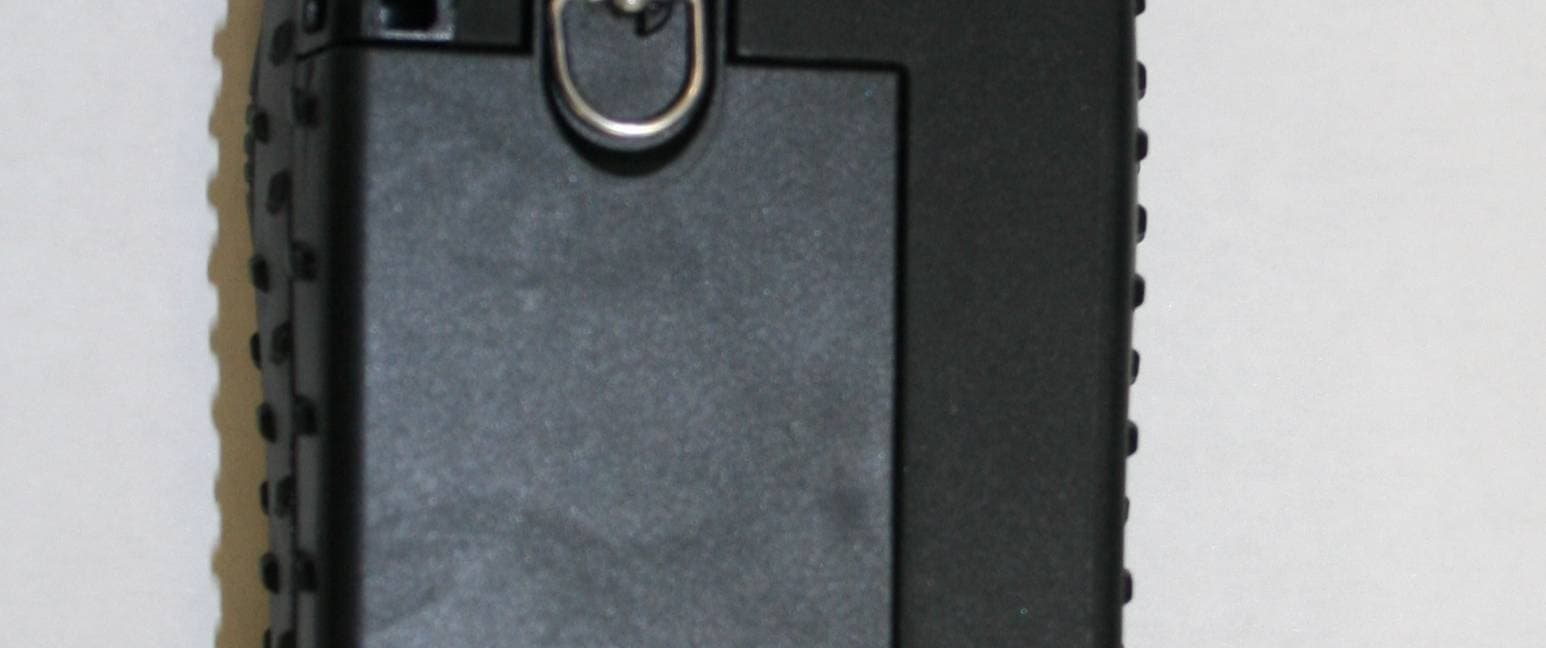
Click to zoom
Application Details
- Equipment Class
- TNE - Licensed Non-Broadcast Transmitter Held to Ear
- Date of Grant
- Jul 24, 2011
- Application Purpose
- Original Equipment
- Date of Application
- Jul 24, 2011
- Equipment Note
- 9575 Satellite Phone
- Frequency Range
- 1616.00000000 - 1626.50000000
- Company
- Iridium Satellite LLC
- Country
- United States
Documents & Files
Document Text
Text extracted from the exhibit documents filed with the FCC. Open a document above to read the original.
Users Manual
Iridium Extreme User’s Manual © Copyright 2011 Iridium Communications, Inc. All rights reserved. (version H3UG1101) web: www.iridium.com email: [email protected] toll free: +1.866.947.4348 phone: +1.480.752.5155 ™ ii Iridium Extreme™ User Manual IrIridium Extreme™ User Manual iii Legal Notices This User Manual provides user information and is provided “as is.” Iridium and its affiliated companies, directors, officers, employees, agents, trustees or consultants (“Iridium”) assume no responsibility for any typographical, technical, content or other inaccuracies in this User Manual. Iridium reserves the right to revise this User Manual or withdraw it at any time without prior notice. You can find the current version of this Iridium Extreme™ User Guide at www.iridiumextreme.com. IRIDIUM MAKES NO REPRESENTATIONS, GUARANTEES, CONDITIONS OR WARRANTIES, EITHER EXPRESS OR IMPLIED, INCLUDING WITHOUT LIMITATION, ANY IMPLIED REPRESENTATIONS, GUARANTEES, CONDITIONS OR WARRANTIES OF MERCHANTABILITY AND FITNESS FOR A PARTICULAR PURPOSE, NON-INFRINGEMENT, SATISFACTORY QUALITY, NON-INTERFERENCE, ACCURACY OF INFORMATIONAL CONTENT, OR ARISING FROM A COURSE OF DEALING, LAW, USAGE, OR TRADE PRACTICE, USE, OR RELATED TO THE PERFORMANCE OR NONPERFORMANCE OF ANY PRODUCTS, ACCESSORIES, FACILITIES, SERVICES OR USER INFORMATION, EXCEPT AS EXPRESSLY STATED IN THIS USER MANUAL. ANY OTHER STANDARDS OF PERFORMANCE, GUARANTEES, CONDITIONS AND WARRANTIES ARE HEREBY EXPRESSLY EXCLUDED AND DISCLAIMED TO THE FULLEST EXTENT PERMITTED BY LAW. THIS DISCLAIMER AND EXCLUSION SHALL APPLY EVEN IF THE EXPRESS LIMITED WARRANTY CONTAINED IN THIS USER MANUAL FAILS OF ITS ESSENTIAL PURPOSE. FURTHER, THIS LIMITED WARRANTY COVERS THE Iridium Extreme™ (INCLUDING HARDWARE, SOFTWARE AND/OR FIRMWARE, BUT EXCLUDING LEATHER CASE) AND ACCESSORIES ONLY, AND NO WARRANTY IS MADE AS TO USER INFORMATION AND/ OR COVERAGE, AVAILABILITY OR GRADE OF SERVICE PROVIDED BY IRIDIUM SEPARATELY FOR IRIDIUM SATELLITE SERVICES. IN NO EVENT SHALL IRIDIUM BE LIABLE, WHETHER IN CONTRACT OR TORT OR ANY OTHER LEGAL THEORY, INCLUDING WITHOUT LIMITATION STRICT LIABILITY, GROSS NEGLIGENCE OR NEGLIGENCE, FOR ANY DAMAGES IN EXCESS OF THE PURCHASE PRICE OF THE Iridium Extreme™ (INCLUDING HARDWARE, SOFTWARE AND/OR FIRMWARE) AND/OR ACCESSORIES AND/OR THE COST OF IRIDIUM SATELLITE SERVICES PROVIDED, INCLUDING ANY DIRECT, INDIRECT, INCIDENTAL, SPECIAL OR CONSEQUENTIAL DAMAGES OF ANY KIND, OR LOSS OF REVENUE OR PROFITS, LOSS OF BUSINESS, LOSS OF PRIVACY, LOSS OF USE, LOSS OF TIME OR INCONVENIENCE, LOSS OF INFORMATION OR DATA, SOFTWARE OR APPLICATIONS OR OTHER FINANCIAL LOSS CAUSED BY THE Iridium Extreme™ (INCLUDING HARDWARE, SOFTWARE AND/ OR FIRMWARE) AND/OR ACCESSORIES AND/OR THE IRIDIUM SATELLITE SERVICES, OR ARISING OUT OF OR IN CONNECTION WITH THE ABILITY OR INABILITY TO USE THE Iridium Extreme™ (INCLUDING HARDWARE, SOFTWARE AND/OR FIRMWARE) AND/OR ACCESSORIES AND/OR THE IRIDIUM SATELLITE SERVICES TO THE FULLEST EXTENT THESE DAMAGES MAY BE DISCLAIMED BY LAW AND WHETHER ADVISED OF THE POSSIBILITIES OF SUCH DAMAGES. Please refer to Chapter 18 of this User Manual for Limited Warranty, Product and Satellite Service Terms and Warranty Support, Conditions of Use and Software License. Third Party Information This User Manual might refer to third party sources of information, hardware or software, products or services and/or third party web sites (“third party information”). Iridium does not control, and is not responsible for, any third party information, including without limitation the content, accuracy, copyright compliance, compatibility, performance, trustworthiness, legality, decency, links, or any other aspect of third party information. The inclusion of such third party information does not imply endorsement by Iridium of the third party information. ANY THIRD PARTY INFORMATION THAT IS PROVIDED WITH IRIDIUM’S FACILITIES, SERVICES, PRODUCTS OR USER INFORMATION IS PROVIDED “AS IS.’’ IRIDIUM MAKES NO REPRESENTATIONS, GUARANTEES OR WARRANTIES IN RELATION TO THIRD PARTY INFORMATION AND IRIDIUM SHALL NOT BE LIABLE FOR ANY LOSSES, DAMAGES, LIABILITIES, JUDGMENTS, FINES, AMOUNTS PAID IN SETTLEMENT, EXPENSES OR COSTS OF DEFENSE SUSTAINED IN RELATION TO ANY SUCH THIRD PARTY INFORMATION. iv Iridium Extreme™ User Manual Intellectual Property, Trade Secret, Proprietary or Copyrighted Information To protect Iridium proprietary and confidential information and/or trade secrets, this User Manual may describe some aspects of Iridium technology in generalized terms. Iridium products may include copyrighted Iridium and third party software. Any such copyrighted software contained in Iridium products may not be modified, reverse engineered, distributed or reproduced in any manner to the extent provided by law. The purchase of any Iridium products shall not be deemed to grant either directly or by implication or otherwise, any license under copyrights, patents, or patent applications of Iridium or any third party software provider, except for the normal, nonexclusive, royalty free license to use that arises by operation of law in the sale of a product. Please refer to Chapter 19 of this User Manual for Limited Warranty, Product and Satellite Service Terms and Warranty Support, Conditions of Use and Software License. Content Copyright You are exclusively responsible for the use of the Iridium Extreme™, including proper use of third party copyrighted materials. If you violate these terms you agree to defend, indemnify and hold Iridium harmless with respect to any claims or actions by third parties related to your improper use of copyrighted materials and to pay all costs, damages, fines and other amounts incurred by Iridium, or on its behalf, in the defense of any such claims or actions. IrIridium Extreme™ User Manual v Contents 1: Introduction ...........................................................................................1 2: Important Safety Information ............................…
Text truncated - open the document above for the full version.
Users Manual
Iridium Extreme™ User Manual 105 9: Using the Messages Menu 4. Use the 2-way Navi-key to scroll until the draft message you want to send is highlighted. 5. Press the left soft key, labeled Options. 6. Highlight Edit and press the left soft key, labeled Select. 7. When you are finished editing press the left soft key, labeled Options. 8. The Send option should be highlighted. If not use the 2-way Navi-key to scroll until Send is highlighted. 9. Press the left soft key, labeled Select to send the message. Options Back Draft message Draft message Draft message Drafts Select Back Edit Delete Delete All Message Options Clear Edit abc 120 Edit your message here Select Back Send Insert symbol Enter digits Save as draft Exit Options 106 Iridium Extreme™ User Manual 9: Using the Messages Menu 10. A S e n d To screen appears with the entry name and number. 11. Press the right soft key, labeled Add. 12. Use the 2-way Navi-key until the desired recipient from your phonebook is highlighted. 13. Press the left soft key, labeled Options. 14. If the recipient has more than one number listed, the recipient’s information screen appears. Use the 2-way Navi-key to scroll to the number you would like to forward to. 15. Press the left soft key, labeled Select. The number is added to a recipient list. 16. The Phonebook screen appears with the recipient’s name highlighted. To add another recipient, use the 2-way Navi-key, highlight the next recipient and repeat step 12. 17. Once all recipients have been selected, press the right soft key, labeled Back. Add Send To New Recipient Select Back Enter Number Ada Adams Bob Smith Cat Steven Davy Jones Eddy Fisher Select Recipient Select Clear Bob @ +9373354415 +9373321234 +123456789 +1112223333 [email protected] Select Back Enter Number Ada Adams Bob Smith Cat Steven Davy Jones Eddy Fisher Select Recipient Iridium Extreme™ User Manual 107 9: Using the Messages Menu Using the Settings Menu Enter Service Center Number Use this capability to enter the number for the service center to which you wish to forward your outgoing messages. The Iridium Extreme™ will use Iridium’s Service Center number by default if none has been explicitly configured. Send Add Send To New Recipient Bob Select Back Create Message Inbox (1 unread) Drafts Settings Messages Select Back My Phonebook SIM Phonebook Messages Voicemail Data Modem Call History Setup Menu 18. Press the left soft key, labeled Send. Start at the Main Menu with Messages highlighted: 1. Press the left soft key, labeled Select. 2. Use the 2-way Navi-key to scroll until the Settings option is highlighted. 3. Press the left soft key, labeled Select. 108 Iridium Extreme™ User Manual 9: Using the Messages Menu 4. The Service Center option should be highlighted. If not use the 2-way Navi-key to scroll until it is highlighted. 5. Press the left soft key, labeled Select. 6. Enter the service number. 7. Press the left soft key, labeled OK. The screen returns to the Settings menu. Select Back Service Center Expiry Period Delivery Reports Settings OK Clear Number: Service Center +881662900005 Select Back My Phonebook SIM Phonebook Messages Voicemail Data Modem Call History Setup Menu Set Expiry Period Use this capability to specify the amount of time your un-delivered messages should wait before auto-expiring. Start at the Main Menu with Messages highlighted: 1. Press the left soft key, labeled Select. Iridium Extreme™ User Manual 109 9: Using the Messages Menu Select Back Create Message Inbox (1 unread) Drafts Settings Messages Select Back 1 hour 2 hours 4 hours 1 day 2 days 1 week Expiry Period Select Back Service Center Expiry Period Delivery Reports Settings 2. Use the 2-way Navi-key to scroll until the Settings option is highlighted. 3. Press the left soft key, labeled Select. 4. Use the 2-way Navi-key to scroll until the Expiry Period option is highlighted. 5. Press the left soft key, labeled Select. 6. Use the 2-way Navi-key to scroll until the desired period of time is highlighted. 7. Press the left soft key, labeled Select. The screen returns to the Settings menu. 110 Iridium Extreme™ User Manual 9: Using the Messages Menu Select Delivery Reports Use this capability to enable or disable message delivery reports. Start at the Main Menu with Messages highlighted: 1. Press the left soft key, labeled Select. 2. Use the 2-way Navi-key to scroll until the Settings option is highlighted. 3. Press the left soft key, labeled Select. 4. Use the 2-way Navi-key to scroll until the Delivery Reports option is highlighted. 5. Press the left soft key, labeled Select. 6. Use the 2-way Navi-key to turn the Delivery Report OFF or ON. 7. Press the left soft key, labeled Select. The screen returns to the Settings menu. Select Back My Phonebook SIM Phonebook Messages Voicemail Data Modem Call History Setup Menu Select Back Create Message Inbox (1 unread) Drafts Settings Messages Select Back Off On Delivery Report Select Back Service Center Expiry Period Delivery Reports Settings 10: Using the Voicemail Menu Iridium Extreme™ User Manual 111 10: Using the Voicemail Menu Locating the Voicemail Menu Note: All instructions for the Voicemail menu start from the Main Menu as shown. About the Voicemail Menu You can do the following functions using the Inbox menu: Select Back Call Voicemail Voicemail Settings Voicemail Registered MenuHelp 16:2814-May-11 T Select Back My Phonebook SIM Phonebook Messages Voicemail Data Modem Call History Setup Menu Starting from the Main Screen: 1. Press the left soft key, labeled Menu. 2. The Main Menu is displayed. Use the 2-way Navi-key to scroll until the Voicemail is highlighted. 3. Press the left soft key, labeled Select. • Listen to your voicemail • Reply to a voicemail • Store voicemail numbers • Access and configure your voicemail 10: Using the Voicemail Menu 112 Iridium Extreme™ User Manual Voicemail Notification When you receive a voicemail, an incoming voicemail notification message automatically appears on your screen.…
Text truncated - open the document above for the full version.
External Photos
Iridium 9575 Satellite Phone External Photos FrontRear Top Bottom LeftRight
ID Label/Location Info
15.4 34.4 (4X)R 2.7 NOTES: PRINTED PANTONE COLORS: PROCESS BLACK TEXT ON PANTONE 380 C BACKGROUND 1. 2. MAIN LABEL TEXT TO BE PRINTED IN ARIAL 5-POINT, REGULAR 3. ‘To Contact’ TEXT TO BE PRINTED IN ARIAL 4.5-POINT, REGULAR REVISIONS REV. DESCRIPTION DATE A INITIAL RELEASE 10/26/2010 B NOTE 4, “PROTOTYPE” TEXT, AND MATERIAL ADDED 10/28/2010 B C D 1 2 A 3 2 1 4 B A 5 6 C 3 4 5 6 D C CHANGED MODEL NUMBER FROM 9555G TO 9575 01/12/2011 DLABEL UPDATED FOR REGULATORY APPROVAL, IRIDIUM BORDER ADDED06/14/2011 2 3456 E 1:1 6/14/2011 UNITS mm MATERIAL THIS DRAWING AND THE INFORMATION CONTAINED HEREIN IS THE PROPERTY OF IRIDIUM SATELLITE LLC AND/OR ITS AFFILIATES AND LICENSORS, UNLESS OTHERWISE STATED. NEITHER THIS DRAWING NOR ANY SUCH INFORMATION MAY BE COPIED, REPRODUCED, TRANSMITTED, DISTRIBUTED OR OTHERWISE USED EXCEPT AS EXPRESSLY APPROVED IN WRITING BY IRIDIUM SATELLITE LLC AND/OR ITS AFFILIATES. NO RIGHTS OR LICENSES OF ANY KIND TO SUCH DRAWING OR INFORMATION (INCLUDING ANY INTELLECTUAL PROPERTY RIGHTS THEREIN) ARE TRANSFERRED TO, GRANTED TO, PROVIDED TO OR RECEIVED BY THE RECIPIENT HEREOF AS A RESULT OF THE DELIVERY HEREOF. THIS MATERIAL MAY NOT IN WHOLE OR IN PART BE COPIED, STORED ELECTRONICALLY OR COMMUNICATED TO THIRD PARTIES WITHOUT THE PRIOR WRITTEN AGREEMENT OF IRIDIUM. PROPRIETARY AND CONFIDENTIAL GEOMETRIC TOLERANCING PER ASME Y14.5m-1994 3D REFERENCE M-LAB005_A DOCUMENT NUMBER D-LAB005_E DESCRIPTION REGULATORY LABEL ISSUE DATE SIZE A4 REVISION SCALE SHEET 1 of 1 DRAWN BY N. MAHER 0.10 2 0.15 HOLE TO HOLE ANGULAR DIMENSIONS LINEAR DIMENSIONS TOLERANCES: UNLESS OTHERWISE SPECIFIED THIRD ANGLE PROJECTION 3M 7816 THERMAL TRANSFER LABEL MTL E CERTIFICATION GRAPHICS ADDED 06/14/2011 N12037 FCC ID: Q639575 IC: 4629A-9575 Assembled in Malaysia Model 9575 RoHS Compliant / Pb Free To Contact Iridium Satellite: +1.480.752.5155
ID Label/Location Info
1 4 4 STEP 1. ATTACH HOUSINGS ALIGN FRONT (1) AND REAR(2) HOUSINGS AND SNAP • TOGETHER DRIVE FOUR SCREWS (5) - SCREW TORQUE 16 N-cm• 5 2 STEP 2. ATTACH FACEPLATE REMOVE PSA LINER FROM BACK OF FACEPLATE(3)• USING ALIGNMENT FEATURES PRESS FACEPLATE(3) ON • TO FRONT OF PHONE TO ADHERE 7 3 STEP 4. ATTACH BATTERY AND SYSTEM CONNECTOR PLUG INSTALL O-RING(6) IN GROOVE AROUND PLUG(4)• INSERT PLUG INTO SYSTEM CONNECTOR PORT• INSERT TETHER INTO BATTERY CAVITY OVER POST• INSERT LOWER END OF BATTERY(7) INTO BACK OF PHONE TO • ENGAGE HOOK FEATURES ROTATE UPPER END OF THE BATTERY INTO BACK OF PHONE • AND SECURE WITH ATTACHED 1/4 TURN FASTENER 6 8 STEP 3. APPLY IMEI AND REGULATORY LABELS 10 9 REVISIONS REV.DESCRIPTIONDATE AINITIAL RELEASE10/21/2010 BAUDIO PLUG ADDED TO ASSEMBLY1/15/2011 CORINGS REMOVED2/3/2011 DADD LABEL REQUIREMENTS7/7/2011 ITEM NO.PART NUMBERDESCRIPTIONQTY 10HAS002REAR HOUSING ASSEMBLY1 2 IMD001FACE PLATE1 3PLG002PLUG, SYSCON1 43BT-P8567-00SCREW4 5HAS001FRONT HOUSING ASSEMBLY1 6PLG001PLUG, AUDIO1 7BAT001BATTERY PACK1 8 COV002 SCREW COVER1 9LAB004IMEI LABEL1 10LAB005REGULATORY LABEL1 F 8 E D C B A G H J K L M 7654321910111213141516 912345678101112 K G A B C D E F H J 13141516 M L D 1:1 7/7/2011 N/A UNITS mm MATERIAL THE INFORMATION CONTAINED IN THIS DRAWING IS THE SOLE PROPERTY OF PORTICOS, INC. ANY REPRODUCTION IN PART OR AS A WHOLE WITHOUT THE WRITTEN PERMISSION OF PORTICOS, INC. IS PROHIBITED. PROPRIETARY AND CONFIDENTIAL GEOMETRIC TOLERANCING PER ASME Y14.5m-1994 3D REFERENCE A-HST001_C DOCUMENT NUMBER D-HST001_D DESCRIPTION HANDSET ASSEMBLY ISSUE DATE SIZE A1 REVISION SCALE SHEET 1 of 1 DRAWN BY C.LAIDLAW THIRD ANGLE PROJECTION TOLERANCES: UNLESS OTHERWISE SPECIFIED LINEAR DIMENSIONS ANGULAR DIMENSIONS HOLE TO HOLE 0.15 2 0.10
Internal Photos
Iridium 9575 Satellite Phone Internal Photos Core Front Core Back Open Split Core
RF Exposure Info
Page 1 of 69 SAR Test Report Report Number:M110328 Test Sample:Iridium Satellite Phone Model Number:9575 Tested For:TRaC Date of Issue:1 st April 2011 EMC Technologies Pty Ltd reports apply only to the specific samples tested under stated test conditions. It is the manufacturer’s responsibility to assure that additional production units of this model are manufactured with identical electrical and mechanical components. EMC Technologies Pty Ltd shall have no liability for any deductions, inferences or generalisations drawn by the client or others from EMC Technologies Pty Ltd issued reports. This report shall not be used to claim, constitute or imply product endorsement by EMC Technologies Pty Ltd. This document is issued in accordance with NATA’s accreditation requirements. The results of tests, calibration and/or measurements included in this document are traceable to Australian/national standards. NATA is a signatory to the ILAC Mutual Recognition Arrangement for the mutual recognition of the equivalence of testing and calibration reports. EMC Technologies Pty Ltd ABN 82 057 105 549 176 Harrick Road Keilor Park Victoria Australia 3042 Ph: + 613 9365 1000 Fax: + 613 9331 7455 email: [email protected] Report No.: M110328 Page 2 of 69 This document must not be copied or reproduced, except in full without the written permission of the Manager, EMC Technologies Pty Ltd. The certificate on page 3 may be reproduced in full. www.emctech.com.au CONTENTS CONTENTS ............................................................................................................................................. 2 1.0GENERAL INFORMATION ............................................................................................................ 3 2.0DESCRIPTION OF DEVICE ........................................................................................................... 4 2.1Description of Test Sample ................................................................................................. 4 2.2Test sample Accessories .................................................................................................... 4 2.2.1Battery Types ...................................................................................................................... 4 2.3Test Signal, Frequency and Output Power ......................................................................... 4 2.4Conducted Power Measurements....................................................................................... 4 2.5Battery Status...................................................................................................................... 4 2.5Details of Test Laboratory ................................................................................................... 5 2.5.1Location............................................................................................................................... 5 2.5.2Accreditations...................................................................................................................... 5 2.5.3Environmental Factors ........................................................................................................ 5 3.0DESCRIPTION OF SAR MEASUREMENT SYSTEM ................................................................... 5 3.1Probe Positioning System ................................................................................................... 5 3.2E-Field Probe Type and Performance ................................................................................ 6 3.3Data Acquisition Electronics................................................................................................ 6 3.4Calibration and Validation Procedures and Data ................................................................ 6 3.4.1System verification Results (1640 MHz) ............................................................................. 7 3.4.2Deviation from reference system verification values .......................................................... 7 3.4.3Liquid Depth 15cm .............................................................................................................. 7 3.5Phantom Properties (Size, Shape, Shell Thickness) .......................................................... 8 3.6Tissue Material Properties .................................................................................................. 8 3.6.1Liquid Temperature and Humidity....................................................................................... 8 3.7Simulated Tissue Composition Used for SAR Test ............................................................ 8 3.8Device Holder for DASY5.................................................................................................... 9 4.0SAR MEASUREMENT PROCEDURE USING DASY5 ................................................................. 9 5.0MEASUREMENT UNCERTAINTY ............................................................................................... 10 7.0SAR TEST METHOD.................................................................................................................... 13 7.1Description of the Test Positions ...................................................................................... 13 7.1.1“Touch Position” ................................................................................................................ 13 7.1.2“Tilted Position” ................................................................................................................. 13 7.2List of All Test Cases (Antenna In/Out, Test Frequencies, User Modes) ......................... 13 7.3FCC RF Exposure Limits for Occupational/ Controlled Exposure .................................... 13 7.4FCC RF Exposure Limits for Un-controlled/Non–occupational......................................... 13 8.0SAR MEASUREMENT RESULTS ..............................................................…
Text truncated - open the document above for the full version.
Test Report
Total number of pages: 65 TRaC Wireless Test Report : TTR-004554WUS1 Applicant : Iridium Satellite LLC Apparatus : 9575 Satellite Telephone Specification(s) : CFR47 Part 25 & CFR47 Part 15 Purpose of Test : Certification FCCID : Q639575 Authorised by : : Radio Product Manager Issue Date :23 rd May 2011 Authorised Copy Number : PDF Radio Test Report: TTR-004554WUS1 Contents Section 1: Introduction 3 1.1 General 3 1.2 Tests Requested By 4 1.3 Manufacturer 4 1.4 Apparatus Assessed 4 1.5 Test Result Summary 5 1.6 Standard References 6 1.6 Notes Relating To Assessment 6 1.8 Deviations from Test Standards 7 Section 2: Measurement Uncertainty 8 2.1 Measurement Uncertainty Values 8 Section 3: Modifications 10 3.1 Modifications Performed During Assessment 10 Appendix A: Formal Emission Test Results 11 A1 RF Output Power 12 A2 Emissions Limitations 13 A3 Spurious Emissions Conducted 14 A4 Radiated Electric Field Emissions 15 A5 Frequency Stability - Temperature 17 A6 Frequency Stability - Voltage 18 A7 Power Line Conducted Emissions 19 A8 Unintentional Radiated Emissions 21 Appendix B: Supporting Graphical Data 24 Appendix C: Additional Test and Sample Details 52 Appendix D: Additional Information 58 Appendix E: Calculation of the duty cycle correction factor 59 Appendix F: Photographs and Figures 60 2 Radio Test Report: TTR-004554WUS1 Section 1: Introduction 1.1 General This report contains an assessment of an apparatus against Electromagnetic Compatibility Standards based upon tests carried out on samples submitted to the Laboratory. Test performed by: TRaC Global [ ] Unit E South Orbital Trading Park Hedon Road Hull, HU9 1NJ. United Kingdom. Telephone: +44 (0) 1482 801801 Fax: +44 (0) 1482 801806 TRaC Global [X] Unit 1 Pendle Place Skelmersdale West Lancashire, WN8 9PN United Kingdom Telephone: +44 (0) 1695 556666 Fax: +44 (0) 1695 577077 Email: [email protected] Web site: http://www.tracglobal.com Tests performed by: D. Winstanley Report author: D. Winstanley This report must not be reproduced except in full without prior written permission from TRaC Global. 3 Radio Test Report: TTR-004554WUS1 1.2 Tests Requested By This testing in this report was requested by : Iridium Satellite LLC Corporate Headquarters 1750 Tysons Boulevard Suite 1400 McLean Virginia 22102-4244 USA 1.3 Manufacturer As Above 1.4 Apparatus Assessed The followin g apparatus was assessed between 15 th and 29 th March 2011: 9575 Satellite Telephone The satellite telephone consists of an L-Band Transceiver (LBT) capable of simultaneous transmit and receive (duplex) operation covering the frequency range of 1616MHz to 1626.5MHz. The frequency accesses used for duplex channels are organised into sub-bands each of which contains eight frequency accesses. Each sub-band, therefore occupies 333.33 kHz (i.e. 8x41.667kHz). Up to 30 sub-bands containing 240 frequency accesses may be used for duplex channels. 4 Radio Test Report: TTR-004554WUS1 1.5 Test Result Summary Full details of test results are contained within Appendix A. The following table summarises the results of the assessment. The statements relating to compliance with the standards below apply ONLY as qualified in the notes and deviations stated in sections 1.6 to 1.7 of this test report. Full details of test results are contained within Appendix A. The following table summarises the results of the assessment. Test Type FCC Part 2 FCC Part 25 Result RF Power Output 2.1046 25.204 (a) Pass Emissions Limitations 2.1049 25.202 (f) Pass Spurious Emissions at Antenna Terminals 2.1051 25.202 (f) 25.213 Pass Protection of the Radio Navigation Satellite Service - 25.216(c) 25.216(f) Pass Spurious Emissions Radiated 2.1053 25.202 (f) 25.213 Pass Frequency Stability Temperature 2.1055 25.202 (d) Pass Frequency Stability Voltage 2.1055 25.202 (d) Pass AC Powerline Conducted Emissions - 15.107 Pass Unintentional Radiated Spurious Emissions 2.1053 15.109 Pass Abbreviations used in the above table: CFR : Code of Federal Regulations ANSI : American National Standards Institution REFE : Radiated Electric Field Emissions PLCE : Power Line Conducted Emissions 5 Radio Test Report: TTR-004554WUS1 1.6 Standard References 47 CFR 2 Code of Federal Regulations, Title 47, Part 2, “Frequency allocations and Radio Telemetry Matters; 10-1-03 Edition General Rules and Regulations” 47 CFR 25 Code of Federal Regulations, Title 47, Part 25,”Satellite Communications” 10-1-03 Edition Subpart C, “Technical Matters” 47 CFR 15 Code of Federal Regulations, Title 47, Part 15,”Radio Frequency Devices” 20-09-07 Edition Subpart B, “Unintentional Radiators” C63.4-2003 American National Standards Institute (ANSI), “Methods of Measurement of Radio Noise Emissions from Low Voltage Electrical and Electronic Equipment in the Range 9 kHz to 40 GHz” 1.6 Notes Relating To Assessment With regard to this assessment, the following points should be noted: The results contained in this report relate only to the items tested and were obtained in the period between the date of initial receipt of samples and the date of issue of the report. The apparatus was set up and exercised using the configurations, modes of operation and arrangements defined in this report only. Particular operating modes, apparatus monitoring methods and performance criteria required by the standards tested to have been performed except where identified in Section 1.7 of this test report (Deviations from Test Standards). For emissions testing, throughout this test report, “Pass” indicates that the results for the sample as tested were below the specified limit (refer also to Section 2, Measurement Uncertainty). Where relevant, the apparatus was only assessed using the monitoring methods and susceptibility criteria defined in this report. All testing with the exception of testing at the Open Area Test Site was performed under the following environmental conditions: Temperature : 17 to 23 C Humidity : 45 to 75 % Barometric Pressure : 86 to 106 kPa All dates u…
Text truncated - open the document above for the full version.
Test Setup Photos
Iridium 9575 Satellite Phone Test SetupPhotos Radiated electric field emissions arrangement: Overview. Radiated electric field emissions arrangement: Close up. AC powerline conducted emissions arrangement: Overview
Contact Information
Applicant
Kathy Morgan(Chief Legal Officer)
Test Firm
Element Materials Technology Warwick LtdKeith Wright
Technical Specifications
| # | Rule Parts | Frequency Range | Power Output | Emission | Tolerance |
|---|---|---|---|---|---|
| 1 | 25 | 1.62 GHz - 1.63 GHz | 6.9 W | 41K7Q7W | 1.0000000000 ppm |
Other Applications from Iridium Satellite LLC
Q639604
Apr 09, 2026Hybrid LTE-M Cellular + IRIDIUM Satellite + GNSS module for IoT
Equipment Class
TNB - Licensed Non-Broadcast Station TransmitterQ639704
Dec 08, 2024Data satellite transceiver module for use with the Iridium satellite communications network.
Equipment Class
TNB - Licensed Non-Broadcast Station TransmitterQ639690
Aug 18, 2020Standalone satellite device with Java application programming environment. Includes internal power supply, Iridium Short Burst Data Transceiver, GNSS, BLE, I/O, RS232, RS485, CAN.
Equipment Class
TNB - Licensed Non-Broadcast Station Transmitter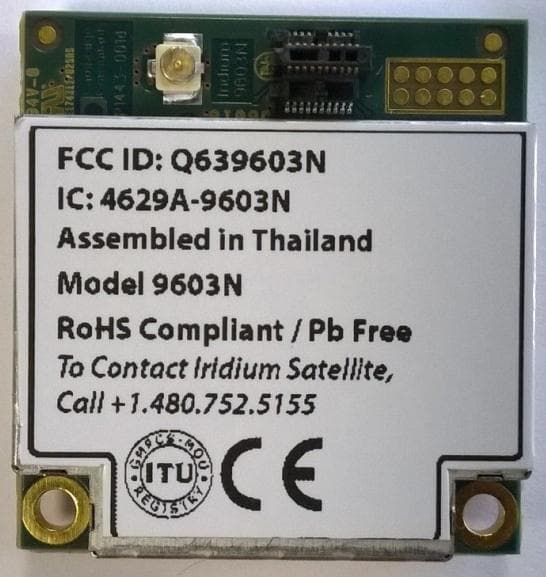
Q639603N
Aug 26, 2014Short Burst Data Transceiver
Equipment Class
JBP - Part 15 Class B Computing Device Peripheral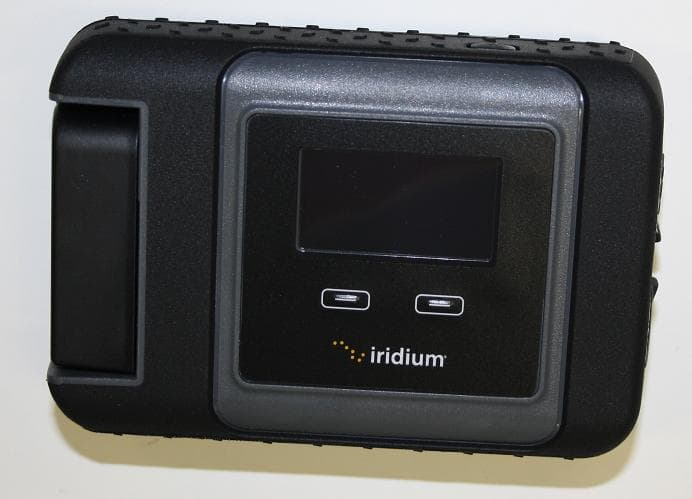
Q639560
Mar 31, 2014Iridium 9560 Wi-Fi Access Point with satellite transceiver
Equipment Class
DTS - Digital Transmission System