Q9L-0011Bluetooth Headset
G.G. Telecom (2002) Incorporated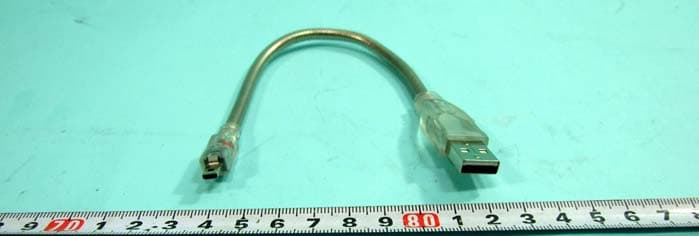
Click to zoom
Application Details
- Equipment Class
- DSS - Part 15 Spread Spectrum Transmitter
- Date of Grant
- Aug 08, 2007
- Application Purpose
- Original Equipment
- Date of Application
- Aug 08, 2007
- Equipment Note
- Bluetooth Headset
- Frequency Range
- 2402.00000000 - 2480.00000000
- Country
- Taiwan
Documents & Files
Document Text
Text extracted from the exhibit documents filed with the FCC. Open a document above to read the original.
Users Manual
Multi-point Technology Power ON your headset: Power OFF your headset:To enter Pairing mode:To Answer or End a call: To Reject a call*:To Redial the last call*:To activate Voice Dialing: To adjust the Volume: To Disable/Enable the LED light indicators: To Reset your headset to factory settings: or The device complies with Part 15 of he FCC rules. Operation is subject to the following two conditions: 15.21 15.105(b) To pair with another deviceTo connect 2 devices with your headsetTo Redial the last call * / To activate Voice To Answer / End / Reject a call* To answer a call on one mobile while talking on the other. Note: There is no chance for placing first call on hold while answering the second call. www.gg2002.com 12 34 Getting started Introduction Headset Call ControlsHeadset Call Controls 1. MFB(Multi Function Button) 2. Volume Up Button 3. Volume Down Button Pairing with your Bluetooth device Before you can use your headset, you must ’link link ’ it with the device you wish to use. Step A: Put your headset in Pairing Mode Step A: Put your headset in Pairing Mode Method1 When your headset is , not turn on, long press the MFB button until the red and blue light alternate. Method2 When your headset in standby mode, (blue light blinking 1 time every 4 seconds), long press the Volume Up button until the red and blue light alternate. 2. Volume Up Button 3. Volume Down Button 1. MFB (Multi Function Button) 3.Select your headset from the list of discovered device 4.Enter the Pincode /Passkey “0000” “0000” 5.Select your headset from the list of paired device. Note: Note: After pairing, some devices. will automatically connect to your bluetooth headset, and some will not. Step C: Initial Test Step C: Initial Test Your headset and your phone should now be paired and connected, ready to make and receive calls. To confirm they are successfully paired and operating properly please try the following. 1.On your phones keypad, dial a contact you wish to call. 2.Press Send Send on your phone to initiate the call. The call will be heard on the headset. Charging your Headset Charging of your headset will take about 1.5 hours. Follow the procedure as follows: 1.Insert the headset Wall Charger into a DC power source and switch ON. 2.Insert the plug on the end of the headset charging cable into your headset as shown below. 3.The Red LED indicators will light up showing that the headset is being charged. The Red LED indicator is off is off The Red LED indicator turns on turns on 4. When charging is complete the Red LED indicat- ors will turn off. 5. Remove the charger plug from the headset then switch off the charger. Step B: Pairing your headset to your phone/device Step B: Pairing your headset to your phone/device 1.Turn on the Bluetooth function of your phone/device 2.Perform a “Bluetooth device discovery Bluetooth device discovery ” from your phone or device. Paired devices (no paired devices) New paired deviceHelpExitSelect Cancel Paired devices (no paired devices) Bluetooth Baby-a Select Cancel Paired devices (no paired devices) BluetoothPasscode for Baby-aSelect Cancel 123 0000 1.Indicator LED1.Indicator LED There are 3 colors(blue/red/purple) to show the status of your headset. 2.Multifunction button2.Multifunction button To answer, end, reject a call and control advance functions by constituting withvolume control button (please refer to the Function/Button matrix). 3.3. V olume control buttonolume control button To increase or decrease the volume of speaker and control advance functionsby constituting with MFB (please refer to the Function/Button matrix). 4.Ear-hook4.Ear-hook To wear the headset on your ear, you can switch the direction as your habit. 5. Speaker5. Speaker Plays the sound you receive on the call or the audio indicators 6. Microphone6. Microphone V oice input for outgoing voice. Tel : + 886-2-87510222 Fax: + 886-2-87510668Website : www.gg2002.comEmail : [email protected] Bluetooth Headset 7. Charging Port7. Charging Port Plug in the USB charging cable to charge the battery of your headset. Headset overview ● Bluetooth V2.0 ● Bluetooth V2.0 ● Multi-point Technology ● Multi-point Technology ● Firmware Upgradable ● Firmware Upgradable ● Echo Supression Technology ● Echo Supression Technology ● Up to 10 meters operating range ● Up to 10 meters operating range ● 100 mAh Li-polymer Battery ● 100 mAh Li-polymer Battery ● Support Headset and Handsfree Profile ● Support Headset and Handsfree Profile ● Weight 9 g ● Weight 9 g 9 220 HOUR HOUR 56 7 8 ● Red light flashes 2 time indicates that the battery is40% full ● Red light flashes 1 time indicates that the battery is 20% full Headset Functions 1.Power ON your headset: Power ON your headset: Press and Hold the MFB for about 3 seconds until the blue indicator flashes twice. After powering on,your headset will automati- cally connect to your last used phone if it is in oper- ating range. If no paired phone is in range or no phone has been paired, your headset will enter Sta- ndby mode. 2.Power OFF your headset: Power OFF your headset: Press and Hold the MFB for about 3 seconds until the red indicator flashes twice. 3.To enter Pairing mode: To enter Pairing mode: While in Standby mode,Press and Hold the Volume Up button for about 2 seconds. 4.To Answer or End a call: To Answer or End a call: Press the MFB once when there is an incoming call to Answer.Press the MFB once again to end the call. 5.To Reject a call*: To Reject a call*: Press and Hold the MFB for about 2 seconds when there is an incoming call. 6.To Redial the last call*: To Redial the last call*: Press and Hold the Volume Down Button for about 2 seconds. 7.To activate Voice Dialing: To activate Voice Dialing: While connected to your phone, Press the MFB once. Voice commands must have been previously recorded into your phone (see your phones user guide) 8.To adjust the Volume: To adjust the Volume: Click the Volume Up or Volume Down Button during a call. Adjust to the desired lev…
Text truncated - open the document above for the full version.
External Photos
FCC TEST REPORT SPORTON International Inc. PAGE NUMBER : 1 OF 11 TEL : 886-2-2696-2468 ISSUED DATE : Jul. 31, 2007 FAX : 886-2-2696-2255 APPENDIX C. Photographs of EUT FCC TEST REPORT SPORTON International Inc. PAGE NUMBER : 2 OF 11 TEL : 886-2-2696-2468 ISSUED DATE : Jul. 31, 2007 FAX : 886-2-2696-2255 FCC TEST REPORT SPORTON International Inc. PAGE NUMBER : 3 OF 11 TEL : 886-2-2696-2468 ISSUED DATE : Jul. 31, 2007 FAX : 886-2-2696-2255 FCC TEST REPORT SPORTON International Inc. PAGE NUMBER : 4 OF 11 TEL : 886-2-2696-2468 ISSUED DATE : Jul. 31, 2007 FAX : 886-2-2696-2255
ID Label/Location Info
Baby-a FCC ID:Q9L-0011 MADE IN TAIWAN CCXXxxYYyyyZzW
Internal Photos
FCC TEST REPORT SPORTON International Inc. PAGE NUMBER : 1 OF 8 TEL : 886-2-2696-2468 ISSUED DATE : Jul. 31, 2007 FAX : 886-2-2696-2255 FCC TEST REPORT SPORTON International Inc. PAGE NUMBER : 2 OF 8 TEL : 886-2-2696-2468 ISSUED DATE : Jul. 31, 2007 FAX : 886-2-2696-2255 FCC TEST REPORT SPORTON International Inc. PAGE NUMBER : 3 OF 8 TEL : 886-2-2696-2468 ISSUED DATE : Jul. 31, 2007 FAX : 886-2-2696-2255 FCC TEST REPORT SPORTON International Inc. PAGE NUMBER : 4 OF 8 TEL : 886-2-2696-2468 ISSUED DATE : Jul. 31, 2007 FAX : 886-2-2696-2255 FCC TEST REPORT SPORTON International Inc. PAGE NUMBER : 5 OF 8 TEL : 886-2-2696-2468 ISSUED DATE : Jul. 31, 2007 FAX : 886-2-2696-2255 FCC TEST REPORT SPORTON International Inc. PAGE NUMBER : 6 OF 8 TEL : 886-2-2696-2468 ISSUED DATE : Jul. 31, 2007 FAX : 886-2-2696-2255 FCC TEST REPORT SPORTON International Inc. PAGE NUMBER : 7 OF 8 TEL : 886-2-2696-2468 ISSUED DATE : Jul. 31, 2007 FAX : 886-2-2696-2255 FCC TEST REPORT SPORTON International Inc. PAGE NUMBER : 8 OF 8 TEL : 886-2-2696-2468 ISSUED DATE : Jul. 31, 2007 FAX : 886-2-2696-2255
Test Report
FCC TEST REPORT Report No.: FR761508 SPORTON International Inc. Report Format Version: a FCC RADIO TEST REPORT according to 47 CFR FCC Part 15 Subpart C § 15.247 Equipment : Bluetooth Headset Model No. : Baby-a Brand Name : GGTelecom Filing Type : New Application Applicant : B.I.G. (2005) Inc. 4F, #9, Alley 2, Lane 35, Ji-Hu Rd., NeiHu, Taipei City 11492, Taiwan, R.O.C. FCC ID : Q9L-0011 Manufacturer : G.G. Telecom (2002) Inc. 4F, #9, Alley 2, Lane 35, Ji-Hu Rd., NeiHu, Taipei City 11492, Taiwan, R.O.C. Received Date : Jul. 16, 2007 Final Test Date : Jul. 27, 2007 Statement Test result included is only for the Bluetooth part of the product. The test result in this report refers exclusively to the presented test model / sample. Without written approval of SPORTON International Inc., the test report shall not be reproduced except in full. The measurements and test results shown in this test report were made in accordance with the procedures and found in compliance with the limit given in ANSI C63.4-2003 and 47 CFR FCC Part 15 Subpart C. The test equipment used to perform the test is calibrated and traceable to NML/ROC. SPORTON International Inc. 6F, No. 106, Sec. 1, Hsin Tai Wu Rd., Hsi Chih, Taipei Hsien, Taiwan, R.O.C. ILAC MRA FCC TEST REPORT Report No.: FR761508 SPORTON International Inc. Page No. : i of ii TEL : 886-2-2696-2468 Issued Date : Jul. 31, 2007 FAX : 886-2-2696-2255 FCC ID : Q9L-0011 Table of Contents 1. SUMMARY OF THE TEST RESULT ...................................................................................................................... 2 2. GENERAL INFORMATION..................................................................................................................................... 3 2.1. Product Details ........................................................................................................................................................................................ 3 2.2. Accessories ............................................................................................................................................................................................. 3 2.3. Table for Filed Antenna ........................................................................................................................................................................... 3 2.4. Table for Carrier Frequencies ................................................................................................................................................................. 3 2.5. Table for Test Modes .............................................................................................................................................................................. 4 2.6. Table for Testing Locations ..................................................................................................................................................................... 4 2.7. Table for Supporting Units....................................................................................................................................................................... 4 2.8. Table for Parameters of Test Software Setting ....................................................................................................................................... 4 2.9. EUT Operation during Test ..................................................................................................................................................................... 5 2.10. Test Configurations ................................................................................................................................................................................. 5 3. TEST RESULT ........................................................................................................................................................ 7 3.1. AC Power Line Conducted Emissions Measurement.............................................................................................................................. 7 3.2. Maximum Peak Output Power Measurement........................................................................................................................................ 11 3.3. Hopping Channel Separation Measurement ......................................................................................................................................... 13 3.4. Number of Hopping Frequency Measurement ...................................................................................................................................... 18 3.5. Dwell Time Measurement...................................................................................................................................................................... 20 3.6. Radiated Emissions Measurement........................................................................................................................................................ 27 3.7. Band Edge Emissions Measurement .................................................................................................................................................... 39 3.8. Antenna Requirements.......................................................................................................................................................................... 42 4. LIST OF MEASURING EQUIPMENTS ................................................................................................................. 43 5. TEST LOCATION.................................................................................................................................................. 44 6. TAF CERTIFICATE OF ACCREDITATION .......................................................................................................... 45 APPENDIX A. MAXIMUM PERMISSIBLE EXPOSURE..........................................................…
Text truncated - open the document above for the full version.
Test Setup Photos
FCC TEST REPORT Report No.: FR761508 Page No. : 1 of 8 FCC ID : Q9L-0011 Appendix B. Test Photos FCC TEST REPORT Report No.: FR761508 Page No. : 2 of 8 FCC ID : Q9L-0011 1. Photographs of Conducted Emissions Test Configuration FRONT VIEW REAR VIEW FCC TEST REPORT Report No.: FR761508 Page No. : 3 of 8 FCC ID : Q9L-0011 SIDE VIEW FCC TEST REPORT Report No.: FR761508 Page No. : 4 of 8 FCC ID : Q9L-0011 2. Photographs of Radiated Emissions Test Configuration For radiated emissions 9kHz~30MHz FRONT VIEW REAR VIEW FCC TEST REPORT Report No.: FR761508 Page No. : 5 of 8 FCC ID : Q9L-0011 For radiated emissions 30MHz~1GHz FRONT VIEW REAR VIEW FCC TEST REPORT Report No.: FR761508 Page No. : 6 of 8 FCC ID : Q9L-0011 For radiated emissions above 1GHz FRONT VIEW REAR VIEW FCC TEST REPORT Report No.: FR761508 Page No. : 7 of 8 FCC ID : Q9L-0011 Test Fixture FRONT VIEW NEAR VIEW FCC TEST REPORT Report No.: FR761508 Page No. : 8 of 8 FCC ID : Q9L-0011 REAR VIEW NEAR VIEW
Contact Information
Applicant
Allan Wu(CTO)
Technical Contact
Sporton Internationla Inc.Wayne Hsu
No. 52. Hwa Ya 1st Rd., Hwa Ya Technology Park · Tao Yuan · Taiwan
Test Firm
Sporton International Inc.Alex Chen
Technical Specifications
| # | Rule Parts | Frequency Range | Power Output |
|---|---|---|---|
| 1 | 15C | 2.40 GHz - 2.48 GHz | 2.20 mW |
Other Applications from G.G. Telecom (2002) Incorporated
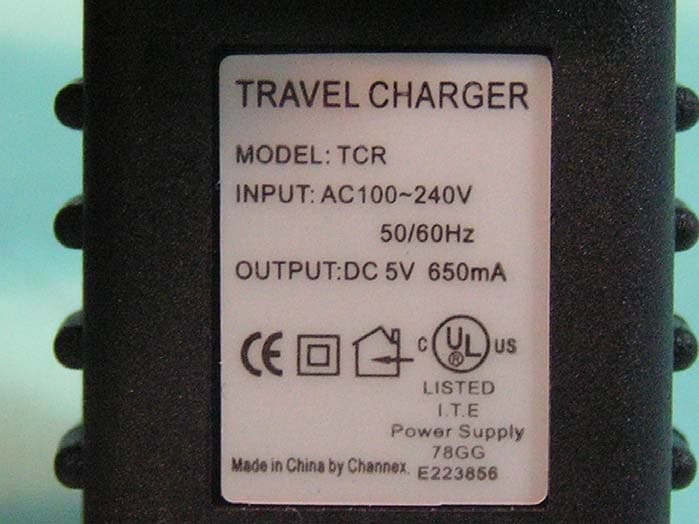
Q9L-0009
Jul 19, 2006Bluetooth Headset
Equipment Class
DSS - Part 15 Spread Spectrum Transmitter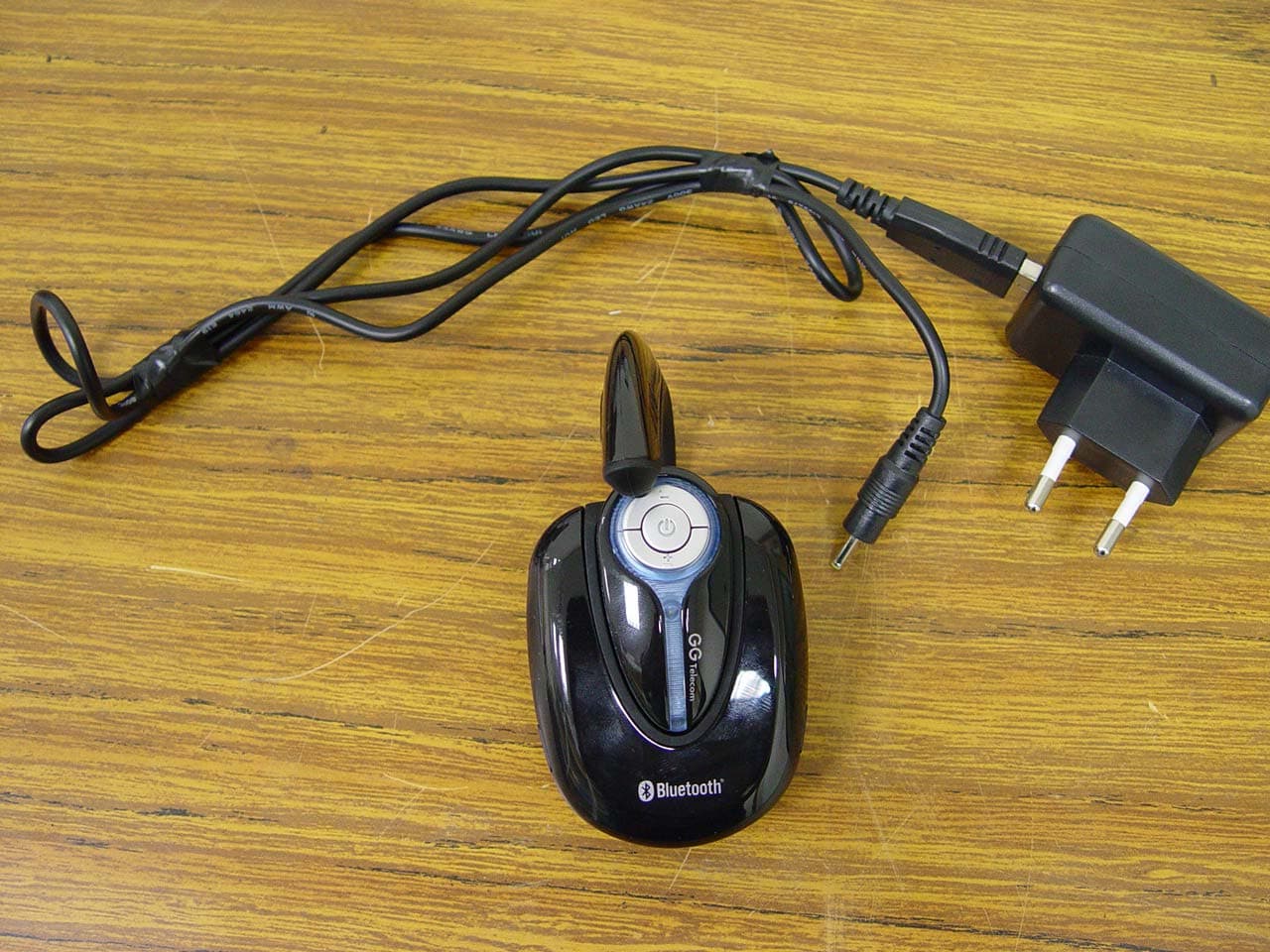
Q9LGG03
Oct 26, 2004Bluetooth Headset
Equipment Class
DSS - Part 15 Spread Spectrum Transmitter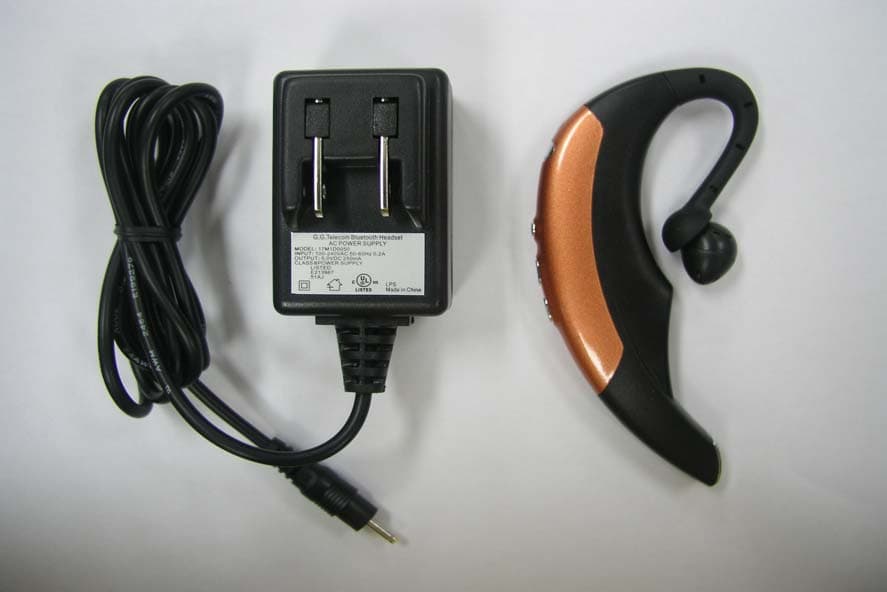
Q9LGG01
Jun 03, 2004Bluetooth Headset
Equipment Class
DSS - Part 15 Spread Spectrum Transmitter
Q9LGG301
Jun 29, 2003BLUETOOTH HEADSET
Equipment Class
DSS - Part 15 Spread Spectrum Transmitter