QB3CORECESS3312SHDSL Modem
Corecess Inc.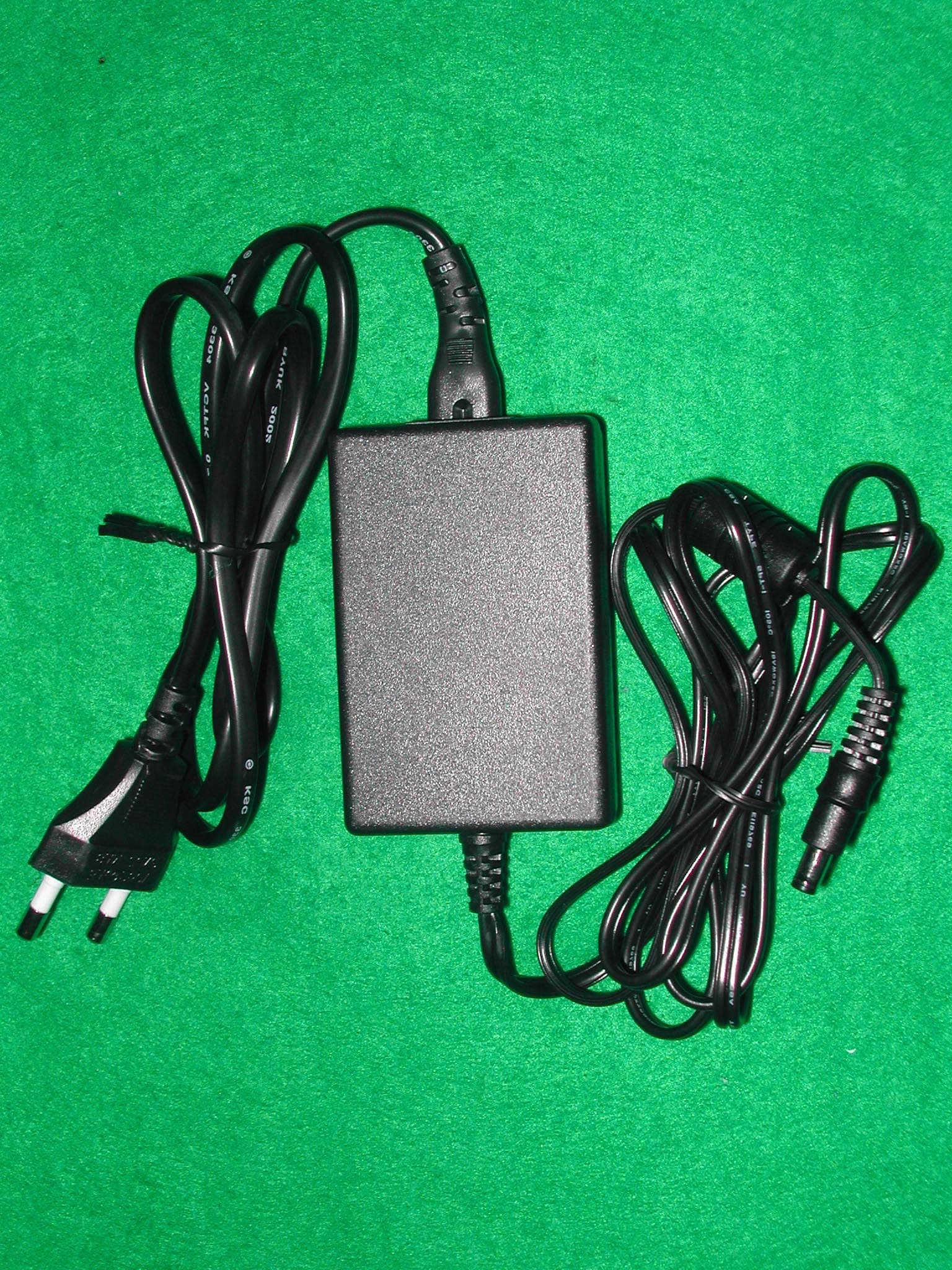
Click to zoom
Application Details
- Equipment Class
- JBP - Part 15 Class B Computing Device Peripheral
- Date of Grant
- Aug 18, 2002
- Application Purpose
- Original Equipment
- Date of Application
- Aug 18, 2002
- Equipment Note
- SHDSL Modem
- Company
- Corecess Inc.
- Country
- South Korea
Documents & Files
Document Text
Text extracted from the exhibit documents filed with the FCC. Open a document above to read the original.
Users Manual
FCC NOTICE THIS DEVICE COMPLIES WITH PART 15 OF THE FCC FULES. OPERATION IS SUBJECT TO THE FOLLOWING TWO CONDITION: (1) THIS DEVICE MAY NOT CAUSE HARMFUL INTERFERENCE, AND (2) THIS DEVICE MUST ACCEPT ANY INTERFERENCE RECEIVED, INCLUDING INTERFERENCE THAT MAY CAUSE UNDERSIRED OPERATION. This equipment has been tested and found to comply with the limits for a Class B digital device, pursuant to part 15 of the FCC Rules. These limits are designed to provide reasonable protection against harmful interference in a residential installation. This equipment generates, uses and can radiate radio frequency energy and, if not installed and used in accordance with the instructions, may cause harmful interference to radio communication. However, there is no guarantee that interference will not occur in a particular installation. If this equipment does cause harmful interference to radio or television reception, which can be determined by turning the equipment off and on, the user is encouraged to try to correct the interference by one or more of the following measures : - Reorient or relocate the receiving antenna. - Increase the separation between the equipment and receiver. - Connect the equipment into an outlet on a circuit difference from that to which the receiver is connected. - Consult the dealer of an experienced radio/TV technician for help. NOTE : The manufacturer is not responsible for any radio or TV interference caused by unauthorized modifications to this equipment. Such modifications could void the user’s authority to operate the equipment. | Copyright | Copyright Corecess All rights Reserved. No Part of this book shall be reproduced, stored in a retrieval system, or transmitted by any means, electronic, mechanical, photocopying, recording, or otherwise, without written permission from the publisher. The specifications and information regarding the products in this manual are subject to changed without notice. | Trademark Credit | Corecess 3312 is registered trademark of Corecess Inc. Windows is registered trademark of Microsoft Corp. Corecess Inc. 997-4, Daechi-dong, Kangnam-ku, Seoul, Korea TEL:82-2-3016-6900 FAX:82-2-3016-6622 http://www.corecess.com Table of Contents Introduction ············ 4 Unpacking the Box ······· 4 Installing the Corecess 3312 ·· 5 Configuring the TCP/IP ····· 7 Troubleshooting ········ 10 Technical Specifications ···· 11 Thank you for using the product of Corecess. 4 Introduction Unpacking the Box Note: The PC with Ethernet port or adapter is neccssary to install the Corecess 3311. Before installing the Corecess 3311, prepare a PC with Ethernet port or adapter. Installation Guide Corecess 3311 Ethernet Cable (Straight-through Category-3) SHDSL Cable (4-wire Telephone Line) Power Supply and Power Cord 5 Installing the Corecess 3312 å LINE çLAN éDC IN è ê ë Caution: You should power on the Corecess 3311 before powering on your PC. If you power on your PC first, PC’s IP address may not be properly assigned. In this case, assign new IP address referring to ‘Troubleshooting’ on page 9-10 or restart your PC. 6 LED Operation LED Color Status Description POWER ON DC power is being supplied to the Corecess 3312. LINK ON The modem is connecting to SHDSL network. LAN ON The LAN port is connecting to Ethernet port on your PC. DATA Blink Data is being sent to or received from Ethernet network. 7 Configuring the TCP/IP Caution: When you configure the TCP/IP, leave the default value of any other configuration that is not mentioned in the following description. Windows 95/98/ME 1. StartSettings ⁄ Control Panel Figure 1 2.Network 3.TCP/IP‘ ’ Properties. Figure 2 4. [IP Address]Obtain IP address automaticallyFigure 3 5. [DNS Configuration]Disable DNS Figure 4 Figure 2 Figure 3 Figure 4 Figure 1 8 6.[Gateway] [Remove] OKFigure 5 7. OK Yes Figure 5 9 Windows 2000/NT 1.Start Settings ⁄ Network and Dial-up ConnectionsFigure 1 2.Local Area Connection Properties Figure 2 3. Internet Protocol (TCP/IP)‘ ’PropertiesFigure 3 4. Obtain an IP address automaticallyObtain DNS server address automaticallyAdvanced Figure 4 Figure 3 Figure 4 Figure 1 Figure 2 10 5. [IP Settings] IP AddressEnable DHCP Figure 5 6. [DNS] Append primary and connection specific DNS suffix OKFigure 6 Figure 5 Figure 6 11 Windows XP 1.Start Settings Figure 1 2.Network 3.Local Area Connection PropertiesFigure 2 4. Internet Protocol (TCP/IP)‘ ’ PropertiesFigure 3 5. Obtain an IP address automaticallyObtain DNS server address automaticallyAdvanced Figure 4 Figure 3 Figure 4 Figure 2 Figure 1 12 6. [IP Settings] IP AddressEnable DHCP Figure 5 7.[DNS]Append primary and connection specific DNS suffix OKFigure 6 Figure 5 Figure 6 13 Troubleshooting 1. Check the LAN LED If the LAN LED goes off 2.Check the LINK LED If the LINK LED blinks continuously and never stays solid on If the LINK LED goes off 14 3.Check your PC’s IP address If all LEDs operate normally and cables are firmly connected to the ports ’ Windows 95/98/ME åStart Run çWinipcfg [Enter] é Release All è Renew All 10 Windows 2000/NT/XP åStart Run çcmd [Enter] 11 é ipconfig /release [Enter] èipconfig /renew [Enter] 4.Restart your PC If new IP address is not assigned properly or you cannot solve the problem 12 Technical Specifications Description Specification ü ü Ethernet ü ü Connector: RJ-45 ü ü ü Up/Downstream: Up to 2.3Mbps ü Distance: 3Km,up to 8Km @ 26AWG ü Connector: RJ-11 ü 1 RJ-11 connectors (LINE) ü 1 RJ-45 connector (LAN) ü 1 Power socket (DC IN) ü POWER: Indicates DC power status ü ü ü ü Temperature: 0°C ~ 50°C ü Humidity: 5% ~ 90% ü ü ü ü ü Power consumption: Max. 4 Watt
Block Diagram
5 / 5 [GisvjrGkphnyhtG G [UXGjGZZXYGGiGG G G G G Helium210 ROM FLASH Memory SDRAM AFE SHDSL DSP 10/100 Ethernet AFEHybrid Circuit RS-232 Console Hybrid Circuit RJ 11 Line port POWER UTOPIA level 2 48MHz EPB 60MHz EPB EPB DC 5V DC 3.3V DC 2.5V OSC 34.56 MHz X-TAL 25 MHz
External Photos
SK TECH CO., LTD. Page 1 of 4 SKT SKTOS-02080 FCC ID : QB3CORECESS3312 External Photographs of EUT SK TECH CO., LTD. Page 2 of 4 SKT SKTOS-02080 FCC ID : QB3CORECESS3312 SK TECH CO., LTD. Page 3 of 4 SKT SKTOS-02080 FCC ID : QB3CORECESS3312 SK TECH CO., LTD. Page 4 of 4 SKT SKTOS-02080 FCC ID : QB3CORECESS3312
ID Label/Location Info
SK TECH CO., LTD. Page 1 of 1 SKT SKTOS-02080 FCC ID : QB3CORECESS3312 FCC ID Label Sample
ID Label/Location Info
SK TECH CO., LTD. Page 1 of 1 SKT SKTOS-02080 FCC ID : QB3CORECESS3312 FCC ID Sample Label & Location Information LABELLING REQUIREMENTS PER ∫∫∫∫ ∫∫∫∫∫∫∫∫ ∫∫∫∫2.928 The Label shown shall be permanently affixed at a conspicuous location on the device and be readily visible to the user at the time of purchase. FCC ID : QB3CORECESS3312 This device complies with part 15 of the FCC Rules. Operation is subject to the following two conditions: (1) This device may not cause harmful interference, and (2) this device must accept any interference received, including interference that may cause undesired operation.
Internal Photos
SK TECH CO., LTD. Page 1 of 3 SKT SKTOS-02080 FCC ID : QB3CORECESS3312 Internal Photographs of EUT SK TECH CO., LTD. Page 2 of 3 SKT SKTOS-02080 FCC ID : QB3CORECESS3312 SK TECH CO., LTD. Page 3 of 3 SKT SKTOS-02080 FCC ID : QB3CORECESS3312
Test Report
SK TECH CO., LTD. Page 1 of 13 SKT SKTOS-02080 FCC ID : QB3CORECESS3312 Certificate of Compliance Test Report No.: SKTOS-02080 NVLAP CODE : 200220-0 Applicant: Corecess Inc. Applicant Address: Corecess Venture B/D 997-4, Daechi-dong, Kangnam-ku, Seoul, Korea Product: SHDSL Modem FCC ID: QB3CORECESS3312 Model No.: CORECESS3312 Receipt No.: SKE20020724-465 Date of receipt: July 24, 2002 Date of Issue: Aug. 01, 2002 Testing location: SK TECH CO., LTD. 820-2, Wolmoon-Ri, Wabu-Up, Namyangju-Si, Kyunggi-Do, Korea Test Standards: ANSI C63.4 / 2000 Rule Parts: FCC part 15 Subpart B Equipment Class : Class B Digital Device Peripheral Test Result: The above mentioned product has been tested and passed. Prepared by:Y.H.Kang Tested by:S.B.Kim/Engineer Approved by: K.S.Kim/ Manager & Chief Engineer Signature Date Signature Date Signature Date Other Aspects : Abbreviations : · OK, Pass = passed · Fail = failed · N/A = not applicable ☞ ☞☞ ☞ •This test report is not permitted to copy partly without our permission. •This test result is dependent on only equipment to be used. •This test result is based on a single evaluation of one sample of the above mentioned. •This test report must not be used by the client to claim product endorsement by NVLAP or any agency of the U.S Government. • We certify that this test report has been based on the measurement standards that is traceable to the national or International standards. NVLAP Lab. Code: 200220-0 SK TECH CO., LTD. Page 2 of 13 SKT SKTOS-02080 FCC ID : QB3CORECESS3312 》》 》》》》 》》 Contents 《《 《《《《 《《 Contents 2 List of Tables 2 List of Figures 2 1. General 3 2. Test Site 3 2.1 Location 3 2.2 List of Test and Measurement Instruments 4 2.3 Test Date 4 2.4 Test Environment 4 3. Description of the tested samples 5 3.1 Rating and Physical Characteristics 5 3.2 Submitted Documents 5 4. Measurement Conditions 6 4.1 Modes of Operation 6 4.2 List of Peripherals 6 4.3 Type of Used cables 7 4.4 Test Setup 7 4.5 Uncertainty 7 5. EMISSION Test 8 5.1 Conducted Emissions 8 5.2 Radiated Emissions 12 》 》》 》List of Tables Table 1 List of test and measurement Equipment 4 Table 2 Test Data, Conducted Emissions 11 Table 3 Test Data, Radiated Emissions 13 》 》》 》List of Figures Figure 1 Spectral Diagram, LINE-PE 9 Figure 2 Spectral Diagram, Neutral-PE 10 SK TECH CO., LTD. Page 3 of 13 SKT SKTOS-02080 FCC ID : QB3CORECESS3312 1. General This equipment has been shown to be capable of compliance with the applicable technical standards and was tested in accordance with the measurement procedures as indicated in this report. We attest to the accuracy of data. All measurements reported herein were performed by SK Tech Co., Ltd. and were made under Chief Engineer’s supervision. We assume full responsibility for the completeness of these measurements and vouch for the qualifications of all persons taking them. 2. Test Site SK TECH Co., Ltd. 2.1 Location 820-2, Wolmoon Ri, Wabu-Up, Namyangju-Si, Kyunggi-Do, Korea The test site is in compliance with ISO/IEC 17025 for general requirements for the competence of testing and calibration laboratories. This laboratory is accredited by NVLAP for NVLAP Lab. Code : 200220-0 and DATech for DAR-Registration No.:TTI-P-G155/97-10 SK TECH CO., LTD. Page 4 of 13 SKT SKTOS-02080 FCC ID : QB3CORECESS3312 2.2 List of Test and Measurement Instruments Table 1 : List of Test and Measurement Equipment z Conducted Disturbance Kind of Equipment Type S/N Calibrated until EMI Receiver ESHS10 862970/019 02.2003 Artificial Mains Network ESH3-Z5 834549/001 10.2002 EMI Receiver ESHS10 835871/002 10.2002 Artificial Mains Network ESH3-Z5 836679/018 10.2002 Conducted Cable N/A N/A N/A z Radiated Disturbance Kind of Equipment Type S/N Calibrated until EMI Receiver ESVS 10 825120/013 02.2003 EMI Receiver ESVS 10 834468/008 11.2002 Spectrum Analyzer R3361A 11730187 07.2003 Amplifier 8447F 3113A05153 06.2003 Log Periodic Antenna UHALP9107 1819 02.2003 Biconical Antenna BBA9106 91031626 02.2003 Antenna Mast 5907 N/A N/A Antenna & Turntable controller 5906 N/A N/A Amp & Receiver connection cables N/A N/A N/A 50Ω Switcher MP59B 6100214538 N/A 2.3 Test Date Date of Application : July 24, 2002 Date of Test : July 26, 2002 ~ July 29, 2002 2.4 Test Environment See each test item’s description. SK TECH CO., LTD. Page 5 of 13 SKT SKTOS-02080 FCC ID : QB3CORECESS3312 3. Description of the tested samples The EUT is the SHDSL Modem. 3.1 Rating and Physical Characteristics • Free Voltage SMPS Adaptor • Power Input : 100-240 VAC, 50-60Hz, DC5V/1.6A • Power consumption : Max. 4Watt • Dimensions : 140(W) x 150(D) x 30(H) mm • Weight : 250g 3.2 Submitted Documents N/A SK TECH CO., LTD. Page 6 of 13 SKT SKTOS-02080 FCC ID : QB3CORECESS3312 4. Measurement Conditions Operating of EUT voltage is DC 5V supplied by the Adapter. (Adapter Input Voltage : AC 120V, 60Hz) 4.1 Modes of Operation The EUT was in the following operation mode during all testing; EUT is connected to PC with LAN cable & RJ11 cable. Testing mode is TX/RX mode with LAN cable between PC and EUT. 4.2 List of Peripherals Description Manufacturer Model Name Serial No. FCC ID Notebook PC Samsung Electronics S820 490291CN400180 - Multiplexer Corecess Corecess6724 8NY2160043 - Adapter 1 (for EUT) Powertron Technology VE10B-050 N/A Adapter 2 (for Notebook PC) Samsung Electro- Mechanics AD-6019 N/A - SK TECH CO., LTD. Page 7 of 13 SKT SKTOS-02080 FCC ID : QB3CORECESS3312 4.3 Type of Used Cables Description Length Type of shield Manufacturer Remark LAN cable 3.0m Non-Shield None For EUT RJ11 cable 1.0m Non-Shield None For EUT AC/DC Adapter cable 1.8m Non-Shield None For EUT AC/DC Adapter cable 1.8m Non-Shield None For Notebook PC Power cable 1.8m Non-Shield None For Multiplexer 4.4 Test Setup The test setup photographs showed the external supply connections and interfaces. 4.5 Uncertainty 1) Radiated disturbance Uc (Combined standard Uncertainty) = ±1.9dB Expanded uncertainty U = KUc K = 2 ∴ U = ±3.8dB 2) Conducted disturbance Uc = ±0.88d…
Text truncated - open the document above for the full version.
Test Setup Photos
SK TECH CO., LTD. Page 1 of 2 SKT SKTOS-02080 FCC ID : QB3CORECESS3312 Test set up photos Photograph 1: Setup for Conducted Emissions SK TECH CO., LTD. Page 2 of 2 SKT SKTOS-02080 FCC ID : QB3CORECESS3312 Photograph 2: Setup for Radiated Emissions
Contact Information
Applicant
Ho-joong Kim(Engineer)
Test Firm
SK Tech Co., Ltd.Jae-Yeong Hyun
Technical Specifications
| # | Rule Parts | Frequency Range | Power Output |
|---|---|---|---|
| 1 | 15B | - | - |
Other Applications from Corecess Inc.
QB3CORECESS3311N
Jan 23, 2005SHDSL MODEM
Equipment Class
JBP - Part 15 Class B Computing Device Peripheral
QB3CORECESS3221
Sep 06, 2004VDSL Modem
Equipment Class
JBP - Part 15 Class B Computing Device Peripheral
QB3CORECESS3121
Apr 12, 2004ADSL Modem
Equipment Class
JBP - Part 15 Class B Computing Device Peripheral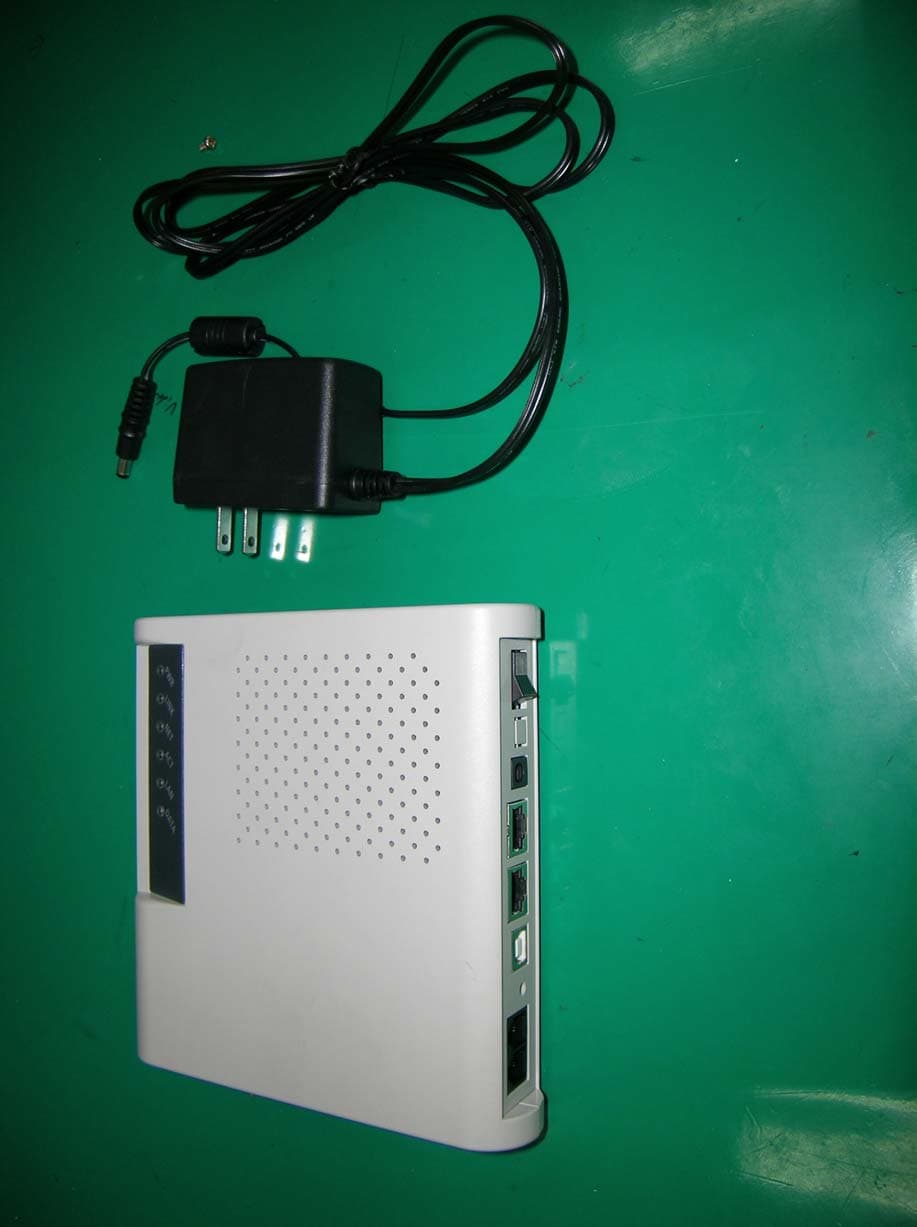
QB3CORECESS3115
Apr 06, 2004ADSL Router
Equipment Class
JBP - Part 15 Class B Computing Device Peripheral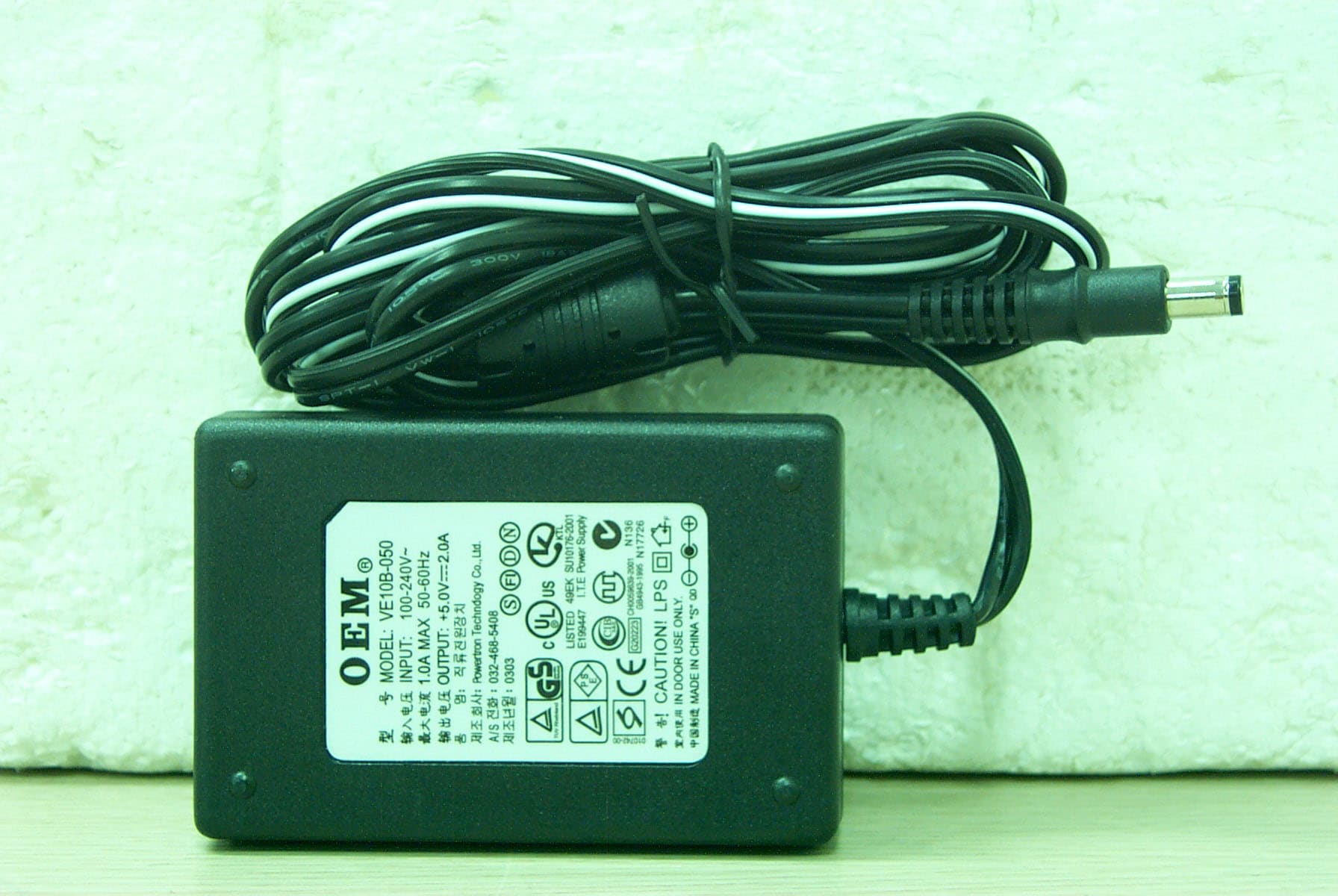
QB3CORECESS3213N
Nov 24, 2003VDSL Modem
Equipment Class
JBP - Part 15 Class B Computing Device Peripheral