QITB45CBluetooth Headset
ConnecteDevice Limited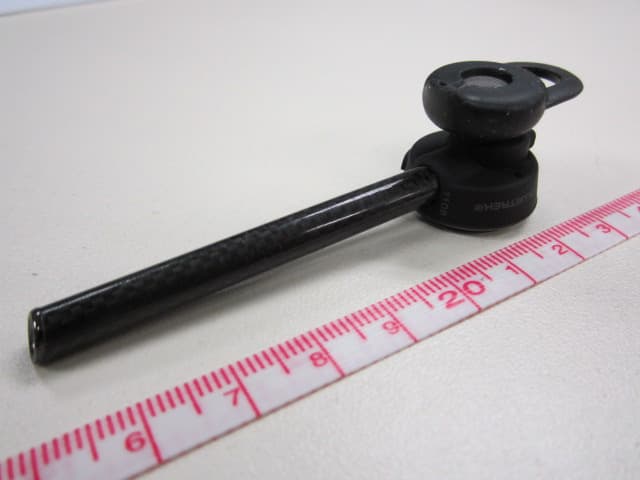
Click to zoom
Application Details
- Equipment Class
- DSS - Part 15 Spread Spectrum Transmitter
- Date of Grant
- Apr 02, 2012
- Application Purpose
- Original Equipment
- Date of Application
- Apr 02, 2012
- Equipment Note
- Bluetooth Headset
- Frequency Range
- 2402.00000000 - 2480.00000000
- Company
- ConnecteDevice Limited
- Country
- Hong Kong
Documents & Files
Document Text
Text extracted from the exhibit documents filed with the FCC. Open a document above to read the original.
Users Manual
WELCOME Thank you for purchasing a Bluetrek Bluetooth® headset. Before using this product, please charge your headset for 50 minutes and read the safety and quick start guide carefully. Please keep the sales receipt to obtain 1 year warranty from date of purchase. GET ASSISTANCE E-mail: [email protected] English BLUETREK CARBON SMART I 1 1 2 BATTERY STATUS ON iPhone™ This headset supports “iPhone headset battery meter” which monitors headset battery level on-screen when connected. CHARGING Your Carbon Smart headset performs the best when fully charged. When you hear a low- tone beep at regular intervals (the indicator light flashes in red), your headset needs to be recharged. It takes around 50 minutes to charge up. The fully charged battery has power for up to 4.5 hours of talk time or 4 hours of music streaming or up to 6 days of standby time. Charging the battery for 15 minutes provides up to 2.5 hours of talk time or up to 2.5 days of standby time. When fully charged, the indicator light will change from red to blue. Use a standard microUSB to USB cable or a 5V power adaptor (200mA or more) Charging socket Indicator light Headset Battery Meter iPhone Battery Meter Note: The lifetime of the battery will be significantly reduced if your device is left uncharged for a long period. We recommend that you fully recharge your device at least once a month. 2:38 PM Pay attention to the plug direction English 2 I BLUETREK CARBON SMART SWITCHING ON/OFF Power button To conserve energy, your Carbon Smart headset will be switched off when it loses connection with your mobile phone for more than 20 minutes. Switching the button to “off” then to “on” position will wake up the headset instantly. LANGUAGE SELECTION Voice prompts of the headset are available in English, Spanish, Putonghua (Mandarin), French or in “beep” tone to remind you the status of the headset. To select your preferred language, switch on the headset, follow the voice guide instruction and press the TALK button. After completing the language selection process, the headset will enter pairing mode automatically. Please refer to “Pairing” section to pair your headset. ADJUSTING VOLUME VOL Button Tap the volume button to increase the volume of the speaker. After reaching the max volume, continue tapping the button again will decrease the volume to the lowest level. 1 2 1 2 On Off English BLUETREK CARBON SMART I 3 1 2 4 5 3 6 PAIRING Place the Carbon Smart and your mobile phone within 0.3 meter (1 foot) from each other. Switch on your phone and switch to Bluetooth® discover mode (refer to your phone’s manual). Switch on Carbon Smart, press and hold the TALK Button for approx. 8 seconds until blue and red light flash alternately. “BLUETREK CARBON SMART” will be displayed on your mobile phone. Follow the phone instructions to accept the pairing. The PIN code (or passkey) is 0000, then press “yes” or “ok”. *If your phone supports Secure Simple Pairing (SSP), PIN code is not required. For some phones, you may need to select “Connect”. * If pairing is successful, the indicator light will switch to blue and flashes intermittently. BLUETREK CARBON SMART BLUETREK CARBON SMART onnec onnec Cancel BLUETREK X3 DSP Connect Assign short name Set as unauthorised Delete CancelSelect 24 5 36 BLUETREK CARBON SMARTBLUETREK CARBON SMART English 4 I BLUETREK CARBON SMART FITTING ERGOBUD® ADVANCE Choose a earbud that best fits the size of your ear. The earbud can be rotated front and back on the speaker to optimize your wearing comfort. EAR HOOK The ear hook may help further secure the headset on your ear. XS S M L REMOVABLE PEN CLIP To carry the Carbon Smart headset when not in use, clip it to your pocket or anywhere on your shirt. English BLUETREK CARBON SMART I 5 MAKING CALLS Using the mobile phone key pad • Make sure the headset is connected with your phone and in stand-by mode. • Dial the number on the phone keypad, after approximately 2 seconds the audio connection will be established. Using the voice recognition function of your mobile phone* • Make sure the voice recognition function on your mobile is activated and your voice tags have been recorded on the phone. Please refer to your phone manual. • When there is no incoming or active call, press on the TALK button for 2 seconds. • Wait for the audio signal from the mobile phone (generally a short tone). • Say the name of the person you wish to call. *This function may not be available on some phones, please check with your phone manufacturer for further details. English 6 I BLUETREK CARBON SMART LISTENING TO MUSIC Carbon Smart is capable of streaming music over Bluetooth® either from a mobile phone or any other Bluetooth® device supporting A2DP. Once you have paired your Carbon Smart with your mobile phone or with a Bluetooth® music player, use your phone or music player to play, pause, stop, skip, forward and backward. When you receive a call, the music will automatically be suspended and you will be able to answer or reject a call through the headset. Once you end a call, the music should recommence. On some phones and music devices you may have to press ‘play’ to start the music again. ENDING CALL Press Once the TALK Button. TALK Button On ANSWERING CALL If the headset is powered on: Press once the Talk Button. If the headset is powered off: Switch on the headset, the call will be put through automatically. English BLUETREK CARBON SMART I 7 Answer a call while talking on the other paired phone - To answer the second call and put the current call on hold, double press the TALK button. - To answer the second call and terminate current call, press once on the TALK button. - To reject the second call, reject from mobile phone directly. MULTI-POINT FUNCTION Connecting with two Bluetooth enabled devices simultaneously. Enable the multi-point function 1. Pair the headset to the 1st device (Please refer to “pairing” section). 2. Press and hold the TALK button for about 8 seconds to enter into paring m…
Text truncated - open the document above for the full version.
External Photos
www.tuv.com Test Report No.: 14028978 001 Appendix 3 page 2 of 6 External View External View www.tuv.com Test Report No.: 14028978 001 Appendix 3 page 3 of 6 External View External View
ID Label/Location Info
www.tuv.com Test Report No.: 14028978 001 Appendix 4 page 2 of 18 1.1 FCCID Label Artwork The yellow oval shows the location of the Rating Label
Test Report
www.tuv.com Test Report No.: 14028978 001 Appendix 1 page 1 of 20 Appendix 1 Test Results www.tuv.com Test Report No.: 14028978 001 Appendix 1 page 2 of 20 Carrier Frequency Separation Ref 10 dBm 2.440994 GHz A 2.440994 GHz RBW 100 kHz 2.440994 GHzVBW 300 kHz 2.440994 GHz SWT 2.5 ms 2.440994 GHz Center 2.441 GHz 2.440994 GHz Span 3 MHz 2.440994 GHz 300 kHz/ 2.440994 GHz 1 PK 2.440994 GHz MAXH 2.440994 GHz Att 20 dB 2.440994 GHz * 2.440994 GHz 2.440994 GHz 2.440994 GHz 2.440994 GHz 2.440994 GHz 2.440994 GHz 2.440994 GHz 2.440994 GHz 2.440994 GHz 2.440994 GHz -90 -80 -70 -60 -50 -40 -30 -20 -10 0 10 2.440994 GHz 1 Marker 1 [T1 ] -5.10 dBm 2.440994000 GHz 2 Delta 2 [T1 ] -0.05 dB -1.002000000 MHz 3 Delta 3 [T1 ] 0.03 dB 996.000000000 kHz MARKER 1 2.440994 GHz Date: 1.FEB.2012 13:34:45 www.tuv.com Test Report No.: 14028978 001 Appendix 1 page 3 of 20 Number of hopping channels Ref 10 dBm A RBW 1 MHz VBW 3 MHz SWT 2.5 ms Center 2.4205 GHzSpan 41 MHz4.1 MHz/ Att 20 dB * 1 PK MAXH -90 -80 -70 -60 -50 -40 -30 -20 -10 0 10 Date: 1.FEB.2012 13:53:27 Ref 10 dBm 1 PK MAXH A RBW 1 MHz VBW 3 MHz SWT 2.5 ms Center 2.46225 GHzSpan 42.5 MHz4.25 MHz/ Att 20 dB * -90 -80 -70 -60 -50 -40 -30 -20 -10 0 10 Date: 1.FEB.2012 13:56:22 www.tuv.com Test Report No.: 14028978 001 Appendix 1 page 4 of 20 Dwell Time Ref 10 dBm 31.6 s Att 20 dB 31.6 s * 31.6 s Center 2.441 GHz 31.6 s 3.16 s/ 31.6 s 1 PK 31.6 s MAXH 31.6 s A 31.6 s RBW 1 MHz 31.6 sVBW 3 MHz 31.6 s SWT 31.6 s 31.6 s SGL 31.6 s -90 -80 -70 -60 -50 -40 -30 -20 -10 0 10 31.6 s SWEEP TIME 31.6 s Date: 2.FEB.2012 11:59:33 Ref 10 dBm -4 μs Att 30 dB -4 μs * -4 μs MAXH -4 μs A -4 μs RBW 1 MHz -4 μsVBW 3 MHz-4 μs TRG -4 μs Center 2.441 GHz -4 μs 500 μs/ -4 μs SWT 5 ms -4 μs-4 μs-4 μs-4 μs-4 μs-4 μs-4 μs-4 μs-4 μs-4 μs 1 PK -4 μs -90 -80 -70 -60 -50 -40 -30 -20 -10 0 10 -4 μs 1 Marker 1 [T1 ] -3.89 dBm -4.000000 μs 2 Delta 2 [T1 ] 1.80 dB 2.906000 ms 3 Delta 3 [T1 ] -21.72 dB 3.774000 ms TRG -6.3 dBm MARKER 1 -4 μs Date: 2.FEB.2012 12:01:13 www.tuv.com Test Report No.: 14028978 001 Appendix 1 page 5 of 20 20dB Bandwidth Modulation: GFSK Tx frequency: 2402MHz Ref 10 dBm 2.402144 GHz Att 20 dB 2.402144 GHz * 2.402144 GHz A 2.402144 GHz Center 2.402 GHz 2.402144 GHz Span 3 MHz 2.402144 GHz 300 kHz/ 2.402144 GHz * 2.402144 GHz RBW 30 kHz 2.402144 GHzVBW 100 kHz 2.402144 GHz SWT 5 ms 2.402144 GHz 1 PK 2.402144 GHz MAXH 2.402144 GHz 2.402144 GHz 2.402144 GHz 2.402144 GHz 2.402144 GHz 2.402144 GHz 2.402144 GHz 2.402144 GHz 2.402144 GHz 2.402144 GHz -90 -80 -70 -60 -50 -40 -30 -20 -10 0 10 2.402144 GHz 1 Marker 1 [T1 ] -6.79 dBm 2.402144000 GHz 2 Delta 2 [T1 ] -20.28 dB -618.000000000 kHz 3 Delta 3 [T1 ] -20.85 dB 330.000000000 kHz MARKER 1 2.402144 GHz Date: 1.FEB.2012 15:49:14 Modulation: GFSK Tx frequency: 2441MHz Ref 10 dBm 2.441144 GHz Att 20 dB 2.441144 GHz * 2.441144 GHz A 2.441144 GHz Center 2.441 GHz 2.441144 GHz Span 3 MHz 2.441144 GHz 300 kHz/ 2.441144 GHz * 2.441144 GHz RBW 30 kHz 2.441144 GHzVBW 100 kHz 2.441144 GHz SWT 5 ms 2.441144 GHz 1 PK 2.441144 GHz MAXH 2.441144 GHz 2.441144 GHz 2.441144 GHz 2.441144 GHz 2.441144 GHz 2.441144 GHz 2.441144 GHz 2.441144 GHz 2.441144 GHz 2.441144 GHz -90 -80 -70 -60 -50 -40 -30 -20 -10 0 10 2.441144 GHz 1 Marker 1 [T1 ] -6.31 dBm 2.441144000 GHz 2 Delta 2 [T1 ] -20.58 dB -618.000000000 kHz 3 Delta 3 [T1 ] -20.15 dB 330.000000000 kHz MARKER 1 2.441144 GHz Date: 1.FEB.2012 15:47:46 www.tuv.com Test Report No.: 14028978 001 Appendix 1 page 6 of 20 Modulation: GFSK Tx frequency: 2480MHz Ref 10 dBm 2.48015 GHz Att 20 dB 2.48015 GHz * 2.48015 GHz A 2.48015 GHz Center 2.48 GHz 2.48015 GHz Span 3 MHz 2.48015 GHz 300 kHz/ 2.48015 GHz * 2.48015 GHz RBW 30 kHz 2.48015 GHzVBW 100 kHz 2.48015 GHz SWT 5 ms 2.48015 GHz 1 PK 2.48015 GHz MAXH 2.48015 GHz 2.48015 GHz 2.48015 GHz 2.48015 GHz 2.48015 GHz 2.48015 GHz 2.48015 GHz 2.48015 GHz 2.48015 GHz 2.48015 GHz -90 -80 -70 -60 -50 -40 -30 -20 -10 0 10 2.48015 GHz 1 Marker 1 [T1 ] -5.97 dB m 2.480150000 GHz 2 Delta 2 [T1 ] -20.47 dB -618.000000000 kHz 3 Delta 3 [T1 ] -20.14 dB 324.000000000 kHz MARKER 1 2.48015 GHz Date: 1.FEB.2012 15:39:58 Modulation: 8DPSK Tx frequency: 2402MHz Ref 10 dBm 2.402144 GHz Att 20 dB 2.402144 GHz * 2.402144 GHz A 2.402144 GHz Center 2.402 GHz 2.402144 GHz Span 3 MHz 2.402144 GHz 300 kHz/ 2.402144 GHz * 2.402144 GHz RBW 30 kHz 2.402144 GHzVBW 100 kHz 2.402144 GHz SWT 5 ms 2.402144 GHz 1 PK 2.402144 GHz MAXH 2.402144 GHz 2.402144 GHz 2.402144 GHz 2.402144 GHz 2.402144 GHz 2.402144 GHz 2.402144 GHz 2.402144 GHz 2.402144 GHz 2.402144 GHz -90 -80 -70 -60 -50 -40 -30 -20 -10 0 10 2.402144 GHz 1 Marker 1 [T1 ] -6.83 dB m 2.402144000 GHz 2 Delta 2 [T1 ] -22.25 dB -810.000000000 kHz 3 Delta 3 [T1 ] -20.92 dB 498.000000000 kHz MARKER 1 2.402144 GHz Date: 1.FEB.2012 15:50:22 www.tuv.com Test Report No.: 14028978 001 Appendix 1 page 7 of 20 Modulation: 8DPSK Tx frequency: 2441MHz Ref 10 dBm 2.44115 GHz Att 20 dB 2.44115 GHz * 2.44115 GHz A 2.44115 GHz 1 PK 2.44115 GHz MAXH 2.44115 GHz Center 2.441 GHz 2.44115 GHz Span 3 MHz 2.44115 GHz 300 kHz/ 2.44115 GHz * 2.44115 GHz RBW 30 kHz 2.44115 GHzVBW 100 kHz 2.44115 GHz SWT 5 ms 2.44115 GHz 2.44115 GHz 2.44115 GHz 2.44115 GHz 2.44115 GHz 2.44115 GHz 2.44115 GHz 2.44115 GHz 2.44115 GHz 2.44115 GHz -90 -80 -70 -60 -50 -40 -30 -20 -10 0 10 2.44115 GHz 1 Marker 1 [T1 ] -6.19 dB m 2.441150000 GHz 2 Delta 2 [T1 ] -20.82 dB -810.000000000 kHz 3 Delta 3 [T1 ] -20.21 dB 492.000000000 kHz MARKER 1 2.44115 GHz Date: 1.FEB.2012 15:46:18 Modulation: 8DPSK Tx frequency: 2480MHz Ref 10 dBm 2.48015 GHz Att 20 dB 2.48015 GHz * 2.48015 GHz A 2.48015 GHz Center 2.48 GHz 2.48015 GHz Span 3 MHz 2.48015 GHz 300 kHz/ 2.48015 GHz * 2.48015 GHz RBW 30 kHz 2.48015 GHzVBW 100 kHz 2.48015 GHz SWT 5 ms 2.48015 GHz 1 PK 2.48015 GHz MAXH 2.48015 GHz 2.48015 GHz 2.48015 GHz 2.48015 GHz 2.48015 GHz 2.48015 GHz 2.48015 GHz 2.48015 GHz 2.48015 GHz 2.48015 GHz -90 -80 -70 -60 -50 -40 -30 -20 -10 0 10 2.48015 GHz 1 Marker 1 [T1 ] -5.97 dB m 2.480150000 GHz 2 Delt…
Text truncated - open the document above for the full version.
Test Setup Photos
www.tuv.com Test Report No.: 14028978 001 Appendix 2 page 2 of 2 Setup for Radiated Emission Setup for Radiated Emission
Contact Information
Applicant
Henri-Nicolas Olivier(CEO)
Test Firm
Hong Kong Productivity CouncilIr Angel Wong Yuen-yee
Technical Specifications
| # | Rule Parts | Frequency Range | Power Output |
|---|---|---|---|
| 1 | 15C | 2.40 GHz - 2.48 GHz | 700.00 µW |
Other Applications from ConnecteDevice Limited
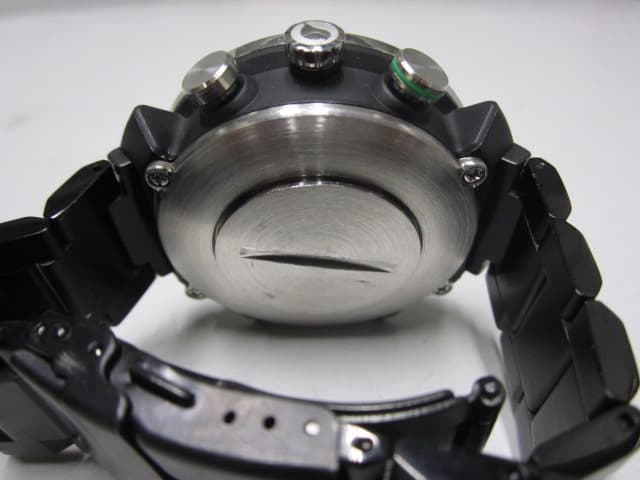
QITCD002
Mar 25, 2014Bluetooth Low Energy Smart Watch
Equipment Class
DTS - Digital Transmission System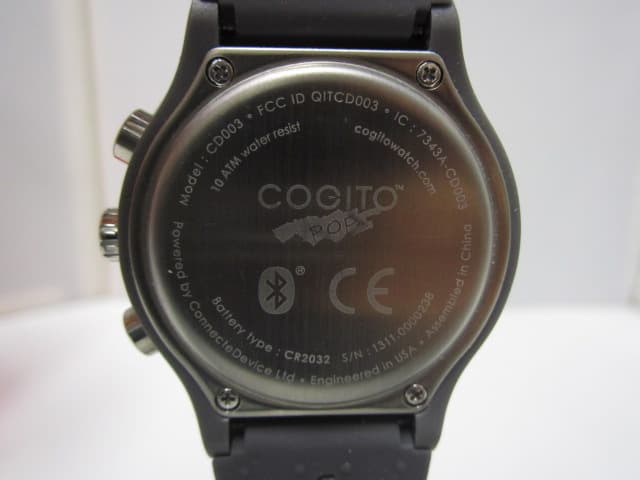
QITCD003
Feb 26, 2014Bluetooth Low Energy Smart Watch
Equipment Class
DTS - Digital Transmission System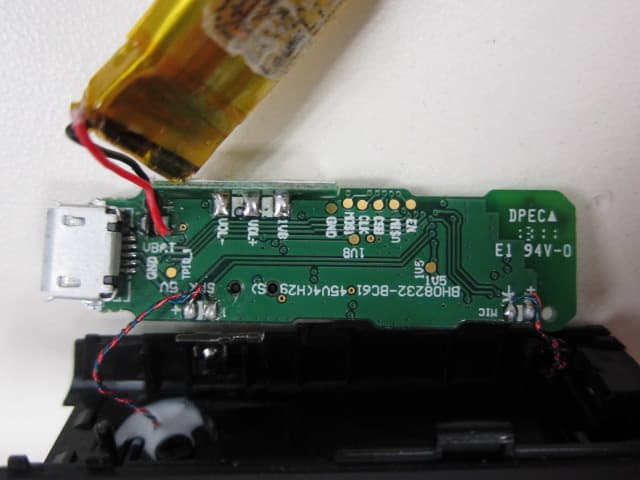
QITC45M
May 13, 2013Bluetooth Headset
Equipment Class
DSS - Part 15 Spread Spectrum Transmitter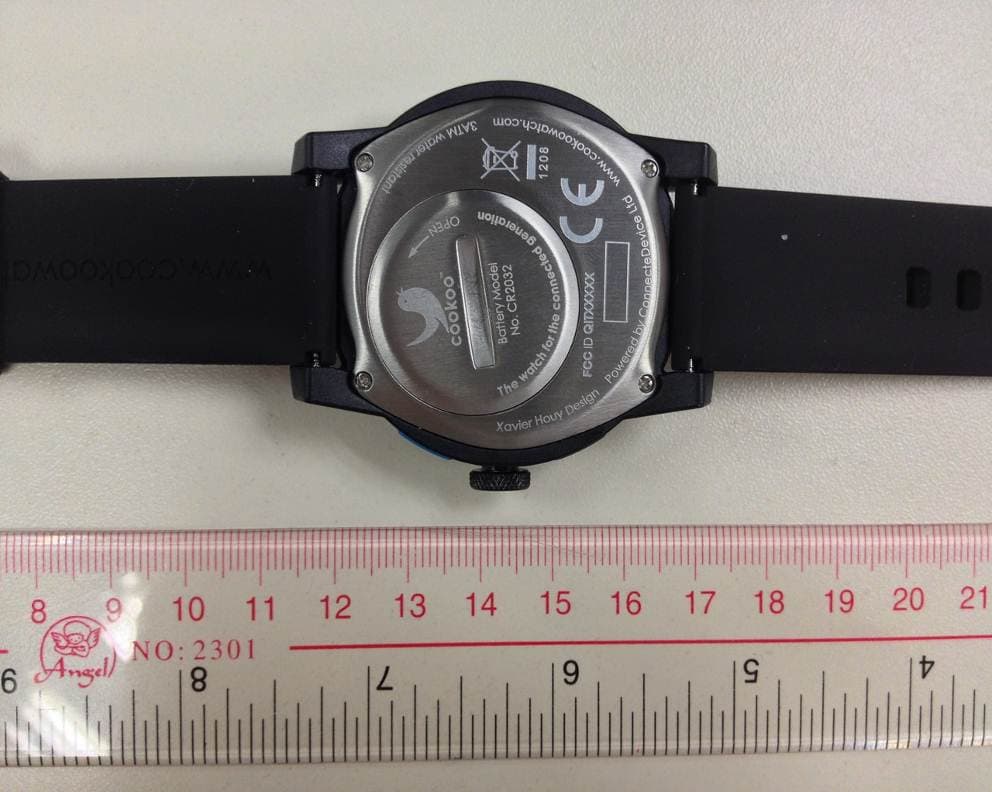
QITCOKO
Jan 08, 2013Bluetooth Low Energy Smart Watch
Equipment Class
DTS - Digital Transmission System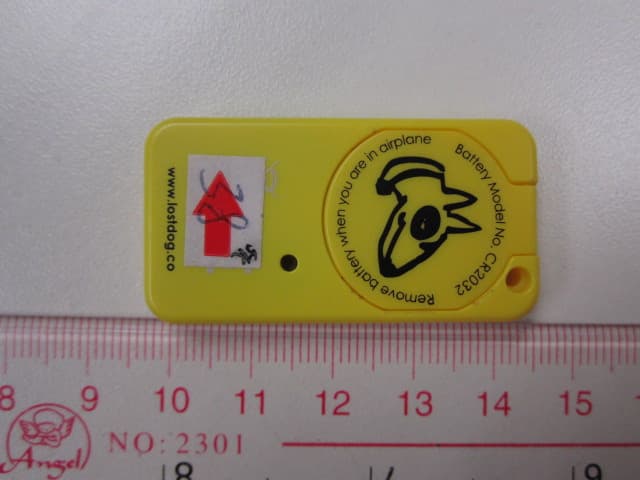
QIT2541
Oct 29, 2012BT Low Energy Device - LostDog smart keyfob
Equipment Class
DSS - Part 15 Spread Spectrum Transmitter