QNU-VPSPIO-03Portable Hard Disk Drive
ValuePlus, Inc.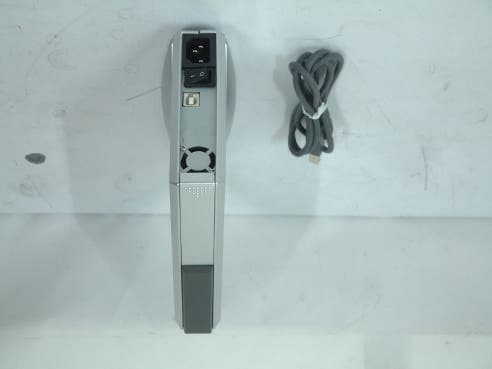
Click to zoom
Application Details
- Equipment Class
- JBP - Part 15 Class B Computing Device Peripheral
- Date of Grant
- Oct 15, 2003
- Application Purpose
- Original Equipment
- Date of Application
- Oct 15, 2003
- Equipment Note
- Portable Hard Disk Drive
- Company
- ValuePlus, Inc.
- Country
- South Korea
Documents & Files
Document Text
Text extracted from the exhibit documents filed with the FCC. Open a document above to read the original.
Users Manual
FCC Compliance Statement Caution: Any changes or modifications in construction of this device which are not expressly approved by the party responsible for compliance could void the user’s authority to operate the equipment. NOTE : This equipment has been tested and found to comply with the limits for a Class B Digital Device, pursuant to Part 15 of the FCC Rules. These limits are designed to provide reasonable protection against harmful interference in a residential installation. This equipment generates, uses and can radiate radio frequency energy and, if not installed and used in accordance with the instruction, may cause harmful interference to radio communication. However, there is no guarantee that interference will not occur in a particular installation. If this equipment dose cause harmful interference to radio or television reception. Which can be determined by turning the equipment off and on, the user is encouraged to try to correct the interference by one or more of the following measures : - Reorient or relocate the receiving antenna. - Increase the separation between the equipment and receiver - Connect the equipment into an outlet on a circuit different from that to which the receiver is connected. - Consult the dealer or an experienced radio/TV technician for help. * Product Features z Slim & deluxe design z Built in power supply z One touch assembly without screws z Easy to use, carry and travel with it z Plug & Play and Hot Plugging z Scheduling auto back-up software * Caution z New hard disk requires FDISK and Formatting. SPIO can’t be detected in the computer without this process. z Do not drop or aggressively handle the SPIO. It may cause damage to the hard disk. z Avoid exposing the SPIO to the magnetic like a speaker and humidity. It may cause damage to the hard disk.. z Do not remove or disconnect the SPIO from PC while the SPIO is transferring the data. It may cause damage to 1 SPIO Mobile Hard Disk Drive User’s Manual 2 hard disk. <On the data loss resulted from ignoring above notes, Valueplus Inc. is not responsible for it.> < Please refer to the Installation Procedure > Hardware Installation (4 page) Driver Installation (5 page) Partition and format (6 page) Ready to Use (7 page) 3 < Contents > z Product features and caution 1. Specification 2. System Requirements 3. Installation 1) Hardware installation 2) Driver installation 2) Partition and format 3) Ready to use 4. How to use HardCopy (Auto-scheduling backup software) ? 5. Trouble Shooting 6. Warranty 4 1. Specification Interface USB 2.0 Model SPIO 352 Transfer Rate 480Mbps Hard Disk 3.5”, IDE Hard Disk Dimension 196mm x 150mm x 35mm (D x W x H) Weight 1.2Kg (Including HDD) Windows 98 / 98SE / ME / 2000 / XP OS Mac OS 8.6 higher 2. System Environment [ Windows PC ] z USB 2.0 / 1.1 - System : Pentium or higher IBM compatible PC or Mac - Memory : Over 32MB - OS : Windows 98 / ME / 2000 / XP, Mac OS 8.6 & higher - Interface : USB2.0 / 1.1 port (For USB2.0 support, USB2.0 based main board or USB 2.0 PCI card, or PCMCIA cards are required) - CD Drive for driver installation or internet connection for download of installation driver [ Macintosh ] z USB 2.0/1.1 - System : PC that has USB port - Memory : Over 32MB - OS : Mac OS 8.6 & higher - CD Drive for driver installation or internet connection for download of installation driver 3. Installation 1) Hardware installation 1.Prepare the SPIO 352 and HDD(3.5” IDE type for general computer). 2.Push down the hook, pull the slide bar, and open the case. 3.Connect the 40pin IDE cable of PCB and 4pin of power cable each to the 40pin IDE connector of HDD and 4pin power connector. You have to make sure that the red lines of 40pin ribbon cable have to be No.1 pin. 4.Close the cover and slide the bar to lock the case. 5.Now, the hardware installation is finished. 5 2)Driver installation for Windows 98 User z Before connecting the SPIO to your computer, double click the file “USB-IDE98_v1016B.exe”, and install the driver at your computer. z Follow the installation process in Figure 1~3 Figure 1. After double click “USB-IDE98_v1016B.exe”, InstallShield Wizard will start. Figure 2. Click “Next” Figure 3. Click “Finish” 6 <Driver Installation under Windows ME / 2000 / XP > SPIO is automatically detected without driver installation under Windows ME, 2000, XP. . 3) Partition and Format *Caution : The driver should be Installed before partition and Format. To partition new hard disk, run the fdisk command. 1)Fdisk and format of new hard disk at windows 98 / ME a.Install the driver after connecting the product to computer (Driver is installed automatically under Windows ME) b.After driver installation, select and click start -> program -> MS DOS c. Type fdisk at command prompt and press Enter key d. You receive following message “Do you wish to enable large disk support ?”. e.Type Y and press Enter key. f. Press 5 to c hange current fixed disk drive option menu. -> Type the number of hard disk in enter fixed disk drive number -> Press the Enter key g. Press 1 to select the Create DOS partition or Logical DOS Drive menu option -> Press “Enter” key h. After verifying drive integrity, you receive following message Do you wish to use the maximum available size for primary DOS partition ? i. Type Y and press the Enter key After verifying drive integrity again, You receive following message Primary Dos Partition created, drive letters changed or added. j. Then press “ESC” key to return to the fdisk option menu. k. Press “ESC” key again -> You receive following message Restart the computer -> Press ESC again -> At command prompt C:\windows\, type Exit to return to windows. l. Remove SPIO from the computer. m. Reconnect the SPIO to the computer, again n. The Drive Letters will be created in My computer and drive icon will be shown in the system tray. o. Choose the SPIO drive -> right click it with mouse and do the format. 2) Fdisk and format of new hard disk at windows 2000 / XP Choose My …
Text truncated - open the document above for the full version.
External Photos
Test report Our reference : KEL02-F10015 Page : B1 of Appendix Issued date : 2003-10-09 Korea EMC Laboratory Appendix-B : External Photographs of E.U.T <FRONT VIEW OF EUT> <REAR VIEW OF EUT>
ID Label/Location Info
Test report Our reference : KEL02-F10015 Page : D1 of Appendix Issued date : 2003-10-09 Korea EMC Laboratory Appendix-D : FCC ID label location information and Sample - FCC ID label location information The label included following statement will be attached on the side of product. - FCC ID label sample
Internal Photos
Test report Our reference : KEL02-F10015 Page : C1 of Appendix Issued date : 2003-10-09 Korea EMC Laboratory Appendix-C : Internal Photographs of E.U.T <INTERNAL VIEW OF E.U.T> Test report Our reference : KEL02-F10015 Page : C2 of Appendix Issued date : 2003-10-09 Korea EMC Laboratory <FRONT VIEW OF MAIN BOARD> Test report Our reference : KEL02-F10015 Page : C3 of Appendix Issued date : 2003-10-09 Korea EMC Laboratory <REAR VIEW OF MAIN BOARD> Test report Our reference : KEL02-F10015 Page : C4 of Appendix Issued date : 2003-10-09 Korea EMC Laboratory <FRONT VIEW OF HDD> Test report Our reference : KEL02-F10015 Page : C5 of Appendix Issued date : 2003-10-09 Korea EMC Laboratory <REAR VIEW OF HDD> Test report Our reference : KEL02-F10015 Page : C6 of Appendix Issued date : 2003-10-09 Korea EMC Laboratory <FRONT VIEW OF POWER BOARD> Test report Our reference : KEL02-F10015 Page : C7 of Appendix Issued date : 2003-10-09 Korea EMC Laboratory <REAR VIEW OF POWER BOARD >
Test Report
CERTIFICATE OF COMPLIANCE 352 Youngduk-Ri, Kihung-Eup, Yongin-City, Kyunggi-Do, Korea 449-908 TEL : (82)31-206-4693 FAX : (82)31-206-3051 http://www.kesilab.com [email protected] http://www.koreaemc.co.kr [email protected] (CLASS B) CERTIFICATION OF COMPLIANCE is hereby issued to the named Applicant and is VALID ONLY for the equipment identified below: Date of Tested : Oct. 08. 2003 Applicant’s Name : ValuePlus, Inc. Applicant’s Address : 8F, Hyundai Office Bldg., Sunae dong, Bundang ku, Seongnam, Kyungki, Korea Manufacturer’s Name : ValuePlus, Inc. Manufacturer’s Address : 8F, Hyundai Office Bldg., Sunae dong, Bundang ku, Seongnam, Kyungki, Korea Declares that the product Product Description : Portable Hard Disk Drive Brand Name : SPIO Model Number : SPIO 352 / SPIO 355 FCC ID : QNU-VPSPIO-03 Conforms to FCC Rules and Regulations Part 15 Subpart B requirements. This product herewith complies with the requirements of the FCC Rules and Regulations as listed below: Part 15.107: Conducted Emissions. Part 15.109: Radiated Spurious Emissions. TESTED and CERTIFIED by: KOREA EMC LABORATORY 352 Youngduk-Ri, Kihung-Eup, Yongin-Si, Kyunggi-Do, 449-908, KOREA Date : Oct. 09. 2003 Report No : KEL02-F10015 Authorized Signature : M. S. CHO / President Test report Our reference : KEL02-F10015 Page : 2 of 13 Issued date : 2003-10-09 Korea EMC Laboratory TABLE OF CONTENTS DESCRIPTION Page 0. VERIFICATION OF COMPLIANCE 3 1. GENERAL INFORMATION 1.1 Product Description 4 1.2 Related Submittal(s)/Grant(s) 4 1.3 Tested System Details 4 1.4 System Configuration 4 1.5 General Setup of the test Shield room 5 1.6 Test Facility 5 2. Measurement Procedure 2.1 System test configuration 6 2.1.1 Video mode Justification 6 2.1.2 EUT Exercise S/W 6 2.2 Special Accessories 6 2.3 Equipment Modification 6 2.4 Connected Cable 6 2.5 System Configuration Diagram 6 2.6 Preliminary testing 7 2.7 Shielded Enclosure 7 2.8 Data Reporting Format 7 2.9 Operating Condition 7 2.10 Conditioning of the EUT 7 2.11 Power Line Conducted Emissions 8 2.12 Open field Radiated Emissions Tests 8 3. Measurement Data 3.1 Conducted Emission Data 9 3.2 Conducted Emission Graph 10 3.3 Radiated Emission Data 11 3.4 Summary 12 4. Labeling Requirement 13 Appendix - A : Test set-up Photographs (Conducted and Radiated) - B : External Photographs of E.U.T - C : Internal Photographs of E.U.T - D : FCC ID label location information and sample - E : Block Diagram - F : User’s Manual Test report Our reference : KEL02-F10015 Page : 3 of 13 Issued date : 2003-10-09 Korea EMC Laboratory 0 . VERIFICATION OF COMPLIANCE Equipment Under Test : Portable Hard Disk Drive Model Number : SPIO 352 / SPIO 355 Serial Number : Prototype Manufacturer : ValuePlus, Inc. 8F, Hyundai Office Bldg., Sunae dong, Bundang ku, Seongnam, Kyungki, Korea Type of Test : FCC CLASS B Report Number : KEL02-F10015 Date Tested : Oct. 08. 2003 Tested By : S. J. LEE The results show that the sample equipment tested as described in this reports is in compliance with the CLASS B conducted and radiated emission limits of FCC Rules Part 15, Subpart B. Test report Our reference : KEL02-F10015 Page : 4 of 13 Issued date : 2003-10-09 Korea EMC Laboratory 1. GENERAL INFORMATION 1.1 PRODUCT DESCRIPTION The SPIO 352 / SPIO 355 is a Portable Hard Disk Drive made by ValuePlus, Inc. in Korea. Refer to the user's manual for more information. ITEM SPECIFICATION Interface USB 2.0 Transfer rate: 480Mbps Hard Disk 3.5”, IDE Hard Disk Dimension 196 mm x 150 mm x 35 mm 1.2 Related Submittal(s)/Grant(s) N/A 1.3 Tested System Details Type Model Name FCC ID Serial NO Manufacturer Portable Hard Disk Drive SPIO 352 / SPIO 355 QNU-VPSPIO-03 Prototype ValuePlus, Inc. PC VECTRA VL400MT DoC SG05005352 HP Monitor TGIC-LC1710P DoC FHUJ350009181 SAMBO Adapter LSE9901B1250 Verification NONE LI SHIN Keyboard SKR-1032 GJJSKR-1032 1EAC00237 SEJIN USB Mouse U813I-O DoC K020803612 HP Serial Mouse M-CE15-9F DZLMCE15 LT292R00285 LOGITECH Speaker TGX-100 - NONE SAMBO MIC RM-1000 - NONE HANIL Printer 2225C DSI6XU2225 3119S96116 HP Adapter 0912-TY Verification NONE HANSUNG 1.4 System Configuration Type Model Name Serial NO Manufacturer Remark MAIN B/D HDD POWER B/D SPIO_ 352 SV4002H KJH2202 NONE NL02T2A12RC1 NONE ValuePlus, Inc. SAMSUNG ELECTRONICS CO., LTD. KIJIN ELECTRONIC CO., LTD. Korea Korea Korea Test report Our reference : KEL02-F10015 Page : 5 of 13 Issued date : 2003-10-09 Korea EMC Laboratory 1.5 General Set-up of the Test Shielded Room The EUT was set up in accordance with the suggested configuration given in FCC measurement Procedure ANSI C63.4 2000. The measurement are performed in the shielded room which dimension is 3.0*7.0*2.5(m). The EUT was placed on a non conductive table which is 1.0*1.5(m), 80 cm above an earthed ground plane and is kept at least 1m from any other earthed ground plane except the rear of table top being removed 40 cm from a vertical conducting plane. Power to the EUT was provided through the LISN(NSLK8128, SCHWARZBECK) which has the Impedance vs Frequency Characteristic in accordance with the conducted setup photographs in Appendix-A Impedance Characteristic of LISN. Peripheral equipment required to provide a functional system(support equipment) for EUT testing was powered through another LISN(KNW-407, KYORITSU). Power to the LISN was filtered to eliminate ambient signal interference. A coaxial type connector which provides a 50 Ohm terminating impedance was provided for the test instrument. The excess length of the power cord was wrapped in the two non metallic pegs attached to the top of the LISN. The two pegs are 9 cm high, approximately 2.0 cm in diameter and that are spaced 6 cm on the center apart. 1.6 Test Facility Location: Korea EMC Laboratory 352 Yungduck-Ri Kihung-Eup,Yongin-City Kyungki-Do,Korea Site : - 3/10m Open Fielded Radiated - Indoor Line Conducted Room(Shielded) The Open Field Radiated and Indoor Line Conducted sites are constructed and calibrated to meet the FCC requirem…
Text truncated - open the document above for the full version.
Test Setup Photos
Test report Our reference : KEL02-F10015 Page : A1 of Appendix Issued date : 2003-10-09 Korea EMC Laboratory Appendix-A : Test Setup Photographs - Conducted Setup Photographs LINE CONDUCTED SETUP PHOTOGRAPH - FRONT VIEW LINE CONDUCTED SETUP PHOTOGRAPH - REAR VIEW Test report Our reference : KEL02-F10015 Page : A2 of Appendix Issued date : 2003-10-09 - Radiated Setup Photograph RADIATED EMISSION SETUP PHOTOGRAPH - FRONT VIEW ( 30 - 300 MHz ) RADIATED EMISSION SETUP PHOTOGRAPH - REAR VIEW ( 30 - 300 MHz ) Test report Our reference : KEL02-F10015 Page : A3 of Appendix Issued date : 2003-10-09 Korea EMC Laboratory RADIATED EMISSION SETUP PHOTOGRAPH - FRONT VIEW ( 300- 1000 MHz ) RADIATED EMISSION SETUP PHOTOGRAPH - REAR VIEW ( 300 - 1000 MHz )
Contact Information
Applicant
Steve Yuk(President)
Test Firm
Korea EMC Laboratory Co., LtdMan-sung Cho
Technical Specifications
| # | Rule Parts | Frequency Range | Power Output |
|---|---|---|---|
| 1 | 15B | - | - |
Other Applications from ValuePlus, Inc.
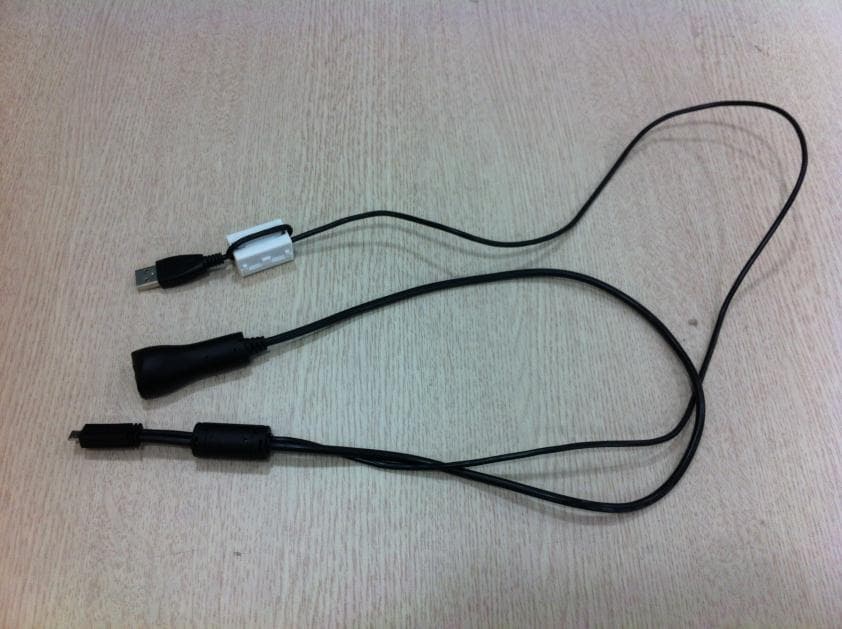
QNUTIZZBIRDN1
Dec 05, 2012SMART TV STICK
Equipment Class
DTS - Digital Transmission System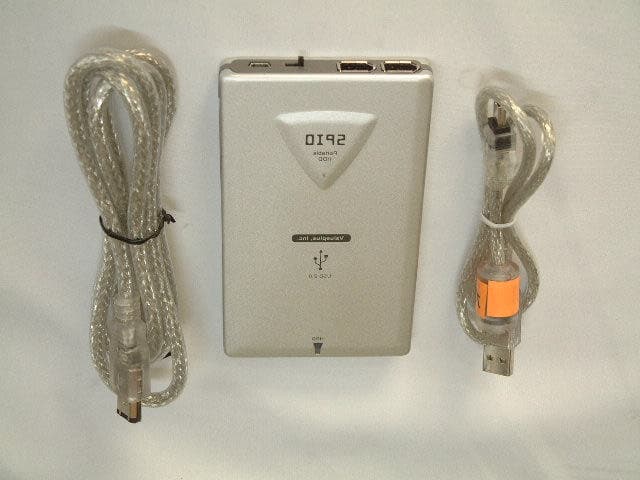
QNU-VPSPIO-02
Jun 05, 2003USB External HDD KIT
Equipment Class
JBP - Part 15 Class B Computing Device Peripheral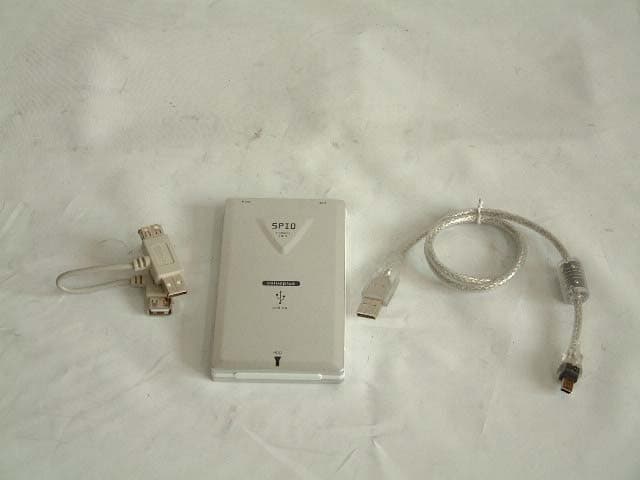
QNU-VPSPIO-01
Mar 10, 2003USB External HDD KIT
Equipment Class
JBP - Part 15 Class B Computing Device Peripheral