QQGBT003001Bluetooth USB Dongle
J-Three International Holding Co., Ltd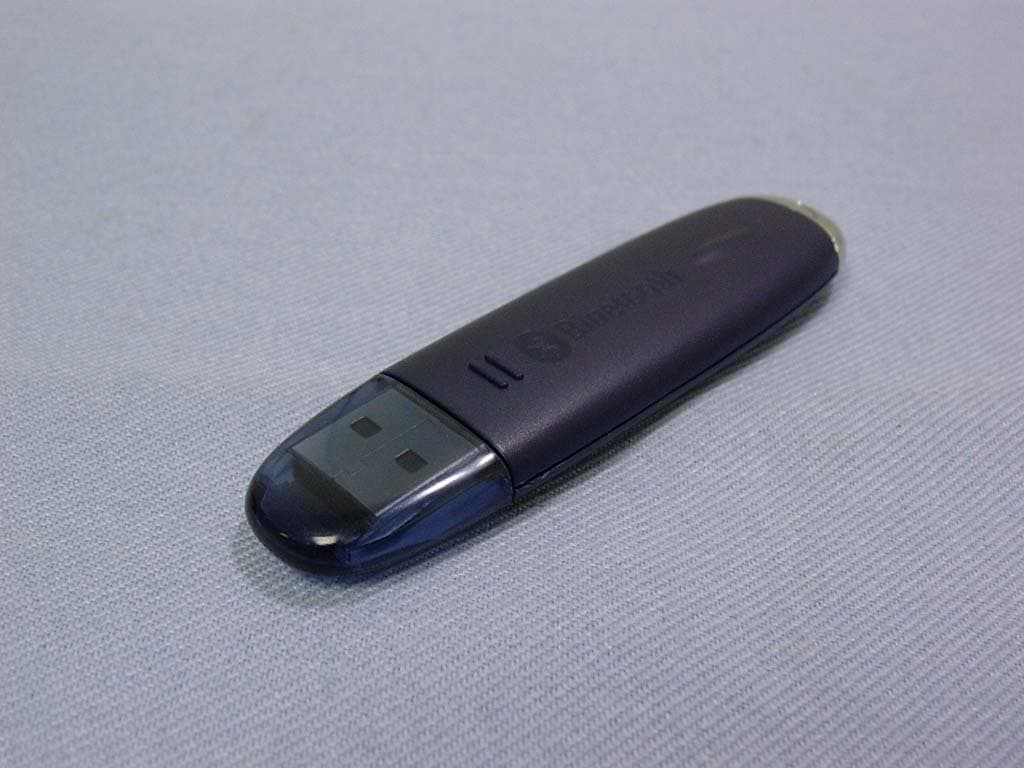
Click to zoom
Application Details
- Equipment Class
- DSS - Part 15 Spread Spectrum Transmitter
- Date of Grant
- Sep 26, 2004
- Application Purpose
- Original Equipment
- Date of Application
- Sep 26, 2004
- Equipment Note
- Bluetooth USB Dongle
- Frequency Range
- 2402.00000000 - 2480.00000000
- Country
- Taiwan
Documents & Files
Document Text
Text extracted from the exhibit documents filed with the FCC. Open a document above to read the original.
Users Manual
1 J3 Bluetooth USB Dongle User Guide 2 Content Introduction............3 Product Description.........3 Product Specification........3 Profile............3 Required System..........4 Software Installation...........4 Hardware Installation........5 Start the software.........5 Function Descriptions..........10 1.Bluetooth Serial Port.......11 2.PIM Item Transfer........13 3.File Transfer..........13 4.Dial-up Networking........14 5.Network Access.........15 6.Headset.............17 3 Introduction Thank you for purchasing this product-Bluetooth USB Dongle. This document will introduce you how to install the Bluetooth software and how to use it. Product Description J3 Bluetooth USB Dongle is a Bluetooth version 1.1 product , it can use in PC or Notebook , and it can connect with other Bluetooth device via wireless style. This user guide is assumed that you have basic knowledge for PC、Notebook、Network、 Computer noun and so on , and have experience in Windows Operation System. Product Specification ¾ USB UHC1/OHC1 spec 1.1 Compliant ¾ Compliant with Bluetooth 1.1 Specification ¾ Frequency Range:2.4 GHz 〜 2.483 GHz / 79 Channel FHSS ¾ Power Class:Class 2 / 1 ¾ Data Transfer Rate:723Kbps ( Max ) ¾ RX Sensitivity:0.1 % BER@-80 dBm ¾ Input Voltage/Current:DC 3.3 V / 100 mA ¾ Current Consumption:Standby Mode-25 mA;Transmission Mode-80 mA ¾ LED Indicator:Power state ¾ Low Power Consumption ¾ Weight:8 g Profile General Access、Service Discovery Application、Personal Area Network、Headset、Audio Gateway、Dial-up Network、LAN Access、Human Interface Device、PIM Item Transfer、 PIM Synchronization、File Transfer、Generic Object Exchange、Object Push、Serial Port、 Hardcopy Cable Replacement、Printer、FAX 4 Required System Before install the Bluetooth software , please check your system is in the minimum requirements as describe below: ¾ CPU:Intel Celeron/Pentium III/Pentium 4;AMD Duron/Athlon,200MHz or above ¾ Memory:at least 32MB ¾ Operation System:Microsoft Windows XP,2000,ME,98SE ☆Notes☆ Before install the Bluetooth software , please shut down the other application program to avoid the error(If you have already installed the Bluetooth software , and it is older version , please delete this older one before installing the new Bluetooth software). Software Installation Step1:Please insert the Software CD into CD-ROM drive. Installation program will start automatically if the auto-run function of CD-ROM is enabled.First you have to choose which language that you want to show. Step2:Please click USB Adapter for PC item to start , and if you have any question , you can find the answers in Live Demo tutorial and User Guide and Application Note and Troubleshooting this two documents or Bluetooth Applications and Bluetooth Profiles this two diagrams. Step3:Press click Install Now!!item to continue the software installation. Step4:In“License Agreement”window , please select“I accept the terms in the license agreement” item , and click「Next」button to continue. Step5:The software default destination folder is located in: C:/Program File/ Widcomm/ Bluetooth Software. If you want to change the folder, please click「Change」button to select 5 Step6:In“Driver Signature Notice”window , please click「OK」button to continue. Step7:During the processing of the Bluetooth software installation , the“Bluetooth Device not Found”window will appear , and you have two choices : one is you can install the Bluetooth USB Dongle to USB Port and click「OK」button to continue ; another is just click 「Cancel」button to continue. Step8:Please reboot your system after the software installation is finished , and take off the CD. After restart the computer , you will find two Bluetooth icons , one is called「My Bluetooth Places」on the desktop , another is on the toolbar at the lower side of the screen. Hardware Installation You just install the Bluetooth USB Dongle to desktop or laptop that within USB Port , and it is OK ! You can use the Bluetooth USB Dongle at two computers or one pc and the other one Bluetooth device. Start the software After you install the Bluetooth USB Dongle to desktop or laptop that within USB Port , the Bluetooth software icon which is on the toolbar at the lower side of the screen , it will turn red color into white color , just like the below icon. It means that you can handle this Bluetooth USB Dongle now. Step1:After double-click the Bluetooth software icon , a pop-up window will appear 〔Photo 1〕, please select the locations you want the icon to appear and click「Next」 button to continue. 6 〔Photo 1〕 Step2:After you fill the Computer name and Computer type〔Photo 2〕, please click 「Next」button to continue. 〔Photo 2〕 7 Step3:To configure the Bluetooth services that this computer will offer to other Bluetooth devices〔Photo 3〕, please click「Next」button to continue , in “Bluetooth Service Selection”window , you can select the Bluetooth services that offer to other Bluetooth devices〔Photo 4〕, please click「Next」button after the selection is finished. 〔Photo 3〕 〔Photo 4〕 8 Step4:If you have another Bluetooth device and you want to configure its service〔Photo 5〕, please click「Next」button to set up , otherwise click 「Skip」button to continue. 〔Photo 5〕 Step5:Now the basic Bluetooth configuration is completed〔Photo 6〕, please click 「Finish」button. 〔Photo 6〕 9 Step6:Double-click the Bluetooth software icon , a pop-up window will appear〔Photo 7〕 〔Photo 7〕 Step7:The “My Device” folder , you can find the Bluetooth services available on this computer〔Photo 8〕, and the icon with a red 「X」 indicates that the service is not enabled ; “Bluetooth Setup Wizard”item , you can re-configure the Bluetooth environment〔Photo 9〕 〔Photo 8〕 10 〔Photo 9〕 Function Descriptions Here is an example that we want to show you how to operate the WidComm , first right-click the Bluetooth device and select “Pair Device”〔Photo 10〕, then key in the PIN Code〔Photo 11〕, it is usually 0000 , and click「OK」button to continue. After the pairing is finished , the Bluetooth device ico…
Text truncated - open the document above for the full version.
External Photos
Compliance Certification Services Inc. Report No: 40708202 Date of Issue: August 30, 2004 Page 1 EXTERNAL PHOTOGRPHS OF EUT
ID Label/Location Info
FCC ID LABEL FORMAT AND LOCATION Applicant: J-THREE INTERNATIONAL HOLDING CO., LTD. FCC ID: QQGBT003001 FCC ID: QQGBT003001
Internal Photos
Compliance Certification Services Inc. Report No: 40708202 Date of Issue: August 30, 2004 Page 2 INTERNAL PHOTOGRPHS OF EUT Compliance Certification Services Inc. Report No: 40708202 Date of Issue: August 30, 2004 Page 3
Parts List/Tune Up Info
Compliance Certification Services Inc. Date of Test: August 30, 2004 Page 2 1. ANTENNA TEST CONDITIONS Tes t S e t u p Antenna Pattern Testing – Anechoic Chamber 3m USB DONGLE Horn Antenna Spectrum Signal Generator EUT Antenna Description Antenna Compliance Certification Services Inc. Date of Test: August 30, 2004 Page 3 2. ELECTRICAL CHARACTERISTICS V. S . W. R . Smith Chart Compliance Certification Services Inc. Date of Test: August 30, 2004 Page 4 3. Antenna Patterns z Co-plane (E-plane) Center freq.(MHZ): 2400 Polarization : E plane Max gain(dBi):2.13 Min gain(dBi):-17.67 Avg gain(dBi):-3.20 Compliance Certification Services Inc. Date of Test: August 30, 2004 Page 5 Center freq.(MHZ): 2450 Polarization : E plane Max gain(dBi):2.19 Min gain(dBi):-20.16 Avg gain(dBi):-2.91 Compliance Certification Services Inc. Date of Test: August 30, 2004 Page 6 Center freq.(MHZ): 2500 Polarization : E plane Max gain(dBi):1.66 Min gain(dBi):-26.43 Avg gain(dBi):-3.49 Compliance Certification Services Inc. Date of Test: August 30, 2004 Page 7 z Cross-plane (H-plane) Center freq.(MHZ): 2400 Polarization : H plane Max gain(dBi):-8.19 Min gain(dBi):-38.01 Avg gain(dBi):-12.06 Compliance Certification Services Inc. Date of Test: August 30, 2004 Page 8 Center freq.(MHZ): 2450 Polarization : H plane Max gain(dBi):-7.73 Min gain(dBi):-41.97 Avg gain(dBi):-11.85 Compliance Certification Services Inc. Date of Test: August 30, 2004 Page 9 Center freq.(MHZ): 2500 Polarization : H plane Max gain(dBi):-8.71 Min gain(dBi):-38.42 Avg gain(dBi):-12.90
Test Report
Compliance Certification Services Inc. Date of Issue: August 30, 2004 Report No: 40708202-RP FCC ID: QQGBT003001 Note: This report shall not be reproduced except in full, without the written approval of Compliance Certification Services Inc. This document may be altered or revised by Compliance Certification Services Inc. personnel only, and shall be noted in the revision section of the document. Page 1 of 52 FCC 47 CFR PART 15 SUBPART C TEST REPORT For J-Three International Holding CO., LTD. Bluetooth USB Dongle Model: USB-4041DG-01 Trade Name: J-Three Prepared for J-Three International Holding CO., LTD. No. 23-7, Dungshyh 12 Lirn, Dungshyh Lii,Pingchien City, Taoyuan Hsien(324), Taiwan,R.O.C. Prepared by Compliance Certification Services Inc. No. 81-1, Lane 210, Bade Rd. 2, Luchu Hsiang, Taoyuan Hsien, (338) Taiwan, R.O.C. TEL: 886-3-324-0332 FAX: 886-3-324-5235 Compliance Certification Services Inc. Date of Issue: August 30, 2004 Report No: 40708202-RP FCC ID: QQGBT003001 Page 2 TABLE OF CONTENTS 1. TEST RESULT CERTIFICATION....................................................................................................3 2. EUT DESCRIPTION ...........................................................................................................................4 3. TEST METHODOLOGY ....................................................................................................................5 3.1 EUT CONFIGURATION........................................................................................................................5 3.2 EUT EXERCISE....................................................................................................................................5 3.3 GENERAL TEST PROCEDURES.............................................................................................................5 3.4 FCC PART 15.205 RESTRICTED BANDS OF OPERATIONS........................................................6 3.5 DESCRIPTION OF TEST MODES...........................................................................................................6 4. INSTRUMENT CALIBRATION........................................................................................................7 5. FACILITIES AND ACCREDITATIONS ..........................................................................................8 5.1 FACILITIES ........ ...............................................................................................................................8 5.2 EQUIPMENT........................................................................................................................................8 5.3 LABORATORY ACCREDITATIONS AND LISTING..................................................................................8 5.4 TABLE OF ACCREDITATIONS AND LISTINGS.......................................................................................9 6. SETUP OF EQUIPMENT UNDER TEST .......................................................................................10 6.1 SETUP CONFIGURATION OF EUT.......................................................................................................10 6.2 SUPPORT EQUIPMENT ...............................................................................................................10 7. FCC PART 15.247 REQUIREMENTS.............................................................................................11 7.1 PEAK POWER....................................................................................................................................11 7.2 BAND EDGES MEASUREMENT ................................................................................................14 7.3 PEAK POWER SPECTRAL DENSITY....................................................................................................19 7.4 FREQUENCY SEPARATION.......................................................................................................22 7.5 NUMBER OF HOPPING FREQUENCY ......................................................................................24 7.6 TIME OF OCCUPANCY (DWELL TIME)...................................................................................26 7.7 RADIO FREQUENCY EXPOSURE........................................................................................................34 7.8 SPURIOUS EMISSIONS ................................................................................................................35 7.9 POWERLINE CONDUCTED EMISSIONS...............................................................................................48 APPENDIX 1 PHOTOGRPHS OF TEST SETUP .................................................................................51 Compliance Certification Services Inc. Date of Issue: August 30, 2004 Report No: 40708202-RP FCC ID: QQGBT003001 Page 4 2. EUT DESCRIPTION Product Bluetooth USB Dongle Trade Name J-Three Model Number USB-4041DG-01 Model Discrepancy N/A Power Supply Powered from host device Frequency Range 2402 ~ 2480 MHz Transmit Power -0.39 dBm Modulation Technique FHSS Transmit Data Rate 1MHz Number of Channels 79 Channels Antenna Specification Printed Monopole Antenna / Gain: 2.19 dBi Note: This submittal(s) (test report) is intended for FCC ID:QQGBT003001 filing to comply with Section 15.207, 15.209 and 15.247 of the FCC Part 15, Subpart C Rules. Compliance Certification Services Inc. Date of Issue: August 30, 2004 Report No: 40708202-RP FCC ID: QQGBT003001 Page 5 3. TEST METHODOLOGY The tests documented in this report were performed in accordance with ANSI C63.4 and FCC CFR 47 2.1046, 2.1047, 2.1049, 2.1051, 2.1053, 2.1055, 2.1057, 15.207, 15.209 and 15.247. 3.1 EUT CONFIGURATION The EUT configuration for testing is installed on RF field strength measurement to meet the Commissions requirement and operating in a manner that intends to maximize its emission characteristics in a continuous normal application. 3.2 EUT EXERCISE The EUT was operated in …
Text truncated - open the document above for the full version.
Test Setup Photos
Compliance Certification Services Inc. Date of Issue: August 30, 2004 Report No: 40708202-RP FCC ID: QQGBT003001 Page 51 APPENDIX 1 PHOTOGRPHS OF TEST SETUP Radiated Emission Set up Photos Compliance Certification Services Inc. Date of Issue: August 30, 2004 Report No: 40708202-RP FCC ID: QQGBT003001 Page 52 Conducted Emission Set Up Photos
Contact Information
Applicant
Chen Wei Ming(Communication R&D Dept. Software Engineer)
Test Firm
Compliance Certification Services Inc.Tony Houng
Technical Specifications
| # | Rule Parts | Frequency Range | Power Output |
|---|---|---|---|
| 1 | 15C | 2.40 GHz - 2.48 GHz | 1.00 mW |
Other Applications from J-Three International Holding Co., Ltd
QQGBU-2096-1
May 23, 2008Bluetooth (class I)
Equipment Class
DSS - Part 15 Spread Spectrum Transmitter
QQGBU2096
Mar 07, 2008Bluetooth Adaptor
Equipment Class
DSS - Part 15 Spread Spectrum Transmitter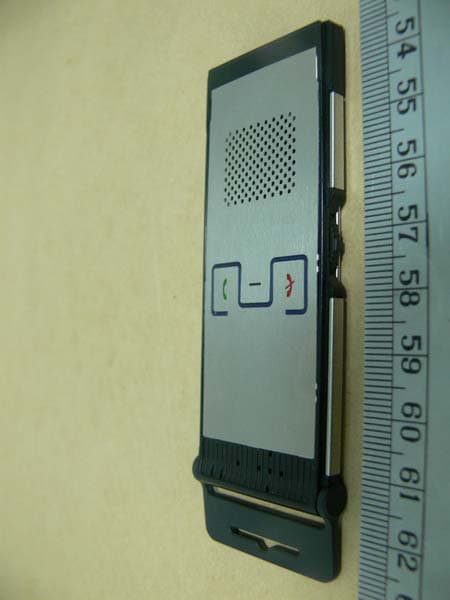
QQGCP-2020
Oct 17, 2007Bluetooth VOIP Phone
Equipment Class
DSS - Part 15 Spread Spectrum Transmitter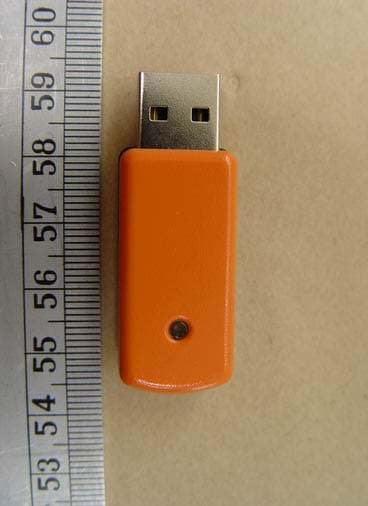
QQGBU-2094-J
May 29, 2006BLUETOOTH USB ADAPTER (Class I)
Equipment Class
DSS - Part 15 Spread Spectrum Transmitter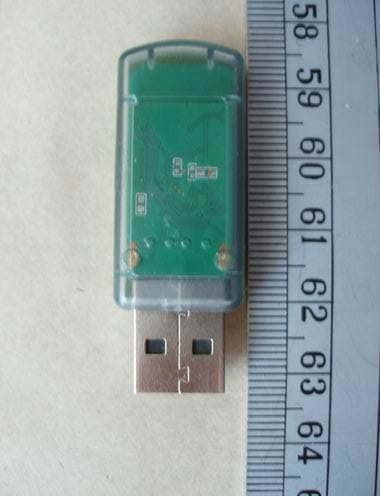
QQGBU-2084-J
May 20, 2006BLUETOOTH USB ADAPTER (Class II)
Equipment Class
DSS - Part 15 Spread Spectrum Transmitter