QS3BTT101Bluetooth Portable Speaker
TwinMOS Technologies Inc.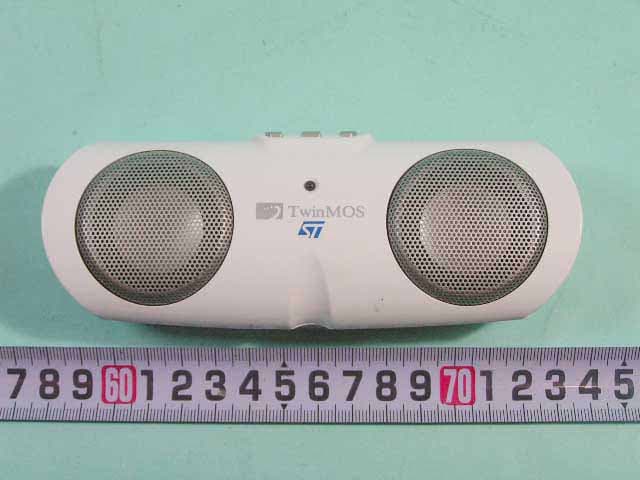
Click to zoom
Application Details
- Equipment Class
- DSS - Part 15 Spread Spectrum Transmitter
- Date of Grant
- Dec 28, 2005
- Application Purpose
- Original Equipment
- Date of Application
- Dec 28, 2005
- Equipment Note
- Bluetooth Portable Speaker
- Frequency Range
- 2402.00000000 - 2480.00000000
- Company
- TwinMOS Technologies Inc.
- Country
- Taiwan
Documents & Files
Document Text
Text extracted from the exhibit documents filed with the FCC. Open a document above to read the original.
Users Manual
Bluetooth Portable Audio System User’s Manual Model : BTT001 & BTT101 Version : 1.0 1 Table of Contents Getting start 2 Device elements 3 Pairing to link 4 Troubleshooting 5 Specifications 6 2 Getting start • Free your music via Bluetooth The Bluetooth portable audio system is designed to deliver stereo music with the Bluetooth Version 1.2 and A2DP (Advanced Audio Distribution Profile) technology. It’s only a simple transmitter and speaker structure to unchain music in various audio players. Just plugging the Bluetooth transmitter to the earphone jack of any audio player, you will start to enjoy music from the speaker in distance or even in another room. • Package includes 1. Bluetooth speaker set x 1 2. Bluetooth audio transmitter x 1 3. 3.5mm 90cm audio extension cable x 1 4. Power adapter 5V, 1Amp x 1 5. Power cable splitter x 1 6. User’s manual x 1 3 Device elements 1. BTT001, Bluetooth audio transmitter 2. BTT101, Bluetooth speaker set Top view Front view Side view Å Ç É Ñ Ö Å : Pairing button Ç : LED1(blue) É : LED2(orange) & LED3(green) Ñ : Power on/off switch Ö : Battery charging jack Top view Front view Back view Å Ç Ñ Ö É Å : Volume up/down/mute buttons Ç : LED1(blue) É : Power on/off switch Ñ : LED2(orange) & LED3(green) Ö : Battery charging jack 4 Pairing to link 1. Setup Bluetooth link between transmitter and speaker • Power on both transmitter and speaker • The blue LED blinks at low speed (1Hz). • For the first time use, stay pushing the pairing button of transmitter and wait the LED1 of transmitter to blink at medium speed(2Hz). • Then, devices are entered pairing status and setup link automatically. • As the link is established, the LED1 on both devices are blinking at full speed(4Hz). • Plugging transmitter into the phone jack of any audio player and enjoying the music from speaker Note : F “Pairing to Link” is a general operation to create and exchange a link key between two devices. The devices use the link key for future authentication as exchanging information and, thus, setup a link between them. F The link will be always existed between these devices once you set them up. You do not need to repeat the setup procedure in the next time. 2. Setup Bluetooth link between speaker and computer (notebook, PDA, or Mobile phone). The computer requires Bluetooth-enabled device and A2DP technologies. • Activate the Bluetooth application program in your computer. • Search for the speaker device. • Click link icon in the Bluetooth application program to link with the speaker. • If pairing code is required, key in “0000”. • The link will be set and the LED1 of speaker will be blinking at full speed(4Hz). • Go to the device manager of the computer OS and redirect the speaker device to the bluetooth speaker device. (For different Bluetooth application program, there will be different bluetooth device name.) • Now, the music in your computer is played in the speaker. Note : F For Bluetooth application program in your computer, please consult your computer manual for Bluetooth operations. F Please be aware the Bluetooth technology in your devices should be version 1.2 and compatible with A2DP (Advanced Audio Distribution Profile) to connect with speaker. 5 Troubleshooting Q1 : The music does not come out while turn on transmitter/speaker? Ans : a. Check the connection of audio plug and audio player. b. Check the battery status of both transmitter and speaker. c. Refer to “Pairing to link”, redo the proper setup procedure. Q2 : Is it possible to operate several speaker s with single transmitter? Ans : No, it cannot. The bandwidth limit of the current Bluetooth technology is not allowed this kind of broadcasting method now. Q3 : Is it possible to operate multiple pairs of transmitter and speaker in the same space, respectively ? Ans : Yes, it is. The FHSS of Bluetooth digital modulation mechanism technology allows co-existence application for many links of various pairs of transmitter and speaker. However, the devices must be pairing to link for each pair first. Q4 : Is it possible to play music via the link of transmitter and speaker and charge batteries simultaneously? Ans : Yes, it is. Q5 : If my computer has a built-in Bluetooth device, why I cannot set up linking with speaker? Ans : It’s not all the built-in Bluetooth devices in computers are compatible with speaker. Please confirm your Bluetooth device is compliant to Bluetooth ver1.2 and A2DP (Advanced Audio Distribution Profile). Q6 : When I setup the link between my computer and speaker, what is the pairing code? Ans : Please key in “0000” which is the default code of speaker. Q7 : If my computer isn’t included a built-in Bluetooth device, how can I make speaker link to computer? Ans : Our suggestion is to purchase a Bluetooth USB dongle and install the program along with the device. Then, follow the program to link with speaker. Q8 : Why the music seems to be badly interfered while using cordless phone? Ans : The adoption of 2.4GHz band in Bluetooth technology is the same band with some cordless phones, microwave ovens and WLAN APs; therefore, the interference among those bluetooth devices may be occurred. 6 Specifications 1. BTT001, Bluetooth audio transmitter BTT001 General Factors RF BT V1.2 Class I, 2.4GHz Max. RF Distance 30 Meters @Open Space BT Profile A2DP(Advanced Audio Distribution Profile) Data Rate 1 Mbps Battery 1. Rechargeable Li+ Polymer Battery 2. Battery Life : 3 hours Audio Interface Std. 3.5mm analog Line-In for L/R Stereo User Interface LED1(Blue) Indicator for Power On, BT Pairing & Linking Power on→ Blinking at 1 Hz Pairing → Blinking at 2 Hz Linking → Blinking at 4 Hz LED2(Orange) Shinning for low Battery LED3(Green) Indicator for Battery Charging : On → Charging is progressing. Off → Battery is full. Pairing Button Stay pushing to link with new receiving device. Power On Switch Switch to turn on device. Audio Plug 3.5mm in diameter Batt. Charging Jack 3.0mm in diameter 7 Specifications 2. BTT101, Blue…
Text truncated - open the document above for the full version.
External Photos
APPENDIX A. Photographs of EUT
ID Label/Location Info
SPORTON International Inc. PAGE NUMBER : A3 OF A14 TEL : 886-2-2696-2468 ISSUED DATE : Dec. 21, 2005 FAX : 886-2-2696-2255
Internal Photos
SPORTON International Inc. PAGE NUMBER : A6 OF A14 TEL : 886-2-2696-2468 ISSUED DATE : Dec. 21, 2005 FAX : 886-2-2696-2255 SPORTON International Inc. PAGE NUMBER : A7 OF A14 TEL : 886-2-2696-2468 ISSUED DATE : Dec. 21, 2005 FAX : 886-2-2696-2255 SPORTON International Inc. PAGE NUMBER : A8 OF A14 TEL : 886-2-2696-2468 ISSUED DATE : Dec. 21, 2005 FAX : 886-2-2696-2255 SPORTON International Inc. PAGE NUMBER : A9 OF A14 TEL : 886-2-2696-2468 ISSUED DATE : Dec. 21, 2005 FAX : 886-2-2696-2255 SPORTON International Inc. PAGE NUMBER : A10 OF A14 TEL : 886-2-2696-2468 ISSUED DATE : Dec. 21, 2005 FAX : 886-2-2696-2255 SPORTON International Inc. PAGE NUMBER : A11 OF A14 TEL : 886-2-2696-2468 ISSUED DATE : Dec. 21, 2005 FAX : 886-2-2696-2255 SPORTON International Inc. PAGE NUMBER : A12 OF A14 TEL : 886-2-2696-2468 ISSUED DATE : Dec. 21, 2005 FAX : 886-2-2696-2255 SPORTON International Inc. PAGE NUMBER : A13 OF A14 TEL : 886-2-2696-2468 ISSUED DATE : Dec. 21, 2005 FAX : 886-2-2696-2255 SPORTON International Inc. PAGE NUMBER : A14 OF A14 TEL : 886-2-2696-2468 ISSUED DATE : Dec. 21, 2005 FAX : 886-2-2696-2255
Operational Description
Description of Operation BEM201 is compliant by Bluetooth V1.2. It is a fully integrated Bluetooth Class 1 module using ST STLC2416 Baseband controller with integrated 4 Mbit flashmemory and the STLC2150 is a fully integrated single chip radio transceiver. Feature z Bluetooth specification compliant : V1.2 z Point-to-point, point-to-multi-point (Up to 7 slaves) and scatternet capability z Asynchronous Connection-Less(ACL) link logical transport link z Synchronous Connection-Oriented (SCO) link : 2 simultaneous SCO Channels z Supports Pitch-Period Error Concealment (PPEC) Improves Speech quality in the vicinity of interference Improves coexistence with WLAN Works at receiver , no Bluetooth implication z Adaptive Frequency Hopping (AFH) : hopping kernel , channel assessment as Master and as Slave z Faster Connection : Interlaced scan for Page and Inquiry scan , first FHS without random backoff , RSSl used to limit range z Extended SCO (eSCO) links z Standard BlueRF bus interface z Qos Flush z Clock support System clock input : any integer value from 12...........33 MHz LPO clock input at 3.2 and 32 KHz or via the embedded 32 KHz crystal oscillator cell z ARM7TDMI 32-bit CPU z Communication interfaces Synchronous Serial Interface , supporting up to 32 bit data and different industry standards Two enhanced 16550 UART’s with 128 byte FIFO depth 12Mbps USB interface Fast master I2C bus interface Multi slot PCM interface Report No.: FR5N1602 Report Format Version: RF-15.247-a Page No. : 3 of 47 FCC ID: QS3BTT101 Issued Date : Dec. 21, 2005 3. GENERAL INFORMATION 3.1. Product Details EUT IS a Bluetooth Portable Speaker with Bluetooth radio function. Only the radio detail of Bluetooth is shown in the table below. For more detailed features description, please refer to the manufacturer’s specifications or user’s manual. Items Description Radio Type Intentional Transceiver Power Type 5VDC from Adapter or USB Interface Type DC Port Modulation FHSS (GFSK) Data Rate (Mbps) 1 Frequency Range 2400 ~ 2483.5MHz Channel Number 79 Channel Band Width (99%) 840 kHz Conducted Output Power 0.32 dBm Carrier Frequencies 2402~2480 MHz Antenna Printed antenna 3.2. Accessories Power Brand Model Rating Adapter 1 Touch SA01-6US05R-D INPUT: 100~240V AC OUTPUT: 5V DC Others USB Cable 3.3. Table for Filed Antenna Ant. Antenna Type Connector Gain (dBi) 1 Printed Antenna NA 1.0
Test Report
SPORTON International Inc. No. 52, Hwa Ya 1st Rd., Kwei-Shan Hsiang, TaoYuan Hsien, Taiwan, R.O.C. Ph: 886-3-327-3456 / FAX: 886-3-327-0973 / www.sporton.com.tw Report Format Version: RF-15.247-a FCC RADIO TEST REPORT Applicant’s company TwinMOS Technologies Inc. Applicant Address No.3, Tzu Chiang Rd., Hu Kou Xiang, Hsin Chu, Taiwan, R.O.C. FCC ID QS3BTT101 Manufacturer’s company TwinMOS Technologies Inc. Manufacturer Address No.3, Tzu Chiang Rd., Hu Kou Xiang, Hsin Chu, Taiwan, R.O.C. Product Name Bluetooth Portable Speaker Brand Name TwinMOS Model Name BTT101 Test Rule Part(s) 47 CFR FCC Part 15 Subpart C § 15.247 Test Freq. Range 2400 ~ 2483.5MHz Receive Date Dec. 15, 2005 Test Date Dec. 20, 2005 Submission Type Original Equipment Statement The test result in this report refers exclusively to the presented test model / sample. Without written approval of SPORTON International Inc., the test report shall not be reproduced except in full. The measurements and test results shown in this test report were made in accordance with the procedures and found in compliance with the limit given in ANSI C63.4-2003 and 47 CFR FCC Part 15 Subpart C. The test equipment used to perform the test is calibrated and traceable to NML/ROC. Lab Code: 200079-0 Report No.: FR5N1602 Report Format Version: RF-15.247-a Page No. : i of ii FCC ID: QS3BTT101 Issued Date : Dec. 21, 2005 Table of Contents 1. CERTIFICATE OF COMPLIANCE ......................................................................................................................... 1 2. SUMMARY OF THE TEST RESULT .......................................................................................................................... 2 3. GENERAL INFORMATION .................................................................................................................................. 3 3.1. Product Details....................................................................................................................................................................................3 3.2. Accessories .........................................................................................................................................................................................3 3.3. Table for Filed Antenna.......................................................................................................................................................................3 3.4. Table for Carrier Frequencies .............................................................................................................................................................4 3.5. Table for Test Modes ...........................................................................................................................................................................4 3.6. Table for Testing Locations..................................................................................................................................................................4 3.7. Table for Supporting Units ...................................................................................................................................................................5 3.8. Table for Parameters of Test Software Setting .....................................................................................................................................5 3.9. Test Configurations .............................................................................................................................................................................6 4. TEST RESULT ..................................................................................................................................................... 8 4.1. AC Power Line Conducted Emissions Measurement...........................................................................................................................8 4.2. Maximum Peak Output Power Measurement ...................................................................................................................................12 4.3. Hopping Channel Separation Measurement ...................................................................................................................................14 4.4. Number of Hopping Frequency Measurement.................................................................................................................................19 4.5. Dwell Time Measurement..................................................................................................................................................................21 4.6. Radiated Emissions Measurement ....................................................................................................................................................28 4.7. Band Edge Emissions Measurement .................................................................................................................................................40 4.8. Antenna Requirements .....................................................................................................................................................................43 5. LIST OF MEASURING EQUIPMENTS ................................................................................................................... 44 6. SPORTON COMPANY PROFILE ........................................................................................................................ 46 6.1. Test Location.....................................................................................................................................................................................46 7. CERTIFICATE OF NVLAP ACCREDITATION ......................................................................................................... 47 APPENDIX A. PHOTOGRAPHS OF EUT...................................................…
Text truncated - open the document above for the full version.
Test Setup Photos
Report No.: FR5N1602 FCC ID: QS3BTT101 Page No. : 1 of 5 Appendix B. Test Photos Report No.: FR5N1602 FCC ID: QS3BTT101 Page No. : 2 of 5 1. Photographs of Conducted Emissions Test Configuration FRONT VIEW REAR VIEW Report No.: FR5N1602 FCC ID: QS3BTT101 Page No. : 3 of 5 SIDE VIEW Report No.: FR5N1602 FCC ID: QS3BTT101 Page No. : 4 of 5 2. Photographs of Radiated Emissions Test Configuration FRONT VIEW REAR VIEW Report No.: FR5N1602 FCC ID: QS3BTT101 Page No. : 5 of 5 NEAR VIEW
Contact Information
Applicant
Sam Hsu(Manager)
Technical Contact
Sporton International Inc.Wayne Hsu
[email protected]886-3-327-3456
No. 52, Hwa Ya 1st Rd., Kwei-Shan Hsiang, · TaoYuan Hsien · Taiwan
Test Firm
Sporton International Inc.Kathy Lin
Technical Specifications
| # | Rule Parts | Frequency Range | Power Output |
|---|---|---|---|
| 1 | 15C | 2.40 GHz - 2.48 GHz | 1.08 mW |
Other Applications from TwinMOS Technologies Inc.

QS3-BTTA01
Oct 01, 2006Bluetooth 2.1ch Audio System for iPod
Equipment Class
DSS - Part 15 Spread Spectrum Transmitter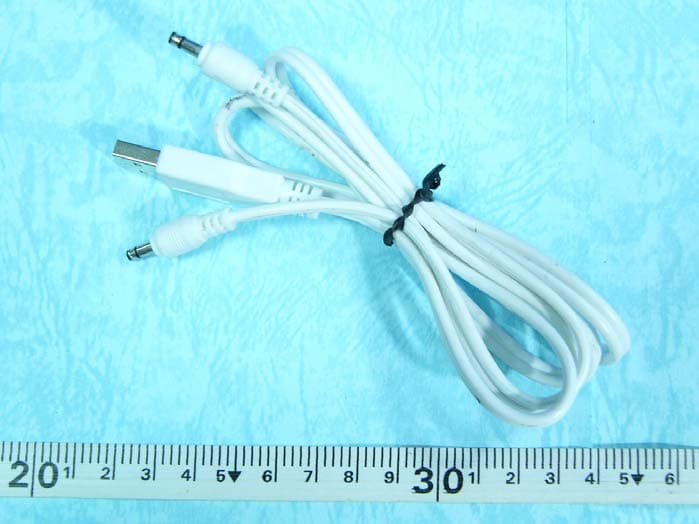
QS3BTT102
Feb 22, 2006Bluetooth Aduio Receiver
Equipment Class
DSS - Part 15 Spread Spectrum Transmitter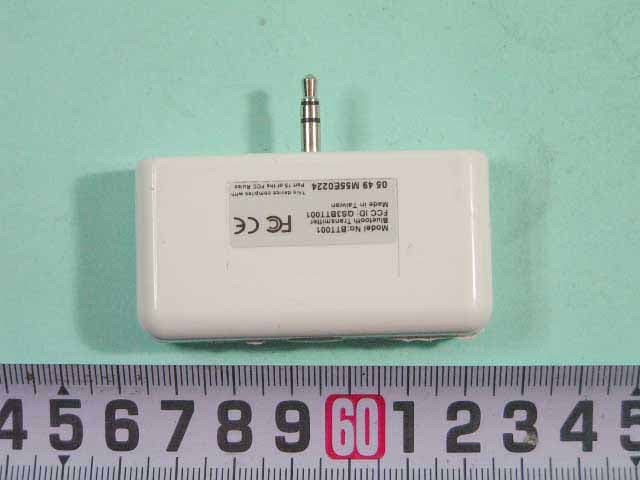
QS3BTT001
Dec 29, 2005Bluetooth Audio Transmitter
Equipment Class
DSS - Part 15 Spread Spectrum Transmitter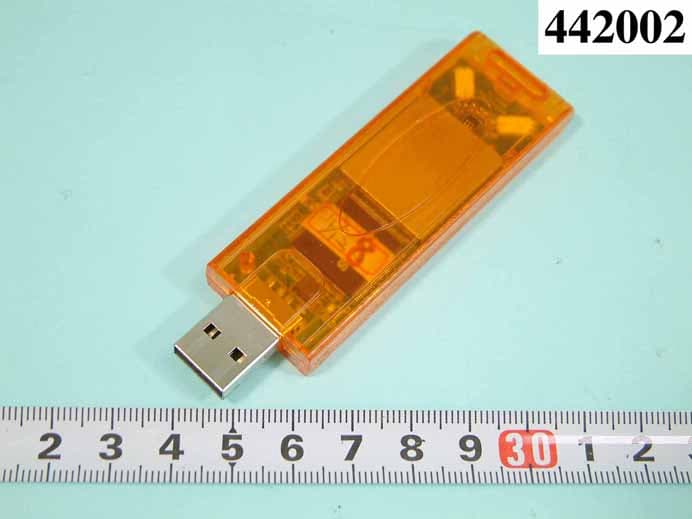
QS3WGSZR1
Oct 31, 2004USB STICK WLAN CARD
Equipment Class
DTS - Digital Transmission System
QS3WGSZB1
Oct 28, 2004WIRELESS LAN PRODUCT USB DONGLE
Equipment Class
DTS - Digital Transmission System