QSHAIBSWBaracoda Scanwear Bluetooth Wireless Scanner
XIRING SA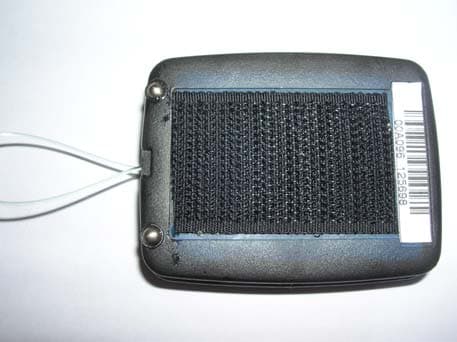
Click to zoom
Application Details
- Equipment Class
- DSS - Part 15 Spread Spectrum Transmitter
- Date of Grant
- Dec 25, 2007
- Application Purpose
- Original Equipment
- Date of Application
- Dec 25, 2007
- Equipment Note
- Baracoda Scanwear Bluetooth Wireless Scanner
- Frequency Range
- 2402.00000000 - 2480.00000000
- Company
- XIRING SA
- Country
- France
Documents & Files
Document Text
Text extracted from the exhibit documents filed with the FCC. Open a document above to read the original.
Users Manual
Scanwear User Guide ©Baracoda™ - September 07 Baracoda ScanWear – User Guide September 07 2 SUMMARY SUMMARY 2 REVISION HISTORY 3 INTRODUCTION 4 1. CRADDLE AND LANYARD 5 1.1. CRADDLE 5 1.2. LANYARD 5 2. BATTERY 5 3. SWITCHING ON THE READER 5 4. QUICK START UP GUIDE 6 4.1. HOW TO READ BARCODES 6 4.2. USAGE MODE 7 4.3. THE DIFFERENT READING MODE 7 4.3.1. SIMPLE READ 7 4.3.2. MOTION SENSOR 7 4.3.3. MULTISCAN MODE 7 5. STATUS DISPLAY SUMMARY 8 6. THE DIFFERENT WAYS TO CONNECT SCANNER TO A HOST 9 6.1.1. FOR USERS : FULLY PLUG & SCAN HARDWARE SOLUTIONS 9 6.1.2. FOR USERS: SOFTWARE SOLUTIONS 9 6.1.3. FOR DEVELOPERS: BARACODA SDK 10 7. CONFIGURING YOUR SCANNER 11 7.1. RESET YOUR SCANNER 11 7.2. SECURITY 11 7.3. NO DATA LOSS MODE 11 7.4. SYMBOLOGY 11 7.5. DATA FORMAT 12 7.5.1. BARACODA HEADER 12 7.5.2. GENERAL PREFIX / SUFFIX 12 7.5.3. SYMBOLOGY PREFIX / SUFFIX 12 7.6. BEEPS AND LEDS 12 7.7. POWER MANAGEMENT 12 7.8. LOW BATTERY 12 SAFETY / REGULATORY. 13 Baracoda ScanWear – User Guide September 07 3 Revision History Changes to the original manual are listed below Document Date Description 1.0 4 Sep. 07 Initial release Baracoda ScanWear – User Guide September 07 4 Introduction The Scanwear is easy to use. Just press the trigger in order to switch on the scanner and simply press it again or move it to scan a barcode. The colours of the LED indicate the status of the device. Beep and LED indicate the status of the scanner as Good Read, Connected, etc... “No Data Loss Mode” function stores the last scans and is configurable by the user. Barcodes are transmitted in real time to the remote host devices/terminals using Bluetooth wireless technology. You can download on our Website all software updates and additional documentations: http://www.baracoda.com/ Baracoda ScanWear – User Guide September 07 5 1. Craddle and Lanyard 1.1. Craddle You can install the cradle on: - a desk, you need to stick non-skid pad under cradle. - a 1U steel bar, Hang on directly 1.2. Lanyard You can only use Scanwear with lanyard. See picture for correct installation. 2. Battery Recharge the internal battery by using the included AC adapter. The Adapter rating is 5V, 300mA. When the scanner is charging, the LED is green (blink). When the scanner is fully charged, the LED is green (solid). A full recharge (from completely drained batteries) takes approximately 3 hours. When the original batteries wear out, please contact your Baracoda reseller for replacements. 3. Switching on the reader Remember to fully charge the battery before first use. In order to switch on the scanner, please press the trigger. The scanner will switch off alone after some period of inactivity (in its standard mode Scanner will switch off after 20 minutes of inactivity. This value can be modified by the user). Baracoda ScanWear – User Guide September 07 6 4. Quick Start up guide 4.1. How to read barcodes In order to switch on the scanner, please press the trigger. Position the scanner so the light beam fully overlaps and crosses the bar code. The scanner will emit a beep when the scan is successful. You see below the correct scanning position. BSW-L : Scanwear CMOS BSW-LA : Scanwear Laser Baracoda ScanWear – User Guide September 07 7 4.2. Usage mode Real Time mode, Barcodes are transmitted in real time to the remote host (devices/terminals) using Bluetooth wireless technology (with acknowledgment from the host to the scanner) or, if the scanner is not connected, will memorise the data and later automatically upload it to a remote device/terminal (or Scanner can be set to operate only when connected to the host). 4.3. The different reading mode 4.3.1. Simple read Simply press the trigger when you want to scan a barcode. 4.3.2. Motion sensor You need execute a specific movement: - Start horizontally - Turn right - Turn left - Stabilize movement horizontally Barcode laser is started then scan a barcode 4.3.3. Autoscan mode You can configure ‘Autoscan mode’ through BaracodaManager. Trigger Baracoda ScanWear – User Guide September 07 8 5. Status Display Summary The ScanWear has three (3) LEDs where all functions are described below. Operating Mode LED Status Description Green Blink In Charge Green Full Charge completed Red Blink Battery low Battery Red/Green/Blue Blink Switch on Blue Long Blink Connected to Host Bluetooth Blue Fast Blink Not Connected to Host Scan barcode Green One single long blink Good read Red Blink No host transmission Barcode lost Barcode reading failure Status leds Baracoda ScanWear – User Guide September 07 9 6. The different ways to connect scanner to a host Baracoda proposes three (3) ways to simplify this process. Just choose the most appropriate one according to your specific needs. 6.1.1. For users : Fully Plug & Scan hardware solutions That’s the easiest way to associate our scanners with a host. Baracoda offers the RS232 Plug&Scan or the USB Plug&Scan dongle. If you have one of these devices: 1. Plug the dongle into the USB port or into the RS232 port of the computer. 2. Wait 5 seconds for the host computer to recognize the Plug&Scan dongle. 3. Do not scan any other barcodes except the barcode that pairs the scanner to the dongle (“Connect barcode”, available in the box of the dongle). 4. Scan the “Connect barcode” just once. 5. Within less than 20 seconds the LED on the scanner will start double flashing green: you are now paired and connected! If you have the USB dongle just open up the target application (such as Notepad, Excel and Word). Make sure the active cursor is where the user wants the barcode information to be placed and start scanning barcodes. If you have the RS232 Plug&Scan Dongle, your application will have to retrieve the information from the serial port, download Kemul Software on Baracoda Website http://www.baracoda.com/ Please note that the scanner are set by the Baracoda Plug&Scan USB in “no data loss mode” ON by default. This implies that the reader will bufferise barcodes if the barcodes are read out of rang…
Text truncated - open the document above for the full version.
Cover Letter(s)
Attn: Reviewing Engineer MET Laboratories, Inc. 914 West Patapsco Avenue Baltimore, MD 21230 RE: 15.19 Statement (FCC ID:QSHAIBSW) TO WHOM IT MAY CONCERN The statement: "This device complies with Part 15 of the FCC Rules. Operation is subject to the following two conditions: (1) this device may not cause harmful interference, and (2) this device must accept any interference received, including interference that may cause undesired operation” Is not placed in the label of the equipment due to the following reasons: - Type label is too small (No room for this writing). - Required text is already included in the user guide This statement is placed in a prominent location in the instruction manual. Please contact me if there is any information you may need. If you have any questions, please feel free to contact me at the address shown below. Sincerely, P.A. Name/Title: Veranith LY / Engineer Company name: BARACODA WIRELESS TECHNOLOGY Telephone: +33 (0) 1 30 08 89 13 E-mail Address: : [email protected]
Cover Letter(s)
Met Laboratories 914 West Patapsco Ave. Baltimore, MD 21230 December 12, 2007 RE: Permanent Confidentiality Request To Whom It May Concern: Pursuant to Paragraphs §0.457 and 0.459 of the Commission’s Rules (47 C.F.R.) and Section §552(b)(4) of the Freedom of Information Act, Baracoda Wireless Technology requests confidentiality for the following product: FCC ID Number Product Title/Model QSHAIBSW Bluetooth Wireless Scanner / Baracoda Scanwear For the product stated above, we request that the following information be held permanent confidential: 1) Circuit diagrams 2) Block Diagrams 3) Bill of materials 4) Operational Description No other items submitted as part of the equipment authorization filing process are deemed confidential. The above exhibits contain Baracoda Wireless Technology trade secrets and proprietary information that could be of benefit to our competitors regarding the design of our devices. This material is not customarily available to the general public and we request that it be withheld from public inspection. If you have any questions, please feel free to contact me at the address shown below. Sincerely, P.A. Veranith LY Engineer Baracoda Wireless Technology 36, rue de Turin 75008 Paris, FRANCE Phone: +1 510 795 85 00 e-mail: [email protected]
Cover Letter(s)
Authorisation letter (Power of attorney) We, Baracoda Wireless Technology 30, Avenue de l’Amiral Lemonnier 78160 Marly le roi France authorise Centro de Tecnología de las Comunicaciones S.A. Parque Tecnologico de Andalucía C/ Severo Ochoa 2 29590 Campanillas – Málaga Spain to act as our agent and to process and sign on our behalf for all approval activities in the United States of America and the European Union. This authorisation is applicable to the product: Brand name: Baracoda Model: Baracoda ScanWear FCC ID: QSHAIBSW Signed on behalf of Baracoda Wireless Technology by Name: Véranith LY Date: 10-Sep-2007 Place: Marly le roi Signature & company stamp
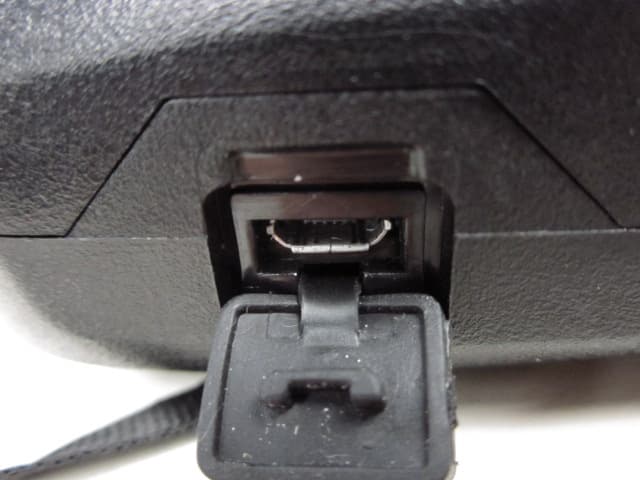
External Photos
SCANWEAR EXTERNAL PHOTOS
ID Label/Location Info
SCANWEAR LABEL DESIGN SAMPLES : Product with label :
Internal Photos
TINYOM / SCANWEAR INTERNAL PHOTOS ASSEMBLY VIEW : PCB MAIN BOARD - TOP VIEW : PCB DAUGHTER CARD – BOTTOM VIEW : PCB DAUGHTER CARD – TOP VIEW : PCB MAIN BOARD - TOP VIEW :
RF Exposure Info
Met Laboratories 914 West Patapsco Ave. Baltimore, MD 21230 December 12, 2007 RE: RF exposure information FCC ID: QSHAIBSW FCC ID Number Product Title / Model QSHAIBSW Bluetooth Wireless Scanner / Baracoda Scanwear TO WHOM IT MAY CONCERN The product stated above complies with the FCC limits for Human exposure to RF emissions. This device is categorically excluded from routine environmental, because it operates at very low power level. The equipment is deemed to comply with the SAR or MPE limits without testing due to its very low power level (EIRP < 2.5 mW). Sincerely, P.A. Veranith LY Engineer Baracoda Wireless Technology 36, rue de Turin 75008 Paris, FRANCE Phone: +1 510 795 85 00 e-mail: [email protected]
Test Report
Report No.: 26348RET.101 Date: 2007-11-23 Page: 2 of 7 FDT08_04 INDEX 1. COMPETENCE AND GUARANTEES..........................................................................................3 2. GENERAL CONDITIONS..............................................................................................................3 3. CHARACTERISTICS OF THE TEST............................................................................................3 3.1 TEST REQUESTED.................................................................................................................3 3.2 REQUIREMENTS AND METHOD........................................................................................3 4. IDENTIFICATION DATA SUPPLIED BY THE APPLICANT.....................................................4 4.1 APPLICANT.............................................................................................................................4 4.2 REPRESENTATIVE................................................................................................................4 4.3 TEST SAMPLES SUPPLIER...................................................................................................4 4.4 IDENTIFICATION OF ITEM/ITEMS TESTED.....................................................................5 5. USAGE OF SAMPLES, PERIOD OF TESTING AND ENVIRONMENTAL CONDITIONS.....5 5.1 USAGE OF SAMPLES............................................................................................................5 5.2 PERIOD OF TESTING............................................................................................................5 5.3 ENVIROMENTAL CONDITIONS..........................................................................................6 6. TEST RESULTS..............................................................................................................................7 7. REMARKS AND COMMENTS......................................................................................................7 8. SUMMARY......................................................................................................................................7 ANNEXES ANNEX A. TEST RESULTS ANNEX B. PHOTOGRAPHS Report No.: 26348RET.101 Date: 2007-11-23 Page: 3 of 7 FDT08_04 1. COMPETENCE AND GUARANTEES Centro de Tecnología de las Comunicaciones (AT4 WIRELESS), S.A. is a laboratory with a measurement facility in compliance with the requirements of Section 2.948 of the FCC rules and has been added to the list of facilities whose measurements data will be accepted in conjuction with applications for Certification under Parts 15 or 18 of the Commission's Rules. Registration Number: 905266. In order to assure the traceability to other national and international laboratories, AT4 WIRELESS has a calibration and maintenance programme for its measuring equipment. AT4 WIRELESS guarantees the reliability of the data presented in this report, which is the result of measurements and tests performed to the item under test on the date and under the conditions stated on the report and is based on the knowledge and technical facilities available at AT4 WIRELESS at the time of execution of the test. AT4 WIRELESS is liable to the client for the maintenance by its personnel of the confidentiality of all information related to the item under test and the results of the test. 2. GENERAL CONDITIONS 1. This report only refers to the item that has undergone the test. 2. This report does not constitute or imply by its own an approval of the product by the Certification Bodies or competent Authorities. 3. This document is only valid if complete; no partial reproduction can be made without written approval of AT4 WIRELESS. 4. This test report cannot be used partially or in full for publicity and/or promotional purposes without previous written approval of AT4 WIRELESS and the Accreditation Bodies. 3. CHARACTERISTICS OF THE TEST 3.1 TEST REQUESTED 1. Measurements for frequency hopping spread spectrum equipment (Bluetooth) operating in the 2400 MHz -2483.5 MHz band and using, according to FCC Part 15.247. 3.2 REQUIREMENTS AND METHOD 1. FCC parts 15.33, 15.35, 15.247, 15.205, 15.209, 15.109 and the document DA 00- 705:"Filing and Measurement Guidelines for Frequency Hopping Spread Spectrum Systems". The testing was performed according to the procedure in ANSI C63.4: 2003. Radiated testing was performed in AT4 WIRELESS' semi-anechoic chamber. This site has been fully described in a report submitted to the FCC and was accepted in a letter dated July 25, 2002. Report No.: 26348RET.101 Date: 2007-11-23 Page: 4 of 7 FDT08_04 The instrumentation used to perform the testing is listed below: 1. Semianechoic Absorber Lined Chamber IR 11. BS. 2. Control Chamber IR 12.BC. 3. Antenna mast EM 1072 NMT. 4. Rotating table EM 1084-4. ON. 5. Multi device controller ETS 2090. 6. Bilog antenna CHASE CBL6111. 7. Antenna tripod EMCO 11968C. 8. Double-ridge Guide Horn antenna 1-18 GHz HP 11966E. 9. Double-ridge Guide Horn antenna 18-40 GHz Agilent 119665J. 10. RF pre-amplifier Miteq JS4-12002600-30-5A. 11. Semianechoic Absorber Lined Chamber IR 11. BS. 12. RF pre-amplifier Miteq AFS5-04001300-15-10P-6. 13. RF pre-amplifier Schaffner CPA 9231. 14. Spectrum analyzer R&S ESIB 26. 15. Spectrum analyzer R&S FSM. 4. IDENTIFICATION DATA SUPPLIED BY THE APPLICANT Identification data in this section has been supplied by the client. 4.1 APPLICANT Name or Company: Baracoda Wireless Technology V.A.T.: FR64428768600 Address: 36, rue de Turin City: Paris Postal code: 75008 Country: FRANCE Telephone: +33 1 30088900 Fax: +33 1 30088998 4.2 REPRESENTATIVE Name: Veranith LY. 4.3 TEST SAMPLES SUPPLIER Name or Company: Same as indicated in point 4.1 Samples undergoing test have been selected by: the client. Report No.: 26348RET.101 Date: 2007-11-23 Page: 5 of 7 FDT08_04 4.4 IDENTIFICATION OF ITEM/ITEMS TESTED Product: Bluetooth barcode scanner Trade mark: Baracoda Model: Baracoda …
Text truncated - open the document above for the full version.
Test Report
15.247 (a) (1) Statement AT4 wireless – ITA team Page 1 of 16 Bluetooth devices 15.247 (a) (1) Statement Bluetooth devices Date: 10/01/2007 15.247 (a) (1) Statement AT4 wireless – ITA team Page 2 of 16 Bluetooth devices 1. Pseudorandom hop selection The generation of the hopping sequence in connection mode depends essentially on two input values: 1. LAP/UAP of the master of the connection 2. Internal master clock The LAP (lower address part) are the 24 LSB’s of the 48 BD_ADDRESS. The BD_ADDRESS is an unambiguous number of every Bluetooth unit. The UAP (upper address part) are the 24 MSB’s of the 48 BD_ADDRESS. The internal clock of a Bluetooth unit is derived from a free running clock which is never adjusted and is never turned off. For synchronisation with other units only offset are used. It has no relation to the time of the day. Its resolution is at least half the RX/TX slot length of 312.5 μs. The clock has a cycle of about one day (23h 30’). In most case it is implemented as 28 bit counter. For the deriving of the hopping sequence the entire LAP (24 bits), 4 LSB’s (4 bits) (Input 1) and the 27 MSB’s of the clock (Input 2) are used. With this input values different mathematical procedures (permutations, additions, XOR-operations) are performed to generate the sequence. This will be done at the beginning of every new transmission. The output constitutes a pseudorandom sequence covering 79 hop channels. The exact procedures for the generation of the pseudorandom hopping sequence can be found in “Bluetooth specification Version 1.1 – Part B – Baseband Specification – Chapter 11: Hop selection”. The following is a sample of a pseudorandom hopping sequence of 20 sec. 32000 hops): 34 72 31 69 28 66 25 63 22 60 19 57 16 54 13 51 10 48 07 45 04 42 01 39 77 36 74 33 71 30 68 27 65 24 62 21 59 18 12 20 09 17 61 20 58 17 00 08 76 05 49 08 46 05 67 75 64 72 37 75 34 72 55 63 52 60 25 63 22 60 43 51 40 48 13 51 10 48 31 39 28 36 01 39 77 36 19 27 16 24 68 27 65 24 70 29 55 14 64 23 49 08 58 17 43 02 52 11 37 75 34 72 43 02 28 66 37 75 20 09 17 06 14 03 11 00 22 60 07 45 16 54 01 39 76 65 73 62 70 59 67 56 78 37 63 22 72 31 57 16 66 25 51 10 60 19 45 04 42 01 51 10 36 74 45 04 28 17 25 14 22 11 19 08 30 68 15 53 24 62 09 47 18 56 03 41 12 50 76 35 73 32 03 41 67 26 76 35 59 48 56 45 53 42 50 39 61 20 46 05 55 14 40 78 49 08 34 72 43 02 28 66 25 63 34 72 19 57 28 66 52 62 49 59 46 56 43 53 40 50 37 47 34 44 31 41 28 38 25 35 22 32 19 29 12 50 09 47 61 48 58 45 77 08 09 19 47 06 58 17 67 26 64 23 37 24 34 21 53 63 64 74 23 61 34 72 31 69 14 52 49 59 32 42 19 57 02 40 37 47 20 30 72 31 04 42 11 21 22 32 62 49 59 46 01 39 77 36 58 45 41 28 52 39 35 22 59 69 56 66 29 67 26 64 47 57 44 54 17 55 14 52 35 45 32 42 05 43 02 40 23 33 20 30 72 31 69 28 11 21 08 18 60 19 57 16 78 09 75 06 48 07 45 04 66 76 63 73 36 74 33 71 38 76 21 59 32 70 15 53 26 64 09 47 20 58 03 41 00 38 11 49 73 32 05 43 69 56 66 53 63 50 60 47 69 28 52 11 63 22 46 05 78 37 75 34 44 33 41 30 72 01 77 06 38 76 43 02 60 68 65 73 26 64 31 69 56 64 45 53 22 60 11 49 30 68 27 65 75 64 72 61 24 32 29 37 69 28 74 33 12 20 17 25 57 16 62 21 63 22 60 19 57 16 54 13 37 26 42 31 31 20 36 25 39 77 36 74 33 71 30 68 13 02 18 07 07 75 12 01 15 53 12 50 09 47 06 44 14 52 11 49 59 48 56 45 08 16 13 21 53 12 58 17 75 04 01 09 41 00 46 05 71 00 60 68 37 75 26 64 45 04 42 01 11 00 08 76 39 47 44 52 05 43 10 48 27 35 32 40 72 31 77 36 78 37 75 34 72 31 69 28 52 41 57 46 46 35 51 40 54 13 51 10 48 07 45 04 28 17 33 22 22 11 27 16 30 68 27 65 24 62 21 59 35 73 32 70 29 67 26 64 27 37 32 42 21 31 26 36 15 25 20 30 09 19 14 24 13 51 02 40 56 43 45 32 01 39 69 28 44 31 33 20 60 19 65 24 24 11 29 16 60 70 57 67 24 62 21 59 18 56 15 53 42 52 39 49 73 60 78 65 18 56 23 61 73 32 70 29 18 28 15 25 49 36 54 41 73 32 78 37 51 38 48 35 45 32 42 29 14 52 11 49 38 48 35 45 02 40 78 37 26 36 23 33 69 28 66 25 14 24 11 21 59 46 56 43 53 40 50 37 59 18 48 07 53 12 42 01 35 22 32 19 29 16 26 13 35 73 24 62 29 67 18 56 09 47 06 44 33 43 30 40 76 35 73 32 21 31 18 28 64 23 61 20 09 19 06 16 52 11 49 08 76 07 73 04 42 29 39 26 36 23 33 20 77 06 66 74 43 02 32 70 57 65 62 70 23 61 28 66 39 77 36 74 05 73 02 70 41 49 30 38 07 45 75 34 29 37 15.247 (a) (1) Statement AT4 wireless – ITA team Page 3 of 16 Bluetooth devices 18 26 74 33 63 22 09 17 14 22 54 13 59 18 70 29 67 26 36 25 33 22 72 01 61 69 38 76 27 65 60 68 49 57 26 64 15 53 40 48 45 53 06 44 11 49 22 60 19 57 67 56 64 53 24 32 13 21 69 28 58 17 50 39 47 36 72 31 69 28 52 11 41 00 74 03 63 71 40 78 29 67 62 70 51 59 18 07 23 12 12 01 17 06 06 74 11 00 00 68 05 73 02 70 70 59 75 64 64 53 75 34 72 31 69 28 66 25 51 10 56 15 73 02 78 07 33 22 30 19 55 14 52 11 35 73 24 62 57 65 46 54 23 61 12 50 45 53 34 42 01 69 06 74 74 63 00 68 32 42 19 27 71 30 68 27 10 18 07 15 59 18 56 15 77 06 74 03 47 06 44 03 65 73 62 70 35 73 32 70 53 61 50 58 23 61 20 58 59 18 56 15 53 12 50 09 47 06 44 03 41 00 38 76 35 73 32 70 29 67 26 64 23 61 20 58 17 55 14 52 11 49 08 46 05 43 02 40 78 37 75 34 72 31 69 28 66 25 63 22 60 19 57 16 54 13 51 10 48 07 45 04 42 01 39 77 36 74 33 71 30 68 27 65 24 62 21 59 18 56 15 53 12 50 09 47 06 44 03 41 00 38 76 35 47 34 30 17 41 28 24 11 33 71 30 68 27 65 24 62 23 10 06 72 17 04 00 66 09 47 06 44 03 41 00 38 78 65 61 48 72 59 55 42 64 23 61 20 58 17 55 14 54 41 37 24 48 35 31 18 56 66 67 77 26 64 37 75 46 05 43 02 16 03 13 00 46 56 29 39 16 54 78 37 34 44 17 27 04 42 66 25 08 18 19 29 57 16 68 27 20 58 17 55 38 48 35 45 08 46 05 43 26 36 23 33 75 34 72 31 14 24 11 21 59 46 56 43 53 40 50 37 45 04 56 15 39 77 50 09 35 22 32 19 29 16 26 13 21 59 32 70 15 53 26 64 15 53 12 50 33 43 30 40 03 41 00 38 21 31 18 28 70 29 67 26 09 19 06 16 58 17 55 14 76 07 73 04 42 29 39 26 36 23 33 20 20 28 25 33 65 24 70 29 16 24 05 13 61 20 50 09 69 28 66 25 35 24 32 21 63 71 68 76 29 67 34 72 51 59 56 64 17 55 22 60 47 55 36 44 13 51 02 40 21 59 18 56 66 55 63 52 15 23 20 28 60 19 65 24 03 11 08 16 48 07 53 12 78 07 67 75 44 03…
Text truncated - open the document above for the full version.
Test Report
15.247 (g) Statement AT4 wireless – ITA team Page 1 of 1 Bluetooth devices 15.247 (g) Statement – Bluetooth devices Date: 10/01/2007 According to Bluetooth specifications the channel hopping sequence which has a very long period length (23h 30’) does not show repetitive patterns over a short time interval, but distributes the hop frequencies equally over the 79 hopping channels during a short time interval. The generation of the hopping sequence in connection mode depends essentially on two input values: 1. LAP/UAP of the master of the connection 2. Internal master clock The LAP (lower address part) are the 24 LSB’s of the 48 BD_ADDRESS. The BD_ADDRESS is an unambiguous number of every Bluetooth unit. The UAP (upper address part) are the 24 MSB’s of the 48 BD_ADDRESS. The internal clock of a Bluetooth unit is derived from a free running clock which is never adjusted and is never turned off. For synchronisation with other units only offset are used. It has no relation to the time of the day. Its resolution is at least half the RX/TX slot length of 312.5 μs. The clock has a cycle of about one day (23h 30’). In most case it is implemented as 28 bit counter. For the deriving of the hopping sequence the entire LAP (24 bits), 4 LSB’s (4 bits) (Input 1) and the 27 MSB’s of the clock (Input 2) are used. With this input values different mathematical procedures (permutations, additions, XOR-operations) are performed to generate the sequence. This will be done at the beginning of every new transmission. The output constitutes a pseudorandom sequence covering 79 hop channels. For short transmissions the Bluetooth systems have the following behaviour: When the first connection between two devices is established, a hopping sequence is generated. If for transmitting the wanted data the complete hopping sequence is not used, the connection is ended. When a second connection is established. A new hopping sequence is generated. Due to the fact that the Bluetooth clock has a different value, because the period between the two transmission is longer (it cannot be shorter) than the minimum resolution of the clock (312,5 μs). The hopping sequence will always differ from the first one.
Test Report
15.247 (h) Statement AT4 wireless – ITA team Page 1 of 1 Bluetooth devices 15.247 (h) Statement – Bluetooth devices Date: 10/01/2007 Bluetooth units which want to communicate with other units must be organised in an structure called piconet. This piconet consist of max. 8 Bluetooth units. One unit it the master of the other seven are the slaves. The master co- ordinates frequency occupation in this piconet for all units, the master determines the hopping sequence and the slave follows this sequence. Both devices shift between RX and TX time slot according to the clock of the master. As the master hop sequence is derived from its BD address which is unique for each Bluetooth device, additional masters intending to establish new piconets will allways use different hop sequence.
Contact Information
Applicant
Thierry Fortune(Project Manager)
Test Firm
DEKRA Testing and Certification, S.A.U.Rafael Lopez Martin
Technical Specifications
| # | Rule Parts | Frequency Range | Power Output | Emission |
|---|---|---|---|---|
| 1 | 15C | 2.40 GHz - 2.48 GHz | 13.21 mW | 930KF1D |
Other Applications from XIRING SA
QSHAIOKTD
May 23, 2012Bluetooth Barcode Scanner with RFID
Equipment Class
DSS - Part 15 Spread Spectrum Transmitter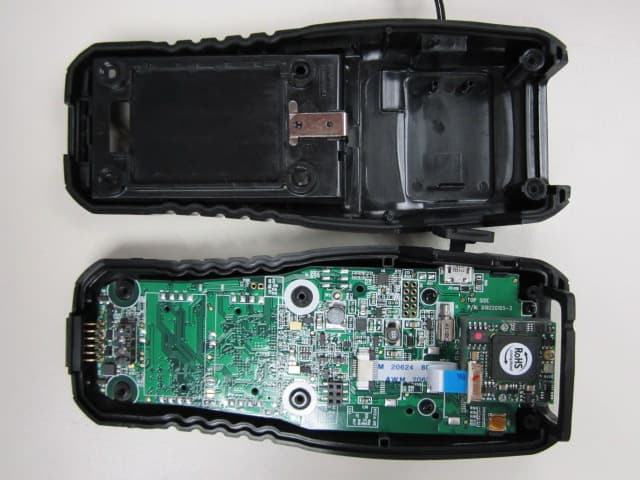
QSHAIOKTB
May 23, 2012Bluetooth Barcode Scanner
Equipment Class
DSS - Part 15 Spread Spectrum Transmitter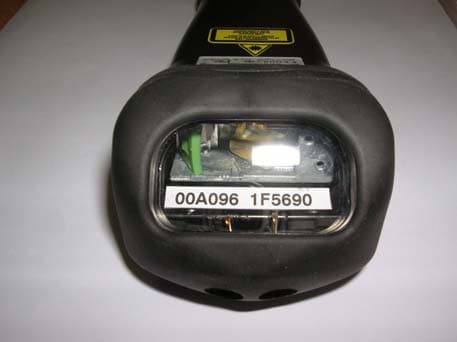
QSHAIBTR
Dec 25, 2007Baracoda TOUGHRUNNERS Bluetooth Wireless Scanner
Equipment Class
DSS - Part 15 Spread Spectrum Transmitter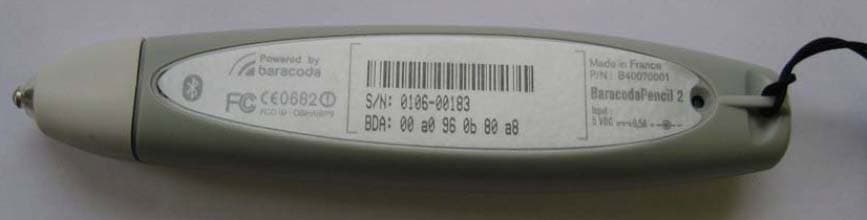
QSHAIBP2
Feb 27, 2007BarecodaPencil2 - Bluetooth Barcode Scanner
Equipment Class
DSS - Part 15 Spread Spectrum Transmitter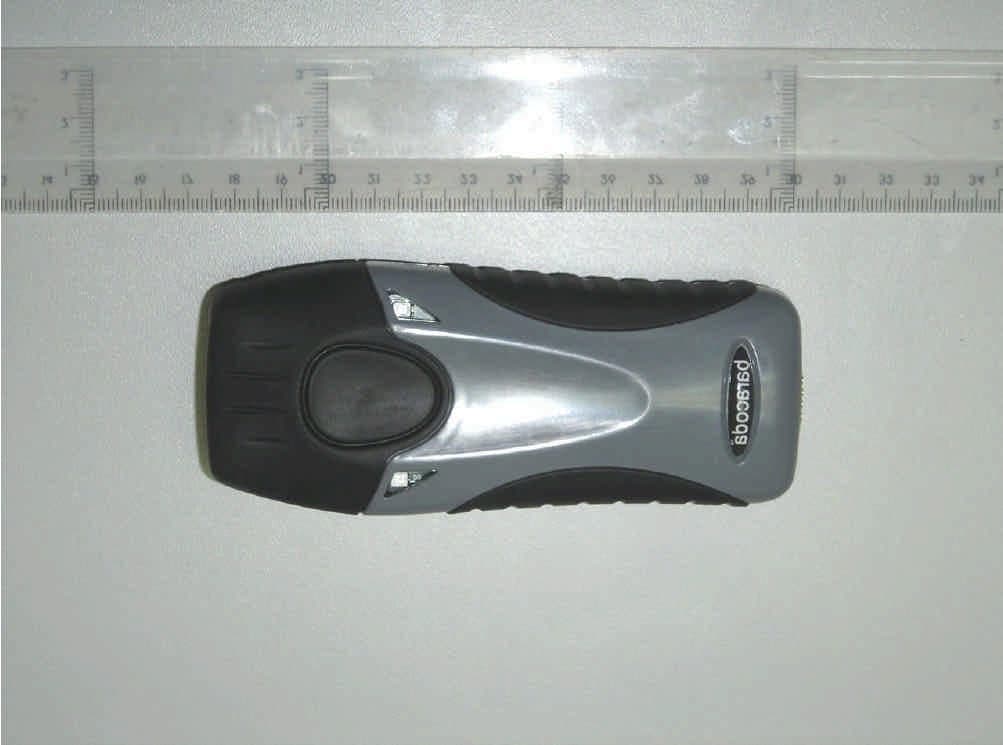
QSHAIRRBC
Jul 12, 2005Bluetooth Barcode Reader model: Baracoda RoadRunne
Equipment Class
DSS - Part 15 Spread Spectrum Transmitter