QVY52PStrapless continuous heart rate monitor
Physical Enterprises Inc.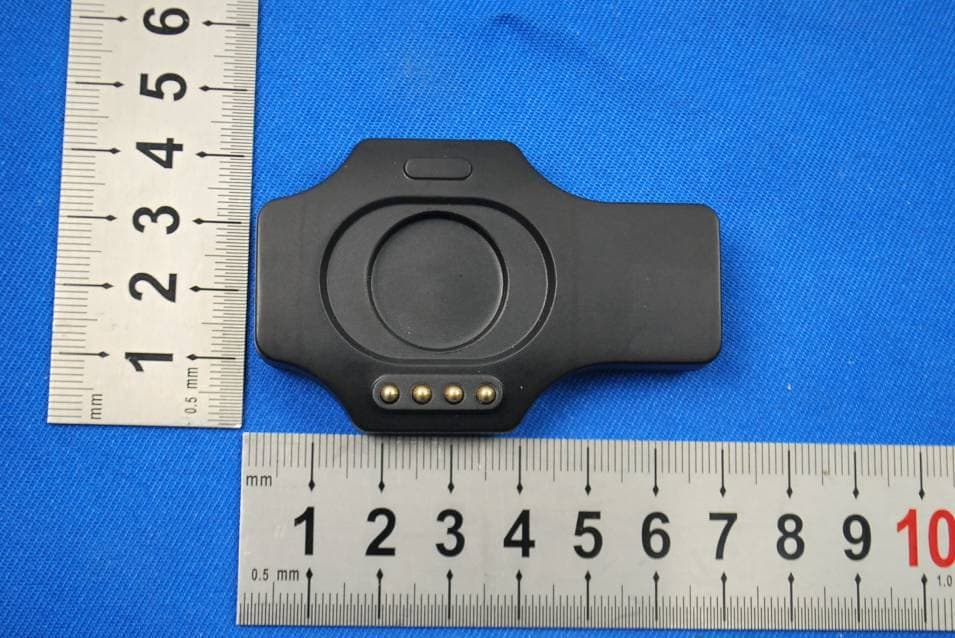
Click to zoom
Application Details
- Equipment Class
- DXX - Part 15 Low Power Communication Device Transmitter
- Date of Grant
- Dec 09, 2012
- Application Purpose
- Original Equipment
- Date of Application
- Dec 09, 2012
- Equipment Note
- Strapless continuous heart rate monitor
- Frequency Range
- 2457.00000000 - 2457.00000000
- Company
- Physical Enterprises Inc.
- Country
- Canada
Documents & Files
Document Text
Text extracted from the exhibit documents filed with the FCC. Open a document above to read the original.
Users Manual
MIO Alpha User Guide01 Complete User Guide MIO Alpha User Guide02 Table of Contents Welcome 03 Getting Started 04 Your MIO Alpha 04 Icons 04 Activating Your Alpha Using Alpha 05 Wearing Your Alpha 05 Getting Your Heart Rate 06 Setting Your Target Heart Rate 07 Using The Timer 07 Reviewing Your Exercise Session 08 Using Alpha With Devices and Apps Maintaining Your Alpha 09 Charging The Battery 10 Using Your Alpha In Water 11 Caring For Your Alpha 11 Alpha Specifications Warranty and Regulations 12 Warranty & Service 13 Disclaimer 14 Copyright and Trademarks 14 Regulations and Conformity MIO Alpha User Guide03 Welcome Congratulations on your purchase! MIO Alpha is the world’s first performance level, strapless, continuous heart rate monitor you can wear on your wrist. Alpha uses Bluetooth® Smart technology to transmit your heart rate data to smartphones and other compatible devices. Take advantage of hundreds of fitness apps. Getting Started What’s Included 1. MIO Alpha 2. USB Charger 3. Quick Start Guide 123 Important safety InformatIon Consult your doctor before beginning a new exercise program. MIO Alpha provides very accurate heart rate measurements. However, it is not a medical device. The Alpha watch and USB dongle contain strong magnets that could affect pacemakers and implantable cardioverter-defibrillators (ICDs). If you have any concerns, consult your doctor before using Alpha. See page 09 for important battery care and battery safety information. MIO Alpha User Guide04 Icons Battery Indicator Time Exercise Mode Timer Heart Rate Activating Your Alpha 1. Remove your MIO Alpha watch from the packaging. 2. Peel off the protective film. 3. Press and hold the SET or + button to activate the watch. The display will turn on and prompt you to set the time. 4. Press the + button to increase the value of the flashing digit. 5. Press the SET button to confirm the value and move to the next digit. Set/ Toggle Optical Sensor HR/+/ Timer USB Dongle Contact Pads Sensor LEDs Your MIO Alpha MIO Alpha User Guide05 Using Alpha Wearing Your Alpha To use the heart rate monitor on your Alpha watch, you must: • Fasten the watch snugly so the optical sensor on the back of the watch makes good contact with your skin. • Wear the watch above—not on—your wrist bone; wear it higher on the forearm if you have a small wrist. • If you often have cold hands or poor circulation, your Alpha’s performance may be diminished. Try exercising for a few minutes to increase your blood flow before turning on the heart rate monitor. When you’re not using the heart rate monitor, you can wear your Alpha like any watch. Getting Your Heart Rate You can view your heart rate and use the heart rate monitor when you put your watch in EXERCISE mode. You must be wearing the watch for it to read and display your heart rate. turnIng on exercIse mode 1. Press and hold the hr button until the watch beeps and the display says FIND. 2. Hold your arm fairly still until the watch beeps again and displays your heart rate. Note: It takes a few seconds for your heart rate to register. The icon flashes when Alpha finds your heart rate. If you see , the heart rate signal is not strong enough. Please refer to Troubleshooting below. turnIng off exercIse mode 1. Press and hold the hr button until the watch beeps and the display says QUIT or END. troubleshootIng • You may need to tighten the watch strap. • On cold days, activate the heart rate reading while still indoors. • If you are still having trouble, try wearing Alpha on your other wrist. • Minimize wrist movement while using Alpha’s continuous heart rate. If Alpha cannot detect your heart rate during the FIND period (2 min), it will leave EXERCISE mode and go back to TIME mode. Please refer to the steps above and try again. MIO Alpha User Guide06 Setting Your Target Heart Rate To specify your target heart rate zone, your Alpha must be in EXERCISE mode. Your target heart rate (HR) zone consists of your upper heart rate limit and your lower heart rate limit. These limits are usually a percentage of your maximum heart rate (MHR). This table shows some examples: Exercise TypeLower HR LimitUpper HR Limit Warm Up50% of MHR60% of MHR Moderate60% of MHR70% of MHR Fitness70% of MHR80% of MHR Training80% of MHR90% of MHR If you don’t know your maximum heart rate or upper and lower heart rate limits, use your preferred method for calculating them or check with your doctor. A very basic method to calculate your MHR is to subtract your age from 220. Example: If your age is 50, your MHR is 170, and if you want to exercise in the range of Moderate to Fitness, you could set your lower HR limit to 102 (60% of MHR) and your upper HR limit to 136 (80% of MHR). When you start using your Alpha while you exercise, you’ll soon get an idea of your personal heart rate zone for different levels of activities. Tip: When you set your target heart rate zone, you will be prompted to set the upper heart rate first, then the lower heart rate. to set your target heart rate Zone 1. With your watch in EXERCISE mode, press and hold the SET button until the watch beeps and the display says SET UP . 2. Press the + button to select the first digit of the heart rate for your desired upper heart rate limit. The first digit will be a number from 0 to 2. 3. Press the SET button to confirm your choice. 4. Repeat steps 2 and 3 for the next two digits of the heart rate, selecting a number between 0 and 9 for each. When you have set the upper heart rate limit, the display will say LOW . Repeat steps 2 through 4 to set the lower heart rate limit. usIng heart rate Zone alerts Your Alpha watch can notify you by beeping once when you are not exercising in your target heart rate zone. A double-beep indicates your heart rate is 10 BPM or more outside the target zone. To use zone alerts, specify your target zone and turn on the timer while you are exercising. MIO Alpha User Guide07 heart rate Zone alert led sIgnals With your Alpha in EXERCISE mo…
Text truncated - open the document above for the full version.
Users Manual
Warranty & Regulations mioglobal.com/alpha Warranty Warranty & Service Be sure to visit our Product Support pages to find online help, FAQs, Videos, and Manuals for your product. help.mioglobal.com/ MIO Warranty Information Physical Enterprises Inc. warrants that during the warranty period, Physical Enterprises Inc. will, at its sole discretion, remedy defects in materials or workmanship free of charge either by a) repairing, or b) replacing, or c) refunding, subject to the terms and conditions of this Limited Warranty. This Limited Warranty is only valid and enforceable in the country of purchase, unless local law stipulates otherwise. Processing of all warranty claims will be handled by the distributor of MIO products for the geographic area where the purchase was made. Warranty Period The Limited Warranty Period starts on the date of purchase. The Warranty Period is one (1) year in North America. International warranty periods vary subject to local laws and the policies of the authorized importer or distributor for the geographic area where the purchase was made. International warranties are at a minimum one (1) year. Exclusions and Limitations This Limited Warranty does not cover: 1. normal wear and tear, b) defects caused by rough handling, or c) defects or damage caused by misuse contrary to intended or recommended use or alteration of the MIO product such as moisture or water damage sufficient to affect the proper function of the product, and damage to the product case or visible cracking of the face. (Without limiting the foregoing, damage resulting from bending or dropping the MIO product will be deemed the result of abuse or misuse.) 2. user manuals or any third-party items; 3. defects or alleged defects caused by the use with any product, accessory, software and/or service not manufactured or supplied by Physical Enterprises Inc. 4. replaceable batteries. This Limited Warranty is not enforceable if: 1. the item has been used in ways other than the intended use; 2. the watch case has been opened or otherwise tampered with. 3. the serial number has been removed, altered or made illegible in any way, as determined at the sole discretion of Physical Enterprises Inc. 4. the MIO product was NOT purchased from an authorized MIO reseller Physical Enterprises Inc. does not warrant that the operation of the Product will be uninterrupted or error free, or that the Product will work with any hardware or software provided by a third party. Limitation of Liability To the maximum extent permitted by applicable mandatory laws, this Limited Warranty is your sole and exclusive remedy and is in lieu of all other warranties, expressed or implied. Physical Enterprises Inc shall not be liable for special, incidental, punitive or consequential damages, including but not limited to loss of anticipated benefits, loss of data, loss of use, cost of capital, cost of any substitute equipment or facilities, claims of third parties, damage to property resulting from the purchase or use of the item or arising from breach of the warranty, breach of contract, negligence, strict tort, or any legal or equitable theory, even if Physical Enterprises Inc. knew of the likelihood of such damages. Physical Enterprises Inc. shall not be liable for delay in rendering warranty service. Refunds & Replacements Purchases from Retailers If you purchased a MIO product from a retailer, you must contact that retailer for your exchange or refund (applies to North American and International purchases). Purchases from mioglobal.com Products sold on mioglobal.com come with a thirty (30) day full refund period. If for any reason you are not entirely satisfied with your purchase from the MIO Website, contact us for assistance in processing a return. Your product must be returned in original packaging and unused condition to receive full product credit; your shipping costs will not be refunded. All returns must be pre-authorized by Physical Enterprises Inc. Please fill out the customer feedback form, selecting “Returns (RA) Request” as the topic and identify the product you wish to return and its purchase date. The feedback form is available here: mioglobal.com/pages/contact To be eligible for an exchange or refund, returned product must be received by Physical Enterprises Inc. within THIRTY DAYS of the date of original purchase. Products must be returned in the original packaging with a copy of the invoice (proof of purchase), and be shipped prepaid to: In USA: Security Freight 880 Grant Ave Blaine, WA 98230 USA In Canada: White Rock Courier #9-1600 Derwent Way Delta, BC V3M 6M5 Canada Be sure to include your email address and the Return Authorization number you were given. Please note that we can refund shipping costs only if the return is a result of defective merchandise. Repairs Please contact MIO Customer service at 1-877-770-1116 for information regarding repairs and post warranty service. Register your Alpha For full warranty service, register your MIO Alpha online at mioglobal.com/alpha. Regulatory Information Model Numbers 52P (ANT+) or 53P (Bluetooth® Smart) European Union This product is compliant with the Directive 1999/5/EC. The relevant Declaration of Conformity is available at: mio.co/DoC This crossed out wheeled bin marking shows that MIO products are electronic devices and are in the scope of Directive 2002/96/EC of the European Parliament and of the Council on waste electrical and electronic equipment (WEEE) and batteries and accumulators used in products are in the scope of Directive 2006/66/EC of the European Parliament and of the Council of 6 September 2006 on batteries and accumulators and waste batteries and accumulators. These products and batteries/accumulators inside MIO products should thus be disposed of separately in EU countries. USA MIO has not approved any changes or modifications to this device by the user. Any change or modification could void the user’s authority to operate the equipment. FCC Regula…
Text truncated - open the document above for the full version.
Cover Letter(s)
To Whom It May Concern: Hellen Wang, whom from SGS-CSTC Standards Technical Services Co., Ltd. (SGS) Shenzhen Branch is authorized to act on our behalf, until otherwise notified, for applications to PHOENIX TESTLAB GmbH. We certify that we are not subject to denial of federal benefits, that includes FCC benefits, pursuant to Section 5301 of the Anti-Drug Abuse Act of 1988, 21 U.S.C. 862. Further, no party, as defined in 47 CFR 1.2002 (b) , to the application is subject to denial of federal benefits, that includes FCC benefits. Thank you, Agency Agreement Expiration Date: ___12 months_____
External Photos
1 Photographs - EUT Constructional Details Test Model No.: 52P
Internal Photos
1 Photographs - EUT Constructional Details Test Model No.: 52P
Test Report
SGS-CSTC Standards Technical Services Ltd. No. 1 Workshop, M-10, Middle section, Science & Technology Park, Nanshan District, Shenzhen, Guangdong, China 518057 Telephone: +86 (0) 755 2601 2053 Fax: +86 (0) 755 2671 0594 Email: [email protected] Report No.: SZEM121000594601 Page: 1 of 25 Authorized Signature: Jack Zhang EMC Laboratory Manager The manufacturer should ensure that all products in series production are in conformity with the product sample detailed in this report. If the product in this report is used in any configuration other than that detailed in the report, the manufacturer must ensure the new system complies with all relevant standards. Any mention of SGS International Electrical Approvals or testing done by SGS International Electrical Approvals in connection with, distribution or use of the product described in this report must be approved by SGS International Electrical Approvals in writing. The report must not be used by the client to claim product certification, approval, or endorsement by NVLAP, NIST, or any agency of the federal government. All test results in this report can be traceable to National or International Standards. “This document is issued by the Company subject to its General Conditions of Service printed overleaf, available on request or accessible at www.sgs.com/terms_and_conditions.htm and, for electronic format documents, subject to Terms and Conditions for Electronic Documents at www.sgs.com/terms_e-document.htm. Attention is drawn to the limitation of liability, indemnification and jurisdiction issues defined therein. Any holder of this document is advised that information contained hereon reflects the Company’s findings at the time of its intervention only and within the limits of Client’s instructions, if any. The Company’s sole responsibility is to its Client and this document does not exonerate parties to a transaction from exercising all their rights and obligations under the transaction documents. This document cannot be reproduced except in full, without prior written approval of the Company. Any unauthorized alteration, forgery or falsification of the content or appearance of this document is unlawful and offenders may be prosecuted to the fullest extent of the law. Unless otherwise stated the results shown in this test report refer only to the sample(s) tested and such sample(s) are retained for 90 days only. 1 Cover page FCC REPORT Application No.: SZEM1210005946RF Applicant: Physical Enterprises Inc. Manufacturer: IDT Technology Limited Factory: IDT Technology Limited Product Name: Strapless continuous heart rate monitor Model No.(EUT): 52P FCC ID: QVY52P Standards: 47 CFR Part 15, Subpart C (2011) Date of Receipt: 2012-11-01 Date of Test: 2012-11-06 to 2012-11-20 Date of Issue: 2012-11-28 Test Result: PASS * . * In the configuration tested, the EUT complied with the standards specified above. SGS-CSTC Standards Technical Services Co., Ltd. Report No.: SZEM121000594601 Page : 2 of 25 “This document is issued by the Company subject to its General Conditions of Service printed overleaf, available on request or accessible at www.sgs.com/terms_and_conditions.htm and, for electronic format documents, subject to Terms and Conditions for Electronic Documents at www.sgs.com/terms_e-document.htm. Attention is drawn to the limitation of liability, indemnification and jurisdiction issues defined therein. Any holder of this document is advised that information contained hereon reflects the Company’s findings at the time of its intervention only and within the limits of Client’s instructions, if any. The Company’s sole responsibility is to its Client and this document does not exonerate parties to a transaction from exercising all their rights and obligations under the transaction documents. This document cannot be reproduced except in full, without prior written approval of the Company. Any unauthorized alteration, forgery or falsification of the content or appearance of this document is unlawful and offenders may be prosecuted to the fullest extent of the law. Unless otherwise stated the results shown in this test report refer only to the sample(s) tested and such sample(s) are retained for 90 days only.” 2 Test Summary Test Item Test Requirement Test method Result Antenna Requirement 47 CFR Part 15, Subpart C Section 15.203 ANSI C63.10 (2009) PASS AC Power Line Conducted Emission 47 CFR Part 15, Subpart C Section 15.207 ANSI C63.10 (2009) PASS Field Strength of the Fundamental Signal 47 CFR Part 15, Subpart C Section 15.249 (a) ANSI C63.10 (2009) PASS Spurious Emissions 47 CFR Part 15, Subpart C Section 15.249 (a)/15.209 ANSI C63.10 (2009) PASS Band Edge (Radiated Emission) 47 CFR Part 15, Subpart C Section 15.249(a)/15.205 ANSI C63.10 (2009) PASS 20dB Occupied Bandwidth 47 CFR Part 15, Subpart C Section 15.215 (c) ANSI C63.10 (2009) PASS SGS-CSTC Standards Technical Services Co., Ltd. Report No.: SZEM121000594601 Page : 3 of 25 “This document is issued by the Company subject to its General Conditions of Service printed overleaf, available on request or accessible at www.sgs.com/terms_and_conditions.htm and, for electronic format documents, subject to Terms and Conditions for Electronic Documents at www.sgs.com/terms_e-document.htm. Attention is drawn to the limitation of liability, indemnification and jurisdiction issues defined therein. Any holder of this document is advised that information contained hereon reflects the Company’s findings at the time of its intervention only and within the limits of Client’s instructions, if any. The Company’s sole responsibility is to its Client and this document does not exonerate parties to a transaction from exercising all their rights and obligations under the transaction documents. This document cannot be reproduced except in full, without prior written approval of the Company. Any unauthorized alteration, forgery or falsification of the content or appearance of this document is unlawful and offende…
Text truncated - open the document above for the full version.
Test Setup Photos
1 Photographs - EUT Test Setup (Test Model No.: 52P) 1.1 Radiated Emission 1.2 Conducted Emission
Contact Information
Applicant
Allan Read
Test Firm
SGS-CSTC Standards Technical Services Co.,Ltd.June Zhang
Technical Specifications
| # | Rule Parts | Frequency Range | Power Output |
|---|---|---|---|
| 1 | 15C | 2.46 GHz - 2.46 GHz | - |
Other Applications from Physical Enterprises Inc.
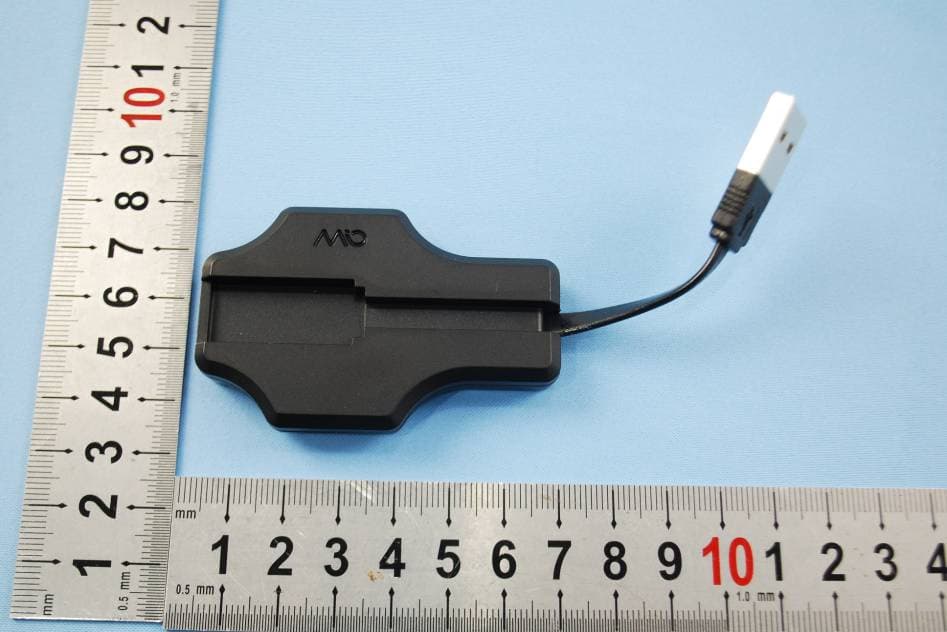
QVY58P
Nov 05, 2014Mio ALPHA 2
Equipment Class
DTS - Digital Transmission System
QVY56P
Mar 24, 2014Mio LINK - Strapless Continuous Heart Rate Monitor
Equipment Class
DXX - Part 15 Low Power Communication Device Transmitter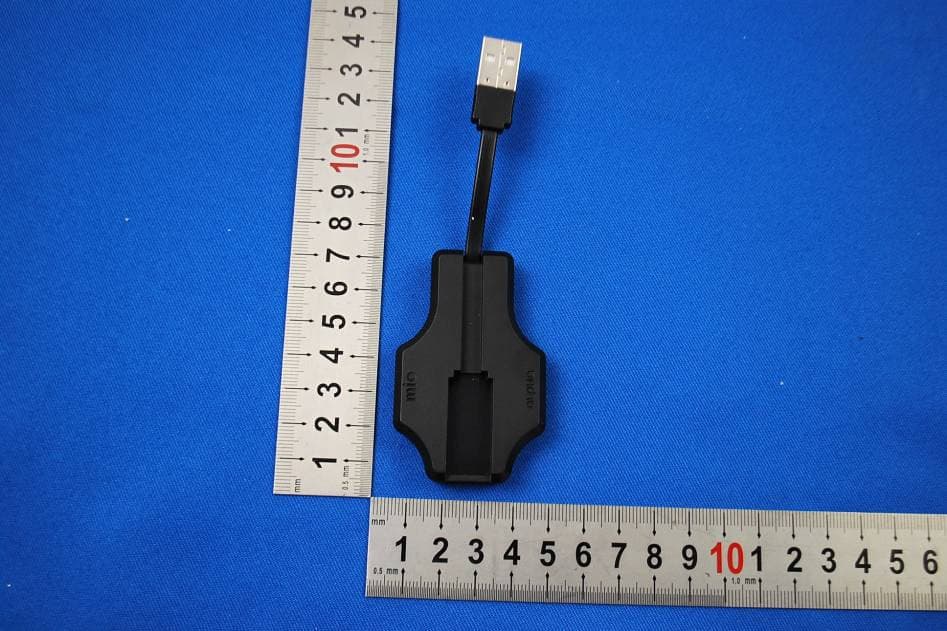
QVY53P
Dec 27, 2012Strapless continuous heart rate monitor
Equipment Class
DTS - Digital Transmission System