QZEWLA321WLA321 Wireless LAN Access Point
Juniper Networks, Inc.
Click to zoom
Application Details
- Equipment Class
- NII - Unlicensed National Information Infrastructure TX
- Date of Grant
- Apr 01, 2012
- Application Purpose
- Original Equipment
- Date of Application
- Mar 31, 2012
- Equipment Note
- WLA321 Wireless LAN Access Point
- Frequency Range
- 5190.00000000 - 5230.00000000
- Company
- Juniper Networks, Inc.
- Country
- United States
Documents & Files
Document Text
Text extracted from the exhibit documents filed with the FCC. Open a document above to read the original.
Users Manual
WLA321 and WLA322 Access Points Quick StartSee the complete Wireless LAN Services (WLS) product documentation at http://www.juniper.net/techpubs/. The Juniper Networks WLA321 Wireless LAN Access Point is an indoor, dual-band access point with one 2.4GHz/5GHz 2x2 IEEE 802.11n radio and two internal antennas. The Juniper Networks WLA322 Wireless LAN Access Point is an indoor, dual-band access point with two radios (one 5GHz 2x2 IEEE 802.11n enhanced power radio and one standard power 2.4GHz radio) and four internal antennas.Ceiling Installation for WLA321 and WLA322 Access Points Install WLA321 and WLA322 access points on the ceiling using the mounting bracket provided with the kit or on a junction box on the wall. The primary installation method for WLA321 and WLA322s is the ceiling mount. For instructions for purchasing a junction box wall-mount kit and for installing the access point on the junction box see the WLS documentation at http://www.juniper.net/techpubs/. WLA321 and WLA322 Access Point PackageTo install and connect the access point, you need: One ceiling-mount bracket (provided) Mounting template (provided) Category 5 straight-through signaling cable with RJ-45 connectors; installed (not provided) Box cutter or similar tool to cut ceiling tile (not provided) (Optional) Security kit, which includes a secu rity tool and a security screw (The kit is not provided and can be ordered separately.) Part 1: Install the Access PointThese instructions describe installing the access point on a 9/16-inch or 15/16-inch T ceiling-tile rail.1. Select an installation location under a recessed rail in the ceiling.2. Cut a hole as follows in the ceiling tile for the Category 5 cable: − Place the mounting template over the area where you will install the access point. − Use the box cutter or similar tool to cut along the line marking the opening for the port connectors. − Remove the mounting template and the material you cut from the ceiling tile. 3. Run the Category 5 cable from the ceiling through the hole in the ceiling tile. 4. Ensure the snaps on the top of the ceiling-mount bracket are open so that the clips can fully extend to fit around the ceiling rail. The bracket is shipped in an open position so that it is ready to be clipped over a ceiling rail. 5. If the bracket is closed, open the snaps by pressing in and up with your thumbs on both sides of the snaps on the bottom of the bracket until it is fully open. 6. With the bracket clips full y extended, align the clips with the rail and hook the clips around the top sides of the rail. Push in on the sides of the bracket until the clips lock over the rail. Listen for a click that indica tes that the clips have locked. Be sure the bracket has locked securely onto the rail by gently pulling down on the bracket before installing the access point. 7. Grasp the Category 5 cable that extends from the ceiling and plug it into the access point. Push in Push in Juniper Networks, Junos, Steel-Belted Radius , NetScreen, and ScreenOS are registered trademarks of Juniper Networks, Inc. in th e United States and other countries. The Juniper Networks Logo, the Junos logo, and JunosE are trademarks of Juniper Networks, Inc. All other trademarks, serv ice marks, registered trademarks, or registered service marks ar e the property of their respective owners. Juniper Ne tworks assumes no responsibility for any inaccuracies in this document. Juniper Networks reserves the right to change , modify, transfer, or otherwise revise this publication without notice. Products made or sold by Juniper Networks or components thereof might be covered by one or more of the following patents that are owned by or licensed to Juniper Networks: U.S. Patent Nos. 5,473,599, 5,905,725, 5,909,440, 6 ,192,051, 6,333,650, 6,359,479, 6,406,312, 6,429,706, 6,459,579, 6,493,347, 6,538,518, 6,538,899, 6,552,918, 6,567,902, 6,578,186, and 6,590,785. Copyright © 2012 Juniper Networks, Inc. All rights reserved. Part Number: 530-0 41698, Revision 01, 29 January 2012. 8. Align the access point with the bracket and press forward until the access point clicks into place. Be sure the access point is seated correctly in the bracket by gently pulling down on the access point. 9. If the access point is not properly secure d, press the release button on top of the bracket to unlock the access point. Realign the access point, making sure the cable is still connected, and push in on the access point until it clicks securely into place. NOTE: We recommend that you use the optional security kit to secure the access point. The kit includes a security tool and a security screw. Be sure to retain the tool so you can unlock and move the access point. Never use a power tool to insert or remove the security screw.10. (Optional) To lock the access point into place, secure the security screw in the release button by using the tool provided with the security kit. Do not overtighten the screw. Part 2: Connect the Access Point to a Wireless LAN ControllerAfter you install the access point, you can connect the access point directly or indirectly to a wireless LAN controller (WLC) through an intermediate Layer 2 or Layer 3 network device.To connect the access point directly to a WLC:1. Insert one end of the installed Category 5 cable into the Ethernet port of the access point and the other end into the Ethernet port of the controller. 2. Look at the access point LED for the port on the controller and verify that the link is activated. The link is activated if the LED is green and glowing steadily. Part 3: Configure the Access Point ConnectionNOTE: If you are installing the access point in a wireless LAN mesh or wireless bridge configuration, you must configure the access point before deploying the access point in the final location. For more information, see the Mobility System Software Configuration Guide at http://www.juniper.net/techpubs/. To configure the access point connection, use the RingMaster GUI …
Text truncated - open the document above for the full version.
Cover Letter(s)
Letter of Authorization Company: Juniper Networks, Inc. Address: 1194 North Mathilda Ave., Sunnyvale, CA 94089 Product Name: WLA321 Wireless LAN Access Point Model Number: WLA321-US, WLA321-WW, WLA321-IL We authorize MiCOM Labs, 440 Boulder Court, Suite 200, Pleasanton, CA 94566, USA, to act on our behalf on all matters concerning the above named equipment. Any individual within MiCOM Labs is authorized to act on our behalf and take action on the application. This shall include the following: Testing Approval applications and procedures Payment of approval fees We declare that MiCOM Labs, 440 Boulder Court, Suite 200, Pleasanton, CA 94566, USA, is allowed to forward all information related to the approval project to the applied notified body and to the notification entities and to discuss any issues concerning the approval application. Any and all acts carried out by MiCOM Labs on our behalf shall have the same effect as acts of our own. Name: Agnes Fu Date: 03/20/2012 Title: Compliance Engineer Signature of applicant:
Cover Letter(s)
Date: 03/20/2012 FCC ID: QZEWLA321 Office of Engineering Technology Federal Communications Commission 7435 Oakland Mills Road Columbia, MD 21046 Pursuant to sections 0.407(d)(1)(ii) and 0.459 of the Commission’s rules, this letter requests confidential treatment of following material filed in support of the above- referenced application. Juniper Networks, Inc. requests the following documents be held as confidential until such time as the product is released per FCC Public Notice 04-1705. - Set up photos - Product Internal Photos - Product external photos - User manual - Product literature or description The information contained in the document presents information about Juniper Networks, Inc. product that is being certified for commercial development. If competitors were to have access to this document both before and after release, they would have knowledge of Juniper Networks, Inc. proprietary technology and would be able to use this advance knowledge to their advantage. This could result in substantial competitive harm to Juniper Networks, Inc. ability to bring future product to market, should that decision be made. 1. Identification of any measures taken by the submitting party to prevent unauthorized disclosure. a. Information about Juniper Networks, Inc. products currently under development is considered by the company to be commercially sensitive information that employees are not permitted to discuss outside the company. 2. Identification of whether the information is available to the public and the extent of any previous disclosure of information to third parties. a. Information about product development is not routinely provided to the public, and is not available on Juniper Networks, Inc.web site. No information about this product has been disclosed. 3. Justification of the period during which the submitting party asserts that material should not be available for public disclosure. a. We further authorize the release of the above information after the official product launch scheduled for 03/30/2012. Or a period not to exceed 60 days which ever comes first. This request is in addition to our request to with hold specific Juniper Networks, Inc. technology confidential for the life of the product per applicable regulations. Sincerely, Signature: Name: Agnes Fu Title: Compliance Engineer
Cover Letter(s)
3/20/2012 Federal Communications Commission Equipment Authorization Branch 7435 Oakland Mills Road Columbia, MD 21046 Request for Confidentiality Company name: Juniper Networks, Inc. FCC ID: QZEWLA321 FCC Part 15 Certification Gentlemen, Pursuant to 47 CFR 0.457(d)(1)(ii) and 0.459 Juniper Networks, Inc. hereby requests permanent confidentiality of the following documents for the subject application: Exhibit Type Description Schematics Schematics Block Diagram Block Diagram Part List Part List Operational Description Operational Description Note: Exhibit types that are commonly held confidential are: (1) Schematics, (2) Block Diagrams, (3) Operational Descriptions, (4) Parts List / Tune UP Info. Any exhibit NOT granted confidentiality is viewable on the FCC website as soon as a grant is issued. Reason why the material should be withheld from public inspection: These documents contain detailed system, equipment description and related information about the product which Juniper Networks, Inc. considers to be proprietary, confidential, and a custom design otherwise not released to the general public. State why the information is a “trade secret;” Since the design is a basis from which future technological products will evolve, Juniper Networks, Inc. considers that this information would be of benefit to its competitors and that the disclosure of the information in these documents would give competitors an unfair advantage in the market. Trade secret” information is information which is not generally known or reasonably ascertainable, by which a business can obtain an economic advantage over competitors. The information is not normally released to any party or person outside the company. State whether the information is publicly available anywhere else: None. Sincerely, Signature: Name: Agnes Fu Title: Compliance Engineer Company: Juniper Networks, Inc. Address: 1194 North Mathilda Ave., Sunnyvale, CA 94089
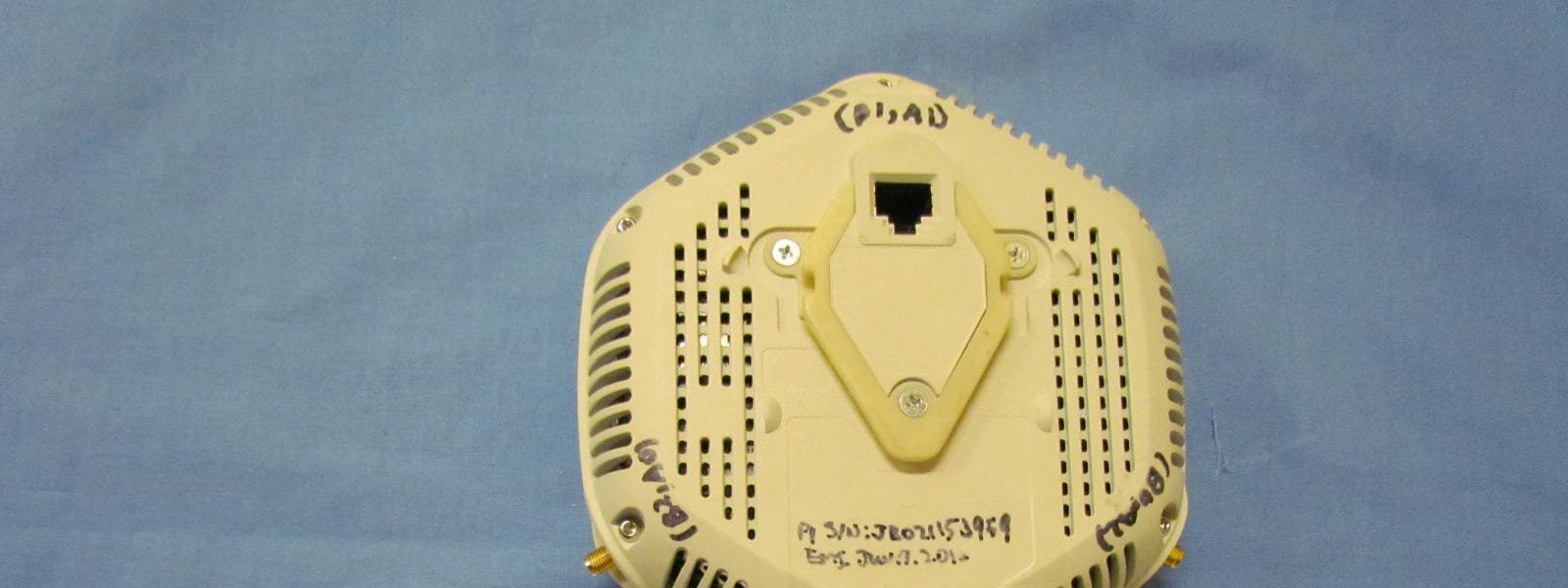
External Photos
MiCOM Labs, 440 Boulder Court, Suite 200, Pleasanton, CA 94566 Tel: +1 (925) 462-0304, Fax: +1 (925) 462-0306, Web: www.micomlabs.com the wireless lab 21 March 2012 Juniper Networks WLA321 External Photographs Page 2 of 2 the wireless lab
ID Label/Location Info
PET50(K2411)
Internal Photos
MiCOM Labs, 440 Boulder Court, Suite 200, Pleasanton, CA 94566 Tel: +1 (925) 462-0304, Fax: +1 (925) 462-0306, Web: www.micomlabs.com the wireless lab 21 March 2012 Juniper Networks WLA321 Internal Photographs Internal view Page 2 of 5 the wireless lab Main Assy front Page 3 of 5 the wireless lab Main Assy back with shields Page 4 of 5 the wireless lab Main Assy back with shield 1 removed Page 5 of 5 the wireless lab Main Assy back with shield 2 removed
RF Exposure Info
MiCOM Labs, 440 Boulder Court, Suite 200, Pleasanton, CA 94566 Tel: +1 (925) 462-0304, Fax: +1 (925) 462-0306, Web: www.micomlabs.com Page 1 of 2 Doc#: MC_F_731 (Rev 3.3) the wireless lab APPLICATION FOR FCC EQUIPMENT AUTHORIZATION (Form 731) Section: One Applicant’s complete, legal business name Juniper Networks, Inc. Applicant’s FCC Registration Number (FRN) 0008645913 Need FRN? (y/n) Request for Grantee Code * FCC ID: (Grantee + Applicant Code) QZEWLA321 17 characters maximum Address line 1 Address line 2 City Sunnyvale Zip/ Postal Code 94089 State CA P.O. Box Country USA Phone 408-745-2000 First Name Agnes Fax 408-745-2100 Middle Name Email [email protected] Last Name Fu Mail Stop Title Compliance Engineer * Request for Grantee Code requires completion of Section One. If Applicant does not have FCC Grantee Code, additional costs may apply. Section: Two Instead of Applicant, the original Grant is authorized to be mailed to ( All questions regarding the application will be directed to this contact. The original grant and invoice will be sent to this contact.) Technical Contact Company Name Juniper Networks, Inc. Address 1194 North Mathilda Ave. City Sunnyvale Zip/ Postal Code 94089 State CA P.O. Box Country USA Phone 408-745-2000 Contact Person Agnes Fax 408-745-2100 Title Compliance Engineer Email [email protected] Non - Technical Contact Company Name Juniper Networks, Inc. Address 1194 North Mathilda Ave. City Sunnyvale Zip/ Postal Code 94089 State CA P.O. Box Country USA Phone 408-745-2000 Contact Person Agnes Fax 408-745-2100 Title Compliance Engineer Email [email protected] Section: Three Does this application include a request for confidentiality for any portion(s) of the data contained in this application pursuant to 47 CFR § 0.459 of the Commission Rules? Yes No Does this application include a request for Short Term Confidentiality (STC)? Yes No Is this application for Software Defined Radio (SDR) authorization? Yes No Is there a PBA associated with this Application? Please specify KDB number: Yes No Does the applicant request a defered Grant Date? If so, specify date when Grant should be issued (MM/DD/YYYY): Yes No MiCOM Labs, 440 Boulder Court, Suite 200, Pleasanton, CA 94566 Tel: +1 (925) 462-0304, Fax: +1 (925) 462-0306, Web: www.micomlabs.com Page 2 of 2 Doc#: MC_F_731 (Rev 3.3) the wireless lab Is this a Modular or Limited Modular Certification? Yes No Modular Type: (please complete if you answered “Yes“ above) Single Modular Approval Limited Single Modular Approval Split Modular Approval Split Limited Modular Approval Description of product as it is marketed (note: this text will appear below the equipment class on the grant) WLA321 Wireless LAN Access Point Application for Original equipment Change in identification of presently authorized equipment: Original FCC ID: Original Grant Date (MM/DD/YYYY): Class II permissive change or modification of presently authorized equipment Class III permissive change to software defined radio Note: this may only be filed for applications pertaining to Software Defined Radio Equipment Specifications The equipment will be operated under FCC Rule Part(s) UNII Frequency range in MHz Rated RF power output IN WATTS Frequency tolerance (%, Hz, ppm) Emission Designator (NOT applicable to any Part 15 devices) FCC Equipment Code (example: DTS, DSS, PCE, JBP, etc) 5180 5240 0.048 18M0D1D 5190 5230 0.049 36M5D1D NOTE: If additional Equipment Specifications required, please use separate page Is the equipment in this application? (a) a composite device subject to an additional equipment authorization? Yes No (b) part of a system that operates with, or is marketed with, another device that requires an equipment authorization? Yes No If either of the above questions is answered “Yes” please complete the following statement (c) The related application checked above is (Check one box only) has been granted under the FCC ID listed to the right is in the process of being filed under the FCC ID listed to the right is pending with the FCC under the FCC ID listed to the right FCC ID: QZEWLA321 MiCOM Labs, 440 Boulder Court, Suite 200, Pleasanton, CA 94566 Tel: +1 (925) 462-0304, Fax: +1 (925) 462-0306, Web: www.micomlabs.com Page 3 of 2 Doc#: MC_F_731 (Rev 3.3) the wireless lab Section: Four Name of Test Firm and contact person on file with the FCC, if different from applicant or contact person Company name MiCOM Labs, Inc. Address 440 Boulder Court, Suite 200 City Pleasanton Zip Postal Code 94566 State CA P.O. Box Country USA Phone 925-462-0304 Contact Person Fax Email FCC Registered Test Site Number (required for part 15 and 18 applications) Read each certification carefully before answering and signing this application WILLFUL FALSE STATEMENTS MADE ON THIS FORM ARE PUNISHABLE BY FINE AND/OR IMPRISONMENT (U.S. CODE, TITLE 18, SECTION 1001), AND/OR REVOCATION OF ANY STATION LICENSE OR CONSTRUCTION PERMIT (U.S. CODE, TITLE 47, SECTION 312(a)(1)), AND/OR FORFEITURE (U.S. CODE, TITLE 47, SECTION 503). SECTION 5301 (ANTI-DRUG ABUSE) CERTIFICATION: The applicant must certify that neither the applicant nor any party to the application is subject to a denial of Federal benefits, that include FCC benefits, pursuant to Section 5301 of the Anti-Drug Abuse Act of 1988, 21 U.S.C. §862 because of a conviction for possession or distribution of a controlled substance. See 47 CFR 1.2002(b) for the definition of a “party” for these purposes Does the applicant or authorized agent so certify? Yes No APPLICANT/AGENT CERTIFICATION: I certify that I am authorized to sign this application. All of the statements herein and the exhibits attached hereto, are true and correct to the best of my knowledge and belief. In accepting a Grant of Equipment Authorization issued by MiCOM Labs Certification as a result of the representations made in this application, the applicant is responsible for (1) labeling the equipment with the exact FCC ID specified in this application, (2) comp…
Text truncated - open the document above for the full version.
Test Report
COVER PAGE Test of Juniper Networks WLA321 Wireless LAN Access Poin t To: FCC 47 CFR Part 15.407 & IC RSS-210 Test Report Serial No.: JNIP16-U2 Rev A TITLE PAGE TEST REPORT FROM Test of Juniper Networks WLA321 Wireless LAN Access Point to To FCC 47 CFR Part 15.407 & IC RSS-210 Test Report Serial No.: JNIP16-U2 Rev A Note: this report contains data with regard to the 5,150 to 5,250 MHz band for Juniper Networks, WLA321 Wireless Access Point. 2.4 and 5.8 GHz test data are reported in MiCOM Labs test report JNIP16-U1 This report supersedes None Applicant: Juniper Networks, Inc 1194 North Mathilda Avenue Sunnyvale California 94089, USA Product F unction:Wireless Access Point Copy No: pdf Issue Date: 28th March 2012 This Test Report is Issued Under the Authority of; MiCOM Labs, Inc. 440 Boulder Cour t, Suite 200 Pleasanton, CA 94566 USA Phone: +1 (925) 462-0304 Fax: +1 (925) 462-0306 www.micomlabs.com TEST CERTIFICATE #2381.01 MiCOM Labs is an ISO 17025 Accredited Testing Laboratory This test report may be reproduced in full only. The document may only be updated by MiCOM Labs personnel. Any changes will be noted in the Document History section of the report. Title: Juniper Networks WLA321 Wireless LAN Access Point To: Serial #: Issue Date: Page: FCC 47 CF R Part 15.407 & IC RSS-210 JNIP16-U2 Rev A 28th March 2012 3 of 97 This test report may be reproduced in full only. The document may only be updated by MiCOM Labs personnel. Any changes will be noted in the Document History section of the report. MiCOM Labs, 440 Boulder Court, Suite 200, Pleasanton, CA 94566 USA, Phone: 925.462.0304, Fax: 925.462.0306, www.micomlabs.com This page has been left intentionally blank Title: Juniper Networks WLA321 Wireless LAN Access Point To: Serial #: Issue Date: Page: FCC 47 CF R Part 15.407 & IC RSS-210 JNIP16-U2 Rev A 28th March 2012 4 of 97 This test report may be reproduced in full only. The document may only be updated by MiCOM Labs p ersonnel. Any changes will be noted in the Document History section of the report. MiCOM Labs, 440 Boulder Court, Suite 200, Pleasanton, CA 94566 USA, Phone: 925.462.0304, Fax: 925.462.0306, www.micomlabs.com TABLE OF CONTENTS ACCREDITATION, LISTINGS & RECOGNITION............................................................ 5 TESTING ACCREDITATION.............................................................................................. 5 RECOGNITION................................................................................................................... 6 PRODUCT CERTIFICATION.............................................................................................. 7 1. ................................................................................... 9 TEST RESULT CERTIFICATE 2. ........................................ 10 REFERENCES AND MEASUREMENT UNCERTAINTY 2.1. ............................................................................................. 10 Normative References 2.2. ............................................................................ 11 Test and Uncertainty Procedures 3. .......................................... 12 PRODUCT DETAILS AND TEST CONFIGURATIONS 3.1. ..................................................................................................... 12 Technical Details 3.2. ............................................................................................ 13 Scope of Test Program 3.3. ............................................................. 16 Equipment Model(s) and Serial Number(s) 3.4. ....................................................................................................... 16 Antenna Details 3.5. .............................................................................................. 16 Cabling and I/O Ports 3.6. .................................................................................................. 17 Test Configurations 3.7. .......................................................................................... 18 Equipment Modifications 3.8. .......................................................................... 19 Deviations from the Test Standard 3.9. ............................................................. 19 Subcontracted Testing or Third Party Data 4. ...................................................................................................... 20 TEST SUMMARY 5. ........................................................................................................ 22 TEST RESULTS 5.1. ............................................................................................. 22 Device Characteristics 5.1.1. ........................................................................ 22 26 dB and 99 % Bandwidth 5.1.2. ............................................................................... 35 Transmit Output Power 5.1.3. ..................................................................... 42 Peak Power Spectral Density 5.1.4. ................................................................................. 56 Peak Excursion Ratio 5.1.5. ..................................................................................... 69 Frequency Stability 5.1.6. ................................................................ 70 Maximum Permissible Exposure 5.1.7. .................................................................................... 71 Radiated Emissions 5.1.8. ............................ 91 AC Wireline Conducted Emissions (150 kHz – 30 MHz) 6. ....................................................................................................... 93 PHOTOGRAPHS 6.1. ............................................................................................. 93 Conducted Test Setup 6.2. .................................................................................. 94 Radiated Test Setup < 1 GHz 6.3. .................................................................................. 95 Radiated Test Setup > 1 GHz 7. ............…
Text truncated - open the document above for the full version.
Test Setup Photos
MiCOM Labs, 440 Boulder Court, Suite 200, Pleasanton, CA 94566 Tel: +1 (925) 462-0304, Fax: +1 (925) 462-0306, Web: www.micomlabs.com the wireless lab 21 March 2012 Juniper Networks WLA321 Test Setup Photographs Conducted Test Setup Page 2 of 3 the wireless lab Radiated Test Setup < 1 GHz Page 3 of 3 the wireless lab Radiated Test Setup > 1 GHz
Contact Information
Applicant
Mark Gandler(Sr. Manager Compliance Engineering)
Technical Contact
Test Firm
Micom LabsGordon Hurst
Technical Specifications
| # | Rule Parts | Frequency Range | Power Output |
|---|---|---|---|
| 2 | 15E | 5.19 GHz - 5.23 GHz | 49.00 mW |
Other Applications from Juniper Networks, Inc.
QZEWLA532E
Oct 31, 2012WLA532E Wireless LAN Access Point
Equipment Class
NII - Unlicensed National Information Infrastructure TX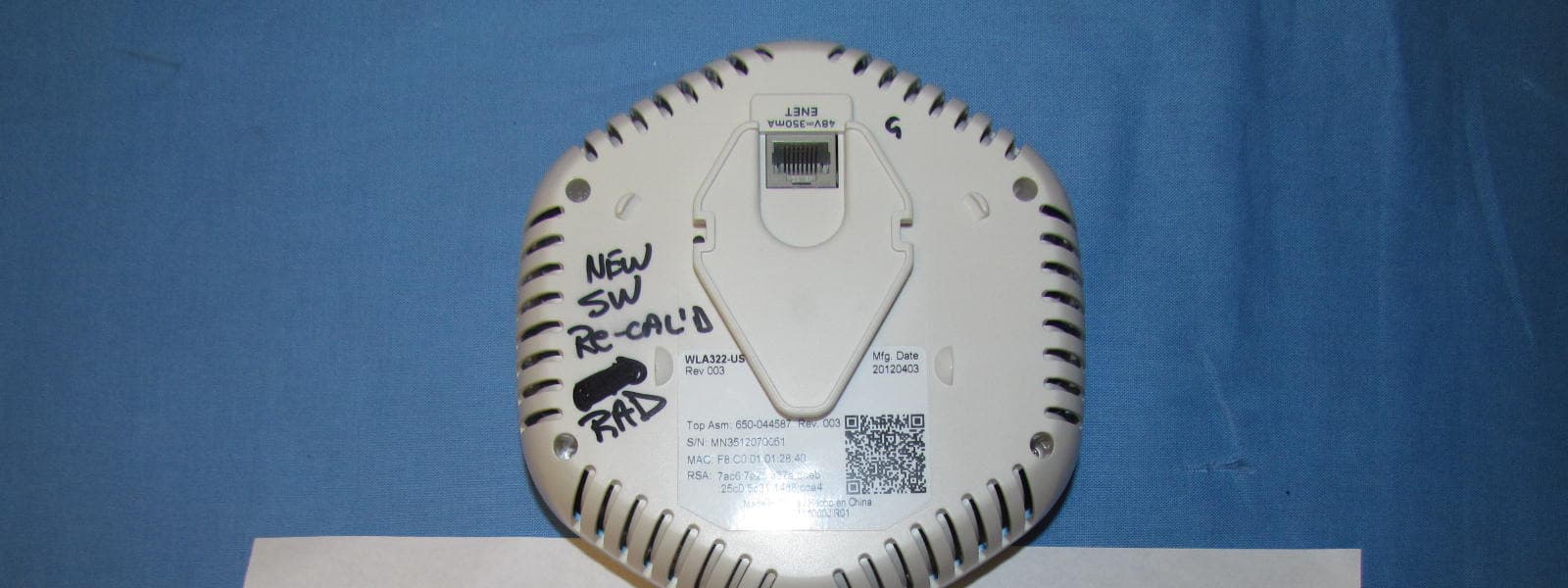
QZEWLA322
Jun 10, 2012WLA322 Wireless LAN Access Point
Equipment Class
NII - Unlicensed National Information Infrastructure TX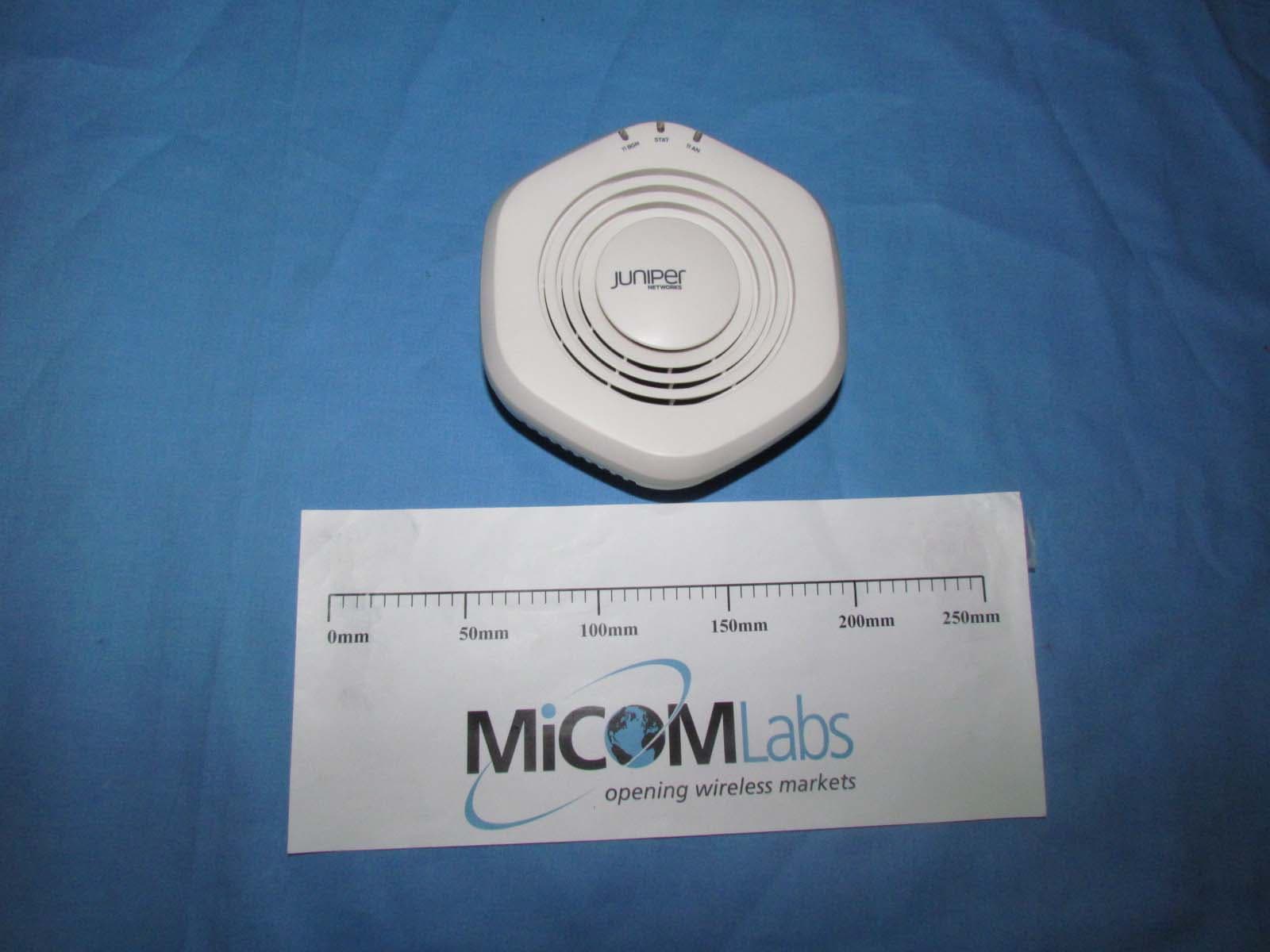
QZEWLA532
Nov 16, 2011WLA532 Wirelesss LAN Access Point
Equipment Class
DTS - Digital Transmission System
QZE520
Jul 14, 2010Enterprise Access Point
Equipment Class
DTS - Digital Transmission System
QZE330
Jul 13, 2010AT-330 Asset Tag
Equipment Class
DTS - Digital Transmission System