R2LSSU89Credential Access Reader
XceedID Corporation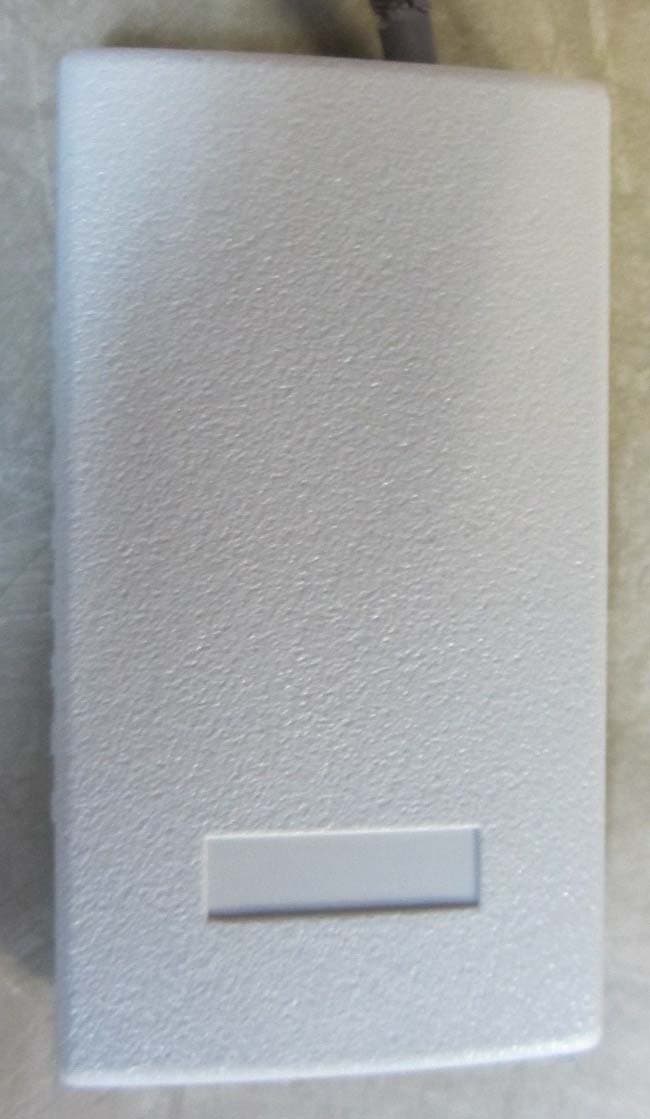
Click to zoom
Application Details
- Equipment Class
- DXT - Part 15 Low Power Transceiver, Rx Verified
- Date of Grant
- Jul 12, 2012
- Application Purpose
- Original Equipment
- Date of Application
- Jul 12, 2012
- Equipment Note
- Credential Access Reader
- Frequency Range
- 13.56000000 - 13.56000000
- Company
- XceedID Corporation
- Country
- United States
Documents & Files
Document Text
Text extracted from the exhibit documents filed with the FCC. Open a document above to read the original.
Users Manual
aptiQ Serial/USB Reader Manual Overview The Reader will only read aptiQ cards encoded with 26A, 37X, or 40x card data. The USB model emulates a keyboard and will keystroke facility code and badge id fields from the card to the cursor’s location on the screen. (Data format: FC + ID + <CR> ) The serial RS-232 version delivers the card’s data in 4bit Binary Coded Data (BCD) with delimiters (Data format: “;” + FC + ID + “?”). “;” is represented by ASCII value of 0x3B and “?” is represented by ASCII value of 0x3F. Data will be sent over RS-232 at (9600, 8, N, 1). Facility code data is of variable length and Badge ID data is a fixed length of 9 digits right justified with zeros as pad data. The beeper activation shall indicate to the cardholder that the card data was read properly and the data was transferred to the host controller. Beeper activation is not controllable by the host controller. The beeper activation does not indicate successful transaction between the card and the host controller (i.e. that access is granted or that cash has been deducted from the cardholder account). Features No software required on server or client: Utilizes a plug-n-play USB or RS-232. For PC’s without a built in RS-232 connection an RS-232 to USB converter must be used if RS-232 data is desired. Platform Independent: Supports any operating system with USB or RS-232 support Installation Instructions: For the USB Reader, simply plug the A type connector on the USB cable into the computer. The computer will auto recognize the Reader and install the device. Once installed and a card is read, the data output will take place in the active text field. The user will need to click into the text field they desire the output to be placed. This active text field can be a cell in an Excel file, a Word file, or any application or field that accepts text. For the serial version of the reader, plug the serial connector of the cable into a serial port on a computer. Data will be sent over RS-232 with the settings of 9600, 8, N, 1. Note: On a Linux based PC, mounting of the USB Human Interface Device may be required. Regulatory Statements: FCC Statement: This device complies with part 15 of the FCC rules. Operation is subject to the following two conditions: (1) This device may not cause harmful interference, and (2) this device must accept any interference received, including interference that may cause undesired operation. Changes or modifications to this equipment not expressly approved by Ingersoll Rand could void the user’s authority to operate the equipment. Note: This equipment has been tested and found to comply with the limits for a Class B digital device, pursuant to part 15 of the FCC Rules. These limits are designed to provide reasonable protection against harmful interference in a residential installation. This equipment generates, uses and can radiate radio frequency energy and, if not installed and used in accordance with the instructions, may cause harmful interference to radio communications. However, there is no guarantee that interference will not occur in a particular installation. If this equipment does cause harmful interference to radio or television reception, which can be determined by turning the equipment off and on, the user is encouraged to try to correct the interference by one or more of the following measures: —Reorient or relocate the receiving antenna. —Increase the separation between the equipment and receiver. —Connect the equipment into an outlet on a circuit different from that to which the receiver is connected. —Consult the dealer or an experienced radio/TV technician for help. Industry Canada Statement: This device complies with Industry Canada licence-exempt RSS standard(s). Operation is subject to the following two conditions: (1) this device may not cause interference, and (2) this device must accept any interference, including interference that may cause undesired operation of the device. Déclarations D'industrie Canada Ce dispositif est conforme à la norme RSS d'Industrie Canada relative aux dispositifs exempts de licence. Le fonctionnement est assujetti aux deux conditions suivantes: (1) ce dispositif ne doit pas occasionner de brouillage, et (2) ce dispositif doit accueillir tout brouillage y compris le brouillage qui risque d'entraîner un mauvais fonctionnement du dispositif.
Users Manual
aptiQ Serial/USB Reader Manual Overview The Reader will only read aptiQ cards encoded with 26A, 37X, or 40x card data. The USB model emulates a keyboard and will keystroke facility code and badge id fields from the card to the cursor’s location on the screen. (Data format: FC + ID + <CR> ) The serial RS-232 version delivers the card’s data in 4bit Binary Coded Data (BCD) with delimiters (Data format: “;” + FC + ID + “?”). “;” is represented by ASCII value of 0x3B and “?” is represented by ASCII value of 0x3F. Data will be sent over RS-232 at (9600, 8, N, 1). Facility code data is of variable length and Badge ID data is a fixed length of 9 digits right justified with zeros as pad data. The beeper activation shall indicate to the cardholder that the card data was read properly and the data was transferred to the host controller. Beeper activation is not controllable by the host controller. The beeper activation does not indicate successful transaction between the card and the host controller (i.e. that access is granted or that cash has been deducted from the cardholder account). Features No software required on server or client: Utilizes a plug-n-play USB or RS-232. For PC’s without a built in RS-232 connection an RS-232 to USB converter must be used if RS-232 data is desired. Platform Independent: Supports any operating system with USB or RS-232 support Installation Instructions: For the USB Reader, simply plug the A type connector on the USB cable into the computer. The computer will auto recognize the Reader and install the device. Once installed and a card is read, the data output will take place in the active text field. The user will need to click into the text field they desire the output to be placed. This active text field can be a cell in an Excel file, a Word file, or any application or field that accepts text. For the serial version of the reader, plug the serial connector of the cable into a serial port on a computer. Data will be sent over RS-232 with the settings of 9600, 8, N, 1. Note: On a Linux based PC, mounting of the USB Human Interface Device may be required. Regulatory Statements: FCC Statement: This device complies with part 15 of the FCC rules. Operation is subject to the following two conditions: (1) This device may not cause harmful interference, and (2) this device must accept any interference received, including interference that may cause undesired operation. Changes or modifications to this equipment not expressly approved by Ingersoll Rand could void the user’s authority to operate the equipment. Note: This equipment has been tested and found to comply with the limits for a Class B digital device, pursuant to part 15 of the FCC Rules. These limits are designed to provide reasonable protection against harmful interference in a residential installation. This equipment generates, uses and can radiate radio frequency energy and, if not installed and used in accordance with the instructions, may cause harmful interference to radio communications. However, there is no guarantee that interference will not occur in a particular installation. If this equipment does cause harmful interference to radio or television reception, which can be determined by turning the equipment off and on, the user is encouraged to try to correct the interference by one or more of the following measures: —Reorient or relocate the receiving antenna. —Increase the separation between the equipment and receiver. —Connect the equipment into an outlet on a circuit different from that to which the receiver is connected. —Consult the dealer or an experienced radio/TV technician for help. Industry Canada Statement: This device complies with Industry Canada licence-exempt RSS standard(s). Operation is subject to the following two conditions: (1) this device may not cause interference, and (2) this device must accept any interference, including interference that may cause undesired operation of the device. Déclarations D'industrie Canada Ce dispositif est conforme à la norme RSS d'Industrie Canada relative aux dispositifs exempts de licence. Le fonctionnement est assujetti aux deux conditions suivantes: (1) ce dispositif ne doit pas occasionner de brouillage, et (2) ce dispositif doit accueillir tout brouillage y compris le brouillage qui risque d'entraîner un mauvais fonctionnement du dispositif.
Users Manual
aptiQ Serial/USB Reader Manual Overview The Reader will only read aptiQ cards encoded with 26A, 37X, or 40x card data. The USB model emulates a keyboard and will keystroke facility code and badge id fields from the card to the cursor’s location on the screen. (Data format: FC + ID + <CR> ) The serial RS-232 version delivers the card’s data in 4bit Binary Coded Data (BCD) with delimiters (Data format: “;” + FC + ID + “?”). “;” is represented by ASCII value of 0x3B and “?” is represented by ASCII value of 0x3F. Data will be sent over RS-232 at (9600, 8, N, 1). Facility code data is of variable length and Badge ID data is a fixed length of 9 digits right justified with zeros as pad data. The beeper activation shall indicate to the cardholder that the card data was read properly and the data was transferred to the host controller. Beeper activation is not controllable by the host controller. The beeper activation does not indicate successful transaction between the card and the host controller (i.e. that access is granted or that cash has been deducted from the cardholder account). Features No software required on server or client: Utilizes a plug-n-play USB or RS-232. For PC’s without a built in RS-232 connection an RS-232 to USB converter must be used if RS-232 data is desired. Platform Independent: Supports any operating system with USB or RS-232 support Installation Instructions: For the USB Reader, simply plug the A type connector on the USB cable into the computer. The computer will auto recognize the Reader and install the device. Once installed and a card is read, the data output will take place in the active text field. The user will need to click into the text field they desire the output to be placed. This active text field can be a cell in an Excel file, a Word file, or any application or field that accepts text. For the serial version of the reader, plug the serial connector of the cable into a serial port on a computer. Data will be sent over RS-232 with the settings of 9600, 8, N, 1. Note: On a Linux based PC, mounting of the USB Human Interface Device may be required. Regulatory Statements: FCC Statement: This device complies with part 15 of the FCC rules. Operation is subject to the following two conditions: (1) This device may not cause harmful interference, and (2) this device must accept any interference received, including interference that may cause undesired operation. Changes or modifications to this equipment not expressly approved by Ingersoll Rand could void the user’s authority to operate the equipment. Note: This equipment has been tested and found to comply with the limits for a Class B digital device, pursuant to part 15 of the FCC Rules. These limits are designed to provide reasonable protection against harmful interference in a residential installation. This equipment generates, uses and can radiate radio frequency energy and, if not installed and used in accordance with the instructions, may cause harmful interference to radio communications. However, there is no guarantee that interference will not occur in a particular installation. If this equipment does cause harmful interference to radio or television reception, which can be determined by turning the equipment off and on, the user is encouraged to try to correct the interference by one or more of the following measures: —Reorient or relocate the receiving antenna. —Increase the separation between the equipment and receiver. —Connect the equipment into an outlet on a circuit different from that to which the receiver is connected. —Consult the dealer or an experienced radio/TV technician for help. Industry Canada Statement: This device complies with Industry Canada licence-exempt RSS standard(s). Operation is subject to the following two conditions: (1) this device may not cause interference, and (2) this device must accept any interference, including interference that may cause undesired operation of the device. Déclarations D'industrie Canada Ce dispositif est conforme à la norme RSS d'Industrie Canada relative aux dispositifs exempts de licence. Le fonctionnement est assujetti aux deux conditions suivantes: (1) ce dispositif ne doit pas occasionner de brouillage, et (2) ce dispositif doit accueillir tout brouillage y compris le brouillage qui risque d'entraîner un mauvais fonctionnement du dispositif.
Users Manual
aptiQ Serial/USB Reader Manual Overview The Reader will only read aptiQ cards encoded with 26A, 37X, or 40x card data. The USB model emulates a keyboard and will keystroke facility code and badge id fields from the card to the cursor’s location on the screen. (Data format: FC + ID + <CR> ) The serial RS-232 version delivers the card’s data in 4bit Binary Coded Data (BCD) with delimiters (Data format: “;” + FC + ID + “?”). “;” is represented by ASCII value of 0x3B and “?” is represented by ASCII value of 0x3F. Data will be sent over RS-232 at (9600, 8, N, 1). Facility code data is of variable length and Badge ID data is a fixed length of 9 digits right justified with zeros as pad data. The beeper activation shall indicate to the cardholder that the card data was read properly and the data was transferred to the host controller. Beeper activation is not controllable by the host controller. The beeper activation does not indicate successful transaction between the card and the host controller (i.e. that access is granted or that cash has been deducted from the cardholder account). Features No software required on server or client: Utilizes a plug-n-play USB or RS-232. For PC’s without a built in RS-232 connection an RS-232 to USB converter must be used if RS-232 data is desired. Platform Independent: Supports any operating system with USB or RS-232 support Installation Instructions: For the USB Reader, simply plug the A type connector on the USB cable into the computer. The computer will auto recognize the Reader and install the device. Once installed and a card is read, the data output will take place in the active text field. The user will need to click into the text field they desire the output to be placed. This active text field can be a cell in an Excel file, a Word file, or any application or field that accepts text. For the serial version of the reader, plug the serial connector of the cable into a serial port on a computer. Data will be sent over RS-232 with the settings of 9600, 8, N, 1. Note: On a Linux based PC, mounting of the USB Human Interface Device may be required. Regulatory Statements: FCC Statement: This device complies with part 15 of the FCC rules. Operation is subject to the following two conditions: (1) This device may not cause harmful interference, and (2) this device must accept any interference received, including interference that may cause undesired operation. Changes or modifications to this equipment not expressly approved by Ingersoll Rand could void the user’s authority to operate the equipment. Note: This equipment has been tested and found to comply with the limits for a Class B digital device, pursuant to part 15 of the FCC Rules. These limits are designed to provide reasonable protection against harmful interference in a residential installation. This equipment generates, uses and can radiate radio frequency energy and, if not installed and used in accordance with the instructions, may cause harmful interference to radio communications. However, there is no guarantee that interference will not occur in a particular installation. If this equipment does cause harmful interference to radio or television reception, which can be determined by turning the equipment off and on, the user is encouraged to try to correct the interference by one or more of the following measures: —Reorient or relocate the receiving antenna. —Increase the separation between the equipment and receiver. —Connect the equipment into an outlet on a circuit different from that to which the receiver is connected. —Consult the dealer or an experienced radio/TV technician for help. Industry Canada Statement: This device complies with Industry Canada licence-exempt RSS standard(s). Operation is subject to the following two conditions: (1) this device may not cause interference, and (2) this device must accept any interference, including interference that may cause undesired operation of the device. Déclarations D'industrie Canada Ce dispositif est conforme à la norme RSS d'Industrie Canada relative aux dispositifs exempts de licence. Le fonctionnement est assujetti aux deux conditions suivantes: (1) ce dispositif ne doit pas occasionner de brouillage, et (2) ce dispositif doit accueillir tout brouillage y compris le brouillage qui risque d'entraîner un mauvais fonctionnement du dispositif.
Users Manual
aptiQ Serial/USB Reader Manual Overview The Reader will only read aptiQ cards encoded with 26A, 37X, or 40x card data. The USB model emulates a keyboard and will keystroke facility code and badge id fields from the card to the cursor’s location on the screen. (Data format: FC + ID + <CR> ) The serial RS-232 version delivers the card’s data in 4bit Binary Coded Data (BCD) with delimiters (Data format: “;” + FC + ID + “?”). “;” is represented by ASCII value of 0x3B and “?” is represented by ASCII value of 0x3F. Data will be sent over RS-232 at (9600, 8, N, 1). Facility code data is of variable length and Badge ID data is a fixed length of 9 digits right justified with zeros as pad data. The beeper activation shall indicate to the cardholder that the card data was read properly and the data was transferred to the host controller. Beeper activation is not controllable by the host controller. The beeper activation does not indicate successful transaction between the card and the host controller (i.e. that access is granted or that cash has been deducted from the cardholder account). Features No software required on server or client: Utilizes a plug-n-play USB or RS-232. For PC’s without a built in RS-232 connection an RS-232 to USB converter must be used if RS-232 data is desired. Platform Independent: Supports any operating system with USB or RS-232 support Installation Instructions: For the USB Reader, simply plug the A type connector on the USB cable into the computer. The computer will auto recognize the Reader and install the device. Once installed and a card is read, the data output will take place in the active text field. The user will need to click into the text field they desire the output to be placed. This active text field can be a cell in an Excel file, a Word file, or any application or field that accepts text. For the serial version of the reader, plug the serial connector of the cable into a serial port on a computer. Data will be sent over RS-232 with the settings of 9600, 8, N, 1. Note: On a Linux based PC, mounting of the USB Human Interface Device may be required. Regulatory Statements: FCC Statement: This device complies with part 15 of the FCC rules. Operation is subject to the following two conditions: (1) This device may not cause harmful interference, and (2) this device must accept any interference received, including interference that may cause undesired operation. Changes or modifications to this equipment not expressly approved by Ingersoll Rand could void the user’s authority to operate the equipment. Note: This equipment has been tested and found to comply with the limits for a Class B digital device, pursuant to part 15 of the FCC Rules. These limits are designed to provide reasonable protection against harmful interference in a residential installation. This equipment generates, uses and can radiate radio frequency energy and, if not installed and used in accordance with the instructions, may cause harmful interference to radio communications. However, there is no guarantee that interference will not occur in a particular installation. If this equipment does cause harmful interference to radio or television reception, which can be determined by turning the equipment off and on, the user is encouraged to try to correct the interference by one or more of the following measures: —Reorient or relocate the receiving antenna. —Increase the separation between the equipment and receiver. —Connect the equipment into an outlet on a circuit different from that to which the receiver is connected. —Consult the dealer or an experienced radio/TV technician for help. Industry Canada Statement: This device complies with Industry Canada licence-exempt RSS standard(s). Operation is subject to the following two conditions: (1) this device may not cause interference, and (2) this device must accept any interference, including interference that may cause undesired operation of the device. Déclarations D'industrie Canada Ce dispositif est conforme à la norme RSS d'Industrie Canada relative aux dispositifs exempts de licence. Le fonctionnement est assujetti aux deux conditions suivantes: (1) ce dispositif ne doit pas occasionner de brouillage, et (2) ce dispositif doit accueillir tout brouillage y compris le brouillage qui risque d'entraîner un mauvais fonctionnement du dispositif.
Users Manual
aptiQ Serial/USB Reader Manual Overview The Reader will only read aptiQ cards encoded with 26A, 37X, or 40x card data. The USB model emulates a keyboard and will keystroke facility code and badge id fields from the card to the cursor’s location on the screen. (Data format: FC + ID + <CR> ) The serial RS-232 version delivers the card’s data in 4bit Binary Coded Data (BCD) with delimiters (Data format: “;” + FC + ID + “?”). “;” is represented by ASCII value of 0x3B and “?” is represented by ASCII value of 0x3F. Data will be sent over RS-232 at (9600, 8, N, 1). Facility code data is of variable length and Badge ID data is a fixed length of 9 digits right justified with zeros as pad data. The beeper activation shall indicate to the cardholder that the card data was read properly and the data was transferred to the host controller. Beeper activation is not controllable by the host controller. The beeper activation does not indicate successful transaction between the card and the host controller (i.e. that access is granted or that cash has been deducted from the cardholder account). Features No software required on server or client: Utilizes a plug-n-play USB or RS-232. For PC’s without a built in RS-232 connection an RS-232 to USB converter must be used if RS-232 data is desired. Platform Independent: Supports any operating system with USB or RS-232 support Installation Instructions: For the USB Reader, simply plug the A type connector on the USB cable into the computer. The computer will auto recognize the Reader and install the device. Once installed and a card is read, the data output will take place in the active text field. The user will need to click into the text field they desire the output to be placed. This active text field can be a cell in an Excel file, a Word file, or any application or field that accepts text. For the serial version of the reader, plug the serial connector of the cable into a serial port on a computer. Data will be sent over RS-232 with the settings of 9600, 8, N, 1. Note: On a Linux based PC, mounting of the USB Human Interface Device may be required. Regulatory Statements: FCC Statement: This device complies with part 15 of the FCC rules. Operation is subject to the following two conditions: (1) This device may not cause harmful interference, and (2) this device must accept any interference received, including interference that may cause undesired operation. Changes or modifications to this equipment not expressly approved by Ingersoll Rand could void the user’s authority to operate the equipment. Note: This equipment has been tested and found to comply with the limits for a Class B digital device, pursuant to part 15 of the FCC Rules. These limits are designed to provide reasonable protection against harmful interference in a residential installation. This equipment generates, uses and can radiate radio frequency energy and, if not installed and used in accordance with the instructions, may cause harmful interference to radio communications. However, there is no guarantee that interference will not occur in a particular installation. If this equipment does cause harmful interference to radio or television reception, which can be determined by turning the equipment off and on, the user is encouraged to try to correct the interference by one or more of the following measures: —Reorient or relocate the receiving antenna. —Increase the separation between the equipment and receiver. —Connect the equipment into an outlet on a circuit different from that to which the receiver is connected. —Consult the dealer or an experienced radio/TV technician for help. Industry Canada Statement: This device complies with Industry Canada licence-exempt RSS standard(s). Operation is subject to the following two conditions: (1) this device may not cause interference, and (2) this device must accept any interference, including interference that may cause undesired operation of the device. Déclarations D'industrie Canada Ce dispositif est conforme à la norme RSS d'Industrie Canada relative aux dispositifs exempts de licence. Le fonctionnement est assujetti aux deux conditions suivantes: (1) ce dispositif ne doit pas occasionner de brouillage, et (2) ce dispositif doit accueillir tout brouillage y compris le brouillage qui risque d'entraîner un mauvais fonctionnement du dispositif.
Test Report
This report contains a total of 35 pages and may be reproduced in full only. Partial reproduction may only be done with the written consent of CKC Laboratories, Inc. Ingersoll Rand TEST REPORT FOR SSU89 Tested To The Following Standards: FCC Part 15 Subpart C Sections 15.207, 15.209, 15.225 and RSS 210 Issue 8 Report No.: 93045-17 Date of issue: May 25, 2012 This test report bears the accreditation symbol indicating that the testing performed herein meets the test and reporting requirements of ISO/IEC 17025 under the applicable scope of EMC testing for CKC Laboratories, Inc. We strive to create long-term, trust based relationships by providing sound, adaptive, customer first testing services. We embrace each of our customers’ unique EMC challenges, not as an interruption to set processes, but rather as the reason we are in business. Page 2 of 35 Report No.: 93045-17 TABLE OF CONTENTS Administrative Information ........................................................................................................................................... 3 Test Report Information ............................................................................................................................................ 3 Report Authorization ................................................................................................................................................. 3 Test Facility Information ............................................................................................................................................ 4 Site Registration & Accreditation Information .......................................................................................................... 4 Summary of Results ................................................................................................................................................... 5 Conditions During Testing.......................................................................................................................................... 5 Equipment Under Test ............................................................................................................................................... 6 Peripheral Devices ..................................................................................................................................................... 6 FCC Part 15 Subpart C .................................................................................................................................................... 7 15.207 Conducted Emissions ..................................................................................................................................... 7 15.225(a)(b)(c)(d) Carrier and Spurious Emissions .................................................................................................. 18 Carrier Radiated Emissions .................................................................................................................................. 18 Spurious Radiated Emissions ............................................................................................................................... 21 Frequency Stability .................................................................................................................................................. 28 RSS-210 ........................................................................................................................................................................ 31 99 % Bandwidth ....................................................................................................................................................... 31 Supplemental Information ..............................................…
Text truncated - open the document above for the full version.
Contact Information
Applicant
Dan Munson(Senior Electronics Engineering Manager)
Technical Contact
XceedID CorporationBryan Hoff
[email protected]303-364-2679
500 Golden Ridge Rd. · Golden, Colorado · United States
Test Firm
CKC Laboratories, Inc.Steve Behm
Technical Specifications
| # | Rule Parts | Frequency Range | Power Output |
|---|---|---|---|
| 1 | 15C | 13.56 MHz - 13.56 MHz | - |
Other Applications from XceedID Corporation

R2LMT20W
Oct 06, 2015The MT20w is a Credential Enrollment Reader for access control systems.
Equipment Class
DCD - Part 15 Low Power Transmitter Below 1705 kHz
R2LMT20
Nov 20, 2014The MT20 is a Credential Enrollment Reader for access control systems.
Equipment Class
DXX - Part 15 Low Power Communication Device Transmitter
R2LMT11-485
Jun 11, 2012Access Control Reader
Equipment Class
DCD - Part 15 Low Power Transmitter Below 1705 kHz
R2LMTK15-485
Jun 11, 2012Access Control Reader
Equipment Class
DXT - Part 15 Low Power Transceiver, Rx Verified
R2LPR10
Jun 11, 2012Access Control Reader
Equipment Class
DCD - Part 15 Low Power Transmitter Below 1705 kHz