R9G0034-4590AbioCor HandHeld Monitor
ABIOMED Inc.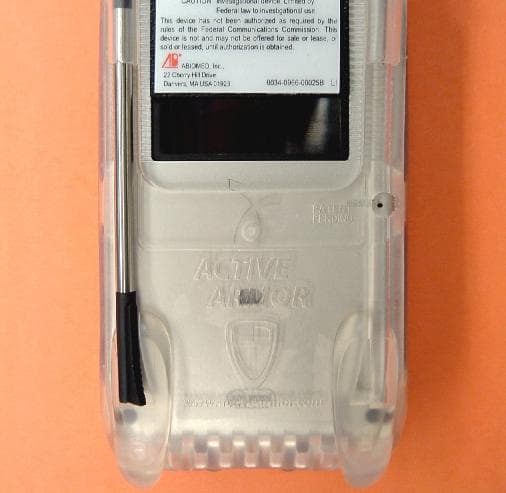
Click to zoom
Application Details
- Equipment Class
- DXT - Part 15 Low Power Transceiver, Rx Verified
- Date of Grant
- Nov 01, 2004
- Application Purpose
- Original Equipment
- Date of Application
- Nov 01, 2004
- Equipment Note
- AbioCor HandHeld Monitor
- Frequency Range
- 916.30000000 - 916.70000000
- Company
- ABIOMED Inc.
- Country
- United States
Documents & Files
Document Text
Text extracted from the exhibit documents filed with the FCC. Open a document above to read the original.
Users Manual
AbioCor Implantable Replacement Heart System PATIENT-CARRIED ELECTRONICS MANUAL ® ® AbioCor Implantable Replacement Heart System PATIENT-CARRIED ELECTRONICS MANUAL ABIOMED, Inc. 22 Cherry Hill Drive Danvers, MA 01923 USA 978-777-8411 (fax) [email protected] (email) www.abiomed.com N. America: 800-422-8666 (24-Hour Emergency Hotline) or 978-777-5410 July 2004 Document No. 0034-0980-00016 Rev. 1 DRAFT ® Humanitarian Device. Authorized by Federal law for use in the treatment of patients who have irreparably damaged hearts or who are at risk of imminent death as a result of end-stage heart failure not treatable by optimal medical treatment. The effectiveness of this device for these uses has not been demonstrated. IMPORTANT NOTICE: Read this entire manual before using the Patient-Carried Electronics (PCE). The PCE is to be used only in accordance with this manual. Information contained in this document is subject to change without notice. © 2004 ABIOMED, Inc. All rights reserved. ABIOMED, AbioCor, and the ABIOMED logo are registered U.S. trademarks of ABIOMED, Inc. The AbioCor ® Implantable Replacement Heart System is covered by one or more United States Patents and patents pending. AbioCor ® Implantable Replacement HeartPatient-Carried Electronics (PCE) Manual © 2004ABIOMED, Inc. Contents Glossary...............................................................G.1 Introduction About this Manual.................................................1 Manual Overview..................................................1 Definitions of Special Terms..................................2 1Warnings and Precautions AbioCor System Warnings.................................1.1 Patient-Carried Electronics (PCE) Warnings......1.3 AbioCor System Precautions.............................1.3 Patient-Carried Electronics (PCE) Precautions..1.5 2 PCE Overview What is the Patient-Carried Electronics (PCE)?...............................................................2.1 Parts of the PCE................................................2.2 PCE Battery Bag................................................2.3 PCE Batteries....................................................2.5 Battery Cable.....................................................2.6 External TET......................................................2.7 PCE Control Module..........................................2.7 Battery Charger..................................................2.8 AC Power Adapter.............................................2.9 3 Basic PCE Operation PCE Control Module Functions..........................3.2 Battery Bag Switch and Indicators......................3.3 Charging Batteries.............................................3.5 Getting the PCE Ready for Use..........................3.7 Changing a Pair of PCE Batteries....................3.10 Calibrating Batteries.........................................3.12 Connecting the AC Power Adapter...................3.13 Cleaning the PCE.............................................3.14 Patient-Carried Electronics (PCE) ManualAbioCor ® Implantable Replacement Heart ABIOMED, Inc.© 2004 4 Transferring Support Between the Console and the PCE Transferring Support from the Console to the PCE...4.2 Transferring to the PCE if You Use the Same TET....................................................4.2 Transferring to the PCE if You Use a Different TET...................................................4.5 Transferring Support from the PCE to the Console...4.9 Transferring to the Console if You Use the Same TET....................................................4.9 Transferring to the Console if You Use a Different TET.................................................4.13 5 PCE Alarms What are the PCE Alarms?......................................5.1 PCE Battery Bag Alarms..........................................5.2 PCE Control Module Alarms.....................................5.3 Appendix: Federal Communications Commission (FCC) Notice.......................................................A.1 Figures Figure 2.1:Using the PCE.....................................2.1 Figure 2.2:Parts of the PCE..................................2.2 Figure 2.3:PCE Battery Charger...........................2.3 Figure 2.4:AC Power Adapter...............................2.3 Figure 2.5:PCE Battery Bag with Batteries Installed...............................................2.4 Figure 2.6:PCE Battery.........................................2.5 Figure 2.7:PCE Control Module with TET..............2.7 Figure 2.8:PCE Battery Charger...........................2.8 Figure 2.9:AC Power Adapter for the PCE............2.9 Figure 3.1:PCE Control Module Panel..................3.2 Figure 3.2:Location of the Battery Charge Indicator...............................................3.5 Figure 3.3:Battery Charger Status Lights..............3.6 Figure 3.4:Installing the PCE Batteries..................3.8 Figure 3.5:Plugging the Battery Cable into the PCE Control Module............................3.8 AbioCor ® Implantable Replacement HeartPatient-Carried Electronics (PCE) Manual © 2004ABIOMED, Inc. Figure 3.6:Plugging the TET into the PCE Control Module....................................3.9 Figure 3.7:Changing Batteries............................3.10 Figure 3.8:Connecting the AC Power Adapter....3.13 Figure 4.1:Installing Batteries in the Battery Bag..4.2 Figure 4.2:Plugging the Battery Cable into the PCE Control Module............................4.3 Figure 4.3:Silencing the TET Alarm......................4.3 Figure 4.4:Console TET Unplugged......................4.3 Figure 4.5:Silencing Console Alarms....................4.3 Figure 4.6:Connecting the TET to the PCE Control Module....................................4.4 Figure 4.7:Console Power Panel After Transfer to PCE.................................................4.4 Figure 4.8:Testing PCE Alarms............................4.4 Figure 4.9:Checking the Heart Alarm Light...........4.4 Figure 4.10:Putting the Con…
Text truncated - open the document above for the full version.
Users Manual
AbioCor Handheld Monitor INSTRUCTIONS FOR USE ® ® CAUTION: IMPORTANT NOTICE: Read the entire Instructions for Use before using the Handheld Monitor. The Handheld Monitor is to be used only in accordance with the Instructions for Use. Manufactured by: ABIOMED, Inc. 22 Cherry Hill Drive Danvers, MA 01923 USA N. America: 800-422-8666 (24-Hour Emergency Hotline) or 978-777-5410 Document No. 0034-0980-00006 Rev. A DRAFT July 2004 © 2004 ABIOMED, Inc. All rights reserved. Information contained in this document is subject to change without notice. ABIOMED, AbioCor, and the ABIOMED logo are registered U.S. trademarks of ABIOMED, Inc. The AbioCor ® Implantable Replacement Heart System is covered by one or more United States Patents and patents pending. Contents Cautions..............................................................................................................1 Overview.............................................................................................................2 Components of the Handheld Monitor................................................................3 Controls and Features........................................................................................5 Resolving Alarms................................................................................................7 Checking AbioCor ® Status................................................................................13 Checking AbioCor ® Settings and Alarm History...............................................15 Charging the Battery.........................................................................................19 Troubleshooting................................................................................................21 Care and Cleaning............................................................................................23 Appendix: Federal Communications Commission (FCC) Notice...................A.1 About This Manual This manual provides the Instructions for Use for the Handheld Monitor used by patients who have received the AbioCor ® Implantable Replacement Heart System. These Instructions for Use are intended to be used by clinicians, caregivers, and AbioCor patients. For more information about the AbioCor System, refer to the AbioCor Implantable Replacement Heart System - Operator’s Manual; the AbioCor Console Alarms - User’s Guide; and the Patient- Carried Electronics [PCE] - Instructions for Use. 1 Cautions NOTE: A caution indicates a situation in which equipment may malfunction, be damaged, or cease to operate. • Do not use the Handheld Monitor close to an operating AbioCor ® Console. The RF signals from the AbioCor Console and the Handheld Monitor will interfere with each other and not allow adjustments to be made to the Implanted System. If RF interference occurs, turn off the Handheld Monitor. • The Handheld Monitor does not use an indicator to display the status of its battery. However, the alarm message “Handheld Battery” is displayed when the battery is low. You should charge the Handheld Monitor battery every night, whether it is used or not. Overview 2 Overview The Handheld Monitor is a Personal Digital Assistant (PDA) that communicates with the AbioCor ® Implanted Controller. This allows you to quickly access important information about the AbioCor without using the Console. You can use the Handheld Monitor to: • Respond to a Heart Alarm on the PCE Module. • Check AbioCor ® status. • Check AbioCor ® settings and alarm history. You cannot make changes to Beat Rate, Motor Speed, or Balance settings using the Handheld Monitor. These changes must be made using the Console. Before using the Handheld Monitor, you must be trained in the operation of the PCE and the Console. 3 Components of the Handheld Monitor • RF Expansion Module – allows the Handheld Monitor to communicate with the Implanted Controller; draws power from the Handheld Monitor’s battery (even when the unit is off). • Handspring ™ Personal Digital Assistant (PDA) – standard PDA used as the interface component of the Handheld Monitor. • Stylus – used to select items on the screen (fingers can also be used). • Charger – plugs into an AC outlet to charge the Handheld Monitor’s battery. Components of the Handheld Monitor 4 RF Expansion Module Charger Handspring ™ PDA Stylus 5 Controls and Features • Life-Threatening Alarm Light – flashes when a life-threatening alarm condition exists; it also flashes briefly when the RF Expansion Module is inserted. • Application Button – used to access the AbioCor ® Settings Screens and Alarm History Screen. • Power Button – turns the Handheld Monitor on and off; the screen automatically turns off (to save power) if the unit has not been used for 2 minutes. • Touch-Sensitive Screen – displays information; responds to the stylus. • Scroll Buttons, Up/Down Arrows, and Scroll Bar – used to move through information on the screen. Controls and Features 6 Life- Threatening Alarm Light Application Button Up/Down Arrows Scroll Buttons Scroll Bar Touch- Sensitive Screen (Not used) Power Button 7 Resolving Alarms 1 The Handheld Monitor’s AbioCor ® Alarms screen allows you to view two types of alarms: active and inactive. • Active alarm – an existing alarm that has not been acknowledged (“silenced”); indicated by a flashing alarm message. • Inactive alarm – an existing alarm that has been acknowledged; becomes active again if it is not resolved within 2 minutes; indicated by a solid (not flashing) alarm message. NOTE: Alarms that have been resolved without action or acknowledgement may be displayed as solid alarm messages. Resolving Alarms 8 2 Alarms are divided into three levels: Life Threatening, Serious, and Advisory. The following message display methods are used to distinguish each level: • Life Threatening – Active: flashes between black text on light background and light text on black background. Inactive: solid light text with black background. • Serious – Active: flashes …
Text truncated - open the document above for the full version.
Cover Letter(s)
ABIOMED , Inc. CHERRY HILL DRIVETEL: 978-777-5410 DANVERS, MASSACHUSETTS 01923FAX: 978-777-5692 U.S.A. June 29, 2004 Intertek Testing Services NA, Inc. 70 Codman Hill Road Boxborough, MA 01719 RE:Request for Confidentiality under 47 CFR § 0.457(d) and/or § 0.459 in ABIOMED, Inc.’s Application for Equipment Certification FCC ID: R9G-0034-4590. Dear Sir or Madam: ABIOMED, Inc. hereby requests that the materials and information specified below in ABIOMED, Inc.’s Application of Equipment Certification for the AbioCor Handheld Monitor (part number 0034-4590) be withheld from public inspection. This request for confidentiality is made pursuant to 47 CFR §§ 0.457(d) and 0.459. In compliance with the requirements of 47 CFR § 0.459, we provide the following specific information. • 47 CFR § 0.459(a). A copy of this request is attached to and covers all of the material and information to which it applies, which materials and information are physically separate from any materials and information in the application to which the request does not apply. The material and information to be kept confidential include, without limitation: • All Schematics • All Block Diagrams • All Operational and/or Functional Design Descriptions • 47 CFR § 0.459(b). ABIOMED, Inc. requests that the above material and information be withheld from public inspection for at lease the reasons set forth below. • 47 CFR § 0.459(b)(1). The specific materials and information for which confidential treatment is sought is set forth above. All such materials and information are physically separate from any materials and information in the application to which the request does not apply. A copy of this request is attached to the materials and information covered by this request. • 47 CFR § 0.459(b)(2). This request is made in connection with the above- referenced Application for Equipment Certification, FCC ID: R9G-0034-4590. • 47 CFR § 0.459(b)(3). The materials and information to which this request applies contain ABIOMED, Inc. proprietary and confidential information, which information constitutes substantial ABIOMED, Inc. trade secrets. ABIOMED , Inc. • 47 CFR § 0.459(b)(4). The materials and information to which this request applies do not concern a service. • 47 CFR § 0.459(b)(5). ABIOMED, Inc. has invested extensive resources to produce the product described in the above-referenced application and to develop the trade secret information included in the materials and information covered by this request. Disclosure of those materials and information would reveal ABIOMED, Inc.’s trade secrets and give competitors unfair commercial advantage in developing similar products. • 47 CFR § 0.459(b)(6). ABIOMED, Inc. has maintained the confidentiality of the trade secret information contained in the materials covered by this request by taking the customary measures for protecting proprietary and confidential trade secret information. • 47 CFR § 0.459(b)(7). To the best of ABIOMED, Inc.’s knowledge, the information contained in the materials covered by this request have not been made publicly available and have been disclosed to third parties only subject to non-disclosure agreements. • 47 CFR § 0.458(b)(8). ABIOMED, Inc. requests that the information contained in the materials covered by this request should not be available for public disclosure indefinitely as long as such information remains ABIOMED, Inc. trade secrets or, in the alternative, as long as permitted under the relevant laws and regulations. If additional information or explanation is required to grant this request, please contact the undersigned at 978-646-1478 or [email protected] . Sincerely, Tracy Palmer Berns Regulatory Affairs Manager and Staff Attorney
External Photos
ABIOMED , Inc. 0034-4590 Handheld Monitor External Photos 0034-4590 Handheld Monitor – Front View ABIOMED , Inc. 0034-4590 Handheld Monitor – Back View
ID Label/Location Info
0 0 3 4 - 0 9 6 6 - 0 0 2 3 5 - 0 X 1 A B D A B C D 1 2 3 4 4 3 2 1 5 5 CHERRY HILL DR. DANVERS,MA 01923(978) 777-5410 ABIOMED Inc. PROPRIETARY AND PRIVATE The information contained in this document is the property of ABIOMED Inc. and shall be kept in strict confidence. Except with the express written permission of ABIOMED Inc., such information shall not be published or disclosed to others, or used for manufacture, sale or any other purpose, and this document shall not be reproduced, in whole or in part. If written permission is granted for reproduction, this legend shall be included in any such reproduction. This document and all copies of this document, in whole or in part, and with or without modifications shall be returned to ABIOMED Inc. upon request, upon completion of the use for which it was made available to recipient, or termination of relationship with recipient, whichever first occurs. Any recipient so agrees by acceptance of this document or item. UNLESS OTHERWISE SPECIFIED DIMENSIONS ARE IN INCHES. TOLERANCES ARE: DO NOT SCALE DRAWING DECIMALS .X ± .1 ANGLES ± .5° .XX ± .010 .XXX ± .005 .XXXX ± .0005 APPROVALSDATE DRAWN B. Soares 23-Jun-04 MATERIAL CHECKED ___ __ ENGR ___ __ FINISHED SURFACES 63 BREAK SHARP CORNERS .005 APPROV ___ __ SIZE B DRAWING NO.REV QA ___ __ 0034-0966-00235-0X1 DO NOT SCALE DRAWING DOC CTRL ___ __ SCALE NTS1 of 1 APPLICATION USED ONNEXT ASSY B REVISIONS APPROVEDDATEDESCRIPTIONLTRZONE X X XX LIST OF PARTS ITEM NO. QTY REQ PART OR IDENTIFYING NO. NOMENCLATURE OR DESCRIPTION MATERIAL ABIOMED Handheld Monitor 0034-0966-00025C FCC ID: R9G-0034-4590 AbioCor ABIOMED, Inc. Danvers, MA USA 01923 1999-2004 All rights reserved 22 Cherry Hill Drive C P/N: 0034-4590 S/N: R R ABIOMED The Netherlands 5692 DA Son en Breugel Ekkersrijt 4006 ABIOMED B. V. REPRESENTATIVE: EUROPEAN SERIAL NO. CATALOG NO. RF Communication Module 8. Attach overlay laminate to top section of label with peel off on bottom section. Overlay laminate boundary shall Storage: Dry, 50 - 85 °F. Equivalent, Date of Manufacturer, P. O. Number, and Certification to UL and CSA Standards: LI 1003E or Font: Arial, unless otherwise specified. Finished Size: 5.25" x 2.88" with 0.06" Radius Corners otherwise specified. Red: Pantone PMS 185M Ink Color(s): All content Black on White backround unless Laminate; 2 Mil Matte Clear Mylar Overlay Laminate. Material: MM-200 Mylar with OM-100 Compucal 3. 7. 6. 5. 4. Quantity. 2. 1. Notes Adhesive: L23 USA Danvers, MA 01923 22 Cherry Hill Drive ABIOMED, Inc. Bottom Section ----------------------------- Top Section SN R REF AbioCor ABIOMED, Inc. 0034-0966-00207-BX1.dwg 0034-0966-00207-BX1 RF COM. MODULE CAD FILE: 6/23/04 DO NOT SCALE DRAWING BS APPROVALS DRAWN CHECKED RESP ENG MFG ENG A SCALE NONE DATE SIZEDWG. NO. Certification Here Place UL/CSA 0034-0966-00207C OF REV. SHEET 1 LABEL 1 See Note 9 REVISIONS R DESCRIPTIONLTR APPROVEDDATE not interfere with any content. 0034-4458 RED EUROSTILE FONT This device complies with part 15 of the FCC Rules. Operation is subject to the following two conditions: (1) This device may not cause harmful interference, and (2) this device must accept and interference received, including interference that may cause undesired operation. Changes or modifications not expressly approved by Abiomed Inc. could void the user's authority to operate the device. FCC ID: R9G-0034-4458
Internal Photos
ABIOMED , Inc. 0034-4590 Handheld Monitor Internal Photos 0034-4590 Handheld Monitor – Open ModuleView ABIOMED , Inc. 0034-4590 Handheld Monitor – PCB Top View ABIOMED , Inc. 0034-4590 Handheld Monitor – PCB Bottom View
Contact Information
Applicant
Ralph L D'Ambrosio(Director, Electronic Engineering)
Technical Contact
ABIOMED, Inc.Ralph D'Ambrosio
[email protected]978-646-1709
22 Cherry Hill Drive · Danvers, Massachusetts · United States
Non-Technical Contact
ABIOMED, Inc.Tracy Berns
[email protected]978-646-1478
Test Firm
Intertek Testing ServicesUri Spector
Technical Specifications
| # | Rule Parts | Frequency Range | Power Output |
|---|---|---|---|
| 1 | 15C | 916.3 MHz - 916.7 MHz | - |
Other Applications from ABIOMED Inc.
R9G-0036-0010
Nov 19, 2006SupraCor
Equipment Class
FAP - Part 15 Anti-Pilferage Device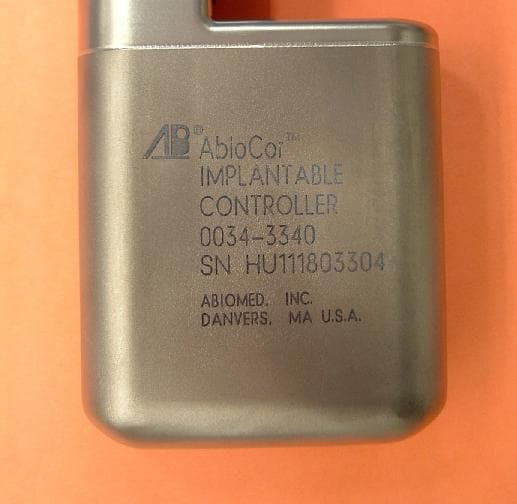
R9G-0034-3340
Oct 12, 2004AbioCor Implantable Controller
Equipment Class
DXT - Part 15 Low Power Transceiver, Rx Verified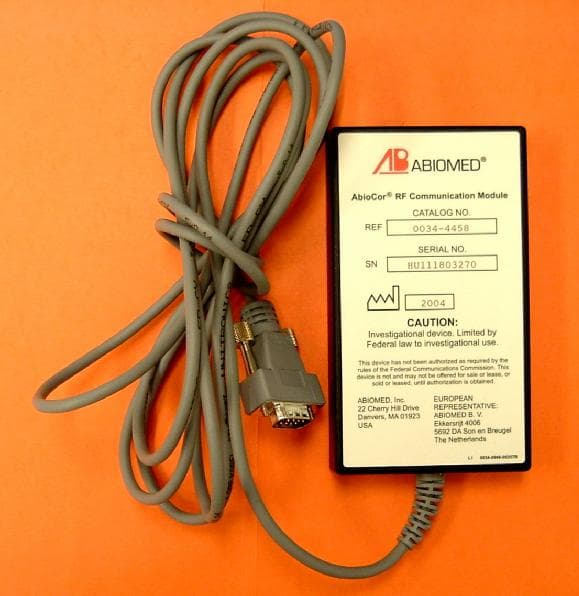
R9G0034-4458
Aug 02, 2004AbioCor RF Communication Module
Equipment Class
DXT - Part 15 Low Power Transceiver, Rx Verified