RA8-BC009Bluetooth SpeakerPhone
Sunitec Enterprise Co., Ltd.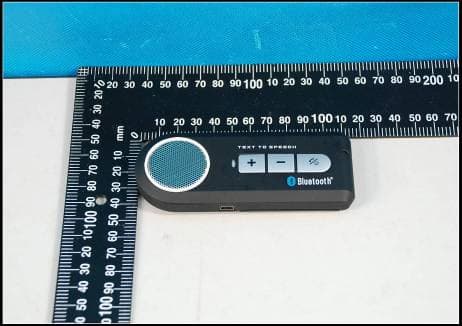
Click to zoom
Application Details
- Equipment Class
- DSS - Part 15 Spread Spectrum Transmitter
- Date of Grant
- Feb 07, 2010
- Application Purpose
- Original Equipment
- Date of Application
- Feb 06, 2010
- Equipment Note
- Bluetooth SpeakerPhone
- Frequency Range
- 2402.00000000 - 2480.00000000
- Company
- Sunitec Enterprise Co., Ltd.
- Country
- Taiwan
Documents & Files
Document Text
Text extracted from the exhibit documents filed with the FCC. Open a document above to read the original.
Users Manual
User Manual 1 2 using the speakerphone, it is recommended to charge the battery fully for the first time. Normal full charge time is 3 hrs. (approx.) IMPORTANT: (1)Charging indication will be delayed for a few minutes if the speakerphone has not been used for a long time or the battery is drained. (2)To prolong durability of battery, it’s recommended to charge the 8.Connection/Link between Speakerphone and Mobile Phone After pairing is completed, speakerphone is always under standby mode. Before you place or answer a call, if the headset icon is not shown on phone screen, please follow the steps below to activate the Bluetooth connection/link through your mobile phone or speakerphone until the headset icon is on the screen. (1)On phone: Select the “BT Speaker” from the paired list on your phone screen. (2)On speakerphone: Short press “MFB” and select “Accept” on phone screen to accept connection. 9.Disconnection between Speakerphone and Mobile Phone When you need to connect your speakerphone with another Bluetooth- enabled mobile phone, please follow the steps below to disconnect the speakerphone with the pre-paired mobile phone. (1)Power off the speakerphone. (2)Select “Disconnecting” on the Bluetooth device list of your mobile phone to remove the connection. Note: When losing the connection/link, the speakerphone will be automatically power off in 15 minutes. The blue LED will flash twice in every 3 seconds when the speakerphone is not connected with mobile phone. 10.Using the Speakerphone (1)Answering a Call When receiving a phone call, short press the “MFB” button to answer the call. (2)Ending a Call Short press the “MFB” button to end a call. (3)Reject a Call When you hear the ringing tone, press and hold the “MFB” button for 2 seconds to reject the call. (4)Voice Dial If your mobile phone is voice dialing enabled, under standby mode, short press the “MFB” button and say the voice tag after you hear a beep. Note: Please make sure to record voice tag into the mobile phone before using voice dial function. Functionality varies depending on the mobile phone models. Please refer to your mobile phone user guide for details. (5)Last Number Re-Dialing Under standby mode, short press the “MFB” button twice for last number redials. speakerphone whenever low battery is encountered. When battery becomes low, LED will flash red every 3 seconds. Under low battery condition, if speakerphone is continuously used, it’ll decrease durability of battery as well as standby time and cause longer charge time than normal 3 hrs. (3)The red LED will flash on while charging and flash off when charging is completed. 6.Turning ON/OFF the Speakerphone Power On: When speakerphone is under off mode, press and hold the “MFB” for 4 seconds until you hear a short beep. The blue LED will flash 5 times, and then the speakerphone will automatically connect to the last connected mobile phone. Power Off: Speakerphone is under standby mode, press and hold the “MFB” button for 4 seconds until you hear a short beep. The red LED will flash 5 times before power off. 7.Pairing Prior to using the speakerphone for the first time, you must pair it with a Bluetooth-enabled mobile phone. The steps below describe pairing instructions for a typical Bluetooth-enabled mobile phone. (1)Place the speakerphone and mobile phone no more than 1 meter apart. (2)Ensure the speakerphone is under OFF mode. (3)Press and hold the “MFB” button for 6 seconds until the LED flash red and blue alternatively, it is now ready for pairing. (4)Activate the Bluetooth function on your mobile phone and search fro accessible Bluetooth device by referring to your mobile phone user guide for details. (5)Select “BT Speaker” from the list. (6)Enter the pre-programmed code “0000” and press “OK” to pair the speakerphone and the phone. When pairing is completed, the blue and red LED stop flashing, the speakerphone is under the standby mode with the blue LED flashes in every 3 seconds. (7)Press “Return” to go back to your mobile phone’s main menu. Please place the mobile phone and the speakerphone within 10 meters sensing distance. You should now be able to make and receive calls using your speakerphone. Note: If the pairing cannot be completed within 2 minutes after the pairing mode is activated, the speakerphone will power off automatically. Please repeat steps above to pair the speakerphone and mobile phone again. (6)Adjusting the Volume During a call, press the “V+” or “V-” buttons repeatedly until you reach the desired volume level. (7)Mute & Un-Mute a:Mute: During a call, short press the “MUTE” button to mute the speakerphone. The red LED will flash on during mute mode. b:Un-Mute: Short press the “MUTE” button during mute mode to un- mute the speakerphone. (8)Transferring Calls a:Speakerphone to Mobile Phone: During a call, press both of “V+” and “V-” buttons, and the call is routed to your mobile phone. b:Mobile Phone to Speakerphone: Press both of “V+” and “V-” buttons to route the call to speakerphone. 11.MultiPoint Feature (1) Activate Multipoint Connection The default setting of the speakerphone's multipoint function is OFF. You can activate the multipoint function for connecting with 2 mobile phones at the same time. a.Multipoint ON: Under standby mode, press and hold "V+" button for 3 seconds until you hear a beep. b.Multipoint OFF: Under standby mode, press and hold "V-" button for 3 seconds until you hear a beep. The speakerphone will turn off the multipoint function and power off automatically. When power on the speakerphone again, it will only connect to the last connected Bluetooth device. (2)Multipoint Pairing a.First mobile phone: Pair the speakerphone with one of the Bluetooth-enabled mobile phones. b.Second mobile phone: Power OFF the speakerphone. Press and hold the "MFB" button for 5 seconds to enter pairing mode again to pair and connect with the second mobile phone. c.Connect with the first paired mobile phone to the speakerphone. (3)Multipoi…
Text truncated - open the document above for the full version.
Cover Letter(s)
Applicant letterhead Sunitec Enterprise Co.,Ltd To: Federal Communications Commission 7435 Oakland Mills Road Columbia, MD 21046 To whom it may concern: We, the undersigned, hereby authorize SGS-CSTC Standards Technical Services Co., Ltd. (SGS) Shenzhen Branch to act on our behalf, as our agent, in the following matters related to the FCC approval of our product: report submittal, related correspondence, the signing of all documents relating to these matters, and any other lawful activity necessary to obtain such certification. Any act carried out by SGS within the scope of this authorization shall have the same effects as our own. This authorization shall expire 6 months from original date. If you have any questions regarding the authorization, please don’t hesitate to contact us. Thank you. Sincerely, G.M. NOV.25, 2009 Tom Chien -------------------------------------- Name & Title, Date Applicant: Sunitec Enterprise Co., Ltd. Tel: 886 2 8943 1929 Fax: 886 2 8943 1828 Email: [email protected]
Cover Letter(s)
Sunitec Enterprise Co.,Ltd 2009-11-21 Federal Communications Commission Office of Engineering and Technology Equipment Authorization Division 7345 Oakland Mils Road Columbia, Maryland 21046 Subject: Permanent Confidentiality request for FCC ID: RA8-BC009 To Whom It May Concern, Pursuant to sections 0.457 and 0.459 of CFR47, the applicant requests permanent confidential treatment of the following information accompanying this application: Block Diagrams Schematics Operation Description BOM The above materials contain trade secrets and proprietary information not customarily released to the public. The public disclosure of these matters might be harmful to the applicant and provide unjustified benefits to its competitors. Sincerely, G.M. NOV,25 2009Tom Chien -------------------------------------- Name & Title, Date Applicant: Sunitec Enterprise Co., Ltd. Tel: 886 2 8943 1929 Fax: 886 2 8943 1828 Email: [email protected]
Cover Letter(s)
SUNITEC ENTERPRISE CO., LTD. Statement We Sunitec Enterprise Co., Ltd. hereby state that BC333 and BC353,BC373,BC353B,BC373B,BTCK-10B,BT-PIHF13M,HB600,BC953 are identical in interior structure, electrical circuits. Only different model name and appearance. the main test model is BC333. Confirmed by: Name in full: liyuanshun Authorized signature: Position: manager Date: 2009-11-09 Company stamp:
External Photos
External photos
Internal Photos
Internal photos
RF Exposure Info
RF Exposure Statement 1. Standard Applicable According to 1.1307 (b)(1), systems operating under the provisions of this section shall be operated in a manner that ensure that the public is not exposed to radio frequency energy level in excess of the Commission’s guideline. This is a portable device. 2. Measurement Result: This a portable device and the max peak output power is 2.90 dBm = ( 0.0002 W). Lower that low threshold 60/f GHz mW = (24.19 mW) The SAR/MPE measurement is not necessary.
Test Report
Report No.:GLEMO09110361701 Page: 1 of 55 FCC ID:RA8-BC009 Authorized Signature: Stephen Guo Manager The manufacturer should ensure that all products in series production are in conformity with the product sample detailed in this report. If the product in this report is used in any configuration other than that detailed in the report, the manufacturer must ensure the new system complies with all relevant standards. The report must not be used by the client to claim product certification, approval, or endorsement by NVLAP, NIST, or any agency of the federal government. All test results in this report can be traceable to National or International Standards. This document is issued by the Company subject to its General Conditions of Service printed overleaf, available on request or accessible at www.sgs.com/terms_and_conditions.htm and, for electronic format documents, subject to Terms and Conditions for Electronic Documents at www.sgs.com/terms_e-document.htm. Attention is drawn to the limitation of liability, indemnification and jurisdiction issues defined therein. Any holder of this document is advised that information contained hereon reflects the Company’s findings at the time of its intervention only and within the limits of Client’s instructions, if any. The Company’s sole responsibility is to its Client and this document does not exonerate parties to a transaction from exercising all their rights and obligations under the transaction documents. This document cannot be reproduced except in full, without prior written approval of the Company. Any unauthorized alteration, forgery or falsification of the content or appearance of this document is unlawful and offenders may be prosecuted to the fullest extent of the law. Unless otherwise stated the results shown in this test report refer only to the sample(s) tested and such sample(s) are retained for 90 days only SGS-CSTC Standards Technical Services Ltd. 198 Kezhu Road, Scientech Park, Guangzhou Economic & Technology Development District, Guangzhou, Guangdong, China 510663 Telephone: +86 (0) 20 82155555 Fax: +86 (0) 20 82075059 Email: [email protected] FEDERAL COMMUNICATIONS COMMISSION Registration number: 282399 TEST REPORT Application No.: GLEMO091103617RF Applicant: Sunitec Enterprise Co., Ltd Equipment under Test (EUT) Name: Bluetooth SpeakerPhone Model No.: BC333, BC353, BC373, BC353B, BC373B, BTCK-10B, BT-PIHF13M, HB600, BC953♣ FCC ID: RA8-BC009 ♣ Please refer to section 3 of this report which indicates which item was actually tested and which were electrically identical. Radio Function: Bluetooth speakerphone Standards: FCC PART 15 Subpart C: 2008 Date of Test: 26 November 2009 to 21 January 2010 Date of Issue: 21 January 2010 Test Result : PASS * * In the configuration tested, the EUT detailed in this report complied with the standards specified above. Please refer to section 3 of this report for further detail. SGS-CSTC Standards Technical Services Co., Ltd. Report No.: GLEMO09110361701 Page: 2 of 55 FCC ID:RA8-BC009 This document is issued by the Company subject to its General Conditions of Service printed overleaf, available on request or accessible at www.sgs.com/terms_and_conditions.htm and, for electronic format documents, subject to Terms and Conditions for Electronic Documents at www.sgs.com/terms_e-document.htm. Attention is drawn to the limitation of liability, indemnification and jurisdiction issues defined therein. Any holder of this document is advised that information contained hereon reflects the Company’s findings at the time of its intervention only and within the limits of Client’s instructions, if any. The Company’s sole responsibility is to its Client and this document does not exonerate parties to a transaction from exercising all their rights and obligations under the transaction documents. This document cannot be reproduced except in full, without prior written approval of the Company. Any unauthorized alteration, forgery or falsification of the content or appearance of this document is unlawful and offenders may be prosecuted to the fullest extent of the law. Unless otherwise stated the results shown in this test report refer only to the sample(s) tested and such sample(s) are retained for 90 days only. 2 Version Version No. Date Description 01 21 January 2010 Original Prepared By: Celia Xiang Date 2010-01-21 Project Engineer Checked By: Strong Yao Date 2010-01-21 Reviewer SGS-CSTC Standards Technical Services Co., Ltd. Report No.: GLEMO09110361701 Page: 3 of 55 FCC ID:RA8-BC009 This document is issued by the Company subject to its General Conditions of Service printed overleaf, available on request or accessible at www.sgs.com/terms_and_conditions.htm and, for electronic format documents, subject to Terms and Conditions for Electronic Documents at www.sgs.com/terms_e-document.htm. Attention is drawn to the limitation of liability, indemnification and jurisdiction issues defined therein. Any holder of this document is advised that information contained hereon reflects the Company’s findings at the time of its intervention only and within the limits of Client’s instructions, if any. The Company’s sole responsibility is to its Client and this document does not exonerate parties to a transaction from exercising all their rights and obligations under the transaction documents. This document cannot be reproduced except in full, without prior written approval of the Company. Any unauthorized alteration, forgery or falsification of the content or appearance of this document is unlawful and offenders may be prosecuted to the fullest extent of the law. Unless otherwise stated the results shown in this test report refer only to the sample(s) tested and such sample(s) are retained for 90 days only. 3 Test Summary Test Test Requirement Standard Paragraph Result Antenna Requirement FCC PART 15 :2008 Section 15.247 (c) PASS Conducted emission FCC PART 15 :2008 Section 15.207 PASS Occupied Bandwidth FCC PA…
Text truncated - open the document above for the full version.
Test Setup Photos
Radiated Spurious Emission Test Setup Below 1GHz: Above 1GHz:
Contact Information
Applicant
Tom Chien(General Manager)
Technical Contact
SGS-CSTC Standards Technical ServicesLtdCelia Xiang
[email protected]+86 20 82155314
198 KEZHU Road, SCIENTECH Park Guangzhou Economic · Guangzhou · China
Non-Technical Contact
SGS-CSTC Standards Technical ServicesLtdMillie Li
[email protected]+86 20 82155332
Test Firm
SGS-CSTC Standards Technical Services Co., LtdJerry Chan
Technical Specifications
| # | Rule Parts | Frequency Range | Power Output |
|---|---|---|---|
| 1 | 15C | 2.40 GHz - 2.48 GHz | 2.00 mW |
Other Applications from Sunitec Enterprise Co., Ltd.
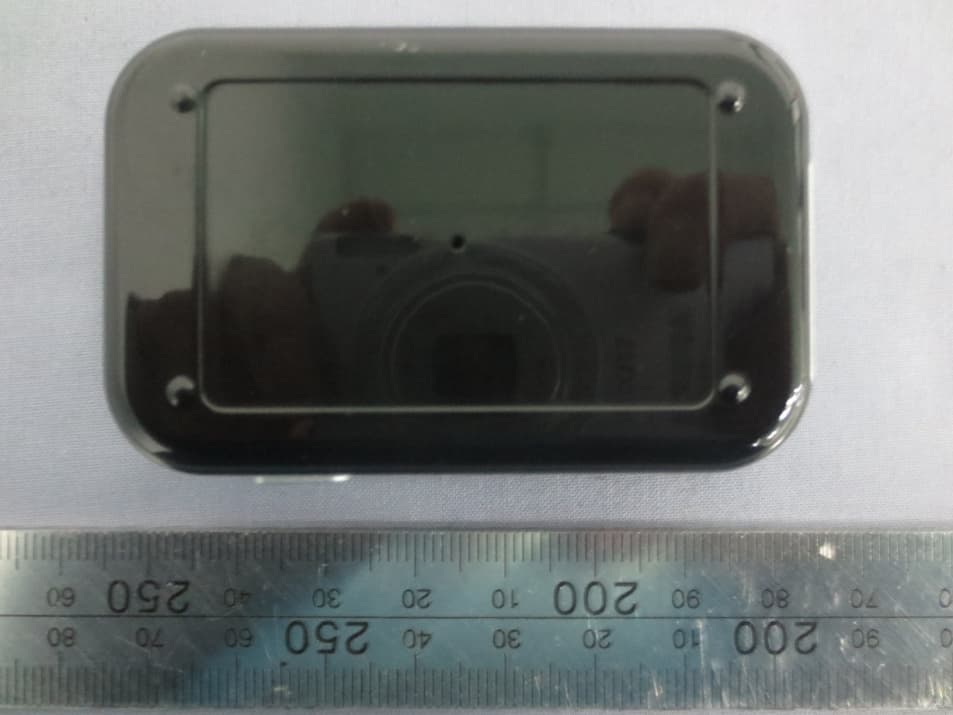
RA8-BA530
May 19, 2014Bluetooth Audio Transmitter
Equipment Class
DSS - Part 15 Spread Spectrum Transmitter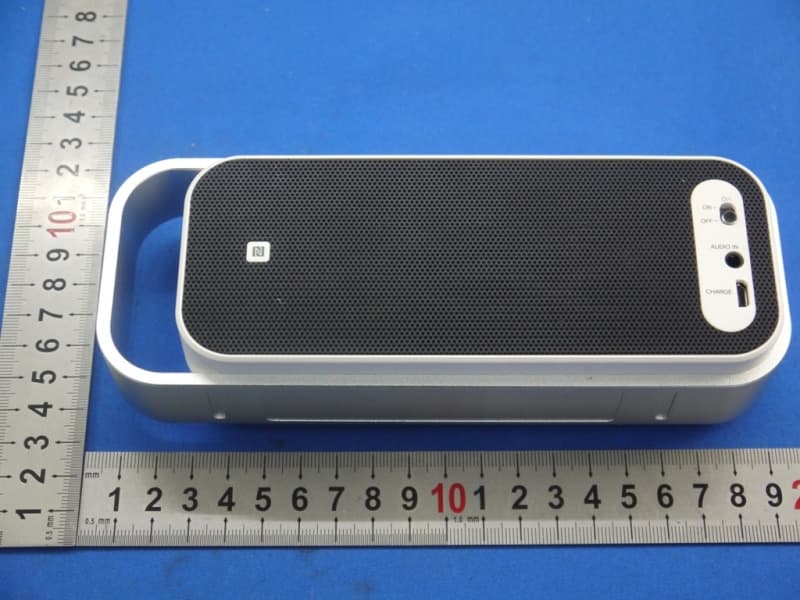
RA8-SPABT2
Mar 25, 2014BLUETOOTH STEREO SPEAKER
Equipment Class
DSS - Part 15 Spread Spectrum Transmitter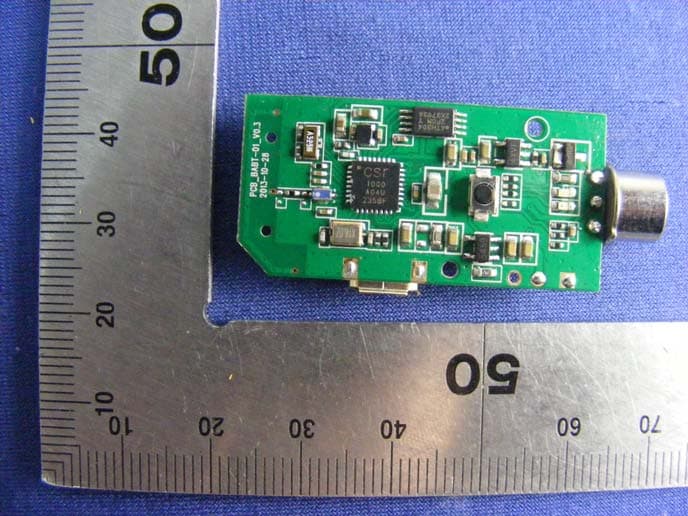
RA8-BH006
Mar 17, 2014Bluetooth Alcohol Breath Tester
Equipment Class
DTS - Digital Transmission System
RA8-BS006
Mar 05, 2014Bluetooth Speaker
Equipment Class
DTS - Digital Transmission System
RA8-BH005
Jan 01, 2014Bluetooth Headset
Equipment Class
DSS - Part 15 Spread Spectrum Transmitter