RA8BTBluetooth Headset & Dongle
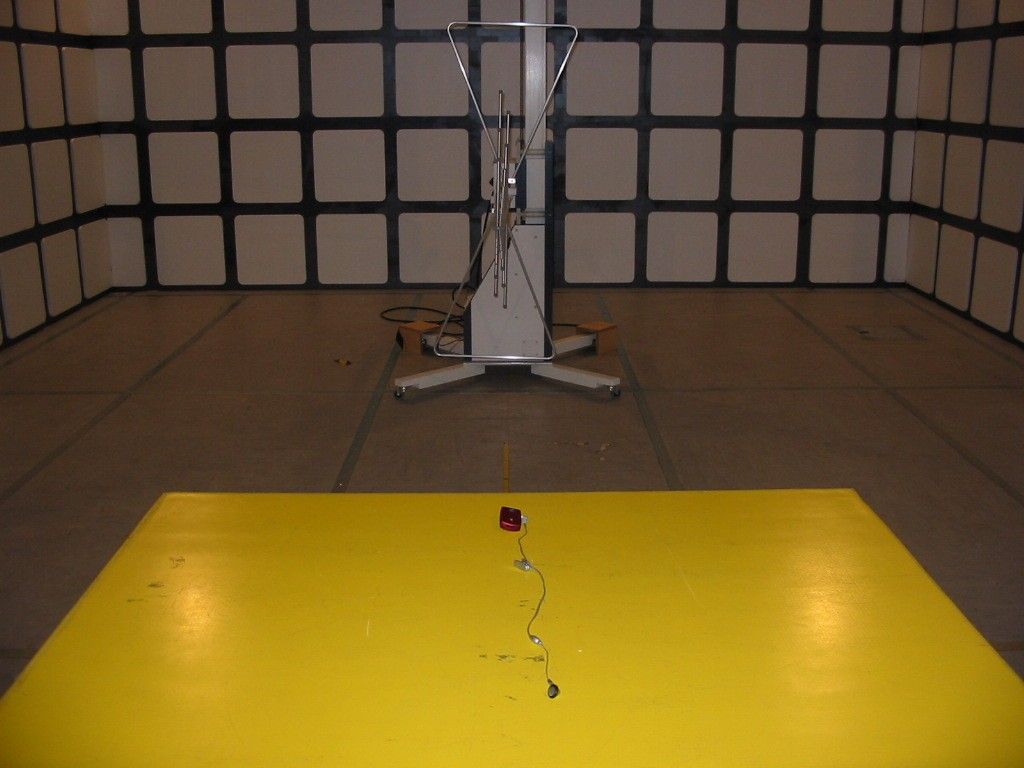
Sunitec Enterprise Co., Ltd.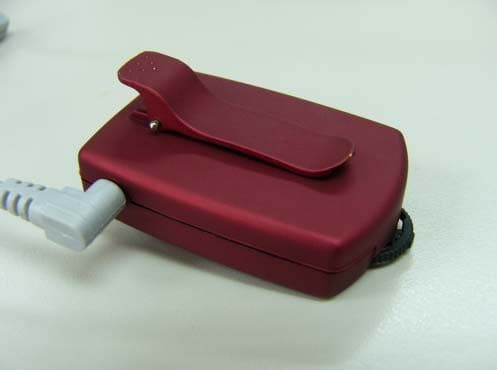
Click to zoom
Application Details
- Equipment Class
- DSS - Part 15 Spread Spectrum Transmitter
- Date of Grant
- Oct 14, 2003
- Application Purpose
- Original Equipment
- Date of Application
- Sep 28, 2003
- Equipment Note
- Bluetooth Headset & Dongle
- Frequency Range
- 2402.00000000 - 2480.00000000
- Company
- Sunitec Enterprise Co., Ltd.
- Country
- Taiwan
Documents & Files
Document Text
Text extracted from the exhibit documents filed with the FCC. Open a document above to read the original.
Users Manual
SUNITEC ENTERPRISE CO.,LTD www.sunitec.com Bluetooth USB_Headset Combo(BTH-07C)User Manual About Bluetooth Technology? Bluetooth makes wireless transmission between all mobile and non-mobile facilities possible. This technique utilizes global sound & digital data 2.4G ISM transmission and makes global communication easily. How does Bluetooth COMBO help you? This multi-functional Bluetooth COMBO consists of Headset and Dongle – Class 2. (to be referred as COMBO.) (A) Headset: When it’s under Headset mode, supports all Bluetooth mobile phones and facilities with Bluetooth audio transmission. Powered by a built-in rechargeable battery, it can be either charged via the attached mini AC/DC charger or via the built-in USB connector to the PC USB port. This Bluetooth Unit (a) It wirelessly activates phones located in anywhere within 10 meters(max.) to this unit. (b) Voice Activation: To voice activate phone through microphone of this unit or phone itself, subject to phone built-in with voice activation function. (c) Press to Answer/End: To answer an incoming call or end a conversation without pressing on phones. Simply press the multi-function key on this unit. (d) Volume Adjustment: Simply tune the built-in volume switch to adjust volume. (e) It makes real Hands-Free & safe driving possible. (B) Dongle: When it’s under USB mode, with the attached Windows driver, it support most of the common Bluetooth profiles such as Mobile Phone, Digital Camera, P.D.A., Printer, Mouse, Fax, Bluetooth Serial Port, File Sharing/Transmission, Network Access, Object Push, Dial-up Network, LAN Access,..., etc. It’s the most efficient tool to communicate with the latest Bluetooth-enabled devices. To use, please refer to the attached Window Driver CD. Working Mode: The COMBO is a combination of Headset and Dongle. It’s auto switching in between the two modes by detecting the external connections. It’ll be only switched to USB mode, when it’s connected to the USB port of PC. Under normal status, without connecting to USB port, it’s always under headset mode. SUNITEC ENTERPRISE CO.,LTD www.sunitec.com Instruction for Headset Mode: Preparation & Start to Use: Make sure the phone is with Bluetooth function or connected to Bluetooth Adaptor. First Time Use: (A) Pairing this unit with phones - Configuration set up. (B) Locate this unit to phones within 10 meters(max.). (C) Please fully charge this unit with the attached mini AC/DC charger. It takes 1.5 to 2 hrs. to charge it. (approx.) (D) Please refer to Bluetooth function access of each phones. (Bluetooth access could be varied between different phones.) For ERI Phones: (A) Enter into Pairing Mode: (a) This unit is first set under off mode - LEDs are off. (b) To enter into pairing mode, press function key for 7 seconds (approx..) until red & green LEDs blink in turn. Mean while, a short beep will come up. (B) Pairing Between Phones and Headset: (a) Initiate Bluetooth function of phones & search for Bluetooth devices. For example: ERI T68i, procedure is "Menu/Connect/Bluetooth/Paired Device/Add Device/Phone initiates/All types" (b) Phones will start searching for Bluetooth devices. If it's successful, phone screen will indicate the name of obtained device - “Earpiece”(This can be customized upon customer's request.) Press "Yes" to pair this unit to the phones. (c) Input ID code of this unit - "8888". (This can be customized upon customer's request.) Press "Yes" to complete pairing. (Pairing procedure might be varied because of different phones. Users are recommended to refer to individual User's Manual.) Mean while, this unit is under stand-by mode - green LED blinks once every 4 seconds. (d) To remove pairing, constantly press function key for 3 seconds until both green & red LEDs are off. Mean while, a short beep comes up. (C) To Use Headset : Once pairing is successful, this unit is under stand-by mode and ready for Bluetooth communication. Please locate this unit within 10 meters (max.) to phones. (a)To Answer a Call: When a call is in, a ringing tone will come out of this unit. Press function key, up & down, to answer a call. (User may press phone key to answer, too.) Once it's under talking status, green LED blinks twice every 1.5 seconds. (b) Not to Answer a Call: When a call is in, a ringing tone will come out of this unit. If user doesn't intend to answer this call, constantly press function key, up & down, for 3 seconds until ringing tone is off. (c) Dialing out: After pairing is done, user may dial out numbers through phones and talk through this unit. During conversation, green LED blinks once every 1.5 seconds. (d) Voice Activation: SUNITEC ENTERPRISE CO.,LTD www.sunitec.com To voice dialing, under stand-by mode, press function key, up & down, to enter into Bluetooth connection mode - green LED blinks once every 1.5 seconds with a short beep coming out of this unit. User may talk to mic. of this unit for voice dialing. If it's successful, green LED stays blinking once every 1.5 seconds. If not successful, this until will resume stand-by mode - green LED blinks once every 4 seconds. Users are recommended to refer to voice dialing procedure of individual phone. (e) Volume Adjustment: Simply adjust the function key, left & right, to adjust volume. (D) LED Indication (Single LED, Bi-Colored.) Status LED Indication Operation Battery Normal Battery Low Power OFF LEDs OFF LEDs OFF Stand-By Green LED blinks once every 4 seconds Red LED blinks once every 4 seconds Incoming Calls Green LED blinks twice every 1.5 secondsRed LED blinks twice every 1.5 seconds Outgoing Calls Green LED blinks once every 1.5 secondsRed LED blinks once every 1.5 seconds Red LED blinks once every 0.5 seconds Charging: Under Charge Fully Charge Green LED blinks once every 0.5 seconds Red & Green LEDs Blink in turn Pairing: Processing Successful Green LED blinks once every 4 seconds Red LED blinks once every 4 seconds (E) Function Key– Up & Down Press: (a)Short Press: To change from stand-by …
Text truncated - open the document above for the full version.
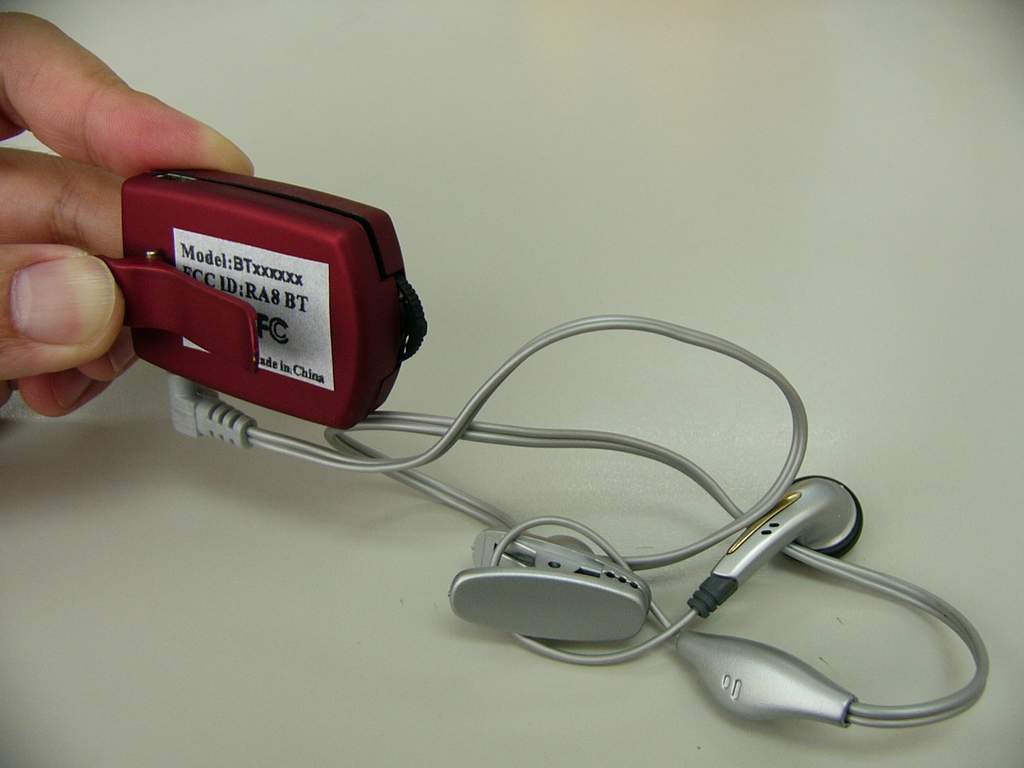
External Photos
External Photos
Internal Photos
Internal Photos
Operational Description
SUNITEC ENTERPRISE CO.,LTD www.sunitec.com Bluetooth USB-Headset COMBO BTH-07C 1.1 Product Description Bluetooth USB Headset Combo (Combo will be called below) is a reference design for multi-function compact Bluetooth product. It combines the functions of a fully functional Bluetooth headset with a Class 2 Bluetooth USB dongle. The Combo works as a Bluetooth headset when it is in headset mode. The headset powered by a build-in rechargeable battery. The battery can be charged via its USB connector by simply connect it to USB port on any PC or a AC/DC adaptor. The Combo becomes a USB dongle when it is in USB mode. It works with its Windows driver to provide most of common Bluetooth profiles such as File Transfer, Object Push, Dial-up Network, LAN Access, Fax, etc. This allows the newly Bluetooth-enabled device to communicate with other Bluetooth devices. 1.2 General Features • Compliance with Bluetooth Specification Version 1.1 • Support RF Power Class 2 • Wireless connectivity up to 10m • Support Recharge Lithium-Polymer Battery via its mini USB port (via PC, Notebook or AC/DC power adaptor). • Operating Frequency range in ISM band of 2.4Ghz to 2,48Ghz • LED status indication for different mode, status of operation • Auto switching between Headset and USB mode. • Three Buttons control for Headset. • SPI interface (PCB pads) is available on the PCB for firmware upgrading. 1.3 Recommend Product Package Contents • Combo unit with build-in battery • USB Cable • Ear Piece • Application Software CD (Internet Sharing and USB Driver) • AC-DC Power adaptor w/mini USB connector (Optional) SUNITEC ENTERPRISE CO.,LTD www.sunitec.com 1.4 Combo working mode The Combo works in either Headset mode or USB mode by detecting the external connections. It will be switched to USB mode only when it is connected to a USB port on any PC via an USB cable. And Headset mode will be resumed once it is disconnected from USB port. 1.4.1 Headset Mode When the product is in Headset mode, it works as a full function Bluetooth Headset that powered by the internal battery. In this mode, the mini USB port is used for battery charging when it is connected to the AC/DC adaptor via a USB cable. 1.4.2 USB mode When the product is in USB mode, it works as a HCI USB device (USB dongle). Together with an external Upper layer Bluetooth Protocol Stack and relative applications, to enable the PC to communicate with other Bluetooth Devices. At same time, the build-in battery will be charged. 1.4.3 Pairing State This product is able to be paired when it enters Pairing state. Pairing state only applies to Headset mode and it will be entered when “No” and “Yes” button are pressed concurrently during the first 30 seconds right after Headset is switched on for four-button solution or “Y/N” and “Vol” pressed concurrently for two-button solution. The Pairing state will be available for about 1.5 minute. Note: • For entering Pairing mode in Four-Button solution, make sure “No” is pressed follow by “Yes” and then keep both pressed. • For entering Pairing mode in Two-Button solution, make sure “Vol” is pressed follow by “Y/N” and then keep both pressed. In USB mode, the Pairing state is controlled by Applications. 1.5 Abbreviation And Acronyms And Definition DUN: Dial-up Networking profile. LAP: LAN Access Profile OPP: Object Push Profile FTP: File Transfer Profile SPP: Serial Port Profile FAX: Fax Profile SCO: Synchronous Connection-Oriented link ACL: Asynchronous Connection-Less link USB: Universal Serial Bus Combo: Bluetooth USB Headset Combo Reference Unit SUNITEC ENTERPRISE CO.,LTD www.sunitec.com On: Headset is working. Off: Headset is in “Sleep” mode. 1.6 Specification Headset Mode: Operating Frequency Band 2.4Ghz~2.48Ghz unlicensed ISM band Bluetooth Specification V1.1 Support Profiles Headset Output Power Class Class 2 Piconet Point to Point Link mode SCO Voice coding 13 bits Linear Type of battery supported Rechargeable Lithium Polymer Battery Voltage 3.7 Vdc Charging Build in mini USB port Power Consumption* • Talking (HV3, 1s sniff mode 55mA @3.3 Vdc • Standby 1.8mA @3.3 Vdc • Off 140 uA @3.3Vdc Talk time Up to 4hrs (base on 180mAh battery) Standby Time * Up to 100hrs (base on 180mAh battery) Battery Charging Time 1.5 hrs USB Mode USB Standard Version 1.1 Operating Frequency Band 2.4Ghz~2.48Ghz unlicensed ISM band Bluetooth Specification V1.1 Bluetooth Interface HCI Support Profiles (when working with ESI 1.3 upper layer stack) • DUN • LAP • OPP • FTP • SPP • FAX Output Power Class Class 2 Piconet 7 slaves Link mode ACL Type of power supply From PC USB port or AC/DC adaptor Application Software Internet Sharing
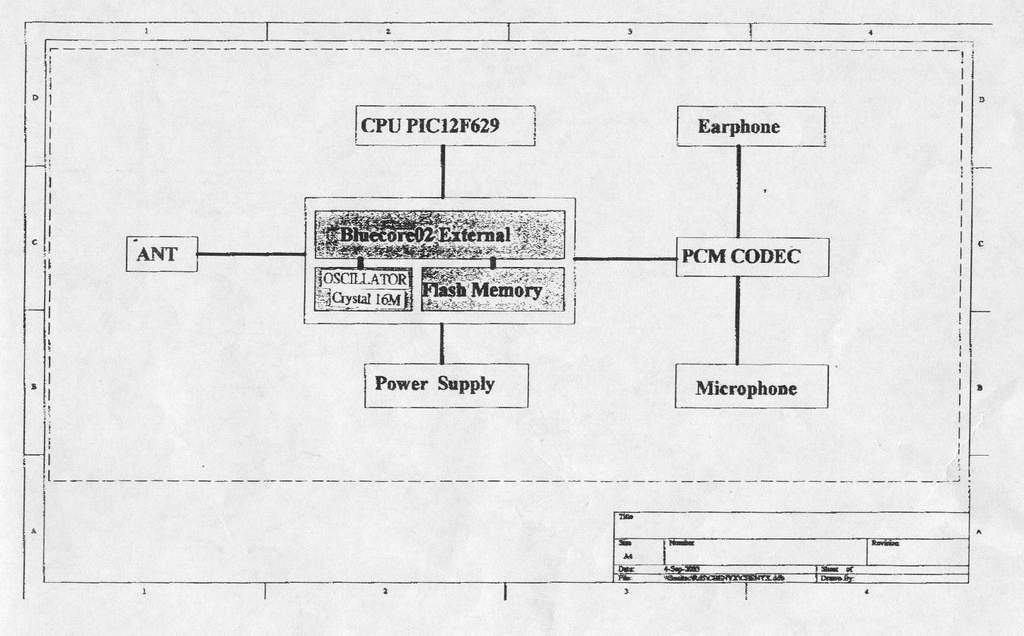
Schematics
S U N I T E C E N T E R P R I S E C O . , L T D w w w . s u n i t e c . c o m . t w 1 2 3 4 ABCD 4 3 2 1 D CBA Title Number Revision Size A4 Date: 16-Jul-2003 Sheet of File: D:\CHENYX\CHENYX.DDB Drawn By: R7330R R6330R R5220R R91K R 3 1 47K C1 5 470P R3 2 82K C1 4 470P R1 1 1K R1 000 C1 2 103P C1 10uF /10V R1 5 1M R3 4 1M BL UETOOTH COM B O BTH- 0 7 C C H ENYUXI C9104P C6104P C1 1 104P R2 0 10K Q18550 N/C 4 VOUT 5 VIN 1 GND 2 CE 3 IC 2 4 B2 Z ANT C2 2 2. 7P S UNI TEC I N TERP R I S E CO. , LTD R2 9 20K MI C 1 -5 8 d B SW 3 C 8 104P R1 6 4. 7K LE D 2 RE D LE D 1 G R EEN R2 8 20K SW 2 R3 3 82K SW 1 VCC 1 TS 2 STAT 3 VSS 4 CC 5 COM 6 SNS 7 BAT 8 IC 1 B Q 2057C D1I N 4148 R2 1 10K R81K R1 3 1K R3 0 20K GND0 PIO9 GND1 AIO(0) PIO(8) RESET SPI_MISO SPI_CSB SPI_CLK SPI_MOSI UART_CTS UART_TX UART_RTS UART_RX +1V8 +3V3 A19 PCM_OUT PCM_SYNC PCM_IN PCM_CLK USB_DP USB_DN PIO(7) PIO(6) PIO(5) PIO(4) PIO(3) PIO(2) PIO(1) PIO(0) GND RF GND AIO(2) AIO(1) PI11 PI10 IC 3 BC M-0 2 R 2 5 20K VBAT RESET VB US DMDP GN D AGN D C ON1 US B R 4 22R R 3 22R R20. 5R C2 22uF /6. 3 V VIN VIN R1 8 10K R1 9 10K STAR B A TT1 4. 2V 170m A USB_DMUSB_DP PM R1 0 L1 R1 0 L2 3V 3V_DI3V_AN PCM_PD C1 7 1. 8P L43n9 VIN_PD USB_DMUSB_DP STAR VAGREF 1 PO 2 PI 3 PO- 4 PO+ 5 VDD 6 FRS 7 DR 8 DLCKR 9 POI 10 MCLK 11 BCLKT 12 DT 13 FDT 14 VSS 15 HB 16 TG 17 TI- 18 TI+ 19 VAG 20 IC 4 M C 145483 R1 4 1. 5K VBAT C7104P C3 22uF / 6. 3V PCM_PD 3V_AN C1 6 470P C1 0 104P R1 7 4. 7K C1 3 103P S P E AKE R 150R 3V VDD 1 GP5 2 GP4 3 GP3 4 GP2 5 GP1 6 SNS 7 VSS 8 IC 5 P I C 12F 629 RESET PIO4 R1 0 1K R2 4 22K R2 3 15K R2 6 27K R 222 10K R2 7 30K PM ADSEL 3V VIN VIN_PD R1 2 1K C1 8 22uF /6. 3 V RESET 3V_DI C5 22uF /6. 3 V C4 22uF /6. 3 V PIO4 VBAT VBAT ADSEL 03-7-21
Test Report
Report No. : ER/2003/70007 Page : 1 of 46 TEST REPORT Equipment Under Test : Bluetooth Headset & Dongle Model No. : BTH-07C FCC ID : RA8BT Applicant : SUNITEC ENTERPRISE CO., LTD Tong-Fu-Yu Ind., Ku-Keng Gua-Lan, Bao-An District Shengzhen, China Address of Applicant : Standards: FCC Part 15 subpart C In the configuration tested, the EUT complied with the standards specified above. Remarks: This report details the results of the testing carried out on one sample, the results contained in this test report do not relate to other samples of the same product. The manufacturer should ensure that all products in series production are in conformity with the product sample detailed in this report. This report may only be reproduced and distributed in full. If the product in this report is used in any configuration other than that detailed in the report, the manufacturer must ensure the new system complies with all relevant standards. Any mention of SGS Taiwan E&E Services or testing done by SGS Taiwan E&E Services in connection with distribution or use of the product described in this report must be approved by SGS Taiwan E&E Services in writing. Tested by : Alex Hsieh Date : Aug. 25, 2003 Approved by : Robert Chang Date : Aug 29, 2003 Report No. : ER/2003/70007 Page : 2 of 46 Contents 1. General Information 1.1 Testing Laboratory 3 1.2 Details of Applicant 3 1.3 Description of EUT(s) 3 1.4 Operation Procedure 4 1.5 Testing Method 4 2. Summary of Results 6 3. Instruments List 7 4. Measurements 8 4.1 Conducted Emission Limits 8 4.2 Radiated emission Limits, general requirement 10 4.3 Channel Spacing 17 4.4 20db bandwidth / No. of channels 18 4.5 Average time of Occupancy 23 4.6 Peak output power 27 4.7 Band-edge emission 30 4.8 Spurious Emission under 25Ghz 32 APPENDIX Photographs of Test Setup 44 Photographs of EUT 45-46 Report No. : ER/2003/70007 Page : 3 of 46 1. General Information 1.1 Testing Laboratory SGS Taiwan Ltd. ( FCC Registration number: 573967 ) 1F, No. 134, Wukung Road, Wuku industrial zone Taipei county , Taiwan , R.O.C. Telephone : +886-2-2299-3279 Fax : +886-2-2298-2698 Internet : http://www.sgs.com.tw 1.2 Details of Applicant Applicant : SUNITEC ENTERPRISE CO., LTD Address of Applicant : Tong-Fu-Yu Ind., Ku-Keng Gua-Lan, Bao-An District, Shengzhen, China 1.3 Description of EUT(s) 1 Product name Bluetooth Headset & Dongle 2 Product ID BTH-07C 3 Supply Voltage DC 3.7V 4 Antenna Gain 1 dBi 5 Carrier Frequency 2402MHz to 2480MHz 6 Modulation Method GFSK,1Mbps,0.5BT Gaussian 7 Hopping 1600hops/sec, 1MHz channel space 8 Operation Temperature -20 to +55 degree 9 Compliant Bluetooth Specification Ver1.1 Report No. : ER/2003/70007 Page : 4 of 46 1.4 Operation Procedure The Bluetooth is a FHSS system, and the output power and operating frequency are NOT End-user adjustable. Applicant offer a engineering software “BlueSuite” installed on PC to control the EUT. Setting of the software parameters are set as default. Operating frequency are set as testing required. The output power is set as Ext=255, Int=55 (at max. power). Inside the BlueSuite software, there is a BlueTest to control EUT hopping on or off. We select “Txdata1” (which modulated by pseudo-random sequence)and assign the transmit channel(as below). When the EUT is required to transmit in hopping on mode. We select “Txdata2” The lowest operating frequency within Bluetooth specification is 2402Mhz, and highest operating frequency is 2480Mhz. So the frequency above are used as the lowest and highest frequency in the testing, and the middle frequency is set as 2441Mhz. 1.5 Testing Method The testing standard follows CFR 47, Part 15.247 and ANSI C63.4 1992, and measurement method according to Public Notice DA00-705 (March 2000). The Testing procedure is as following: a. The EUT was plug in the USB port of PC and placed on the top of a rotating table 0.8 meters above the ground at a 3m chamber. The table was rotated 360 degrees to determine the position of the highest radiation. b. The EUT was set 3 meters away from the interference-receiving antenna. c. The antenna is a broadband antenna, and its height is varied from one meter to four meters above the ground to determine the maximum value of the field strength. Both horizontal and vertical polarizations of the antenna are set to make the measurement. d. For each suspected emission, the EUT was arranged to its worst case and then the antenna was tuned to heights from 1 meter to 4 meters and the turn table was turned from 0 degrees to 360 degrees to find the maximum reading. e. The test-receiver system was set to Peak Detect Function and Specified Bandwidth with Maximum Hold Mode. Report No. : ER/2003/70007 Page : 5 of 46 NOTE: 1. The resolution bandwidth and video bandwidth of test receiver/spectrum analyzer is 120kHz for Peak detection (PK) and Quasi-peak detection (QP) at frequency below 1GHz. 2. The resolution bandwidth and video bandwidth of test receiver/spectrum analyzer is 1 MHz for Peak detection at frequency above 1GHz. 3. The resolution bandwidth of test receiver/spectrum analyzer is 1 MHz and the video bandwidth is 300 Hz for Average detection (AV) at frequency above 1GHz. 4. During the Output power testing, the manufacturer attach a test fixture which is a short cable that replace the antenna. So we use conducted method to measure the power. Hence the EIRP is the output power plus the antenna gain in dBi. Due to cable loss, the real value will equal to measured value(show on the instrument) add cable loss. Report No. : ER/2003/70007 Page : 6 of 46 2.Summary of Results subclause Parameter to be measures Verdict Page 15.207 Conducted Emission Limits PASS 8 15.209 Radiated emission Limits, general requirement PASS 10 15.247(a)(1) Channel Spacing PASS 17 15.247(a)(1)(ii) 20db bandwidth / No. of channels PASS 18 15.247(a)(1)(ii) Average Time of Occupancy PASS 22 15.247(b)(1) Peak Output power PASS 27 15.247(c) Band-Edge Emission PASS 30 15.247(c) Spurious Emission under 25Ghz P…
Text truncated - open the document above for the full version.
Contact Information
Applicant
Tom Chien(General Manager)
Test Firm
SGS Taiwan Ltd.Wyse Chiu
Technical Specifications
| # | Rule Parts | Frequency Range | Power Output |
|---|---|---|---|
| 1 | 15C | 2.40 GHz - 2.48 GHz | 540.00 µW |
Other Applications from Sunitec Enterprise Co., Ltd.
RA8-BA530
May 19, 2014Bluetooth Audio Transmitter
Equipment Class
DSS - Part 15 Spread Spectrum Transmitter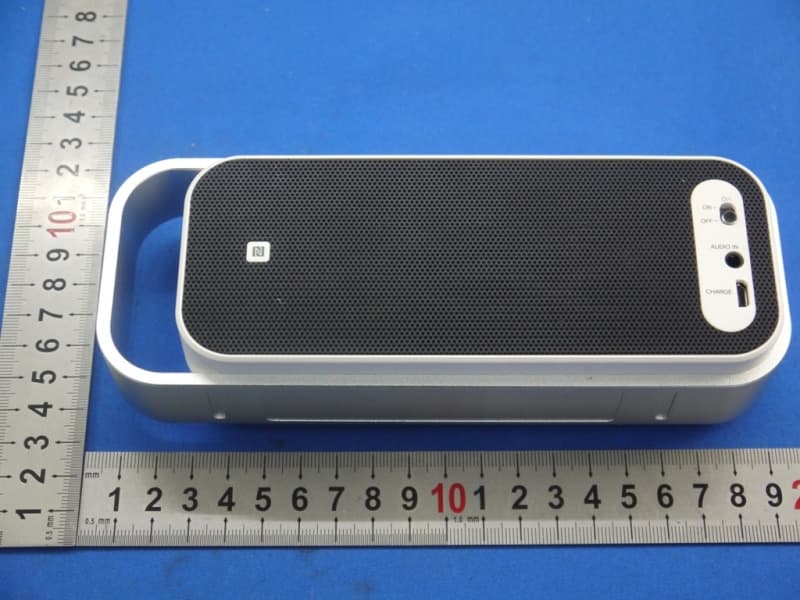
RA8-SPABT2
Mar 25, 2014BLUETOOTH STEREO SPEAKER
Equipment Class
DSS - Part 15 Spread Spectrum Transmitter
RA8-BH006
Mar 17, 2014Bluetooth Alcohol Breath Tester
Equipment Class
DTS - Digital Transmission System
RA8-BS006
Mar 05, 2014Bluetooth Speaker
Equipment Class
DTS - Digital Transmission System
RA8-BH005
Jan 01, 2014Bluetooth Headset
Equipment Class
DSS - Part 15 Spread Spectrum Transmitter