RAD054GSM 850/1900MHz MOBILE PHONE with BT
TCT Mobile Limited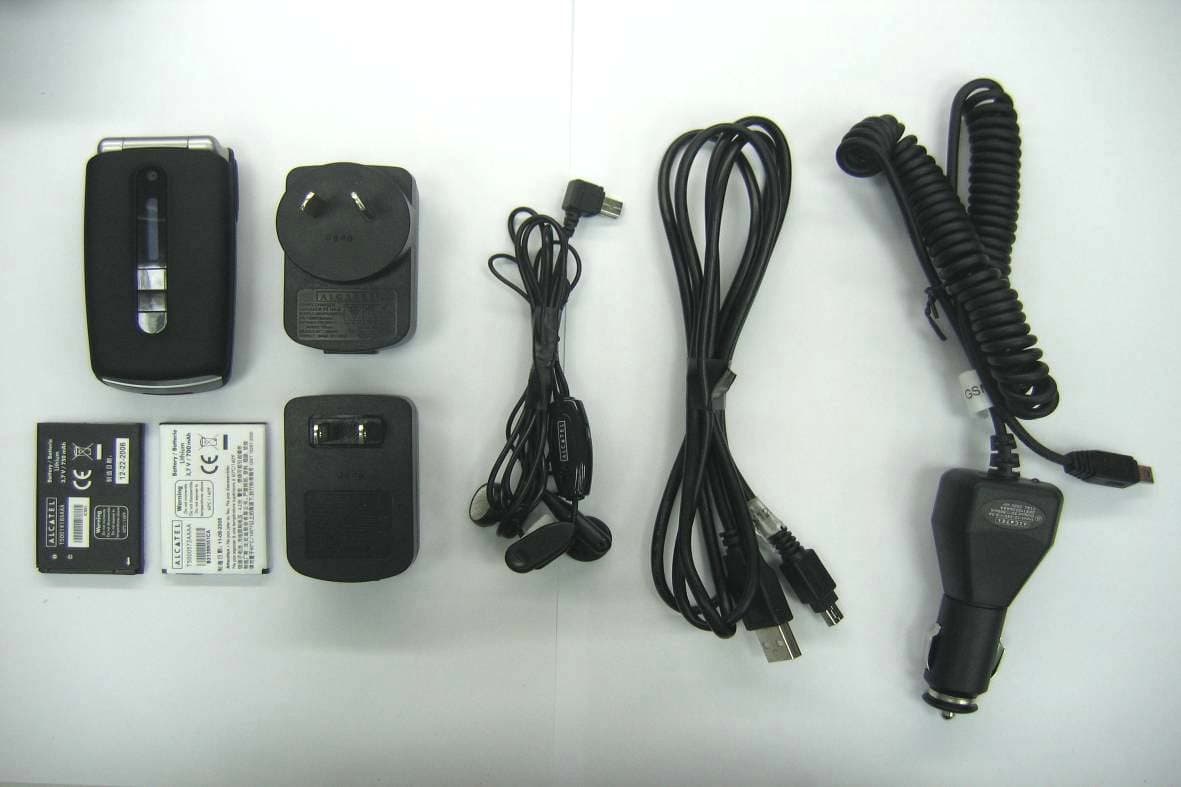
Click to zoom
Application Details
- Equipment Class
- PCE - PCS Licensed Transmitter held to ear
- Date of Grant
- Apr 29, 2007
- Application Purpose
- Original Equipment
- Date of Application
- Apr 29, 2007
- Equipment Note
- GSM 850/1900MHz MOBILE PHONE with BT
- Frequency Range
- 1850.20000000 - 1909.80000000
- Company
- TCT Mobile Limited
- Country
- China
Documents & Files
Document Text
Text extracted from the exhibit documents filed with the FCC. Open a document above to read the original.
Users Manual
English - T5000830AAAA 01 C7_UM_USA_24-04-07 24/04/07 9:07 Page 1 Table of contents ........................Safety and use ......................................................................5General information..........................................................101. Your mobile ..................................................................12 1.1 Keys ......................................................................................................14 1.2 Main screen icons ..............................................................................16 1.3 External screen icons........................................................................17 2. Getting started ............................................................18 2.1 Set-up....................................................................................................18 2.2 Power on your phone ......................................................................21 2.3 Power off your phone ......................................................................21 3. Calls ..............................................................................22 3.1 Making a call........................................................................................22 3.2 Calling your voicemail ......................................................................22 3.3 Receiving a call ..................................................................................23 3.4 During the call ....................................................................................24 3.5 Conference calls ................................................................................25 3.6 Line switching (ALS)..........................................................................26 4. Menu..............................................................................275. Call register ..................................................................29 5.1 Call memory ......................................................................................29 5.2 My numbers ........................................................................................29 5.3 Billing ....................................................................................................30 5.4 Call settings ........................................................................................30 6. Directory ......................................................................33 6.1 Consulting your directory ..............................................................33 6.2 Creating a file......................................................................................35 6.3 Available options................................................................................35 2 Introduction ................................T&A Mobile Phones would like to thank you for purchasing this mobilephone.Power music player/video player• With playlist, lyrics display and equalizer• Full screen video playback• Watch the show on 1.8” TFT screenUnlimited video recording• Shoot video clips as long as you want (1) USB mass storageSimply a USB key.WebcamThe best companion for PC Messenger.Bluetooth• Bluetooth 2.0• A2DP profile (Bluetooth stereo) 1 (1) Depending on battery and free memory. C7_UM_USA_24-04-07 24/04/07 9:07 Page 1 11.3 Recent pages ......................................................................................5811.4 Go to URL ..........................................................................................5811.5 Profiles..................................................................................................58 12. Media album ................................................................60 12.1 My audios ............................................................................................6012.2 My images ............................................................................................6112.3 My videos ............................................................................................6112.4 My creations........................................................................................6112.5 Unknown files ....................................................................................6112.6 Memory card ......................................................................................6212.7 Managing audios, images, videos and creations ..........................6312.8 Formats and compatibility ..............................................................6412.9 Memory status....................................................................................64 13. Camera & Video ..........................................................65 13.1 Access ..................................................................................................6513.2 Camera ................................................................................................6513.3 Video ....................................................................................................67 14. Music ............................................................................72 14.1 Music ....................................................................................................7214.2 Settings ................................................................................................7314.3 Playing with lyrics ..............................................................................73 15. Games & Applications ................................................74 15.1 Launch an application........................................................................7415.2 Java settings ........................................................................................7415.3 Java downloading................................................................................74 16. Making the most of your mobile................................76 16.1 PC suite.................................…
Text truncated - open the document above for the full version.
Users Manual
8.8.4 Power On/Off (1) You can customise your welcome animation or image that appears whenyou switch on your phone.You can also customise your OFF screen with an image or animation.8.8.5 Menu display Board • All the main menu icons displayed on one screen. Image • One full-screen icon displayed at a time. List • Main menus displayed line by line. 8.9 Clock It allows you to have settings of date and time, including 12/24h format.Also you can set the daylight saving adjustment.8.10 Keys 8.10.1 Softkeys These keys have predefined functions, which vary from one model toanother (operator services, games access, or Games & Applications, ...).Youcan customise (2) them, assigning the functions you wish to each key. 48 (1) Depending on the model. (2) Depending on your network operator. 8.8 Display 8.8.1 Main screen The main screen is displayed when you switch on your telephone.You can access the main functions from the main screen either with thenavigation key or by pressing and by selecting the icons displayed on the screen (1) . By selecting “ Main screen ” you can customise it by replacing the default image or animation displayed on your telephone. When you receive an event (incoming call, SMS/MMS,notifications, etc.) the icon, type and number of events will bedisplayed on your main screen allowing you to consult themdirectly. 8.8.2 Sub-display (2) The external display of your phone indicates you of any events. You canpersonalise the external phone display by setting.8.8.3 Screen saver If you activate this option, the screen saver will be displayed a little whileafter the main screen. You can choose a picture, an animation or a videoas your screen saver. 47 (1) Depending on the operator. (2) OT-C701A and OT-C707A only. C7_UM_USA_24-04-07 24/04/07 9:08 Page 47 8.11.2 Backlight It allows you to reduce brightness for better performance of batteries andsave power during periods of expected inactivity.You may also customiseits duration,Immediate, 10s,30s and 1min.8.11.3 Languages (1) Display language for messages (select using ).The “ Automatic ” option selects the language according to the home network (if available).8.11.4 Dictionary You have a dictionary to which you can add your own words in additionto those suggested by the predictive input system.When you consult yourdictionary,you can add,modify or erase words by using the “ Options ” softkey.8.11.5 Input method (2) Please see chapter “Latin input mode”, page 77. In addition to the specificcharacters table for Cyrillic, Chinese, other data input modes are alsoavailable in your telephone. This feature allows you to write shortmessages and add names with special characters to your directory.8.11.6 Security Activate PIN • The SIM card protection code is requested eachtime as the phone is powered on if this code isactivated. Change PIN • Change PIN code. 50 (1) Contact your network operator to check service availability. (2) Depending on the language. 8.10.2 Keypad By customising your keys, you can call someone or access a functiondirectly from the main screen.To programme a key on your keypad, select “ Keypad ” and choose the key that you wish to programme.-“ Speed dial ”: activate this option to programme numbers with contacts. And then in the idle mode keep pressing number to dialdirectly. -“ Keys ”: activate this option to programme the functions. 8.11 More settings... 8.11.1 Auto lock Lock the keypadIts keypad will be automatically locked after you slider close the phone (1) . Three music keys on the front cover will be automatically locked after youclose the phone (2) . Unlock the keypadOpen the slider (1) /flip (2) . The keypad will be unlocked automatically on receiving a call or pluggingin the charger (1) . 49 (1) OT-C717A only. (2) OT-C701A and OT-C707A only. C7_UM_USA_24-04-07 24/04/07 9:08 Page 49 52 9 Tools ................................ 9.1 Bluetooth™ (1) Access this feature by selecting “ Tools ” from the main menu, then “ Bluetooth ”. To use your phone with a Bluetooth device, you need to proceed in twosteps:- Pair and register the device to your phone,- Select it to use hands-free communication. Only one Bluetooth audio device (your Bluetooth headset or your Bluetooth car kit) can beconnected during the communication. Pair and register your Bluetooth deviceActivate the Bluetooth feature by selecting the “ Tools\Bluetooth\ Activation\On ” option.Then enter the “ Device list ” menu to search for connectable Bluetooth devices and select the device you want to bepaired with in the list. If the bluetooth device has no keyboard, enter itsdefault password to register it with your phone. If the Bluetooth devicehas keyboard/keypad, enter the same set of password on both handset andthe device to get it registered.From the list, press the “ Options ” softkey to connect/disconnect, rename, search for new devices or delete an unconnected one from the list. Don’t forget to turn on your Bluetooth device and activate thepairing mode while pairing it with your phone. (1) You are highly recommended to use SOUTHWING SH315 and i.TechClip IIs Bluetooth headset, which have been tested and proved fullycompatible with OT-C701A/707A/717A. Change PIN2 • A protection code for certain SIM card features(Billing/Cost/FDN, etc.) will be requested if youattempt to access it, if the code is activated. Selectto update it with a new one (between 4 and 8digits). Activate phone • It is requested each time as the phone is powered code on if this code is activated. Change phone • Change phone password, its initial one is 1234. codeFixed dialed • It allows the phone to be "locked" so that it can only number dial certain numbers, or numbers with certainprefixes. To activate this function, PIN2 code ismandatory. 8.11.7 Networks Network • Depending on the option selected, the network selection search mode will be: • Automatic • The first network searched for is the network youused last. • Manual • The choice of the network connection is left up tothe user. Preferred • …
Text truncated - open the document above for the full version.
Cover Letter(s)
2007-4-26 MET Laboratories, Inc. 914 West Patapsco Avenue Baltimore, MD 21230 RE: LETTER OF AGENT AUTHORIZATION To Whom It May Concern: We, the undersigned, hereby authorize MET Laboratories, Inc. to act on our behalf in all matters relating to application for equipment authorization, including the signing of all documents relating to these matters. We also hereby certify that no party to the application authorized hereunder is subject to the denial of benefits, including FCC benefits, pursuant to Section 5301 of the Anti-Drug Abuse Act of 1988, 21 U.S.C.853(a). This agreement expires one year from the current date. Sincerely, 2007-4-26 SGS-CSTC Standards Technical Services Co, Ltd Shanghai Branch
External Photos
Report No.: ER/2007/10008 FCC ID: RAD054 Issue Date: Jan. 23, 2007 APPENDIX 2 EXTERNAL PHOTOGRPHS OF EUT Report No.: ER/2007/10008 FCC ID: RAD054 Issue Date: Jan. 23, 2007 All View of EUT Front View of EUT – 1 Report No.: ER/2007/10008 FCC ID: RAD054 Issue Date: Jan. 23, 2007 Back View of EUT Site View of EUT – 1 Report No.: ER/2007/10008 FCC ID: RAD054 Issue Date: Jan. 23, 2007 View of EUT – 5 Adapter – 1 (S003FU0500040) Report No.: ER/2007/10008 FCC ID: RAD054 Issue Date: Jan. 23, 2007 Adapter – 1 (S003FA0500040)
Internal Photos
Report No.: ER/2007/10008 FCC ID: RAD054 Issue Date: Jan. 23, 2007 APPENDIX 3 INTERNAL PHOTOGRPHS OF EUT Report No.: ER/2007/10008 FCC ID: RAD054 Issue Date: Jan. 23, 2007 Open View of EUT Internal of EUT – 1 Report No.: ER/2007/10008 FCC ID: RAD054 Issue Date: Jan. 23, 2007 Internal of EUT – 2 Internal of EUT – 3 Report No.: ER/2007/10008 FCC ID: RAD054 Issue Date: Jan. 23, 2007 Internal of EUT – 4 Internal of EUT – 5
RF Exposure Info
Order No: GSM10212817-2 Date: Apr. 12, 2007 Page: 1 of 135 SAR TEST REPORT Equipment Under Test : GSM 850/1900MHz mobile phone with BT Model No. : C7Ca Market name: OT-C701a FCC ID : RAD054 Applicant : T&A Mobile phones Address of Applicant : 4/F, No.2966, Jinke Rd, Zhangjiang High-Tech Park, Pudong Shanghai 201203. P. R. China Date of Receipt : 2007.03.8 Date of Test : 2007.03.15 – 200.04.10 Date of Issue : 2007.04.12 Standards: FCC OET Bulletin 65 supplement C, ANSI/IEEE C95.1, C95.3, IEEE 1528-2003 In the configuration tested, the EUT complied with the standards specified above. Remarks: This report details the results of the testing carried out on one sample, the results contained in this test report do not relate to other samples of the same product. The manufacturer should ensure that all products in series production are in conformity with the product sample detailed in this report. This report may only be reproduced and distributed in full. If the product in this report is used in any configuration other than that detailed in the report, the manufacturer must ensure the new system complies with all relevant standards. Any mention of SGS-CSTC Shanghai GSM Lab or testing done by SGS-CSTC Shanghai GSM Lab must approve SGS Shanghai GSM Lab in connection with distribution or use of the product described in this report in writing. Tested by : Date : 2007.04.12 Approved by : Date : 2007.04.12 Order No: GSM10212817-2 Date: Apr. 12, 2007 Page: 2 of 135 Contents 1. General Information ............................................................................ 6 1.1 Test Laboratory ......................................................................................................... 6 1.2 Details of Applicant ................................................................................................... 6 1.3 Description of EUT(s) ............................................................................................... 6 1.4 Test Environment ...................................................................................................... 7 1.5 Operation Configuration........................................................................................... 7 1.6 The SAR Measurement System ............................................................................... 7 1.7 SAR System Verification .......................................................................................... 9 1.8 Tissue Simulant Fluid for the Frequency Band 850MHz and 1900MHZ.............. 10 1.9 Test Standards and Limits...................................................................................... 11 2. Summary of Results..........................................................................13 3. Instruments List ................................................................................16 4. Measurements ...................................................................................17 4.1LeftHandSide-Cheek-GSM850-Middle .................................................................... 17 GSM850-LeftHandSide-Cheek-Middle...................................................................................... 17 4.2LeftHandSide-Tilt-GSM850-Middle.......................................................................... 18 GSM850-LeftHandSide-Tilt-Middle .......................................................................................... 18 4.3LeftHandSide-Cheek-GSM850-Low ........................................................................ 20 GSM850-LeftHandSide-Cheek-Low .......................................................................................... 20 4.4LeftHandSide-Cheek-GSM850-High........................................................................ 22 GSM850-LeftHandSide-Cheek-High ......................................................................................... 22 4.5LeftHandSide-GSM850-Maximum Value-SD........................................................... 24 GSM850-LeftHandSide-Cheek-High+SD .................................................................................. 24 4.6LeftHandSide-GSM850-Maximum Value-BT........................................................... 26 GSM850-LeftHandSide-Cheek-High+BT .................................................................................. 26 4.7RightHandSide-Cheek-GSM850-Middle.................................................................. 28 GSM850-RightHandSide-Cheek-Middle ................................................................................... 28 4.8RightHandSide-Tilt-GSM850-Middle ....................................................................... 30 GSM850-RightHandSide-Tilt-Middle ........................................................................................ 30 4.9RightHandSide-Cheek-GSM850-Low ...................................................................... 32 GSM850-RightHandSide-Cheek-Low........................................................................................ 32 4.10RightHandSide-Cheek-GSM850-High ................................................................... 34 GSM850-RightHandSide-Cheek-High ....................................................................................... 34 Order No: GSM10212817-2 Date: Apr. 12, 2007 Page: 3 of 135 4.11RightHandSide-GSM850-Maximum Value-SD...................................................... 36 GSM850-RightHandSide-Cheek-High+SD................................................................................ 36 4.12RightHandSide-GSM850-Maximum Value-BT...................................................... 38 GSM850-RightHandSide-Cheek-High+BT................................................................................ 38 4.13Body-Worn-GSM850-GPRS-Low ........................................................................... 40 GSM850-Body-Worn-GPRS-Low-2.0cm................................................................................... 40 4.14Body-Worn-GSM850-GPRS…
Text truncated - open the document above for the full version.
RF Exposure Info
Order No: GSM10212817-2 Date: Apr. 12, 2007 Page: 75 of 135 • Probe: ES3DV3 - SN3088; ConvF(4.68, 4.68, 4.68); Calibrated: 2006-12-12 • Sensor-Surface: 4mm (Mechanical Surface Detection) • Electronics: DAE3 Sn569; Calibrated: 2006-12-8 • Phantom: SAM 12; Type: SAM V4.0; Serial: TP-1283 • Measurement SW: DASY4, V4.7 Build 44; Postprocessing SW: SEMCAD, V1.8 Build 171 Order No: GSM10212817-2 Date: Apr. 12, 2007 Page: 76 of 135 0 dB = 0.422mW/g 4.31Body-Worn-PCS1900-GPRS-Middle Order No: GSM10212817-2 Date: Apr. 12, 2007 Page: 77 of 135 • Probe: ES3DV3 - SN3088; ConvF(4.68, 4.68, 4.68); Calibrated: 2006-12-12 • Sensor-Surface: 4mm (Mechanical Surface Detection) • Electronics: DAE3 Sn569; Calibrated: 2006-12-8 • Phantom: SAM 12; Type: SAM V4.0; Serial: TP-1283 • Measurement SW: DASY4, V4.7 Build 44; Postprocessing SW: SEMCAD, V1.8 Build 171 Order No: GSM10212817-2 Date: Apr. 12, 2007 Page: 78 of 135 0 dB = 0.442mW/g 4.32Body-Worn-PCS1900-GPRS-High Order No: GSM10212817-2 Date: Apr. 12, 2007 Page: 79 of 135 • Probe: ES3DV3 - SN3088; ConvF(4.68, 4.68, 4.68); Calibrated: 2006-12-12 • Sensor-Surface: 4mm (Mechanical Surface Detection) • Electronics: DAE3 Sn569; Calibrated: 2006-12-8 • Phantom: SAM 12; Type: SAM V4.0; Serial: TP-1283 • Measurement SW: DASY4, V4.7 Build 44; Postprocessing SW: SEMCAD, V1.8 Build 171 Order No: GSM10212817-2 Date: Apr. 12, 2007 Page: 80 of 135 0 dB = 0.378mW/g 4.33Body-Worn-PCS1900-Maximum Value-SD Order No: GSM10212817-2 Date: Apr. 12, 2007 Page: 81 of 135 • Probe: ES3DV3 - SN3088; ConvF(4.68, 4.68, 4.68); Calibrated: 2006-12-12 • Sensor-Surface: 4mm (Mechanical Surface Detection) • Electronics: DAE3 Sn569; Calibrated: 2006-12-8 • Phantom: SAM 12; Type: SAM V4.0; Serial: TP-1283 • Measurement SW: DASY4, V4.7 Build 44; Postprocessing SW: SEMCAD, V1.8 Build 171 Order No: GSM10212817-2 Date: Apr. 12, 2007 Page: 82 of 135 0 dB = 0.592mW/g 4.34Body-Worn-PCS1900-Maximum Value-BT Order No: GSM10212817-2 Date: Apr. 12, 2007 Page: 83 of 135 • Probe: ES3DV3 - SN3088; ConvF(4.68, 4.68, 4.68); Calibrated: 2006-12-12 • Sensor-Surface: 4mm (Mechanical Surface Detection) • Electronics: DAE3 Sn569; Calibrated: 2006-12-8 • Phantom: SAM 12; Type: SAM V4.0; Serial: TP-1283 • Measurement SW: DASY4, V4.7 Build 44; Postprocessing SW: SEMCAD, V1.8 Build 171 Order No: GSM10212817-2 Date: Apr. 12, 2007 Page: 84 of 135 0 dB = 0.437mW/g Additional Testing for the Battery-T5000572AAAA-700mAh 4.35LeftHandSide-Cheek-GSM850-High+BT Order No: GSM10212817-2 Date: Apr. 12, 2007 Page: 85 of 135 • Probe: ES3DV3 - SN3088; ConvF(6, 6, 6); Calibrated: 2006-12-12 • Sensor-Surface: 4mm (Mechanical Surface Detection) • Electronics: DAE3 Sn569; Calibrated: 2006-12-8 • Phantom: SAM 12; Type: SAM V4.0; Serial: TP-1283 • Measurement SW: DASY4, V4.7 Build 44; Postprocessing SW: SEMCAD, V1.8 Build 171 Order No: GSM10212817-2 Date: Apr. 12, 2007 Page: 86 of 135 0 dB = 0.717mW/g 4.36RightHandSide-Cheek-GSM850-High Order No: GSM10212817-2 Date: Apr. 12, 2007 Page: 87 of 135 • Probe: ES3DV3 - SN3088; ConvF(6, 6, 6); Calibrated: 2006-12-12 • Sensor-Surface: 4mm (Mechanical Surface Detection) • Electronics: DAE3 Sn569; Calibrated: 2006-12-8 • Phantom: SAM 12; Type: SAM V4.0; Serial: TP-1283 • Measurement SW: DASY4, V4.7 Build 44; Postprocessing SW: SEMCAD, V1.8 Build 171 Order No: GSM10212817-2 Date: Apr. 12, 2007 Page: 88 of 135 0 dB = 0.819mW/g 4.37Body-Worn-GSM850-GPRS-Middle Order No: GSM10212817-2 Date: Apr. 12, 2007 Page: 89 of 135 • Probe: ES3DV3 - SN3088; ConvF(5.92, 5.92, 5.92); Calibrated: 2006-12-12 • Sensor-Surface: 4mm (Mechanical Surface Detection) • Electronics: DAE3 Sn569; Calibrated: 2006-12-8 • Phantom: SAM 12; Type: SAM V4.0; Serial: TP-1283 • Measurement SW: DASY4, V4.7 Build 44; Postprocessing SW: SEMCAD, V1.8 Build 171 Order No: GSM10212817-2 Date: Apr. 12, 2007 Page: 90 of 135 0 dB = 1.01mW/g 4.38LeftHandSide-Cheek-PCS1900-High+SD Order No: GSM10212817-2 Date: Apr. 12, 2007 Page: 91 of 135 • Probe: ES3DV3 - SN3088; ConvF(5.07, 5.07, 5.07); Calibrated: 2006-12-12 • Sensor-Surface: 4mm (Mechanical Surface Detection) • Electronics: DAE3 Sn569; Calibrated: 2006-12-8 • Phantom: SAM 12; Type: SAM V4.0; Serial: TP-1283 • Measurement SW: DASY4, V4.7 Build 44; Postprocessing SW: SEMCAD, V1.8 Build 171 Order No: GSM10212817-2 Date: Apr. 12, 2007 Page: 92 of 135 0 dB = 0.885mW/g 4.39RightHandSide-Cheek-PCS1900-High Order No: GSM10212817-2 Date: Apr. 12, 2007 Page: 93 of 135 • Probe: ES3DV3 - SN3088; ConvF(5.07, 5.07, 5.07); Calibrated: 2006-12-12 • Sensor-Surface: 4mm (Mechanical Surface Detection) • Electronics: DAE3 Sn569; Calibrated: 2006-12-8 • Phantom: SAM 12; Type: SAM V4.0; Serial: TP-1283 • Measurement SW: DASY4, V4.7 Build 44; Postprocessing SW: SEMCAD, V1.8 Build 171 Order No: GSM10212817-2 Date: Apr. 12, 2007 Page: 94 of 135 0 dB = 0.686mW/g 4.40Body-Worn-PCS1900-GPRS-Middle+SD Order No: GSM10212817-2 Date: Apr. 12, 2007 Page: 95 of 135 • Probe: ES3DV3 - SN3088; ConvF(4.68, 4.68, 4.68); Calibrated: 2006-12-12 • Sensor-Surface: 4mm (Mechanical Surface Detection) • Electronics: DAE3 Sn569; Calibrated: 2006-12-8 • Phantom: SAM 12; Type: SAM V4.0; Serial: TP-1283 • Measurement SW: DASY4, V4.7 Build 44; Postprocessing SW: SEMCAD, V1.8 Build 171 Order No: GSM10212817-2 Date: Apr. 12, 2007 Page: 96 of 135 0 dB = 0.439mW/g Order No: GSM10212817-2 Date: Apr. 12, 2007 Page: 97 of 135 Appendix 1. Photographs of Test Setup Fig.1 Photograph of the SAR measurement System Fig.2 Photograph of the Tissue Simulant Fig.3 Photograph of the Tissue Simulant Fluid Liquid depth 15cm for Liquid depth 15cm for Body-Worn Left-Head Side Order No: GSM10212817-2 Date: Apr. 12, 2007 Page: 98 of 135 Fig.4 Photograph of the Tissue Simulant Fig.5 Photograph of the Tissue Simulant Fluid Liquid depth 15cm for Liquid depth 15cm for Body-Worn Right-Head Side Fig.6 Photograph of the Left Hand Side Cheek status Fig.7 Photograph of the Left Hand Side Tilt status Order No: GSM10212817-2 Date: Apr. 12, 2007 Page: 99 of 135 Fig.8 Photograp…
Text truncated - open the document above for the full version.
Test Report
This document is issued by the Company subject to its General Conditions of Service which is available on request or accessible atwww.sgs.com. Attention is drawnto the limitations of liability, indemnification and jurisdictional issues defined therein.Unless otherwise stated, the results shown in this test report refer only to the sample(s) tested.This document cannot be reproduced except in full, without priorapproval of the Company. Any unauthorized alteration, forgery or falsification of the content or appearance of this report is unlawful and offenders may be prosecuted to the fullest extent of the law.此報告是遵循本公司訂 定之通用服務條款所製作發放,相關服務條款備索,或可在www.sgs.com中查閱,本公司之義務、免責、管轄權皆明確規範其中。除非另有說明,此報告結果僅對檢驗之樣品負責。本報告未經本公司書面許可, 不可部份複製。對本報告內容或外觀之任何未經授權之變更、偽造、竄改皆屬非法,違犯者將會被依法追訴。 SGS Taiwan Ltd.No.134, WuKungRoad, Wuku Industrial Zone, Taipei County, Taiwan248/台北縣五股工業區五工路134號 台灣檢驗科技股份有限公司t (886- 2) 2299–3279f (886-2) 2298–0488www.tw.sgs.com Member of SGS Group Report No.: ER/2007/10009 FCC ID: RAD054 Issue Date: Jan. 23, 2007 Page: 1 of 85 ELECTROMAGNETIC EMISSIONS COMPLIANCE REPORT INTENTIONAL RADIATOR CERTIFICATION TO FCC PART 22 SUBPART H and PART 24 SUBPART E OF Product Name: GSM 850/1900 mobile phone with BT Brand Name: Alcatel Model Name: C7Ca Market Name: OT-C701a FCC ID: RAD054 Report No.: ER/2007/10009 Issue Date: Jan. 23, 2007 FCC Rule Part: 2 , 22H & 24E Prepared for T&A Mobile Phones 4/F, No.2966, Jinke Rd, Zhangjiang High-Tech Park, Pudong Shanghai 201203. P. R. China Prepared by SGS Taiwan Ltd. No. 134, Wu Kung Rd., Wuku Industrial Zone, Taipei County, Taiwan. Note: This report shall not be reproduced except in full, without the written approval of SGS Taiwan Ltd. This document may be altered or revised by SGS Taiwan Ltd. personnel only, and shall be noted in the revision section of the document. This document is issued by the Company subject to its General Conditions of Service which is available on request or accessible atwww.sgs.com. Attention is drawnto the limitations of liability, indemnification and jurisdictional issues defined therein.Unless otherwise stated, the results shown in this test report refer only to the sample(s) tested.This document cannot be reproduced except in full, without priorapproval of the Company. Any unauthorized alteration, forgery or falsification of the content or appearance of this report is unlawful and offenders may be prosecuted to the fullest extent of the law.此報告是遵循本公司訂 定之通用服務條款所製作發放,相關服務條款備索,或可在www.sgs.com中查閱,本公司之義務、免責、管轄權皆明確規範其中。除非另有說明,此報告結果僅對檢驗之樣品負責。本報告未經本公司書面許可, 不可部份複製。對本報告內容或外觀之任何未經授權之變更、偽造、竄改皆屬非法,違犯者將會被依法追訴。 SGS Taiwan Ltd.No.134, WuKungRoad, Wuku Industrial Zone, Taipei County, Taiwan248/台北縣五股工業區五工路134號 台灣檢驗科技股份有限公司t (886- 2) 2299–3279f (886-2) 2298–0488www.tw.sgs.com Member of SGS Group Report No.: ER/2007/10009 FCC ID: RAD054 Issue Date: Jan. 23, 2007 Page: 2 VERIFICATION OF COMPLIANCE Applicant: T&A Mobile Phones 4/F, No.2966, Jinke Rd, Zhangjiang High-Tech Park, Pudong Shanghai 201203. P. R. China Equipment Under Test: GSM 850/1900 mobile phone with BT FCC ID Number: Alcatel Brand Name: RAD054 Model No.: C7Ca Market name: OT-C701a Model Difference: N/A File Number: ER/2007/10009 Date of test: Jan. 15, 2007 ~ Jan. 22, 2007 Date of EUT Received: Jan. 15, 200 We hereby certify that: The above equipment was tested by SGS Taiwan Ltd. The test data, data evaluation, test proce- dures, and equipment configurations shown in this report were made in accordance with the procedures given in TIA/EIA-603-1-1998 and the energy emitted by the sample EUT tested as described in this report is in compliance with conducted and radiated emission limits of FCC Rule FCC PART 22 subpart H and FCC PART 24 subpart E. The test results of this report relate only to the tested sample identified in this report. Test By: Date Jan. 23, 2007 Danny Yeh / Engineer Prepared By: Date Jan. 23, 2007 Eva Kao / St. Engineer Approved By: Date Jan. 23, 2007 Vincent Su / Manager This document is issued by the Company subject to its General Conditions of Service which is available on request or accessible atwww.sgs.com. Attention is drawnto the limitations of liability, indemnification and jurisdictional issues defined therein.Unless otherwise stated, the results shown in this test report refer only to the sample(s) tested.This document cannot be reproduced except in fu…
Text truncated - open the document above for the full version.
Contact Information
Applicant
Zhizhou Gong
Test Firm
SGS-CSTC Standards Technical Services Co., LtdJerry Chan
Technical Specifications
| # | Rule Parts | Frequency Range | Power Output | Emission | Tolerance |
|---|---|---|---|---|---|
| 2 | 24E | 1.85 GHz - 1.91 GHz | 1.75 W | 254KGXW | 22 Hz |
Other Applications from TCT Mobile Limited

RAD558
Nov 15, 2015HSUPA/HSDPA/UMTS tribands / GSM quadbands/LTE 6-band mobile phone
Equipment Class
JBP - Part 15 Class B Computing Device Peripheral
RAD556
Sep 08, 2015CDMA 1X BC0/BC1/BC10 mobile phone
Equipment Class
PCE - PCS Licensed Transmitter held to ear
RAD552
Jun 20, 2015GSM Quadband / UMTS Triband mobile phone
Equipment Class
PCE - PCS Licensed Transmitter held to ear
RAD550
Jun 06, 2015HSDPA/HSUPA/HSPA+/UMTS quad band /GSM quad band/LTE 4 band mobile phone
Equipment Class
DSS - Part 15 Spread Spectrum Transmitter
RAD549
May 13, 2015WCDMA tri band / GSM quad band Moblie phone with BT, Wi-Fi functionality.
Equipment Class
DSS - Part 15 Spread Spectrum Transmitter