RAD412Mobile phone with GSM/GPRS/EDGE 850/1900, WCDMA/HSPA FDD II/V, 802.11b/g/n, BT 4.0 and GPS.
TCT Mobile Limited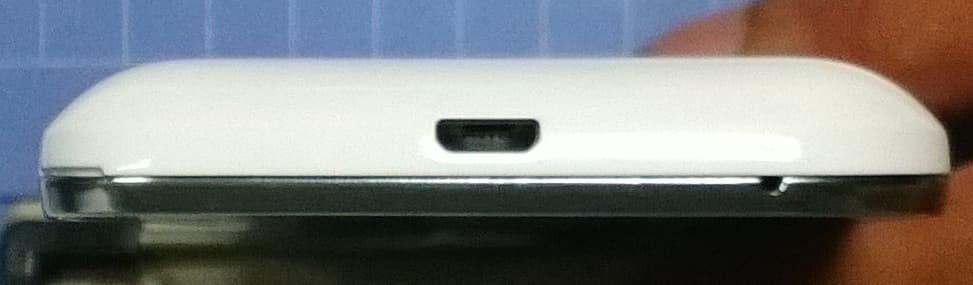
Click to zoom
Application Details
- Equipment Class
- PCE - PCS Licensed Transmitter held to ear
- Date of Grant
- Oct 16, 2013
- Application Purpose
- Original Equipment
- Date of Application
- Oct 16, 2013
- Equipment Note
- Mobile phone with GSM/GPRS/EDGE 850/1900, WCDMA/HSPA FDD II/V, 802.11b/g/n, BT 4.0 and GPS.
- Frequency Range
- 1852.40000000 - 1907.60000000
- Company
- TCT Mobile Limited
- Country
- China
Documents & Files
Document Text
Text extracted from the exhibit documents filed with the FCC. Open a document above to read the original.
Users Manual
12 English - CJB27E1ALAAA Quick Start Guide For more information about how to use the phone, please go to www.alcatelonetouch.com to download complete user manual. Also on our website you can find helpful FAQs, realize software upgrade, etc. www.sar-tick.com This product meets applicable national SAR limits of 1.6 W/kg. The specific maximum SAR values can be found in the RADIOWAVES section of this user guide. When carrying the product or using it while worn on your body, either use an approved accessory such as a holster or otherwise maintain a distance of 10 mm from the body to ensure compliance with RF exposure requirements. Note that the product may be transmitting even if you are not making a phone call. PROTECT YOUR HEARING To prevent possible hearing damage, do not listen at high volume levels for long periods. Exercise caution when holding your device near your ear while the loudspeaker is in use. Your mobile 1 .................. Keys and connectors1.1 Headset connector Power key micro-USB connector Back key Home key Recent apps key Touch screen LED light Front camera 5037A 5036A IP4744_5036A_5037A_Eng_USA_03_130925.indd 1-2IP4744_5036A_5037A_Eng_USA_03_130925.indd 1-22013-9-25 5:44:022013-9-25 5:44:02 34 Volume up Volume down Camera Recent apps key Touch: As • Menu key, touch to access Wallpaper, Manage applications and Settings. Touch and hold: Open a list of thumbnail images of apps • you've worked with recently. Touch it to open an app. Swipe it upwards or downwards to remove a thumbnail from the list. Home key While on any application or screen, touch to return • to the Home screen. Back key Touch to go back to the previous screen, or to close a • dialog box, options menu, the notification panel, etc. Power key Press: Lock the screen/Light up the screen• Press and hold: Show the pop-up menu to select from • Power off/Restart/Airplane mode/Quick start Press and hold: Power on Press to mute the ringtone when there’s an incoming • call. Press and hold for more than 7 seconds to restart the • phone when the system halted. Press and hold • Power key and Volume down key to capture a screenshot. Press and hold • Power key and Volume up key under power off mode to restore factory set. Volume keys Under call mode, adjust the earpiece or headset • volume. In Music/Video/Streaming mode, adjust the media • volume. In general mode, adjust the ring tone volume.• Mute the ringtone of an incoming call.• In Camera mode, using it as the capture key allows you • to take a photo. IP4744_5036A_5037A_Eng_USA_03_130925.indd 3-4IP4744_5036A_5037A_Eng_USA_03_130925.indd 3-42013-9-25 5:44:022013-9-25 5:44:02 56 Getting started1.2 Set-up1.2.1 Removing or installing the back cover Inserting or removing the SIM card You must insert your SIM card to make phone calls. Please power off your phone before inserting or removing the SIM card. Place the SIM card with the chip facing downwards and slide it into its housing. Make sure that it is correctly inserted. To remove the card, press and slide it out. Installing or removing the battery Please power off your phone before removing the battery. Insert and click the battery into place, then close the cover.• Unclip the cover, then remove the battery.• Installing the microSD card To install, please insert the external microSD card into the slot with the gold contact facing down. To remove the external microSD card, gently press and slide it out. Charging the battery Connect the battery charger to your phone and outlet respectively. The charging status bar will not float if your battery is extendly consumed. To reduce power consumption and energy waste, when battery is fully charged, disconnect your charger from the plug; switch off Wi-Fi, GPS, Bluetooth or background-running applications when not in use; reduce the backlight time, etc. IP4744_5036A_5037A_Eng_USA_03_130925.indd 5-6IP4744_5036A_5037A_Eng_USA_03_130925.indd 5-62013-9-25 5:44:022013-9-25 5:44:02 78 Power on your phone1.2.2 Hold down the Power key until the phone powers on. It will take some seconds before the screen lights up. Set up your phone for the first time The first time you power on the phone, you should set following options: language, input method, date & time, Google account, etc. If you power on your phone with no SIM card inserted, you can connect to a Wi-Fi network to sign into your Google account and to use some features. Power off your phone1.2.3 Hold down the Power key from the Home screen until the Phone options appear, select Power off. Home screen1.3 You can bring all the items (applications, shortcuts, folders and widgets) you love or use most frequently to your Home screen for quick access. Touch the Home key to switch to Home screen. Status bar Status/Notification indicators • Touch and drag down to open the • notification panel. Application tab Touch to open main menu.• Favorite tray applications Touch to enter the application.• Touch and hold to move or change • applications. Add a location to display local weather. Home screen is provided in an extended format to allow more space for adding applications, shortcuts etc. Slide the Home screen horizontally left and right to get a complete view of the Home screen. The white short line at the lower part of the screen indicates which screen you are viewing. Using the touchscreen1.3.1 Touch To access an application, touch it with your finger. Touch and Hold Touch and hold the home screen to access the available options for setting the wallpaper. Drag Place your finger on any item to drag it to another location. Slide/Swipe Slide the screen to scroll up and down the applications, images, web pages... at your convenience. Flick Similar to swiping, but flicking makes it move quicker. Pinch/Spread Place your fingers of one hand on the screen surface and draw them apart or together to scale an element on the screen. Rotate Automatically change the screen orientation from portrait to landscape by turning the phone side…
Text truncated - open the document above for the full version.
Users Manual
2122 To check the network connection you are using, touch Application tab on the Home screen, then touch Settings\More...\Mobile networks\Access Point Names or Network operators. Wi-Fi8.1.2 Using Wi-Fi, you can connect to the Internet when your phone is within range of a wireless network. Wi-Fi can be used on the phone even without a SIM card inserted. To turn Wi-Fi on and connect to a wireless network Touch • on Quick setting bar to get to Settings. Touch the switch • beside Wi-Fi to turn on/off Wi-Fi. Touch • Wi-Fi, detailed information of all detected Wi-Fi networks is displayed in the Wi-Fi networks section. Touch a Wi-Fi network to connect to it. If the network you selected • is secured, you are required to enter a password or other credentials (contact network operator for details). When finished, touch Connect. Browser8.2 ..................................... Using Browser, you can enjoy surfing the Web. To access this function, touch Application tab from Home screen, then touch Browser. To go to a web page On Browser screen, touch the URL box at the top, enter the address of the web page, then touch to confirm. Connecting to a computer8.3 With the USB cable, you can transfer media files and other files between micro SD card/internal storage and computer. Before using MTP or PTP you should firstly mark USB debugging. • To access this function, touch Settings\About phone, then touch Build number 7 times. Now you may touch Settings\ Developer options\USB debugging. To connect/disconnect your phone to/from the computer: • Use the USB cable that came with your phone to connect the phone to a USB port on your computer. You will receive a notification that the USB is connected. • If you use mass storage, open the Notification panel and touch USB connected, then touch Mount in the dialog that opens to confirm that you want to transfer files. • If you use MTP or PTP, your phone will be automatically connected. To disconnect (from mass storage): • Unmount the microSD card on your computer. • Open the Notification panel and touch Turn off. For the operating system Windows XP or lower, you should download and install Windows Media Player 11 on your computer from the following link: http://windows. microsoft.com/zh-CN/windows/download-windows- media-player. To locate the data you have transferred or downloaded in the internal storage: Touch Application tab from the Home screen to open the • applications list. Touch • File Manager. All data you have downloaded is stored in File Manager, where you can view media files (videos, photos, music and others), rename files, install applications into your phone, etc. Sharing your phone's mobile data 8.4 connection You can share your phone's mobile data connection with a single computer via a USB cable (USB tethering) or with up to eight devices at once by turning your phone into a portable Wi-Fi hotspot. To turn on USB tethering or Portable Wi-Fi hotspot Touch • on Quick setting bar to get to Settings. Touch • More...\Tethering & portable hotspot. Mark the checkbox of • USB tethering or turn on Wi-Fi hotspot to activate this function. These functions may incur additional network charges from your network operator. Extra fees may also be charged in roaming areas. You can check data usage by touching Settings\Data usage. IP4744_5036A_5037A_Eng_USA_03_130925.indd 21-22IP4744_5036A_5037A_Eng_USA_03_130925.indd 21-222013-9-25 5:44:042013-9-25 5:44:04 2324 Locate my location 9 using GPS satellites To activate your phone’s global positioning system (GPS) satellite receiver: Touch • on Quick setting bar to get to Settings. Touch • Location access. Mark the checkbox of • Access to my location, then the Switch besides GPS satellites will be automatically on. Find your location by opening Maps: Use your phone’s GPS satellite receiver to pinpoint your location within an accuracy as close as several meters ("street level"). The process of accessing the GPS satellite and setting your phone's precise location for the first time will require up to 5 minutes. You will need to stand in a place with a clear view of the sky and avoid moving. After this, GPS will only need 20-40 seconds to identify your precise location. Then you can start the navigation to find the target location. Data backup 10 ........... This phone enables you to back up your phone’s settings and other application data to Google Servers, with your Google Account. If you replace your phone, the settings and data you’ve backed up are restored onto the new phone the first time you sign in with your Google Account. To activate this function: Touch • on Quick setting bar to get to Settings. Touch • Backup and reset\Back up my data to mark the checkbox. Activated this function, a wide variety of settings and data are backed up, including your Wi-Fi passwords, bookmarks, a list of the applications you’ve installed, the words you’ve added to the dictionary used by the onscreen keyboard, and most of the settings that you configure with the Settings application. If you deactivated this option, you stop backing up your settings, and any existing backups are deleted from Google Servers. Factory data reset 11 To activate factory data reset: Touch • on Quick setting bar to get to Settings. Touch • Backup and reset\Factory data reset Touch • Reset phone\Erase everything Phone reset will erase all of your personal data from internal phone storage, including information about your Google Account, any other accounts, your system and application settings, and any downloaded applications. Resetting the phone does not erase any system software updates you’ve downloaded. If you reset the phone in this way, you’re prompted to re-enter the same kind of information as when you first started Android. When you are unable to power on your cellphone, there is another way to perform a factory data reset by pressing the Volume up key and the Power key at same time until the screen lights up. Applications & 12 Internal storage…
Text truncated - open the document above for the full version.
Cover Letter(s)
5F, C building, No. 232, Liang Jing Road ZhangJiang High-Tech Park, Pudong Area Shanghai, P.R. China. 201203 TEL: +86(0)21 61460666 FAX: +86(0)21 61460602 2013-08-30 Federal Communications Commission Office of Engineering and Technology Equipment Authorization Division 7345 Oakland Mills Road Columbia, Maryland 21046 Subject: Permanent Confidentiality request for FCC ID: RAD412 To Whom It May Concern, Pursuant to sections 0.457 and 0.459 of CFR 47, the applicant requests permanent confidential treatment of the following information accompanying this application: - Block Diagram - Schematics - Operational Description - BOM list/Tune-Up-Procedure The above materials contain trade secrets and proprietary information not customarily released to the public. The public disclosure of these matters might be harmful to the applicant and provide unjustified benefits to its competitors. Yours Sincerely, Zhizhou Gong Approval Team Leader TCT Mobile Limited
Cover Letter(s)
TCT Mobile 5F,C building, No.232, Liang Jing Road ZhangJiang High-Tech Park, Pudong Area Shanghai, P.R.China. 201203 TEL:+86(0)21 61460666 FAX:+86(0)21 61460602 Authorization Letter BABT Forsyth House Churchfield Road Walton-on-Thames Surrey KT12 2TD Dear Sir or Madam: We, the undersigned, hereby authorize Ms. Chen Jie from TUV Product Service Limited, Beijing Branch. 9 th Landmark Tower 2, 8 North Dongsanhuan Road, 100004 Beijing, act on our behalf, as our agent, in all matters relating to applications for Product Name: ONE TOUCH 5036A Product Model: Yaris-4.5 US 1SIM ATV authorization, including the signing of all documents relating to these matters. This authorization shall expire 3 months from original date. If you have any question regarding the authorization, please don’t hesitate to contact with me. Sincerely Signature: Name: Gong Zhizhou Title: Approval Teadm Leader Date:2013-09-30
External Photos
EUT photograph Mobile Phone Mobile Phone Mobile Phone Mobile Phone Mobile Phone Mobile Phone Mobile Phone Battery AE1 Battery AE1 Battery AE2 Battery AE2 Label of Charger AE4 Charger AE4 Label of Charger AE5 Charger AE5 Headset AE10 Headset AE11 Headset AE12 Headset AE13 Headset AE22 Headset AE23 Data Cable AE14 Data Cable AE15 Data Cable AE16 Data Cable AE17
Internal Photos
EUT Interior photograph Mobile Phone Disassembly Mobile Phone Disassembly Mobile Phone Disassembly Mobile Phone Disassembly
RF Exposure Info
No.2013SAR00123 Page 1 of 119 ©Copyright. All rights reserved by TMC Beijing. SAR TEST REPORT No. 2013SAR00123 For TCT Mobile Limited HSUPA/HSDPA/UMTS triband/GSM quadband mobile phone Mode Name: Yaris-4.5 US 1SIM ATV Marketing Name: ONE TOUCH 5036A With Hardware Version: proto Software Version: vF06 FCC ID: RAD412 Issued Date: 2013-09-18 Note: The test results in this test report relate only to the devices specified in this report. This report shall not be reproduced except in full without the written approval of TMC Beijing. Test Laboratory: TMC Beijing, Telecommunication Metrology Center of MIIT No. 52, Huayuan Bei Road, Haidian District, Beijing, P. R. China 100191. Tel:+86(0)10-62304633-2079, Fax:+86(0)10-62304633 Email:[email protected]. www.emcite.com No. 2013SAR00123 Page 2 of 119 Revision Version Report Number RevisionDate Memo 2013SAR00123 00 2013-09-18 Initial creation of test report No. 2013SAR00123 Page 3 of 119 TABLE OF CONTENT 1 TEST LABORATORY ................................................................................................................. 5 1.1 TESTING LOCATION ........................................................................................................................................ 5 1.2 TESTING ENVIRONMENT ................................................................................................................................. 5 1.3 PROJECT DATA ............................................................................................................................................... 5 1.4 SIGNATURE ..................................................................................................................................................... 5 2 STATEMENT OF COMPLIANCE ................................................................................................ 6 3 CLIENT INFORMATION.............................................................................................................. 8 3.1 APPLICANT INFORMATION .............................................................................................................................. 8 3.2 MANUFACTURER INFORMATION ..................................................................................................................... 8 4 EQUIPMENT UNDER TEST (EUT) AND ANCILLARY EQUIPMENT (AE) ................................ 9 4.1 ABOUT EUT ................................................................................................................................................... 9 4.2 INTERNAL IDENTIFICATION OF EUT USED DURING THE TEST .......................................................................... 9 4.3 INTERNAL IDENTIFICATION OF AE USED DURING THE TEST ........................................................................... 10 5 TEST METHODOLOGY ............................................................................................................ 10 5.1 APPLICABLE LIMIT REGULATIONS ................................................................................................................ 10 5.2 APPLICABLE MEASUREMENT STANDARDS .................................................................................................... 10 6 SPECIFIC ABSORPTION RATE (SAR) .................................................................................... 11 6.1 INTRODUCTION ............................................................................................................................................. 11 6.2 SAR DEFINITION .......................................................................................................................................... 11 7 TISSUE SIMULATING LIQUIDS ............................................................................................... 12 7.1 TARGETS FOR TISSUE SIMULATING LIQUID .................................................................................................... 12 7.2 DIELECTRIC PERFORMANCE ......................................................................................................................... 12 8 SYSTEM VERIFICATION .......................................................................................................... 16 8.1 SYSTEM SETUP ............................................................................................................................................. 16 8.2 SYSTEM VERIFICATION ................................................................................................................................. 17 9 MEASUREMENT PROCEDURES ............................................................................................ 18 9.1 TESTS TO BE PERFORMED ............................................................................................................................. 18 9.2 GENERAL MEASUREMENT PROCEDURE ........................................................................................................ 19 9.3 WCDMA MEASUREMENT PROCEDURES FOR SAR ...................................................................................... 20 9.4 BLUETOOTH & WI-FI MEASUREMENT PROCEDURES FOR SAR .................................................................... 21 9.5 POWER DRIFT ............................................................................................................................................... 21 10 AREA SCAN BASED 1-G SAR .............................................................................................. 22 10.1 REQUIREMENT OF KDB .............................................................................................................................. 22 10.2 FAST SAR ALGORITHMS ............................................................................................................................ 22 11 CONDUCTED OUTPUT POWER ............................................................................................ 23 No. 2013SAR00123 Page 4 of 119 11.1 MANUFACTURI…
Text truncated - open the document above for the full version.
RF Exposure Info
No. 2013SAR00123 Page 81 of 119 Picture D.5 Test positions for desktop devices D.4 DUT Setup Photos Picture D.6 No. 2013SAR00123 Page 82 of 119 ANNEX E Equivalent Media Recipes The liquid used for the frequency range of 800-3000 MHz consisted of water, sugar, salt, preventol, glycol monobutyl and Cellulose. The liquid has been previously proven to be suited for worst-case. The Table E.1 shows the detail solution. It’s satisfying the latest tissue dielectric parameters requirements proposed by the IEEE 1528 and IEC 62209. Table E.1: Composition of the Tissue Equivalent Matter Frequency (MHz) 835 Head 835 Body 1900 Head 1900 Body 2450 Head 2450 Body 5800 Head 5800 Body Ingredients (% by weight) Water 41.45 52.5 55.24269.91 58.79 72.60 65.53 65.53 Sugar 56.0 45.0 \ \ \ \ \ \ Salt 1.45 1.4 0.306 0.13 0.06 0.18 \ \ Preventol 0.1 0.1 \ \ \ \ \ \ Cellulose 1.0 1.0 \ \ \ \ \ \ Glycol Monobutyl \ \ 44.45229.96 41.15 27.22 \ \ Diethylenglycol monohexylether \ \ \ \ \ \ 17.24 17.24 Triton X-100 \ \ \ \ \ \ 17.24 17.24 Dielectric Parameters Target Value ε=41.5 σ=0.90 ε=55.2 σ=0.97 ε=40.0 σ=1.40 ε=53.3 σ=1.52 ε=39.2 σ=1.80 ε=52.7 σ=1.95 ε=35.3 σ=5.27 ε=48.2 σ=6.00 No. 2013SAR00123 Page 83 of 119 ANNEX F System Validation The SAR system must be validated against its performance specifications before it is deployed. When SAR probes, system components or software are changed, upgraded or recalibrated, these must be validated with the SAR system(s) that operates with such components. Table F.1: System Validation Probe SN. Liquid name Validation date Frequency point Status (OK or Not) 3846 Head 750MHz Mar. 06, 2013 750 MHz OK 3846 Head 850MHz Mar. 06, 2013 850 MHz OK 3846 Head 900MHz Mar. 01, 2013 900 MHz OK 3846 Head 1750MHz Mar. 03, 2013 1750 MHz OK 3846 Head 1810MHz Mar. 03, 2013 1810 MHz OK 3846 Head 1900MHz Mar. 07, 2013 1900 MHz OK 3846 Head 1950MHz Mar. 04, 2013 1950 MHz OK 3846 Head 2000MHz Mar. 04, 2013 2000 MHz OK 3846 Head 2100MHz Mar. 05, 2013 2100 MHz OK 3846 Head 2300MHz Mar. 05, 2013 2300 MHz OK 3846 Head 2450MHz Mar. 02, 2013 2450 MHz OK 3846 Head 2550MHz Mar. 08, 2013 2550 MHz OK 3846 Head 2600MHz Mar. 08, 2013 2600 MHz OK 3846 Head 3500MHz Mar. 09, 2013 3500 MHz OK 3846 Head 3700MHz Mar. 09, 2013 3700 MHz OK 3846 Head 5200MHz Mar. 10, 2013 5200 MHz OK 3846 Head 5500MHz Mar. 10, 2013 5500 MHz OK 3846 Head 5800MHz Mar. 10, 2013 5800 MHz OK 3846 Body 750MHz Mar. 06, 2013 750 MHz OK 3846 Body 850MHz Mar. 06, 2013 850 MHz OK 3846 Body 900MHz Mar. 01, 2013 900 MHz OK 3846 Body 1750MHz Mar. 03, 2013 1750 MHz OK 3846 Body 1810MHz Mar. 03, 2013 1810 MHz OK 3846 Body 1900MHz Mar. 07, 2013 1900 MHz OK 3846 Body 1950MHz Mar. 04, 2013 1950 MHz OK 3846 Body 2000MHz Mar. 04, 2013 2000 MHz OK 3846 Body 2100MHz Mar. 05, 2013 2100 MHz OK 3846 Body 2300MHz Mar. 05, 2013 2300 MHz OK 3846 Body 2450MHz Mar. 02, 2013 2450 MHz OK 3846 Body 2550MHz Mar. 08, 2013 2550 MHz OK 3846 Body 2600MHz Mar. 08, 2013 2600 MHz OK 3846 Body 3500MHz Mar. 09, 2013 3500 MHz OK 3846 Body 3700MHz Mar. 09, 2013 3700 MHz OK 3846 Body 5200MHz Mar. 10, 2013 5200 MHz OK 3846 Body 5500MHz Mar. 10, 2013 5500 MHz OK 3846 Body 5800MHz Mar. 10, 2013 5800 MHz OK No. 2013SAR00123 Page 84 of 119 ANNEX G Probe Calibration Certificate Probe 3846 Calibration Certificate No. 2013SAR00123 Page 85 of 119 No. 2013SAR00123 Page 86 of 119 No. 2013SAR00123 Page 87 of 119 No. 2013SAR00123 Page 88 of 119 No. 2013SAR00123 Page 89 of 119 No. 2013SAR00123 Page 90 of 119 No. 2013SAR00123 Page 91 of 119 No. 2013SAR00123 Page 92 of 119 No. 2013SAR00123 Page 93 of 119 No. 2013SAR00123 Page 94 of 119 No. 2013SAR00123 Page 95 of 119 ANNEX H Dipole Calibration Certificate 835 MHz Dipole Calibration Certificate No. 2013SAR00123 Page 96 of 119 No. 2013SAR00123 Page 97 of 119 No. 2013SAR00123 Page 98 of 119 No. 2013SAR00123 Page 99 of 119 No. 2013SAR00123 Page 100 of 119 No. 2013SAR00123 Page 101 of 119 No. 2013SAR00123 Page 102 of 119 No. 2013SAR00123 Page 103 of 119 1900 MHz Dipole Calibration Certificate No. 2013SAR00123 Page 104 of 119 No. 2013SAR00123 Page 105 of 119 No. 2013SAR00123 Page 106 of 119 No. 2013SAR00123 Page 107 of 119 No. 2013SAR00123 Page 108 of 119 No. 2013SAR00123 Page 109 of 119 No. 2013SAR00123 Page 110 of 119 No. 2013SAR00123 Page 111 of 119 2450 MHz Dipole Calibration Certificate No. 2013SAR00123 Page 112 of 119 No. 2013SAR00123 Page 113 of 119 No. 2013SAR00123 Page 114 of 119 No. 2013SAR00123 Page 115 of 119 No. 2013SAR00123 Page 116 of 119 No. 2013SAR00123 Page 117 of 119 No. 2013SAR00123 Page 118 of 119 No. 2013SAR00123 Page 119 of 119 ANNEX I DIPOLE QUALIFICATION FOR THE EXTENDED 3-YEAR CALIBRATION INTERVAL I1 Dipole 835 The information and documentation below are provided to qualify the extended 3-year calibration interval of dipole. I1.1 List of Equipment No. Name Type Serial Number 01 Network analyzer E5071C MY46110673 02 Power meter NRVD 102196 03 Power sensor NRV-Z5 100596 04 Signal Generator E4438C MY49070393 05 Amplifier 60S1G4 0331848 06 E-field Probe SPEAG EX3DV4 3846 07 DAE SPEAG DAE4 771 08 Dipole Validation Kit SPEAG D835V2 443 I1.2 Results of Impedance, Return-loss and System validation Dipole 835 - Head Year Deviation Limit 2012 2013 Impedance Real (Ω) 50.8 53.6 2.8Ω Deviation < 5Ω Imaginary (Ω) -6.7 -2.2 4.5Ω Deviation < 5Ω Return-loss (dB) -23.5 -23.3 0.2dB Deviate < 0.2dB System validation 10g 1.52 1.56 2.63% Deviation < 10% 1g 2.33 2.38 2.15% Deviation < 10% Dipole 835 - Body Year Deviation Limit 2012 2013 Impedance Real (Ω) 46.8 49.1 2.3Ω Deviation < 5Ω Imaginary (Ω) -7.8 -3.7 4.1Ω Deviation < 5Ω Return-loss (dB) -21.2 -21.4 -0.2dB Deviate < 0.2dB System validation 10g 1.59 1.61 1.26% Deviation < 10% 1g 2.42 2.42 0.00% Deviation < 10% According to the above tables, it is not necessary to recalibration the dipoles in 2013.
Test Report
No. 2013TAR606 Page1 of 82 TEST REPORT No. 2013TAR606 for TCT Mobile Limited HSUPA/HSDPA/UMTS triband/GSM quadband mobile phone Model Name: Yaris-4.5 US 1SIM ATV Marketing Name: ONE TOUCH 5036A FCC ID: RAD412 with Hardware Version: proto Software Version: vF06 Issued Date: 2013-09-10 Note: The test results in this test report relate only to the devices specified in this report. This report shall not be reproduced except in full without the written approval of TMC Beijing. Test Laboratory: DAR accreditation (DIN EN ISO/IEC 17025): No. D-PL-12123-01-01 FCC 2.948 Listed: No.733176 IC O.A.T.S listed: No.6629B TMC Beijing, Telecommunication Metrology Center of Ministry of Industry and Information Technology 3/F Shou Xiang Technology Building, No.51 Xueyuan Road, Hai Dian District, Beijing, P. R. China,100191. Tel:+86(0)10-62304633-2604, Fax:+86(0)10-62304633, Email:[email protected], web: www.emcite.com No. 2013TAR606 Page2 of 82 CONTENTS 1. TEST LABORATORY ......................................................................................................................... 3 1.1. TESTING LOCATION .................................................................................................................... 3 1.2. TESTING ENVIRONMENT ........................................................................................................... 3 1.3. PROJECT DATA .............................................................................................................................. 3 1.4. SIGNATURE ..................................................................................................................................... 3 2. CLIENT INFORMATION ................................................................................................................... 4 2.1. APPLICANT INFORMATION ....................................................................................................... 4 2.2. MANUFACTURER INFORMATION ............................................................................................ 4 3. EQUIPMENT UNDER TEST (EUT) AND ANCILLARY EQUIPMENT (AE) ............................. 5 3.1. ABOUT EUT ..................................................................................................................................... 5 3.2. INTERNAL IDENTIFICATION OF EUT USED DURING THE TEST .................................... 5 3.3. INTERNAL IDENTIFICATION OF AE USED DURING THE TEST ....................................... 5 3.4. NORMAL ACCESSORY SETTING ............................................................................................... 6 3.5. GENERAL DESCRIPTION ............................................................................................................ 6 4. REFERENCE DOCUMENTS ............................................................................................................. 7 4.1. REFERENCE DOCUMENTS FOR TESTING ............................................................................. 7 5. LABORATORY ENVIRONMENT ..................................................................................................... 8 6. SUMMARY OF TEST RESULTS ....................................................................................................... 9 7. TEST EQUIPMENTS UTILIZED .................................................................................................... 10 ANNEX A: MEASUREMENT RESULTS ................................................................................................. 11 A.1 OUTPUT POWER ............................................................................................................................ 11 A.2 EMISSION LIMIT ........................................................................................................................... 17 A.3 CONDUCTED EMISSION ...…
Text truncated - open the document above for the full version.
Contact Information
Applicant
Zhizhou Gong
Test Firm
TMC-Telecommunication Metrology Center of M.I.I.TChongwen Song
Technical Specifications
| # | Rule Parts | Frequency Range | Power Output | Emission | Tolerance |
|---|---|---|---|---|---|
| 4 | 24E | 1.85 GHz - 1.91 GHz | 350.00 mW | 4M50F9W | 0.1 ppm |
Other Applications from TCT Mobile Limited

RAD558
Nov 15, 2015HSUPA/HSDPA/UMTS tribands / GSM quadbands/LTE 6-band mobile phone
Equipment Class
JBP - Part 15 Class B Computing Device Peripheral
RAD556
Sep 08, 2015CDMA 1X BC0/BC1/BC10 mobile phone
Equipment Class
PCE - PCS Licensed Transmitter held to ear
RAD552
Jun 20, 2015GSM Quadband / UMTS Triband mobile phone
Equipment Class
PCE - PCS Licensed Transmitter held to ear
RAD550
Jun 06, 2015HSDPA/HSUPA/HSPA+/UMTS quad band /GSM quad band/LTE 4 band mobile phone
Equipment Class
DSS - Part 15 Spread Spectrum Transmitter
RAD549
May 13, 2015WCDMA tri band / GSM quad band Moblie phone with BT, Wi-Fi functionality.
Equipment Class
DSS - Part 15 Spread Spectrum Transmitter