RAD511Mobile phone with Bluetooth
TCT Mobile Limited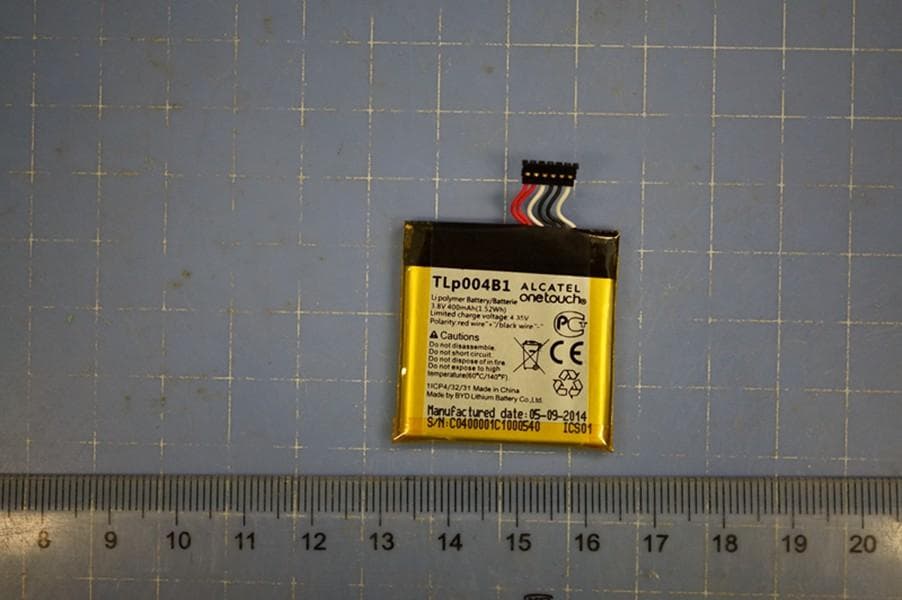
Click to zoom
Application Details
- Equipment Class
- DSS - Part 15 Spread Spectrum Transmitter
- Date of Grant
- Jul 10, 2014
- Application Purpose
- Original Equipment
- Date of Application
- Jul 09, 2014
- Equipment Note
- Mobile phone with Bluetooth
- Frequency Range
- 2402.00000000 - 2480.00000000
- Company
- TCT Mobile Limited
- Country
- China
Documents & Files
Document Text
Text extracted from the exhibit documents filed with the FCC. Open a document above to read the original.
Users Manual
1 English - CJB2811ALAAA Quick Start Guide For more information about how to use the phone, please go to www.alcatelonetouch.com. Also on our website you can find helpful FAQs, realize software upgrade, etc. 2 Table of Contents 1 Your BP61 ......................................................... 3 2 Getting started ................................................ 5 3 Pairing ................................................................ 6 4 Phone ................................................................. 7 5 Remote .............................................................. 8 6 Tools ................................................................... 9 7 Settings.............................................................10 3 1 Your BP61 ......... 1.1 Key and connectors micro-USB connector Power key Volume key End key Send key Space key 4 • Press: Lock the screen • Press and hold: Power on/off (Send key) • Answer/Send a call (End key) • Press: End a call Return to Home screen Light on/off the screen In Edit mode: • Press: Add space In Edit mode: • Press: change input methods • Press and hold: access the language list 5 2 Getting started 2.1 Charging the battery Connect the battery charger to your phone and outlet respectively. To reduce power consumption and energy waste when battery is fully charged, disconnect your charger from the plug. 2.2 Power on your phone Hold down the key until the phone powers on. 2.3 Power off your phone Hold down the key from the Home screen. 6 3 Pairing .............. You can activate Bluetooth pairing in either the BP61 or your Host. Please turn on Bluetooth first. BP61 activated connection: From the main menu, select Settings\Bluetooth\Pairing and touch Search, all devices found will be listed, then choose the device you want to pair. Host activated connection: You can also access the Bluetooth of your host and search for ALCATEL ONETOUCH BP61 to pair with it. When pairing is successful, the host name will be visible on BP61. You only need to pair your BP61 once. It will automatically reconnect to your host once you turn on the BP61 and host Bluetooth. 7 4 Phone ............ 4.1 Messaging You can access this menu by selecting Phone\ Messaging in the main menu. With the BP61 you can synchronize new messages with the host, compose new messages and reply to messages. Sent messages will be synchronized with the host sent box. 4.2 Contacts Contacts enables quick and easy access to the people you want to reach. You can access this function by selecting Phone\Contacts from the main menu. You can view contacts which are synchronized with the host. Touch a contact to see details, make a call or send messages. 4.3 Call log You can access this function by selecting Phone\ Call log from the main menu. Your BP61 can synchronize all missed calls, outgoing and incoming calls with the host, but you will not be able to delete this information from the BP61. You can select a contact in the call log list and then press the send key to make a call or send a text message. 4.4 Notifications You can see all of the items and other reminders displayed in the notification panel of the host, but you can only delete local notifications in your BP61. 8 5 Remote ........ 5.1 Music The BP61 cannot install music directly, but it can control the music player via the host. Select Remote\Music from the main menu to access this function. You can also search through your music using the following four categories: Artist, Albums, Songs, Playlist. 5.2 Camera You can take photos by controlling the host’s camera with this function. Use the volume key to zoom in/out and then touch the screen to capture a shot. The pictures will then be saved in your host. 5.3 Multimedia The BP61 includes a Remote Control function. You can remotely control a native video player, music player, camera, etc. If it can be paired with your BP61. 5.4 Presentation If there are PPT files in your host, you can control them remotely. Touch Remote\Presentation from the main menu to access this function. 9 6 Tools ............. 6.1 Calculator Access this feature by selecting “Calculator” from “Tools”. Enter a number, select the type of operation to be performed, enter the second number and then press “=” to display the result. 6.2 Find it If you cannot locate your host, go to Tools\Find it and the host will ring. 6.3 Calendar You can view the events created in the Calendar of your host to keep track of important meetings, appointments, etc. 6.4 Recorder To access this function, touch Tools\Recorder from the main menu. Recorder allows you to record voice/sound. Once the recording is completed, you can choose to discard or save it in your host. 10 7 Settings ........ From the main menu, select Settings to select various functions which will enable you to customize your BP61. 7.1 Phone 7.1.1 Phone settings You can customize the language, input mode, LCD backlight and notifications for your BP61. 7.1.2 Security (1) You can turn on or turn off your password on boot and auto keypad lock. You can also change the password. 7.1.2 Factory reset (1) You can input a password to restore factory settings. 7.2 Bluetooth Turn on Visibility so that other Bluetooth devices can find your BP61. You can also refer to your device name and info with this menu. (1) The factory data reset password and first boot password are 1234. 11 7.3 Profiles With this menu, you can personalize ringtones for different events and environments. 7.4 Update (1) You can use FOTA upgrade tool to update your host's software. (1) just for HERO2 and Phantom. 12 Safety and use ......... We recommend that you read this chapter carefully before using your mobile phone. The manufacturer disclaims any liability for damage, which may result as a consequence of improper use or use contrary to the instructions contained herein. • TRAFFIC SAFETY: Given that studies show that using a mobile phone while driving a vehicle constitutes a real risk, even when the hands-free…
Text truncated - open the document above for the full version.
Cover Letter(s)
Example of Agents letter (for TCB – TCB approval): TCT Mobile Limited Date (30/06/2014) TUV SUD BABT TCB Octagon House, Segensworth Road, Fareham, Hampshire, PO15 5RL Dear Sir or Madam, We, (TCT Mobile Limited), hereby authorize ( Liwei__ from TUV Product Service Limited, Beijing Branch, Unit 918, Landmark Tower 2, 8 North Dongsanhuan Road,100004 Beijing) to act as our agent in all matters relating to applications for equipment authorization, including the signing of all documents relating to these matters. This authorization expires on 6 months from original date. If you have any question regarding the authorization, please don’t hesitate to contract with me. Sincerely, Company Officer: Gong Zhizhou Telephone Number: +86(0)21 61460666 Email: [email protected]
Cover Letter(s)
TCT Mobile Limited Date (30/06/2014) TUV SUD BABT TCB Octagon House, Segensworth Road, Fareham, Hampshire, PO15 5RL Confidentiality Request FCC ID: RAD511 Pursuant to Sections 0.457(d)(1)(ii) and 0.459 of the Commission’s Rules, (TCT Mobile Limited) hereby requests permanent confidential treatment of information accompanying this application as outlined below: Schematics Bill of Materials/Parts List Block Diagrams Theory of Operation (TCT Mobile Limited) also hereby requests short-term confidential treatment of information accompanying this application as outlined below for a period of (up to 180) days: Internal Photos External Photos User Manual Test Set-up Photographs The above materials contain trade secrets and proprietary information not customarily released to the public. The public disclosure of these matters might be harmful to the Applicant and provide unjustified benefits to its competitors. The Applicant understands that pursuant to Rule 0.457(d)(1)(ii), disclosure of this Application and all accompanying materials will not be made before the date of the Grant for this Application. Yours sincerely, Company Officer: Gong Zhizhou Telephone Number: +86(0)21 61460666 Email: [email protected]
External Photos
External photo: Mobile Phone Mobile Phone Mobile Phone Mobile Phone Mobile Phone Mobile Phone Charger AE1 Label of Charger AE1 Battery AE5 Battery AE5
Internal Photos
Internal photo: Pic A-3 Mobile Phone Mobile phone Disassembly Mobile phone Disassembly Mobile phone Disassembly
RF Exposure Info
No.I14Z47121-GPM02 Page 1 of 6 ©Copyright. All rights reserved by TMC Beijing. RF Exposure REPORT No. I14Z47121-GPM02 for TCT Mobile Limited Bluetooth phone Model Name:BP61 FCC ID: RAD511 With Hardware Version: proto Software Version: vA15 Issued Date: 2014-07-07 Note: The test results in this test report relate only to the devices specified in this report. This report shall not be reproduced except in full without the written approval of TMC Beijing. Test Laboratory: TMC Beijing, Telecommunication Metrology Center of Ministry of Industry and Information Technology No. 52, Huayuan Bei Road, Haidian District, Beijing, P. R. China 100191. Tel:+86(0)10-62304633, Fax:+86(0)10-62304633 Email:[email protected]. www.emcite.com No.I14Z47121-GPM02 Page 2 of 6 ©Copyright. All rights reserved by TMC Beijing. CONTENTS 1. TEST LABORATORY ......................................................................................................................... 3 1.1. TESTING LOCATION .................................................................................................................... 3 1.2. TESTING ENVIRONMENT ........................................................................................................... 3 1.3. PROJECT DATA .............................................................................................................................. 3 1.4. SIGNATURE ..................................................................................................................................... 3 2. CLIENT INFORMATION ................................................................................................................... 4 2.1. APPLICANT INFORMATION ....................................................................................................... 4 2.2. MANUFACTURER INFORMATION ............................................................................................ 4 3. EQUIPMENT UNDER TEST (EUT) AND ANCILLARY EQUIPMENT (AE) ............................. 5 3.1. ABOUT EUT ..................................................................................................................................... 5 3.2. INTERNAL IDENTIFICATION OF EUT ..................................................................................... 5 3.3. INTERNAL IDENTIFICATION OF AE ........................................................................................ 5 4. REFERENCE DOCUMENTS ............................................................................................................. 6 4.1. REFERENCE DOCUMENTS FOR TESTING ............................................................................. 6 5. RF EXPOSURE LIMIT ....................................................................................................................... 6 No.I14Z47121-GPM02 Page 3 of 6 ©Copyright. All rights reserved by TMC Beijing. 1. Test Laboratory 1.1. Testing Location Company Name: TMC Beijing, Telecommunication Metrology Center of MIIT Address: No 52, Huayuan beilu, Haidian District, Beijing,P.R.China Postal Code: 100191 Telephone: 00861062304633 Fax: 00861062304793 1.2. Testing Environment Normal Temperature: 15-35°C Relative Humidity: 20-75% 1.3. Project data Project Leader: Xue Zhen Testing Start Date: 2014-06-17 Testing End Date: 2014-07-07 1.4. Signature Xue Zhen (Prepared this test report) Song Chongwen (Reviewed this test report) Lu Bingsong Deputy Director of the laboratory (Approved this test report) No.I14Z47121-GPM02 Page 4 of 6 ©Copyright. All rights reserved by TMC Beijing. 2. Client Information 2.1. Applicant Information Company Name: TCT Mobile Limited Address /Post: 5F, C building, No. 232, Liang Jing Road ZhangJiang High-Tech Park, Pudong Area Shanghai, P.R. China. 201203 City: Shanghai Postal Code: 201203 Country: China Contact Person: Gong Zhizhou Contact Email [email protected] Telephone: 0086-21-61460890 Fax: 0086-21-61460602 2.2. Manufacturer Information Company Name: TCT Mobile Limited Address /Post: 5F, C building, No. 232, Liang Jing Road ZhangJiang High-Tech Park, Pudong Area Shanghai, P.R. China. 201203 City: Shanghai Postal Code: 201203 Country: China Contact Person: Gong Zhizhou Contact Email [email protected] Telephone: 0086-21-61460890 Fax: 0086-21-61460602 No.I14Z47121-GPM02 Page 5 of 6 ©Copyright. All rights reserved by TMC Beijing. 3. Equipment Under Test (EUT) and Ancillary Equipment (AE) 3.1. About EUT Description Bluetooth phone Model Name BP61 Frequency Band ISM 2400MHz~2483.5MHz Type of Modulation GFSK/π/4 DQPSK/8DPSK Number of Channels 79 Extreme Temperature -10/+55°C Normal Voltage 3.8V Peak antenna gain 1.05 dBi Note1: Photographs of EUT are shown in ANNEX A of this test report. 3.2. Internal Identification of EUT EUT ID* IMEI HW Version SW Version UT03A / proto vA15 *EUT ID: is used to identify the test sample in the lab internally. 3.3. Internal Identification of AE AE ID* Description SN AE1 RF cable --- *AE ID: is used to identify the test sample in the lab internally. No.I14Z47121-GPM02 Page 6 of 6 ©Copyright. All rights reserved by TMC Beijing. 4. Reference Documents 4.1. Reference Documents for testing The following documents listed in this section are referred for testing. Reference Title Version RSS-102 Radio Frequency Exposure Compliance of Radio communication Apparatus (All Frequency Bands) Issue 4 KDB447498 Mobile and Portable Devices RF Exposure Procedures and Equipment Authorization Policies v05r01 5. RF Exposure Limit According to RSS-102 Issue 2, section 2.5 and FCC KDB447498, and the maximum output power listed below, the device is exempt from the routine evaluation and is fulfill RF exposure compliance with FCC and IC requirement. The output power and operating frequency of the device are: mode Maximum Output Power Conducted Radiated 2.4GHz Bluetooth 5.93dBm 6.98dBm ***END OF REPORT***
Test Report
No. I14Z47121-SRD02 Page1 of 88 ©Copyright. All rights reserved by TMC Beijing. FCC PART 15C TEST REPORT No. I14Z47121-SRD02 for TCT Mobile Limited Bluetooth phone Model Name: BP61 FCC ID: RAD511 with Hardware Version: proto Software Version: vA15 Issued Date: 2014-07-07 DAR accreditation (DIN EN ISO/IEC 17025): No. D-PL-12123-01-01 FCC 2.948 Listed: No.733176 IC O.A.T.S listed: No.6629B-1 Note: The test results in this test report relate only to the devices specified in this report. This report shall not be reproduced except in full without the written approval of TMC Beijing. Test Laboratory: TMC Beijing, Telecommunication Metrology Center of Ministry of Industry and Information Technology Shouxiang Science Building, No 51, Xueyuan Road, Haidian District, Beijing, P.R.China 100191 Tel:+86(0)10-62304633, Fax:+86(0)10-62304633-2504 Email:[email protected]. www.emcite.com No. I14Z47121-SRD02 Page2 of 88 ©Copyright. All rights reserved by TMC Beijing. CONTENTS CONTENTS ...................................................................................................................................... 2 1. TEST LABORATORY ............................................................................................................... 3 1.1. TESTING LOCATION .............................................................................................................. 3 1.2. TESTING ENVIRONMENT ....................................................................................................... 3 1.3. PROJECT DATA ..................................................................................................................... 3 1.4. SIGNATURE .......................................................................................................................... 3 2. CLIENT INFORMATION ........................................................................................................... 4 2.1. APPLICANT INFORMATION ..................................................................................................... 4 2.2. MANUFACTURER INFORMATION ...................................................................................... 4 3. EQUIPMENT UNDER TEST (EUT) AND ANCILLARY EQUIPMENT (AE) ............................ 5 3.1. ABOUT EUT ......................................................................................................................... 5 3.2. INTERNAL IDENTIFICATION OF EUT USED DURING THE TEST ................................................... 5 3.3. INTERNAL IDENTIFICATION OF AE USED DURING THE TEST ...................................................... 5 3.4. NORMAL ACCESSORY SETTING ............................................................................................. 5 3.5. GENERAL DESCRIPTION ....................................................................................................... 5 4. REFERENCE DOCUMENTS .................................................................................................... 6 4.1. DOCUMENTS SUPPLIED BY APPLICANT ................................................................................... 6 4.2. REFERENCE DOCUMENTS FOR TESTING ................................................................................ 6 5. LABORATORY ENVIRONMENT ............................................................................................. 7 6. SUMMARY OF TEST RESULTS .............................................................................................. 8 6.1. SUMMARY OF TEST RESULTS ................................................................................................ 8 6.2. STATEMENTS........................................................................................................................ 8 7. TEST EQUIPMENTS UTILIZED ............................................................................................... 9 ANNEX A: MEASUREMENT RESULTS ....................................................................................... 10 A.1. MEASUREMENT METHOD ....................................................................................................... 10 A.2. PEAK OUTPUT POWER - CONDUCTED ..................................................................................... 12 A.3. FREQUENCY BAND EDGES - CONDUCTED ............................................................................... 13 A.4. CONDUCTED EMISSION .......................................................................................................... 20 A.5. RADIATED EMISSION .............................................................................................................. 45 A.6. TIME OF OCCUPANCY (DWELL TIME) ....................................................................................... 64 A.7. 20DB BANDWIDTH ................................................................................................................. 74 A.8. CARRIER FREQUENCY SEPARATION ........................................................................................ 80 A.9. NUMBER OF HOPPING CHANNELS .......................................................................................... 82 A.10. AC POWERLINE CONDUCTED EMISSION ............................................................................... 86 No. I14Z47121-SRD02 Page3 of 88 ©Copyright. All rights reserved by TMC Beijing. 1. Test Laboratory 1.1. Testing Location Company Name: TMC Beijing, Telecommunication Metrology Center of MIIT Address: Shouxiang Science Building, No 51, Xueyuan Road, Haidian District, Beijing, P.R.China Postal Code: 100191 Telephone: 00861062304633 Fax: 00861062304633-2504 1.2. Testing Environment Normal Temperature: 15-35°C Extreme Temperature: -20/+55°C Relative Humidity: 20-75% 1.3. Project data Project Leader: Zi Xiaogang Testing Start Date: 2014-06-26 Testing End Date: 2014-07-07 1.4. Signature Zi Xiaogang (Prepared this test report) Sun Xiangqian (Reviewed this test report) Lu Bingsong Deputy Director of…
Text truncated - open the document above for the full version.
Test Setup Photos
Setup photo: PART15C PART15C PART15C PART15B PART15B
Contact Information
Applicant
Zhizhou Gong
Test Firm
TMC-Telecommunication Metrology Center of M.I.I.TChongwen Song
Technical Specifications
| # | Rule Parts | Frequency Range | Power Output |
|---|---|---|---|
| 1 | 15C | 2.40 GHz - 2.48 GHz | 3.90 mW |
Other Applications from TCT Mobile Limited

RAD558
Nov 15, 2015HSUPA/HSDPA/UMTS tribands / GSM quadbands/LTE 6-band mobile phone
Equipment Class
JBP - Part 15 Class B Computing Device Peripheral
RAD556
Sep 08, 2015CDMA 1X BC0/BC1/BC10 mobile phone
Equipment Class
PCE - PCS Licensed Transmitter held to ear
RAD552
Jun 20, 2015GSM Quadband / UMTS Triband mobile phone
Equipment Class
PCE - PCS Licensed Transmitter held to ear
RAD550
Jun 06, 2015HSDPA/HSUPA/HSPA+/UMTS quad band /GSM quad band/LTE 4 band mobile phone
Equipment Class
DSS - Part 15 Spread Spectrum Transmitter
RAD549
May 13, 2015WCDMA tri band / GSM quad band Moblie phone with BT, Wi-Fi functionality.
Equipment Class
DSS - Part 15 Spread Spectrum Transmitter