RAD905Bluetooth Headset
TCT Mobile Limited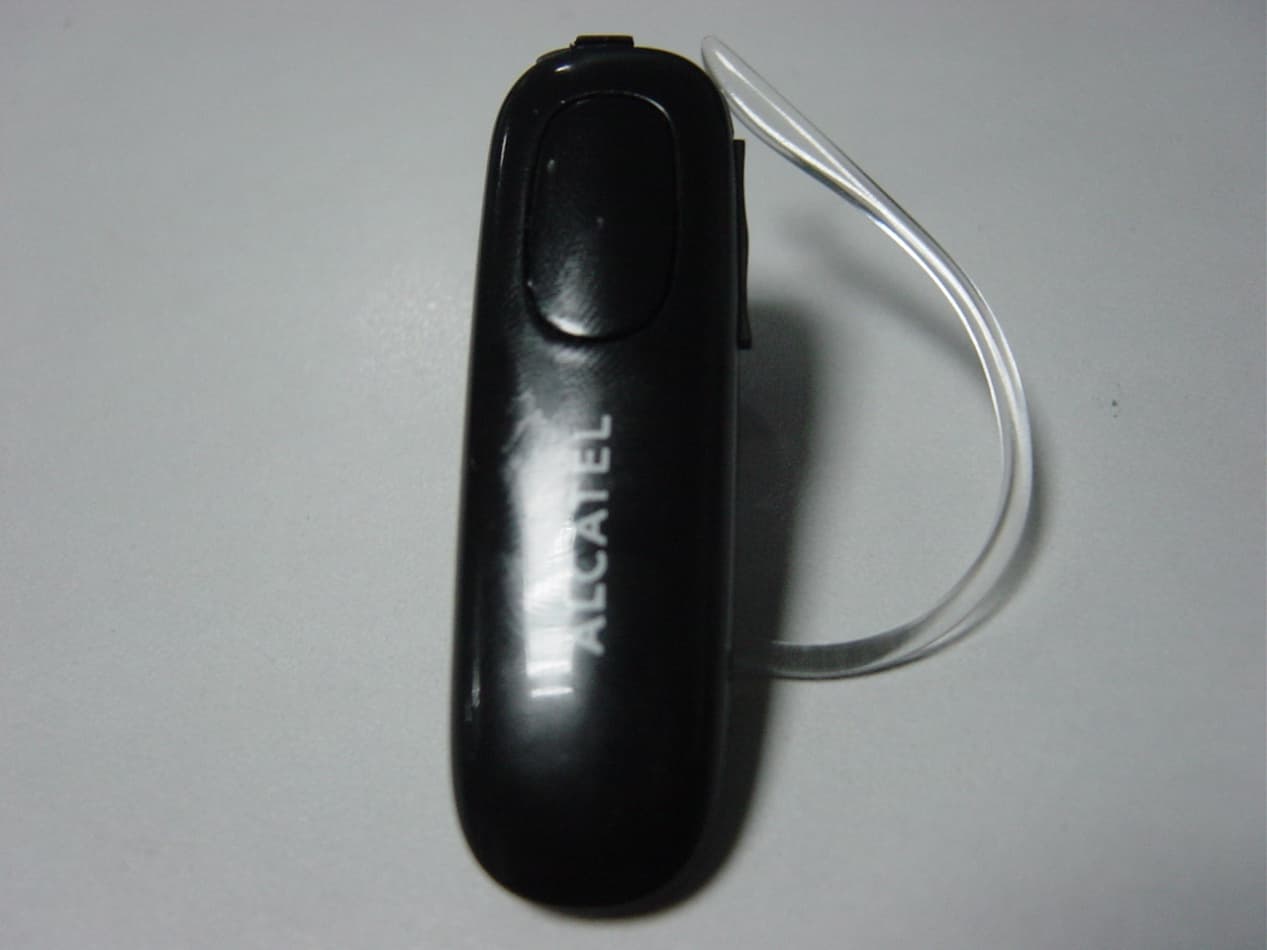
Click to zoom
Application Details
- Equipment Class
- DSS - Part 15 Spread Spectrum Transmitter
- Date of Grant
- Mar 29, 2011
- Application Purpose
- Original Equipment
- Date of Application
- Mar 29, 2011
- Equipment Note
- Bluetooth Headset
- Frequency Range
- 2402.00000000 - 2480.00000000
- Company
- TCT Mobile Limited
- Country
- China
Documents & Files
Document Text
Text extracted from the exhibit documents filed with the FCC. Open a document above to read the original.
Users Manual
All rights reserved. Passing on and copying of this document, use and communication of this contents not permitted without written authorisation of TCL Communication Ltd Bud Bluetooth headset / Quick start guide V0.43/ Damon Xi/ 02/28/2011 PROGRAMME NAME Bud – Bluetooth headset TITLE Quick Start Guide CONTENT : This document provides a guideline in terms of functioning features of Bluetooth headset and legal declaration. All rights reserved. Passing on and copying of this document, use and communication of this contents not permitted without written authorisation of TCL Communication Ltd Bud Bluetooth headset / Quick start guide V0.43/ Damon Xi/ 02/28/2011 HISTORIC Version Date Author Modification object 0.1 06/01/2011 Damon Xi Creation of the document from BH30 QSG 0.2 10/01/2011 Damon Xi Update to v0.1 after the MMI confirmation 0.3 12/01/2011 Damon Xi Update Volume key function by removing ‘call reject and transfer’ and add it to MFB. 0.4 16/01/2011 Damon Xi Update Bluetooth version to V3.0; Update talk time, standby time and weight Add ‘mark of FCC declaration’. 0.41 19/01/2011 Damon Xi Update new logo, ‘Alcatel’ and ‘one touch’ 0.42 23/02/2011 Damon Xi Add legal notice of ‘IC’ of Industry Canada 0.43 28/02/2011 Damon Xi Add ‘operation and storage temperature’ All rights reserved. Passing on and copying of this document, use and communication of this contents not permitted without written authorisation of TCL Communication Ltd Bud Bluetooth headset / Quick start guide V0.43/ Damon Xi/ 02/28/2011 BH35 Bluetooth Headset User Guide Contents Product Specifications BH35 Overview Getting Started Charging Your Headset Pairing Your Headset with a Bluetooth Mobile Phone Using Your Headset Factory Reset Troubleshooting Safety Information Declaration of Conformity Guarantee Product Specifications Bluetooth Specification: V3.0 with V2.1 EDR features, Class 2 Bluetooth Profiles Supported: Headset & Handsfree All rights reserved. Passing on and copying of this document, use and communication of this contents not permitted without written authorisation of TCL Communication Ltd Bud Bluetooth headset / Quick start guide V0.43/ Damon Xi/ 02/28/2011 Range of Frequency: 2.4GHz spectrum Nominal Charging Time: Within 30minutes Talk Time*: Up to 6 hours Standby Time*: Up to 270 hours Dimensions: 55 (L) x 16.4 (W) x 9.2 (T) mm Weight: 8.5 grams Operating temperature range: -20Ԩ to 55Ԩ Storage temperature range: -30Ԩ to 70Ԩ * may vary due to the user’s habit, different modes of operation, and mobile phone settings. BH35 Overview A. Multi-function Button (MFB) • Power On / Off • Pair with mobile phone • Answer / End a call • Reject / Transfer a call B. Volume • Adjust volume C. Status Indicator D. Microphone E. Speaker F. Micro USB Charging Socket All rights reserved. Passing on and copying of this document, use and communication of this contents not permitted without written authorisation of TCL Communication Ltd Bud Bluetooth headset / Quick start guide V0.43/ Damon Xi/ 02/28/2011 Getting Started To use your BH35 Bluetooth headset (“headset”), please follow the steps below: 1. Ensure your headset is fully charged and power on. 2. Pair your charged headset with a Bluetooth-enabled mobile phone. Charging Your Headset The headset comes with a built-in rechargeable battery. Prior to using the headset for the first time, it is recommended to fully charge the battery. Insert the microUSB tip into the headset’s charging socket (see fig.2) and plug the charger into the charging socket or USB charging cable into PC/notebook. Use only the charger / USB charging cable in the package to charge the headset. Indicator Light Headset Status Status Indicator Light (fig.1) ‧ Standby Mode (Operating) ‧ Standby Mode (Out of Range) ‧ Off Mode Charging ‧ Off Mode Fully Charged ‧ Standby Mode Charging ‧ Flashing Blue ‧ Flashing PURPLE 4 times each 15 sec until reconnect (after 10mins without connection, headset turns off) ‧ Solid Red ‧ Solid Blue ‧ Flashing PURPLE with RED LED on All rights reserved. Passing on and copying of this document, use and communication of this contents not permitted without written authorisation of TCL Communication Ltd Bud Bluetooth headset / Quick start guide V0.43/ Damon Xi/ 02/28/2011 ‧ Standby Mode Fully Charged ‧ Low battery ‧ Out of battery ‧ Flashing Blue ‧ Flashing Red ‧ The light turns off ♦ Charging indication will be delayed for a few seconds if the headset has not been used for a long time or the battery is drained. Talk and Standby Time A fully charged battery can offer up to 6 hours of talk time and up to 270 hours of standby time. The headset remains in standby mode after being turned on. Pairing Your Headset with a Bluetooth Mobile Phone 1) Ensure the headset is off. 2) To activate the pairing mode, press and hold the headset’s MFB without releasing your finger until its status indicator flashes red/blue. 3) Activate your mobile phone’s Bluetooth, search Bluetooth devices, select “ BH35” and enter the passcode “0000”. When the pairing is completed, the headset’s status indicator will flash blue light rapidly five times. If the pairing cannot be completed within three minutes after the pairing mode has been activated, the headset’s status indicator will flash purple 5 times and then turns to standby mode. Repeat steps 1 to 3 to pair the devices again. Using your headset Function Button Audio Status indictor POWER ON Press and hold the MFB a short beep Flashing blue light 3 times When you turn on your headset for the first time, the headset proceeds into pairing mode, i.e. the status indicator flashes red and blue alternately, so that you can immediately pair it with your mobile phone. POWER OFF Press and hold the MFB until the LED turns red a long beep Red light for six seconds and then the light goes off Incoming call Ringtone on earphone Quick flashing purple light All rights reserved. Passing on and copying of this document, use and communication of this contents not permitted without…
Text truncated - open the document above for the full version.
Cover Letter(s)
TCT Mobile mobile communication Co.,Ltd. Date: March 29, 2011 To: Federal Communications Commission, Authorization & Evaluation Division, 7435 Oakland Mills Road, Columbia, MD 21046 Re: TCT Mobile Limited FCC ID: RAD905 FCC Certification Confidentiality Request Gentlemen: This letter is to comply with 47 CFR 0.457 and 0.459 pertaining to confidentiality material. TCT Mobile mobile communication Co.,Ltd. requests that the following documents regarding this submission for FCC ID: RAD905 be kept confidential: Exhibit Type File Name Block Diagram CONF APPENDIX RAD905_Block Diagram.pdf Schematics CONF APPENDIX RAD905 _Schematics.pdf Operational Description CONF APPENDIX RAD905 _Operational Description.pdf Part list CONF APPENDIX RAD905 _BOM.pdf Those documents contain detailed system and equipment description and related information about the product which TCT Mobile mobile communication Co.,Ltd. considers to be confidential proprietary, a custom design and, otherwise, not releasable to the general public. Since this design is a basis form which future technological products will evolve, TCT Mobile mobile communication Co.,Ltd. considers this information would be of benefit to its competitors, and that the disclosure of the information in these documents would give competitors an unfair advantage in the market. Yours Sincerely, Danny Project Manager
External Photos
RAD905 External Photo
Internal Photos
RAD905 Internal Photo
Test Report
Report No.: SZ11020021E03 Page 2 of 77 TABLE OF CONTENTS 1. GENERAL INFORMATION .................................................................................................... 4 1.1 EUT Description ......................................................................................................................... 4 1.2 Test Standards and Results ........................................................................................................ 5 1.3 Facilities and Accreditations ...................................................................................................... 6 1.3.1 Facilities .................................................................................................................................... 6 1.3.2 Test Environment Conditions .................................................................................................... 6 2. 47 CFR PART 15C REQUIREMENTS .................................................................................... 7 2.1 Number of Hopping Frequency ................................................................................................. 7 2.1.1 Requirement .............................................................................................................................. 7 2.1.2 Test Description ........................................................................................................................ 7 2.1.3 Test Result ................................................................................................................................. 7 2.2 Peak Output Power .................................................................................................................. 10 2.2.1 Requirement ............................................................................................................................ 10 2.2.2 Test Description ...................................................................................................................... 10 2.2.3 Test Result ............................................................................................................................... 10 2.3 20dB Bandwidth ....................................................................................................................... 17 2.3.1 Definition ................................................................................................................................ 17 2.3.2 Test Description ...................................................................................................................... 17 2.3.3 Test Result ............................................................................................................................... 17 2.4 Carried Frequency Separation ................................................................................................ 24 2.4.1 Definition ................................................................................................................................ 24 2.4.2 Test Description ...................................................................................................................... 24 2.4.3 Test Result ............................................................................................................................... 24 2.5 Time of Occupancy (Dwell time) ............................................................................................. 26 2.5.1 Requirement ............................................................................................................................ 26 2.5.2 Test Description ...................................................................................................................... 26 2.5.3 Test Result ............................................................................................................................... 26 2.6 Conducted Spurious Emissions ............................................................................................... 33 2.6.1 Requirement ............................................................................................................................ 33 2.6.2 Test Description ...................................................................................................................... 33 2.6.3 Test Result ............................................................................................................................... 33 Report No.: SZ11020021E03 Page 3 of 77 2.7 Band Edge ................................................................................................................................. 44 2.7.1 Requirement ............................................................................................................................ 44 2.7.2 Test Description ...................................................................................................................... 44 2.7.3 Test Result ............................................................................................................................... 45 2.8 Conducted Emission ................................................................................................................. 53 2.9 Radiated Emission .................................................................................................................... 54 2.9.1 Requirement ............................................................................................................................ 54 2.9.2 Test Description ...................................................................................................................... 54 2.9.3 Test Result ............................................................................................................................... 55 Change History Issue Date Reason for change 1.0 March 21, 2011 First edition Report No.: SZ11020021E03 Page 4 of 77 1. GENERAL INFORMATION 1.1 EUT Description EUT Type ............…
Text truncated - open the document above for the full version.
Test Setup Photos
Test Setup Photos 1. CSE 2. RSE
Contact Information
Applicant
Zhizhou Gong
Technical Contact
Shenzhen Morlab Communications Technology Co.,LtdWu Xuewen
FL.3,Electronic Testing Bld, Shahe Rd · Shenzhen · China
Test Firm
Shenzhen Morlab Communications Technology Co.,LtdShu Luan
Technical Specifications
| # | Rule Parts | Frequency Range | Power Output |
|---|---|---|---|
| 1 | 15C | 2.40 GHz - 2.48 GHz | 1.00 mW |
Other Applications from TCT Mobile Limited

RAD558
Nov 15, 2015HSUPA/HSDPA/UMTS tribands / GSM quadbands/LTE 6-band mobile phone
Equipment Class
JBP - Part 15 Class B Computing Device Peripheral
RAD556
Sep 08, 2015CDMA 1X BC0/BC1/BC10 mobile phone
Equipment Class
PCE - PCS Licensed Transmitter held to ear
RAD552
Jun 20, 2015GSM Quadband / UMTS Triband mobile phone
Equipment Class
PCE - PCS Licensed Transmitter held to ear
RAD550
Jun 06, 2015HSDPA/HSUPA/HSPA+/UMTS quad band /GSM quad band/LTE 4 band mobile phone
Equipment Class
DSS - Part 15 Spread Spectrum Transmitter
RAD549
May 13, 2015WCDMA tri band / GSM quad band Moblie phone with BT, Wi-Fi functionality.
Equipment Class
DSS - Part 15 Spread Spectrum Transmitter