RETGH80832Optical Wirless Mouse
Panyu Elite Century Electronics Co., Ltd.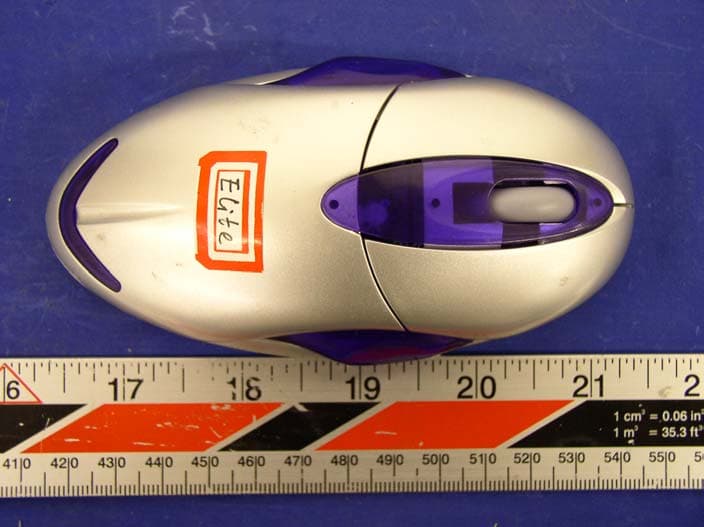
Click to zoom
Application Details
- Equipment Class
- DXX - Part 15 Low Power Communication Device Transmitter
- Date of Grant
- Feb 04, 2004
- Application Purpose
- Original Equipment
- Date of Application
- Feb 04, 2004
- Equipment Note
- Optical Wirless Mouse
- Frequency Range
- 26.96000000 - 27.28000000
- Country
- China
Documents & Files
Document Text
Text extracted from the exhibit documents filed with the FCC. Open a document above to read the original.
Users Manual
Picture 2 User Guide For GH80832 Features 1.RF Digital Radio Technology with no cord, less clutter, more freedom and convenience 2.Advanced high precision optical sensor, no dust and never needs cleaning, 3. Smart mouse sleeping mode for power saving. (just click & wake it up) 4.Plug-in recharge-base for desktop operation, rechargeable batteries is good for environment protecting. 5. 3 programmable buttons are available for more function option Follow the instruction below to install your mouse and gain more freedom and control on your desktop today! 1. Take off the cover of battery compartment from the bottom of mouse and insert two “AAA” batteries correctly into the battery compartment. Mouse will not operate if polarity is reversed. (. (Refer to picture 1) Picture 1 2.Remove existing mouse software in your computer before installation of your wireless mouse 3.Shut down your computer.(ignore this step when using USB model) 4.Remove your standard mouse and plug the wireless mouse receiver jack into the mouse port on your PC.(PS/2: refer to picture 2; USB: refer to picture 5) 5.Position your mouse receiver with charger in a convenient location, but please note that the receiver must not be placed upon the computer or near any other items also operating on radio frequency as this will affect the connection between receiver and mouse. Picture 5 6.Restart your computer. (ignore this step when using USB model) 7.After your Windows Operation System is fully running, gently press and hold the small oval reset button on the wireless mouse receiver for one second. (Refer to picture 3) Picture 3 Picture 4 8.On the underside of the mouse is a small hole marked “connect”. Press this using a pencil point or other pointed object and release. This will register your wireless mouse with the receiver. (Refer to picture 4) 9.Test the connection by rotating the wheel on the mouse. If it works properly, the two small lights on your receiver will flash indicating a strong signal. Your wireless mouse is functional at distances up to six feet. Your environmental conditions may reduce or extend your maximum working distance. Large metal areas and metal desks can form a barrier prohibiting smooth operation. Experiment by positioning the receiver unit at different positions for maximum reach. Software Installation 1.Insert floppy disk into disc drive, Select "RUN" from the start menu and type "A:\Setup.exe", this will start the set-up application 2.Follow the instruction on the screen to complete the installation. Restart the computer, the Mark for the mouse driver will appear in the computer. 3.Fix the function for the mouse button 1). Double click the mouse icon on the desktop to open the fixing interface 2). Choose the function of the mouse as you need The wheel is the middle (Third) button, the button on left side is the Fourth one, and the button on right side is the Fifth one. You can fix the function for these three buttons as you need, totally 44 function are available. Troubleshooting Here are some handy tips if you have trouble installing or operating your mouse. I can’t get my mouse registered on the receiver. Check the connection to ensure that your mouse receiver is correctly plugged into the port of your computer. Restart your system from a shutdown position to ensure that the mouse is detected by your operating system. After starting up, depress the reset button on the top of the receiver for two seconds, then press the connect button on the bottom of mouse. Please hold the mouse at a distance of no more than six inches from the receiver. The receiver should register the mouse immediately. My mouse works fine up close to the receiver but acts erratically when I move it to the desktop. This is caused by a large presence of metal in the surrounding area. In this case, you’d better re-position your receiver so that it could work close to the mouse. My mouse just quit working. First try resetting your receiver and mouse following steps 5-8. If this doesn’t work, try changing the batteries. The power of batteries will last about 20 hours under normal use, then should be recharged. Please use best quality alkaline batteries for maximum performance. When replacing your batteries, ensure that you arrange the polarity properly or your mouse will not operate. Then repeat steps 7~8. If your mouse is suffering from interference from other mouse users, please repeat steps 7-8 to register the mouse again. Maintenance Of Your Mouse If the mouse is not going to be used for a long period of time then please take out batteries and keep in a cool, dry place. Caution Replace the batteries in the mouse when the batteries being used are no longer operating the mouse efficiently. Using incorrect batteries in the mouse could cause it to explode, for the batteries to leak or for the mouse to catch fire, causing personal injury. Do not break or destroy batteries, dip into water, place above 100ºC, or set on fire. Conductors such rings, watches and keys can cause batteries to short, over heat or even explode. Important Expert Advice: Long periods of repetitive mouse use can cause injury to wrists, arms, necks and backs. If any discomfort occurs while using this mouse, we advise you to seek medical advice. To reduce the risk of injury, please try the following suggestions; z Take frequent breaks z Ensure that you are using the mouse correctly z Relax your arms and shoulders frequently z Place mouse and keyboard in a comfortable position z Avoid resting your hand on the edge of your desk Caution: Any changes or modifications not expressly approved by the party responsible for compliance could void the user's authority to operate the equipment. Note: Note: This equipment has been tested and found to comply with the limits for a Class B digital device, pursuant to part 15 of the FCC Rules. These limits are designed to provide reasonable protection against harmful interference in a residential installation. This equipment genera…
Text truncated - open the document above for the full version.
Block Diagram
1 2 3 4 56 ABCD 6 5 4 3 2 1 D CBA Title Number Revision Size B Date: 9-Jan-2004 Sheet of File: E:\ \AC-3 DSP decode\AC-3 Decode.Ddb Drawn By: TX27.045 ANT BATTERY Tx Power control Power Ampliflcation Oscillator Oscl Connect keyMovementDetectingSensor vcc VCC Data out Data output ConnectMovement ForwardBackward LeftMiddleRight UpDown Key inputScroll Input
External Photos
Panyu Elite Century Electronics Co., Ltd. FCC ID: RETGH80832 APPENDIX C - EUT PHOTOGRAPHS Chassis - Front View Chassis - Rear View
ID Label/Location Info
APPENDIX A - FCC PRODUCT LABELING AND WARNING STATEMENT FCC ID Label Specifications: Text is black in color and is left justified. Labels are printed in indelible ink on permanent adhesive backing and shall be affixed at a conspicuous location on the EUT. Proposed Label Location on EUT Chassis Rear of EUT/FCC ID Label Proposed Location FCC Warning Statement If the EUT is too small, the FCC statement could be presented in the user manual. The following is one sample of the FCC Statement: “ This device complies with part 15 of the FCC Rules. Operation is subject to the following two conditions: (1) This device may not cause harmful interference, and (2) this device must accept any interference received, including interference that may cause undesired operation.” FCC ID: P4XK5000 This device complies with Part 15 of the FCC Rules. Operation is subject to the following two conditions: (1) this device may not cause harmful interference, and (2) this device must accept any interference received, including interference that may cause undesired operation. 2.1875" 1.0" FCC ID: RETGH80832
Internal Photos
Panyu Elite Century Electronics Co., Ltd. FCC ID: RETGH80832 EUT – Component View EUT – Solder View
Internal Photos
PCB I – Component View PCB I – Solder View PCB II – Component View PCB II – Solder View PCB I & II – Component View PCB I & II – Solder View
Internal Photos
PCB I – Component View PCB I – Solder View PCB II – Component View PCB II – Solder View PCB I & II – Component View PCB I & II – Solder View
Operational Description
Circuit description: Switching on the power controller, sensor and MCU can get the power to be stand by. Set up ID code via SW6, and then input an electric signal into the MCU to have the data process. MCU will output a relevant signal to make the optical sensors and keys working after data processed. Please reset the ID code via SW6 after changed the batteries
Operational Description
Technical Specification 1. Keys: three buttons, one 360°wheel 2. Key stoke life time: left/right 1,000,000 cycles middle keys 100,000 cycles wheel switch 100,000 cycles 3. Contact method: micro switch/wheel switch 4. Movement detect mode: optical sensor(angilent) 5. Report rate: 80 reports/s 6. Resolution: 800CPI 7. Security code: 256 different security code 8. RF transmission mode(test conditions: Vcc=2.4V):1 channel FSK RF Tramps mission 27.045MHz 5KHz 9. Tx Emission level: 60dBuV/m■E3m■80dBuV/m at 3m 10. Batteries 2×AAA Size 11. Operating distance: ■2m in normal environment 12. Power consumption(test conditions) Vcc=2.4V ■40mA (Active) ■5mA (sleepmode1) ■2.5mA (sleepmode2) ■2.0mA (sleepmode2) 13. Battery life : >25 hours at active mode with alkaline batter 14. Low battery indicator: 2.1V ■5% 15. System requirement: win95/win98/winNT/WinXP/win2000(drive required in win95/winNT) 16. Mechanical dimension: L:126mm w:63mm h:34.5 17. Plastic material: ABS 18. Net weight: 75g 19. Storage temperature:-40■~55■ 20. Working temperature: 0■~40■ 21. Operating humidity: 40%~90%
Schematics
1 2 3 4 56 ABCD 6 5 4 3 2 1 D CBA Title Number Revision Size B Date: 27-Dec-2003 Sheet of File: \\Newtone-quan\H81030\H81030.Ddb Drawn By: LED1 C122PC2 22P C3 104 C4 33P C775P C9 22P C83P C610NF C533P C1022P C12 12P C11 24P + 1 - 2 X1 76.8KHz X2 27.042MHz X318.432MHz L20.82uH L11.8uH L3 82uH R110M R5240K* R31.2M R6100K* R4 680K C13220U C14104P C15 104P C16470U C20 4.7U C172.2U C19 104 C18104 R7100* R815K* SW2SW3SW1 SW6SW4SW5 123 Z0 OPTICAL MOUSE OSC1 1 VSS 2 OSC2 3 VDD 4 R KEY 5 M KEY 6 L KEY 7 RFOUT 8 ORFIN0 9 ORFIN1 10 ORFO 11 TXD 12 PD 13 WA 14 WB 15 ZIN 16 Z2IN 17 SDIO 18 SCLK 19 BATL 20 TYPE 21 TXCB 22 B KEY 23 F KEY 24 SVD IN 25 DCVR 26 VL 27 VL NM 28 IC1MA6221-S7K XA 2 XB 3 YB 4 YA 5 XY LED 6 REFA 7 REFB 8 SCLK 1 GND 10 OSC OUT 11 GND 12 VDD 13 R BIN 14 PD 15 SDIO 16 OSC IN 9 IC22030 TOUCH_PAD PD SDIOSCLK R2560 TYPE LED2 SVDINDCVR D1RB421 3.3V VBT SVDIN DCVR J31H 0 J31L 0/10nF VBT TYPE 3.3V PDSDIO SCLK Sensor-90 Sensor 0 Sensor+90 J31HJ31L 0X0 X 0/10nF X
Test Report
Note: This test report is specially limited to the above client company and product model only. It may not be duplicated without prior written consent of Bay Area Compliance Laboratory Corporation. This report must not be used by the client to claim product endorsement by NVLAP or any agency of the U.S. Government. FCC PART 15.227 EMI MEASUREMENT AND TEST REPORT For Panyu Elite Century Electronics Co., Ltd. Yaodong Industrial Area, Dongchong Town, Panyu, Guangzhou City, Guangdong, China FCC ID: RETGH80832 2004-01-27 This Report Concerns: Original Report Equipment Type: Optical Wireless Mouse Test Engineer: Hang Tan / Report No.: R0401131 Test Date: 2003-01-15 Reviewed By: Ling Zhang / Prepared By: Bay Area Compliance Laboratory Corporation 230 Commercial Street Sunnyvale, CA 94085 Tel: (408) 732-9162 Fax: (408) 732-9164 Panyu Elite Century Electronics Co., Ltd. FCC ID: RETGH80832 Report # R0401131(T)Rpt Page 2 of 12 FCC ID Per 15.227 Report TABLE OF CONTENTS GENERAL INFORMATION.......................................................................................................................................3 PRODUCT DESCRIPTION FOR EQUIPMENT UNDER TEST (EUT) ....................................................................................3 OBJECTIVE...................................................................................................................................................................3 RELATED SUBMITTAL(S)/GRANT(S).............................................................................................................................3 TEST METHODOLOGY..................................................................................................................................................3 TEST FACILITY.............................................................................................................................................................3 SYSTEM TEST CONFIGURATION ..........................................................................................................................5 JUSTIFICATION.............................................................................................................................................................5 SCHEMATICS AND BLOCK DIAGRAM............................................................................................................................5 EQUIPMENT MODIFICATIONS.......................................................................................................................................5 TEST SETUP CONFIGURATION......................................................................................................................................5 SUMMARY OF TEST RESULTS ...............................................................................................................................6 §15.203 - ANTENNA REQUIREMENT......................................................................................................................7 STANDARD APPLICABLE..............................................................................................................................................7 ANTENNA CONNECTED CONSTRUCTION......................................................................................................................7 §15.205, §15.209, §15.227(B) - RADIATED EMISSIONS TEST ..............................................................................8 MEASUREMENT UNCERTAINTY....................................................................................................................................8 EUT SETUP..................................................................................................................................................................8 TEST EQUIPMENT LIST AND DETAILS...........................................................................................................................8 TEST PROCEDURE........................................................................................................................................................9 CORRECTED AMPLITUDE & MARGIN CALCULATION.................................................................................................11 SUMMARY OF TEST RESULTS.....................................................................................................................................11 OUT OF BAND EMISSION............................................................................................................................................12 Panyu Elite Century Electronics Co., Ltd. FCC ID: RETGH80832 Report # R0401131(T)Rpt Page 3 of 12 FCC ID Per 15.227 Report GENERAL INFORMATION Product Description for Equipment Under Test (EUT) The Panyu Elite Century Electronics Co., Ltd. ’s product, FCC ID: RETGH80832 or the "EUT" as referred to in this report is a transmitter of a Wireless Mouse. The EUT is measured approximately 5.00” L x 2.25” W x 1.25” H. * The test data gathered are from production sample, serial number:01211 provided by the manufacturer. Objective This Type approval report is prepared on behalf of Panyu Elite Century Electronics Co., Ltd. in accordance with Part 2, Subpart J, and Part 15, Subparts A and B of the Federal Communication Commissions rules. The objective to determine compliance with FCC rules, sec 15.209 and sec 15.227. Related Submittal(s)/Grant(s) No Related Submittals. Test Methodology All measurements contained in this report were conducted with ANSI C63.4-2001, American National Standard for Methods of Measurement of Radio-Noise Emissions from Low-Voltage Electrical and Electronic Equipment in the range of 9 kHz to 40 GHz. All radiated and conducted emissions measurement was performed at Bay Area Compliance Laboratory, Corp. The radiated testing was performed at an antenna-to-EUT distance of 3 meters. Test Facility The Open Area Test site used by Bay Area Compliance Laboratory Corporation to …
Text truncated - open the document above for the full version.
Test Setup Photos
Panyu Elite Century Electronics Co., Ltd. FCC ID: RETGH80832 APPENDIX B - TEST SETUP PHOTOGRAPHS Transmitter Radiated Emission
Contact Information
Applicant
Mimi Chen(Marketing Executive)
Test Firm
Bay Area Compliance LaboratoryJohn Chan
Technical Specifications
| # | Rule Parts | Frequency Range | Power Output |
|---|---|---|---|
| 1 | 15C | 26.96 MHz - 27.28 MHz | - |
Other Applications from Panyu Elite Century Electronics Co., Ltd.
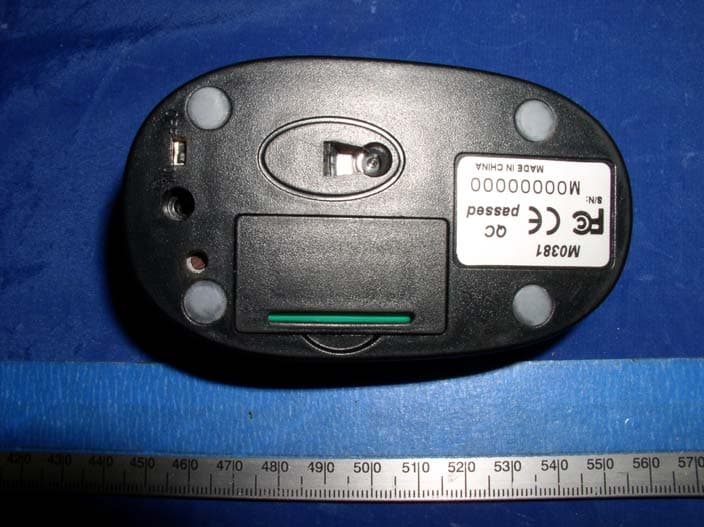
RETM0381
Nov 01, 2004Wireless Mouse
Equipment Class
DXX - Part 15 Low Power Communication Device Transmitter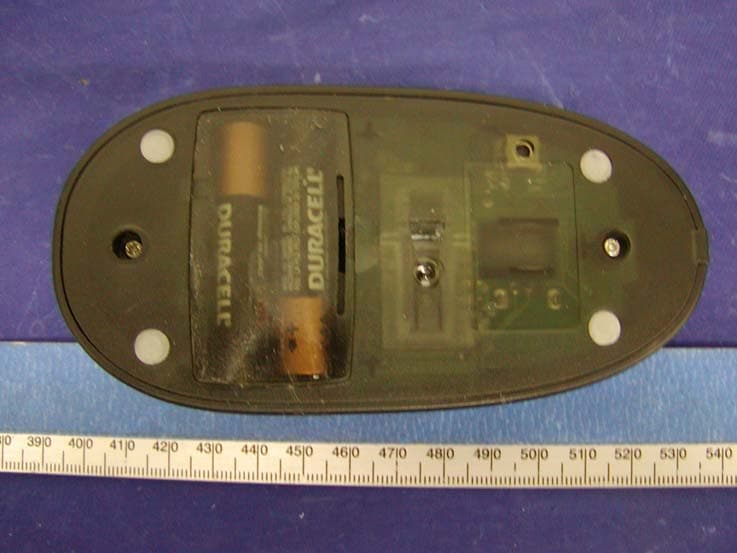
RETH84C0180
Aug 16, 2004Wireless Mouse
Equipment Class
DXX - Part 15 Low Power Communication Device Transmitter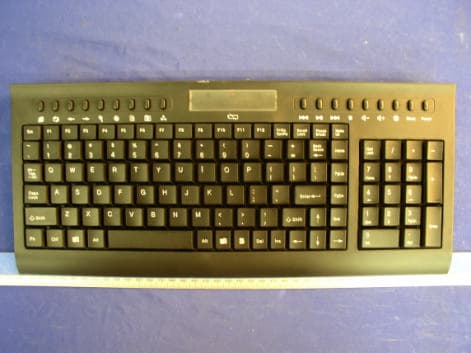
RETK0020
Aug 05, 2004Wireless Keyboard
Equipment Class
DXX - Part 15 Low Power Communication Device Transmitter
RETKM80520M
Sep 28, 2003Wireless Mouse
Equipment Class
DXX - Part 15 Low Power Communication Device Transmitter
RETKM80520K
Sep 28, 2003Wireless Keyboard
Equipment Class
DXX - Part 15 Low Power Communication Device Transmitter