RF6NACO170DTFT-LCD Monitor
All In One Display.Inc.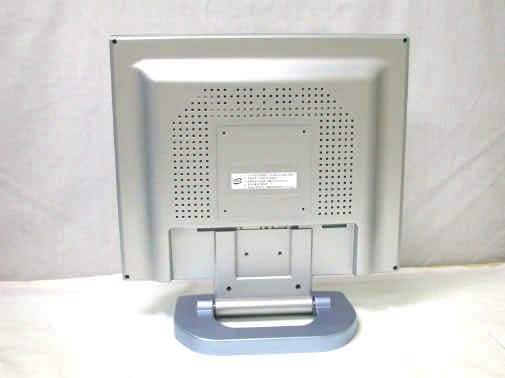
Click to zoom
Application Details
- Equipment Class
- JBP - Part 15 Class B Computing Device Peripheral
- Date of Grant
- Aug 15, 2004
- Application Purpose
- Original Equipment
- Date of Application
- Aug 15, 2004
- Equipment Note
- TFT-LCD Monitor
- Company
- All In One Display.Inc.
- Country
- South Korea
Documents & Files
Document Text
Text extracted from the exhibit documents filed with the FCC. Open a document above to read the original.
Users Manual
USER’S MANUAL N A C O 1 7 0 D / A T F T - L C D M O N I T O R ALL IN ONE DISPLAY.INC. www.aodlcd.com • TABLE OF CONTENTS 0. Connection To the Monitor 1.Installation 2.Features 3.Plug and PlayFunction 4. Safety Precautions 5.Contents Of the Retail Package 6.OSD (On-Screen-Menu) 7.OSD Controls 7.1 Color 7.2 Picture 7.3 Function 7.4 OSD Menu 7.5 Miscellaneous 8. Troubleshooting 9. Specifications 10. Video Mode 0. Connection To the Monitor 1. Installation •Connect the signal(VGA) cable to the VGA port of computer. Tighten the two thumbscrews by turning clockwise. •NACO 170D will provide DVI cable for the customer in retail package. •You can adjust the connection for your PC environment. •Plug the DC cord of the AC adapter to the power connector and the plug the end of AC adapter to and electrical outlet socket(110V/220V) •Connect DC cord of adapter (12V DC) to the monitor.. 2. Features •NACO 170D/A is 17”SXGA LCD monitor and support up to 75Hz. •You can adjust brightness, contrast, horizontal & vertical positions by OSD menus and use auto adjust function for instant adjustment. •High-qualified LCD Controller inside •Compact space saving design and power saving mode •100% compatible with Windows PC environment without the installation of driver CD or software program. NACO170A NACO 170D We strongly recommend that you carefully read this User’s Manual before operating your LCD monitor. FOLLOW INSTRUCTIONS in this manual. Please read and comprehend all using directives before use this machine. Power —Use the type of power indicated on the marking label. Adapter —Only use an adapter designed of the LCD monitor. Plugs —Do not remove any of the prongs of the monitor's three-pronged power plug. —Disconnect the power plug from the AC outlet if you will not use it for an indefinite period of time. Power and extension cords —Use the proper power cord with ground conductor —Do not overload wall outlets or power cords. Ensure that the total of all units plugged into the wall outlet does not exceed 7 amperes. —Do not allow anything to rest on the power cord. Do not locate this product where persons will walk on the cord. Care and maintenance Slots and openings in the cabinet are provided for ventilation. Do not block or cover these openings. Do not push objects of any kind into cabinet slots or openings. The screen surface is easily scratched. Do not use paper towels to clean the display. Avoid touching it with your fingers, pens, or pencils. Turn off the AC adapter and the monitor over long periods when not in use. 5. Contents Of the Retail Package Monitor User’s MaunalAC/DC AdaptorPower Cord VGA Cable DVI Cable(Only for NACO 170D ) ButtonsFunctionStatus Hot key Power Turns the power ON or Off ON/OFF LED Selects OSD Menu UP Launches OSD Menu or Add values Indicate working Status Launches OSD Menu or down values Moves to OSD Menu Moves to OSD Menu 6. OSD (On-Screen-Menu) ENTER ON / OFF OSD menu Adjust Brightness Adjust Contrast DOWN AUTO ADJUST MENU Green(ON)/Red (Stand-By) Flashing(OFF) 7. OSD Controls 7.1 Color 7.2 PICTURE Contrast Brightness Gamma Correct Color Temp Color Adjust Exit 1280 x 1024 60Hz MENU ‡Select COLOR ‡UP / DOWN KEY 1) Adjust Contrast 3) Adjust Color 4) Adjust Color Temp 5) Adjust R.G.B value 2) Adjust Brightness H.Position V.Position Sharpness Phase Clock Exit 1280 x 1024 60Hz MENU ‡Select PICTURE ‡UP / DOWN KEY 1) Adjust Horizontal Position 3) Adjust Sharpness 4) Adjust Phase 5) Optimizing Image and eliminates Noise 2) Adjust Vertical Postion 7.4 OSD MENU 7.5 MISCELLANEOUS 7.3 FUNCTION 1280 x 1024 60Hz Auto Adjust Auto Position Auto Phase Auto Clock Auto Color Exit MENU ‡Select FUNCTION ‡UP / DOWN KEY 1) Runs Auto-Adjust Function for optimizing 3) Automatically adjusts phase 4) Automatically adjusts image and eliminates noise 5) Automatically adjusts color status 2) Automatically adjusts screen position 1280 x 1024 60Hz Language OSD H.Position OSD V.Position OSD Timer Translucent Exit MENU ‡Select OSD MENU ‡UP / DOWN KEY 1) Select Language 3) Adjust OSD Vertical Postion 4) Select OSD Auto Timer 5) Select transparent status of OSD menu 2) Adjust OSD Horizontal Postion 1280 x 1024 60Hz Signal Source Mode Select Reset Exit MENU ‡Select MISCELLANEOUS ‡ UP / DOWN KEY 1) Select Signal Source 3) Go to Factory Setting 2) Select Mode 8. Troubleshooting TO REDUCE THE RISK OF ELECTRIC SHOCK, DO NOT REMOVE COVER. NO USER-SERVICEABLE PARTS INSIDE. REFER SERVICING TO QUALIFIED SERVICE PERSONNEL. The monitor does not respond after you turn on the system. Make sure that the monitor is turned on. Turn off the power and check the monitor’s power cord, AC adapter, and signal cable for proper connection. Appear the “No Input the Signal" Check the connecting of the audio cable between the monitor and the computer. Appear the “Input Not the Supported" Input signal are insuperable, refer the “Video Modes” The appearance is not at the screen center. Use “AUTO ADJUST”or manually adjust “PHASE”and “CLOCK”, refer the Controls section. The characters on the screen are too dim or too bright Choose fit color temperature, use “AUTO COLOUR ADJUST or manually adjust “RGB ADJUSTMENT, refer the Controls section. Interference appear at the view of “CLOSE WINDOWS” Use the “AUTO ADJUST”or manually adjust the values of “PHASE”and “CLOCK”, refer the Controls section.Checkthe resolutinstatus is not up to 75Hz and adjust it by 60Hz and then you can get the optimized images by using Clock and Phase functions 9. Specifications Dispaly Type17”Color Active Matrix TFT LCD Color16.2M Color Pixel0.264 x 0.264 mm Screen Size337.92 (H) x 270.336 (V) mm Resolution (Max)1280 x 1024 at 60 to 75Hz Contrast Ratio500:1 Brightness300 cd/m 2 Video FrequencyHorizontal: 56 ~ 75Hz Vertical: 31.5 ~ 80KHz Compatibility Plug and Play VESA DDC 1/2B CompatibilityVESA / IBM / MAC Power VESA Standard, DPMS Operation Environment Power ConsumptionOperation Mode: 35 watt max. Stand-by: 4 watt max. TemperatureOperation Mode: 0 ºC ~ 40 ºC Stand-by: -20 º…
Text truncated - open the document above for the full version.
Block Diagram
Appendix E. Block Diagram E04.0803.FCC.436N / Page E1 of E1 Head Office: # 371-51 Kasan-Dong, Keumcheon-ku, Seoul, 153-023, Korea / Tel : 82-2-858-0786, Fax : 82-858-0788 EMC Lab: #584 Sangwhal-ri, Kanam-myon, Yoju-kun, Kyounggi-do, 469-885, Korea /Tel:82-31-885-0072, Fax:82-31-885-0074 Form NO: ETL(E)004A4001201-0
External Photos
Appendix C. External Photographs E04.0803.FCC.436N / Page C1 of C1 Head Office: # 371-51 Kasan-Dong, Keumcheon-ku, Seoul, 153-023, Korea / Tel : 82-2-858-0786, Fax : 82-858-0788 EMC Lab: #584 Sangwhal-ri, Kanam-myon, Yoju-kun, Kyounggi-do, 469-885, Korea /Tel:82-31-885-0072, Fax:82-31-885-0074 Form NO: ETL(E)004A4001201-0 Front View of EUT Rear View of EUT
ID Label/Location Info
Appendix A. FCC ID Label and Location E04.0803.FCC.436N / Page A1 of A2 Head Office: # 371-51 Kasan-Dong, Keumcheon-ku, Seoul, 153-023, Korea / Tel : 82-2-858-0786, Fax : 82-858-0788 EMC Lab: #584 Sangwhal-ri, Kanam-myon, Yoju-kun, Kyounggi-do, 469-885, Korea /Tel: 82-31-885-0072, Fax:82-31-885-0074 Form NO: ETL(E)004A4001201-0 Product label sample with FCC label information Following is a sample copy of the label that will be placed on the rear cabinet of the product. The FCC ID label and compliance statement are marked in the product label. ALL IN ONE DISPLAY.INC. LCD Monitor FCC ID : RF6NACO170D Model No : NACO 170D POWER : Input - AC100-240V 50/60Hz 1.2A Output – DC 12V 3.5A Serial No : N/A This device complies with part 15 of the FCC Rules. Operation is subject to the following two conditions: (1) This device may not cause harmful interference, and (2) This device must accept any interference received, including interference that may cause undesired operation. Manufacturer: ALL IN ONE DISPLAY.INC. Made in Korea Appendix A. FCC ID Label and Location E04.0803.FCC.436N / Page A2 of A2 Head Office: # 371-51 Kasan-Dong, Keumcheon-ku, Seoul, 153-023, Korea / Tel : 82-2-858-0786, Fax : 82-858-0788 EMC Lab: #584 Sangwhal-ri, Kanam-myon, Yoju-kun, Kyounggi-do, 469-885, Korea /Tel: 82-31-885-0072, Fax:82-31-885-0074 Form NO: ETL(E)004A4001201-0 Label Location The label shown shall be permanently affixed at a conspicuous location on the device and be readily visible to the user at the time purchase.(Labeling requirements per 2.925) Label here
Internal Photos
Appendix D. Internal Photographs E04.0803.FCC.436N / Page 1 of 10 Head Office: # 371-51 Kasan-Dong, Keumcheon-ku, Seoul, 153-023, Korea / Tel : 82-2-858-0786, Fax : 82-858-0788 EMC Lab: #584 Sangwhal-ri, Kanam-myon, Yoju-kun, Kyounggi-do, 469-885, Korea /Tel:82-31-885-0072, Fax:82-31-885-0074 Form NO: ETL(E)004A4001201-0 View of Inside Appendix D. Internal Photographs E04.0803.FCC.436N / Page 2 of 10 Head Office: # 371-51 Kasan-Dong, Keumcheon-ku, Seoul, 153-023, Korea / Tel : 82-2-858-0786, Fax : 82-858-0788 EMC Lab: #584 Sangwhal-ri, Kanam-myon, Yoju-kun, Kyounggi-do, 469-885, Korea /Tel:82-31-885-0072, Fax:82-31-885-0074 Form NO: ETL(E)004A4001201-0 Component side view of Main board Appendix D. Internal Photographs E04.0803.FCC.436N / Page 3 of 10 Head Office: # 371-51 Kasan-Dong, Keumcheon-ku, Seoul, 153-023, Korea / Tel : 82-2-858-0786, Fax : 82-858-0788 EMC Lab: #584 Sangwhal-ri, Kanam-myon, Yoju-kun, Kyounggi-do, 469-885, Korea /Tel:82-31-885-0072, Fax:82-31-885-0074 Form NO: ETL(E)004A4001201-0 Solder side view of Main board Appendix D. Internal Photographs E04.0803.FCC.436N / Page 4 of 10 Head Office: # 371-51 Kasan-Dong, Keumcheon-ku, Seoul, 153-023, Korea / Tel : 82-2-858-0786, Fax : 82-858-0788 EMC Lab: #584 Sangwhal-ri, Kanam-myon, Yoju-kun, Kyounggi-do, 469-885, Korea /Tel:82-31-885-0072, Fax:82-31-885-0074 Form NO: ETL(E)004A4001201-0 Component side view of Adapter Solder side view of Adapter Appendix D. Internal Photographs E04.0803.FCC.436N / Page 5 of 10 Head Office: # 371-51 Kasan-Dong, Keumcheon-ku, Seoul, 153-023, Korea / Tel : 82-2-858-0786, Fax : 82-858-0788 EMC Lab: #584 Sangwhal-ri, Kanam-myon, Yoju-kun, Kyounggi-do, 469-885, Korea /Tel:82-31-885-0072, Fax:82-31-885-0074 Form NO: ETL(E)004A4001201-0 View of Adapter Label View of Inside Adapter Appendix D. Internal Photographs E04.0803.FCC.436N / Page 6 of 10 Head Office: # 371-51 Kasan-Dong, Keumcheon-ku, Seoul, 153-023, Korea / Tel : 82-2-858-0786, Fax : 82-858-0788 EMC Lab: #584 Sangwhal-ri, Kanam-myon, Yoju-kun, Kyounggi-do, 469-885, Korea /Tel:82-31-885-0072, Fax:82-31-885-0074 Form NO: ETL(E)004A4001201-0 Component side view of Power board Solder side view of Power board Appendix D. Internal Photographs E04.0803.FCC.436N / Page 7 of 10 Head Office: # 371-51 Kasan-Dong, Keumcheon-ku, Seoul, 153-023, Korea / Tel : 82-2-858-0786, Fax : 82-858-0788 EMC Lab: #584 Sangwhal-ri, Kanam-myon, Yoju-kun, Kyounggi-do, 469-885, Korea /Tel:82-31-885-0072, Fax:82-31-885-0074 Form NO: ETL(E)004A4001201-0 Component side view of Inverter board Solder side view of Inverter board Appendix D. Internal Photographs E04.0803.FCC.436N / Page 8 of 10 Head Office: # 371-51 Kasan-Dong, Keumcheon-ku, Seoul, 153-023, Korea / Tel : 82-2-858-0786, Fax : 82-858-0788 EMC Lab: #584 Sangwhal-ri, Kanam-myon, Yoju-kun, Kyounggi-do, 469-885, Korea /Tel:82-31-885-0072, Fax:82-31-885-0074 Form NO: ETL(E)004A4001201-0 Component side view of OSD board Solder side view of OSD board Appendix D. Internal Photographs E04.0803.FCC.436N / Page 9 of 10 Head Office: # 371-51 Kasan-Dong, Keumcheon-ku, Seoul, 153-023, Korea / Tel : 82-2-858-0786, Fax : 82-858-0788 EMC Lab: #584 Sangwhal-ri, Kanam-myon, Yoju-kun, Kyounggi-do, 469-885, Korea /Tel:82-31-885-0072, Fax:82-31-885-0074 Form NO: ETL(E)004A4001201-0 Component side view of LCD Panel Solder side view of LCD Panel Appendix D. Internal Photographs E04.0803.FCC.436N / Page 10 of 10 Head Office: # 371-51 Kasan-Dong, Keumcheon-ku, Seoul, 153-023, Korea / Tel : 82-2-858-0786, Fax : 82-858-0788 EMC Lab: #584 Sangwhal-ri, Kanam-myon, Yoju-kun, Kyounggi-do, 469-885, Korea /Tel:82-31-885-0072, Fax:82-31-885-0074 Form NO: ETL(E)004A4001201-0 View of LCD Panel Label
Operational Description
FCC TEST REPORT E04.0803.FCC.436N / Page 5 of 16 Head Office: # 371-51 Kasan-Dong, Keumcheon-ku, Seoul, 153-023, Korea / Tel : 82-2-858-0786, Fax : 82-858-0788 EMC Lab : #584 Sangwhal-ri, Kanam-myon, Yoju-kun, Kyounggi-do, 469-885, Korea /Tel:82-31-885-0072, Fax:82-31-885-0074 Form NO: ETL(E)004A4001201-0 2. PRODUCT INFORMATION 2.1 General Remark The Equipment Under Test (EUT) is the ALL IN ONE DISPLAY.INC., TFT-LCD Monitor, NACO 170D & NACO 170A has a minor changes to the basic model. Model Difference: Basic model name: NACO 170D Multi listing model name: NACO 170A Technical Deviation: Function Model Classification DVI RGB Basic model NACO 170D O O Multi listing model NACO 170A X O 2.2 Equipment Description The Equipment Under Test (EUT) is the ALL IN ONE DISPLAY.INC., TFT-LCD Monitor, NACO 170D 2.3 General Specification Dispaly Type - 17” Color Active Matrix TFT LCD Color - 16.2M Color Pixel - 0.264 x 0.264 mm Screen Size - 337.92 (H) x 270.336 (V) mm Resolution (Max) - 1280 x 1024 at 60 to 75Hz Contrast Ratio - 500:1 Brightness - 300 cd/m2 Video Frequency Horizontal: 56 ~ 75Hz Vertical: 31.5 ~ 80KHz Power Consumption Operation Mode: 35 watt max. Stand-by: 4 watt max. Temperature Operation Mode : 0 ºC ~ 40 ºC Stand-by: -20 ºC ~ 60 ºC Humidity Operatjion Mode: 10% ~ 85% R.H. Stand-by: 90% R.H. Max. User’s Mode (OSD Key) Menu / Enter / Down / Up / Power Dimension Retail Box: 435 (W) x 510 (D) x 154 (H) mm Weight 5.0kg
Test Report
www.etl.re.kr E-RAE Testing Laboratory This report only responds to the tested sample and may not be reproduced, except in full, without written approval of the ETL,Inc. Electromagnetic Emission FCC MEASUREMENT REPORT CERTIFICATION OF COMPLIANCE FCC Part 15 Certification Measurement This TFT-LCD Monitor, Model NACO 170D has been tested in accordance with the measurement procedures specified in ANSI C63.4-1992 at the ETL/EMC Test Laboratory and has been shown to be complied with the electromagnetic radiated emission limits specified in FCC Rule Part15 Subpart B : I attest to the accuracy of data. All measurement herein were performed by me or were made under my supervision and are correct to the best of my knowledge and belief. I assume full responsibility for the completeness of these measurements and vouch for the qualifications of all persons taking them. The results of testing in this report apply to the product/system which was tested only. Other similar equipment will not necessarily produce the same results due to production tolerance and measurement uncertainties. Yo Han, Park / Chief Engineer ETL Inc. #584 Sangwhal-ri, Kanam-myon, Yoju-kun, Kyounggi-do, 469-880, Korea PRODUCT : TFT-LCD Monitor MODEL/TYPE NO : NACO 170D FCC ID : RF6NACO170D APPLICANT : ALL IN ONE DISPLAY.INC. 3F, C-dong., Micro office B/D 554-2, Gasan-Dong, Gumchun-Ku, Seoul, Korea Attn. : Ji-Hong, Jung / Deputy General Manager FCC CLASSIFICATION : Class B personal computers and peripherals FCC RULE PART(S) : FCC Part 15 Subpart B FCC PROCEDURE : Certification TRADE NAME : AOD TEST REPORT No. : E04.0803.FCC.436N DATES OF TEST : July 21 ~ 25, 2004 DATES OF ISSUE : July 27, 2004 TEST LABORATORY : ETL Inc. ( FCC Registration Number : 95422) #584 Sangwhal-ri, Kanam-myon, Yoju-kun, Kyounggi-do, 469-880, Korea Tel : (031) 885-0072 Fax : (031) 885-0074 FCC TEST REPORT E04.0803.FCC.436N / Page 2 of 16 Head Office: # 371-51 Kasan-Dong, Keumcheon-ku, Seoul, 153-023, Korea / Tel : 82-2-858-0786, Fax : 82-858-0788 EMC Lab : #584 Sangwhal-ri, Kanam-myon, Yoju-kun, Kyounggi-do, 469-885, Korea /Tel:82-31-885-0072, Fax:82-31-885-0074 Form NO: ETL(E)004A4001201-0 Table of Contents FCC Measurement Report 1. Introduction 2. Product Information 3. Description of Tests 4. Test Condition 5. Test Results 5.1 Summary of Test Results 5.2 Conducted Emissions Measurement 5.3 Radiated Emissions Measurement 6. Sample Calculations 7. List of test Equipment used for Measurement Appendix A. FCC ID Label and Location Appendix B. Test Setup Photographs Appendix C. External Photographs Appendix D. Internal Photographs Appendix E. Block Diagram Appendix F. User Manual FCC TEST REPORT E04.0803.FCC.436N / Page 3 of 16 Head Office: # 371-51 Kasan-Dong, Keumcheon-ku, Seoul, 153-023, Korea / Tel : 82-2-858-0786, Fax : 82-858-0788 EMC Lab : #584 Sangwhal-ri, Kanam-myon, Yoju-kun, Kyounggi-do, 469-885, Korea /Tel:82-31-885-0072, Fax:82-31-885-0074 Form NO: ETL(E)004A4001201-0 Scope – Measurement and determination of electromagnetic emission(EME) of radio frequency devices including intentional radiators and/or unintentional radiators for compliance with the technical rules and regulations of the U.S Federal Communications Commission(FCC) General Information l EUT Type : TFT-LCD Monitor l Model Number : NACO 170D l FCC ID : RF6NACO170D l S/N : N/A l FCC Rule Part(s) : FCC Part 15 Subpart B l Test Procedure : ANSI C63.4-1992 l FCC Classification : Class B personal computers and peripherals l Dates of Tests : July 27, 2004 l Place of Tests : ETL Inc. EMC Testing Lab (FCC Registration Number : 95422) 584, Sangwhal-Ri, Kanam-Myun, Yoju-Kun, Kyounggi-Do, Korea Tel : (031) 885-0072 Fax : (031) 885-0074 l Test Report No. : E04.0803.FCC.436N Applicant Name : ALL IN ONE DISPLAY.INC. Address : 3F, C-dong., Micro office B/D 554-2, Gasan-Dong, Gumchun-Ku, Seoul, Korea Attention : Ji-Hong, Jung / Deputy General Manager FCC TEST REPORT E04.0803.FCC.436N / Page 4 of 16 Head Office: # 371-51 Kasan-Dong, Keumcheon-ku, Seoul, 153-023, Korea / Tel : 82-2-858-0786, Fax : 82-858-0788 EMC Lab : #584 Sangwhal-ri, Kanam-myon, Yoju-kun, Kyounggi-do, 469-885, Korea /Tel:82-31-885-0072, Fax:82-31-885-0074 Form NO: ETL(E)004A4001201-0 1. INTRODUCTION The measurement test for radiated and conducted emission test were conducted at the open area test site of E- RAE Testing Laboratory Inc. facility located at 584, Sangwhal-ri, Ganam-myun, Youju-kun, Kyoungki-do, Korea. The site is constructed in conformance with the requirements of the ANSI C63.4-1992 and CISPR Publication 16. The ETL has site descriptions on file with the FCC for 3 and 10 meter site configurations. Detailed description of test facility was found to be in compliance with the requirements of Section 2.948 FCC Rules according to the ANSI C63.4-1992 and registered to the Federal Communications Commission(Registration Number : 95422 ). The measurement procedure described in American national standard for method of measurement of radio-noise emission from low-voltage electrical and electronic equipment in the range of 9 kHz to 40 GHz (ANSI C.63.4-1992) was used in determining radiated and conducted emissions from the ALL IN ONE DISPLAY.INC. Model: NACO 170D FCC TEST REPORT E04.0803.FCC.436N / Page 5 of 16 Head Office: # 371-51 Kasan-Dong, Keumcheon-ku, Seoul, 153-023, Korea / Tel : 82-2-858-0786, Fax : 82-858-0788 EMC Lab : #584 Sangwhal-ri, Kanam-myon, Yoju-kun, Kyounggi-do, 469-885, Korea /Tel:82-31-885-0072, Fax:82-31-885-0074 Form NO: ETL(E)004A4001201-0 2. PRODUCT INFORMATION 2.1 General Remark The Equipment Under Test (EUT) is the ALL IN ONE DISPLAY.INC., TFT-LCD Monitor, NACO 170D & NACO 170A has a minor changes to the basic model. Model Difference: Basic model name: NACO 170D Multi listing model name: NACO 170A Technical Deviation: Function Model Classification DVI RGB Basic model NACO 170D O O Multi listing model NACO 170A X O 2.2 Equipment Description The Equipment Under Test (EUT) is the ALL IN ONE DISPLAY.INC., TFT…
Text truncated - open the document above for the full version.
Test Setup Photos
Appendix B. Test Setup Photographs E04.0803.FCC.436N / Page B1 of B2 Head Office: # 371-51 Kasan-Dong, Keumcheon-ku, Seoul, 153-023, Korea / Tel : 82-2-858-0786, Fax : 82-858-0788 EMC Lab: #584 Sangwhal-ri, Kanam-myon, Yoju-kun, Kyounggi-do, 469-885, Korea /Tel:82-31-885-0072, Fax:82-31-885-0074 Form NO: ETL(E)004A4001201-0 Conducted Emission Test Setup Appendix B. Test Setup Photographs E04.0803.FCC.436N / Page B2 of B2 Head Office: # 371-51 Kasan-Dong, Keumcheon-ku, Seoul, 153-023, Korea / Tel : 82-2-858-0786, Fax : 82-858-0788 EMC Lab: #584 Sangwhal-ri, Kanam-myon, Yoju-kun, Kyounggi-do, 469-885, Korea /Tel:82-31-885-0072, Fax:82-31-885-0074 Form NO: ETL(E)004A4001201-0 Radiated Emission Test Setup
Contact Information
Applicant
Ji-Hong Jung(Deputy General Manager)
Test Firm
E-RAE Testing LaboratoryYo Han Park
Technical Specifications
| # | Rule Parts | Frequency Range | Power Output |
|---|---|---|---|
| 1 | 15B | - | - |
Other Applications from All In One Display.Inc.
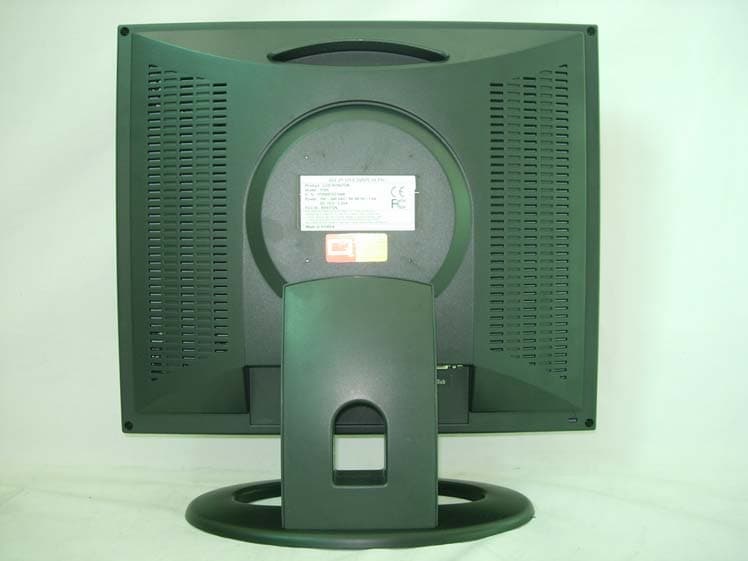
RF6172N
Nov 10, 2005LCD Monitor
Equipment Class
JBP - Part 15 Class B Computing Device Peripheral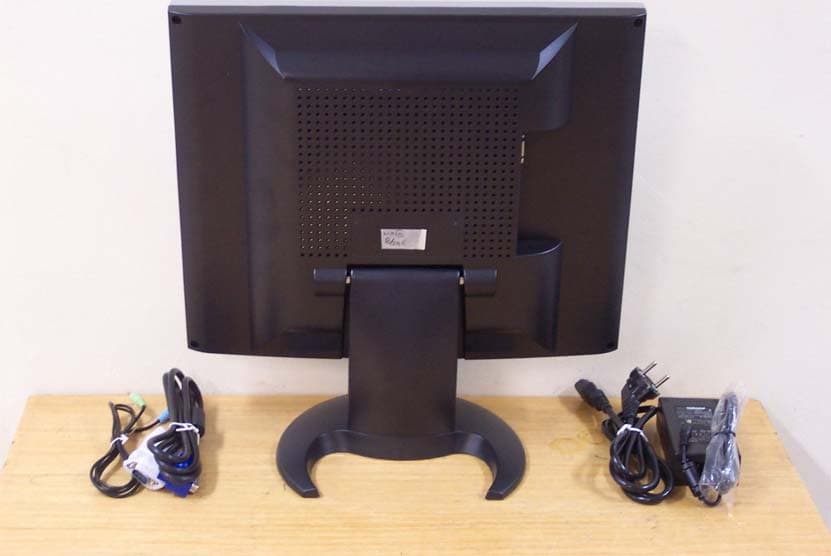
RF6-NACO17A
Oct 01, 2003LCD Monitor
Equipment Class
JBP - Part 15 Class B Computing Device Peripheral