RGPASTOBluetooth Hands-free Car Kit
Southwing S.L.
Click to zoom
Application Details
- Equipment Class
- DSS - Part 15 Spread Spectrum Transmitter
- Date of Grant
- Oct 03, 2005
- Application Purpose
- Original Equipment
- Date of Application
- Oct 03, 2005
- Equipment Note
- Bluetooth Hands-free Car Kit
- Frequency Range
- 2402.00000000 - 2480.00000000
- Company
- Southwing S.L.
- Country
- Spain
Documents & Files
Document Text
Text extracted from the exhibit documents filed with the FCC. Open a document above to read the original.
Users Manual
FCC Statement The changes or modifications not expressly approved by the party responsible for compliance could void the user’s authority to operate the equipment. User Information This device complies with part 15 of FCC Rules. Operation is subject to the following two conditions: (1)This device may not cause harmful interference, and (2)This device must accept any interference received, including interference that may cause undesired operation. To comply with FCC RF exposure requirement, this device and its antenna must not be co-located or operating in the conjunction with any other antenna or transmitter. The Bluetooth word mark and logos are owned by the Bluetooth SIG, Inc. and any use of such marks here is under license. Other trademarks and trade names are those of their respective owners. Bluetooth Hands-free Car Kit Bluetooth your safety Rev. 0.3 (2005/8/10) Introduction The Bluetooth Hands-free Car kit is base on Bluetooth wireless technology connects to a compatible phone without wires. It is easily convert your mobile phone communication into this in-car solution, talking through its build-in high quality speaker and microphone. This hands-free in-car device providing fast and reliable transmission of voice. **1. If your Bluetooth mobile phone only supports Headset profile without Hands-free profile, the product only is with the function of call answering. The following pages of this user manual focus on how to use this product. Overview Speaker Ta l k B u t t o n Power Button External Microphone DC input LCD LED Indicator Vol (-) Vol (+) Start Setup 1. Assembly and Power on Using Vehicle Power Adapter 1. Make the vehicle power adapter connect to 12Vdc of cigarette lighter, the red LED lights on first, then blue LED lights for 2 seconds. After that, the car kit enters standby mode and the blue LED flashes once per 3 seconds. 2. “Welcome” appears on the LCD screen. Using Rechargeable Battery You could use hands-free function of this product by using 3 pcs of AAA batteries when leaving the car environment. 1. Put 3 pcs of AAA battery into this product. Pay more attention for the polarity of battery. 2. Press and hold the “Power button” until the red LED is on and the blue LED lights for 2 seconds later. Then the car kit enters the standby mode, and the blue LED flashes once per 3 seconds. 3. “Welcome” appears on the LCD screen. How to charge for the battery? Please follow the steps as below to charge your batteries. 1. Put 3 pcs of AAA battery into this product. Pay more attentions for the polarity of battery. 2. Please charge the batteries by using the vehicle power adapter attached in the package. 3. When charging complete, the LCD will show . Please do not use the non-rechargeable batteries into this product to charge, this maybe make the product damaged. 2. Pair the Bluetooth car kit with your mobile phone You pair the car kit with the phone by adding it to the paired list in your phone. Then the two devices recognize each other and make the connection when using at the next time. 1. In the disconnection mode, press and hold the “Talk button” until the blue LED flashes once per second, the LCD will show ”LCD: PIN1234”. ** When you press and hold the “Talk button”, you will hear 2 beeps of “hi-lo”. You need to continuously press the “Talk button” until the blue LED flashes, it means that it enters the pairing mode. ** The pairing mode will be held for 3 minutes to let you pair the car kit with the phone. 2. Please refer to the manual of your Bluetooth mobile phone, enable the Bluetooth function and search the new Bluetooth devices within the range of 5 meters. 3. “BT Car Kit” appears in the paired list of you phone. Select it and enter the pin-code “1234” in the phone. 4. Press and hold the “Talk button” to leave the paring mode during pairing. ** 1. You need to pair the car kit with your phone, then you just can make the connection. 2. The car kit will enter the pairing mode automatically when first using. 3. You only need to pair the car kit with your phone when you ue this product at first time. Daily Use 1. Power on 1. Make the vehicle power adapter connect to 12Vdc of the cigarette lighter in the car, the red LED lights on first, then blue LED lights for 2 seconds. After that, the car kit enters standby mode and the blue LED flashes once per 3 seconds. “Welcome” appears on the LCD screen. 2. When using the batteries, press and hold the “Power button” until the red LED is on and the blue LED lights for 2 seconds later. Then the blue LED flashes once per 3 seconds. “Welcome” appears on the LCD screen. 2. Connection/Disconnection Connection 1. Every time you re-start your car kit, press the “Power button” then enter the paired list of the car kit; Press the “Power button” again to leave the paired list. The LCD will show . 2. Select the phone number you would like to link from the paired list by pressing the “Vol(-)” or “Vol(+)” button. 3. Press “Talk button” to make the connection, then the LCD will show ; When the connection is compete, the LCD will show Æ . Disconnection In the connection mode, press the “Power button” to terminate the connection between the car kit and your phone. The LCD will show . 3. Calls Answer a coming call 1. When incoming call, the car kit rings, and the LCD will show the phone number or user name of the call. 2. Press the main button to answer the call. 3. You can answer the coming call by your phone for your privacy. The voice remains on the phone. According to the phone user guide to transfer the voice to the car kit. Terminate a call Press the “Talk button” during the talking mode to terminate the call. Reject a coming call When incoming call, the car kit rings, and the LCD will show the phone number or user name of the call. 2. Press the “Talk” button to reject the call. Making a call When the car kit is connected to your phone, make a call by using your phone in the normal way. ‧ Making a voice dialing If your phone supports voice dialing…
Text truncated - open the document above for the full version.
External Photos
APPENDIX A. Photographs of EUT
Internal Photos
SPORTON International Inc. PAGE NUMBER : A1 OF A7 TEL : 886-2-2696-2468 ISSUED DATE : Oct. 5, 2005 FAX : 886-2-2696-2255 SPORTON International Inc. PAGE NUMBER : A2 OF A7 TEL : 886-2-2696-2468 ISSUED DATE : Oct. 5, 2005 FAX : 886-2-2696-2255 SPORTON International Inc. PAGE NUMBER : A3 OF A7 TEL : 886-2-2696-2468 ISSUED DATE : Oct. 5, 2005 FAX : 886-2-2696-2255 SPORTON International Inc. PAGE NUMBER : A4 OF A7 TEL : 886-2-2696-2468 ISSUED DATE : Oct. 5, 2005 FAX : 886-2-2696-2255 SPORTON International Inc. PAGE NUMBER : A5 OF A7 TEL : 886-2-2696-2468 ISSUED DATE : Oct. 5, 2005 FAX : 886-2-2696-2255 SPORTON International Inc. PAGE NUMBER : A6 OF A7 TEL : 886-2-2696-2468 ISSUED DATE : Oct. 5, 2005 FAX : 886-2-2696-2255 SPORTON International Inc. PAGE NUMBER : A7 OF A7 TEL : 886-2-2696-2468 ISSUED DATE : Oct. 5, 2005 FAX : 886-2-2696-2255
Test Report
SPORTON International Inc. No. 52, Hwa Ya 1st Rd., Kwei-Shan Hsiang, TaoYuan Hsien, Taiwan, R.O.C. Ph: 886-3-327-3456 / FAX: 886-3-327-0973 / www.sporton.com.tw FCC RADIO TEST REPORT Applicant’s company SouthWing Applicant Address C/ Avila, 48-50, 3º, 08005 Barcelona, Spain FCC ID RGPASTO Manufacturer’s company SouthWing Manufacturer Address C/ Avila, 48-50, 3º, 08005 Barcelona, Spain Product Name Bluetooth Hands-free Car Kit Brand Name SouthWing Model Name SC505, SC510 Test Rule Part(s) 47 CFR Part 15.247 Test Freq. Range 2400 ~ 2483.5MHz Receive Date Sep. 12, 2005 Test Date Oct. 4, 2005 Submission Type Original Equipment Statement The test result in this report refers exclusively to the presented test model / sample. Without written approval of SPORTON International Inc., the test report shall not be reproduced except in full. The measurements and test results shown in this test report were made in accordance with the procedures and found in compliance with the limit given in ANSI C63.4-2003 and 47 CFR FCC Part 15 Subpart C. The test equipment used to perform the test is calibrated and traceable to NML/ROC. Lab Code: 2000-79-0 Report No.: FR590925 FCC ID: RGPASTO Page No. : i of ii Issued Date : Oct. 5, 2005 Table of Contents 1. CERTIFICATE OF COMPLIANCE ......................................................................................................................... 1 2. SUMMARY OF THE TEST RESULT .......................................................................................................................... 2 3. GENERAL INFORMATION .................................................................................................................................. 3 3.1. Product Details....................................................................................................................................................................................3 3.2. Accessories .........................................................................................................................................................................................3 3.3. Table for Filed Antenna.......................................................................................................................................................................3 3.4. Table for Carrier Frequencies .............................................................................................................................................................3 3.5. Table for Test Modes ...........................................................................................................................................................................4 3.6. Table for Test Modes ...........................................................................................................................................................................4 3.7. Table for Testing Locations..................................................................................................................................................................4 3.8. Table for Supporting Units ...................................................................................................................................................................5 3.9. Table for Parameters of Test Software Setting .....................................................................................................................................5 3.10. Test Configurations .............................................................................................................................................................................6 4. TEST RESULT ..................................................................................................................................................... 8 4.1. AC Power Line Conducted Emissions Measurement...........................................................................................................................8 4.2. Maximum Peak Output Power Measurement ...................................................................................................................................11 4.3. Hopping Channel Separation Measurement ...................................................................................................................................13 4.4. Number of Hopping Frequency Measurement.................................................................................................................................18 4.5. Dwell Time Measurement..................................................................................................................................................................20 4.6. Radiated Emissions Measurement ....................................................................................................................................................27 4.7. Band Edge Emissions Measurement .................................................................................................................................................45 4.8. Antenna Requirements .....................................................................................................................................................................48 5. LIST OF MEASURING EQUIPMENTS ................................................................................................................... 49 6. SPORTON COMPANY PROFILE ........................................................................................................................ 50 6.1. Test Location.....................................................................................................................................................................................50 7. CERTIFICATE OF NVLAP ACCREDITATION ......................................................................................................... 51 APPENDIX A. PHOTOGRAPHS OF EUT.…
Text truncated - open the document above for the full version.
Test Setup Photos
Report No.: FR590925 FCC ID: RGPASTO Page No. : 1 of 3 Appendix B. Test Photos Report No.: FR590925 FCC ID: RGPASTO Page No. : 2 of 3 1. Photographs of Radiated Emissions Test Configuration Normal Mode FRONT VIEW REAR VIEW Report No.: FR590925 FCC ID: RGPASTO Page No. : 3 of 3 TX Mode FRONT VIEW REAR VIEW
Contact Information
Applicant
Sergi Torrents(Chief Technical Officer)
Technical Contact
Sporton International IncWayne Hsu
[email protected]+886 3 327 3456
No. 52, Hwa Ya 1st Rd., Kwei Shan · Tao Yuan · Taiwan
Test Firm
Sporton International Inc.Kathy Lin
Technical Specifications
| # | Rule Parts | Frequency Range | Power Output |
|---|---|---|---|
| 1 | 15C | 2.40 GHz - 2.48 GHz | 1.68 mW |
Other Applications from Southwing S.L.
RGPBOROM
Nov 21, 2007Bluetooth Wireless Headset
Equipment Class
DSS - Part 15 Spread Spectrum Transmitter
RGPBOFLX
Sep 26, 2007Bluetooth Wireless Headset
Equipment Class
DSS - Part 15 Spread Spectrum Transmitter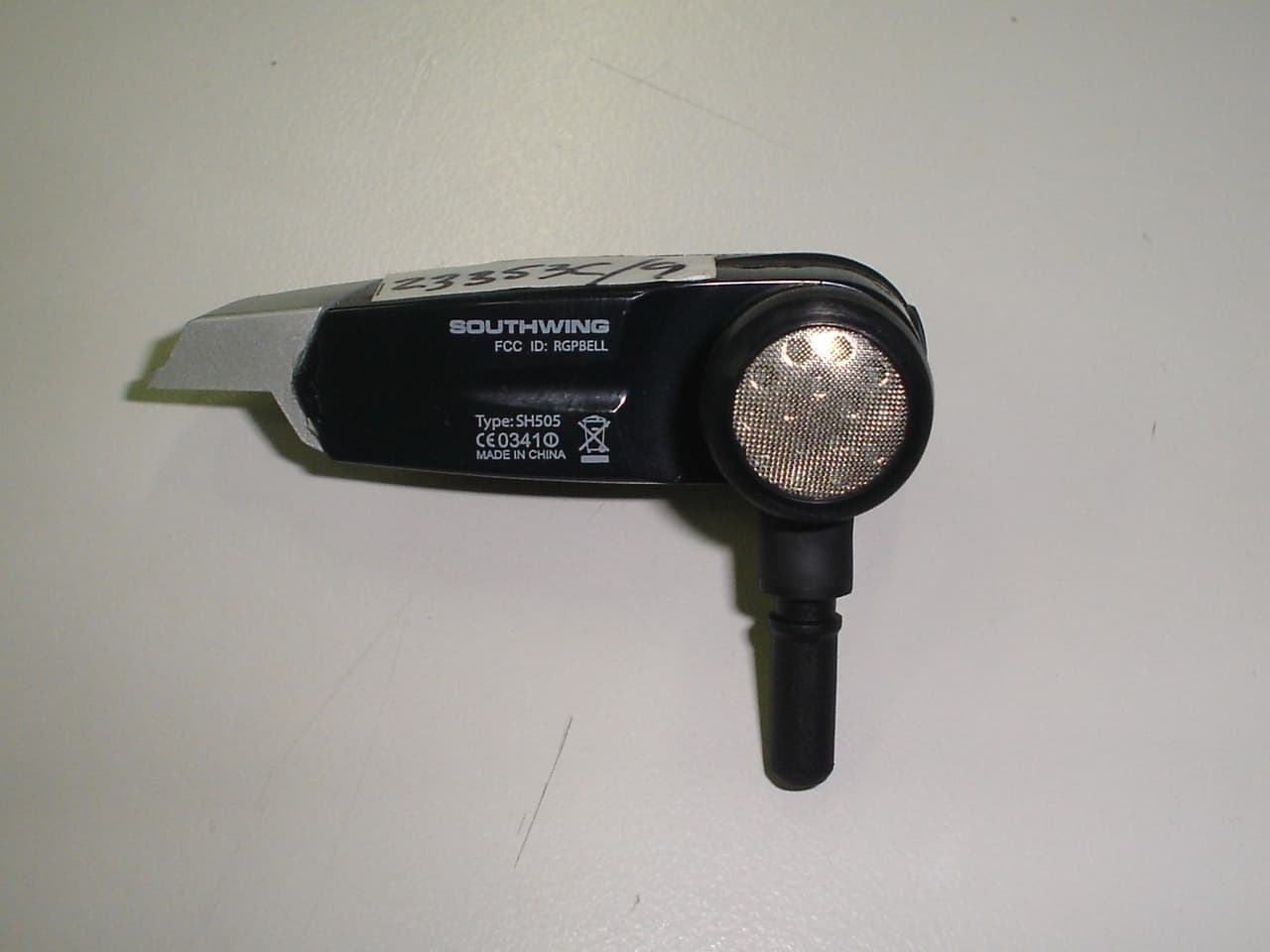
RGPBELL
Jun 14, 2006Bluetooth Wireless Stereo Headset / Model: SH505
Equipment Class
DSS - Part 15 Spread Spectrum Transmitter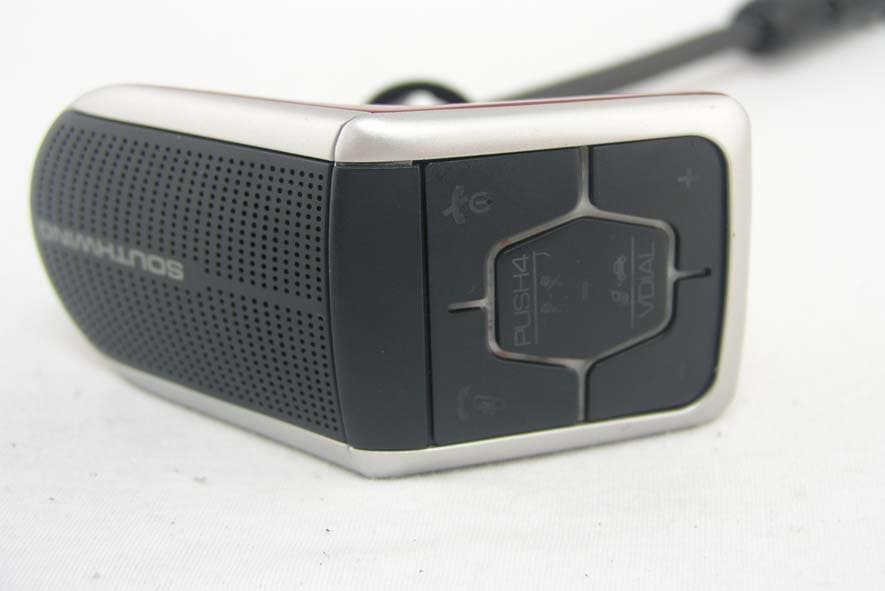
RGPTERE
May 17, 2006Bluetooth Hands free Car kit
Equipment Class
DSS - Part 15 Spread Spectrum Transmitter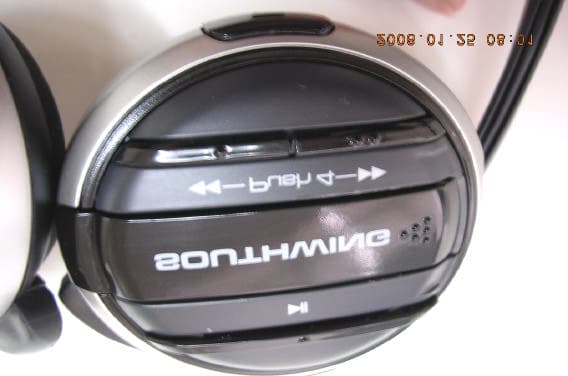
RGPCELL
Jan 25, 2006Bluetooth Stereo Headphones
Equipment Class
DSS - Part 15 Spread Spectrum Transmitter