RGPCATLHands-Free Car Kit with Bluetooth
Southwing S.L.
Click to zoom
Application Details
- Equipment Class
- DSS - Part 15 Spread Spectrum Transmitter
- Date of Grant
- Oct 11, 2005
- Application Purpose
- Original Equipment
- Date of Application
- Oct 11, 2005
- Equipment Note
- Hands-Free Car Kit with Bluetooth
- Frequency Range
- 2402.00000000 - 2480.00000000
- Company
- Southwing S.L.
- Country
- Spain
Documents & Files
Document Text
Text extracted from the exhibit documents filed with the FCC. Open a document above to read the original.
Users Manual
Note: Please read the “Safe Usage Guidelines” and “Limited Warranty” before using the Carkit 1. Introduction Thank you for choosing a Bluetooth® product from SouthWing. This user guide provides all the information you will need to use and care for your product. All relevant information regarding your SouthWing product can be found on the support section of our website: www.south-wing.com 2. Setting up 1. Plug the Car Kit into the cigarette lighter (make sure you press the 2 contact buttons for a correct insertion in the socket). 2. Place the Car Kit’s screen facing towards you. 3. Rotate and orient the Microphone Arm [2] towards you. alternatively, you may want to use the External Microphone [13] provided. To do so, connect the External Microphone jack to the External Microphone Plug [11] of the Car Kit and place it somewhere close to you. 4. Turn on the unit by pressing the Hang up button [7] for a few seconds. You will see that the Car Kit illuminates. To switch it off, press again the Hang up button [7] for a few seconds. When switched on, the unit will stay on while not connected to any phone, and will automatically turn off after 15 minutes. 5. Select the language menu that you prefer by simultaneously pressing the Answer Button [5] and Hang up Buttons [7]. You can scroll along the language options by pressing the Answer Button [5]. When you select the desired option, press the Select Button [6]. If you want to escape this menu press the Hang up button [7]. 1 . E N G LISH 2 . E S P A Ñ O L 3 . F R A N Ç A IS 4 . I T A L I ANO 5 . D E U TSC H 6 . P O R TU G U ES 7 . N E D ERLANDS 2. Pairing Before using your Car Kit you will need to pair it to your Bluetooth mobile phone. You will need to repeat this process if you want to use your Car Kit with another mobile phone. You will be able to pair your Car Kit with up to 3 devices. If you pair an additional device to the above list of 3, one of the previous devices will be deleted. 1. Ensure the Car Kit is switched on and that the mobile phone is not too far apart (less than 1 meter away). 2. If the Car Kit has not been paired to any device yet. The following display will appear. ! N E EDTOPAIR T O M O BILE 3. Press the Select Button [6] and the display will show the following message A C T IV A TEB T O N M O BILE 4. Ensure that Bluetooth is activated in your mobile phone and press the Select Button [6] P U T O NSE A R C H F O R N EWD E VIC ES 5. Put your mobile phone in search for new Bluetooth devices and press the Select Button [6] <> P AIRIN G 6. If you are asked for a PIN number in the mobile phone, note that the PIN number is 1111. 7. If pairing has been completed successfully the following message will appear. ! PAIRIN G S U CCESSFUL 3. Connecting to the phone Everytime that you switch on the Car Kit, it will attempt connection to any of the Mobile phones that you have it paired to. If the Car Kit is not connected to any device the display will show the following message. S O U T H W IN G 1 .P A I R2.C O N N EC Press the Answer Button [5] if you want to pair to a new device and follow the steps indicated in the Pairing section. To connect to one of the devices, press the Hang up Button [7] and a list of the paired devices will appear. Pressing again the Hang up Button [7] will take you again to the previous menu. In the list of paired devices, press again the Answer Button [5] to scroll through the list, and select the desired device by pressing the Select Button [6]. Once connection is established the display menu for making and receiving calls appears. S O U T H W IN G 1 .C A L L2.DISC O N Now you can disconnect from the phone by pressing the Hang up Button [7]. If you attempt connection when no devices have been paired to the Car Kit, the following message will appear. ! N OD E VIC ES PAI RED 6. Making calls Calls may be initiated directly from your phone by simply dialing the number. Alternatively, you may make calls from the Car Kit in 5 different ways (depending on your phone): voice dial, redial, calling from Phone Book, calling from Received Calls list, or calling from missed calls list. To initiate a call from the Car Kit, while connected to a phone, press the Answer Button [5]. S O U T H W IN G 1 .C A L L2.DISC O N You will be able to scroll with the Answer Button [5] through a series of different options shown below. Pressing the Hang-up Button [7] will take you again to the previous menu. 1 .V O I C EDIA L Press the Select Button [6] to initiate voice dialling. If your phone supports voice dialling, you need to wait for a tone and then say the voice tag, which has to be previously recorded on your phone. 2 .R E D IA L Press the Select Button [6] to make the phone redial the last called number. Please note that the phone must support Hands-free profile to support this feature. 3 .P H O N EB O O K Press the Select Button [6] to make a call to one of the phone numbers stored in the phone book. Refer to the phone book chapter to manage phone entries. Please note that the phone must support Hands-free profile to support this feature. 4 .R E C EIV E DC A LLS Press the Select Button [6] to make a call to one of the phone numbers stored in the received calls list. This list has 10 items, and the last received call will always be in the top of the list. Please note that the phone must support Hands-free profile to support this feature. 5 . M I S SEDCALLS Press the Select Button [6] to make a call to one of the phone numbers stored in the missed calls list. This list has 10 items, and the last missed call will always be in the top of the list. Please note that the phone must support Hands-free profile to support this feature. Receiving calls When you receive a call, if your mobile phone supports the Caller Identification feature, you will be able to see the number of the person calling you . < 9 3 4 567890 1 .Y E S 2.N O Press the Answer Button [5] to accept the call. If your mobile phone supports Hands- free profile you can also p…
Text truncated - open the document above for the full version.
External Photos
Report No: EF/2005/80009 ID: RGPCATL Issue Date: Oct. 05, 2005 The results shown in this test report refer only to the sample(s) tested unless otherwise stated. This test report cannot be reproduced, except in full, without prior written permission of the Company. SGS Taiwan Ltd. No. 134, Wu Kung Rd., Wuku Industrial Zone, Taipei Country, Taiwan. / 台北縣五股工業區五工路134號 台灣檢驗科技股份有限公司 t (886-2) 2299-3939 f (886-2) 2298-2698 www.sgs.com.tw APPENDIX 2 EXTERNAL PHOTOGRPHS OF EUT Report No: EF/2005/80009 ID: RGPCATL Issue Date: Oct. 05, 2005 The results shown in this test report refer only to the sample(s) tested unless otherwise stated. This test report cannot be reproduced, except in full, without prior written permission of the Company. SGS Taiwan Ltd. No. 134, Wu Kung Rd., Wuku Industrial Zone, Taipei Country, Taiwan. / 台北縣五股工業區五工路134號 台灣檢驗科技股份有限公司 t (886-2) 2299-3939 f (886-2) 2298-2698 www.sgs.com.tw Front View of EUT Back View of EUT Report No: EF/2005/80009 ID: RGPCATL Issue Date: Oct. 05, 2005 The results shown in this test report refer only to the sample(s) tested unless otherwise stated. This test report cannot be reproduced, except in full, without prior written permission of the Company. SGS Taiwan Ltd. No. 134, Wu Kung Rd., Wuku Industrial Zone, Taipei Country, Taiwan. / 台北縣五股工業區五工路134號 台灣檢驗科技股份有限公司 t (886-2) 2299-3939 f (886-2) 2298-2698 www.sgs.com.tw Side View of EUT
ID Label/Location Info
FCC ID LABEL FORMAT AND LOCATION Applicant: SouthWing FCC ID: RGPCATL
Internal Photos
Report No: EF/2005/80009 ID: RGPCATL Issue Date: Oct. 05, 2005 The results shown in this test report refer only to the sample(s) tested unless otherwise stated. This test report cannot be reproduced, except in full, without prior written permission of the Company. SGS Taiwan Ltd. No. 134, Wu Kung Rd., Wuku Industrial Zone, Taipei Country, Taiwan. / 台北縣五股工業區五工路134號 台灣檢驗科技股份有限公司 t (886-2) 2299-3939 f (886-2) 2298-2698 www.sgs.com.tw APPENDIX 3 INTERNAL PHOTOGRPHS OF EUT Report No: EF/2005/80009 ID: RGPCATL Issue Date: Oct. 05, 2005 The results shown in this test report refer only to the sample(s) tested unless otherwise stated. This test report cannot be reproduced, except in full, without prior written permission of the Company. SGS Taiwan Ltd. No. 134, Wu Kung Rd., Wuku Industrial Zone, Taipei Country, Taiwan. / 台北縣五股工業區五工路134號 台灣檢驗科技股份有限公司 t (886-2) 2299-3939 f (886-2) 2298-2698 www.sgs.com.tw Open View of EUT Internal View of EUT – 1 Report No: EF/2005/80009 ID: RGPCATL Issue Date: Oct. 05, 2005 The results shown in this test report refer only to the sample(s) tested unless otherwise stated. This test report cannot be reproduced, except in full, without prior written permission of the Company. SGS Taiwan Ltd. No. 134, Wu Kung Rd., Wuku Industrial Zone, Taipei Country, Taiwan. / 台北縣五股工業區五工路134號 台灣檢驗科技股份有限公司 t (886-2) 2299-3939 f (886-2) 2298-2698 www.sgs.com.tw Internal View of EUT – 2 Internal View of EUT – 3 Report No: EF/2005/80009 ID: RGPCATL Issue Date: Oct. 05, 2005 The results shown in this test report refer only to the sample(s) tested unless otherwise stated. This test report cannot be reproduced, except in full, without prior written permission of the Company. SGS Taiwan Ltd. No. 134, Wu Kung Rd., Wuku Industrial Zone, Taipei Country, Taiwan. / 台北縣五股工業區五工路134號 台灣檢驗科技股份有限公司 t (886-2) 2299-3939 f (886-2) 2298-2698 www.sgs.com.tw BT Modular BT Modular
Test Report
Report No: EF/2005/80009 ID: RGPCATL Issue Date: Oct. 05, 2005 Page: 1 of 56 The results shown in this test report refer only to the sample(s) tested unless otherwise stated. This test report cannot be reproduced, except in full, without prior written permission of the Company. SGS Taiwan Ltd. No. 134, Wu Kung Rd., Wuku Industrial Zone, Taipei Country, Taiwan. / 台北縣五股工業區五工路134號 台灣檢驗科技股份有限公司 t (886-2) 2299-3939 f (886-2) 2298-2698 www.sgs.com.tw ELECTROMAGNETIC EMISSIONS COMPLIANCE REPORT INTENTIONAL RADIATOR CERTIFICATION TO FCC PART 15 SUBPART C REQUIREMENT OF Product Name: Bluetooth Handsfree Car Kit Brand Name: SouthWing Model Name: SC705-x (x=a~z, 1~9) FCC ID: RGPCATL Report No.: EF/2005/80009 Issue Date: Oct. 05, 2005 FCC Rule Part: §15.247 Prepared for SouthWing C/ Avila, 48-50, 3a, 08005 Barcelona, Spain Prepared by SGS Taiwan Ltd. No. 134, Wu Kung Rd., Wuku Industrial Zone, Taipei County, Taiwan. Note: This report shall not be reproduced except in full, without the written approval of SGS Taiwan Ltd. This document may be altered or revised by SGS Taiwan Ltd. personnel only, and shall be noted in the revision section of the document. Report No: EF/2005/80009 ID: RGPCATL Issue Date: Oct. 05, 2005 Page: 2 The results shown in this test report refer only to the sample(s) tested unless otherwise stated. This test report cannot be reproduced, except in full, without prior written permission of the Company. SGS Taiwan Ltd. No. 134, Wu Kung Rd., Wuku Industrial Zone, Taipei Country, Taiwan. / 台北縣五股工業區五工路134號 台灣檢驗科技股份有限公司 t (886-2) 2299-3939 f (886-2) 2298-2698 www.sgs.com.tw VERIFICATION OF COMPLIANCE Applicant: SouthWing C/ Avila, 48-50, 3a, 08005 Barcelona, Spain Equipment Under Test: Bluetooth Handsfree Car Kit Brand Name: SouthWing FCC ID Number: RGPCATL Model No.: SC705-x (x=a~z, 1~9) Model Difference: Enclosure color is different for different brand name File Number: EF/2005/80008 Date of test: Sep. 25, 2005 ~ Oct. 03, 2005 Date of EUT Received: Aug. 16, 2005 We hereby certify that: The above equipment was tested by SGS Taiwan Ltd. The test data, data evaluation, test proce- dures, and equipment configurations shown in this report were made in accordance with the procedures given in ANSI C63.4 (2003) and the energy emitted by the sample EUT tested as described in this report is in compliance with conducted and radiated emission limits of FCC Rules Part 15.247 The test results of this report relate only to the tested sample identified in this report. Test By: Date Oct. 05, 2005 Henk Huang Prepared By: Date Oct. 05, 2005 Eva Kao Approved By: Date Oct. 05, 2005 Vincent Su Report No: EF/2005/80009 ID: RGPCATL Issue Date: Oct. 05, 2005 Page: 3 The results shown in this test report refer only to the sample(s) tested unless otherwise stated. This test report cannot be reproduced, except in full, without prior written permission of the Company. SGS Taiwan Ltd. No. 134, Wu Kung Rd., Wuku Industrial Zone, Taipei Country, Taiwan. / 台北縣五股工業區五工路134號 台灣檢驗科技股份有限公司 t (886-2) 2299-3939 f (886-2) 2298-2698 www.sgs.com.tw Version Version No. Date 00 Oct. 05, 2005 Report No: EF/2005/80009 ID: RGPCATL Issue Date: Oct. 05, 2005 Page: 4 The results shown in this test report refer only to the sample(s) tested unless otherwise stated. This test report cannot be reproduced, except in full, without prior written permission of the Company. SGS Taiwan Ltd. No. 134, Wu Kung Rd., Wuku Industrial Zone, Taipei Country, Taiwan. / 台北縣五股工業區五工路134號 台灣檢驗科技股份有限公司 t (886-2) 2299-3939 f (886-2) 2298-2698 www.sgs.com.tw Table of Contents 1. GENERAL INFORMATION .........................................................................................................7 1.1. Product Description ............................................................................................................................7 1.2. Related Submittal(s) / Grant (s) ..........................................................................................................7 1.3. Test Methodology ...............................................................................................................................7 1.4. Test Facility.........................................................................................................................................7 1.5. Special Accessories .............................................................................................................................7 1.6. Equipment Modifications....................................................................................................................7 2. SYSTEM TEST CONFIGURATION ............................................................................................8 2.1. EUT Configuration .............................................................................................................................8 2.2. EUT Exercise ......................................................................................................................................8 2.3. Test Procedure.....................................................................................................................................8 2.4. Configuration of Tested System..........................................................................................................9 3. SUMMARY OF TEST RESULTS ...............................................................................................10 4. DESCRIPTION OF TEST MODES ............................................................................................11 5. CONDUCTED EMISSION TEST................................................................................................12 5.1. Standard Applicable ..........................................................................................................................12 5.2. EUT Setup.........................................................................................................................................…
Text truncated - open the document above for the full version.
Test Setup Photos
Report No: EF/2005/80009 ID: RGPCATL Issue Date: Oct. 05, 2005 The results shown in this test report refer only to the sample(s) tested unless otherwise stated. This test report cannot be reproduced, except in full, without prior written permission of the Company. SGS Taiwan Ltd. No. 134, Wu Kung Rd., Wuku Industrial Zone, Taipei Country, Taiwan. / 台北縣五股工業區五工路134號 台灣檢驗科技股份有限公司 t (886-2) 2299-3939 f (886-2) 2298-2698 www.sgs.com.tw APPENDIX 1 PHOTOGRPHS OF SET UP Report No: EF/2005/80009 ID: RGPCATL Issue Date: Oct. 05, 2005 The results shown in this test report refer only to the sample(s) tested unless otherwise stated. This test report cannot be reproduced, except in full, without prior written permission of the Company. SGS Taiwan Ltd. No. 134, Wu Kung Rd., Wuku Industrial Zone, Taipei Country, Taiwan. / 台北縣五股工業區五工路134號 台灣檢驗科技股份有限公司 t (886-2) 2299-3939 f (886-2) 2298-2698 www.sgs.com.tw Radiated Emission Set up Photos Report No: EF/2005/80009 ID: RGPCATL Issue Date: Oct. 05, 2005 The results shown in this test report refer only to the sample(s) tested unless otherwise stated. This test report cannot be reproduced, except in full, without prior written permission of the Company. SGS Taiwan Ltd. No. 134, Wu Kung Rd., Wuku Industrial Zone, Taipei Country, Taiwan. / 台北縣五股工業區五工路134號 台灣檢驗科技股份有限公司 t (886-2) 2299-3939 f (886-2) 2298-2698 www.sgs.com.tw Radiated Emission Set up Photos
Contact Information
Applicant
Sergi Torrents(Chief Technical Officer)
Technical Contact
SGS Taiwan Ltd.Vincent Su
[email protected]+886-2-22993279
134 Wu Kung Road, Wuku Industrial Zone · Taipei County · Taiwan
Test Firm
SGS Taiwan Ltd.Jason Lin
Technical Specifications
| # | Rule Parts | Frequency Range | Power Output |
|---|---|---|---|
| 1 | 15C | 2.40 GHz - 2.48 GHz | 1.00 mW |
Other Applications from Southwing S.L.
RGPBOROM
Nov 21, 2007Bluetooth Wireless Headset
Equipment Class
DSS - Part 15 Spread Spectrum Transmitter
RGPBOFLX
Sep 26, 2007Bluetooth Wireless Headset
Equipment Class
DSS - Part 15 Spread Spectrum Transmitter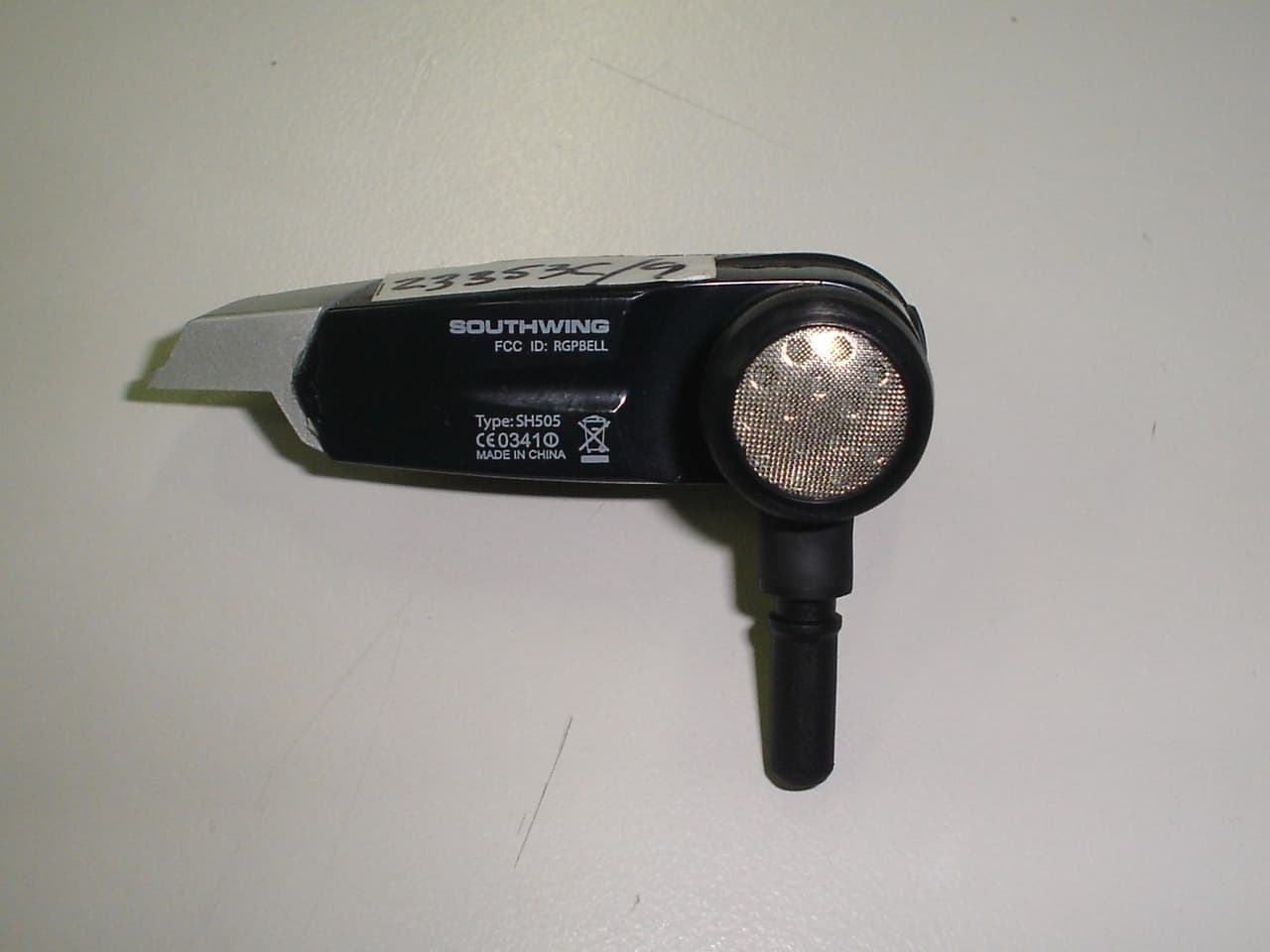
RGPBELL
Jun 14, 2006Bluetooth Wireless Stereo Headset / Model: SH505
Equipment Class
DSS - Part 15 Spread Spectrum Transmitter
RGPTERE
May 17, 2006Bluetooth Hands free Car kit
Equipment Class
DSS - Part 15 Spread Spectrum Transmitter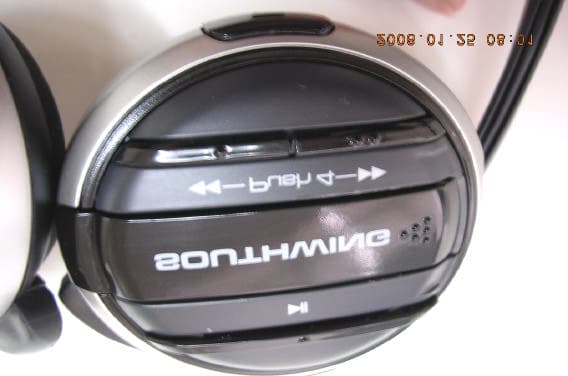
RGPCELL
Jan 25, 2006Bluetooth Stereo Headphones
Equipment Class
DSS - Part 15 Spread Spectrum Transmitter