RWU-DMA0203USB Adapter
Newell Rubbermaid Inc.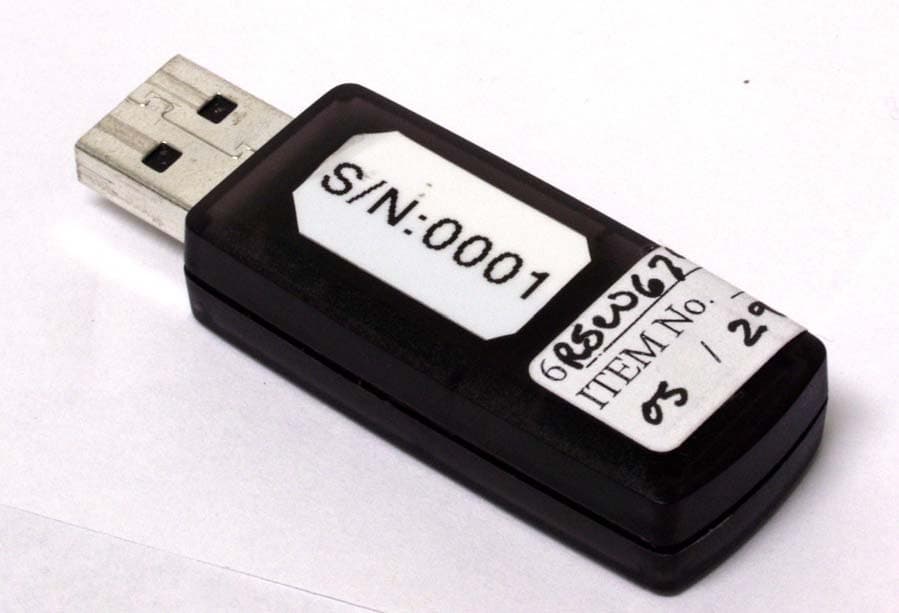
Click to zoom
Application Details
- Equipment Class
- DTS - Digital Transmission System
- Date of Grant
- Oct 04, 2007
- Application Purpose
- Original Equipment
- Date of Application
- Oct 04, 2007
- Equipment Note
- USB Adapter
- Frequency Range
- 2402.00000000 - 2479.00000000
- Company
- Newell Rubbermaid Inc.
- Country
- United States
Documents & Files
Document Text
Text extracted from the exhibit documents filed with the FCC. Open a document above to read the original.
Users Manual
Page 1Page 12 Sanford Brands - mimio 150 CambridgePark Drive Cambridge, MA 02140 Parker Pen Company - mimio 7 Berkshire Business Centre Berkshire Drive Thatcham, Berkshire RG19 4EW UK Toll-free in US: (877) my-mimio (696-4646) Main telephone: (617) 902-2040 Fax: (617) 902-2041 E-mail: [email protected] Telephone: +44 870 458 3344 Fax: +44 870 458 3355 Support: +44 870 458 3366 E-mail: [email protected] Setup Guide for Wireless © 2007 Sanford LP. All rights reserved. mimio is a registered trademark and mimio Xi is a trademark of Sanford LP. Windows is a registered trademark of Microsoft, Inc. All rights reserved. For Windows 98SE/Me/2000/XP and Vista & Mac OS X 10.3.9 or later Use this to quickly setup and use your mimio wireless. Page 3Page 10 All mimio products include free phone and e-mail support. Email: [email protected] (United States and Canada) or [email protected] (Europe) Telephone: 1-877-846-3721 (United States and Canada) or +44 870 458 3366 (Europe) Web Site: http://www.mimio.com/support With all support inquiries, please provide us with the following information: • mimio model number (located on the mimio serial number label) • mimio software version number • Operating system on computer • Make and model of computer • Description of problem This device complies with Part 15 of the FCC Rules. Operation is subject to the following two conditions: (1) this device may not cause harmful interference. (2) this device must accept any interference received, including interference that may cause undesired operation. Caution: Changes or modifications not expressly approved by the party responsible for compliance could void the user's authority to operate the equipment. Contact Sanford Corporation, 150 CambridgePark Drive, Cambridge, MA 02140. Technical Support: 877-846-3721. Declaration of Conformity Manufacturer’s Name: Sanford Corporation Manufacturer’s Address: 150 CambridgePark Drive Cambridge, MA 02140 USA Declares that the product: Product Name: mimio wireless Model Number: DMA-02-03 Conforms to the following standards: Safety: EN 60950:1992 +A1:1993 +A2:1993 +A3:1995 +A4:1997 +A11:1997, EN 60825-1:1994 EMC: EN 61000-6-3:2001, EN 55022:1998, Class B (CISPR-22), Immunity: EN 61000-6-1:2001, EN 55024:1998 + A1:2001 + A2:2002, EN 301 489-01 V1.4.1, EN 301 489-03 V1.4.1 using: EN 61000-4-2:1995 + A1:1998, EN 61000-4-3:1995 + A1:1998, EN 61000-4-4:1995, EN 61000-4-5:1995, EN 61000-4-6:1996, EN 61000-4-11:1994 Radio Spectrum: EN 300 440-2 V1.1.1 The product is in conformity with the requirements of the General Product Safety Directive (92/59/EEC), the Low-Voltage Directive (73/23/EEC), the EMC Directive (89/336/EEC, the Machinery Directive (89/392/EEC), and the Product Liability Directive (85/374/EEC) and amendment (1999/44/EC), the R&TTE Directive (1999/5/EC). R 008NY060022 R 008NY060021 Technical Support Wireless Module - Replaces the USB Module on any mimio Xi, enables wireless communication USB Adapter - Plugs into any available USB port, provides a wireless link to your mimio Xi USB Cable - Extension cable for the USB Adapter, for computers with very close USB ports AC Adapter - Provides persistent power for your mimio Xi mimio Studio - Advanced user friendly interactive application suite Microsoft Windows • IBM compatible, Pentium 166 MHz minimum • MS Windows 98SE/Me/2000 or XP • 32 MB RAM minimum (64 MB RAM recommended) • 30 MB free disk space minimum • CD-ROM Drive • Available USB port Box Contents System Requirements Mac OS X • 400 MHz processor (800 MHz or faster recommended) • Mac OS X version 10.2.7 or higher • 128 MB RAM minimum (256 MB RAM recommended) • 30 MB free disk space minimum • CD-ROM Drive • Available USB port Wireless 92 Page 9Page 4 Troubleshooting If the Link Status LED on the Wireless Module is amber, a wireless connection cannot be made between the Wireless Module and the USB Adapter. Please try the following steps to establish a wireless connection between these two mimio Wireless components: 1. Ensure the PC is powered and turned on. 2. Ensure the USB Adapter is plugged into an available USB port on your PC. 3. Ensure the mimio Xi is powered on and has a green power LED. If the power LED is amber, replace the four AA batteries in the mimio Xi capture bar. 4. Move the mimio Xi (with Wireless Module) closer to the computer with the USB Adapter connected to it. If you still cannot establish a wireless connection after following the steps listed above, try unplugging the USB Adapter from the PC and then reinserting in the USB Adapter into the PC. If this does not help, then follow the steps outlined in the Learning Process section to re-bind the Wireless Module and USB Adapter. If completing the Learning Process does not result in a wireless connection, please contact our Technical Support department using one of the contact methods described in the Technical Support section. Setup Process Depress the release button and slide the linkUSB module downward to remove the module from the mimio Xi. Insert/slide the Wireless Module into the mimio Xi. Install the mimio software from CD if not already installed. Check our website for the latest mimio software (www.mimio.com). Wireless 1 2 3 38 Page 5Page 8 Learning Process The Wireless Module and USB Adapter are programmed at the factory and are packaged as a mated pair to work “out of the box” without user intervention*. They are an exclusive pair of components that will only communicate to one another. This allows for more than one mimio Wireless to co-exist in the same environment without causing confusion over which Wireless Module communicates to which USB Adapter. Since the Wireless Module and USB Adapter are designed to work exclusively as a pair, you cannot casually interchange a wireless module from one wireless system with a wireless USB Adapter from another wireless system and expect it to work; mixed components will not be able to communicate unless they have been programmed as a pair.…
Text truncated - open the document above for the full version.
Users Manual
Page 7Page 6 User Interface link status data transmission power indicator learn button* Link Status Indicator Green: A wireless link is established between the unit and the PC. Amber: There is no wireless link between the mimio Xi device and the PC. Refer to the Troubleshooting Section. Flashing green: Unit is is Learning Process*. Data Transmission Indicator Slow flashing green: System is idle. Fast flashing green: mimio stylus pen is in use. Off: No data is being communicated between the mimio Xi device and the PC. Refer to Troubleshooting Section. * Refer to the Learning Section for more information. Setup Process continued Open the mimio software. Begin using a mimio stylus to use your mimio Wireless. 6 7 56 Page 5Page 8 Learning Process The Wireless Module and USB Adapter are programmed at the factory and are packaged as a mated pair to work “out of the box” without user intervention*. They are an exclusive pair of components that will only communicate to one another. This allows for more than one mimio Wireless to co-exist in the same environment without causing confusion over which Wireless Module communicates to which USB Adapter. Since the Wireless Module and USB Adapter are designed to work exclusively as a pair, you cannot casually interchange a wireless module from one wireless system with a wireless USB Adapter from another wireless system and expect it to work; mixed components will not be able to communicate unless they have been programmed as a pair. A Wireless Module can only be paired with one USB Adapter at any given point in time; you cannot program one Wireless Module to work with multiple USB Adapters and vice versa. Mating the Wireless Module and USB Adapter: If you own multiple mimio Wireless and mistakenly get the Wireless Module and USB Adapter components mixed together, you can manually re-program any pair of Wireless Module and USB Adapter components to work exclusively together through a learning process. The learning process is described in the steps listed below. 1. Power on the mimio Xi (with Wireless Module). 2. Plug the USB Adapter into an available USB port on your PC. 3. Press and hold the teach button on the USB Adapter for 5 seconds to initiate the learning process (the LED on the USB Adapter should begin flashing green). 4. Press the recessed learn button on the Wireless Module with the end of a paper clip to complete the learning process. A A beep will sound when the learning process begins. 5. The Link Status LED will start flashing green while the learning process is underway. Once the Wireless Module and USB Adapter are mated, the Link Status LED will turn to a solid green color to identify the 2 components have been paired and that a wireless connection is established. * 802.11x and/or Bluetooth is neither required nor supported. Setup Process continued OR Power on mimio Xi. mimio Xi can be powered by 4 AA batteries or the included AC Adapter. Plug the Wireless USB Adapter into an available USB port. If there is insufficient space to fit the USB Adapter into a USB port, the included USB Exten- sion cable can be used with the USB Adapter to allow for the USB connection. 4 5 74 Page 9Page 4 Troubleshooting If the Link Status LED on the Wireless Module is amber, a wireless connection cannot be made between the Wireless Module and the USB Adapter. Please try the following steps to establish a wireless connection between these two mimio Wireless components: 1. Ensure the PC is powered and turned on. 2. Ensure the USB Adapter is plugged into an available USB port on your PC. 3. Ensure the mimio Xi is powered on and has a green power LED. If the power LED is amber, replace the four AA batteries in the mimio Xi capture bar. 4. Move the mimio Xi (with Wireless Module) closer to the computer with the USB Adapter connected to it. If you still cannot establish a wireless connection after following the steps listed above, try unplugging the USB Adapter from the PC and then reinserting in the USB Adapter into the PC. If this does not help, then follow the steps outlined in the Learning Process section to re-bind the Wireless Module and USB Adapter. If completing the Learning Process does not result in a wireless connection, please contact our Technical Support department using one of the contact methods described in the Technical Support section. Setup Process Depress the release button and slide the linkUSB module downward to remove the module from the mimio Xi. Insert/slide the Wireless Module into the mimio Xi. Install the mimio software from CD if not already installed. Check our website for the latest mimio software (www.mimio.com). Wireless 1 2 3 38 Page 3Page 10 All mimio products include free phone and e-mail support. Email: [email protected] (United States and Canada) or [email protected] (Europe) Telephone: 1-877-846-3721 (United States and Canada) or +44 870 458 3366 (Europe) Web Site: http://www.mimio.com/support With all support inquiries, please provide us with the following information: • mimio model number (located on the mimio serial number label) • mimio software version number • Operating system on computer • Make and model of computer • Description of problem Declaration of Conformity Manufacturer’s Name: Virtual Ink Corporation Manufacturer’s Address: 25 First Street - Suite 301 Cambridge, MA 02141 USA Declares that the product: Product Name: mimio wireless Model Number: DMA0203 Conforms to the following standards: Safety: EN 60950:1992 +A1:1993 +A2:1993 +A3:1995 +A4:1997 +A11:1997, EN 60825-1:1994 EMC: EN 61000-6-3:2001, EN 55022:1998, Class B (CISPR-22), Immunity: EN 61000-6-1:2001, EN 55024:1998 + A1:2001 + A2:2002, EN 301 489-01 V1.4.1, EN 301 489-03 V1.4.1 using: EN 61000-4-2:1995 + A1:1998, EN 61000-4-3:1995 + A1:1998, EN 61000-4-4:1995, EN 61000-4-5:1995, EN 61000-4-6:1996, EN 61000-4-11:1994 Radio Spectrum: EN 300 440-2 V1.1.1 The product is in conformity with the requirements of the General Product Safety Directiv…
Text truncated - open the document above for the full version.
Cover Letter(s)
150 CambridgePark Drive ▪ Cambridge, MA 02140 ▪ www.mimio.com ▪ TEL. 617-902-2040 July 24, 2006 Nemko Canada Inc 303 River Road Ottawa, Ontario, Canada K1V 1H2 Attn: Director of Certification Authority to Act as Agent On our behalf, I appoint Nemko Canada Inc. of 303 River Road in Ottawa, Ontario to act as our agent in the preparation of this application for equipment certification. I certify that submitted documents properly describe the device or system for which equipment certification is sought. I also certify that each unit manufactured, imported or marketed, as defined in Industry Canada’s regulations will have affixed to it a label identical to that submitted for approval with this application. For instances where our authorized agent signs the application for certification on our behalf, I acknowledge that all responsibility for complying with the terms and conditions for certification, as specified by Nemko Canada Inc, still resides with Virtual Ink Corporation of 150 CambridgePark Drive in Cambridge, MA. Dated this 24 Day of July 20 06 Agency agreement expiration date: Usually Give 8 - 12 Months By: Melvyn S. Jackson Signature Printed Title: President On behalf of : Virtual Ink Corporation Telephone: 617-902-2066
Cover Letter(s)
150 CambridgePark Drive ▪ Cambridge, MA 02140 ▪ www.mimio.com ▪ TEL. 617-902-2040 July 24, 2006 Equipment Authorisation Division Federal Communications Commission 7435 Oakland Mills Road Columbia, MD 21046 FCC ID: RWU-DMA0203 Product Name: mimio wireless Request for Confidentiality Pursuant to Sections 0.457 and 0.459 of the commissions rules, we hereby request that the following documents be held confidential: • Schematics • Block diagram • Operational description These materials contain trade secrets and proprietary information and are not customarily released to the public. The public disclosure of this information might be harmful to the company and provide unjustified benefits to our competitors. Dated this 24 Day of July 20 06 By: Melvyn S. Jackson Signature Printed Title: President On behalf of : Virtual Ink Corporation Telephone: 617-902-2066
ID Label/Location Info
Receiver: top & bottom R 003NY05049 0000 R 003NY05049 0000 MODEL # DMA0203 FCC IC: RWU-DMA0203 IC: 4952A-DMA0203 wireless made in China
Test Report
FCC Part 15 Subpart C, 15.247 : February 2005 Test Report: 6W67465.2 Applicant: Virtual Ink Corporation 150 CambridgePark Drive Cambridge, MA 02140 Apparatus: mimio wireless USB adapter (M/N: DMA-02-03) FCC ID: RWU-DMA0203 In Accordance With: FCC Part 15 Subpart C, 15.247 FHSS System and Digitally Modulated Radiators 902-928MHz, 2400 - 2483.5 MHz, 5725-5850MHz Tested By: Nemko Canada Inc. 303 River Road Ottawa, Ontario K1V 1H2 Authorized By: Jin Xu, Wireless Specialsit Date: November 13, 2006 Total Number of Pages: 28 Nemko Canada Inc. REPORT SUMMARY Report Number: 6W67465.2 FCC ID: RWU-DMA0203 Specification: FCC Part 15 Subpart C, 15.247 Page 2 of 28 Report Summary These tests were conducted on a sample of the equipment for the purpose of demonstrating compliance with Part 15, Subpart C. Radiated tests were conducted in accordance with ANSI C63.4-2003. Radiated emissions are made on an open area test site. A description of the test facility is on file with the FCC. The assessment summary is as follows: Apparatus Assessed: mimio wireless USB adapter (M/N: DMA-02-03) Specification: FCC Part 15 Subpart C, 15.247 Compliance Status: Complies Exclusions: None Non-compliances: None Report Release History: Original Release Author: Jason Nixon, Telecom Specialist Note that the results contained in this report relate only to the items tested and were obtained in the period between the date of initial receipt of samples and the date of issue of the report. This test report has been completed in accordance with the requirements of ISO/IEC 17025. Nemko Canada Inc. authorizes the applicant to reproduce this report provided it is reproduced in its entirety and for use by the company’s employees only. Any use which a third party makes of this report, or any reliance on or decisions to be made based on it, are the responsibility of such third parties. Nemko Canada Inc. accepts no responsibility for damages, if any, suffered by any third party as a result of decisions made or actions based on this report. Nemko Canada Inc. REPORT SUMMARY Report Number: 6W67465.2 FCC ID: RWU-DMA0203 Specification: FCC Part 15 Subpart C, 15.247 Page 3 of 28 TABLE OF CONTENTS Report Summary......................................................................................................................................... 2 Section 1 : Equipment Under Test............................................................................................................. 4 1.1 Product Identification .................................................................................................................................4 1.2 Samples Submitted for Assessment............................................................................................................4 1.3 Theory of Operation ...................................................................................................................................4 1.4 Technical Specifications of the EUT ..........................................................................................................5 1.5 Block Diagram of the EUT.........................................................................................................................5 Section 2 : Test Conditions......................................................................................................................... 6 2.1 Specifications .............................................................................................................................................6 2.2 Deviations From Laboratory Test Procedures ............................................................................................6 2.3 Test Environment .......................................................................................................................................6 2.4 Test Equipment...........................................................................................................................................6 Section 3 : Observations ............................................................................................................................. 7 3.1 Modifications Performed During Assessment ............................................................................................7 3.2 Record Of Technical Judgements ...............................................................................................................7 3.3 EUT Parameters Affecting Compliance .....................................................................................................7 3.4 Test Deleted................................................................................................................................................7 3.5 Additional Observations .............................................................................................................................7 Section 4 : Results Summary ..................................................................................................................... 8 4.1 FCC Part 15 Subpart C : Test Results ........................................................................................................9 Appendix A : Test Results ........................................................................................................................ 10 Clause 15.207(a) Powerline Conducted Emissions .............................................................................................10 Clause 15.209(a) Radiated Emissions within Restricted Bands ..........................................................................13 Clause 15.247(a)(2) Systems using digital modulation techniques .....................................................................16 Clause 15.247(b)(3) Maximum peak output power of systems using digital modulation in the 902-928 MHz, 2400-2483.5 MHz, and 5725-5850 MHz bands ........................................................................................…
Text truncated - open the document above for the full version.
Test Setup Photos
Conducted Emissions Setup: Spurious Emissions Setup:
Contact Information
Applicant
Chad Lewis
Technical Contact
Virtual Ink CorporationWilliam Moyne
[email protected]617-902-2055
25 First St Suite 301 · Cambridge, Massachusetts · United States
Non-Technical Contact
Virtual Ink CorporationKevin Desmarais
[email protected]617-902-2057
Test Firm
Nemko Canada Inc. (Ottawa)Charles Neal
Technical Specifications
| # | Rule Parts | Frequency Range | Power Output |
|---|---|---|---|
| 1 | 15C | 2.40 GHz - 2.48 GHz | 1.20 mW |
Other Applications from Newell Rubbermaid Inc.

RWU-MWM01
Feb 02, 2010802.15.4 Transceiver
Equipment Class
DTS - Digital Transmission System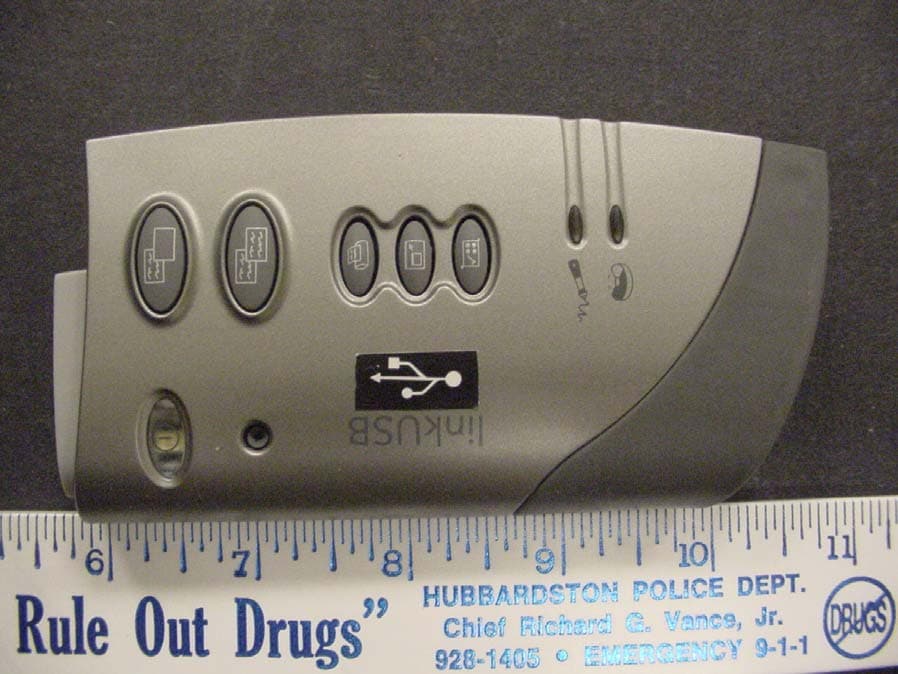
RWU-DMA0202M
Apr 06, 2004Mimio Xi Whiteboard Capture System
Equipment Class
DXX - Part 15 Low Power Communication Device Transmitter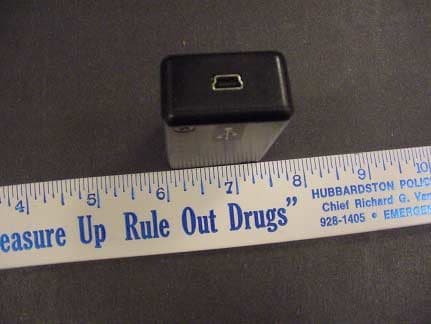
RWU-DMA0202
Apr 06, 2004Mimio Xi Whireboard Capture System
Equipment Class
DXX - Part 15 Low Power Communication Device Transmitter