S4LDUOGPS Tracking System
TomTom International BV
Click to zoom
Application Details
- Equipment Class
- DSS - Part 15 Spread Spectrum Transmitter
- Date of Grant
- Feb 26, 2007
- Application Purpose
- Original Equipment
- Date of Application
- Feb 26, 2007
- Equipment Note
- GPS Tracking System
- Frequency Range
- 2402.00000000 - 2480.00000000
- Company
- TomTom International BV
- Country
- Netherlands
Documents & Files
Document Text
Text extracted from the exhibit documents filed with the FCC. Open a document above to read the original.
Users Manual
12 45 3 1 2 A B AB English Español Français 4 20 36 EN ES FR C M Y CM MY CY CMY K InstallPoster.pdf 02/02/2007 09:42:12 What’s in the box 4 EN What’s in the box aYour TomTom ACharging light BOn/Off button CTouchscreen DConnector ESpeaker FUSB connector GReset button HMemory card slot bMemory card (SD card)cUSB cable dConnector covereSleeve fDocumentation packgProduct code card ABC DE FGH Newcastle.book Page 4 Thursday, February 1, 2007 6:14 PM EN Before You Start... 5 Before You Start... Everyone loves TomTom So never leave your TomTom in your car when you’re not using it - it’s an easy target for thieves. Always remove your TomTom from the car stereo and take it with you. If you are using your TomTom in another car, don’t leave it or any other TomTom products on display. Always store your TomTom in the bag to protect the screen. Backup your TomTom It’s always a good idea to make a backup of the contents of your TomTom. You can make a backup using TomTom HOME. For more information about TomTom HOME, see Using TomTom HOME on page 18. Safety lock When you first switch on your TomTom, the safety lock is enabled. You can switch off the safety lock in the by tapping Safety preferences in the Preferences menu. We recommend using the safety lock at all times. Keep to the speed limit To help you keep to the speed limit, your TomTom can tell you the speed limit for the road you are on. To see the speed limit, select show your speed in the Status bar preferences in the Preferences menu. The speed limit is shown next to your current speed. Note: The speed limit information is included with the map and is not available for all roads. Safety preferences When the safety lock is enabled, only a few buttons and features are available while you are driving. When you are stationary, all the buttons and features are available. Newcastle.book Page 5 Thursday, February 1, 2007 6:14 PM EN Before You Start... 6 Troubleshooting Always make sure that you are using the latest version of the TomTom application on your TomTom. You can update the application using TomTom HOME. For more information about TomTom HOME, see Using TomTom HOME on page 18. If you have problems turning on your TomTom, try resetting your TomTom. To reset your TomTom, use a straightened paper clip, or something similar, to push the reset button. The reset button is next to the memory card slot on the bottom of your TomTom. Then turn your TomTom on. Take care of your TomTom It is important to take care of your TomTom and to clean it correctly. • Use a soft cloth to wipe the screen of your TomTom; do not use any liquid cleaners. • If your TomTom gets wet, dry it with a soft cloth. • Do not open the casing of your TomTom under any circumstances. Doing so may be dangerous and will invalidate your warranty. • Do not use the memory card (SD card) with any device other than a TomTom device. Other devices may damage the memory card. • Do not expose your TomTom to high or low temperatures, which can cause permanent damage. For example, don’t leave it in the car on hot summer days or during cold winter nights. Newcastle.book Page 6 Thursday, February 1, 2007 6:14 PM EN Getting started 7 Getting started Switching on Follow the instructions at the start of this manual to dock your TomTom in your car stereo. Your TomTom can also be used without docking it in your car stereo. A mount is available as an accessory so that you can use your TomTom in other cars. The first time you switch on your TomTom, it may take up to 20 seconds to start. To switch off your TomTom, press and hold the On/Off button for 2 seconds. Setting up You have to answer a few questions to set up your TomTom. Answer the questions by tapping the screen. You will use the touchscreen for everything you do with your TomTom. Once you have answered the questions, your TomTom will display the Driving View. The Driving View is shown in black and white until your TomTom locates your current position. For more information about the Driving View, see Driving View on page 10. Locating your current position Your TomTom must be outdoors to locate your current position. The first time you start your TomTom, it can take up to 5 minutes to find your current position. If it takes longer than 5 minutes, make sure that you are in an open place without tall buildings or trees around you. In the future, your position will be found much faster, normally within a few seconds. Once your TomTom has located your current position, the Driving View is shown in full color and shows your position on the map. Night view When you switch on the headlights in your car, your TomTom will switch to night view. In night view, the brightness of the screen on your TomTom is dimmed so it’s easier to see when it’s dark outside. Night view on your TomTom is linked to the dimmer setting on your car stereo. See the manual for your car stereo for information about the dimmer setting. To manually control the brightness of the screen, select not to link the night view to the dimmer setting in the Docking preferences in the Preferences menu. To switch to night view manually, tap Use night colors in the Preferences menu. Newcastle.book Page 7 Thursday, February 1, 2007 6:14 PM Making your first journey 8 EN Making your first journey Planning a route with TomTom is very simple. To plan your first route, follow the steps below. Note: You should always plan your journeys before you start driving. It is dangerous to plan routes when you are already moving. 1. Tap the screen to bring up the main menu. 2. Tap Navigate to... For your first journey, we will navigate to an address. 3. Tap Address. When you enter an address, you can choose from four options: •City center - tap this button to set your destination as the center of a city or town. •Street and house number - tap this button to set an exact address as your destination. •ZIP code - tap this button to enter a ZIP code as your destination (fully supported only in UK and the Netherlands).…
Text truncated - open the document above for the full version.
Users Manual
Uso del equipo estéreo del coche 28 ES Uso del equipo es- téreo del coche Cambio a audio Para utilizar el TomTom para regular el equipo estéreo del coche, pulse el botón Pantalla. Puede volver a cambiar a las funciones de navegación en cualquier momento pulsando el botón Pantalla. Cuando cambie al control del equipo estéreo del coche, cambiará a la radio, a menos que ya esté utilizando una fuente de audio distinta. Para cambiar a otras fuentes de entrada de audio, pulse el botón Fuente. El volumen del sonido se establece mediante el control de volumen del equipo estéreo. Puede ajustar el volumen de las instrucciones habladas por separado cambiando el volumen en el TomTom. Uso de la radio El TomTom muestra la emisora de radio en la que está sintonizando y la frecuencia. Puede guardar la emisora de forma preestablecida. Hay 6 emisoras preestablecidas por frecuencia. Para guardar una frecuencia, pulse y mantenga pulsado el número que desee usar. Cuando el color del botón cambie al negro, se habrá guardado la frecuencia. Para seleccionar una emisora preestablecida, toque la que desee escuchar. Uso de un iPod® y de los dispositivos de al- macenamiento USB Puede usar el TomTom para reproducir canciones guardadas en un iPod® o dispositivo de almacenamiento USB conectado al equipo estéreo del coche. El cable de conexión del iPod al equipo estéreo del coche está disponible como accesorio. Nota: debe acoplar el TomTom al equipo estéreo del coche para poder reproducir música almacenada en un iPod® o dispositivo de almacenamiento USB Cuando conecte por primera vez un iPod® o dispositivo de almacenamiento USB y seleccione uno de ellos como fuente de entrada audio, el equipo estéreo del coche empezará a reproducir la primera canción del iPod® o dispositivo de almacenamiento USB. Newcastle.book Page 28 Thursday, February 1, 2007 7:01 PM Uso del equipo estéreo del coche 29 ES Para seleccionar el iPod® o dispositivo de almacenamiento USB, pulse el botón Fuente del equipo estéreo del coche hasta que se muestre iPod o USB en el TomTom. Para seleccionar la canción que desee reproducir, toque Seleccionar. Puede elegir las canciones que desee escuchar mediante TomTom Jukebox. •Lista reproducción - toque este botón para seleccionar una lista de reproducción. Nota: puede crear listas de reproducción en una aplicación de otras marcas como iTunes®, Musicmatch® o Winamp®. •Canción - toque este botón para seleccionar una canción de entre las demás. •Artista - toque este botón para seleccionar una canción de un artista o grupo en particular. •Género - toque este botón para seleccionar un tipo de música en particular. •Álbum - toque este botón para seleccionar un álbum de una lista •Audiolibros - toque este botón para seleccionar un audiolibro. Los audiolibros no pueden reproducirse desde dispositivos de almacenamiento USB. Para saltar a la canción siguiente o a la anterior, use los controles del equipo estéreo del coche. Nota: No todos los archivos mp3 contienen información sobre la canción, como el artista o el género. Si el archivo no contiene información, se usa el nombre del archivo como título de la canción. Newcastle.book Page 29 Thursday, February 1, 2007 7:01 PM Llamadas manos libres 30 ES Llamadas manos li- bres Si dispone de un teléfono móvil con Bluetooth®, puede usar el TomTom para realizar llamadas y enviar y recibir mensajes mientras conduce. Para realizar llamadas manos libres, el TomTom deberá estar acoplado al equipo estéreo del coche. Nota: no todos los teléfonos son compatibles con todas las funciones. Para obtener más información, visite www.tomtom.com/phones Conectar con teléfono Primero debe establecer una conexión entre el teléfono móvil y el TomTom. Sólo tendrá que hacerlo una vez. El TomTom recuerda su teléfono. Toque Teléfono móvil en el Menú principal y luego siga las instrucciones en pantalla. InstalaciónTomTom PLUS Después de establecer una conexión con su teléfono, puede establecer una conexión de datos inalámbrica para los servicios TomTom PLUS. Para más información sobre TomTom PLUS, consulte TomTom PLUS en la página 33. Sugerencias • Compruebe que ha activado la conexión Bluetooth® del teléfono. • Compruebe que el teléfono está ajustado a “detectable” o “visible para todos los usuarios”. • Es posible que deba introducir la contraseña “0000” en el teléfono para poder conectarse al TomTom. • Haga del TomTom un dispositivo de confianza de su teléfono. En caso contrario, deberá introducir “0000” en cada ocasión. Consulte la guía del usuario del teléfono para obtener información sobre la configuración de Bluetooth ®. HandsFreeCalling.fm Page 30 Friday, February 2, 2007 8:37 PM Llamadas manos libres 31 ES Realización de una llamada Una vez que haya establecido la conexión con el teléfono, podrá comenzar a realizar llamadas. Nota: para realizar llamadas manos libres, el TomTom debe estar acoplado al equipo estéreo del coche. 1. Toque Teléfono móvil en el Menú principal. 2. Toque Llamar. Nota: Compruebe que su teléfono está seleccionado actualmente. El teléfono actual se muestra en la parte inferior de la pantalla. 3. Toque Número para introducir un número al que llamar. Recepción de una llamada Si alguien le llama mientras está conduciendo, acepte o rechace la llamada tocando la pantalla. Respuesta automática Puede indicar al TomTom que conteste cada llamada automáticamente después de un tiempo determinado. Toque Preferencias del teléfono en el menú del teléfono móvil y luego toque Prefer. contestador automático. Seleccione cuándo el TomTom debe contestar automáticamente las llamadas. Compartir el TomTom Puede establecer conexiones con hasta cinco teléfonos móviles. Para agregar más teléfonos, haga lo siguiente 1. Toque Teléfono móvil en el Menú principal. 2. Toque Conectar con teléfono. 3. Toque Buscar otro teléfono... y siga las instrucciones en pantalla. Para cambiar entre teléfonos, toque Conectar con teléfono y luego seleccione el teléfono de la lista. HandsFreeCalling.fm Page 31 Frida…
Text truncated - open the document above for the full version.
Cover Letter(s)
Bluetooth Declaration Per FCC 15.247 Requirements 1 Output power and channel separation of a Bluetooth device in the different operating modes: The different operating modes (data-mode, acquisition-mode) of a Bluetooth device don’t influence the output power and the channel spacing. There is only one transmitter which is driven by identical input parameters concerning these two parameters. Only a different hopping sequence will be used. For this reason the check of these RF parameters in one op-mode is sufficient. 2 Frequency range of a Bluetooth device: Hereby we declare that the maximum frequency of this device is: 2402 – 2480 MHz. This is according the Bluetooth Core Specification V 1.0B (+ critical errata) for devices which will be operated in the USA. This was checked during the Bluetooth Qualification tests (Test Case: TRM/CA/04-E). Other frequency ranges ( e.g. for Spain, France, Japan) which are allowed according the Core Specification are not supported by this device. 3 Co-ordination of the hopping sequence in data mode to avoid simultaneous occupancy by multiple transmitters: Bluetooth units which want to communicate with other units must be organized in a structure called piconet. This piconet consist of max. 8 Bluetooth units. One unit is the master the other seven are the slaves. The master co-ordinates frequency occupation in this piconet for all units. As the master hop sequence is derived from it’s BD address which is unique for every Bluetooth device, additional masters intending to establish new piconets will always use different hop sequences. 4 Example of a hopping sequence in data mode: Example of a 79 hopping sequence in data mode: 40, 21, 44, 23, 42, 53, 46, 55, 48, 33, 52, 35, 50, 65, 54, 67, 56, 37, 60, 39, 58, 69, 62, 71, 64, 25, 68, 27, 66, 57, 70, 59, 72, 29, 76, 31, 74, 61, 78, 63, 01, 41, 05, 43, 03, 73, 07, 75, 09, 45, 13, 47, 11, 77, 15, 00, 64, 49, 66, 53, 68, 02, 70, 06, 01, 51, 03, 55, 05, 04 5 Equally average use of frequencies in data mode and behaviour for short transmissions: The generation of the hopping sequence in connection mode depends essentially on two input values: 1. LAP/UAP of the master of the connection 2. Internal master clock The LAP (lower address part) are the 24 LSB’s of the 48 BD_ADDRESS. The BD_ADDRESS is an unambiguous number of every Bluetooth unit. The UAP (upper address part) are the 24 MSB’s of the 48 BD_ADDRESS. The internal clock of a Bluetooth unit is derived from a free running clock which is never adjusted and is never turned off. For synchronisation with other units only offset are used. It has no relation to the time of the day. Its resolution is at least half the RX/TX slot length of 312.5 μs. The clock has a cycle of about one day (23h30). In most case it is implemented as 28 bit counter. For the deriving of the hopping sequence the entire LAP (24 bits), 4 LSB’s (4 bits) (Input 1) and the 27 MSB’s of the clock (Input 2) are used. With this input values different mathematical procedures (permutations, additions, XOR-operations) are performed to generate the sequence. This will be done at the beginning of every new transmission. Regarding short transmissions the Bluetooth system has the following behaviors: The first connection between the two devices is established, a hopping sequence was generated. For transmitting the wanted data the complete hopping sequence was not used. The connection ended. The second connection will be established. A new hopping sequence is generated. Due to the fact that the Bluetooth clock has a different value, because the period between the two transmission is longer (and it cannot be shorter) than the minimum resolution of the clock (312.5 μs). The hopping sequence will always differ from the first one. 6 Receiver input bandwidth and behaviors for repeated single or multiple packets: The input bandwidth of the receiver is 1 MHz. In every connection one Bluetooth device is the master and the other one is the slave. The master determines the hopping sequence (see chapter 5). The slave follows this sequence. Both devices shift between RX and TX time slot according to the clock of the master. Additionally the type of connection (e.g. single or multislot packet) is set up at the beginning of the connection. The master adapts its hopping frequency and its TX/RX timing according to the packet type of the connection. Also the slave of the connection will use these settings. Repeating of a packet has no influence on the hopping sequence. The hopping sequence generated by the master of the connection will be followed in any case. That means, a repeated packet will not be send on the same frequency, it is send on the next frequency of the hopping sequence. 7 Dwell time in data mode The dwell time of 0.3797s within a 30 second period in data mode is independent from the packet type (packet length). The calculation for a 30 second period is a follows: Dwell time = time slot length * hop rate / number of hopping channels *30s Example for a DH1 packet (with a maximum length of one time slot) Dwell time = 625 μs * 1600 1/s / 79 * 30s = 0.3797s (in a 30s period) For multislot packet the hopping is reduced according to the length of the packet. Example for a DH5 packet (with a maximum length of five time slots) Dwell time = 5 * 625 μs * 1600 * 1/5 *1/s / 79 * 30s = 0.3797s (in a 30s period) This is according the Bluetooth Core Specification V 1.0B (+ critical errata) for all Bluetooth devices. There for all Bluetooth devices comply with the FCC dwell time requirement in data mode. This was checked during the Bluetooth Qualification tests. The Dwell time in hybrid mode is measured and stated in the test report. 8 Channel Separation in hybrid mode The nominal channel spacing of the Bluetooth system is 1Mhz independent of the operating mode. The maximum “initial carrier frequency tolerance” which is allowed for Bluetooth is fcenter = 75 kHz. This was checked during the Bluetooth Qualification tests (Test Case:…
Text truncated - open the document above for the full version.
External Photos
Compliance Certification Services Inc. Report No.: 70206001 Date of Issue: February 14, 2007 Page 1 Total Page: 14 Rev. 00 EXTERNAL PHOTOGRAPHS OF EUT Compliance Certification Services Inc. Report No.: 70206001 Date of Issue: February 14, 2007 Page 2 Rev.00 Compliance Certification Services Inc. Report No.: 70206001 Date of Issue: February 14, 2007 Page 3 Rev.00 Compliance Certification Services Inc. Report No.: 70206001 Date of Issue: February 14, 2007 Page 4 Rev.00
Internal Photos
Compliance Certification Services Inc. Report No.: 70206001 Date of Issue: February 14, 2007 Page 5 Rev.00 INTERNAL PHOTOGRAPHS OF EUT Compliance Certification Services Inc. Report No.: 70206001 Date of Issue: February 14, 2007 Page 6 Rev.00 Compliance Certification Services Inc. Report No.: 70206001 Date of Issue: February 14, 2007 Page 7 Rev.00 Compliance Certification Services Inc. Report No.: 70206001 Date of Issue: February 14, 2007 Page 8 Rev.00 Compliance Certification Services Inc. Report No.: 70206001 Date of Issue: February 14, 2007 Page 9 Rev.00 Compliance Certification Services Inc. Report No.: 70206001 Date of Issue: February 14, 2007 Page 10 Rev.00 Compliance Certification Services Inc. Report No.: 70206001 Date of Issue: February 14, 2007 Page 11 Rev.00 Compliance Certification Services Inc. Report No.: 70206001 Date of Issue: February 14, 2007 Page 12 Rev.00 Compliance Certification Services Inc. Report No.: 70206001 Date of Issue: February 14, 2007 Page 13 Rev.00 Compliance Certification Services Inc. Report No.: 70206001 Date of Issue: February 14, 2007 Page 14 Rev.00 Battery
Parts List/Tune Up Info
客 客 戶 戶 名 名 稱 稱 : :Inventec D D o o c c N N o o : : 0 0 0 0 0 0 4 4 2 2 1 1 0 0 0 0 4 4 0 0 0 0 7 7 R R e e v v : : A A 0 0 C C U U S S T T O O M M E E R R 承 承 認 認 書 書 A A P P P P R R O O V V A A L L S S H H E E E E T T 產 產 品 品 品 品 名 名 / / P P r r o o d d u u c c t t M M o o d d e e l l N N o o . . : : A A C C A A - - 5 5 3 3 2 2 0 0 - - A A 1 1 發 發 行 行 日 日 期 期 / / I I s s s s u u e e D D a a t t e e : : 2 2 0 0 0 0 5 5 / / 8 8 / / 3 3 承 承 認 認 日 日 期 期 / / A A p p p p r r o o v v e e d d D D a a t t e e : : A A p p p p r r o o v v e e d d b b y y c c u u s s t t o o m m e e r r : : ( ( s s i i g g n n i i n n g g o o r r s s t t a a m m p p i i n n g g h h e e r r e e ) ) 佳邦科技股份有限公司 INPAQ TECHNOLOGY Co., Ltd. ■ 新竹科學工業園區新竹市工業東四路 38號 □ 苗栗縣竹南鎮大厝里9鄰59-12號 No. 38, Industry E.4, RD Science-Based Industrial Park, Hsinchu , Taiwan 300, R.O.C. No. 59-12, 9 Lin, Ta Tsuo Li, Chu Nan Chen, Miao Li Hsien, Taiwan, R.O.C. UNLESS OTHER SPECIFIED TOLERANCES ON: X=± X.X=± X.XX= ANGLES=± HOLEDIA=± 佳邦科技股份有限公司 INPAQ TECHNOLOGY CO., LTD. SCALE: ----- UNIT:mm DRAWN BY:張明貴 CHECKED BY:許倬綱 DESIGNED BY:張明貴 APPROVED BY曾泓瑋 THIS DRAWINGS AND SPECIFICATIONS ARE THE PROPERTY OF INPAQ TECHNOLOGY CO.,LTD.AND SHALL NOT BE REPRODUCED OR USED AS THE BASIS FOR THE MANUFACTURE OR SALE OF APPARATUS OR DEVICES WITHOUT PERMISSION DOCUMENT PAGE REV. TITLE: ACA5320A1XX Specification NO. 000421004007 A0 PAGE 1 OF 6 LAN Chip Type Antenna Module 1. Explanation of part number : (1)Product series : LAN Antenna Chip (2)System code : X for antenna center frequency Exp.: A = 2.45G group (3)Size code : A C X X X X X X X X (1)(2)(3)(4)(5) X Exp.: 5320 = 5.3x2.0 mm (4)Type code : Exp.: A1=Type 1 (5)Suffix : UNLESS OTHER SPECIFIED TOLERANCES ON: X=± X.X=± X.XX= ANGLES=± HOLEDIA=± 佳邦科技股份有限公司 INPAQ TECHNOLOGY CO., LTD. SCALE: ----- UNIT:mm DRAWN BY:張明貴 CHECKED BY:許倬綱 DESIGNED BY:張明貴 APPROVED BY曾泓瑋 THIS DRAWINGS AND SPECIFICATIONS ARE THE PROPERTY OF INPAQ TECHNOLOGY CO.,LTD.AND SHALL NOT BE REPRODUCED OR USED AS THE BASIS FOR THE MANUFACTURE OR SALE OF APPARATUS OR DEVICES WITHOUT PERMISSION DOCUMENT PAGE REV. TITLE: ACA5320A1XX Specification NO. 000421004007 A0 PAGE 2 OF 6 2. Electrical Specification : ITEM SPECIFICATION Frequency Band 2400MHz~2500MHz VSWR Less than 2 Polarization Linear Peak Gain 0~1dBi typ. Impedance 50Ωtyp. Matching circuit : A Pi matching circuit will be required to have better performance 3. Physical Dimension : Model Size(mm) L W T D ACA5320A1XX 5.3±0.2 2.0±0.2 1.2±0.2 0.4±0.2 unit : mm UNLESS OTHER SPECIFIED TOLERANCES ON: X=± X.X=± X.XX= ANGLES=± HOLEDIA=± 佳邦科技股份有限公司 INPAQ TECHNOLOGY CO., LTD. SCALE: ----- UNIT:mm DRAWN BY:張明貴 CHECKED BY:許倬綱 DESIGNED BY:張明貴 APPROVED BY曾泓瑋 THIS DRAWINGS AND SPECIFICATIONS ARE THE PROPERTY OF INPAQ TECHNOLOGY CO.,LTD.AND SHALL NOT BE REPRODUCED OR USED AS THE BASIS FOR THE MANUFACTURE OR SALE OF APPARATUS OR DEVICES WITHOUT PERMISSION DOCUMENT PAGE REV. TITLE: ACA5320A1XX Specification NO. 000421004007 A0 PAGE 3 OF 6 4. Performance Specifications: RELIABILITY TEST Item Condition Specification Thermal shock -40°C~+85°C for 100 cycles each cycle being 30 min No apparent damage Fulfill the electrical spec. after test Humidity resistance 85±2°C, 80~90% R.H. for 500 hours No apparent damage Fulfill the electrical spec. after test High temperature resistance +85±2°C for 500 hours No apparent damage Fulfill the electrical spec. after test Low temperature resistance -40±3°C for 500 hours No apparent damage Fulfill the electrical spec. after test Vibration 10 Hz/min~55 Hz/min~10 Hz/min vibration frequency with 1.5 mm amplitude for two hours in x, y, z directions No apparent damage Drop shock Dropped onto printed circuit board from 100cm height three times in x, y, z directions. The terminals shall be protected. No apparent damage Soldering heat resistance Preheating temperature : 150±10°C Preheating time : 1 to 2 minutes Solder bath temperature : 260±5°C Bathing time : 5±0.5 seconds No apparent damage Bending test onto printed circuit board Solder specimen LTCC components on the test printed circuit board (L: 100 x W: 40 x T: 1.6mm) in appended recommended PCB pattern. Apply the load in direction of the arrow until bending reaches 2 mm. Unit: mm No apparent damage Solderability The dipped surface of the terminal shall be at least 75% covered with solder after dipped in solder bath of 235±5°C for 3±0.5 seconds. No apparent damage UNLESS OTHER SPECIFIED TOLERANCES ON: X=± X.X=± X.XX= ANGLES=± HOLEDIA=± 佳邦科技股份有限公司 INPAQ TECHNOLOGY CO., LTD. SCALE: ----- UNIT:mm DRAWN BY:張明貴 CHECKED BY:許倬綱 DESIGNED BY:張明貴 APPROVED BY曾泓瑋 THIS DRAWINGS AND SPECIFICATIONS ARE THE PROPERTY OF INPAQ TECHNOLOGY CO.,LTD.AND SHALL NOT BE REPRODUCED OR USED AS THE BASIS FOR THE MANUFACTURE OR SALE OF APPARATUS OR DEVICES WITHOUT PERMISSION DOCUMENT PAGE REV. TITLE: ACA5320A1XX Specification NO. 000421004007 A0 PAGE 4 OF 6 5. Layout Recommendation: PAD Definition: 1: Feed Termination (50 ohm feed point) 2: Solder Termination Note: Adding a 50 ohm transmission line before the feed point will be ok UNLESS OTHER SPECIFIED TOLERANCES ON: X=± X.X=± X.XX= ANGLES=± HOLEDIA=± 佳邦科技股份有限公司 INPAQ TECHNOLOGY CO., LTD. SCALE: ----- UNIT:mm DRAWN BY:張明貴 CHECKED BY:許倬綱 DESIGNED BY:張明貴 APPROVED BY曾泓瑋 THIS DRAWINGS AND SPECIFICATIONS ARE THE PROPERTY OF INPAQ TECHNOLOGY CO.,LTD.AND SHALL NOT BE REPRODUCED OR USED AS THE BASIS FOR THE MANUFACTURE OR SALE OF APPARATUS OR DEVICES WITHOUT PERMISSION DOCUMENT PAGE REV. TITLE: ACA5320A1XX Specification NO. 000421004007 A0 PAGE 5 OF 6 6. Taping Package and Label Marking: 6-1.Carrier tape dimensions UNLESS OTHER SPECIFIED TOLERANCES ON: X=± X.X=± X.XX= ANGLES=± HOLEDIA=± 佳邦科技股份有限公司 INPAQ TECHNOLOGY CO., LTD. SCALE: ----- UNIT:mm DRAWN BY:張明貴 CHECKED BY:許倬綱 DESIGNED BY:張明貴 APPROVED BY曾泓瑋 THIS DRAWINGS AND SPECIFICATIONS ARE THE PROPERTY OF INPAQ TECHNOLOGY CO.,LTD.AND SHALL NOT BE REPRODUCED OR USED AS THE BASIS FOR THE MANUFACTURE OR SALE OF APPARATUS OR DEVICES WITHOUT PERMISSION DOCUMENT PAGE REV. TIT…
Text truncated - open the document above for the full version.
Test Report
Compliance Certification Services Inc. Report No.: 70206001-RP1 FCC ID: S4LDUO Date of Issue: February 14, 2007 Note: This report shall not be reproduced except in full, without the written approval of Compliance Certification Services Inc. This document may be altered or revised by Compliance Certification Services Inc. personnel only, and shall be noted in the revision section of the document. Page 1 Total Page: 48 Rev. 00 FCC 47 CFR PART 15 SUBPART C TEST REPORT For GPS Tracking System Model: TomTom DUO Trade Name: TomTom Issued to TomTom International BV. Rembrandtplein 35, 1017 CT Amsterdam, The Netherlands Issued by Compliance Certification Services Inc. No. 81-1, Lane 210, Bade Rd. 2, Luchu Hsiang, Taoyuan Hsien, (338) Taiwan, R.O.C. http://www.ccsemc.com.tw [email protected] Compliance Certification Services Inc. Report No.: 70206001-RP1 FCC ID: S4LDUO Date of Issue: February 14, 2007 Page 2 Rev. 00 TABLE OF CONTENTS 1. TEST RESULT CERTIFICATION.....................................................................................................3 2. EUT DESCRIPTION...........................................................................................................................4 3. TEST METHODOLOGY....................................................................................................................5 3.1 EUT CONFIGURATION.....................................................................................................................5 3.2 EUT EXERCISE.................................................................................................................................5 3.3 GENERAL TEST PROCEDURES..........................................................................................................5 3.4 FCC PART 15.205 RESTRICTED BANDS OF OPERATIONS.....................................................6 3.5 DESCRIPTION OF TEST MODES........................................................................................................7 4. INSTRUMENT CALIBRATION........................................................................................................8 4.1 MEASURING INSTRUMENT CALIBRATION...................................................................................8 4.2 MEASUREMENT EQUIPMENT USED......................................................................................8 5. FACILITIES AND ACCREDITATIONS ...........................................................................................9 5.1 FACILITIES ......................................................................................................................................9 5.2 EQUIPMENT.....................................................................................................................................9 5.3 TABLE OF ACCREDITATIONS AND LISTINGS..................................................................................10 6. SETUP OF EQUIPMENT UNDER TEST........................................................................................11 6.1 SETUP CONFIGURATION OF EUT....................................................................................................11 6.2 SUPPORT EQUIPMENT ............................................................................................................11 7. FCC PART 15.247 REQUIREMENTS.............................................................................................12 7.1 PEAK POWER.................................................................................................................................12 7.2 BAND EDGES MEASUREMENT .............................................................................................13 7.3 PEAK POWER SPECTRAL DENSITY.................................................................................................18 7.4 FREQUENCY SEPARATION....................................................................................................21 7.5 NUMBER OF HOPPING FREQUENCY ...................................................................................23 7.6 TIME OF OCCUPANCY (DWELL TIME)................................................................................25 7.7 SPURIO US EMISSIONS .............................................................................................................32 7.8 POWERLINE CONDUCTED EMISSIONS....................................…
Text truncated - open the document above for the full version.
Contact Information
Applicant
Barto Wijlens(Head of Global Supply chain)
Test Firm
Compliance Certification Services Inc.Harris Lai
Technical Specifications
| # | Rule Parts | Frequency Range | Power Output |
|---|---|---|---|
| 1 | 15C | 2.40 GHz - 2.48 GHz | 1.73 mW |
Other Applications from TomTom International BV
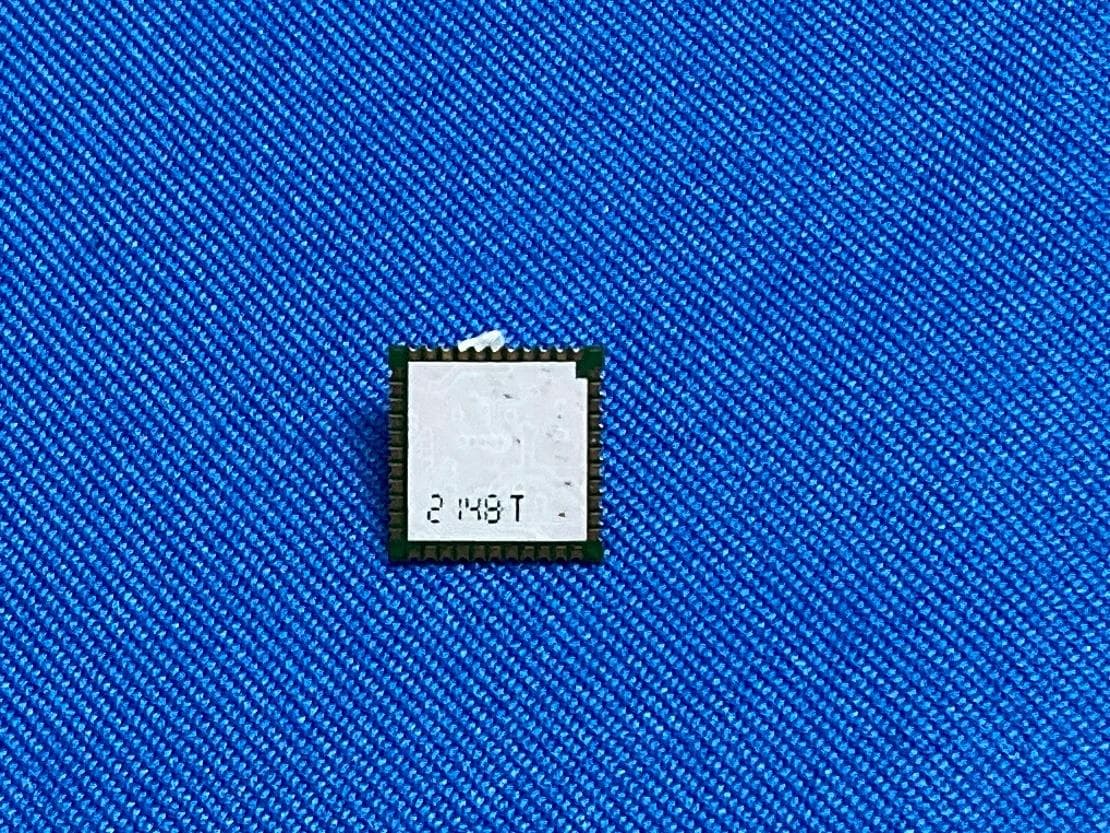
S4LFF51
Apr 09, 2023WiFi/BT Module
Equipment Class
DTS - Digital Transmission System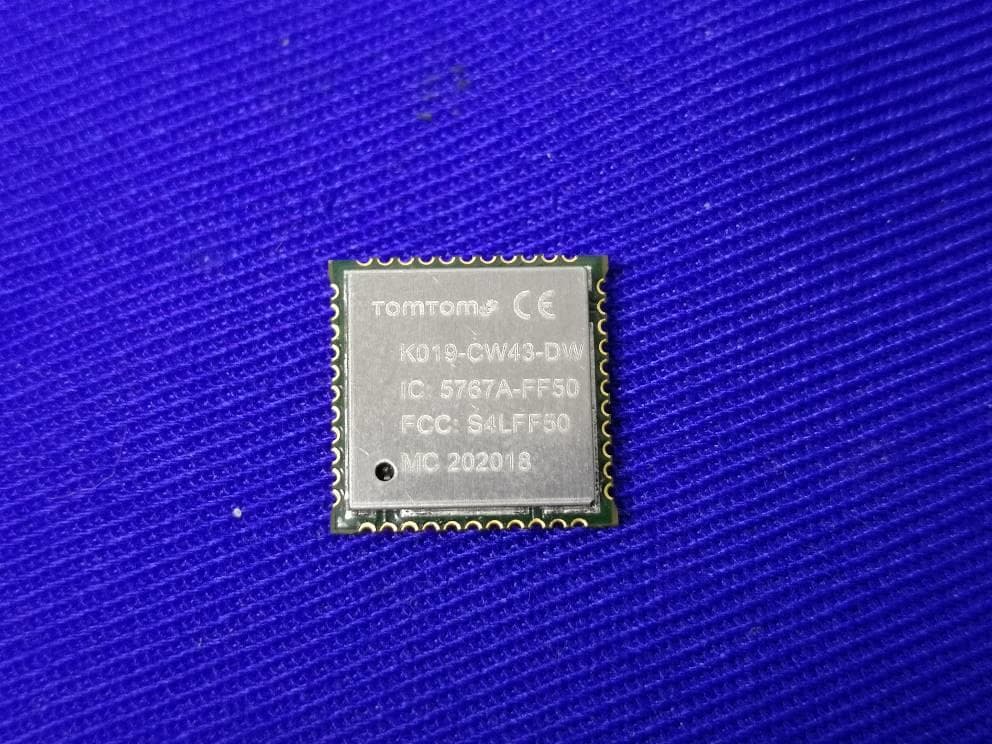
S4LFF50
Jul 01, 2020WIFI/BT Module
Equipment Class
NII - Unlicensed National Information Infrastructure TX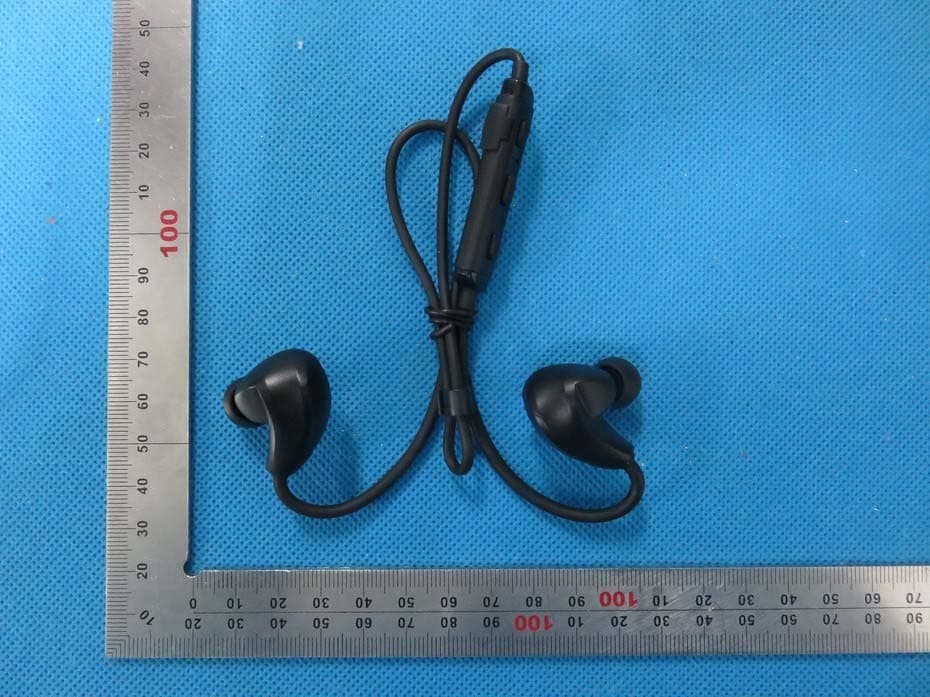
S4L4ROM
Nov 16, 2015Bluetooth Sports Headphones
Equipment Class
DSS - Part 15 Spread Spectrum Transmitter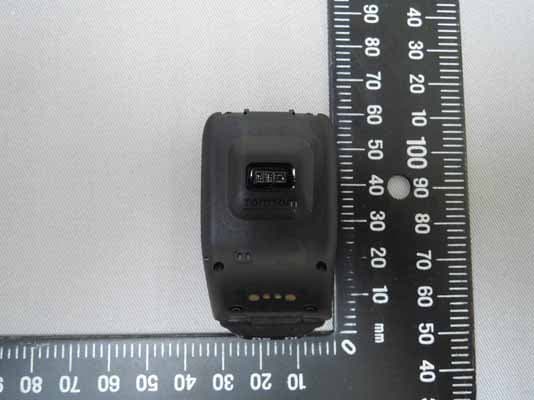
S4L4RFM
Sep 16, 2015TomTom Cardio GPS Watch
Equipment Class
DSS - Part 15 Spread Spectrum Transmitter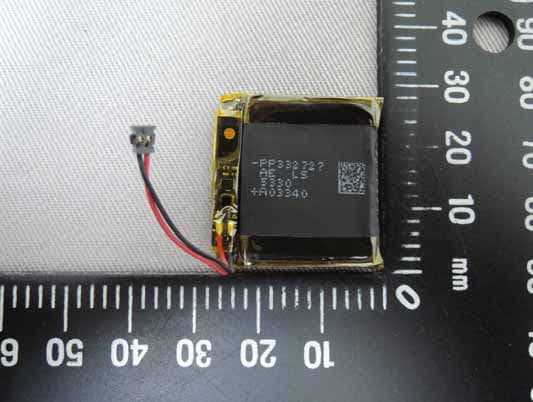
S4L4REM
Sep 16, 2015TomTom GPS Watch
Equipment Class
DTS - Digital Transmission System