S4LGO710TomTom GO - GPS Navigator with Bluetooth
TomTom International BV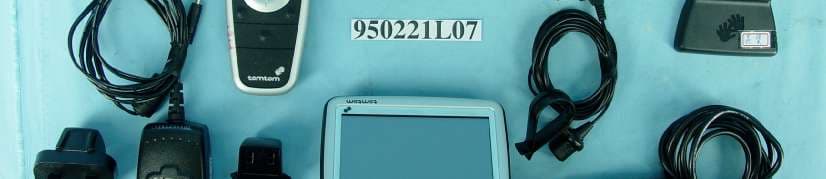
Click to zoom
Application Details
- Equipment Class
- DSS - Part 15 Spread Spectrum Transmitter
- Date of Grant
- Mar 23, 2006
- Application Purpose
- Original Equipment
- Date of Application
- Mar 23, 2006
- Equipment Note
- TomTom GO - GPS Navigator with Bluetooth
- Frequency Range
- 2402.00000000 - 2480.00000000
- Company
- TomTom International BV
- Country
- Netherlands
Documents & Files
Document Text
Text extracted from the exhibit documents filed with the FCC. Open a document above to read the original.
Users Manual
Addendum 76 Adden dum Important Safety Notices and Warnings Global Positioning System The Global Positioning System (GPS) is a satellite-based system that provides location and timing information around the globe. GPS is operated and controlled under the sole responsibility of the Government of the United States of America which is responsible for its availability and accuracy. Any changes in GPS availability and accuracy, or in environmental conditions, may impact the operation of your TomTom GO. TomTom International B.V. and TomTom, Inc. cannot accept any liability for the availability and accuracy of GPS. Use with Care Use of TomTom GO for navigation still means that you need to drive with due care and attention. Aircraft and Hospitals Use of devices with an antenna is prohibited on most aircraft, in many hospitals and in many other locations. TomTom GO must not be used in these environments. Battery This product uses a Lithium-Ion battery. Do not use it in a humid, wet and/or corrosive environment. Do not put, store or leave your product in or near a heat source, in a high temperature location, in strong direct sunlight, in a microwave oven or in a pressurized container, and do not expose it to temperatures over 60 C (140 F). Failure to follow these guidelines may cause the Lithium-Ion battery to leak acid, become hot, explode or ignite and cause injury and/or damage. Do not pierce, open or disassemble the battery. If the battery leaks and you come into contact with the leaked fluids, rinse thoroughly with water and seek medical attention immediately. For safety reasons, and to prolong the lifetime of the battery, charging will not occur at low (below 0 C/32 F) or high (over 45 C/113 F) temperatures. Temperatures: Standard operation: -10 C (14 F) to +55 C (131 F); short period storage: -20 C (-4 F) to + 60 C (140 F); long period storage: -20 C (-4 F) to +25 C (77 F). To recycle your TomTom GO unit please see your local approved TomTom service center. SPECIAL NOTE REGARDING DRIVING IN CALIFORNIA California Vehicle Code Section 26708 (a) (1) provides that "No persons shall drive any motor vehicle with an object or material placed, displayed, installed, affixed, or applied upon the windshield or side or rear windows." Drivers in California should not use a suction mount on their windshield, side or rear windows. TomTom Inc. bears no responsibility for any fines, penalties or damage that may be incurred by disregarding this notice. While driving in California, TomTom recommends the use of its Alternative Mounting Kit, which includes options for mounting TomTom devices on the dashboard and using the air vents. See www.tomtom.com for more information about this mounting option. Note: this section of the California Vehicle Code applies to anyone driving in California, not just California residents. FCC Information for the User The device used for this transmitter must not be co-located simultaneously operating in conjunction with any other transmitter. Exposure to Radio Frequency Radiation To comply with RF exposure requirements please maintain a separation distance of at least 20 cm / 7 inches from any part of the product. Radio and Television Interference This equipment radiates radio frequency energy and if not used properly - that is, in strict accordance with the instructions in this THE LITHIUM-ION BATTERY CONTAINED IN THE PRODUCT MUST BE RECYCLED OR DISPOSED OF PROPERLY. USE TOMTOM GO ONLY WITH THE SUPPLIED DC POWER LEAD (CAR CHARGER) AND AC ADAPTER (HOME CHARGER) FOR BATTERY CHARGING. addendum.fm Page 76 Tuesday, February 7, 2006 7:51 PM Addendum 77 manual - may cause interference to radio communications and television reception. It has been tested and found to comply with the limits for a Class B digital device pursuant to part 15 of the FCC Rules. These are designed to provide reasonable protection against harmful interference in a residential installation. However, there is no guarantee that interference will not occur in a particular installation. If this equipment does cause harmful interference to radio or television reception, which can be determined by turning the equipment off and on, the user is encouraged to try to correct the interference by one or more of the following measures: •Reorient or relocate the receiving antenna. •Increase the separation distance between the equipment and the receiver. •If you are using the equipment with a mains adapter, plug it into an outlet which is on a different circuit from that to which the receiver is connected. •Consult an experienced radio/TV technician for help. Important This equipment was tested for FCC compliance under conditions that included the use of shielded cables and connectors between it and the peripherals. It is important that you use shielded cable and connectors to reduce the possibility of causing radio and television interference. Shielded cables, suitable for the product range, can be obtained from an authorised dealer. If the user modifies the equipment or its peripherals in any way, and these modifications are not approved by TomTom, the FCC may withdraw the user’s right to operate the equipment. For customers in the USA, the following booklet prepared by the Federal Communications Commission may be of help: “How to Identify and Resolve Radio-TV Interference Problems”. This booklet is available from the US Government Printing Office, Washington, DC 20402. Stock No 004-000-00345-4. FCC Declaration of Conformity Tested to Comply with FCC Standards for Home or Office Use TomTom GO has been tested to – and complies with – part 15 of the FCC rules. Operation is subject to the following two conditions: 1. This device may not cause harmful interference. 2. This device must accept any interference received, including interference that may cause undesired operation. Responsible party in North America TomTom, Inc., 150 Baker Avenue, Concord, MA 01742 Tel: 866 48-6866 option 1 (1-866-4-TOMTOM) Emissions information for Can…
Text truncated - open the document above for the full version.
Users Manual
Points of Interest 14 EN Points of Interest Points of Interest or POIs are interesting places on the map. Here are some examples: • Restaurants •Hotels •Museums • Parking garages •Gas stations Showing POIs on the Map 1. Tap Enable/disable POIs in the Preferences menu. 2. Select the POI categories to display on the map. 3. Tap Done. The POIs you selected are shown on the map as symbols. Calling a POI Your TomTom GO knows the phone numbers for many POIs. You can, for example, call a restaurant to book a table or a movie theater to book tickets. For information about using your TomTom GO for hands-free calling, see Hands-Free Calling on page 16. QSG_EN.book Page 14 Tuesday, February 7, 2006 7:27 PM Points of Interest 15 EN Navigating to a POI You can use a POI as your destination. For example, if you are traveling to a city you aren’t familiar with, you could navigate to a parking garage there. 1. Tap Navigate to... in the Main Menu. 2. Tap Point of Interest. 3. Tap POI in city. 4. Type the name of the town where you want to go. Select the town when it is shown in the list. 5. Tap Parking garage. 6. Select a parking garage. The distance listed next to each POI is the distance from the city center. The route to the POI is then calculated by your TomTom GO. QSG_EN.book Page 15 Tuesday, February 7, 2006 7:27 PM Hands-Free Calling 16 EN Hands- Free Calling If you have a cell phone with Bluetooth®, you can use your TomTom GO to make phone calls and send and receive messages while you are driving. Connecting to Your Phone First you must establish a connection between your cell phone and your TomTom GO. You only have to do this once. Your TomTom GO remembers your phone. Tap cell phone in the Main Menu, then follow the instructions on the screen. Setting up TomTom PLUS After you have established a connection with your phone, you can set up a connection for TomTom PLUS services. For information about TomTom PLUS, see TomTom PLUS on page 23. Note: not all phones are supported. For more information, visit www.tomtom.com/phones Tips • Make sure that you switch on Bluetooth on your phone. • Make sure that your phone is set to "discoverable" or "visible to all". • You may have to enter the password ‘0000’ on your phone in order to connect to your TomTom GO. • Make your TomTom GO a trusted device on your phone. Otherwise you will have to enter ‘0000’ every time. See your phone’s user guide for information about Bluetooth settings. QSG_EN.book Page 16 Tuesday, February 7, 2006 7:27 PM Hands-Free Calling 17 EN Making a Call Once you have established a connection with your phone, you can start making calls. 1. Tap Cell phone in the Main Menu. 2. Tap Call. 3. Tap Number to enter a number to call. Receiving a Call If someone calls you while you are driving, accept or reject the call by tapping the screen. Auto-Answer You can tell your TomTom GO to answer every call automatically after a certain time. Tap Phone preferences in the mobile phone menu, then tap Auto-answer preferences. Select when your TomTom GO will automatically answer your calls. Note: Make sure that your phone is currently selected. The current phone is shown at the bottom of the screen. Sharing your TomTom GO You can establish connections with up to 5 mobile phones. To add more phones, do the following 1. Tap Cell phone in the Main Menu. 2. Tap Connect to your phone. 3. Tap Find other phone... and follow the instructions on the screen. To switch between phones, tap Connect to your phone and then select your phone from the list. QSG_EN.book Page 17 Tuesday, February 7, 2006 7:27 PM Music and Photos 18 EN Music and Photos Your GO 910 can play mp3 files and Audible® Audiobooks and can display bmp and jpg images. Putting Music and Photos on Your GO Transfer music files and photos to your TomTom GO from your computer using TomTom HOME. For information about using TomTom HOME, see Using TomTom HOME on page 24. Playing Music and Audiobooks 1. Tap Music and photos in the Main Menu. 2. Tap TomTom Jukebox to start the Jukebox. Important • Playing music and looking at photos stored on your GO is only supported on the GO 910. • Only select music and photos when you are stopped. It is dangerous to do this while you are driving. •Playlist - tap this button to select a playlist. •Song - tap this button to select from all the songs on your GO. •Artist - tap this button to select a song by a particular singer or group. •Genre - tap this button to select a particular type of music. •Album - tap this button to select from a list of all the albums on your GO. •Audiobooks - tap this button to select an Audiobook. Note: You can create playlists in a third-party application such as iTunes, Musicmatch, or Winamp. QSG_EN.book Page 18 Tuesday, February 7, 2006 7:27 PM Music and Photos 19 EN Now Playing As soon as you choose a song or Audiobook, your TomTom GO starts playing that song, followed by the rest of the songs on the list. AInformation about the song. BVolume - change the volume by moving the slider. CThe Options button. You can, for example, choose to repeat a song and shuffle the songs. DGo to the previous or next song. EPlay or Pause the selected song. FThe Back button. Tap this button to go back to the TomTom Jukebox. The music will continue to play. Tap the button Playing... in the Jukebox to stop the music. When you listen to Audiobooks, you will see buttons for going to the next and previous chapter. When you stop listening to an Audiobook, your GO remembers where you stopped. To find out more about Audiobooks, go to the shop area in TomTom HOME. QSG_EN.book Page 19 Tuesday, February 7, 2006 7:27 PM Music and Photos 20 EN Looking at Photos 1. Tap Music and photos in the Main Menu. 2. Tap Photo gallery. The Photo gallery starts, showing small versions (thumbnails) of all the photos on your GO. Tap the arrows to move up and down the page of thumbnails. Tap Slideshow to start a slideshow. Tap the thumbnail of a photo to view a large version of that photo. A…
Text truncated - open the document above for the full version.
Users Manual
TomTom Traffic 22 EN TomTo m Traffic You can get traffic information in two ways: • From TomTom Traffic • From the Traffic Message Channel (TMC) TomTom Traffic TomTom Traffic is a TomTom PLUS service. To use TomTom Traffic you must have a mobile phone with Bluetooth and a wireless data connection, for example, GPRS. TomTom Traffic takes the most up-to-date information from the best local sources. Take advantage of the free trial to try TomTom Traffic. For more information, see the TomTom PLUS leaflet. Setting up TomTom Traffic To receive TomTom Traffic, first establish a connection between your mobile phone and your TomTom GO. See Connecting to Your Phone on page 16. Then do the following: 1. Tap TomTom Traffic in the Main Menu. 2. Tap Enable Traffic. Note: TomTom Traffic is not available in all countries. Visit www.tomtom.com/plus to check availability in your country. The Traffic Message Channel (TMC) The TMC is not a TomTom service, but is offered free-of-charge in many countries. TMC transmits traffic information as a radio signal. To use TMC you need to buy the TomTom TMC Antenna. Setting up TMC To start using TMC, connect the TMC antenna to the windshield mount. Plug the TMC antenna into the TomTom connector. Note: TomTom is not responsible for the availability or quality of traffic information provided by TMC. TMC is not available in all countries or regions. QSG_EN.book Page 22 Tuesday, February 7, 2006 7:27 PM TomTom PLUS 23 EN TomTo m PLUS TomTom PLUS is a collection of services that keep you informed and entertained while you’re on the road. You can subscribe to a range of extras and d o w n l o a d t h e m e i t h e r d i r e c t l y t o y o u r G O o r t o your computer and then transfer them to your GO. Tips • New services are being added regularly. Use TomTom HOME or visit www.tomtom.com/plus to find out what’s available. • To download TomTom PLUS services to your GO, you need a mobile phone with Bluetooth and a wireless data connection (GPRS, EDGE, UMTS or CDMA). Your mobile operator may charge you for using a wireless data connection. • Not all services are available in all countries. For more information, visit www.tomtom.com/plus Traffic Get the fastest and most reliable updates from local sources. Safety cameras Be smart and stick to the speed limit. Maps Download detailed maps of any city in the world or even whole countries. Voices Get instructions from John Cleese and many other funny voices. Buddies Instant messaging and navigation meet. Audiobooks Let famous narrators read you the latest best sellers. QSG_EN.book Page 23 Tuesday, February 7, 2006 7:27 PM Using TomTom HOME 24 EN Using TomTo m HOME Using TomTom HOME, you can, for example, do the following: • Make and restore backups of your TomTom GO. • Manage the maps, voices, POIs and other extras on your GO. • Transfer music and photos to your GO. • Read the full version of the user manual, available in 21 languages. • Plan trips in advance. • Buy TomTom PLUS services and manage your subscriptions. Installing TomTom HOME To install TomTom HOME, insert the CD supplied with your GO into your computer. If the installation does not start, open the CD directory on your computer and double-click the file Setup. Connect the home dock to your computer with the USB cable and place your TomTom GO on the home dock. When you install TomTom HOME, AudibleManager® is also installed. With AudibleManager® you can browse and buy Audiobooks and put them on your GO. QSG_EN.book Page 24 Tuesday, February 7, 2006 7:27 PM Using TomTom HOME 25 EN Making a Backup One of the most important things you can do with TomTom HOME is make a backup of your TomTom GO. 1. Place your GO in the home dock. TomTom HOME starts. 2. Click Backup under Contents. 3. Click Backup. TomTom HOME makes a backup of your GO on your computer. Restoring a Backup If you ever have a problem with your GO, you can restore the backup. Follow steps 1 and 2 above, then select the latest backup and click Restore. The latest backup will be restored to your GO. For more information, see the Help included with TomTom HOME. QSG_EN.book Page 25 Tuesday, February 7, 2006 7:27 PM How Does Navigation Work? 26 EN How Does Navigat ion Work? Global Positioning System (GPS) In order to navigate you to your destination, your TomTom GO must know where you are now. To find your current position, your TomTom GO uses the Global Positioning System (GPS). GPS is available for free and without subscription. GPS uses satellites to transmit signals to GPS receivers. Your TomTom GO has a built-in GPS receiver. Using the GPS signal, your TomTom GO can work out where you are and how fast you are going. GPS signals work in all weather, anywhere in the world. Finding Your Position Faster If you use your TomTom GO in combination with TomTom HOME, your GO will download information about where the GPS satellites are going to be for the next 24 hours. With this information, your GO will be able to find your current position very quickly when it is first switched on. Maps Once your GO knows where you are and you have told it where you want to go, it uses the digital map on the memory card or hard disk to work out the best route to your destination. Note: Your TomTom GO does not transmit your position, so others cannot use it to track you while you are driving. You can however send your position to TomTom Buddies. For more information, visit www.tomtom.com/plus QSG_EN.book Page 26 Tuesday, February 7, 2006 7:27 PM TomTom Limited Warranty 27 EN TomTo m Limited Warran ty WARRANTOR U.S. and Canadian Purchases: If you have made your purchase in the United States or Canada, this Limited Warranty is granted by and this Limitation of Liability is stipulated for the benefit of TomTom Inc., 150 Baker Avenue Extension, Concord Massachusetts 01742 (United States of America). WHAT THIS WARRANTY COVERS 1) TomTom Inc. ("TomTom") warrants to the original purchaser ("you") of the hardware with which this Limited Warranty…
Text truncated - open the document above for the full version.
Cover Letter(s)
CONFIDENTIALITY LETTER 710 (955x1579x256 jpeg)
Cover Letter(s)
POA (980x1526x256 jpeg)
External Photos
Page 1 CONSTRUCTION PHOTOS OF EUT Page 2
ID Label/Location Info
FCC ID : GO710 Label Location
ID Label/Location Info
This device complies with Part 15 of the FCC Rules.
Operational Description
FCC ID: S4LGO710 Report No.RF950221L07 Technical Description The transmitter of the EUT (Tom Tom GO) is powered by 5Vdc from host equipment or 12Vdc or 24Vec from Car charger and 3.7Vdc from battery. The antenna is PIFA antenna without antenna connector. This device is a Frequency Hopping device with 79 hopping frequencies. For more detailed instruction, please take a look at the user’s manual.
RF Exposure Info
FCC ID: S4LGO710 Report No: SA950221L07 1 RF EXPOSURE REPORT REPORT NO.: SA950221L07 MODEL NO.: GO710 ACCORDING: FCC Guidelines for Human Exposure IEEE C95.1 APPLICANT : To m To m B V. ADDRESS : Rembrandtplein 35 1017 CT, Amterdam, Netherlands, NW1 6DE ISSUED BY: Advance Data Technology Corporation LAB ADDRESS: No. 47, 14th Ling, Chia Pau Tsuen, Lin Kou Hsiang 244, Taipei Hsien, Taiwan, R.O.C. TEST LOCATION: No. 19, Hwa Ya 2nd Rd., Wen Hwa Tsuen, Kwei Shan Hsiang, Taoyuan Hsien 333, Taiwan, R.O.C. FCC ID: S4LGO710 Report No: SA950221L07 2 RF Exposure Measurement (Portable Device) 1. Introduction In this document, we try to prove the safety of radiation harmfulness to the human body for our product. The limit for Maximum Permissible Exposure (MPE) specified in FCC 1.1310 is followed. The Gain of the antenna used in this product is measured in a Fully Anechoic Chamber (FAC) calibrated for antenna measurement in ADT, and also the maximum total power input to the antenna is measured. Through the Friis transmission formula and the maximum gain of the antenna, we can calculate the distance, away from the product, where the limit of MPE is reached. Although the Friis transmission formula is a far field assumption, the calculated result of that is an over-prediction for near field power density. We will take that as the worst case to specify the safety range. 2. RF Exposure Limit According to FCC 1.1310: The criteria listed in the following table shall be used to evaluate the environmental impact of human exposure to radio-frequency (RF) radiation as specified in 1.1307(b) LIMITS FOR MAXIMUM PERMISSIBLE EXPOSURE (MPE) Frequency Range (MHz) Electric Field Strength (V/m) Magnetic Field Strength (A/m) Power Density (mW/cm 2 ) Average Time (minutes) (A)Limits For Occupational / Control Exposures 300-1500......F/3006 1500-100,000......56 (B)Limits For General Population / Uncontrolled Exposure 300-1500......F/15006 1500-100,000......1.030 F = Frequency in MHz FCC ID: S4LGO710 Report No: SA950221L07 3 3. Friis Formula Friis transmission formula: Pd = (Pout*G) / (4*pi*r 2 ) where Pd = power density in mW/cm 2 Pout = output power to antenna in mW G = gain of antenna in linear scale Pi = 3.1416 R = distance between observation point and center of the radiator in cm If we know the maximum Gain of the antenna and the total power input to the antenna, through the calculation, we will know the MPE value at distance 20cm. Ref.: David K. Cheng, Field and Wave Electromagnetics, Second Edition, Page 640, Eq. (11-133). 4 EUT Operating condition The software provided by Manufacturer enabled the EUT to transmit and receive data at lowest, middle and highest channel individually. 5. Classification This device is classified as Portable Device. FCC ID: S4LGO710 Report No: SA950221L07 4 6 Conclusion No evaluation required if power is below this threshold: F (GHz)mW Low2.402 High2.480 24.585 Maximum measured transmitter power: Pout (dBm)Pout (mW) Conducted Power -0.93 0.807 EIRP Power -3.97 0.692 *NOTE: The antenna is PIFA antenna with -3dBi gain Threshold for no SAR evaluation is 24.585mW. Transmitter power is 0.601mW. Conclusion: No SAR evaluation required since Transmitter Power is below FCC threshold.
Test Report
Report No.: RF950221L071Report Format Version 2.0.4 FCC TEST REPORT REPORT NO.: RF950221L07 MODEL NO.: GO710 RECEIVED: Feb. 20, 2006 TESTED: Mar. 03 ~ Mar. 14, 2006 ISSUED: Mar. 20, 2006 APPLICANT: To m To m B V. ADDRESS: Rembrandtplein 35 1017 CT, Amterdam, Netherlands, NW1 6DE ISSUED BY: Advance Data Technology Corporation LAB ADDRESS: No. 47, 14 th Ling, Chia Pau Tsuen, Lin Kou Hsiang 244, Taipei Hsien, Taiwan, R.O.C. TEST LOCATION: No. 19, Hwa Ya 2 nd Rd., Wen Hwa Tsuen, Kwei Shan Hsiang, Taoyuan Hsien 333, Taiwan, R.O.C. This test report consists of 61 pages in total. It may be duplicated completely for legal use with the approval of the applicant. It should not be reproduced except in full, without the written approval of our laboratory. The client should not use it to claim product endorsement by CNLA, A2LA or any government agencies. The test results in the report only apply to the tested sample. NO. 2177-01 Report No.: RF950221L072Report Format Version 2.0.4 TABLE OF CONTENTS 1.CERTIFICATION ............................................................................................................4 2.SUMMARY OF TEST RESULTS ...................................................................................5 2.1MEASUREMENT UNCERTAINTY .................................................................................5 3.GENERAL INFORMATION ............................................................................................6 3.1 GENERAL DESCRIPTION OF EUT ...............................................................................6 3.2 DESCRIPTION OF TEST MODES .................................................................................7 3.2.1 CONFIGURATION OF SYSTEM UNDER TEST............................................................8 3.2.2 TEST MODE APPLICABILITY AND TESTED CHANNEL DETAIL.................................9 3.3.3 GENERAL DESCRIPTION OF APPLIED STANDARDS .............................................. 11 3.3.4 DESCRIPTION OF SUPPORT UNITS......................................................................... 11 4. TEST TYPES AND RESULTS ......................................................................................12 4.1 CONDUCTED EMISSION MEASUREMENT ...............................................................12 4.1.1 LIMITS OF CONDUCTED EMISSION MEASUREMENT ............................................12 4.1.2 TEST INSTRUMENTS .................................................................................................12 4.1.3 TEST PROCEDURES ..................................................................................................13 4.1.4 DEVIATION FROM TEST STANDARD ........................................................................13 4.1.5 TEST SETUP ...............................................................................................................14 4.1.6 EUT OPERATING CONDITIONS.................................................................................14 4.1.7 TEST RESULTS ...........................................................................................................15 4.2 RADIATED EMISSION MEASUREMENT ....................................................................21 4.2.1 LIMITS OF RADIATED EMISSION MEASUREMENT .................................................21 4.2.2 TEST INSTRUMENTS .................................................................................................22 4.2.3 TEST PROCEDURES ..................................................................................................23 4.2.4 DEVIATION FROM TEST STANDARD ........................................................................23 4.2.5 TEST SETUP ...............................................................................................................24 4.2.6 EUT OPERATING CONDITIONS.................................................................................24 4.2.7 TEST RESULTS ...........................................................................................................25 4.3 NUMBER OF HOPPING FREQUENCY USED ............................................................31 4.3.1 LIMIT OF HOPPING FREQUENCY USED ..................................................................31 4.3.2 TEST INSTRUMENTS .................................................................................................31 4.3.3 TEST PROCEDURES ..................................................................................................31 4.3.4 DEVIATION FROM TEST STANDARD ........................................................................32 4.3.5 TEST SETUP ...............................................................................................................32 4.3.6 TEST RESULTS ...........................................................................................................32 4.4 DWELL TIME ON EACH CHANNEL ............................................................................34 4.4.1 LIMIT OF DWELL TIME USED ....................................................................................34 4.4.2 TEST INSTRUMENTS .................................................................................................34 4.4.3 TEST PROCEDURES ..................................................................................................34 4.4.4 DEVIATION FROM TEST STANDARD ........................................................................34 4.4.5 TEST SETUP ...............................................................................................................35 4.4.6 TEST RESULTS ...........................................................................................................35 4.5 CHANNEL BANDWIDTH ..............................................................................................39 4.5.1 LIMITS OF CHANNEL BANDWIDTH ...........................................................................39 4.5.2 TEST INSTRUMENTS ..................…
Text truncated - open the document above for the full version.
Contact Information
Applicant
Barto Wijlens(Head of Global Supply chain)
Technical Contact
Advance Data Technology Corporation (Hwa Ya)Gary Chang
[email protected]886-3-3183232
No. 19, Hwa Ya 2nd Rd., Kwei Shan Hsiang · Taoyuan Hsien · Taiwan
Non-Technical Contact
Advance Data Technology CorporationEllis Wu
[email protected]886-3-3183232
Test Firm
Bureau Veritas CPS (H.K.) Ltd. Taoyuan BranchRichard Chen
Technical Specifications
| # | Rule Parts | Frequency Range | Power Output |
|---|---|---|---|
| 1 | 15C | 2.40 GHz - 2.48 GHz | 1.00 mW |
Other Applications from TomTom International BV
S4LFF51
Apr 09, 2023WiFi/BT Module
Equipment Class
DTS - Digital Transmission System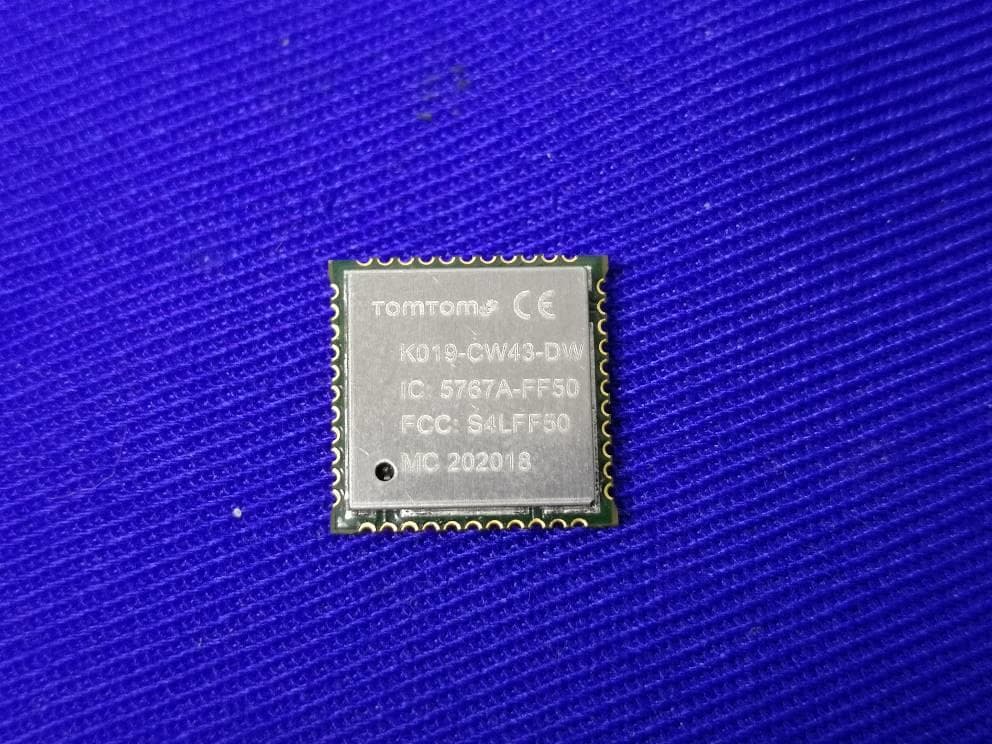
S4LFF50
Jul 01, 2020WIFI/BT Module
Equipment Class
NII - Unlicensed National Information Infrastructure TX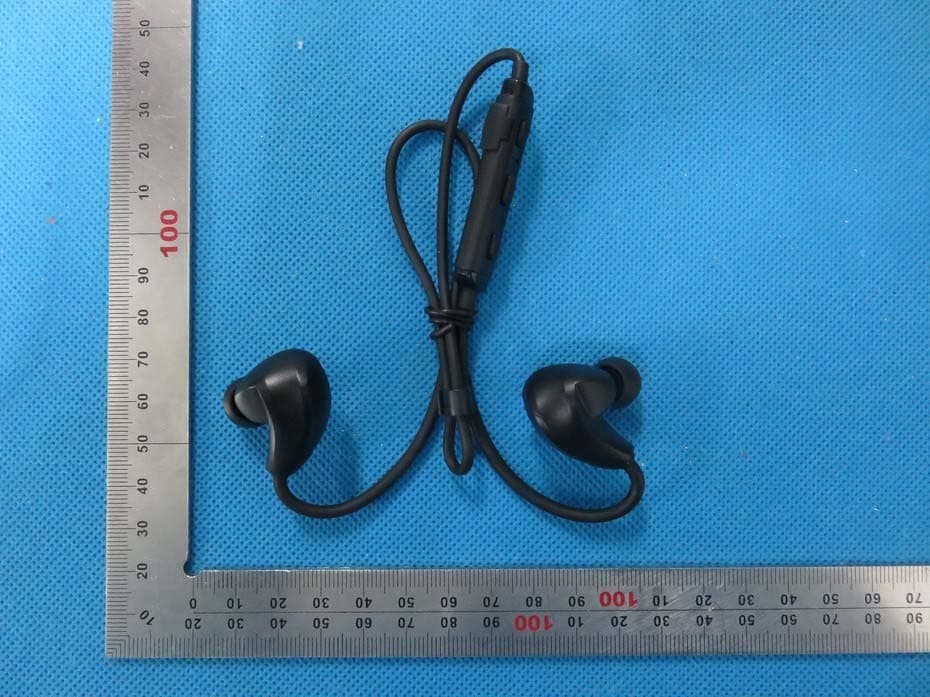
S4L4ROM
Nov 16, 2015Bluetooth Sports Headphones
Equipment Class
DSS - Part 15 Spread Spectrum Transmitter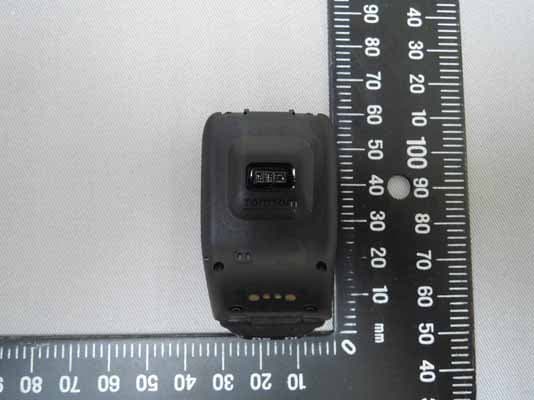
S4L4RFM
Sep 16, 2015TomTom Cardio GPS Watch
Equipment Class
DSS - Part 15 Spread Spectrum Transmitter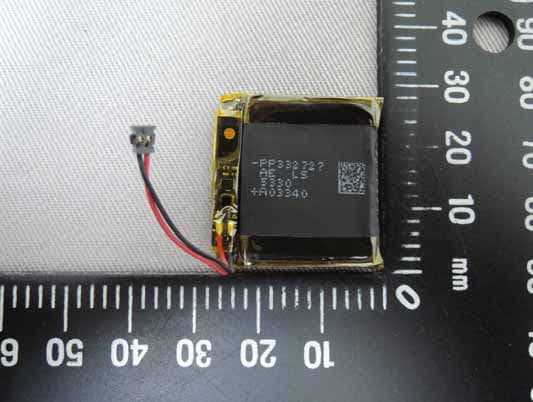
S4L4REM
Sep 16, 2015TomTom GPS Watch
Equipment Class
DTS - Digital Transmission System