S5EAA90048BLUTAG
Satellite Tracking of People LLC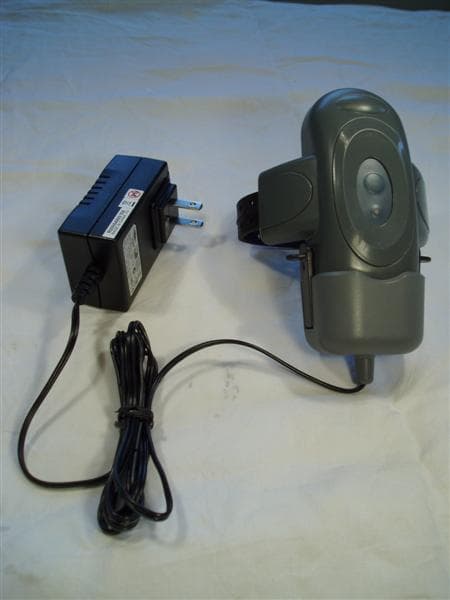
Click to zoom
Application Details
- Equipment Class
- DXX - Part 15 Low Power Communication Device Transmitter
- Date of Grant
- Aug 30, 2006
- Application Purpose
- Original Equipment
- Date of Application
- Aug 30, 2006
- Equipment Note
- BLUTAG
- Frequency Range
- 915.00000000 - 915.00000000
- Country
- United States
Documents & Files
Document Text
Text extracted from the exhibit documents filed with the FCC. Open a document above to read the original.
Users Manual
BluTag User’s Guide Version 8.1 Blutag: FCC ID S5EAA700008 For body worn operation this tracking device has been tested and meets the FCC RF exposure guidelines The highest reported SAR value is: 0.709 W/kg GSM850 and 0.967 W/Kg GSM1900. Eighth Edition, Amendment 1 (November 2005) VeriTracks™, BluTag® and various software icons are worldwide registered trademarks of Satellite Tracking of People LLC (STOP). The software described herein has U.S. and Foreign Patents Pending. STOP provides this publication as is without warranty of any kind, expressed or implied, including, but not limited to, the implied warranties of merchantability or fitness for a particular purpose. This publication could include technical inaccuracies or typographical errors. Changes are periodically made to the information contained herein; these changes will be incorporated in new editions of the publication. STOP may make improvements and/or changes to the products described in this publication at any time. Reproduction of this document is expressly forbidden. © 2005 Satellite Tracking of People LLC. All rights reserved. VeriTracks™ User’s Manual Satellite Tracking Of People i Table of Contents Chapter 1: About VeriTracks™ and BluTag®.....................................................................1 BluTag®..........................................................................................................................................2 Summary of BluTag® Specifications:...................................................................................2 About this document.....................................................................................................................3 Chapter 2: Getting Started.......................................................................................................4 System Requirements...................................................................................................................4 Getting Help...................................................................................................................................4 Logging In.......................................................................................................................................5 Understanding Main Menu Options............................................................................................6 Chapter 3: Registering an Offender......................................................................................9 Registering an Offender....................................................................................................................9 Preparing the BluTag® for Use...................................................................................................9 Installing BluTag®.......................................................................................................................12 Enrolling a New Tracked Offender in VeriTracks™................................................................13 Complete Enrollment Paperwork...............................................................................................15 Un-Enrolling a Tracked Offender in VeriTracks™.......................................................................16 Removing the Strap....................................................................................................................18 Changing a Tag on an Offender.....................................................................................................18 Storing and Maintaining BluTag®..................................................................................................19 Review...............................................................................................................................................21 Chapter 4: Zones......................................................................................................................22 Create a zone and assign it to an offender..............................................................................22 Creating Zones......................................................................................................................22 Create a zone based on an address.............................................................................23 Create a Zone from the map..........................................................................................24 Assigning Zones....................................................................................................................24 Verifying a zone assignment......................................................................................................26 Verify the zone is assigned to the offender.......................................................................26 Verify the zone is in the proper place.................................................................................27 Edit a zone....................................................................................................................................27 Un-assign a zone.........................................................................................................................28 Expire a zone...............................................................................................................................28 VeriTracks™ User’s Manual Satellite Tracking Of People ii Review...............................................................................................................................................28 Chapter 5: Event Control....................................................................................................... 29 Setting up a schedule.................................................................................................................29 Deleting a schedule.............................................................................................................…
Text truncated - open the document above for the full version.
Users Manual
VeriTracks™ User’s Manual Satellite Tracking Of People 44 • Select one or more points for the offender of interest. You can only link points for a single offender at a time. • Select the connect track point button. • The track points will be connected by colored lines. A green line indicates less than two minutes between points, a yellow line indicates less than 10 minutes between points and a red line indicates more than 10 minutes between points. Identify Features • Hold down your left mouse button and draw a box around one or many map features. • Click the Identify Features icon on toolbar. • This produces a detailed report on each feature (offender track point, zone, home/work address) in the box drawn. NOTE: These first three capabilities when used together can quickly focus the supervising officer on location anomalies, such as on offender going to an unusual place and allows him/her to drill down into the details of the offender’s behavior.. See the places an offender frequents • Map a track for the offender of interest for any time period. • Select an offender’s track on the map by drawing a box around one track point to identify the offender. • Select the Show Offender Range icon to overlay a density layer that depicts hot spots where the offender frequented or the offender’s “home range.” • Zoom out to see the entire home range • This feature visualizes an offender’s “home range,” which covers all of the places an offender has visited and where he/she spends most of his/her time. Find offenders at a location at a time. • Go to the Map link on the main menu bar. This provides a drop-down box in which you can enter the address information to be mapped. VeriTracks™ User’s Manual Satellite Tracking Of People 45 • Alternatively, click on the Map link on the main menu bar and you will be redirected to the Map Data Entry screen. Here you can enter the address information or select from a drop-down listing of previously mapped addresses. • When you have entered the address information in either location, you will need to click on the Map button to create the map. • On the map, draw a box around the area of interest • Click on the Select Tracks icon. This icon displays an offender’s tracks that occurred in a selected area of the map during the specified time range. Note – You can also Select Crime Incidents and Select Zones to display crimes and zones in an area on the map following a procedure similar to the one described above. Review How To... Determine Current Offender Status Select Offender Status from the Supervision drop down menu. Select the offender of interest from the scrolling list. Review the information on the offender status tabs. How To... Review Tracked Offender History To review an offender’s historic data that is older than 24 hours, use these screens to generate reports and maps of historic information: Open the Offender Search Screen (Supervision , Search ) and enter search criteria. Display the results in text reports, or Map one or more offender tracks. VeriTracks™ User’s Manual Satellite Tracking Of People 46 Chapter 8: USER ADMINISTRATION VeriTracks™ allows users to administer their own account information, select the types of notifications they need to receive, and create zones. A section under Administration was also included for agency administrators to manage users and for smaller law enforcement agencies to input its own crime incident data when it does not have its own system for this function. Menu Options Incident The Incident Data Entry option is available for smaller law enforcement agencies that do not have an automated Crime Incident entry system already in place, like a CAD system or RMS. Electronic formatting of data is required in order to feed it into VeriTracks™. This function will not be used by most agencies User Accounts Each agency will have an administrator account assigned to manage user accounts. This menu option is accessible only by your agency administrator. Administrators can create users as needed and modify user information. Procedures for the Agency Administrator are covered Appendix 4. Zone This menu option is another way of accessing the Zone creation screen described in Chapter 4. Preferences There are two types of users defined within VeriTracks™: Law Enforcement Officers/Crime Analysts and Supervising Officers/Probation Officers. The Preferences menu allows the user to modify his/her own account and select the types of notifications he/she needs to receive from VeriTracks™. In addition, the user can VeriTracks™ User’s Manual Satellite Tracking Of People 47 set up how he/she wants his/her default map layers displayed. Each of these options are accessed by clicking on the appropriate folder tab. For BOTH Law Enforcement and Probation Officers, some user account information is modifiable. You DO NOT have privileges to modify your Username, First Name, Last Name or Contact Type. The following are the fields can be modified. Profile Tab First Name Your first name entered by your agency VeriTracks™ administrator. Last Name Your last name entered by your agency VeriTracks™ administrator. Password Your password will originally be assigned by your agency VeriTracks™ administrator, but you will be able to modify this as you see fit. Confirm Password Type your password in two times for verification. User Time Zone This allows the user to set the Time Zone in which VeriTracks™ should display data. E-mail Each user must enter his/her e-mail address and keep it updated in order to receive the VeriTracks™ notifications. Active E-mail This e-mail address is used for the officer to receive immediate notifications on his/her offender’s movements. This can be the same e-mail address listed above or another one, such as a cell phone or Blackberry. Phone Your phone number where you can be reached. The above fields are common for both types of users. Once your user account information is updated, click on the Update button. Notifications Tab Superv…
Text truncated - open the document above for the full version.
Cover Letter(s)
Satellite Tracking of People LLC 4801 Woodway Drive, Suite 110W • Houston, Texas 77056 832-553.9500 • Fax 832-553-9530 • www.stopllc.com Date: 02 August 2006 Telecommunication Certification Body RFI Global Services Ltd. Pavilion A Ashwood Park Basingstoke Hampshire RG23 8BG United Kingdom Subject: Certification Applications FCC ID: S5EAA90048 Blutag (Version 4) S5EAA90548 BluBox (Version 1) It is requested that the following information is to be held confidential on behalf of STOP LLC of 102 Woodmont Blvd. Suite 800 Nashville, TENNESSEE 37205 FCC Rules Part 0.459 refers. Internal Photos (Number of files (photos) = 30 Block Diagram (Number of files = 2) Schematics (Number of files = 2) Parts List (Number of files = 6) The reasons for withholding the above materials is that they are commercially confidential and their disclosure could result in competitive harm if they became public as they contain sufficient technical information to allow the construction of a replica device. None of the above information is available to the public and disclosure has been limited to those parties who require the information in order to provide a necessary service. We would require this confidentiality to be maintained for the life of the product. Yours sincerely Stephen Freathy
Cover Letter(s)
Satellite Tracking of People LLC 4801 Woodway Drive, Suite 110W • Houston, Texas 77056 832-553.9500 • Fax 832-553-9530 • www.stopllc.com Date: 02 August 2006 Telecommunication Certification Body RFI Global Services Ltd. Pavilion A Ashwood Park Basingstoke Hampshire RG23 8BG United Kingdom Subject: Certification Applications FCC ID: S5EAA90048 Blutag (Version 4) This Letter is to confirm that the design of Blutag (Version 4) is identical to our previous FCC approval for Blutag FCC ID S5EAA70038 except for the addition of the Micrel 915 Mhz Transceiver. All GSM components remain the same for the purpose of SAR compliance. Yours sincerely Stephen Freathy
ID Label/Location Info
Exhibit 12 SATELLITE TRACKING OF PEOPLE LLC (STOP) Labelling for BluTag® (Version 4 – July 2006) LABEL DETAILS (NOT TO SCALE) LABEL & TEXT DIMENSIONS (MM) LENGTH = 35 WIDTH = 12 FONT HEIGHT OF BLUTAG NO = 3 FONT HEIGHT OF FCC ID = 2 FONT STYLE = ARIEL BLUTAG NO: 00001 FCC ID: S5EAA90048
Operational Description
Exhibit 5 SATELLITE TRACKING OF PEOPLE LLC (STOP) Operational Description of BluTag4® and BluBox® BluTag4 BluTag4® is a one-piece GPS / GSM / RF device, about the same size as a small PC mouse, comfortable to wear and weighs just 6 ounces. Typically, the device is strapped to the wearers ankle. The device uses a combination of GPS / GSM / RF technologies to monitor the position of the wearer and pass location and status data to agency monitoring centers via GPRS communication. BluTag® has a fully rechargeable battery; tamper resistant strap; panic alarm / personal alarm notification; onboard management controls and is completely waterproof to 15 feet. Intelligent battery management software results in a battery life between charges of in excess of 30 hours even when used in fully active tracking mode. BluTag® can be fully recharged in just 45 minutes. BluTag4® can be operated as a stand-alone device in GPS / GSM modes only or with the BluBox® to include RF mode. When operating in RF mode, the BluTag4® can be configured to log / not log the I.D of the BluBox® (s) in range and to switch to / not switch to RF mode. A BluTag4® can be paired with single or multiple BluBox® units. BluBox The BluBox® is an RF device housed within a small portable lightweight case. It is normally powered from a mains supply, however internal batteries provide power when the BluBox® is in transit between locations or when the mains power supply has failed. The BluBox® replies to RF pings received from a BluTag4® when in range and in response to the ping received back from the BluBox®, the BluTag4® will behave in accordance with the configured set-up. Each BluBox® broadcasts a unique I.D. as well as any prevailing alarm conditions such as movement; tamper; mains power loss.
Test Report
TEST REPORT FROM RFI GLOBAL SERVICES LTD Test of: Satellite Tracking Of People LLC BluTag4 To: FCC Part 15.249 Test Report Serial No: RFI/MPTE1/RP48270JD02A This Test Report Is Issued Under The Authority Of Andrew Brown, Operations Manager: Tested By: Steven Wong Checked By: Tony Henriques Report Copy No: PDF01 Issue Date: 10 August 2006 Test Dates: 12 May 2006 to 20 June 2006 This report is issued in Adobe Acrobat portable document format (PDF). It is only a valid copy of the report if it is being viewed in PDF format with the following security options not allowed: Changing the document, Selecting text and graphics, Adding or changing notes and form fields. This report may be copied in full. The results in this report apply only to the sample(s) tested. RFI GLOBAL SERVICES LTD TEST REPORT S.No. RFI/MPTE1/RP48270JD02A Page 2 of 24 Issue Date: 10 August 2006 Test of: Satellite Tracking Of People LLC BluTag4 To: FCC Part 15.249 This page has been left intentionally blank. RFI GLOBAL SERVICES LTD TEST REPORT S.No. RFI/MPTE1/RP48270JD02A Page 3 of 24 Issue Date: 10 August 2006 Test of: Satellite Tracking Of People LLC BluTag4 To: FCC Part 15.249 Table of Contents 1. Client Information ............................................................................................................................4 2. Equipment Under Test (EUT) ..........................................................................................................5 3. Test Specification, Methods and Procedures ...............................................................................7 4. Deviations from the Test Specification..........................................................................................8 5. Operation of the EUT During Testing.............................................................................................9 6. Summary of Test Results ..............................................................................................................10 7. Measurements, Examinations and Derived Results ...................................................................11 8. Measurement Uncertainty .............................................................................................................18 9. Measurement Methods ..................................................................................................................19 Appendix 1. Test Equipment Used ...................................................................................................22 Appendix 2. Test Configuration Drawings.......................................................................................23 RFI GLOBAL SERVICES LTD TEST REPORT S.No. RFI/MPTE1/RP48270JD02A Page 4 of 24 Issue Date: 10 August 2006 Test of: Satellite Tracking Of People LLC BluTag4 To: FCC Part 15.249 1. Client Information Company Name: Satellite Tracking Of People LLC Address: 4801 Woodway Drive Suite 110W Houston Texas 77056-1828 USA Contact Name: Mr S Freathy RFI GLOBAL SERVICES LTD TEST REPORT S.No. RFI/MPTE1/RP48270JD02A Page 5 of 24 Issue Date: 10 August 2006 Test of: Satellite Tracking Of People LLC BluTag4 To: FCC Part 15.249 2. Equipment Under Test (EUT) The following information (with the exception of the Date of Receipt) has been supplied by the client: 2.1. Identification of Equipment Under Test (EUT) Brand Name: STOP Model Name or Number: BluTag4 Serial Number: BB11-TRI002 FCC ID: S5EAA90048 Country of Manufacture: UK Date of Receipt: 12 May 2006 Description: Charging cradle Brand Name: STOP Model Name or Number: None stated Serial Number: None stated Country of Manufacture: Not Stated Date of Receipt: 12 May 2006 Description: AC Charger Brand Name: mpw Model Name or Number: SA071113 Serial Number: None stated Country of Manufacture: China Date of Receipt: 12 May 2006 2.2. Description of EUT The equipment under test is a personal tracking device incorporating GSM, GPRS, 915 MHz and GPS technologies. 2.3. Modifications Incorporated in the EUT During testing the EUT was not modified. RFI GLOBAL SERVICES LTD TEST REPORT S.No. RFI/MPTE1/RP48270JD02A Page 6 of 24 Issue Date: 10 August 2006 Test of: Satellite Tracking Of People LLC BluTag4 To: FCC Part 15.249 2.4. Additional Information Related to Testing Power Supply Requirement: Internal battery supply of 3.7 V (Supplied with dedicated 110V AC charger) Equipment Category: Portable (Standalone battery powered device) Type of Unit: Transceiver Transmit Frequency Range: 915 MHz, single frequency operation Channel ID Channel Number Channel Frequency (MHz) Transmit Channels Tested: Single Not Applicable 915 Receive Frequency Range: 915 MHz, single frequency operation Channel ID Channel Number Channel Frequency (MHz) Receive Channels Tested: Single Not Applicable 915 Highest Unintentionally Generated Frequency: 915 MHz Highest Fundamental Frequency: 915 MHz Occupied Bandwidth: 392.786 kHz 2.5. Port Identification Port Description Type/Length Applicable 1 Charger Port - Y 2.6. Support Equipment No support equipment was used to exercise the EUT during testing. RFI GLOBAL SERVICES LTD TEST REPORT S.No. RFI/MPTE1/RP48270JD02A Page 7 of 24 Issue Date: 10 August 2006 Test of: Satellite Tracking Of People LLC BluTag4 To: FCC Part 15.249 3. Test Specification, Methods and Procedures 3.1. Test Specifications Reference: FCC Part 15 Subpart C: 2005 (Sections 15.249). Title: Code of Federal Regulations, Part 15 (47CFR215) Radio Frequency Devices. Comments: A description of the test facility used for this test is on file with, and has been accepted by, the Federal Communications Commission as required by Section 2.948 of Federal Rules. 3.2. Methods and Procedures The methods and procedures used were as detailed in: ANSI/TIA-603-B-2003 Land Mobile Communications Equipment, Measurements and performance Standards ANSI C63.2 (1996) Title: American National Standard for Instrumentation - Electromagnetic noise and field strength. ANSI C63.4 (2003) Title: American Nationa…
Text truncated - open the document above for the full version.
Contact Information
Applicant
Mark Kirincic(Mr)
Test Firm
RFI Global Services Ltd.Allan Hume
Technical Specifications
| # | Rule Parts | Frequency Range | Power Output |
|---|---|---|---|
| 1 | 15C | 915 MHz - 915 MHz | - |
Other Applications from Satellite Tracking of People LLC
S5EBBE010321
Jul 27, 2022BLUbase Offender Monitoring System
Equipment Class
DTS - Digital Transmission System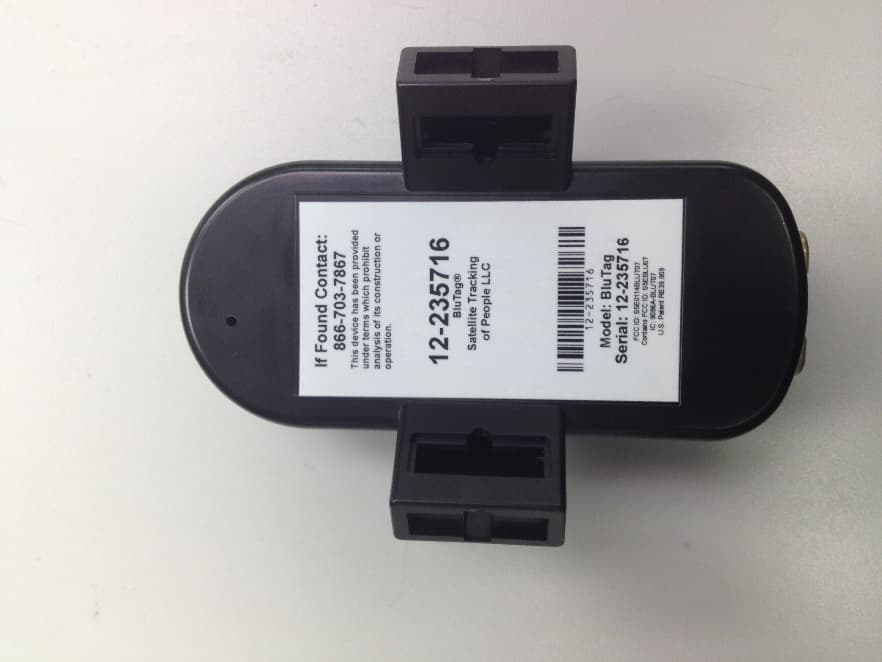
S5E0114BLUT07
Sep 29, 2014BluTag
Equipment Class
DXX - Part 15 Low Power Communication Device Transmitter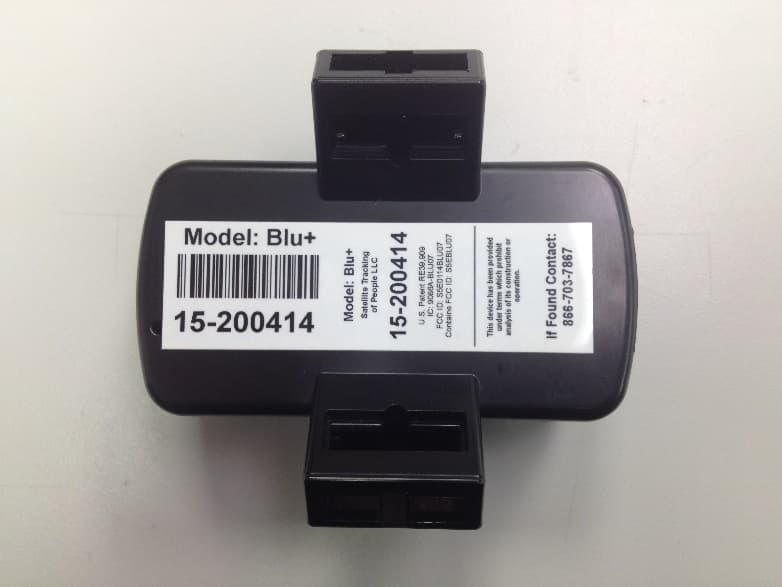
S5E0114BLU07
Sep 29, 2014Blu+
Equipment Class
DCD - Part 15 Low Power Transmitter Below 1705 kHz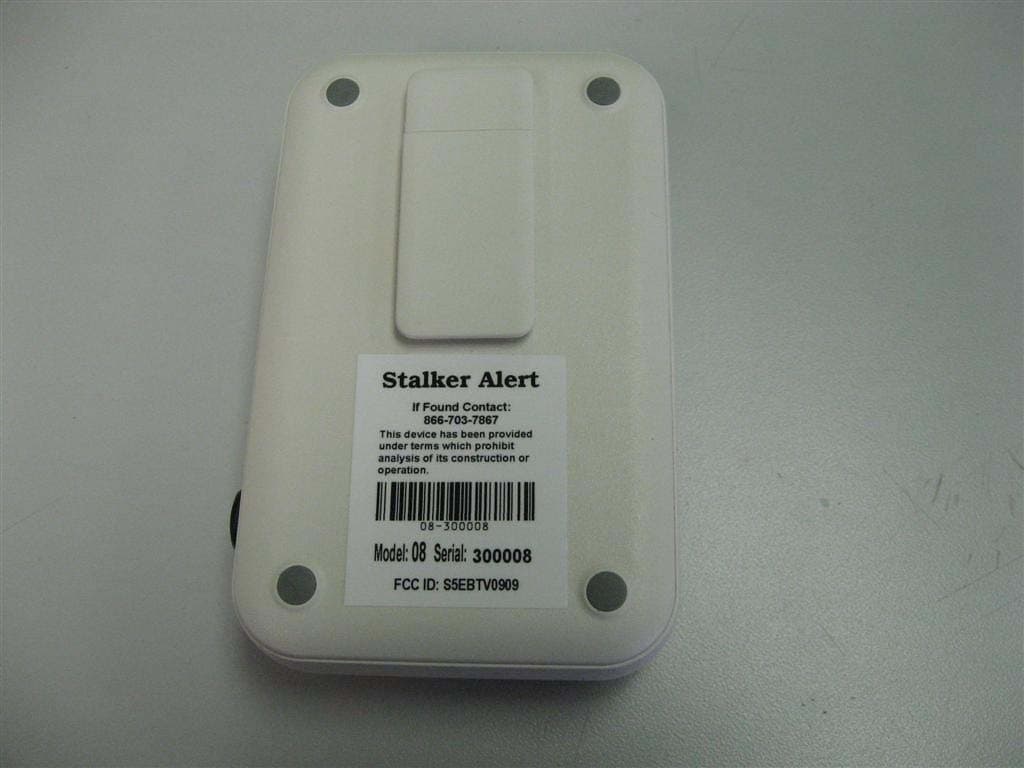
S5EBTV0909
May 13, 2010BluTag Stalker Alert
Equipment Class
PCT - PCS Licensed Transmitter worn on body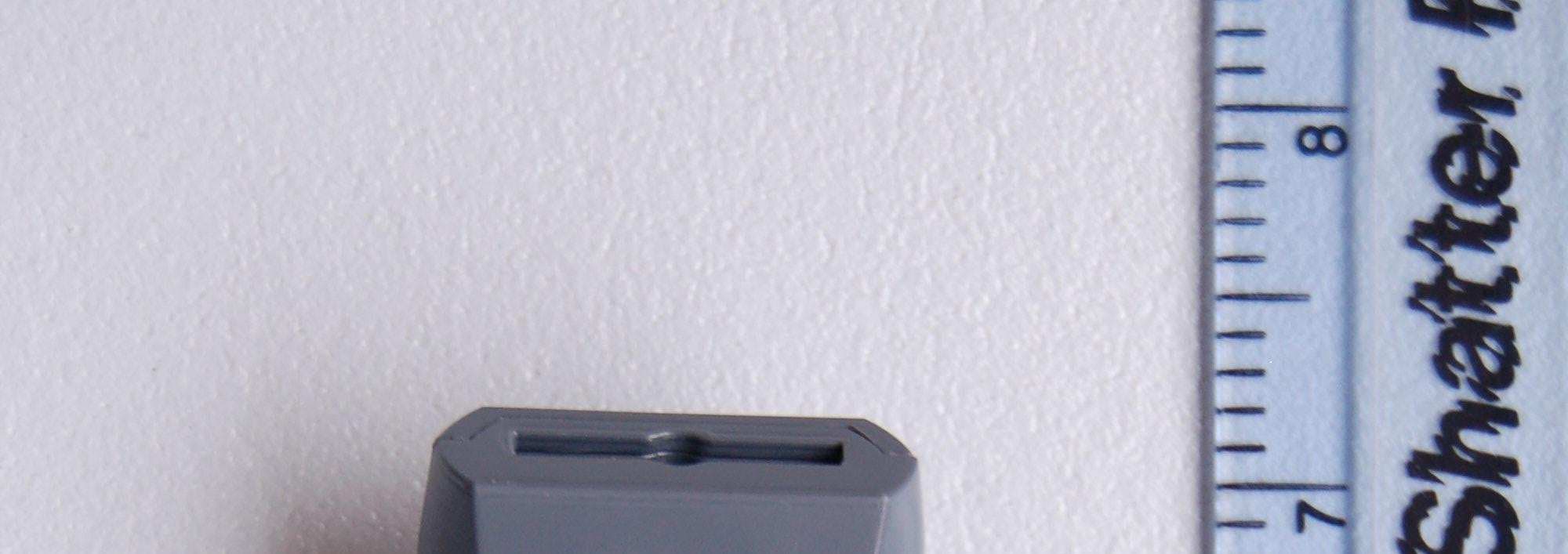
S5EBB02158
Mar 30, 2008BLUBAND
Equipment Class
DXX - Part 15 Low Power Communication Device Transmitter