S6J1062Handheld RFID Scanner
Technology Solutions (UK) Ltd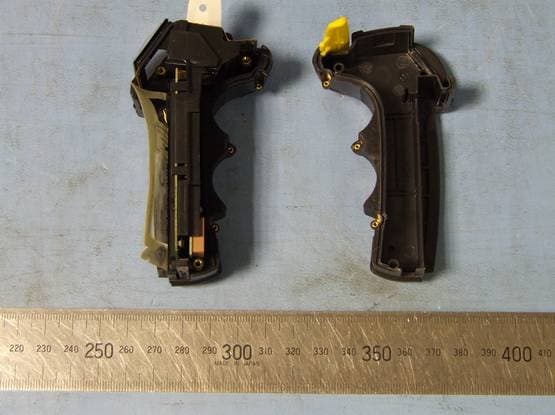
Click to zoom
Application Details
- Equipment Class
- DXX - Part 15 Low Power Communication Device Transmitter
- Date of Grant
- Jul 08, 2007
- Application Purpose
- Original Equipment
- Date of Application
- Jul 08, 2007
- Equipment Note
- Handheld RFID Scanner
- Frequency Range
- 13.56000000 - 13.56000000
- Country
- United Kingdom
Documents & Files
Document Text
Text extracted from the exhibit documents filed with the FCC. Open a document above to read the original.
Users Manual
1062 User Guide.doc Handscanner User Guide Technology Solutions UK Ltd Suite C Loughborough Technology Centre Epinal Way Loughborough Leics LE11 3GE Tel: +44 (0) 1509 238248 Fax: +44 (0) 1509 220020 Email: [email protected] 1062 User Guide.doc1062 Technology Solutions (UK) Limited reserves the right to change its products, specifications and services at any time without notice. Technology Solutions (UK) Limited provides customer assistance in various technical areas, but does not have full access to data concerning the uses and applications of any customer’s products. Therefore, Technology Solutions (UK) Limited assumes no responsibility for customer product design or for infringement of patents and/or the rights of third parties, which may result from assistance provided by Technology Solutions (UK) Limited. No part of this document may be reproduced in any form without the written consent of the author. Page 2 of 39 Overview This document provides general usage instructions for the Handscanner and is applicable for both the 1D laser scanner and 2D imager versions. Contents 1Main parts of the Handscanner.................................................................................................... 4 1.1Handscanner.......................................................................................................................... 4 1.2Cradle...................................................................................................................................... 6 2Using the Handscanner................................................................................................................ 7 2.1Charging the Handscanner................................................................................................... 7 2.2Removing the Handscanner battery.................................................................................... 8 2.3Handscanner Readzones..................................................................................................... 9 2.4Operating modes.................................................................................................................. 10 2.5Configurable features.......................................................................................................... 11 2.5.1Introduction................................................................................................................... 11 2.5.2Bluetooth settings........................................................................................................ 11 2.5.3Functionality.................................................................................................................. 11 2.5.4Prefix.............................................................................................................................. 11 2.5.5Buzzer............................................................................................................................ 11 2.5.6Vibrator.......................................................................................................................... 11 2.5.7RFID multiblock read................................................................................................... 11 2.5.8Batch mode................................................................................................................... 11 2.5.9Scan time...................................................................................................................... 12 2.5.10Power down time.......................................................................................................... 12 2.5.11Firmware update.......................................................................................................... 12 3Application Examples – PC........................................................................................................ 13 3.1Introduction........................................................................................................................... 13 3.2Setting up the Bluetooth connection................................................................................. 13 3.3Using SmartWedge Basic................................................................................................... 15 3.3.1Introduction................................................................................................................... 15 3.3.2Installation..................................................................................................................... 15 3.3.3Operation....................................................................................................................... 15 3.4HyperTerminal...................................................................................................................... 17 3.4.1Introduction................................................................................................................... 17 3.4.2Configuring HyperTerminal......................................................................................... 17 4Application Examples – Pocket PC........................................................................................... 19 4.1Introduction........................................................................................................................... 19 4.2Setting up a Bluetooth connection – Symbol MC70....................................................... 19 4.3Setting up a Bluetooth Connection – Intermec CN3....................................................... 22 4.4Using SmartWedge Basic................................................................................................... 28 4.4.1Introduction................................................................................................................... 28 4.4.2Installation..................................................................................................................…
Text truncated - open the document above for the full version.
Cover Letter(s)
Technology Solutions (UK) Ltd Suite C, Loughborough Technology Centre Tel Number: +44 1509 238248 Epinal Way Fax Number: +44 1509 220020 LOUGHBOROUGH Company Number: 02777518 Leicestershire VAT Number: GB 620 0306 11 LE11 3GE United Kingdom Certificate No.GB200 12 67Registration No. 0044/1 I SO 9001 REGISTERE D FI RM INTERNATI ONAL ACCREDITATION BOA RD To: Federal Communications Commission 7435 Oakland Mills Road Columbia, MD 21046-1609 Curtis-Straus LLC TCB 527 Great Rd Littleton, MA 02702 Re:Confidentiality Request Gentlemen: This letter is to comply with 47 CFR 0.457(d)(2) pertaining to confidential material. Technology Solutions (UK) Ltd requests that the following documents regarding this submission for FCC ID S6J1062 be kept confidential: 1.Schematics 2.Block Diagram 3.Circuit/Technical Description 4.Bill of Materials 5.PCB Layouts The material above contains technical data, which would customarily be guarded from competitors. Sincerely, Dr. David Corder Senior Design Engineer
Cover Letter(s)
Technology Solutions (UK) Ltd Suite C, Loughborough Technology Centre Tel Number: +44 1509 238248 Epinal Way Fax Number: +44 1509 220020 LOUGHBOROUGH Company Number: 02777518 Leics VAT Number: GB 620 0306 11 LE11 3GE Certificate No.GB200 12 67Registration No. 0044/1 I SO 9001 REGISTERE D FI RM INTERNATI ONAL ACCREDITATION BOA RD 29 May 2007 Authority to Act as Agent Dear Sir On behalf of Technology Solutions UK Ltd, I appoint KTL to act as agent in the preparation of this application for registration of the equipment described herein as 1063 Hand scanner. Date: 29 May 2007 Name:David Corder Signature: Title: Senior Design Engineer Applicant:Technology Solutions (UK) Ltd,
Cover Letter(s)
Technology Solutions (UK) Ltd Suite C, Loughborough Technology Centre Tel Number: +44 1509 238248 Epinal Way Fax Number: +44 1509 220020 LOUGHBOROUGH Company Number: 02777518 Leicestershire VAT Number: GB 620 0306 11 LE11 3GE United Kingdom Certificate No.GB200 12 67Registration No. 0044/1 I SO 9001 REGISTERE D FI RM INTERNATI ONAL ACCREDITATION BOA RD Re: FCC label location on 1062 Hand Scanner devices Rather than placing the label containing the FCC ID label on the exterior of the device, the label will be located inside the battery compartment. This meets the guidelines for Label Location for Part 15 and 18 Devices: The device is handheld. The FCC ID will be visible at time of purchase. All units are shipped without the battery being installed. The user will be able to see the label as the battery is fitted. The battery compartment is a user accessible area. No tools are required to access the battery compartment. The FCC ID label is fixed to the Hand Scanner, not to the removable battery compartment. Dr. David Corder Senior Design Engineer
ID Label/Location Info
1062 . Page 1 of 1 ID label The ID label is 22mm × 31mm. It is fixed behind a window in the main product label which is printed on 0.125mm velvet polycarbonate with a 3M 468MP adhesive backing or equivalent. The small size of the RFID reader and its identification label prevent the compliance statement from being printed on the product. The compliance statement is printed in the User Manual. ID label location The ID label is fitted inside the battery cover of the Handscanner as shown:
Test Report
KTL EMC Test Report:6G 9939GUS1 Applicant:Technology Solutions (UK) Limited Apparatus:Model 1062-01 Hand Scanner and Model 1062-03 Hand Scanner. Authorised by: : M Render, Senior EMC and Radio Group Engineer. Issue Date:29 th June 2007 Authorised Copy Number: PDF Total number of pages: 46 KTL EMC Test Report: 6G9939GUS1 2 Contents Section 1:Introduction3 1.1General3 1.2Tests Requested By4 1.3Manufacturer4 1.4Apparatus Assessed4 1.5Test Result Summary5 1.6Notes Relating To The Assessment6 1.7Deviations from Test Standards6 Section 2:Measurement Uncertainty7 2.1Introduction7 2.2Application of Measurement Uncertainty7 2.3Measurement Uncertainty Values7 Section 3:Modifications8 3.1Modifications Performed During Assessment8 Appendix A:Formal Emission Test Results9 Appendix B:Supporting Graphical Data27 Appendix C:Additional Test and Sample Details34 Appendix D:Additional Information40 Appendix E:Photographs and Figures41 KTL EMC Test Report: 6G9939GUS1 3 Section 1:Introduction 1.1General This report contains an assessment of an apparatus against Electromagnetic Compatibility Standards based upon tests carried out on samples submitted to the Laboratory. Test performed by:KTL Saxon Way Priory Park West Hull HU13 9PB United Kingdom Telephone:+44 (0) 1482 801801 Fax:+44 (0) 1482 801806 Email:[email protected] Web site:www.ktl.com Tests performed by: : K J Anderson, Principal EMC and Radio Engineer Report author: As above This report must not be reproduced except in full without prior written permission from KTL. KTL EMC Test Report: 6G9939GUS1 4 1.2Tests Requested By This test report has been prepared on behalf of: Technology Solutions (UK) Limited Suite C Loughborough Technology Centre Epinal Way Loughborough Leicestershire United Kingdom 1.3Manufacturer As above. 1.4Apparatus Assessed The following apparatus was assessed between 18/05/07 and 23/05/07: Model 1062-01 Hand Scanner and Model 1062-03 Hand Scanner. The above equipment consisted of combined barcode/RFID scanners, operating at 13.56MHz. KTL EMC Test Report: 6G9939GUS1 5 1.5Test Result Summary Full details of test results are contained within Appendix A. The following table summarises the results of the assessment. The statements relating to compliance with the standards below apply ONLY as qualified in the notes and deviations stated in sections 1.6 to 1.7 of this test report. Test TypeRegulationMeasurement standardRangeResult REFE** Title 47 of the CFR:2005, Part 15 Subpart (c), Clause 15.225(a) ANSI C63.4:2003 13.553MHz to 13.567MHz Pass REFE** Title 47 of the CFR:2005, Part 15 Subpart (c), Clause 15.225(b) ANSI C63.4:2003 13.410MHz to 13.553MHz and 13.567MHz to 13.710MHz Pass REFE** Title 47 of the CFR:2005, Part 15 Subpart (c), Clause 15.225(c) ANSI C63.4:2003 13.110MHz to 13.410MHz and 13.710MHz to 14.010MHz Pass REFE** Title 47 of the CFR:2005, Part 15 Subpart (c), Clause 15.209 (d) ANSI C63.4:20036MHz to 30MHz*Pass REFE Title 47 of the CFR:2005, Part 15 Subpart (c), Clause 15.209 ANSI C63.4:200330MHz to 1GHzPass PLCE Title 47 of the CFR:2005, Part 15 Subpart (c), Clause 15.207 ANSI C63.4:2003150kHz to 30MHzPass Frequency Stability Title 47 of the CFR:2005, Part 15 Subpart (c), Clause 15.225(e) ANSI C63.4:20030.01% of nominal Pass *Excluding frequency bands identified in Clauses 15.225(a), 15.225(b) and 15.225(c). **Measurements made using a screened magnetic loop antenna. Abbreviations used in the above table: CFR: Code of Federal RegulationsANSI: American National Standards Institution REFE: Radiated Electric Field Emissions PLCE: AC power conducted emissions KTL EMC Test Report: 6G9939GUS1 6 1.6Notes Relating To The Assessment With regard to this assessment, the following points should be noted: The results contained in this report relate only to the items tested and were obtained in the period between the date of initial receipt of samples and the date of issue of the report. The apparatus was set up and exercised using the configurations, modes of operation and arrangements defined in this report only. Particular operating modes, apparatus monitoring methods and performance criteria required by the standards tested to have been performed except where identified in Section 1.7 of this test report (Deviations from Test Standards). For emissions testing, throughout this test report, “Pass” indicates that the results for the sample as tested were below the specified limit (refer also to Section 2, Measurement Uncertainty). All testing with the exception of testing at the Open Area Test Site was performed under the following environmental conditions: Temperature: 17 to 23 degrees C Humidity : 45 to 75 % Barometric Pressure: 86 to 106 kPa All dates used in this report are in the format dd/mm/yy. This assessment has been performed in accordance with the requirements of ISO/IEC 17025. KTL’s facilities are listed with the Federal Communications Commission (FCC) as suitable for performing measurements in support of application for certification under parts 15 and 18 of the FCC rules: Registration number 90743. KTL Hull is a listed electromagnetic compatibility Conformance Assessment Body (CAB) for EC access to the US market. (Decision No 3/2000 of the Joint Committee established under the Agreement on Mutual Recognition between the European Community and the United States of America. This decisionwas effective from 16 th January 2001). 1.7Deviations from Test Standards There were no deviations from the standards tested to. KTL EMC Test Report: 6G9939GUS1 7 Section 2:Measurement Uncertainty 2.1Introduction The standard ISO/IEC 17025 used for laboratory accreditation requires laboratories to estimate measurement uncertainty using accepted methods of analysis. Where required, the reported expanded uncertainty is based on a standard uncertainty providing a confidence level of approximately 95%. Measurement uncertainty is calculated using the methods defined in the UKAS document LAB34 Edition 1 August 2002. KTL measurement uncertainty is recorde…
Text truncated - open the document above for the full version.
Contact Information
Applicant
David Evans(Founder)
Test Firm
Element Materials Technology Warwick LtdKeith Wright
Technical Specifications
| # | Rule Parts | Frequency Range | Power Output |
|---|---|---|---|
| 1 | 15C | 13.56 MHz - 13.56 MHz | - |
Other Applications from Technology Solutions (UK) Ltd
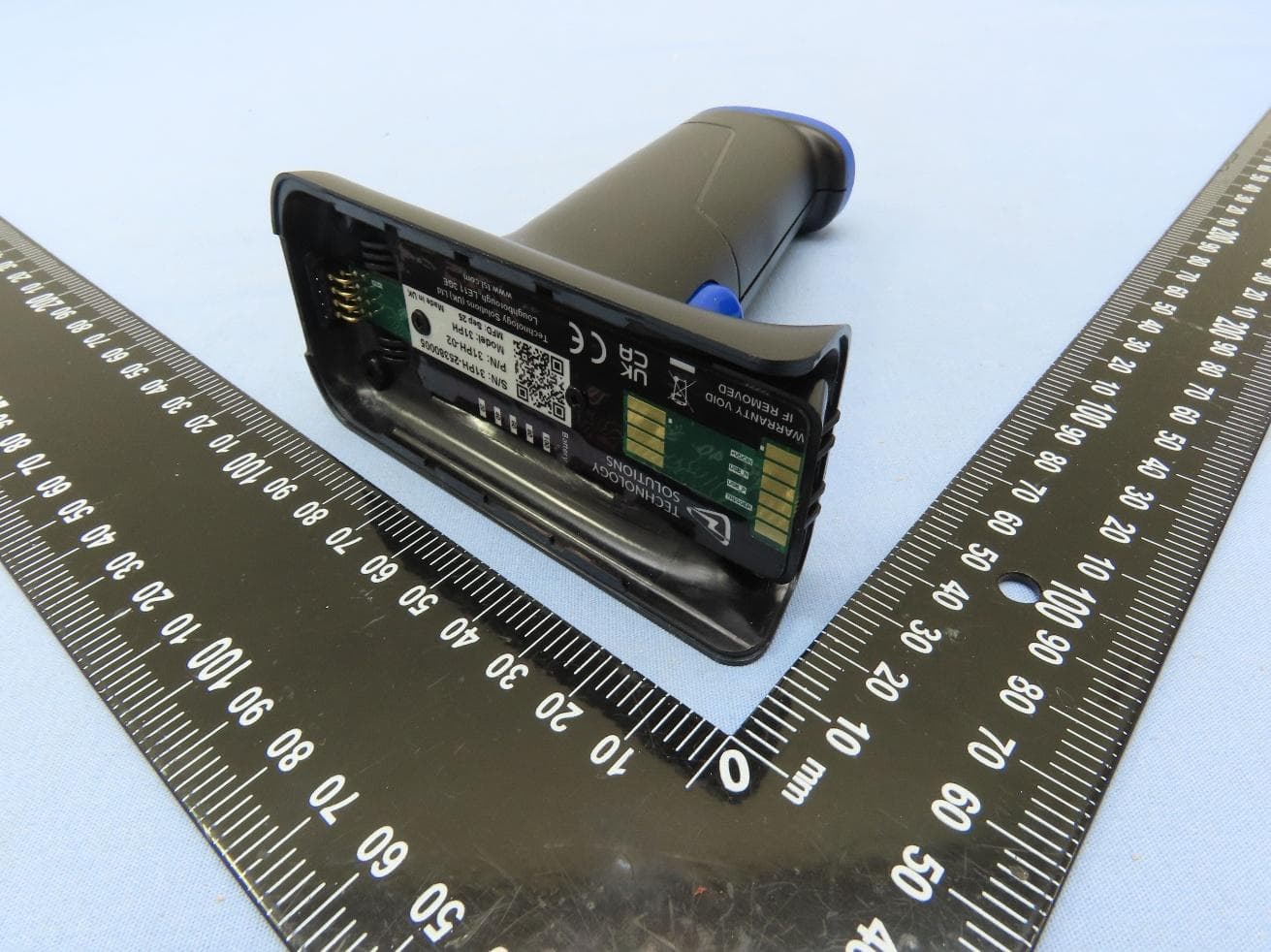
S6J3128
Aug 10, 20263128 BLUETOOTH UHF RFID RAIN READER
Equipment Class
DSS - Part 15 Spread Spectrum TransmitterS6J-3417
Aug 30, 20233417 UHF RAIN RFID Reader Module
Equipment Class
DSS - Part 15 Spread Spectrum Transmitter
S6J2128L
Apr 08, 20202128L / IH21L Linear Bluetooth Handheld UHF RFID Reader
Equipment Class
DSS - Part 15 Spread Spectrum Transmitter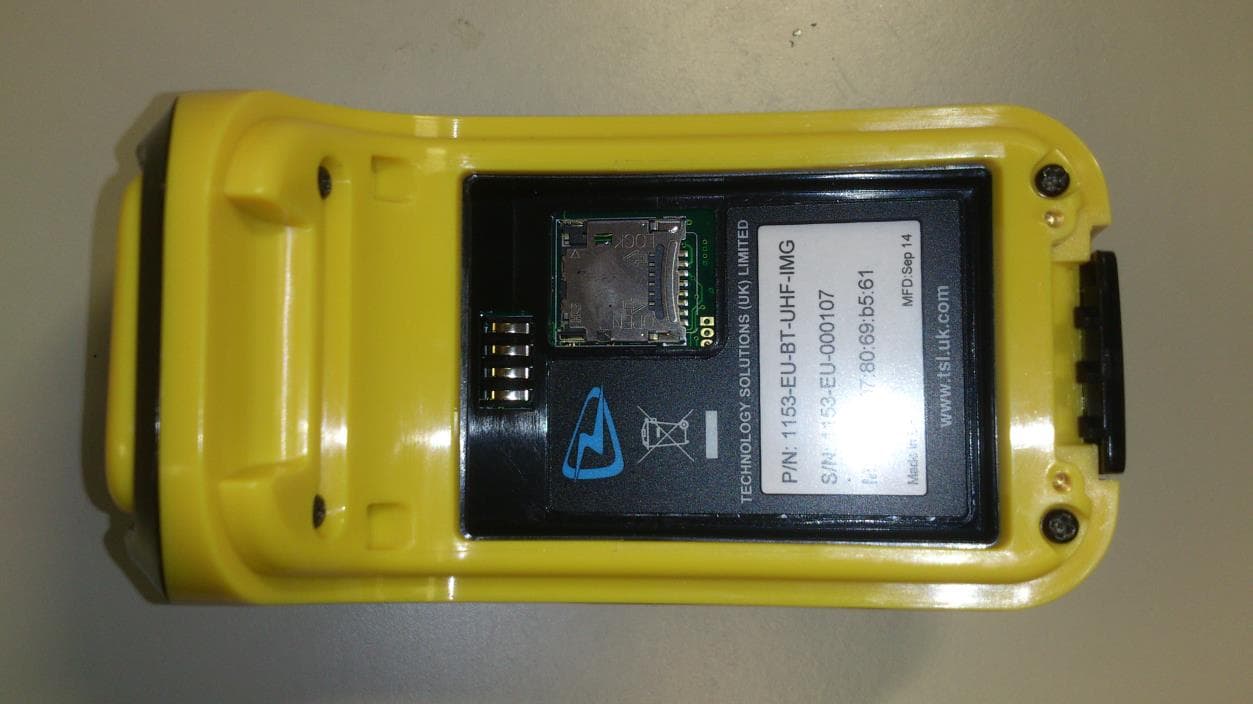
S6J1153
Oct 30, 20141153 Bluetooth Wearable UHF RFID Reader
Equipment Class
DSS - Part 15 Spread Spectrum Transmitter
S6J1134
Dec 18, 20111134 LF RFID READER
Equipment Class
DXX - Part 15 Low Power Communication Device Transmitter